Free OnlineGPT Image 2.5 AI Image Generator
Create sharper visuals and make focused edits with GPT Image 2.5, also known as ChatGPT Images 2.5. Mew Design - AI Design Agent brings text-to-image, reference-photo editing, and conversational refinement into one free-to-try workspace. Ask for GPT Image 2.5 to turn portraits, posters, product shots, and sketches into polished images without switching tools.

How to Generate and Edit Images with AI

Start from words, a reference photo, or a rough sketch. Then use the GPT Image 2.5 AI image generator in Mew Design to create, correct, and finish the visual through one conversation.
1

Describe the Result

Write the subject, format, composition, lighting, style, and intended use. For an edit, upload the source image and state exactly what must stay unchanged.
2

Request GPT Image 2.5

Add “Use GPT Image 2.5” to your prompt when you want to test the new model. The AI design agent reads the full brief and generates an image around your visual goal.
3

Refine Without Starting Over

Click Chat Edit and ask for one focused change at a time: replace a background, correct a headline, adjust a product color, or keep a face consistent across a new setting.
4

Download and Reuse

Review small text, hands, brand details, and reference fidelity. Download the approved image as PNG or JPG without a watermark, or create another size for social, ecommerce, presentations, or campaigns.
How to use GPT Image 2.5

Why Try GPT Image 2.5 in Mew Design

Keep Reference Subjects Recognizable

Upload a portrait, pet, product, or room reference and describe the transformation. GPT Image 2.5 is designed to preserve distinctive subjects more reliably while changing the setting, style, or composition.

Change Only What Needs Fixing

Use the GPT Image 2.5 photo editor for narrow changes such as a cap color, backdrop, outfit, or line of copy. In Chat Edit, spell out both the requested change and the details that must remain.

Build on Earlier Edits

Develop an image over several turns without rebuilding the asset each time. The model is designed for stronger multi-turn consistency, helping earlier choices survive as you refine later details.

Create More Natural Visual Detail

Generate portraits, lifestyle scenes, interiors, and product photography with richer textures and more natural lighting. Add specific materials, surfaces, and light direction when realism matters.

Handle Practical Design Layouts

This online GPT-Image-2.5 generator can tackle posters, merchandise, product images, UI concepts, infographics, and transparent-background assets. For layout-heavy work, also explore Mew Design's AI poster generator and AI infographic generator.

Test the Model with Free Credits

New users receive free AI credits after signup, so you can try GPT Image 2.5 before choosing a paid plan. Generate, compare, refine, and export completed PNG or JPG images without a watermark in the same workspace.

How to Write a Strong GPT Image 2.5 Prompt

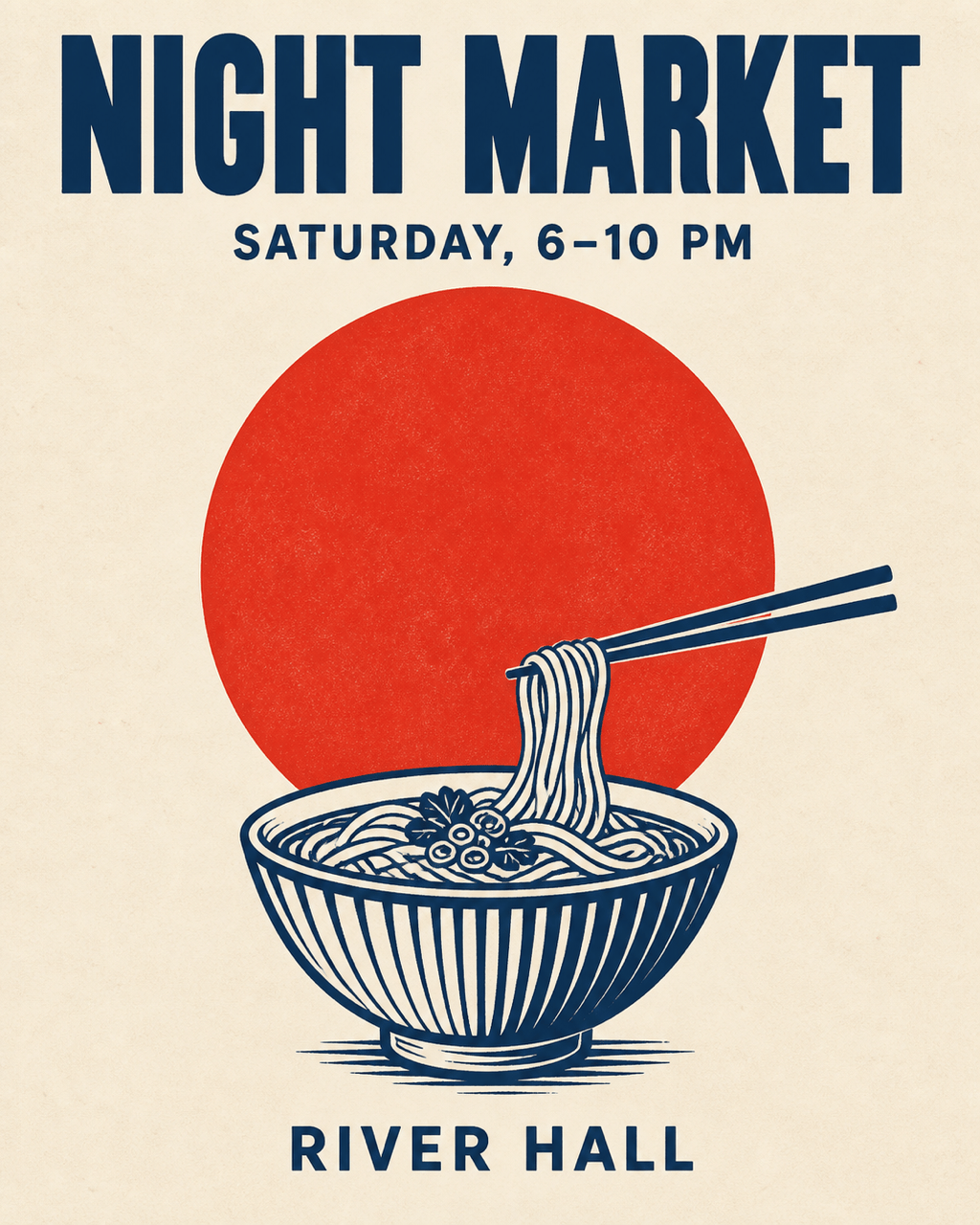
Use GPT Image 2.5. Create a vertical 4:5 editorial night-market poster on warm ivory paper. Use deep navy typography, one vermilion circle, and a simple noodle-bowl illustration. Render exactly these three lines, each once: “NIGHT MARKET”, “SATURDAY, 6–10 PM”, and “RIVER HALL”. Keep every word sharp and readable. No other text, logos, frame, or watermark.
A useful GPT Image 2.5 prompt reads like a compact creative brief. Name the asset, visible subject, composition, style, light, exact text, and destination; for edits, separate what should change from what must remain.
  • Assign each reference: Say whether an upload is the edit target, a subject to preserve, a style reference, or a sketch that controls layout.
  • Quote exact text: Put required wording in quotation marks, state where it belongs, and ask for no extra copy. Always proofread the result.
  • Protect approved details: For GPT Image 2.5 image editing, list the face, pose, geometry, label, lighting, crop, or brand treatment that should not change.
  • Refine one issue at a time: Ask Chat Edit for a focused correction, compare it with the previous image, and repeat the important preservation rules on every turn.

GPT Image 2.5 Prompts for Popular Creative Workflows

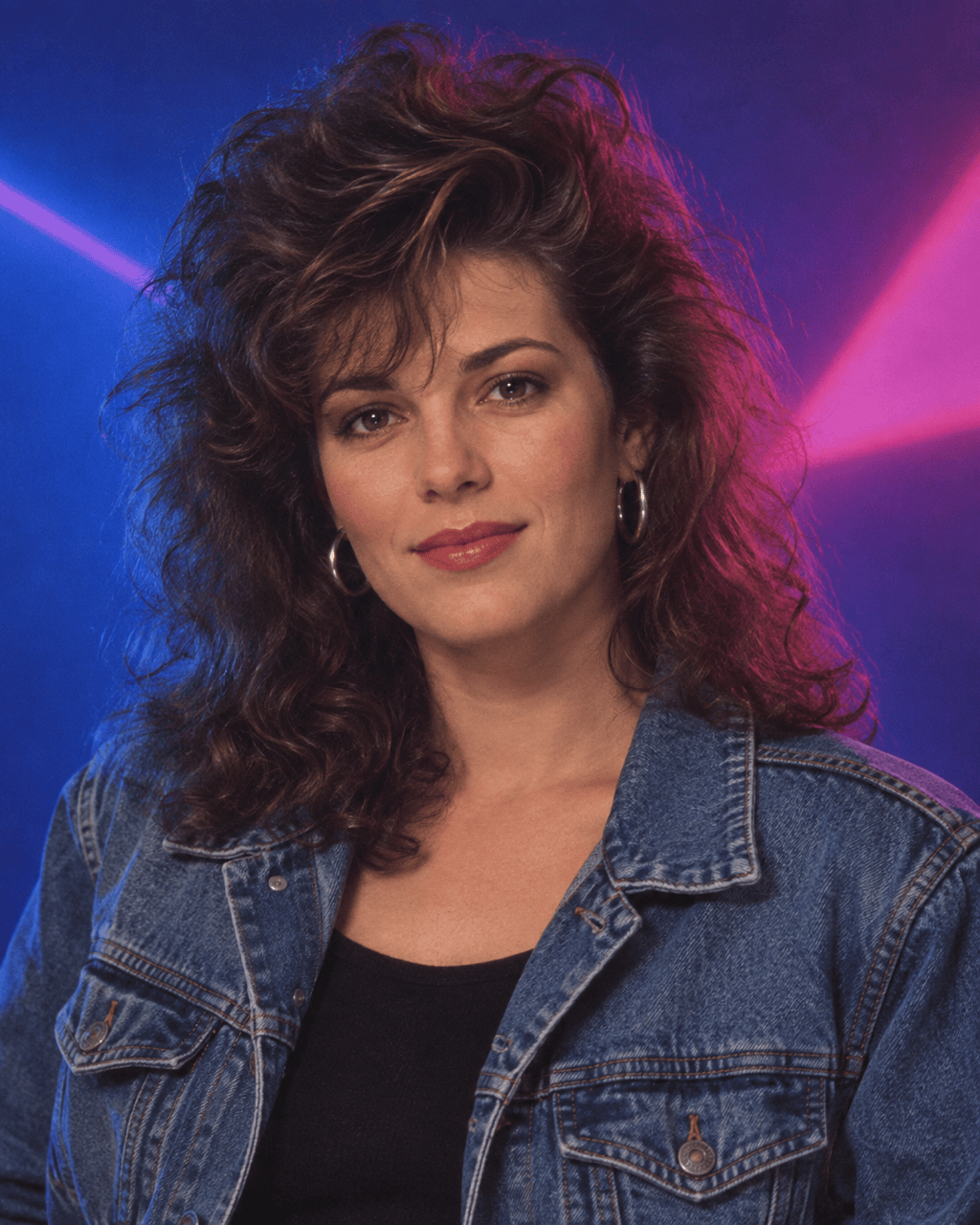
Retro Portrait: Use GPT Image 2.5. Transform my uploaded portrait into an authentic late-1980s studio photo. Preserve my facial features, expression, hairstyle, and skin tone. Add a cobalt-and-magenta neon backdrop, soft diffusion, natural skin texture, era-appropriate denim styling, and subtle film grain. Vertical 4:5, no text, logos, or watermark.

Exact-Text Poster: Use GPT Image 2.5. Design a 4:5 night-market poster on warm ivory paper with deep navy type and one vermilion circle. Show exactly “NIGHT MARKET”, “SATURDAY, 6–10 PM”, and “RIVER HALL”, each once. Add a restrained noodle-bowl illustration, sharp lettering, no other copy or logos.

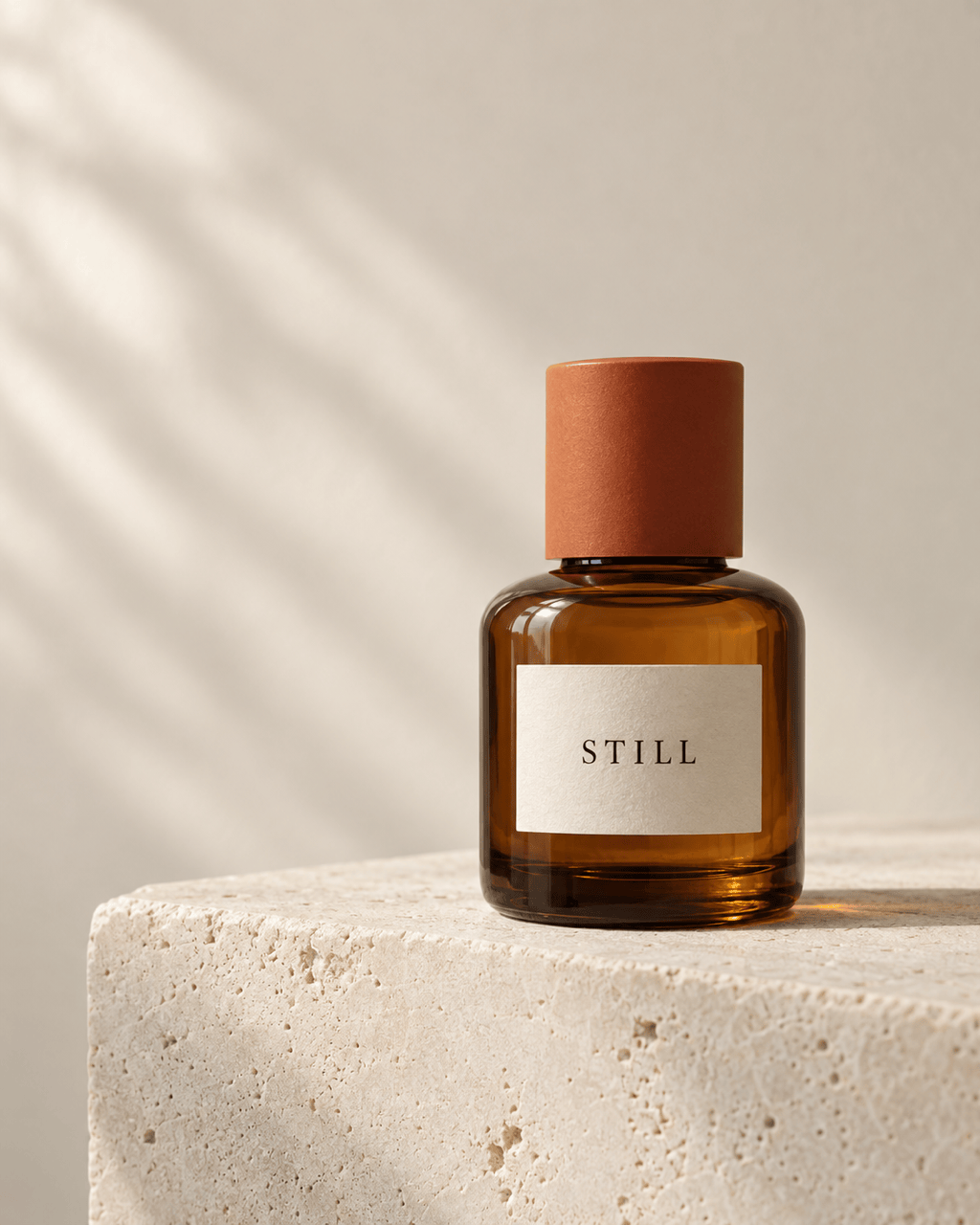
Ecommerce Product Photo: Use GPT Image 2.5. Create a premium 4:5 studio image of one amber skincare bottle on pale limestone. The cream label reads exactly “STILL”. Use soft window light, realistic glass reflections, visible stone texture, generous negative space, and no extra objects, words, logos, or watermark.

Precise Product Edit: Edit my uploaded product photo with GPT Image 2.5. Change only the cobalt-blue cap to matte burnt orange. Preserve the bottle geometry, exact label text, product position, surface texture, reflections, shadow, lighting, crop, and background. Add or remove nothing else.

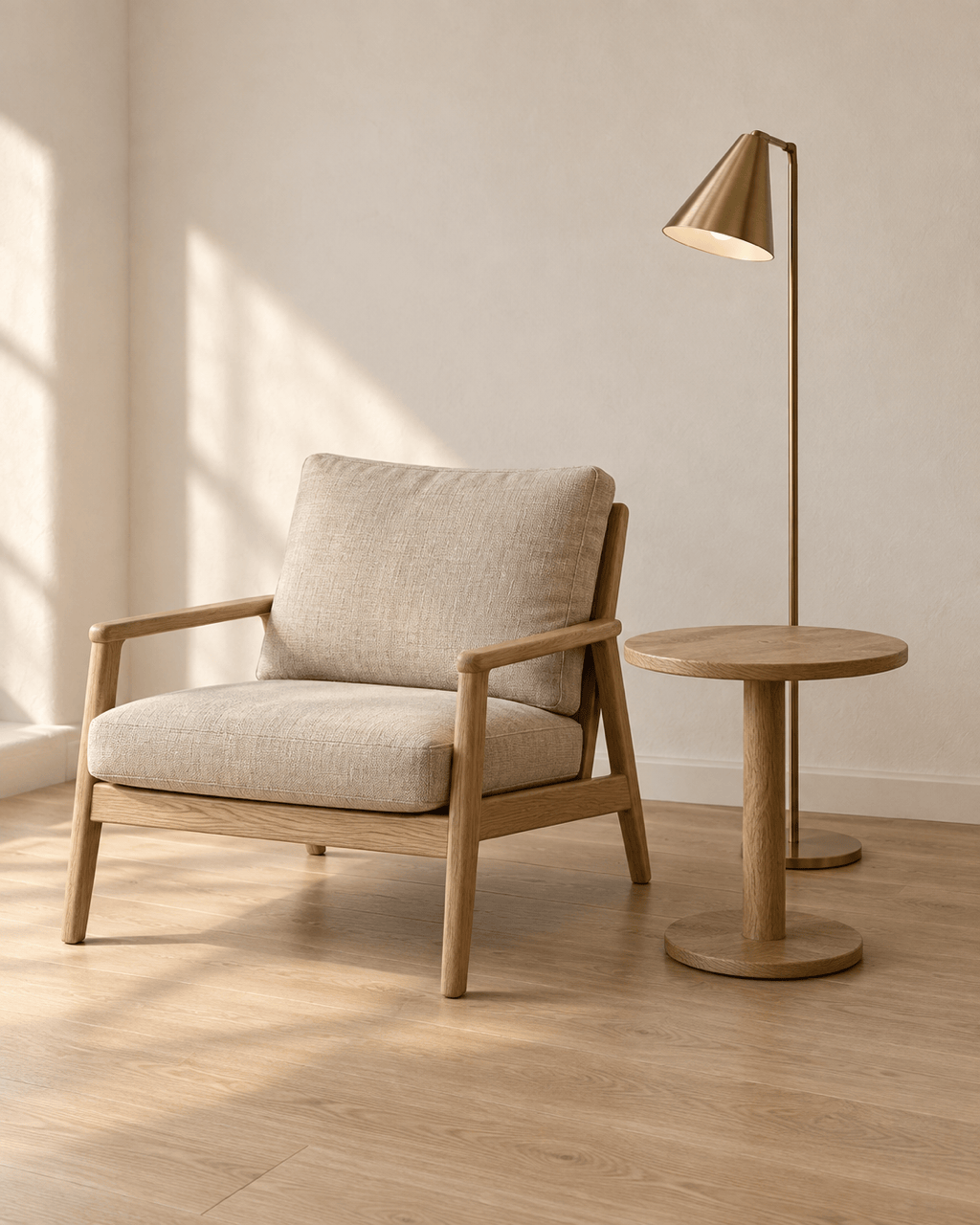
Sketch to Interior: Use GPT Image 2.5. Turn my uploaded reading-corner sketch into a photorealistic interior while preserving the camera angle and furniture positions. Use an oak chair, oatmeal linen cushions, a round side table, brushed-brass lamp, warm plaster walls, and soft daylight. Keep exactly three furniture objects and add no text.

Transparent Shop Asset: Use GPT Image 2.5. Create one original mint-green over-ear headphone product cutout, three-quarter view, matte plastic, woven cushions, and subtle metal hinges. Center the complete object with wide padding on a genuinely transparent background. No brand name, text, scenery, checkerboard, or watermark.


GPT Image 2.5 AI Image Generator FAQs

GPT Image 2.5 is OpenAI's latest image-generation and editing model family. OpenAI introduced GPT-Image-2.5 Flare for faster everyday production and GPT-Image-2.5 Sunburst for precision-focused creative work.
ChatGPT Images 2.5 is the image experience in ChatGPT. GPT-Image-2.5 Flare and Sunburst are the API model names behind the new generation. People often use the names interchangeably when discussing the release.
Yes. Mew Design has integrated GPT Image 2.5. Describe the image or edit you need and add “Use GPT Image 2.5” when you want to request this model explicitly.
Yes. New Mew Design users receive free AI credits after signup. You can use those credits to test prompts and edits, then download completed images without a watermark. Free usage is credit-limited, not unlimited.
OpenAI reports sharper detail, richer textures, more natural lighting, stronger subject preservation, more precise editing, better multi-turn consistency, and up to 50% lower latency than Images 2.0. You can also compare it with the previous GPT Image 2 generator in Mew Design.
OpenAI positions Flare as the faster default for creator content, product experiences, prototypes, and higher-volume work. Sunburst takes longer and targets detailed campaign creative, polished product imagery, and edits where tighter control matters. Model selection inside Mew Design may depend on the available workflow.
Yes. Upload an image, identify the subject or product to preserve, and describe the exact change. Better reference fidelity is a core 2.5 improvement, but you should still compare faces, hands, labels, geometry, and small details before publishing.
It can follow exact-text instructions and generate transparent-background assets, especially when the prompt quotes the required wording and rules out extra text. Inspect spelling and the actual transparency before using the result in production.
They emphasize different strengths and can perform differently by prompt. Test the same brief and reference image, then compare preservation, text, layout, speed, and edit stability. You can also try the Nano Banana Pro AI image generator in Mew Design.
It can support professional creative workflows, but you are responsible for reviewing current platform terms, source-image permissions, trademarks, publicity rights, and project-specific requirements before commercial release.

Ready to Generate Designs With AI?

Get Started - 50 Free Credits
No credit card required
© 2025 - 2026 Mew Design, MAGOAI LTD.All rights reserved.