Turn Yourself IntoAI Art Online
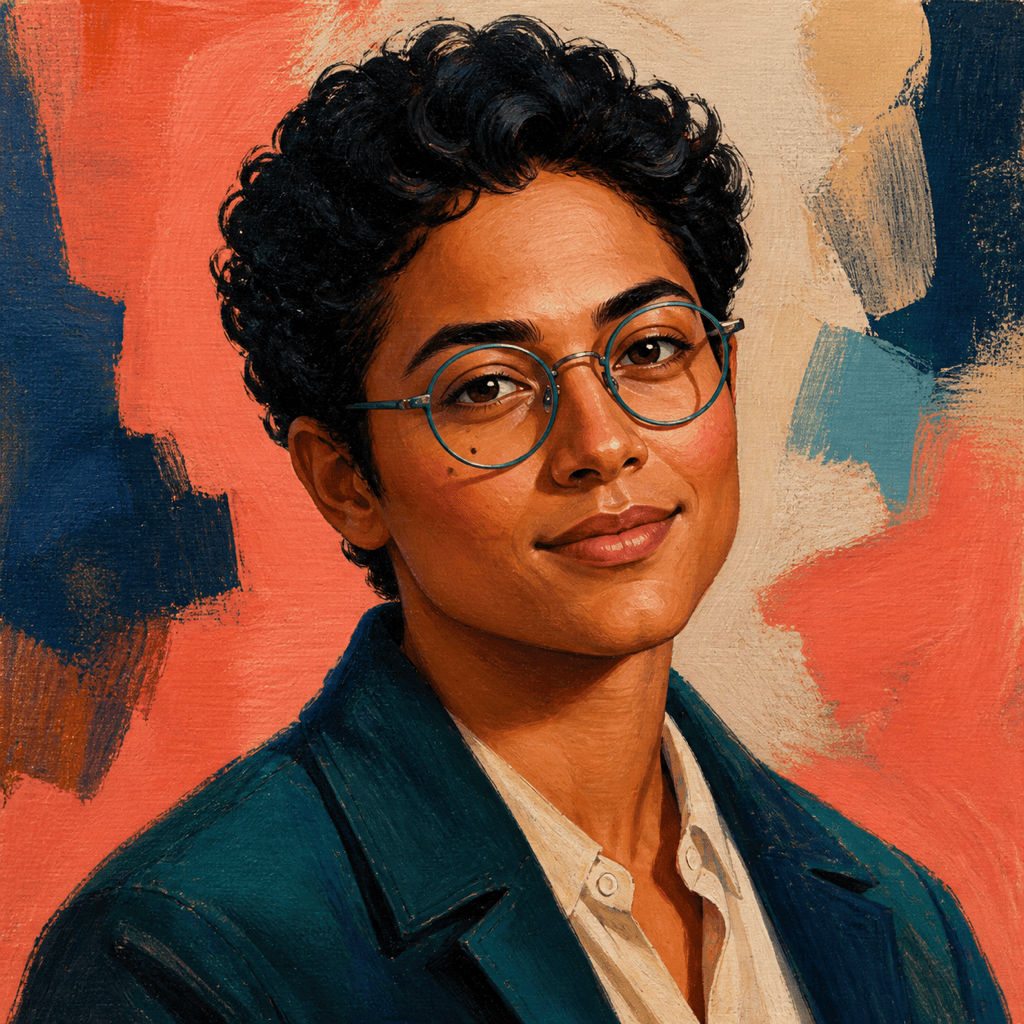
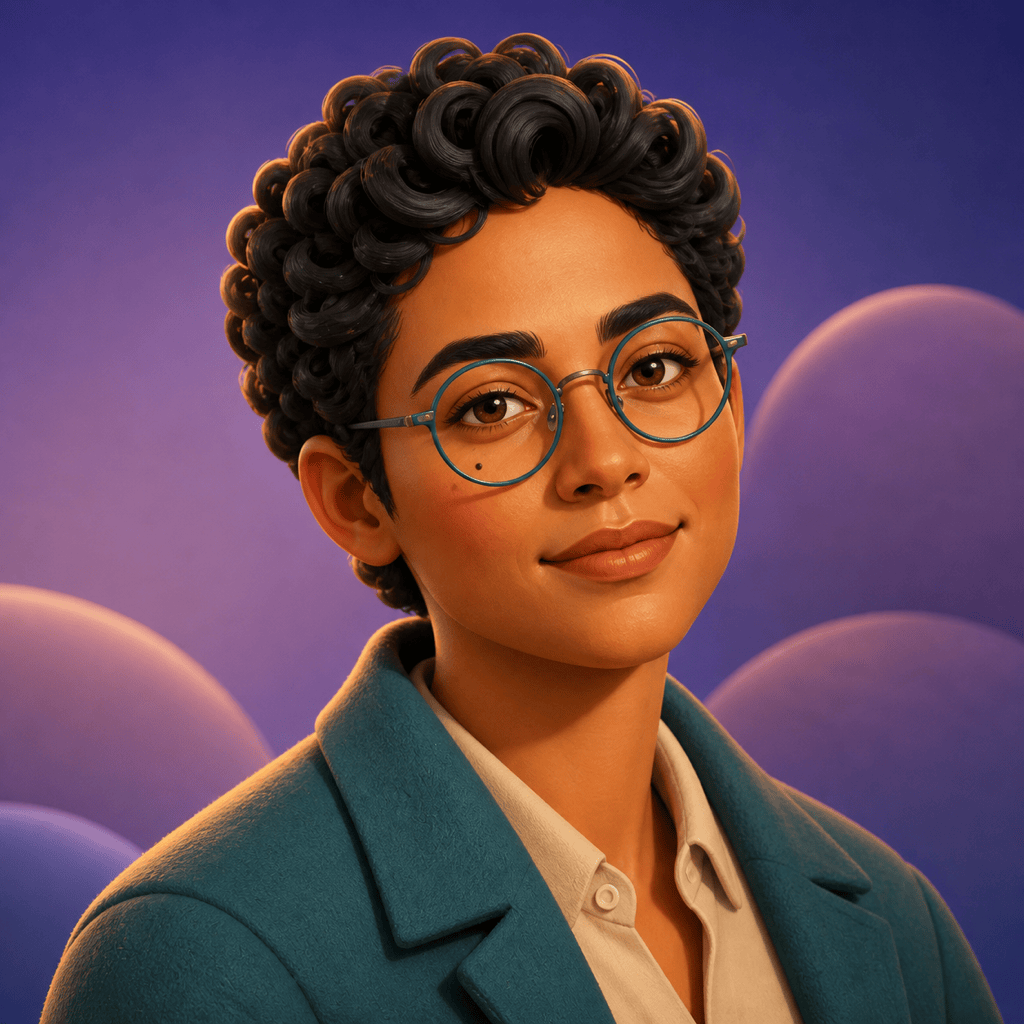
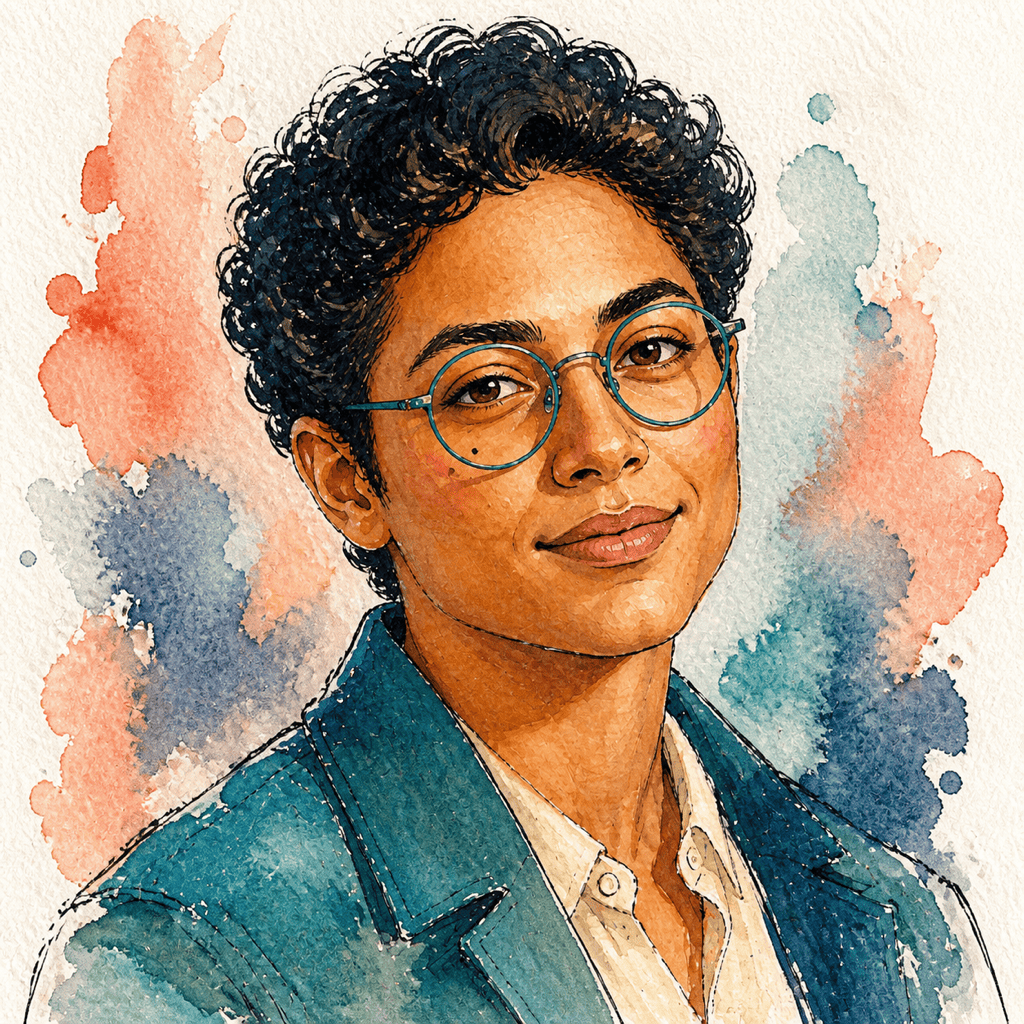
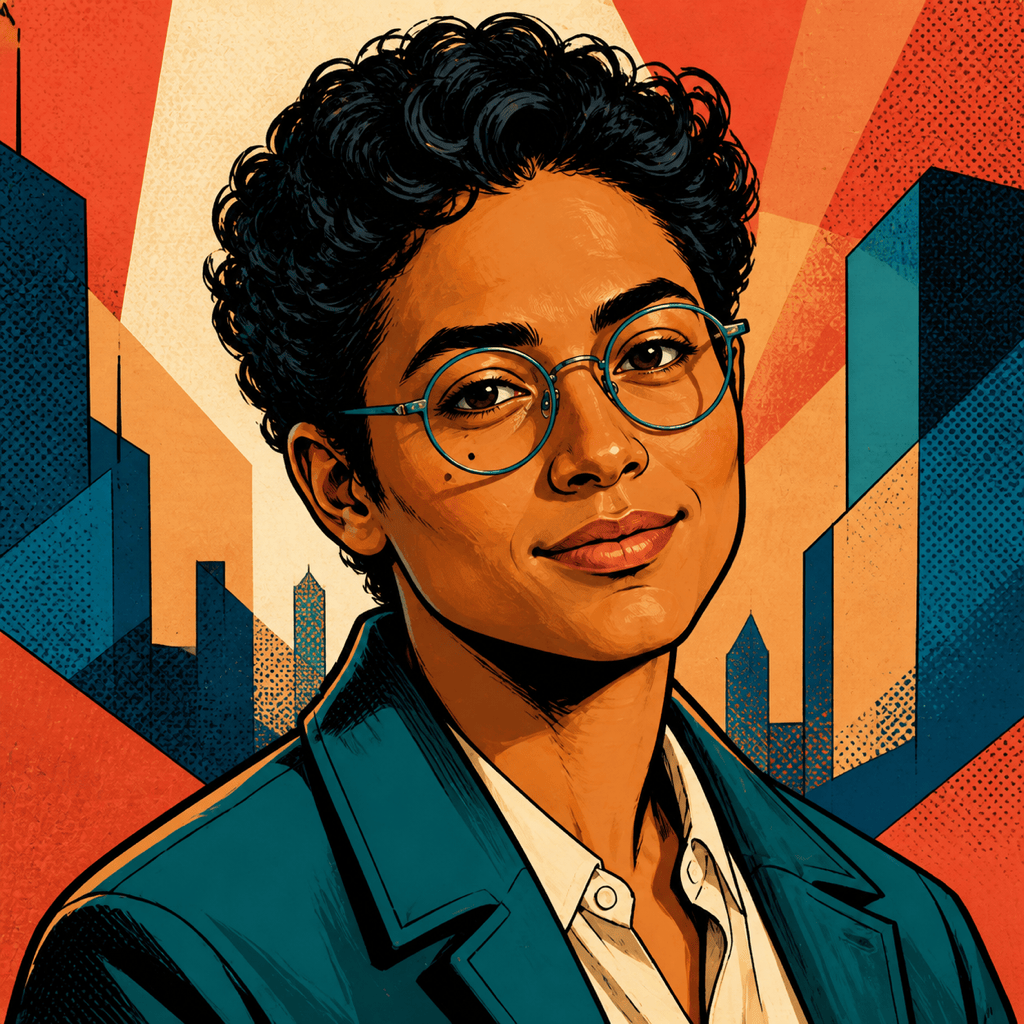
Upload a portrait you are allowed to use and let Mew Design - AI Design Agent reinterpret it as original artwork. Keep the face, hair, expression, and other identity cues that matter while exploring painterly, watercolor, graphic-comic, soft 3D, fantasy, and other visual directions. Then use Chat Edit to correct details instead of settling for a one-click filter.

How to Turn Your Photo Into AI Art

A strong photo-to-art result starts with a usable portrait and a clear boundary between the features that should stay recognizable and the artistic choices that may change.
1

Choose a Clear, Permitted Portrait

Upload a sharp, well-lit photo that you own or have permission to use. A single person with an unobstructed face, visible hairstyle, natural skin detail, and simple background gives the AI cleaner identity cues.
2

Name What Must Stay You

Specify the traits to preserve—face shape, skin tone, eye color, hairstyle, glasses, facial hair, expression, pose, or clothing. Then describe the medium, palette, mood, background, crop, and destination.
3

Generate and Compare Directions

Create several interpretations of the same portrait, such as painted editorial art, watercolor, graphic comic, or soft 3D. Compare facial resemblance, silhouette, hands, accessories, background, and small-profile readability.
4

Correct Details and Export

Use Chat Edit for focused requests such as restore the glasses, match the hairline, reduce skin smoothing, simplify the background, or crop for a profile picture. Download the finished artwork as PNG or JPG.
How to turn your photo into AI art

Artistic Transformation Without Losing Your Identity

Start With Your Own Photo

This photo-to-AI-art workflow uses your uploaded portrait as the visual anchor, so you can direct an artistic transformation instead of asking a text prompt to invent a random face.

Separate Identity From Style

Tell the AI which personal details must remain recognizable and which parts may change. That distinction helps when restyling wardrobe, lighting, background, color palette, texture, or artistic medium.

Explore Original Art Directions

Try watercolor, ink, painterly editorial, paper collage, graphic comic, soft 3D, cinematic fantasy, or another descriptive direction without requesting a copy of a living artist's signature style.

Create Variations for Real Uses

Generate square profile portraits, social posts, creator graphics, personalized gifts, printable keepsakes, or cover images. State the destination so framing and visual detail suit the final size.

Fix One Detail at a Time

Use Chat Edit to restore identity cues, adjust expression, clean up accessories, change the art medium, or simplify the scene. For a profile-first crop, use the AI Avatar Generator; for a photo-real result, choose the AI Selfie Generator.

Try It Free and Export Clean Images

New users receive free AI credits after signup. Test portrait styles and revisions, then export watermark-free PNG or JPG images. Credit use can vary by model and settings.

Tell AI What Makes the Portrait Recognizably You

Use @[uploaded portrait] to create an original 4:5 painterly editorial self-portrait. Preserve my face shape, warm brown skin tone, dark almond-shaped eyes, short curly hair, round glasses, calm half-smile, and head angle. Reimagine the clothing as a deep teal jacket and the background as layered coral and indigo brushwork. Soft side light, visible canvas texture, confident color blocking, head-and-shoulders crop, no text, logo, signature, or watermark.
A useful prompt for an AI art generator from photo names the identity cues to preserve, the medium and mood to introduce, and the format or use the finished portrait must fit.
  • Protect the likeness: List a few observable anchors such as face shape, skin tone, eye color, hairstyle, glasses, facial hair, expression, and head angle rather than relying only on 'make it look like me.'
  • Direct the art: Describe the medium, line quality, texture, palette, lighting, mood, wardrobe, and background. Use visual attributes instead of naming a living artist or copyrighted character.
  • Frame the result: Choose square, 4:5, or landscape format and state whether it is a profile picture, social post, gift print, poster, cover image, or personal keepsake.
  • Review in passes: Check resemblance first, then hands and accessories, then composition and texture. Ask for one or two focused corrections per Chat Edit so successful details are easier to preserve.

Prompts to Turn Yourself Into Original AI Art

Painterly Editorial Portrait: Transform @[uploaded selfie] into an original 4:5 painted portrait. Preserve facial structure, skin tone, hairstyle, glasses, and expression; use bold indigo and coral brushwork, soft side light, visible canvas texture, simple abstract background, no text or signature.

Soft 3D Profile Art: Turn @[uploaded portrait] into a friendly soft-3D character portrait. Keep the face, hair, freckles, and round glasses recognizable; rounded clay-like forms, teal jacket, warm rim light, clean lavender background, square circular-safe crop, no branding.

Watercolor Keepsake: Reinterpret @[uploaded photo] as an original watercolor-and-ink portrait. Preserve the person's age, face shape, eye color, smile, and hairstyle; loose cobalt linework, translucent peach and blue washes, white paper texture, gentle negative space, 4:5 format.

Graphic Comic Portrait: Convert @[uploaded selfie] into bold original comic art with clean black contours, flat cyan and amber shadows, subtle halftone texture, confident three-quarter pose, simplified city shapes, square social-post crop, no speech bubbles, logos, or franchise references.

Cinematic Fantasy Self-Portrait: Place the person from @[uploaded portrait] in an original moonlit botanical observatory. Preserve facial features, hair, skin tone, and expression; embroidered midnight coat, luminous plants, teal-and-gold light, painterly realism, waist-up 4:5 composition.

Paper-Collage Creator Portrait: Turn @[uploaded headshot] into layered cut-paper art. Keep the face shape, hairstyle, glasses, and smile recognizable; hand-cut edges, textured navy, cream, rust, and mint paper, simple geometric background, square profile image, no text.


FAQs About Turning Yourself Into AI Art

Upload a clear portrait you are allowed to use, describe which identity cues must stay recognizable, choose an original art direction, and generate a first version. Compare the result with your source photo, then use Chat Edit to correct specific facial, hair, clothing, background, or crop details.
Yes. New users receive free AI credits after signup, so you can try a photo-to-art prompt and refine the result online. Credit use varies by model and settings, and finished images can be exported without a watermark.
Use a recent, sharp, well-lit image with one clearly visible face, minimal blur, and no heavy filter. Keep important details such as hair, glasses, facial hair, or accessories visible, and avoid tiny group photos or strong obstructions across the face.
A clear reference photo and explicit identity instructions improve the chance of a recognizable result, but no generator can guarantee an exact likeness in every style. Generate variations and correct drift with focused Chat Edit requests such as restoring glasses, matching the hairline, or reducing stylization around the eyes.
You can request painterly editorial art, watercolor, ink, graphic comic, paper collage, soft 3D, cinematic fantasy, pixel art, sketch, or another descriptive direction. Ask for original visual qualities rather than a direct imitation of a living artist or protected character.
Only upload a portrait you own or have permission to use. Respect privacy, publicity, copyright, and platform rules, and do not use generated portraits for deceptive impersonation, harassment, fraud, or misleading identity claims.
Yes. Ask for a square, head-and-shoulders, circular-safe composition with a simple background and strong face separation. For more platform-specific avatar guidance, use the AI Avatar Generator.
Download finished artwork as PNG or JPG. Personal and professional creative uses may be possible under Mew Design's current terms, but you are responsible for your source-photo rights, prompt references, and final content. Review applicable copyright, trademark, publicity, and platform requirements before commercial use.

Ready to Generate Designs With AI?

Get Started - 50 Free Credits
No credit card required
© 2025 - 2026 Mew Design, MAGOAI LTD.All rights reserved.
Mew Design - Your AI design partner, now with full control. | Product Hunt