Free to Try OnlineAI Room Design Generator
How to Create a Room Design with AI
Upload Your Room Photo
Generate Your Room Redesign
Adjust One Detail at a Time
Download and Compare

Redesign and Decorate Your Room with AI
Create Room Designs from Your Own Photo
Use your own photo as the starting point for AI room design. Tell the editor to retain your windows, doorways, and key furniture, then review the result against the original.
Refresh Decor Around Existing Furniture
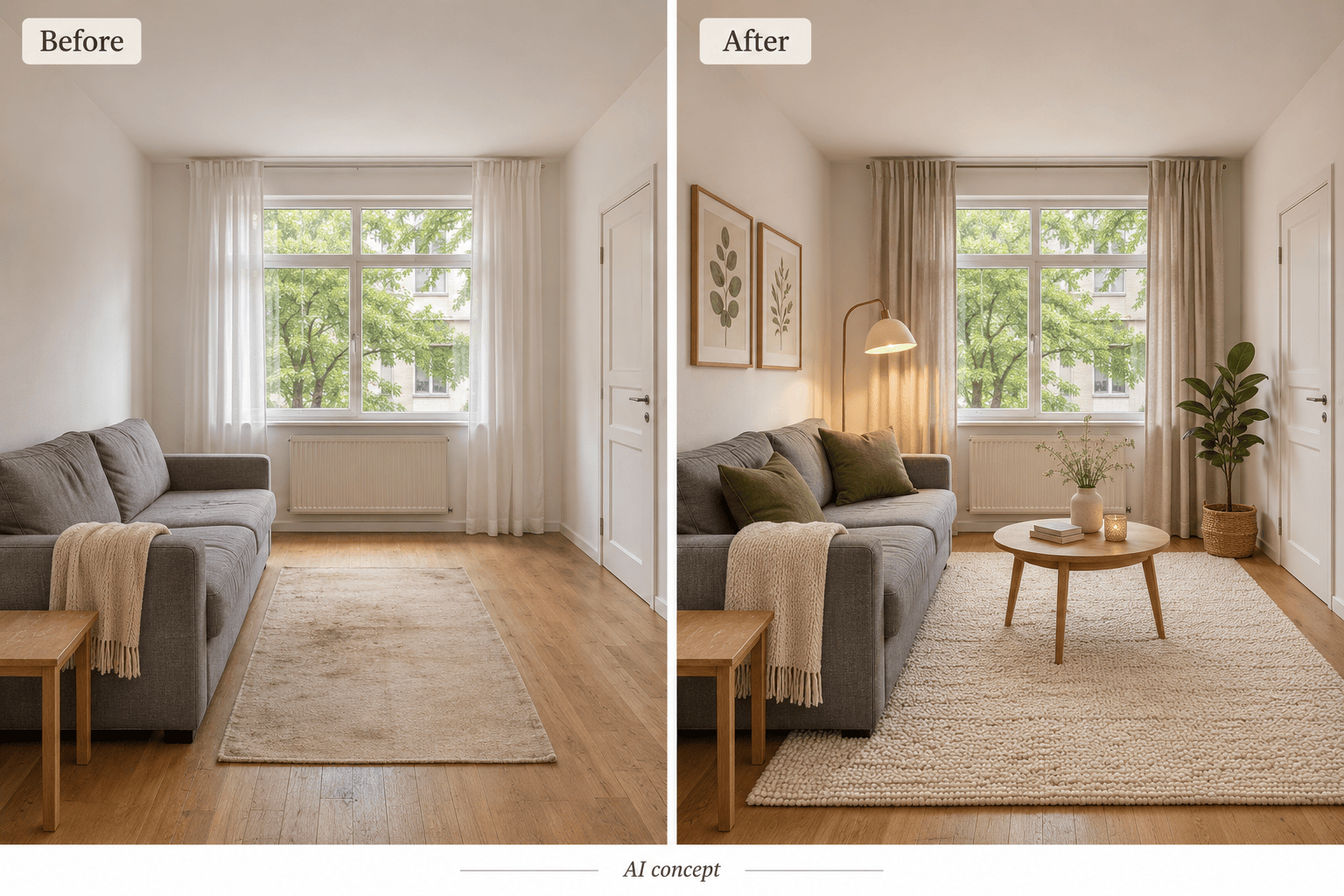
Use the AI room decorator to try rugs, curtains, wall art, and lamps around a sofa or bed you want to keep. Request a decor-only update when a full makeover is unnecessary.
Compare Japandi, Modern, and Scandinavian Styles
Explore Japandi, Scandinavian, modern, or bohemian room ideas from the same reference photo. Compare palettes and materials before choosing a direction.
Generate Room Designs from Text
Describe a bedroom, living room, or home office to create a fresh interior concept. Include approximate dimensions and furniture needs as guidance, not as a measured floor plan.
Choose an Image Model for Your Room Design
Access the latest leading image models, with new releases added promptly. Choose an available model yourself, or let Mew Auto select one for your room photo and requested changes.
Try Room Design Online for Free
Get free AI credits after signup to explore your first room concepts in the browser. Download watermark-free results; further generation depends on your remaining credits and plan.
How to Keep Your Room Layout in an AI Redesign
- Show the Whole Space: Take a well-lit photo from a corner or doorway. Include the floor and main walls; avoid extreme wide-angle distortion.
- List What Stays: Name the furniture, flooring, windows, and doorways to retain. Say whether you want new furnishings, a color change, or decor only.
- Define Practical Limits: Mention rental restrictions, storage needs, and your spending priorities. Measurements can guide the idea, but the image does not verify fit or cost.
- Check Before You Commit: Compare openings and proportions with your source photo. If anything shifts, request a targeted correction. Measure walkways and door swings in the real room.
Room Design Ideas for Small Bedrooms, Rentals, and More
Refresh my uploaded living room around the existing gray sofa. Keep the room layout, floor, windows, and viewpoint. Add a warm neutral rug, olive cushions, linen curtains, and a reading lamp.
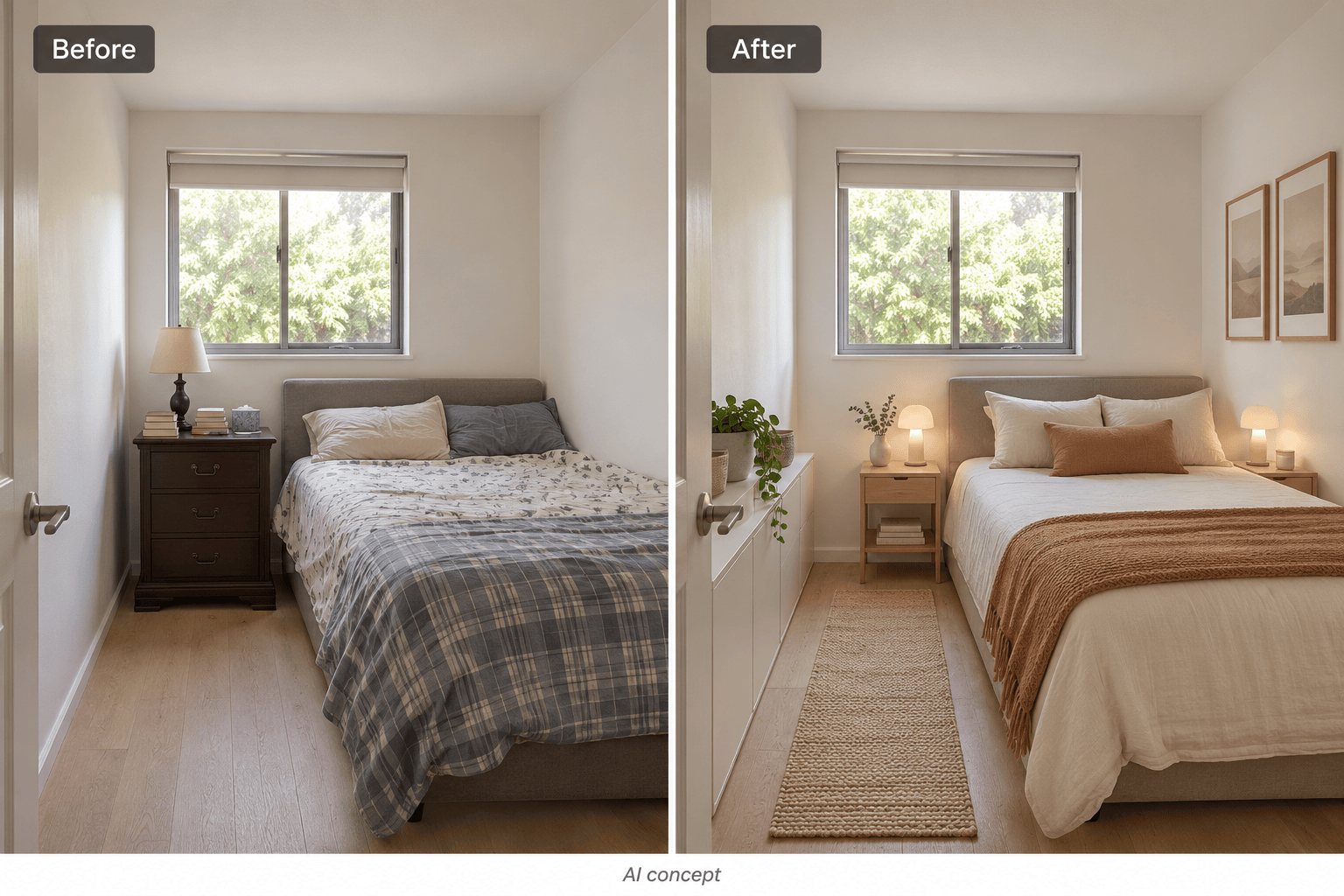
Redesign my small bedroom with lighter bedding and compact storage. Keep the bed size, window, door, and camera angle. Avoid oversized furniture and leave the route from the door to the bed clear.
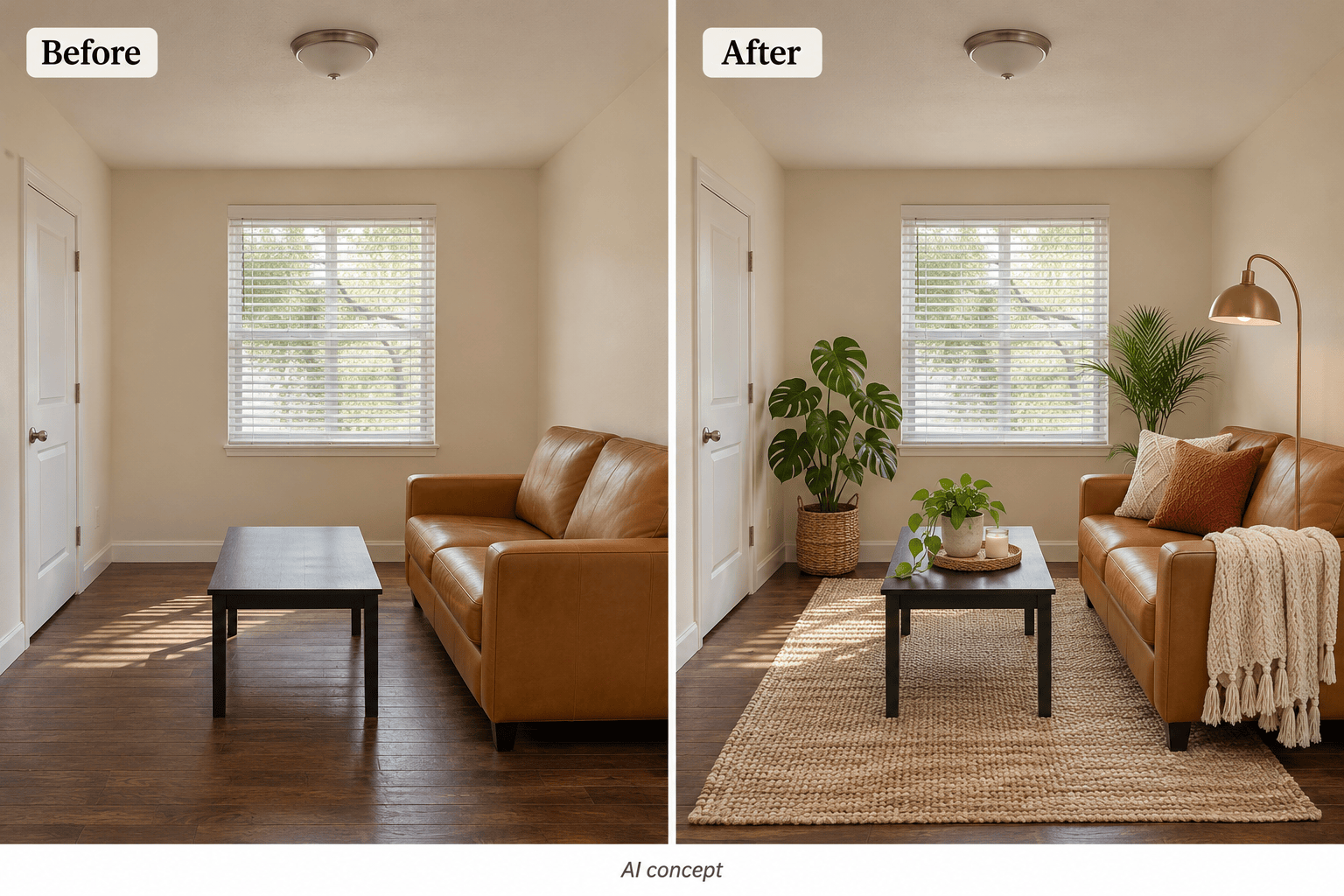
Decorate my rented apartment without changing the walls or floor. Keep the sofa and furniture positions. Add freestanding lamps, cushions, a rug, and plants in a soft bohemian style. No built-in fixtures.
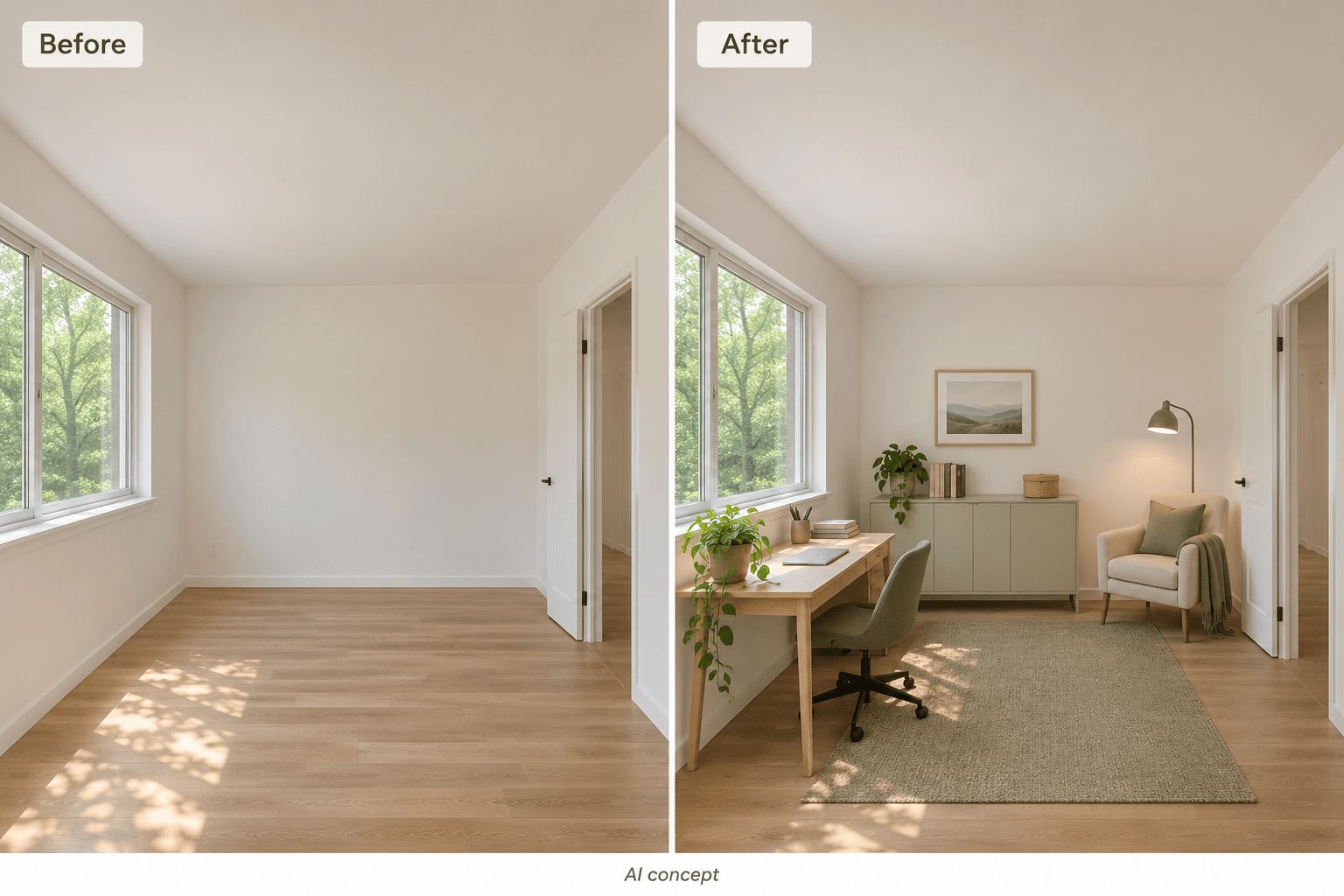
Furnish my uploaded empty room as a home office. Keep the windows, doorway, flooring, and viewpoint. Add a compact desk beside the window, a task chair, closed storage, and a reading corner without blocking access.
Show my uploaded dining room with sage green walls instead of white. Keep the table, chairs, floor, lighting, and camera angle unchanged so I can compare the wall color.
Generate a cozy Japandi bedroom concept from text. Use pale oak, warm white walls, linen bedding, soft lamps, and minimal decor. Include a double bed and compact bedside tables with visible walking space.





