Free OnlineAI Image Colorizer
How to Colorize a Black-and-White Photo with AI
Start with Your Strongest Source
Share What You Know
Generate, Then Inspect the Color
Correct Specific Areas and Export

Color Direction You Can Explain, Review, and Revise
Guide Uncertain Colors with Evidence
A grayscale photo does not reveal whether a dress was blue or green. Name remembered colors or upload visual references so the AI photo colorizer has better evidence than a generic one-click guess.
Keep the Person, Not a Remake
Ask Mew Design to add color without changing facial features, age, expression, pose, framing, or period details. These preservation instructions matter when you colorize family photos.
Fix One Color Without Starting Over
If skin looks too warm or color crosses a collar, open Chat Edit and describe only the correction. The conversational workflow helps you protect areas that already look right.
Aim for Period-Appropriate Restraint
Request muted film-like color, era-appropriate materials, and preserved grain instead of modern digital saturation. The black and white photo colorizer can also create variations for comparison.
Use References for Known Objects
Upload a color reference for a military uniform, vintage vehicle, building, or location. Mew Design can use that image as visual guidance while keeping the original photo's structure.
Try Online and Keep a Clean Export
Start with free AI credits after signup, refine the colorized image in your browser, and export a watermark-free PNG or JPG. Availability and credit use depend on the generation you choose.
Give the Colorizer Clues, Limits, and a Visual Target
- Set the historical context: Mention the decade, place, season, time of day, and indoor or outdoor lighting. These clues shape clothing, architecture, vegetation, and color temperature.
- Lock important details: Say what must not change—identity, age, expression, pose, composition, text, film grain, fabric texture, and period objects.
- Name verified colors: List remembered colors or attach a reference photo. If a color is unknown, ask for a plausible muted choice rather than a confident reconstruction.
- Describe failure modes: Request natural skin tones, restrained saturation, continuous coverage, and clean boundaries with no spill into hair, eyes, teeth, collars, signs, or sky.
Prompts for Family, Archive, and Vintage Photo Colorization
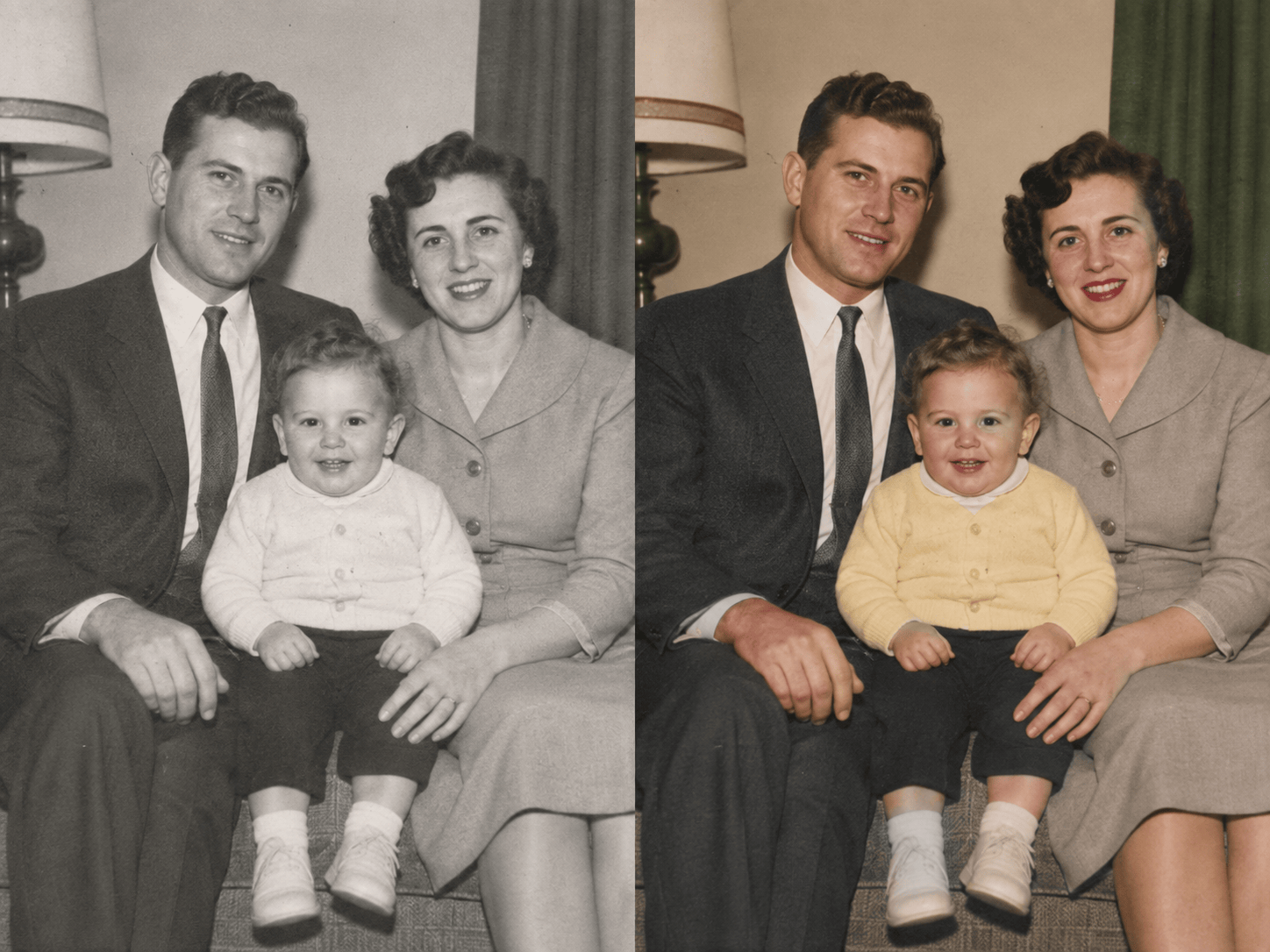
Colorize this 1950s indoor family photo. Preserve every face, age, expression, hairstyle, pose, furnishing, and the original film grain. Use gentle tungsten lighting, natural skin tones, a cream wall, forest-green curtains, and restrained period clothing colors. No repair, sharpening, or new detail.
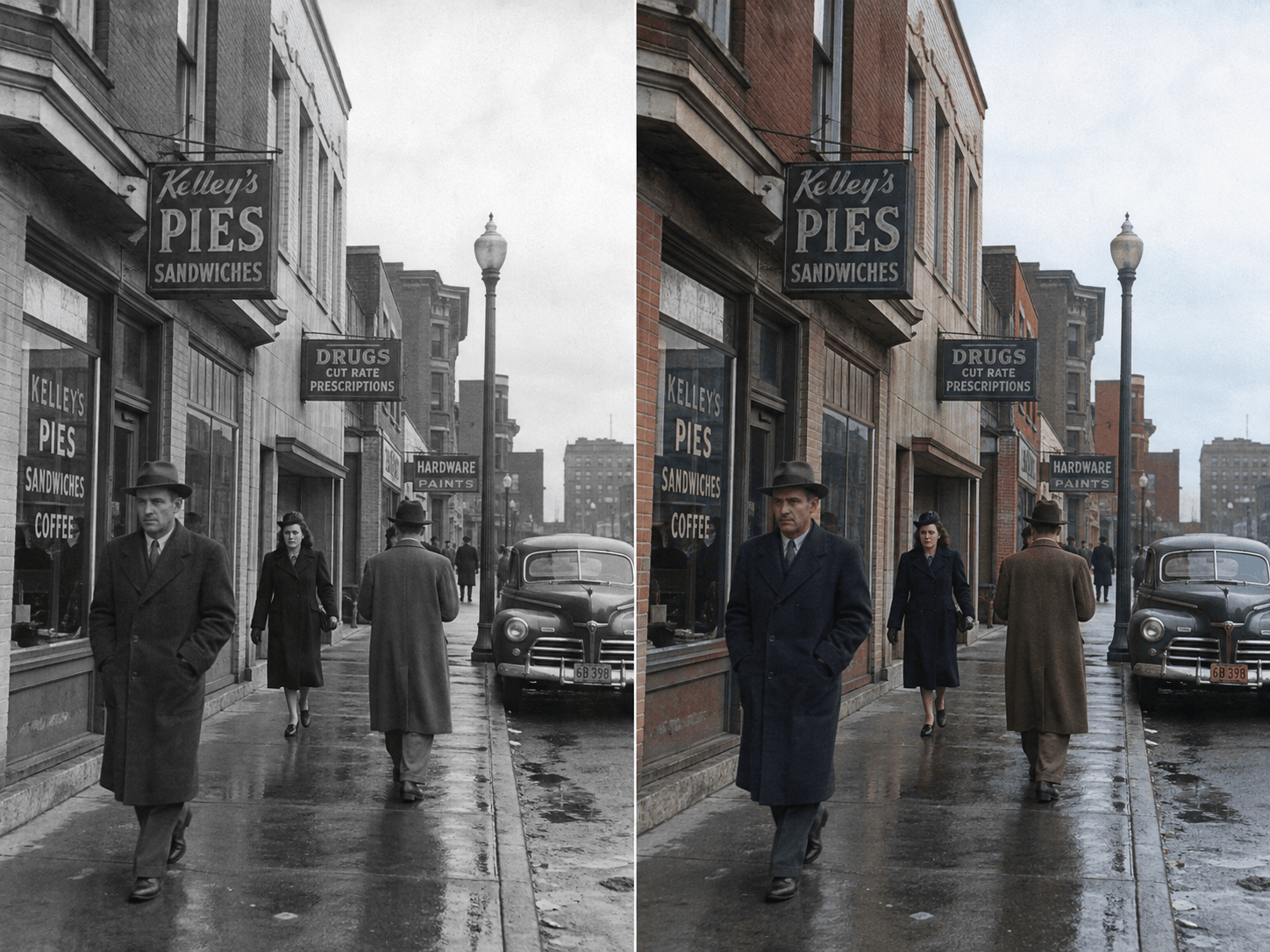
Add plausible color to this 1940s city street photograph. Keep the buildings, signs, pedestrians, vehicles, weather, and framing identical. Use muted brick, stone, wool-coat, asphalt, and overcast-sky colors appropriate to the period. Prevent color bleeding around signs and figures.
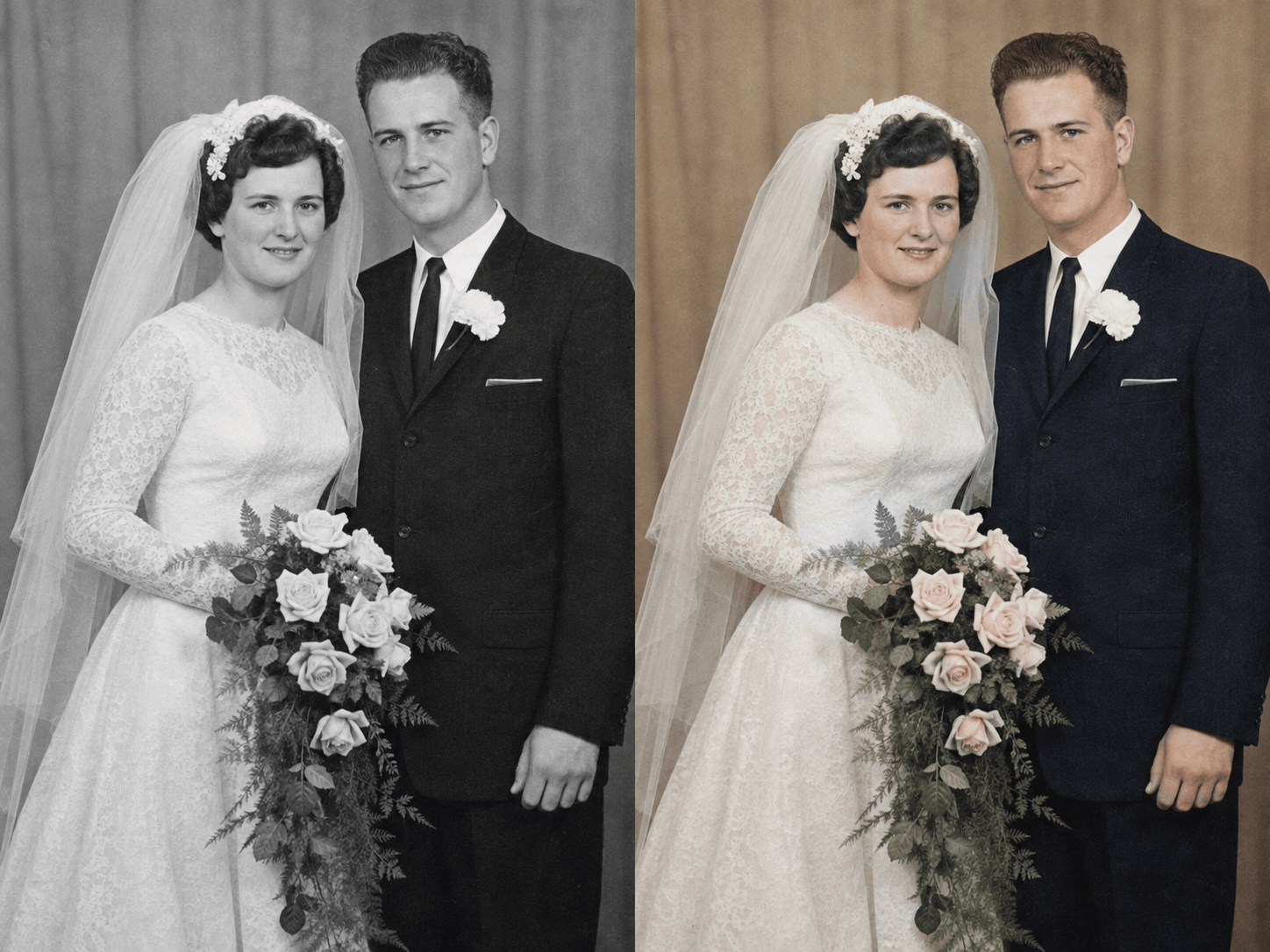
Colorize this 1960s wedding portrait without changing either person's face, expression, body, pose, or clothing shape. The dress is warm ivory, the suit is dark navy, and the bouquet has pale pink roses. Keep soft film grain and avoid modern color grading.
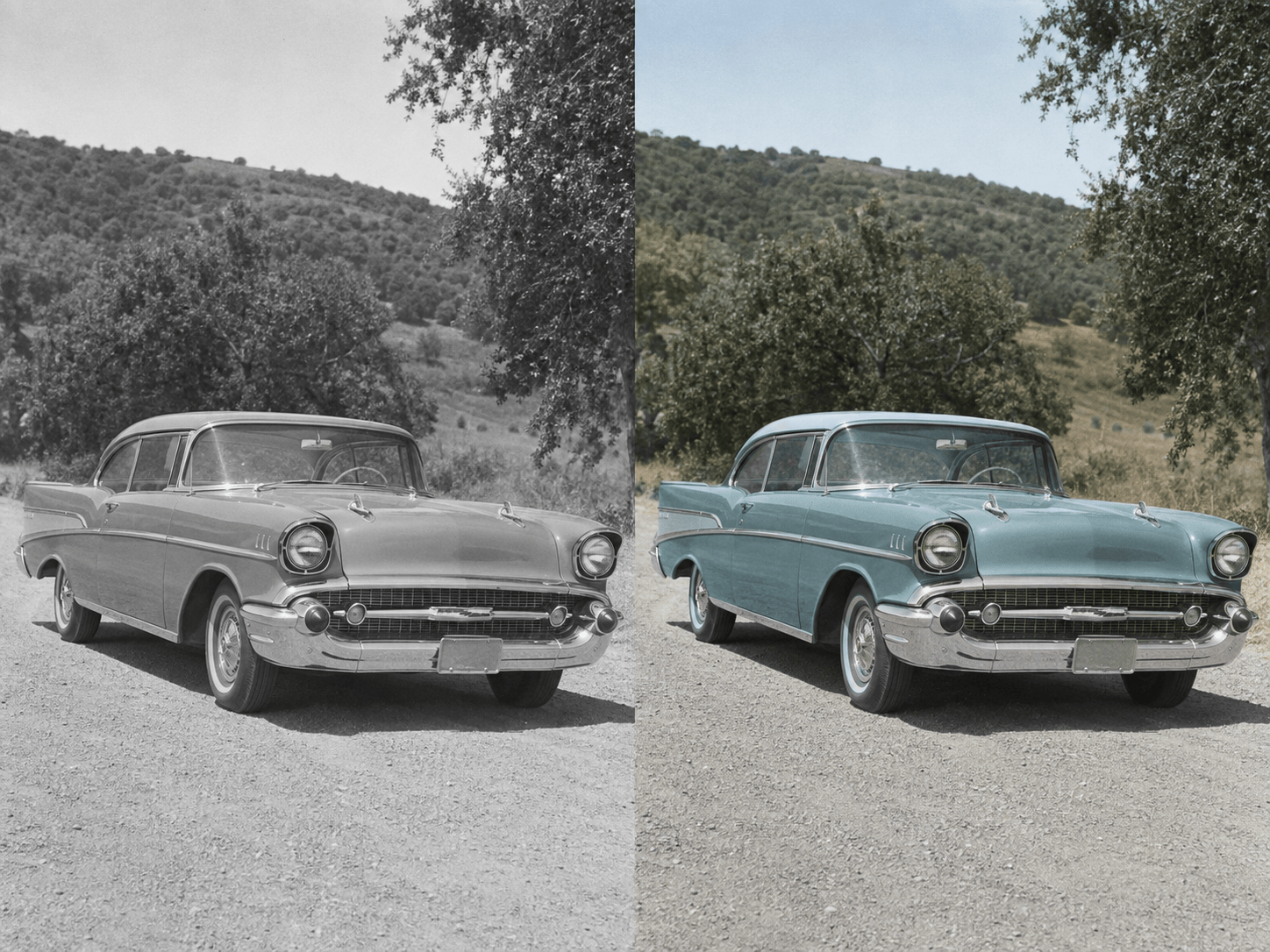
Colorize this black-and-white photo of a 1957 classic car using the attached restored-car reference. Match the body paint to muted teal and keep chrome neutral. Preserve the road, trees, reflections, perspective, plate, and every vehicle detail exactly.
Turn this monochrome mountain travel photo into a subtle color version. Keep the hikers and landscape unchanged. Use late-summer alpine greens, gray rock, a pale blue sky, and slightly faded slide-film color with complete coverage and no oversaturation.
Colorize this archival military portrait for an educational display. Use the uploaded uniform reference for fabric and insignia colors, preserve the person's identity and all badge geometry, and leave uncertain details muted. Do not present guessed colors as historically verified.





