Free OnlineAI Halloween Costume Generator
How to Create a Halloween Costume Look with AI
Choose a Photo or Describe a Look
Build the Costume Preview
Compare and Refine the Details
Download Your Favorite Look

Why Use Mew Design for Halloween Costume Previews
See Yourself in the Idea
Upload a permitted selfie or full-body image and ask the online AI Halloween costume maker to change the outfit and makeup while keeping recognizable facial details. Review the likeness before sharing.
Invent a Look Without a Photo
Start from a short idea when you want an original witch, vampire, ghost, or comic costume concept. Describe fabric, silhouette, props, and atmosphere to guide the image.
Explore More Than One Mood
Turn the same theme into cute, eerie, glamorous, or funny variations. Compare options before deciding what to wear or make.
Fix Specific Costume Details
Use Chat Edit to adjust a mask, sleeve, face paint, accessory, or background without rewriting the entire brief.
Plan a Matching Theme
Use a group photo or authorized references to test coordinated couple or group Halloween costume ideas. Spell out each person’s role and shared palette.
Try It Online and Export Cleanly
New users can test the free AI Halloween costume generator with signup credits. Export finished PNG or JPG images without a watermark; continued use depends on your credits.
How to Get a Recognizable Halloween Costume Try-On
- Keep the person recognizable: Name the face, hair, skin tone, expression, or pose you want preserved. Avoid a full mask if likeness matters.
- Describe wearable details: Specify the silhouette, layers, fabric, color, accessories, and makeup instead of only naming a character.
- Choose the purpose: Say whether you need a face-focused social portrait or a full-body preview for outfit planning.
- Check the result: Inspect hands, props, face, and fit. AI previews show an idea; they do not guarantee real-world sizing or garment availability.
Halloween Costume Ideas to Try on Your Photo
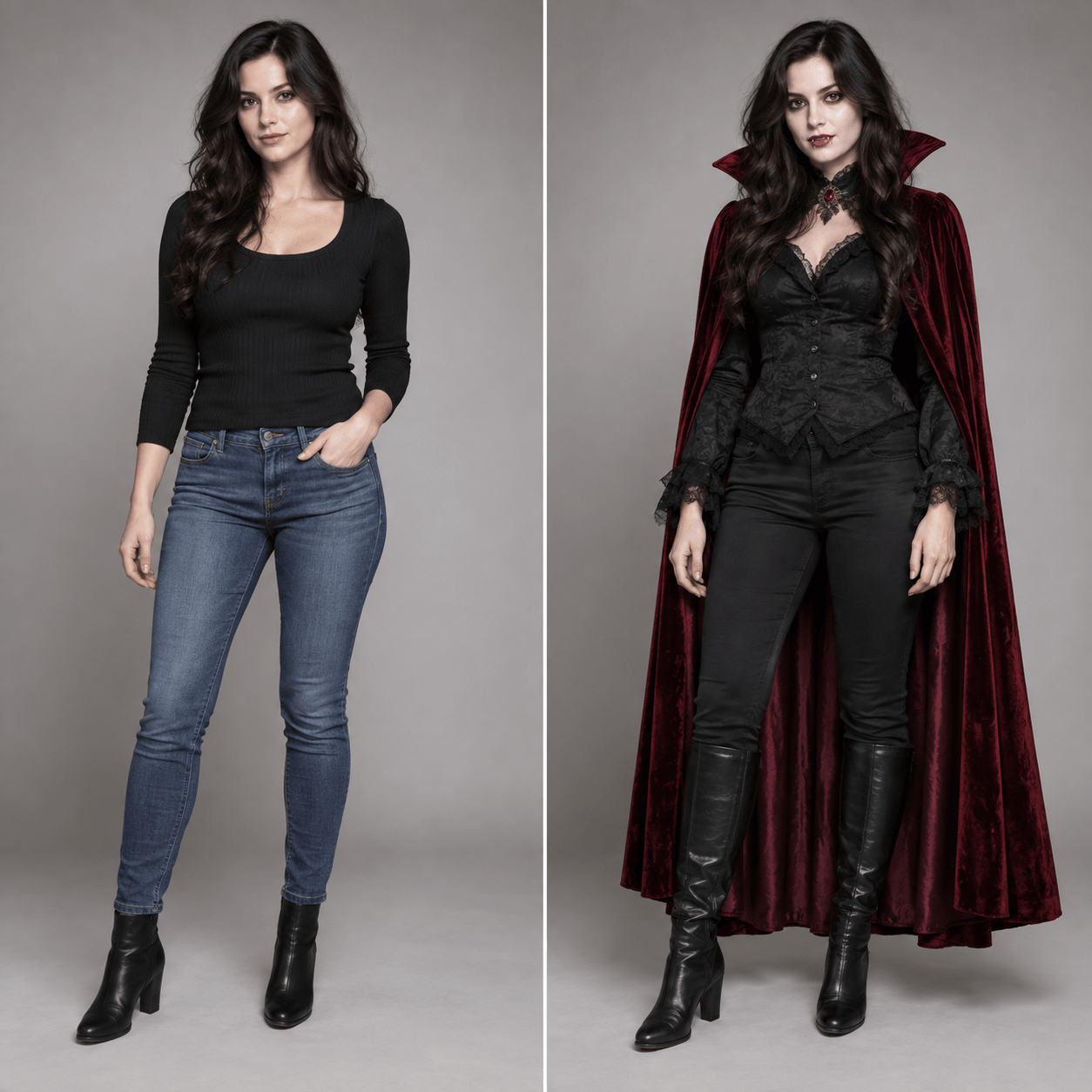
Use my uploaded photo to make me a classic gothic vampire. Keep my face and pose recognizable; add a tailored black cape, deep-red lining, subtle fangs, and candlelit party lighting.
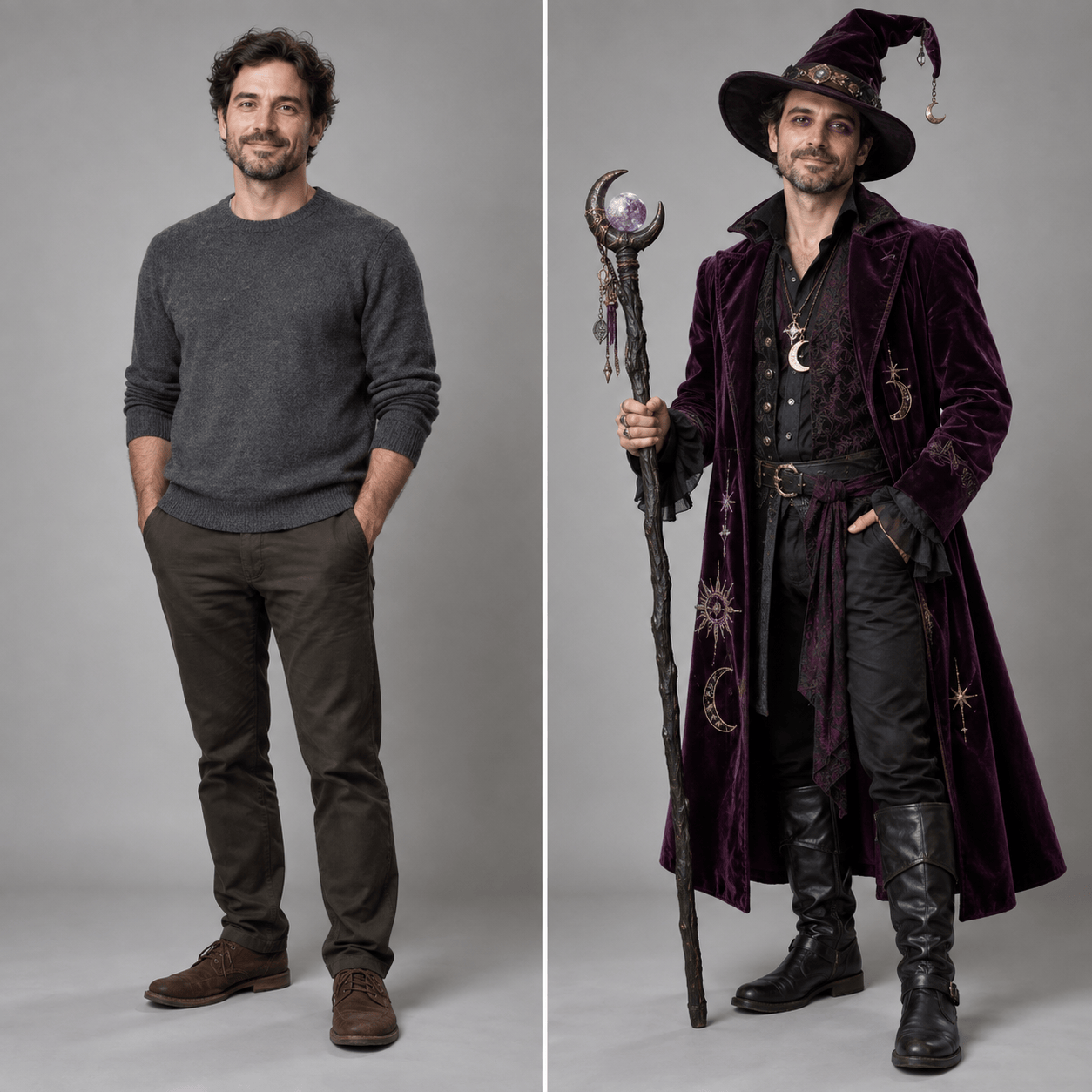
Turn my uploaded portrait into a friendly moonlit witch. Keep my facial features; add a plum velvet coat, pointed hat, delicate silver charms, and whimsical makeup without covering my face.
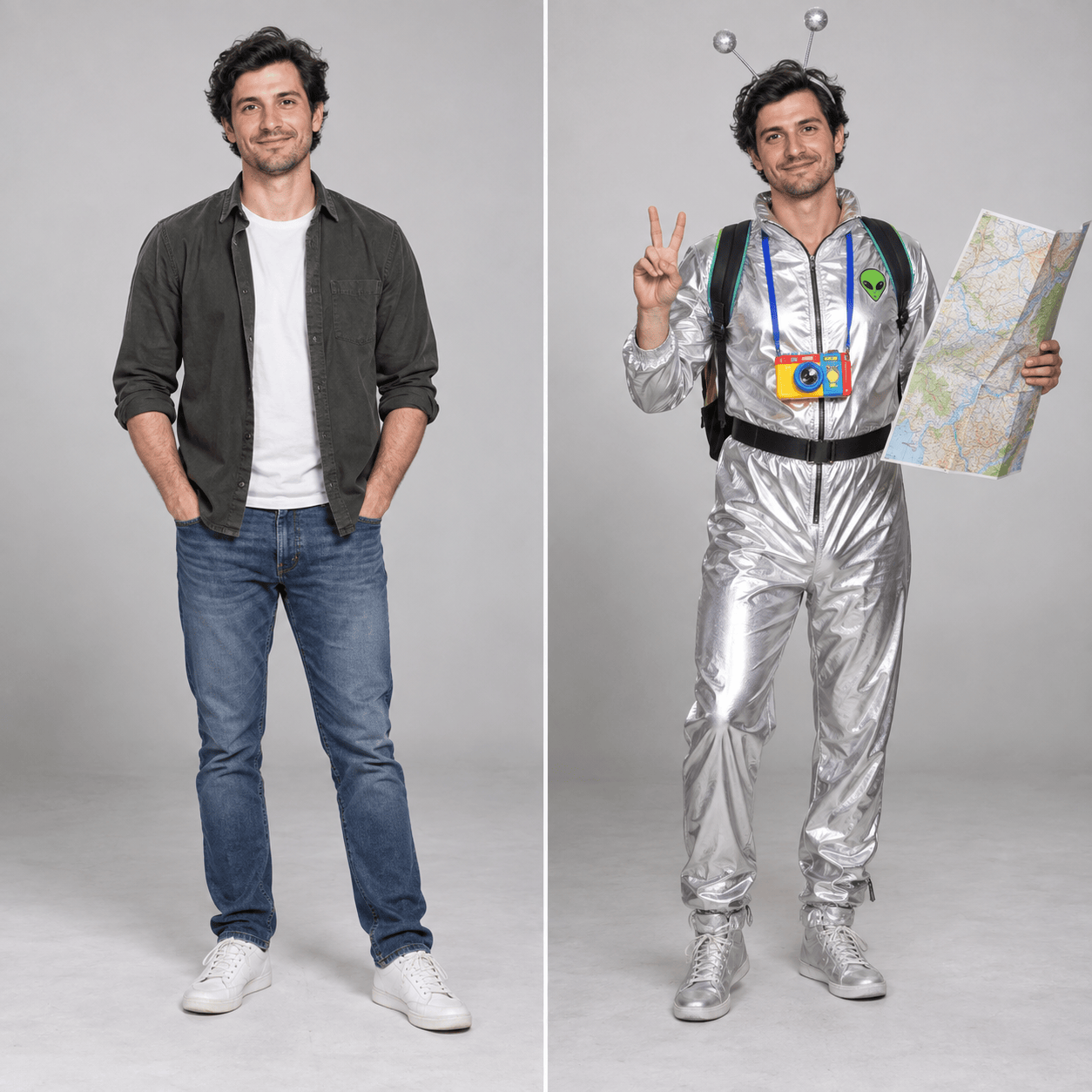
Create a funny Halloween costume from my photo: a retro space alien tourist with a bright silver jumpsuit, playful antenna headband, and oversized map. Keep the image lighthearted and my face recognizable.
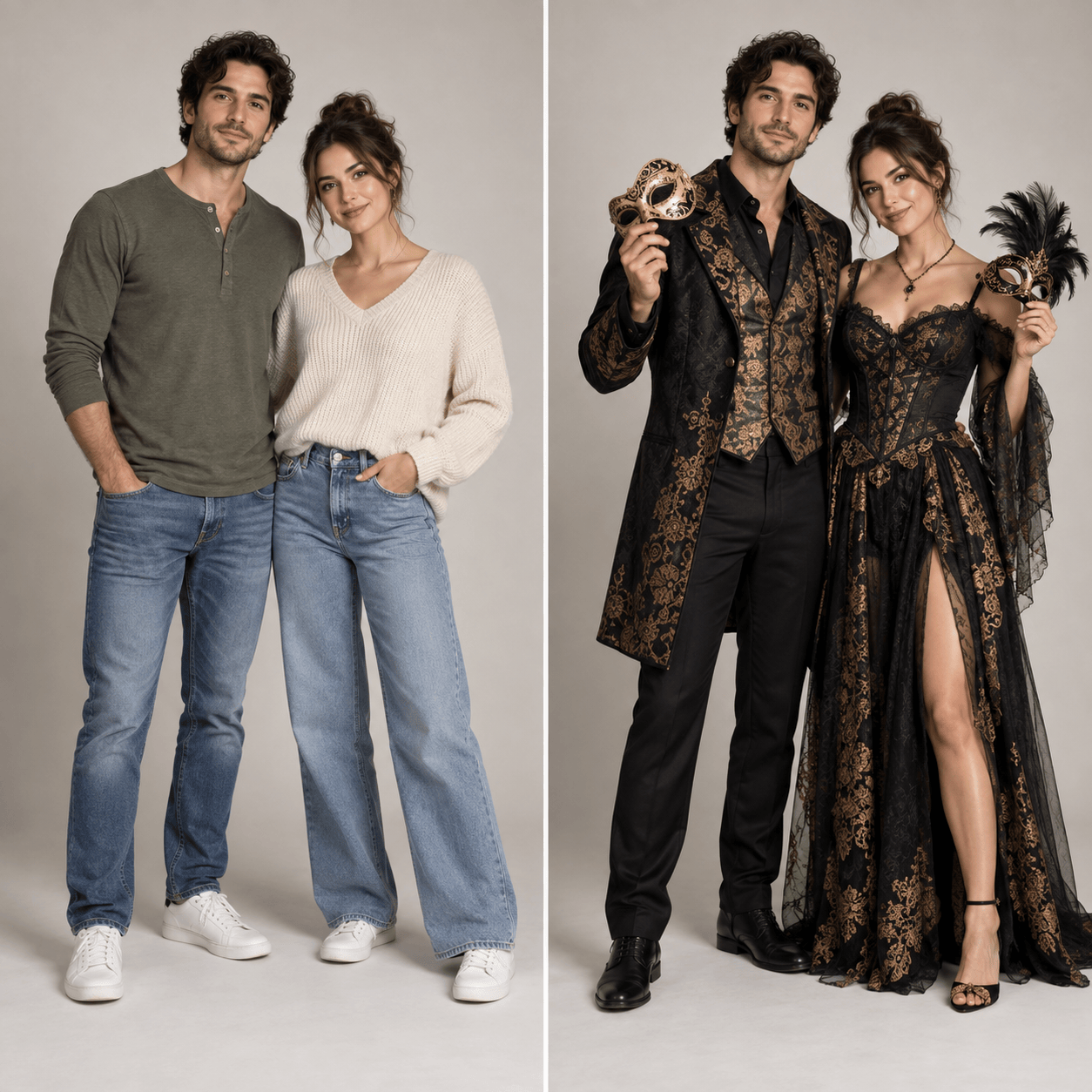
Use our permitted photo of two adults to preview matching haunted masquerade costumes. Keep both people recognizable; give us complementary black-and-gold outfits, distinct masks held in our hands, and coordinated accessories.
Generate an original, photo-free Halloween costume concept: a cozy pumpkin guardian with a layered orange coat, leaf-textured collar, lantern prop, and warm autumn palette. Show a full-body outfit that could inspire a DIY build.
Use my uploaded full-body photo to preview an easy last-minute ghost costume: layered white clothing, a translucent veil held back from the face, pale makeup, and simple accessories. Keep the look practical and my features visible.





