Free OnlineAI Costume Generator
How to Create a Costume Look with AI
Choose a Photo or Start from Text
Build the Costume Brief
Generate the Costume Look
Refine the Details and Export

From Costume Idea to a Believable Visual
Keep the Person, Change the Character
Use the AI costume generator from a photo and tell Mew which identity details matter. A clear source image plus specific instructions helps preserve the person while the wardrobe, makeup, accessories, and scene change around them.
Make Fabrics and Armor Read Clearly
Describe velvet pile, aged leather, translucent organza, embroidered trim, weathered metal, or lightweight foam armor. Material cues help the costume follow the scene lighting instead of looking like a flat overlay.
Guide the Look with References
Upload an authorized costume photo, sketch, palette, or material reference and explain which cues to follow. For everyday wardrobe swaps rather than character costumes, continue with the AI clothes changer.
Fix One Costume Detail at a Time
A strong design can still have one weak sleeve, prop, fastener, or color. Chat Edit lets you request a targeted correction without abandoning the face, pose, lighting, and costume direction you already like.
Coordinate Solo, Couple, and Group Looks
Create several directions for one performer or build a coordinated set around a shared palette, emblem, material, or story. Keep each costume distinct while the group still belongs to the same theme.
Start Free and Export Without a Watermark
Try the free AI costume generator online with signup credits, compare different silhouettes and styles, refine the strongest concept, and download a watermark-free PNG or JPG for personal or creative projects.
How to Prompt AI for a Convincing Costume
- Frame the Full Look:Ask for a waist-up portrait when makeup and headwear matter most, or a full-body view when the cape, skirt, boots, or props define the costume. Keep hands visible if the character holds an accessory.
- Describe Construction Cues:Name the garment layers, closures, seams, trim, fabric weight, armor finish, and signs of wear. These details make a concept easier to understand and more useful as a visual reference.
- Protect Identity and Originality:List two or three features that must remain recognizable. Describe an original archetype and its visual traits instead of asking for an exact protected character, logo, or unauthorized replica.
- Set the Context and Limits:State whether the image is for Halloween planning, cosplay reference, theatre, a character pitch, or social content. Exclude extra people, duplicate props, cropped footwear, unreadable details, and unsafe costume elements.
AI Costume Prompts for Halloween, Cosplay, and Stage
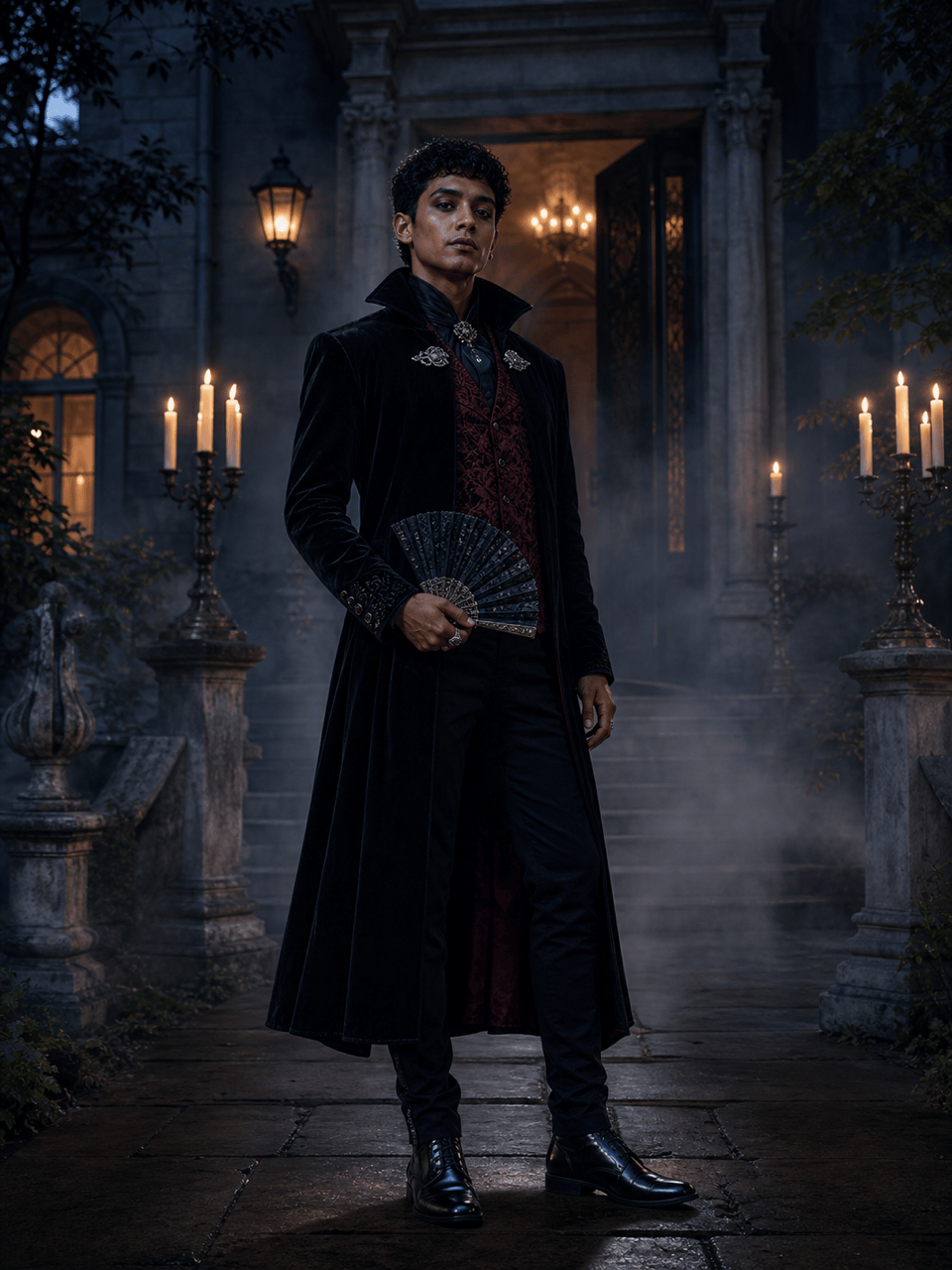
Halloween portrait from a photo: Transform my uploaded waist-up portrait into an original midnight vampire-aristocrat look. Keep my face, hairline, skin tone, and expression recognizable. Add a black velvet coat, wine-red brocade waistcoat, high collar, antique silver clasp, subtle theatrical makeup, and a candlelit manor background. Elegant rather than gory, realistic fabric and shadows, no logos, text, or recognizable franchise character.
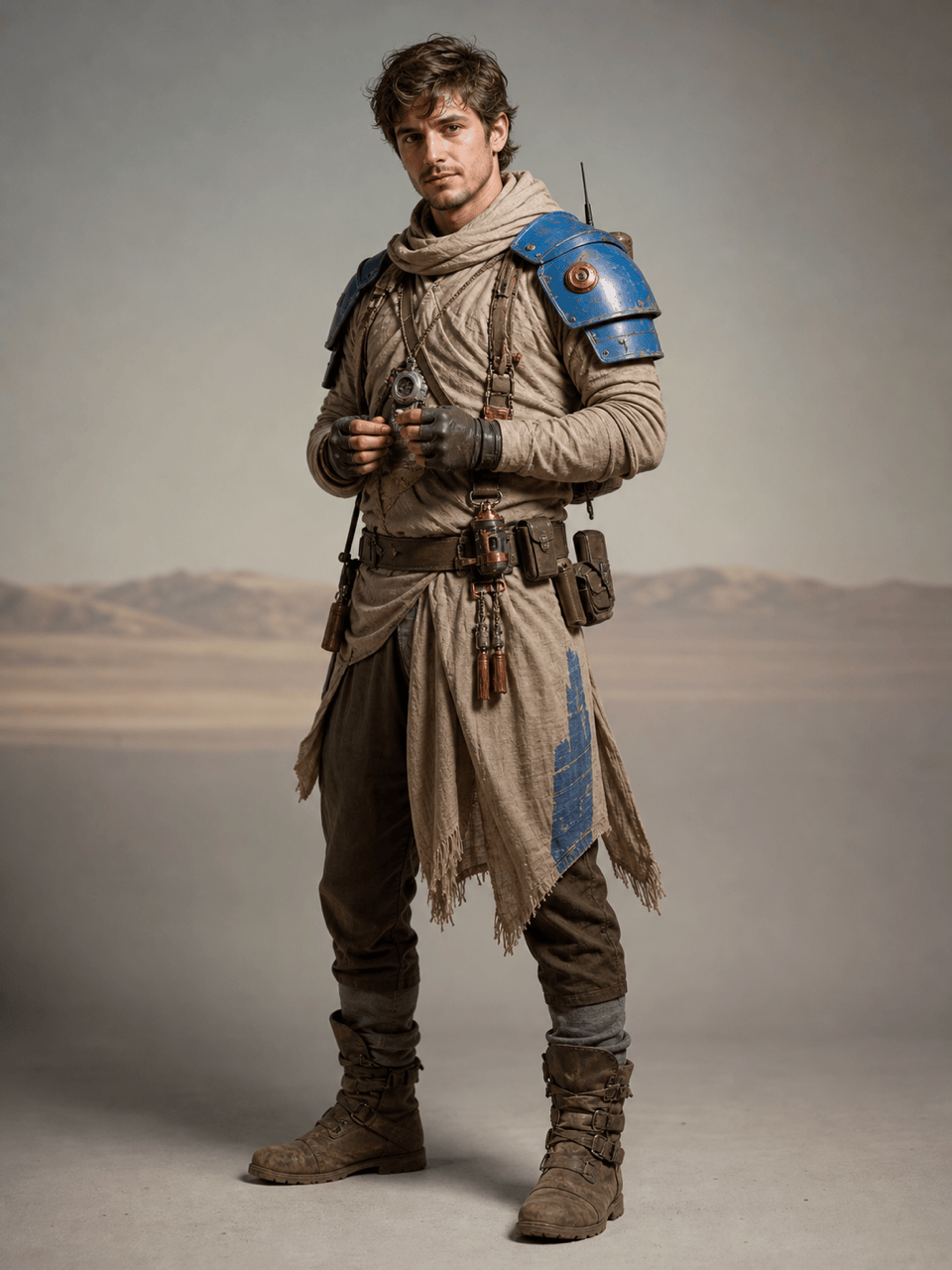
Original cosplay armor: Create a full-body studio portrait of an original desert signal runner. Costume: sand-colored wrapped tunic, flexible cobalt shoulder plates, copper radio charms, weathered utility belt, fingerless gloves, and practical boots. Athletic but wearable silhouette, lightweight materials, natural standing pose, every layer and fastening visible, no weapon, logo, or copyrighted character.
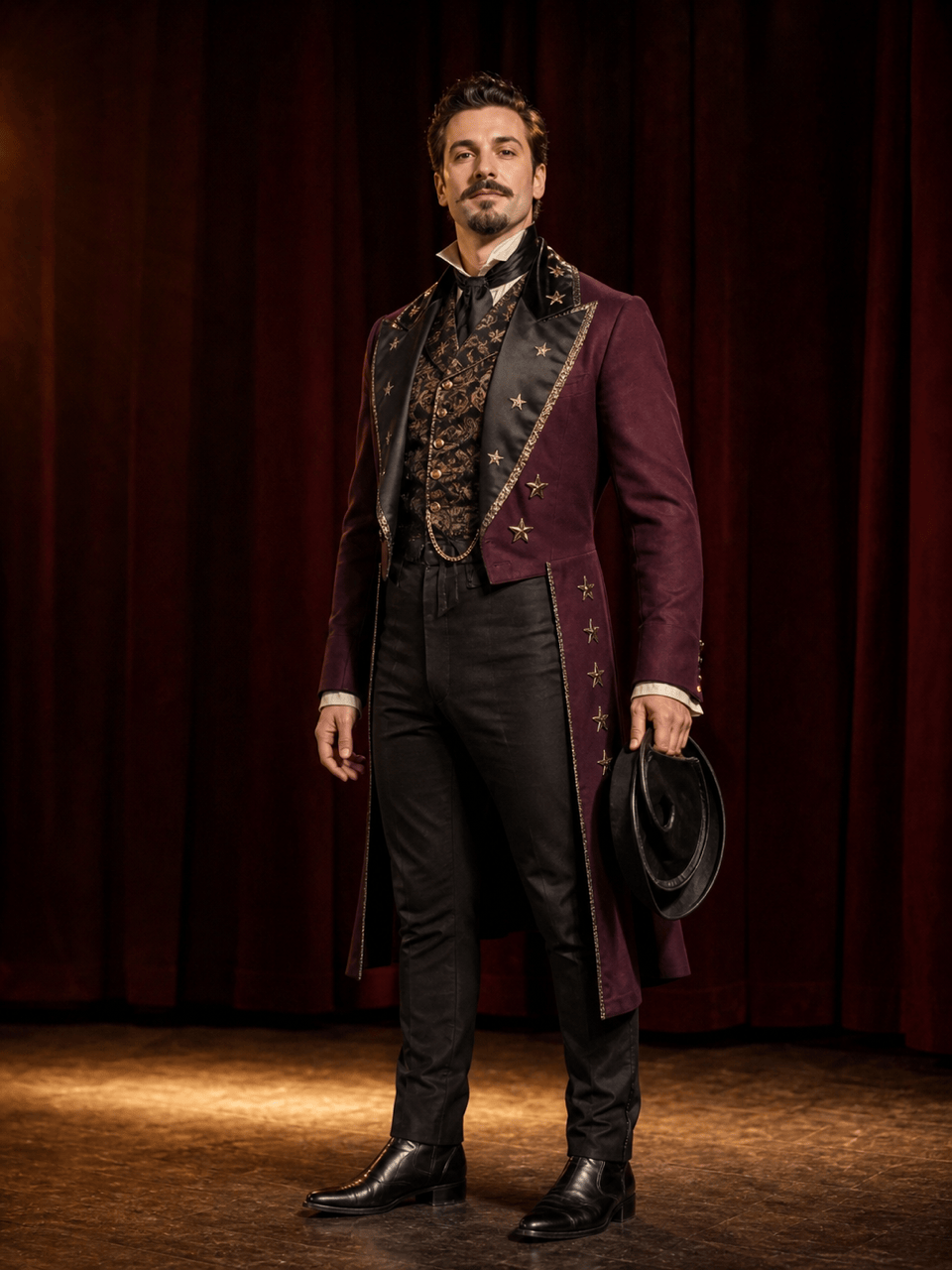
Historical-inspired stage costume: Design an 1890s theatrical illusionist costume for an adult performer. Tailored plum tailcoat, black satin lapels, patterned waistcoat, high-waisted trousers, polished boots, collapsible top hat, and embroidered star details. Warm rehearsal-stage lighting, full-body view, period-inspired construction with stage-ready exaggeration, no modern branding or text.
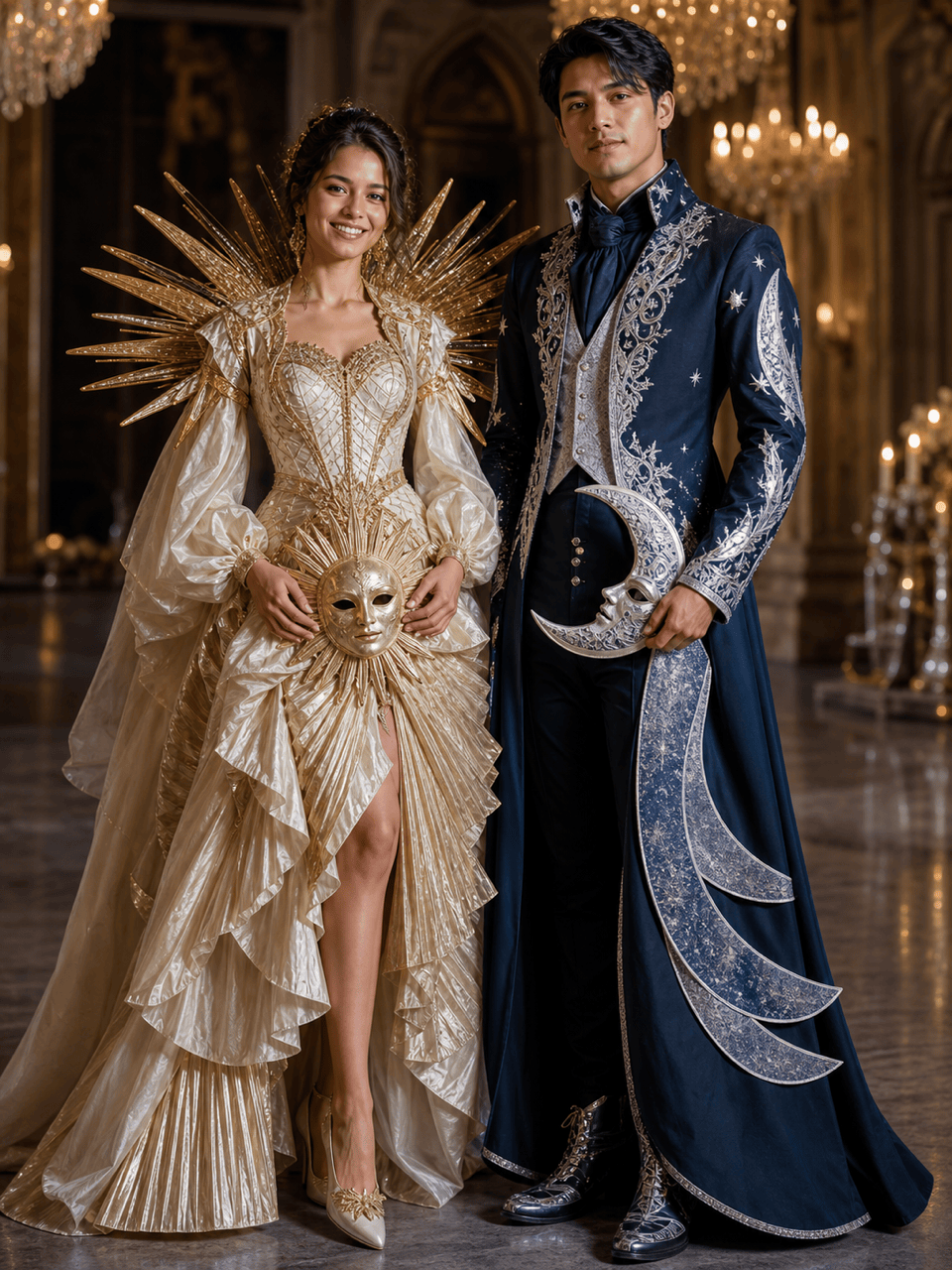
Couple costume idea: Use our permitted photo of two adults to create coordinated sun-and-moon masquerade costumes. Keep both faces and body proportions recognizable. One look uses ivory, warm gold, radiating pleats, and a half-sun mask; the other uses midnight blue, silver embroidery, layered crescent shapes, and a half-moon mask. Shared formal silhouette, balanced detail, full outfits visible, elegant ballroom setting, no text.
Theatre costume concept sheet: Create a clean 3:4 costume presentation for an original storm oracle in a stage production. Show one full front view plus two small detail callouts for the layered slate-blue robe and removable cloud-shaped collar. Include fabric texture, practical closures, movement-friendly sleeves, silver thread, and subtle weathering. Neutral background, no written labels, logos, or copyrighted elements.
Fantasy character costume: Create an original forest cartographer costume for a cinematic portrait. Moss-green waxed-canvas coat, cream linen shirt, layered map pockets, brass compass harness, fern-pattern embroidery, rain-darkened boots, and a rolled blank map. Earthy palette, misty woodland edge, full-body three-quarter pose, believable materials, no text, logo, weapon, or recognizable franchise design.





