Free OnlineAI Art Generator from Photo
How to Turn a Photo into Art with AI
Upload a Clear Photo
Define What Stays and Changes
Generate and Inspect the Artwork
Refine the Restyle with Chat Edit

Photo-to-Art Control Beyond a One-Click Filter
Start from the Photo That Matters
Upload a portrait, pet, landscape, product, or travel image and use it as the visual anchor. Unlike text-only generation, this image-to-AI-art workflow begins with your subject and composition already defined.
Tell AI What to Preserve
Name the features that carry identity or meaning: facial proportions, freckles, fur patches, pose, clothing, building shape, or object placement. Clear constraints help the AI reinterpret the picture without discarding its most important cues.
Direct the Medium, Not Just a Filter
Ask for translucent watercolor washes, layered gouache, visible oil-like brushwork, graphite hatching, ink outlines, or cut-paper edges. Medium-specific language gives each picture to AI art transformation a more intentional finish.
Correct One Detail at a Time
If the first draft changes too much, use Chat Edit to ask for a narrower correction. Keep the preferred palette and composition while revising a face, pet marking, background object, crop, contrast, or texture.
Explore Variations from One Source
Compare several media or moods from the same photo, or create a coherent set from related pictures. Mew Design can use models such as Nano Banana Pro and GPT Image 2.5 when they suit the transformation.
Try It Free and Export Cleanly
Sign up for free AI credits and test the online photo-to-art workflow before choosing a plan. Download completed artwork without a watermark as PNG or JPG for profile images, keepsakes, social posts, and print layouts.
How to Prompt AI Without Losing the Photo
- Protect the Signature Details: List the face shape, expression, hairstyle, pet markings, pose, landmark silhouette, or object arrangement that should carry into the artwork.
- Describe How the Medium Behaves: Replace vague words like ‘artistic’ with visual traits such as transparent washes, dry-brush edges, heavy impasto, charcoal grain, precise ink contours, or layered paper shapes.
- Set the Degree of Change in Words: Ask for a faithful restyle when likeness matters, or permit larger changes to clothing, background, lighting, and atmosphere when you want a more imaginative interpretation.
- Plan the Crop and Destination: State square profile image, 3:4 portrait, 2:3 wall print, card artwork, or social post. Mention negative space, background simplicity, and anything the AI should not add.
Photo-to-AI-Art Prompts for Real Use Cases
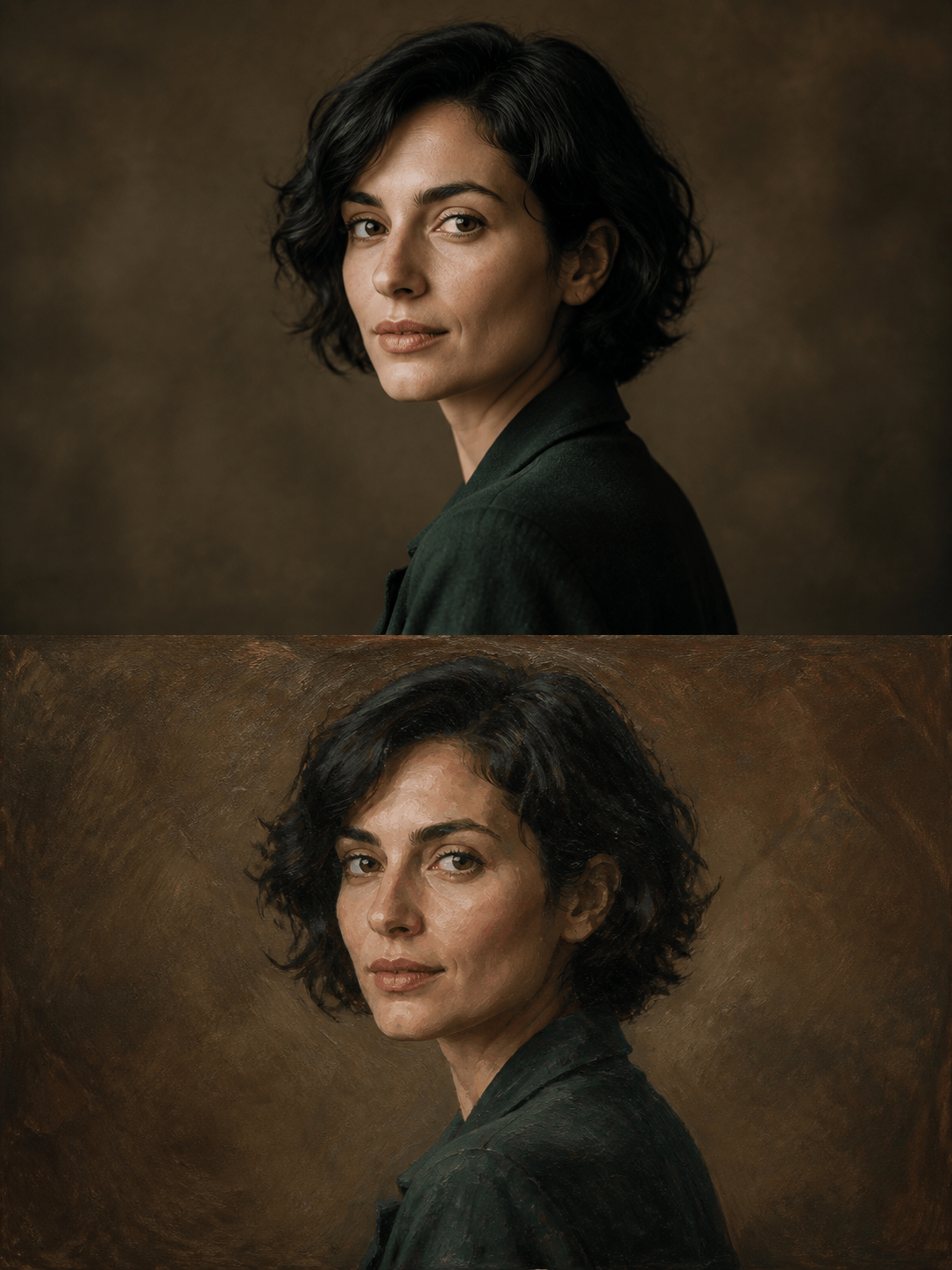
Oil Portrait Gift: Turn my uploaded head-and-shoulders photo into a 3:4 oil-style portrait. Preserve facial proportions, eye color, hairstyle, expression, and the navy shirt. Add restrained layered brushwork, warm side light, a deep olive background, subtle canvas grain, and gallery portrait depth. No text or extra accessories.
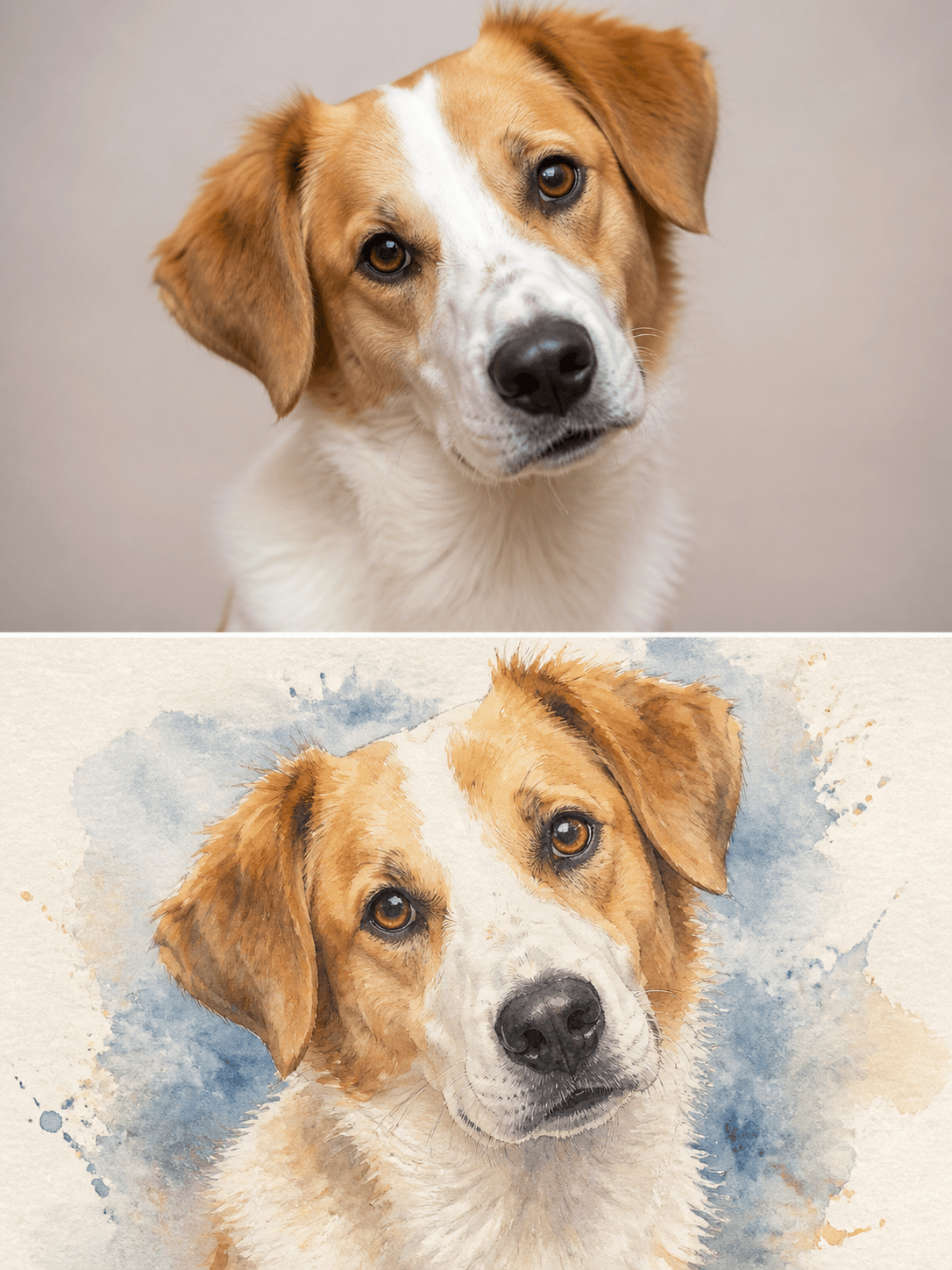
Watercolor Pet Portrait: Convert my dog photo into a square watercolor painting. Keep the white blaze, tan ears, dark nose, slightly tilted head, and friendly expression recognizable. Use soft blue and ochre washes, delicate ink details, cold-press paper texture, and a clean cream background for a memorial print.
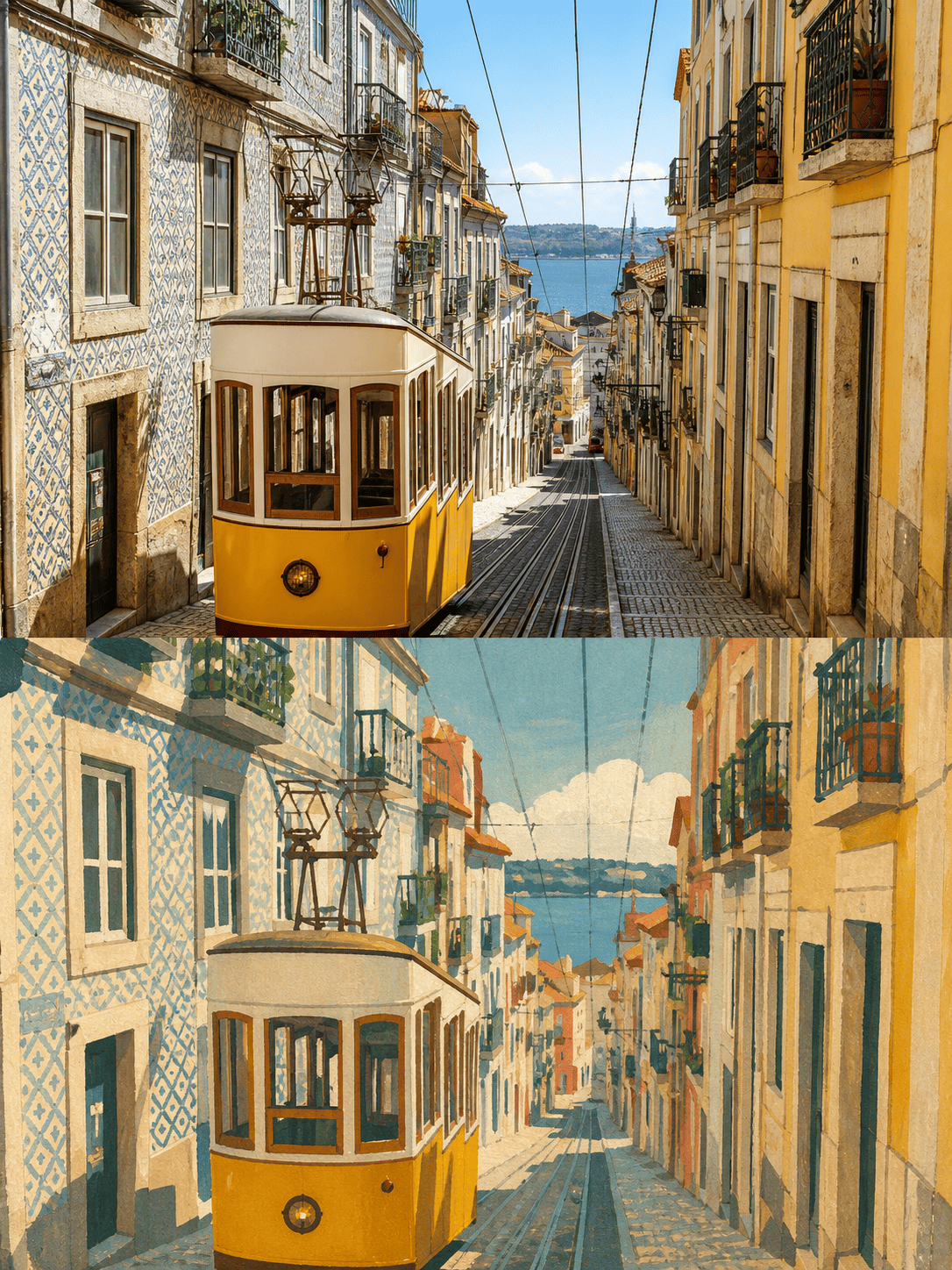
Travel Photo to Gouache: Transform my street photo from Lisbon into a 3:4 vintage gouache illustration. Preserve the tram, uphill perspective, tiled facades, and key window positions. Simplify pedestrians, use sun-faded coral, mustard, teal, and cream, with matte brush texture and a travel-journal mood.
Anniversary Keepsake: Restyle our uploaded couple photo as a delicate ink-and-watercolor portrait. Preserve both faces, relative height, joined hands, clothing colors, and relaxed expressions. Remove background clutter and add loose botanical shapes, pale blush and sage washes, fine black lines, and generous white paper space.
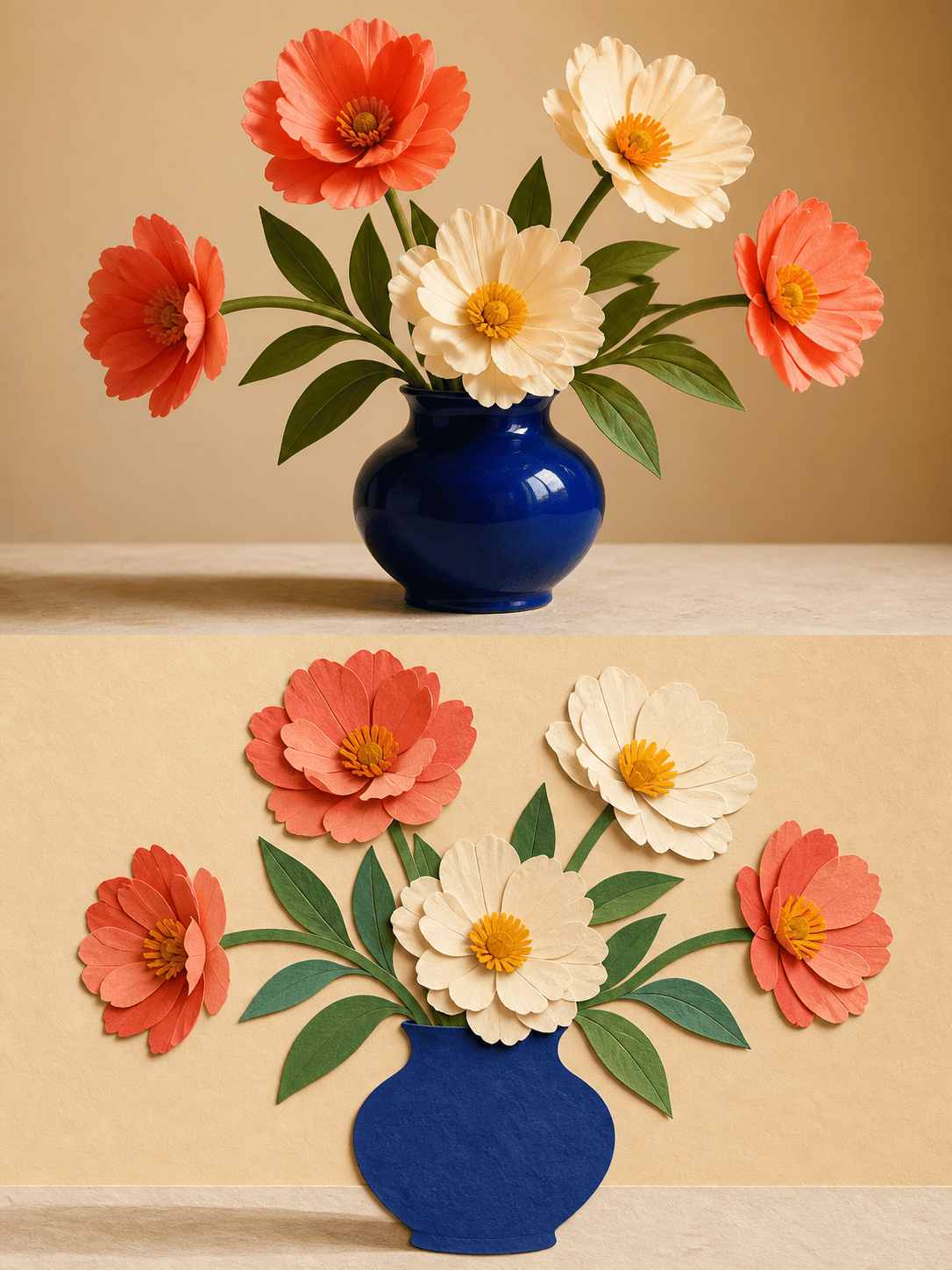
Floral Collage Art: Turn my vase-and-flowers photo into bold cut-paper collage art. Keep the vase silhouette, flower count, stem direction, and tabletop composition. Use layered cobalt, coral, cream, and leaf-green paper shapes, visible fibers, crisp overlaps, gentle shadows, and a square crop.
Architecture Sketch Print: Convert my house photo into a clean pen-and-ink illustration with a light watercolor wash. Preserve the roofline, porch columns, windows, front tree, and viewing angle. Remove parked cars and bins, use precise architectural lines, soft gray shadows, restrained green foliage, and a 2:3 print layout.





