Turn Your Photos into 90s-Style Portraits
How to Create a 90s Photo with AI
Add a Portrait or Describe the Subject
Choose the 1990s Visual Lane
Generate the First Retro Photo
Refine and Export Your Photo

Why Mew Design Works for Authentic 90s Photos
Restyle a Photo, Not Just Its Color
Upload a selfie and tell the AI what to preserve. Unlike a simple AI 90s photo filter, the edit can coordinate wardrobe, hair, backdrop, flash, grain, and color while keeping your source as the visual anchor.
Direct the Camera Character
Ask for warm consumer-film color, lifted or dense blacks, soft focus, direct-flash falloff, halation, or a clean scanned-print finish. Mew Design can use capable models such as GPT Image 2.5 and Nano Banana Pro when they fit the image job.
Guide the Era with References
Upload a yearbook, glamour, fashion, or snapshot reference to clarify palette, framing, texture, and mood. The 90s photo AI generator can use the reference as direction without requiring you to describe every visual cue.
Correct Drift Through Conversation
If the first draft changes too much, use Chat Edit for one focused correction at a time. Ask to restore facial proportions, keep the same people, soften the grain, remove a modern object, or preserve the preferred crop.
Build a Connected Throwback Series
Create several related portraits for a reunion, music project, social series, or retro campaign. When the workflow repeats, package the visual rules and delivery formats into a reusable Mew Skill for better continuity and less repeated setup.
Start Online and Export Clean Files
Try this free AI 90s photo generator with signup credits, refine the image in your browser, and export an approved result as a watermark-free PNG or JPG. Check source-image rights and the current plan before commercial use.
How to Prompt AI for a Convincing 90s Photo
- Protect the Source: Name the face, age, expression, pose, hair, skin tone, number of people, clothing, background, and crop that should stay unchanged.
- Choose a Specific 90s Lane: Separate a school yearbook portrait from mall glamour, grunge street fashion, hip-hop editorial photography, a family snapshot, or a disposable-camera party frame.
- Describe Photographic Behavior: Mention direct flash, soft-focus falloff, 35mm grain, warm or green-leaning consumer-film color, dense shadows, halation, date-stamp corners, or scanned-print texture only when they fit the chosen look.
- Set the Destination and Crop: Ask for 3:4 for a yearbook portrait, 4:5 for a social post, square for a profile, or another ratio that fits the final use. Add a no-text instruction unless a date stamp is intentional.
90s Photo Prompts for Distinct Retro Looks
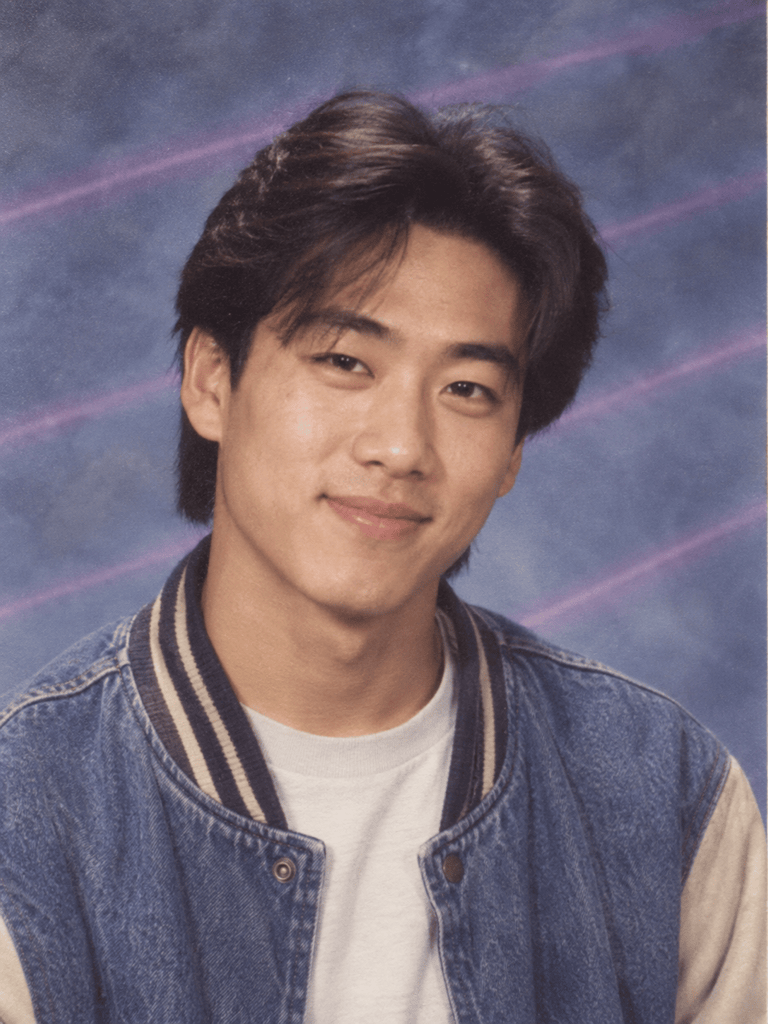
90s Yearbook Portrait: Transform @[uploaded portrait] into a realistic 1995 school yearbook photo. Preserve facial features, age, expression, and eye color. Use a head-and-shoulders 3:4 crop, a varsity jacket, a mottled blue studio backdrop with faint laser lines, soft frontal light, mild 35mm grain, faded print color, and no text or watermark.
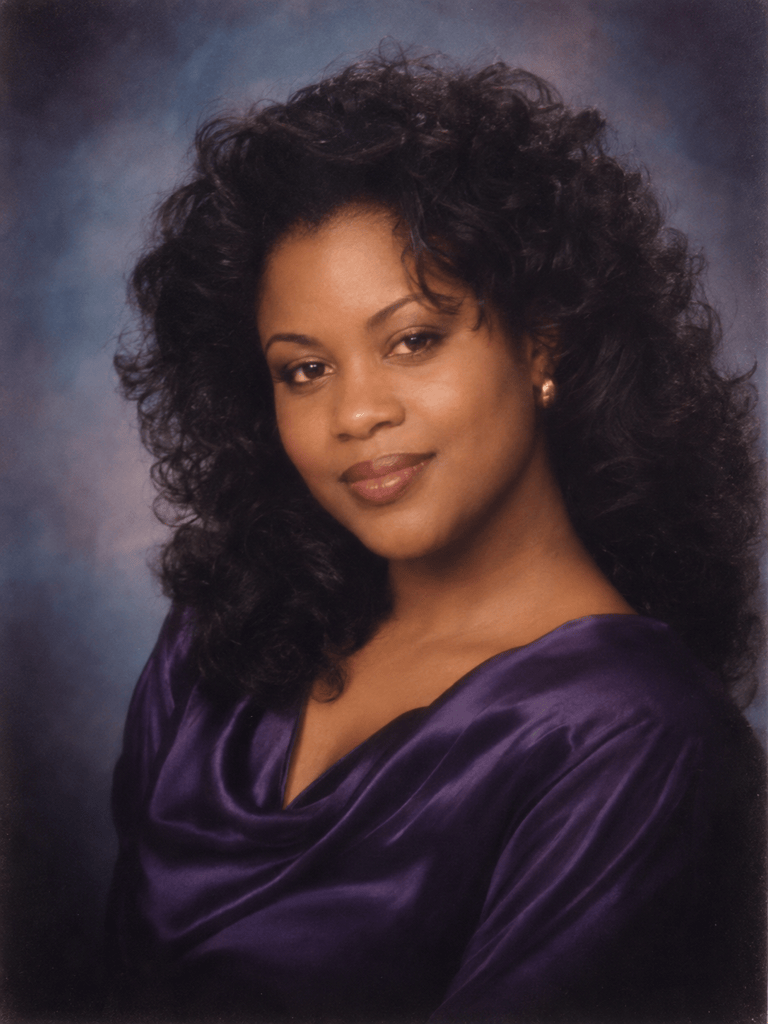
Mall Glamour Shot: Restyle @[uploaded portrait] as a 1990s mall-studio glamour photo. Keep the person's identity and face shape recognizable. Use voluminous hair, a simple satin top, a blue-gray painted backdrop, soft-focus diffusion, a gentle vignette, warm skin tones, restrained retouching, and scanned-print texture. No logo or extra people.
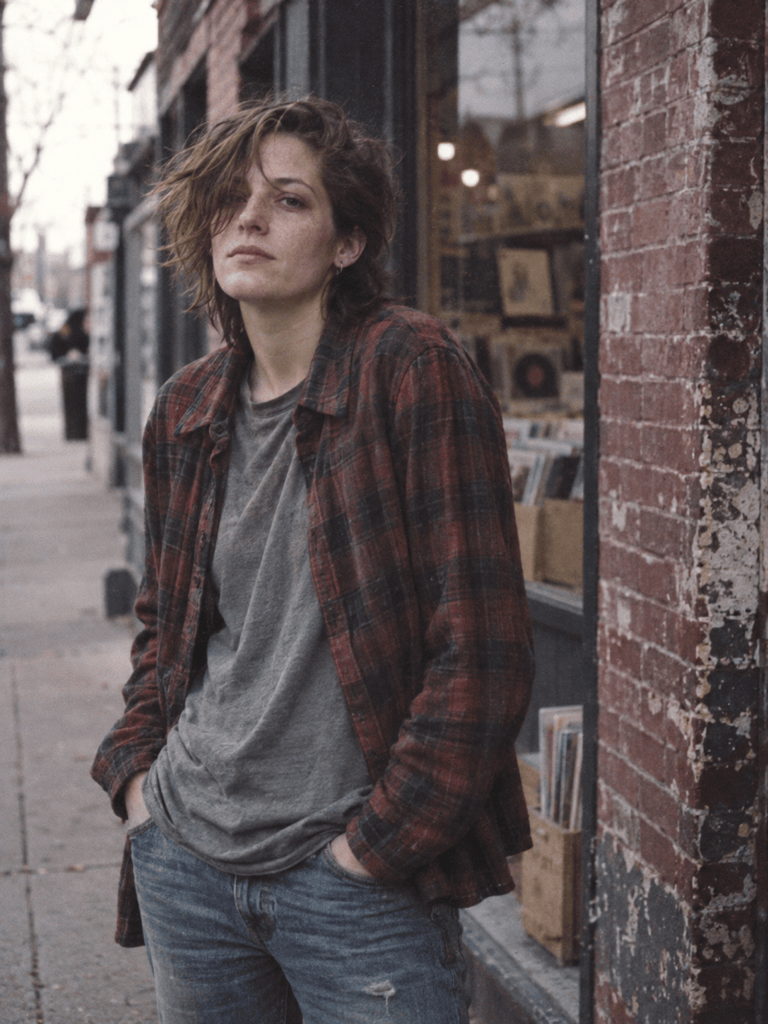
Grunge Street Portrait: Create a candid 3:4 portrait outside an independent record shop in 1994. The subject wears layered flannel and worn denim. Use overcast light, slightly muted color, visible 35mm grain, an imperfect off-center crop, real skin texture, and a weathered brick background. Avoid modern phones, cars, signs, logos, and glossy editorial polish.
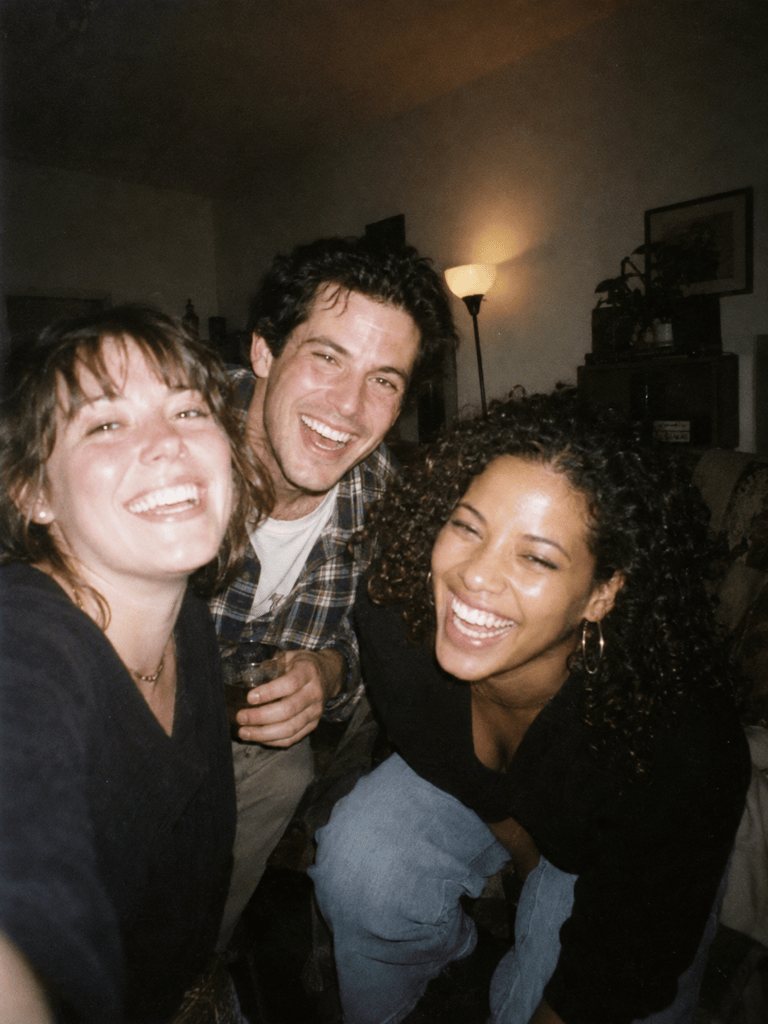
Disposable-Camera Party Photo: Turn @[uploaded group photo] into a late-1990s indoor party snapshot while keeping the same people, faces, positions, and expressions. Use hard on-camera flash, fast shadow falloff, mild motion blur, warm highlights, green-leaning shadows, visible grain, slightly soft edges, and an accidental candid crop. No added guests or text.
90s Hip-Hop Editorial: Generate an original 1990s hip-hop portrait of an adult artist on an outdoor basketball court. Use an oversized color-block windbreaker, bucket hat, low camera angle, direct fill flash, saturated but aged color, fine grain, and bold 3:4 magazine framing. Do not use real brands, artist likenesses, typography, or watermarks.
Family Snapshot: Rework @[uploaded family photo] as a believable summer 1997 backyard print. Preserve every person's identity, age, pose, and position. Add consumer-film warmth, bright midday flash fill, slightly blown highlights, soft corner detail, modest grain, faded lawn color, and the casual composition of a drugstore-developed 4×6 photo. No date stamp or new objects.





