GPT Image 2.6 Prompts: 24 Examples to Copy and Paste
Start with a look you love, then make it your own. Explore GPT Image 2.6 prompts for collectible toys, cinematic portraits, product campaigns, readable posters and precise photo edits. Each card pairs a complete prompt with an AI-generated preview, so you can compare the visual direction before you create.
AI-generated previews. Appearance varies by model, settings and reference images.
24 GPT Image 2.6 Prompt Examples
Looking for GPT Image 2.6 prompts to copy and paste? Start with a complete example below, then replace its subject, colors or quoted text. These original adaptations combine creator-shared visual formats with practical design tasks. The two editing cards require the source image named in their prompts; all other cards work from text alone.
Citrus Soda Launch Ad
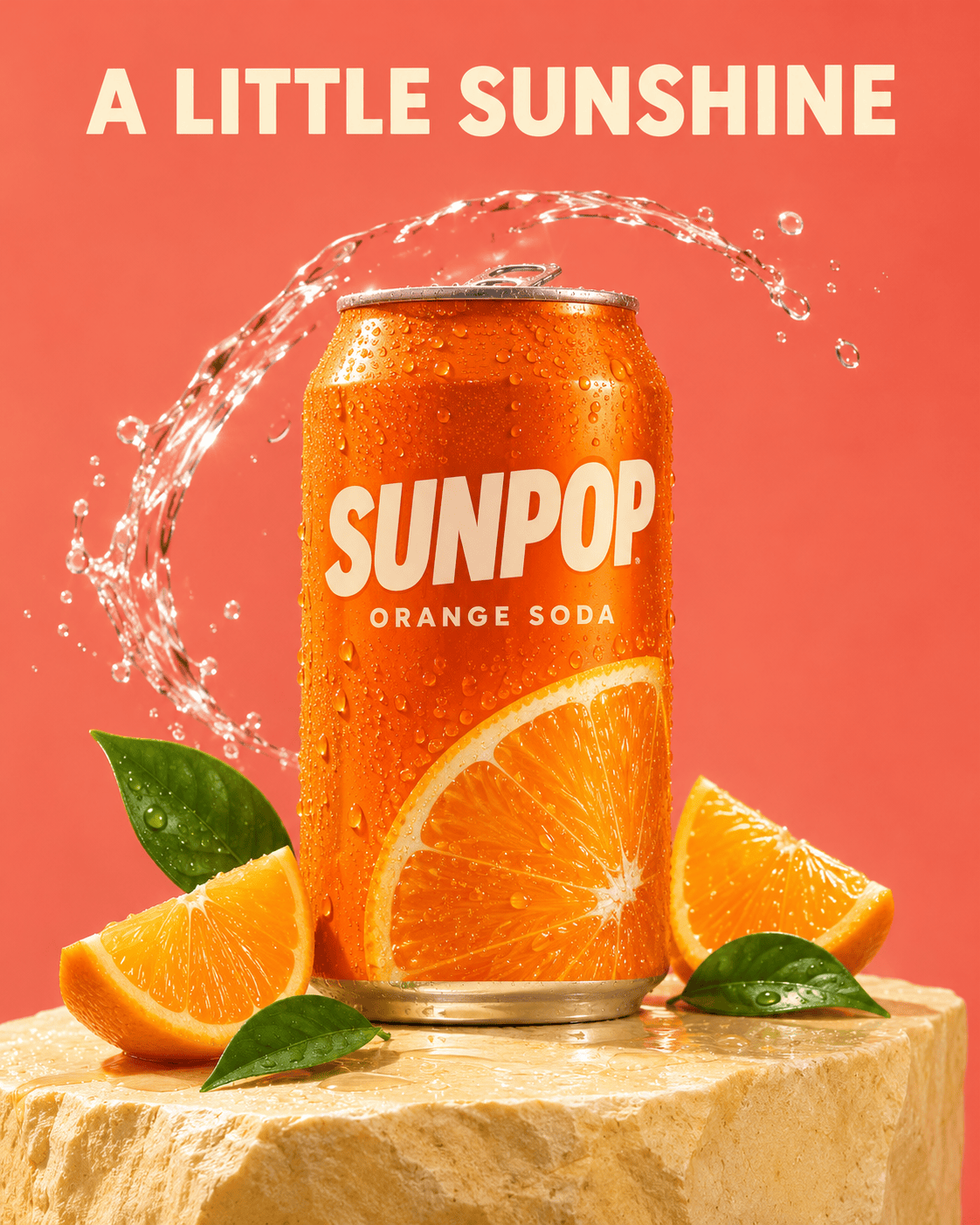
Create a vertical 4:5 advertising photograph for a fictional sparkling drink called "SUNPOP". Center one chilled orange aluminum can on a pale yellow stone pedestal. The can label must read "SUNPOP" in bold cream capitals with the small line "ORANGE SODA" beneath. Surround its base with two fresh orange wedges and three glossy green leaves. Add realistic condensation and one controlled arc of clear water behind the can, leaving the label unobstructed. Use warm peach studio lighting, strong but natural reflections and a clean coral background. Place the headline "A LITTLE SUNSHINE" at the top with ample margins. No other copy, logos, distorted fruit or duplicate cans.
Cheese-Pull Snack Poster
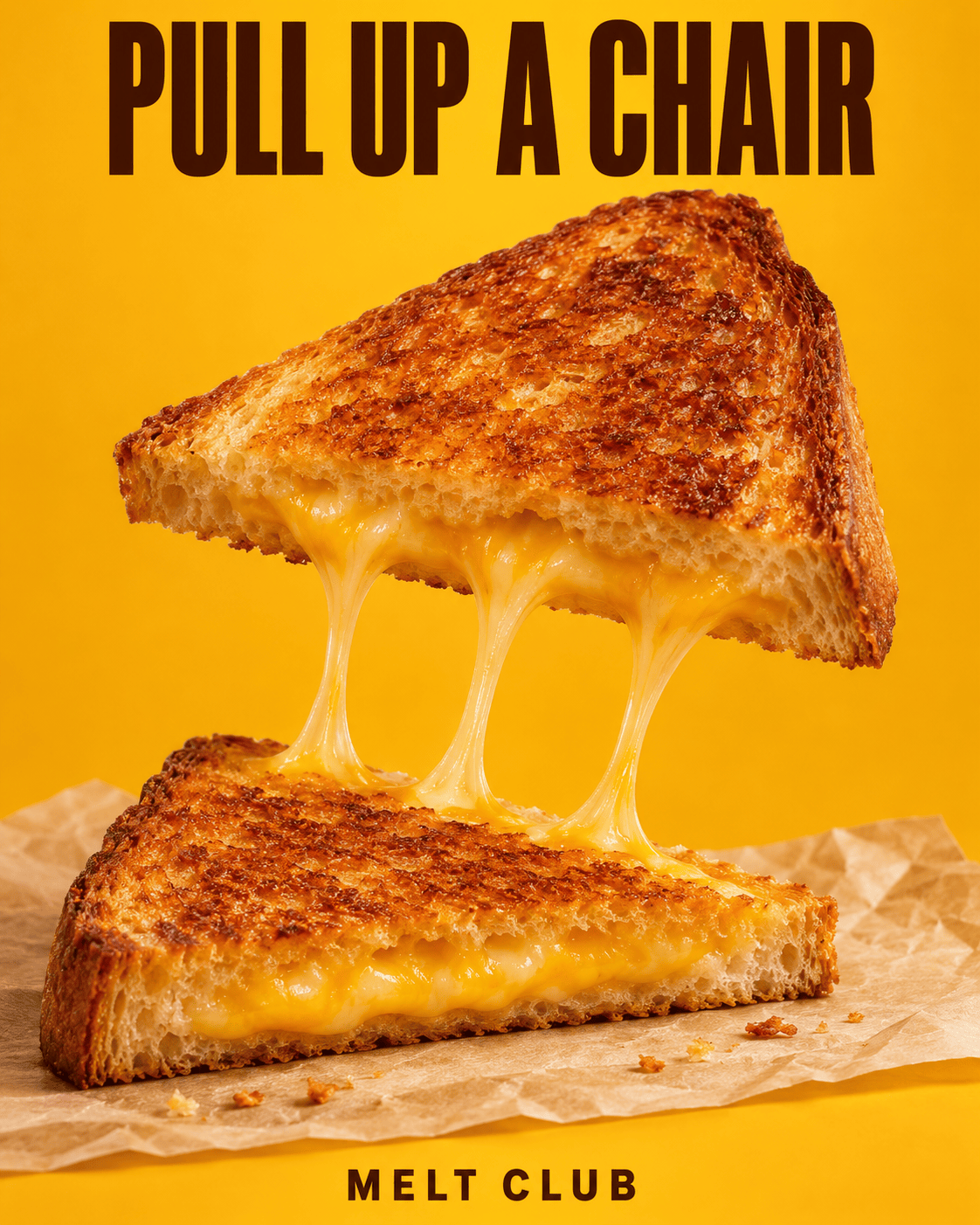
Create a vertical 4:5 food advertisement on a rich golden-yellow background. Show one crisp grilled-cheese sandwich cut diagonally, with the lower half resting on parchment at the bottom and the upper half lifted above it. Connect the halves with three appetizing strands of melted cheese, keeping the bread edges realistic and the filling contained. Use close-up commercial food photography, toasted texture, soft directional light and a few small crumbs. At the top print "PULL UP A CHAIR" in bold dark-brown condensed lettering. At the bottom print the fictional cafe name "MELT CLUB" in smaller capitals. Keep both text areas clear of food. No hands, extra sandwiches, logos or additional text.
Botanical Skincare Still Life
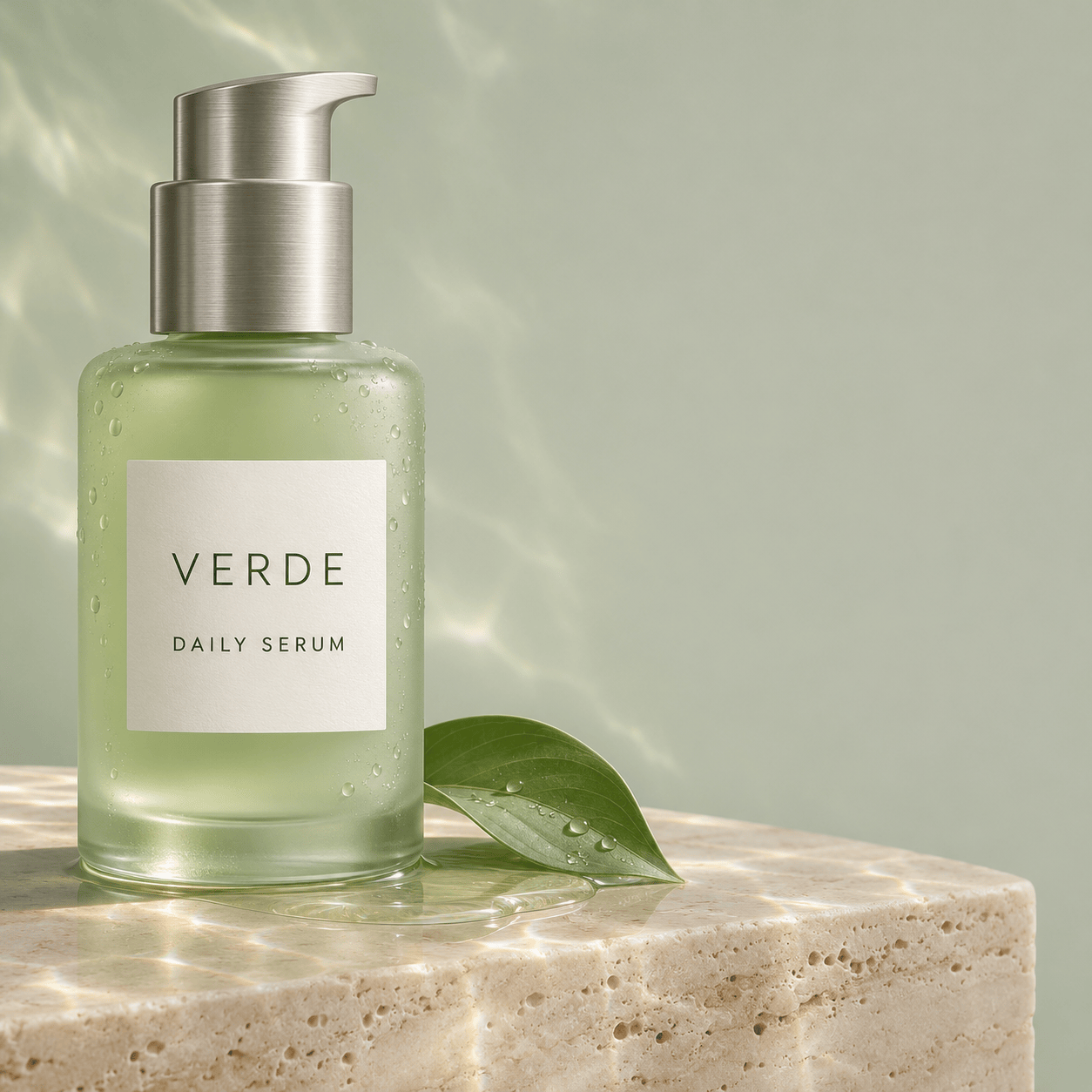
Create a square luxury skincare product photograph featuring one frosted pale-green glass bottle with a brushed-silver pump. Its minimal white label reads "VERDE" and, underneath, "DAILY SERUM". Set the bottle on a smooth cream travertine block with one curved green leaf and a small shallow pool of water at its base. The bottle should occupy the left half of the frame, leaving clean negative space on the right. Use diffuse morning light, subtle caustic reflections, realistic glass thickness and a quiet sage-and-ivory palette. Keep the label crisp and front-facing. No medical claims, extra bottles, decorative lettering, human hands or watermark.
Three-Look Fashion Contact Sheet
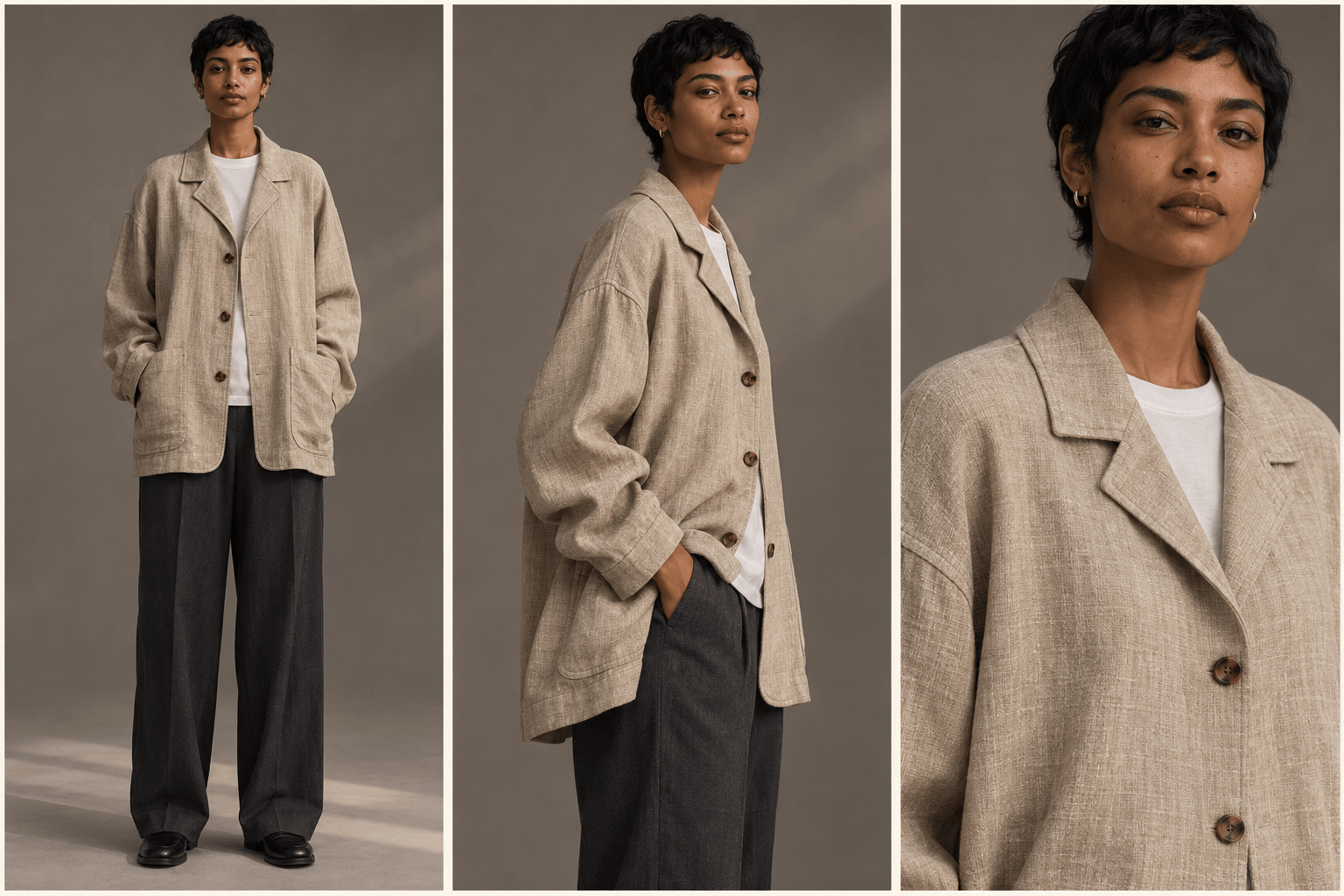
Create one wide 3:2 editorial fashion contact sheet with exactly three equal vertical panels separated by narrow ivory gutters. Show the same fictional adult model with short black hair, medium-brown skin and a calm expression in all three panels, wearing the same oversized oatmeal linen jacket, white T-shirt and charcoal trousers. Panel one: full-body front view. Panel two: three-quarter side view with one hand in a pocket. Panel three: waist-up detail of the jacket collar and natural fabric weave. Use the same warm-gray studio background and soft side lighting throughout. Preserve the face, garment seams, buttons and colors across panels. No captions, brand logos, extra panels or different outfits.
Bold Music-Night Poster
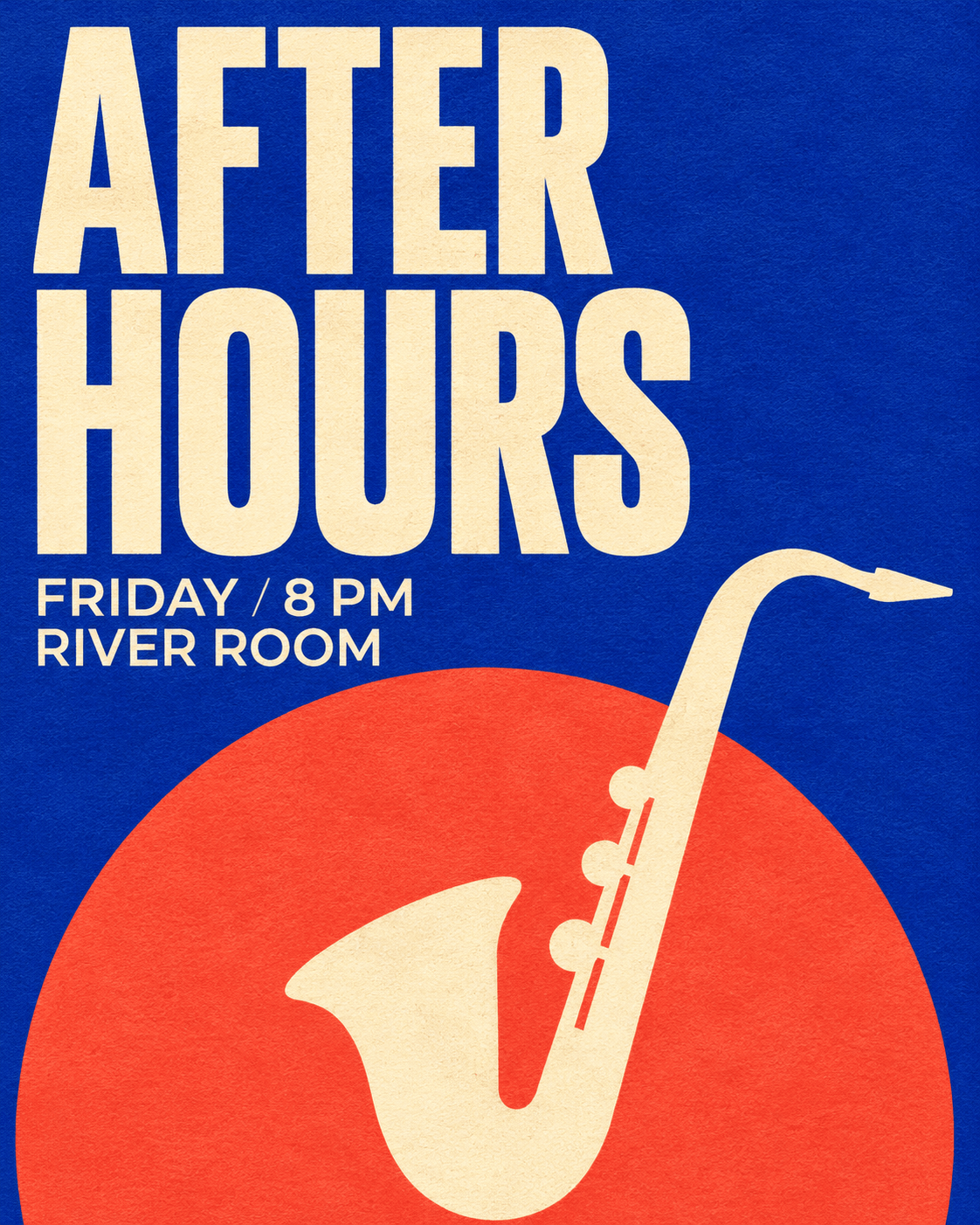
Design a portrait 4:5 graphic poster for a fictional music event. Use cobalt blue as the main background with visible fine paper grain, one oversized coral-red circle in the lower half and a small cream abstract saxophone silhouette crossing the circle. Set the headline "AFTER HOURS" in very large cream condensed capitals across the upper half. Beneath it, place "FRIDAY / 8 PM" on one line and "RIVER ROOM" on the next in a smaller clean sans-serif. Use strict left alignment, confident spacing and a contemporary screen-printed look. Keep all words fully visible. The poster lies flat and fills the image. No mockup frame, tiny filler text, logos or additional wording.
Autumn Cafe Menu
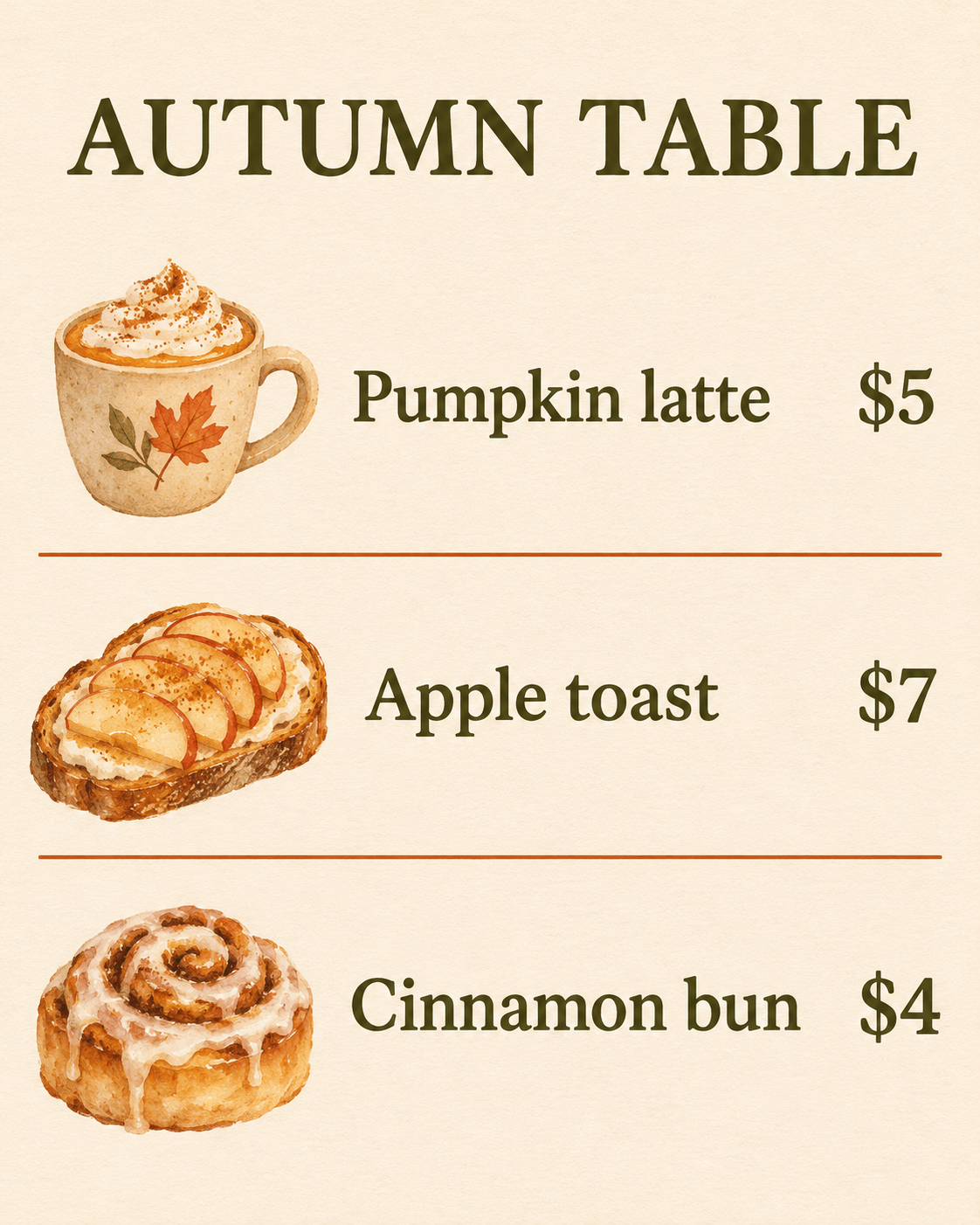
Design a vertical 4:5 cafe menu as a flat printed page on warm ivory paper. At the top, set "AUTUMN TABLE" in dark olive serif capitals. Below, arrange exactly three menu rows with names on the left and prices aligned on the right: "Pumpkin latte" with "$5", "Apple toast" with "$7", and "Cinnamon bun" with "$4". Add one small watercolor illustration beside each matching row: a cup, apple toast and a spiral bun. Use thin terracotta divider rules, wide margins and restrained autumn colors. Keep the typography large enough to read in a social feed. Print only the specified heading, item names and prices. No extra dishes, logos, cutlery or photographic table setting.
Illustrated Lemonade Recipe Card
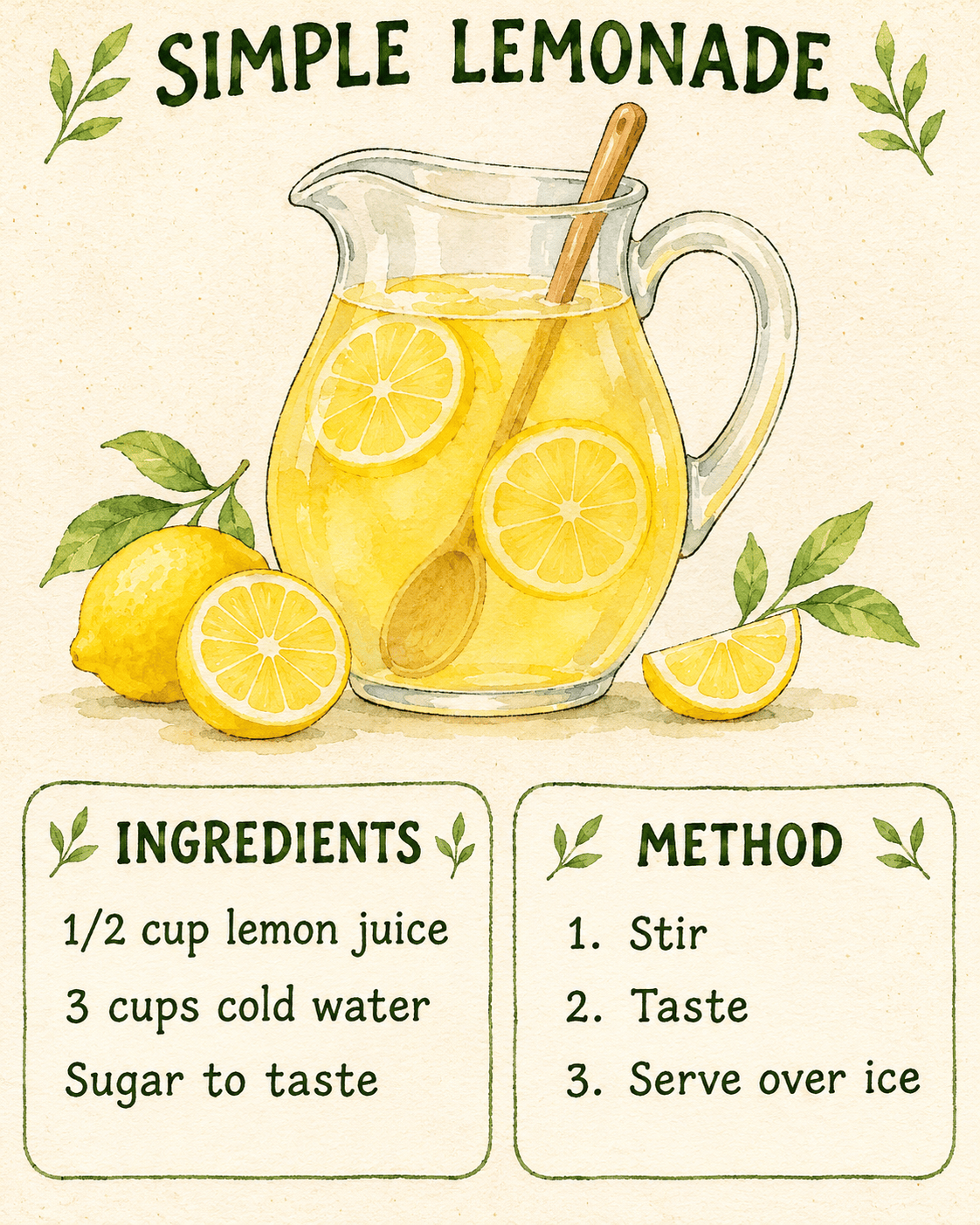
Create a vertical 4:5 illustrated kitchen recipe card on lightly speckled cream paper. Title it "SIMPLE LEMONADE" in hand-drawn dark-green capitals. In the top half, draw a glass pitcher of lemonade with lemon slices and a wooden spoon. In the bottom half, use two tidy blocks. The first reads "INGREDIENTS" followed by "1/2 cup lemon juice", "3 cups cold water", and "Sugar to taste". The second reads "METHOD" followed by "1. Stir", "2. Taste", and "3. Serve over ice". Use delicate ink outlines, translucent yellow watercolor, small leaf accents and generous spacing. Keep all text clear, exactly as provided, without additional recipe facts or decorative words.
From Idea to Image Infographic
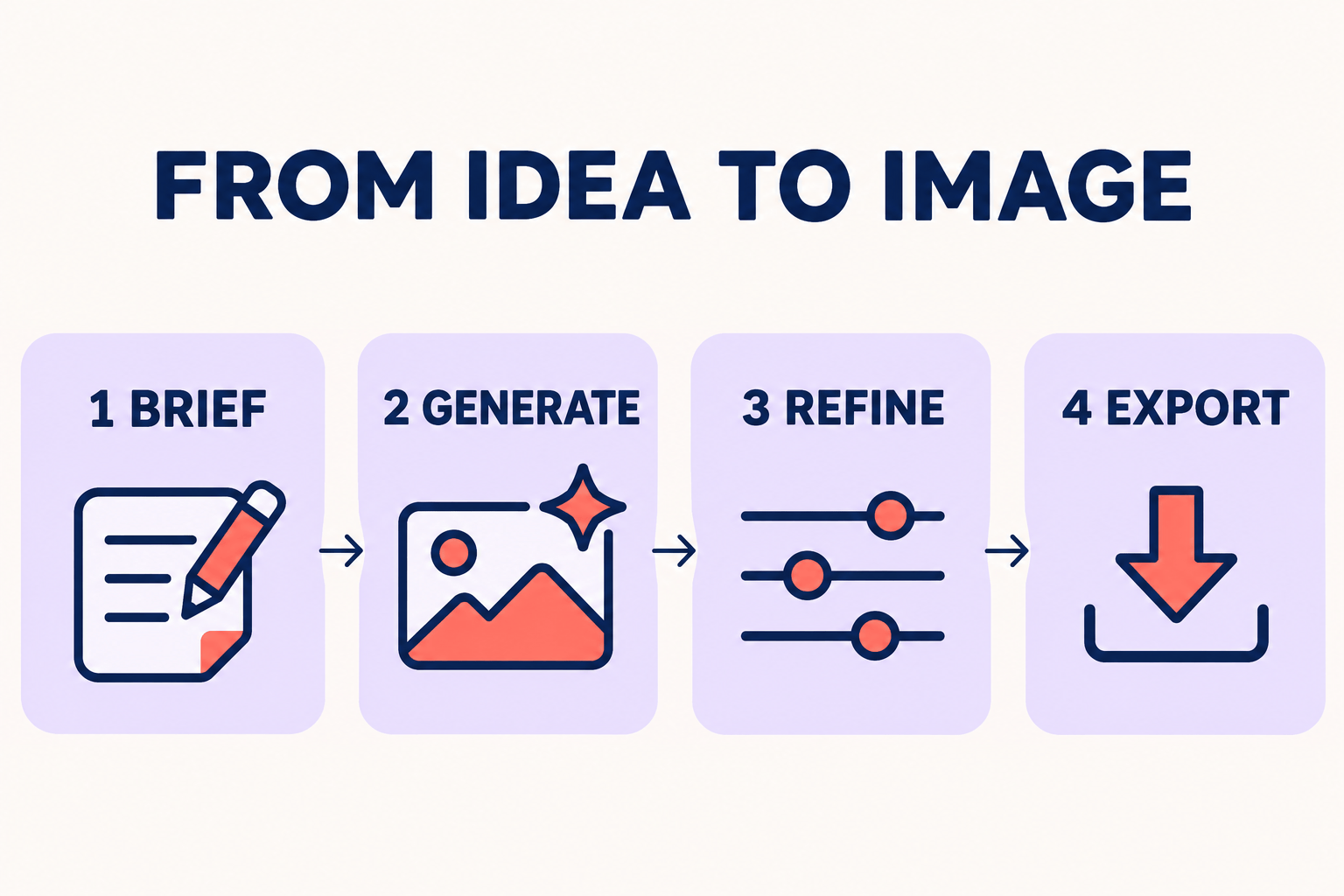
Create a landscape 3:2 flat infographic on an off-white background with the title "FROM IDEA TO IMAGE" centered at the top. Below it, arrange exactly four equal cards in a single horizontal row. Label them "1 BRIEF", "2 GENERATE", "3 REFINE", and "4 EXPORT". Inside each card, place one simple original icon: a pencil and note, a picture with a sparkle, adjustment sliders, and a download arrow. Connect adjacent cards with one thin arrow pointing right. Use navy typography, pale lavender cards and coral highlights. Maintain equal spacing, consistent line weights and large readable labels. Keep all content within generous margins. No charts, invented statistics, extra steps or additional text.
Fox Courier Character Sheet
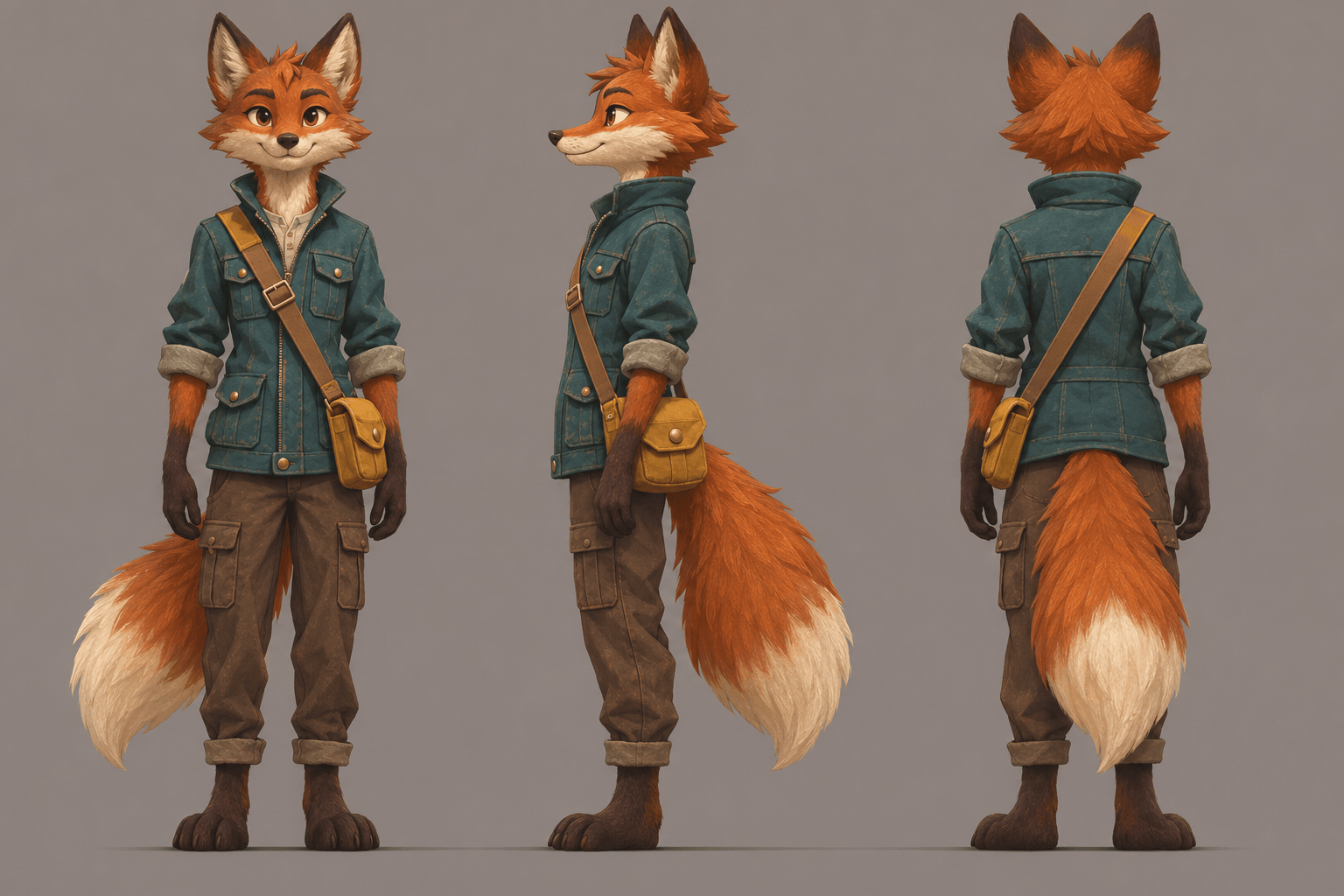
Create one landscape 3:2 character-design sheet with exactly three full-body views of the same original anthropomorphic fox courier: front, left side and back. The fox has burnt-orange fur, cream muzzle and tail tip, dark paws, a teal utility jacket and a small mustard messenger bag worn from the right shoulder to the left hip. Keep identical proportions, clothing seams, bag strap direction and colors in every view. Align the feet to the same baseline on a plain warm-gray background. Use polished hand-painted game concept art with clean shapes and subtle texture. Leave clear gaps between views and show each tail fully. No labels, extra accessories, speech bubbles or additional characters.
A Tiny Story in Four Panels
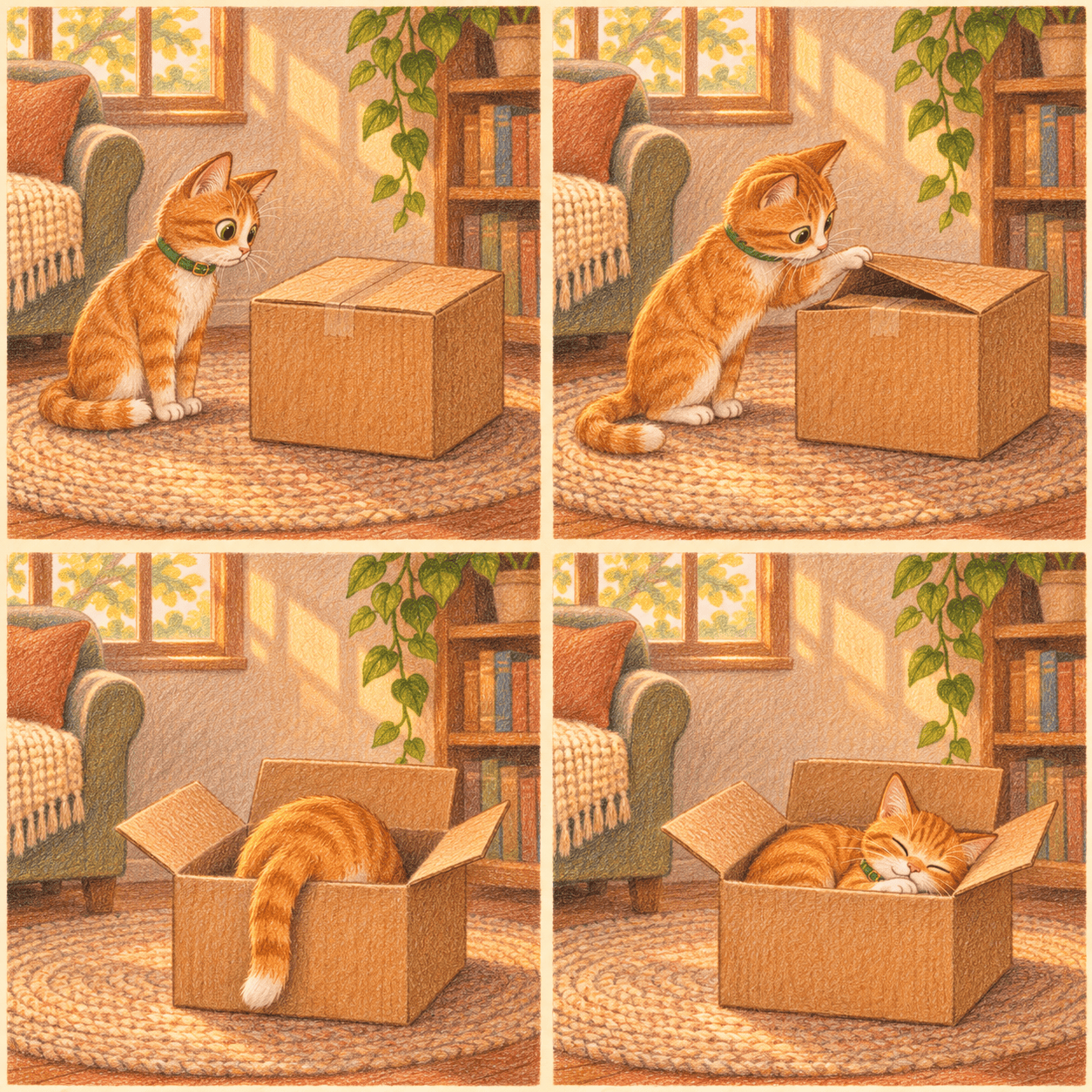
Draw a square four-panel wordless comic in a strict two-by-two grid with thin cream gutters. The same small orange cat with a white chest and one green collar appears in every panel. Panel one, upper left: the cat notices a closed cardboard box. Panel two, upper right: it cautiously lifts one flap with a paw. Panel three, lower left: it climbs inside, leaving its tail hanging over the edge. Panel four, lower right: it sleeps contentedly inside the open box. Use cozy colored-pencil textures, warm afternoon light and the same simple living-room corner throughout. Maintain the cat's markings and box proportions. No words, symbols, extra cats or additional panels.
Product Color Swap — Reference Required
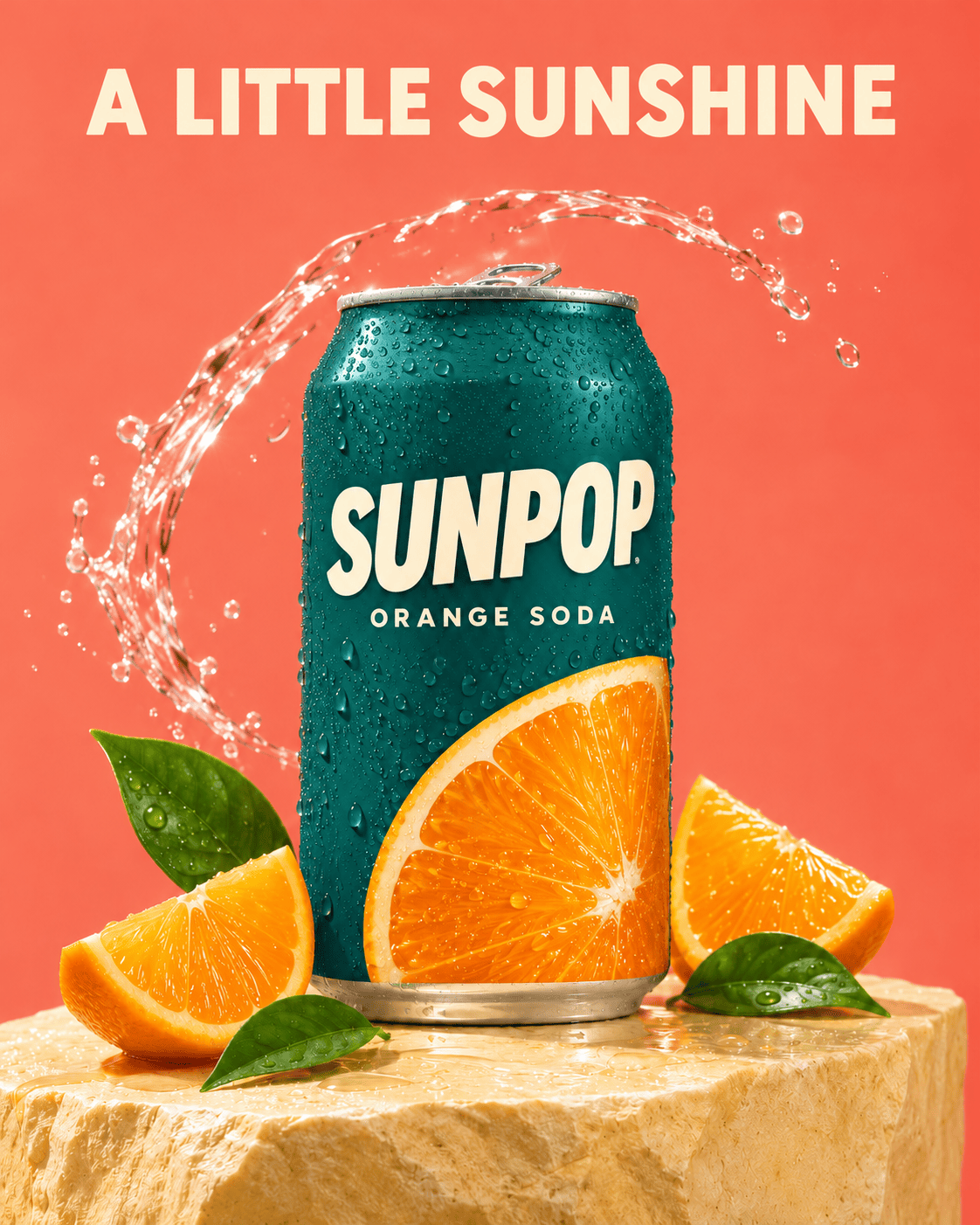
Edit the uploaded "Citrus Soda Launch Ad" image from this collection. Change only the orange paint on the aluminum can to a deep matte teal. Keep the can's exact shape, scale, position, silver rim, condensation droplets and label geometry. Preserve the wording "SUNPOP", "ORANGE SODA" and "A LITTLE SUNSHINE" exactly, including their colors, sizes and positions. Do not change the oranges, leaves, pedestal, water arc, coral background, camera angle or lighting. Reconcile reflections only where necessary for the new can color. Return the same composition and aspect ratio as the source image. This is a selective color edit, not a new product photograph; do not add objects or lettering.
Cafe Day-to-Night Edit — Reference Required
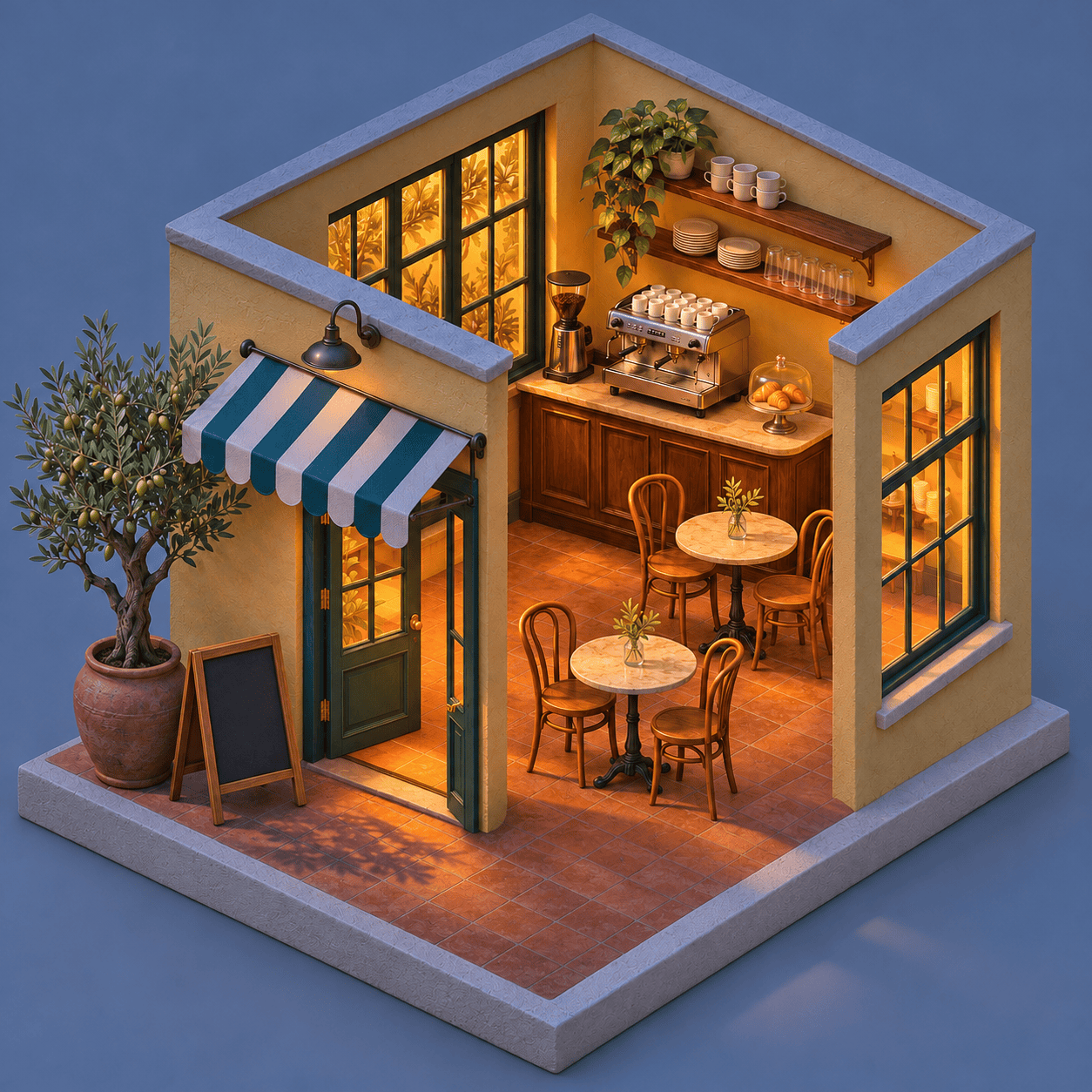
Edit the uploaded "Miniature Corner Cafe" image from this collection into a blue-hour evening scene. Change only the lighting and time-of-day atmosphere: cool soft blue ambient light outside and warm amber light glowing from the existing cafe windows and interior. Preserve the exact camera angle, miniature scale, roof cutaway, wall geometry, butter-yellow plaster, teal frames, striped awning, terracotta floor, furniture counts and positions, blank chalkboard, olive tree and cream plinth. Keep the background plain and shift it subtly toward blue-gray. Do not add lamps, people, text, stars, new furniture or architectural details. Return one square image with the entire model visible in the original framing.
How to Use These Image Prompts
Move from a saved idea to a finished image in four steps. You can use these visual briefs in ChatGPT Images 2.6 or adapt them in Mew Design; results depend on the image model available in your chosen tool.
Choose a Visual Direction
Pick the card closest to your goal: a boxed figure for a profile post, a product ad for a launch or a poster with clear lettering. Copy the complete prompt. For an editing card, also upload the source image it names.
Personalize the Brief
Replace the fictional name, product, outfit or palette. Keep the layout instructions and aspect ratio. Put every word you want in the image inside quotation marks, and remove any copy you do not need.
Generate and Refine One Detail
Paste the prompt into your image conversation and generate a first version. In Mew Design, use a follow-up instruction to change a specific detail. Say what must stay the same, especially faces, labels and product shapes.
Check the Image and Export
Zoom in on lettering, hands, seams and repeated objects. For an edit, compare against the uploaded source. Check the crop at its intended display size, then download the version you want to use.

Explore related prompts
Build a Useful Design from Your Favorite Prompt
Start with a Visible Result
A picture makes the brief easier to judge. Compare the materials, lighting and composition across 24 examples before choosing the direction for your own image.
Make the Subject Yours
Mew Design accepts reference images, so you can guide a portrait, product shot or style experiment with your own photo. Explain which features should remain recognizable when the scene changes.
Keep Useful Details While Editing
Refine the first result in conversation. The color-swap and day-to-night examples show how to name a small change and list the details you want preserved, instead of rewriting the entire brief.
Plan a Coherent Series
For a recurring mascot or coordinated campaign, keep the same character description, palette and reference images across requests. Use Mew Design’s Deep Mode for a connected series and compare each result for visual consistency.
Give Words a Clear Place
The poster, menu and recipe examples specify exact wording, spacing and hierarchy. Adapt a result into a campaign visual with our AI poster generator, then review every printed word.
Explore a More Specific Theme
Need a narrower starting point? Browse AI girl portrait prompts for character ideas or Valentine’s Day image prompts for romantic scenes and seasonal campaigns.


GPT Image 2.6 Prompts: Common Questions
Choose a prompt that matches your output, not just an impressive style. Try Creator Action Figure for a personalized collectible, Citrus Soda Launch Ad for product composition, Bold Music-Night Poster for text hierarchy or Fox Courier Character Sheet for repeatable character details. The best starting point has a clear subject, layout, material, lighting and a short list of constraints.
Copy the complete prompt from a card and paste it into your image-generation conversation. Keep the composition and constraints for the first attempt. Then change the fictional names, colors or subject. The two cards marked Reference Required need the matching source image uploaded before generation.
People use both phrases when searching for image ideas. ChatGPT Images is the user-facing experience; GPT Image names the model family used through the API. The visual instructions can be similar, but model selection, settings and editing controls depend on the tool. A model name written in a prompt does not switch the model.
OpenAI announced Images 2.6 on November 4, 2026, highlighting faster creation, more consistent edits and GIF creation. This gallery focuses on still images and controlled edits. See the official Images 2.6 announcement for release details and availability.
Yes. Upload your photo and replace the fictional subject description with a clear instruction to use that image as the reference. Name the features to preserve, such as face shape, hairstyle, garment details or product proportions. Check the result against the source; asking for preservation does not guarantee an exact match.
Keep the copy short, put it in quotation marks and state its position and size. List the allowed text and ask for no additional wording. For dense layouts, prioritize a clear heading and fewer labels. If a word is wrong, request a focused correction and review the exported image at full size.
Where your chosen tool supports GIF creation, first establish a simple character, then ask for one small repeating action while keeping the camera, colors and caption fixed. The Little Cloud Reaction Mascot here is a still-image example, not a GIF download. Mew Design’s GIF availability is not established by this page.
These are AI-generated illustrations of the prompts, not verified Sunburst or Flare benchmarks. To evaluate a specific model, run a prompt with the same reference image, dimensions and settings in a tool that displays its model selection.
Generation is variable, and tools can use different models, dimensions or settings. Start with the exact prompt and, for edits, the same reference image. Change one detail at a time. For more subjects and seasonal ideas, visit the full AI prompts library.
The collection combines creator-shared formats and practical design tasks. We consulted documented social prompt formats, published 2.6 design experiments and the official prompting guide. The prompts here were rewritten with original subjects and details. Some formats predate 2.6; this is a curated starting set, not a popularity ranking.

