GPT Image 2.6 Prompts: 24 Examples to Copy and Paste
Start with a look you love, then make it your own. Explore GPT Image 2.6 prompts for collectible toys, cinematic portraits, product campaigns, readable posters and precise photo edits. Each card pairs a complete prompt with an AI-generated preview, so you can compare the visual direction before you create.
AI-generated previews. Appearance varies by model, settings and reference images.
24 GPT Image 2.6 Prompt Examples
Looking for GPT Image 2.6 prompts to copy and paste? Start with a complete example below, then replace its subject, colors or quoted text. These original adaptations combine creator-shared visual formats with practical design tasks. The two editing cards require the source image named in their prompts; all other cards work from text alone.
Creator Action Figure
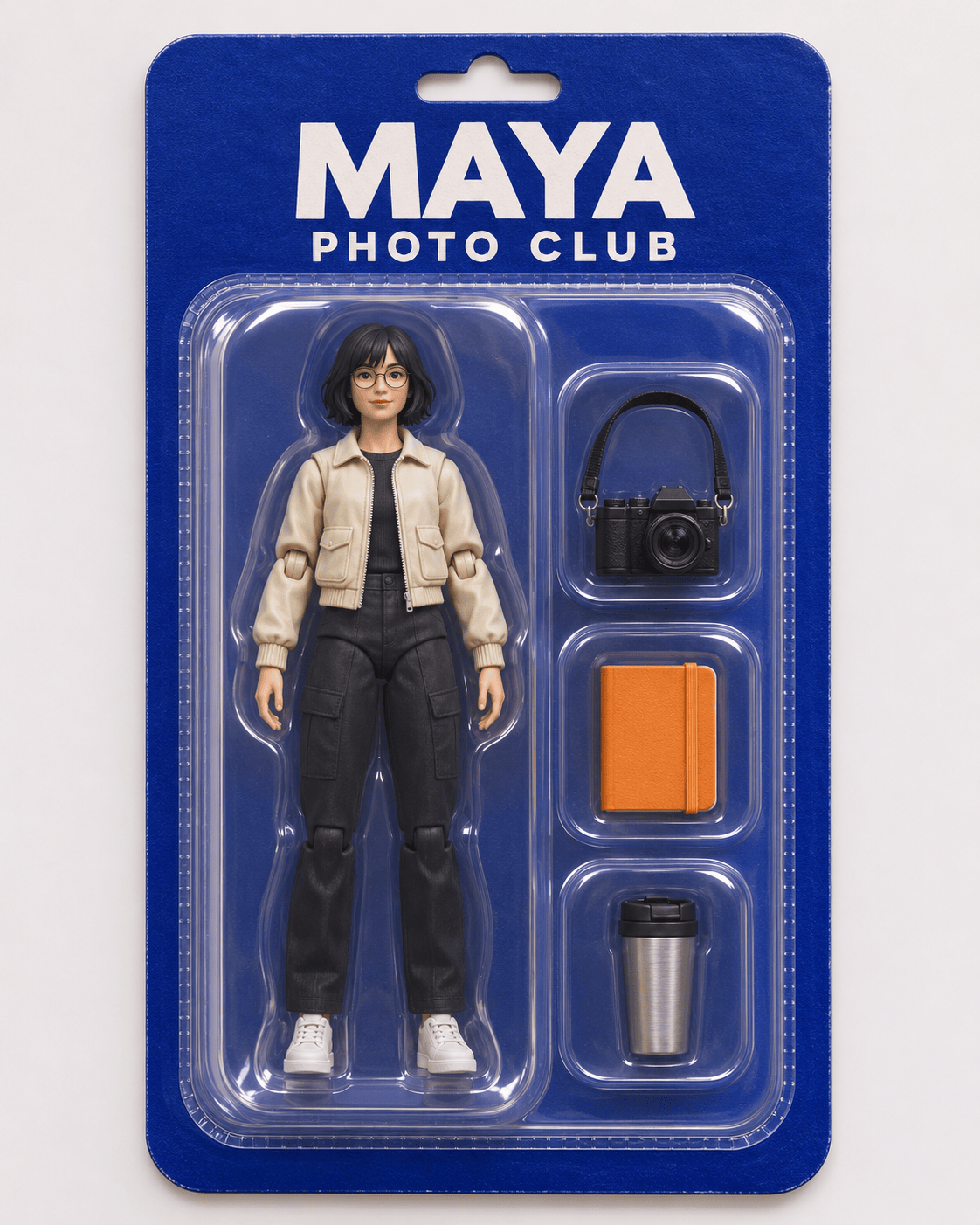
Create a portrait 4:5 studio photograph of a fictional collectible action figure in a sealed clear blister on a deep cobalt cardboard backing. The figure is an adult female photographer with a short black bob, round glasses, a cream jacket, dark trousers and white sneakers. Place three separate accessories in fitted compartments on her right: a miniature camera, an orange notebook and a silver travel mug. Print only "MAYA" across the top and "PHOTO CLUB" below it. Use convincing molded plastic, visible seams, soft reflections and a subtle paper texture. Show the entire package straight on with generous margins. Keep the figure, three accessories and lettering separate. No existing brand logos or extra text.
Y2K Fashion Sticker Sheet
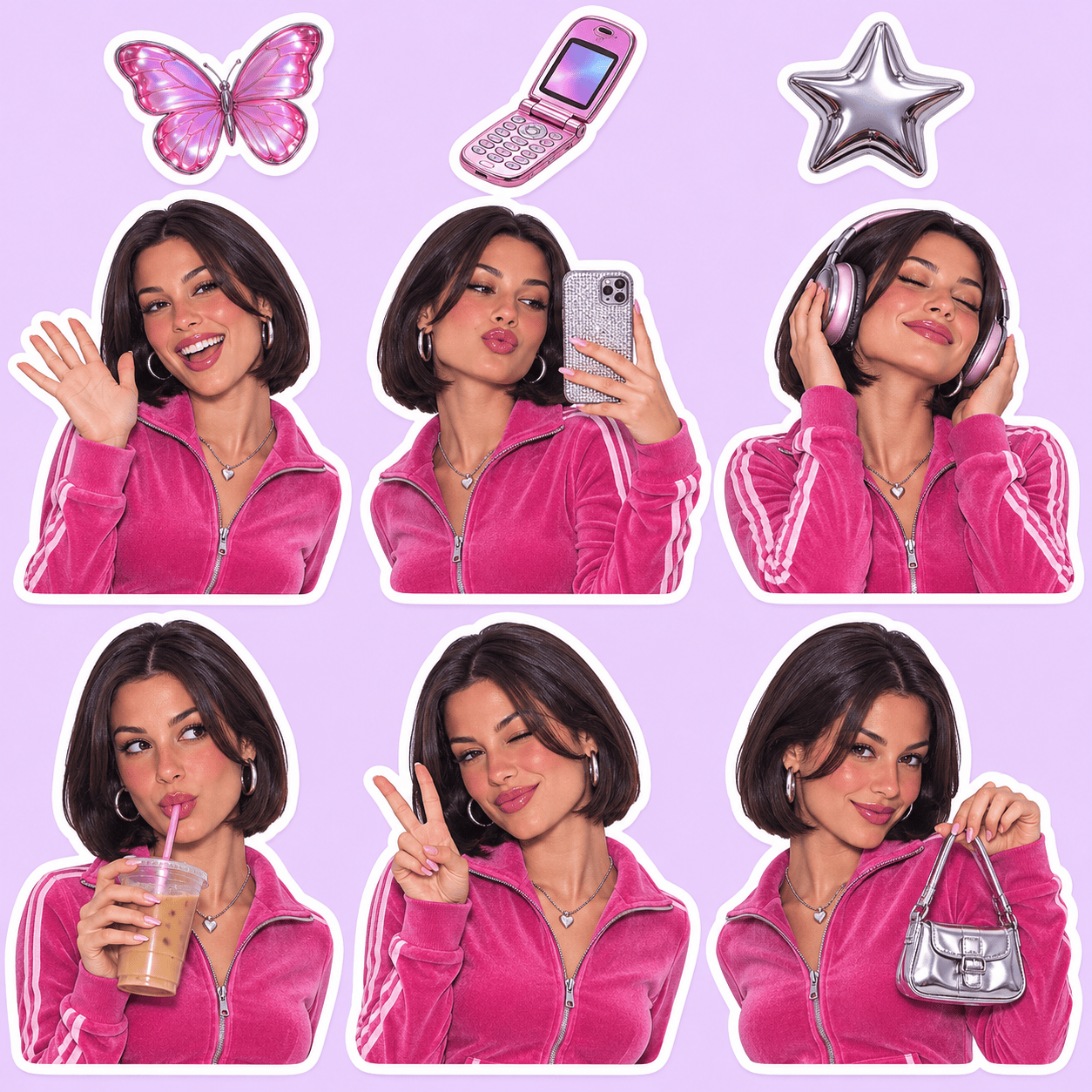
Design one square Y2K sticker sheet on a pale lilac background. Show exactly six separate die-cut illustrations of the same fictional adult woman with a chin-length dark bob, brown eyes and a pink zip-up jacket: waving, taking a selfie, wearing headphones, sipping iced coffee, giving a peace sign and holding a tiny silver bag. Arrange the six figures in two rows of three with clear gaps and thick white cut borders. Add three small decorative stickers in the remaining margins: a butterfly, a flip phone and a chrome star. Use glossy early-2000s magazine colors, clean facial features and consistent clothing. Keep every sticker fully inside the canvas. No captions or logos.
Little Cloud Reaction Mascot
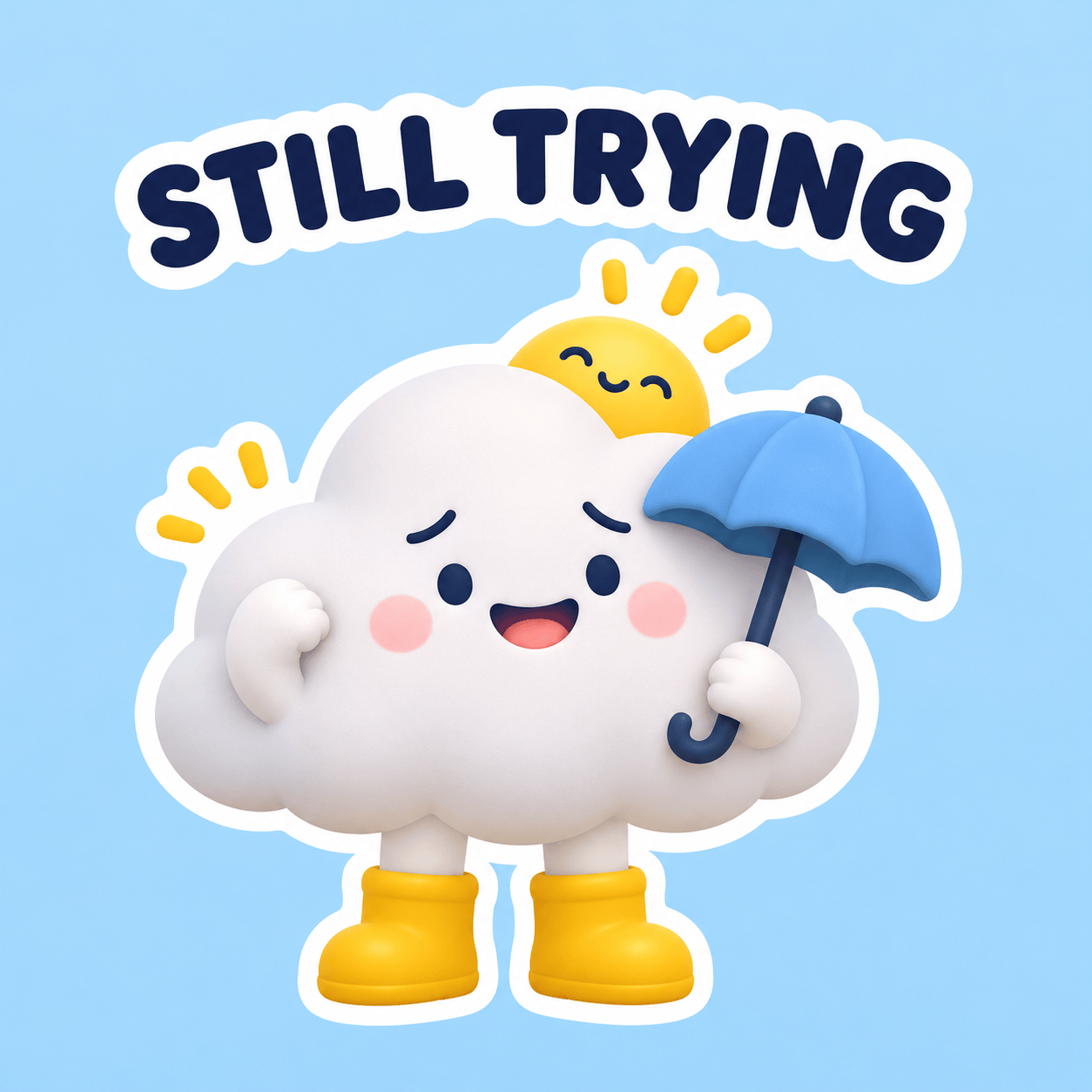
Create one square reaction-sticker illustration of a soft white cloud mascot with tiny navy eyes, rosy cheeks, short arms and mustard-yellow rain boots. The cloud holds a miniature blue umbrella while a single small sun peeks over its head. Give it a relieved, hopeful smile and a simple readable silhouette. Place the exact caption "STILL TRYING" in rounded navy capitals above the mascot, separated from the illustration. Use a thick white sticker border, smooth matte 3D shading and a flat pale-blue background. Keep the character centered with ample empty space. This is a single still image, not a multi-frame sheet. No extra lettering or watermark.
Handmade Moth Plush
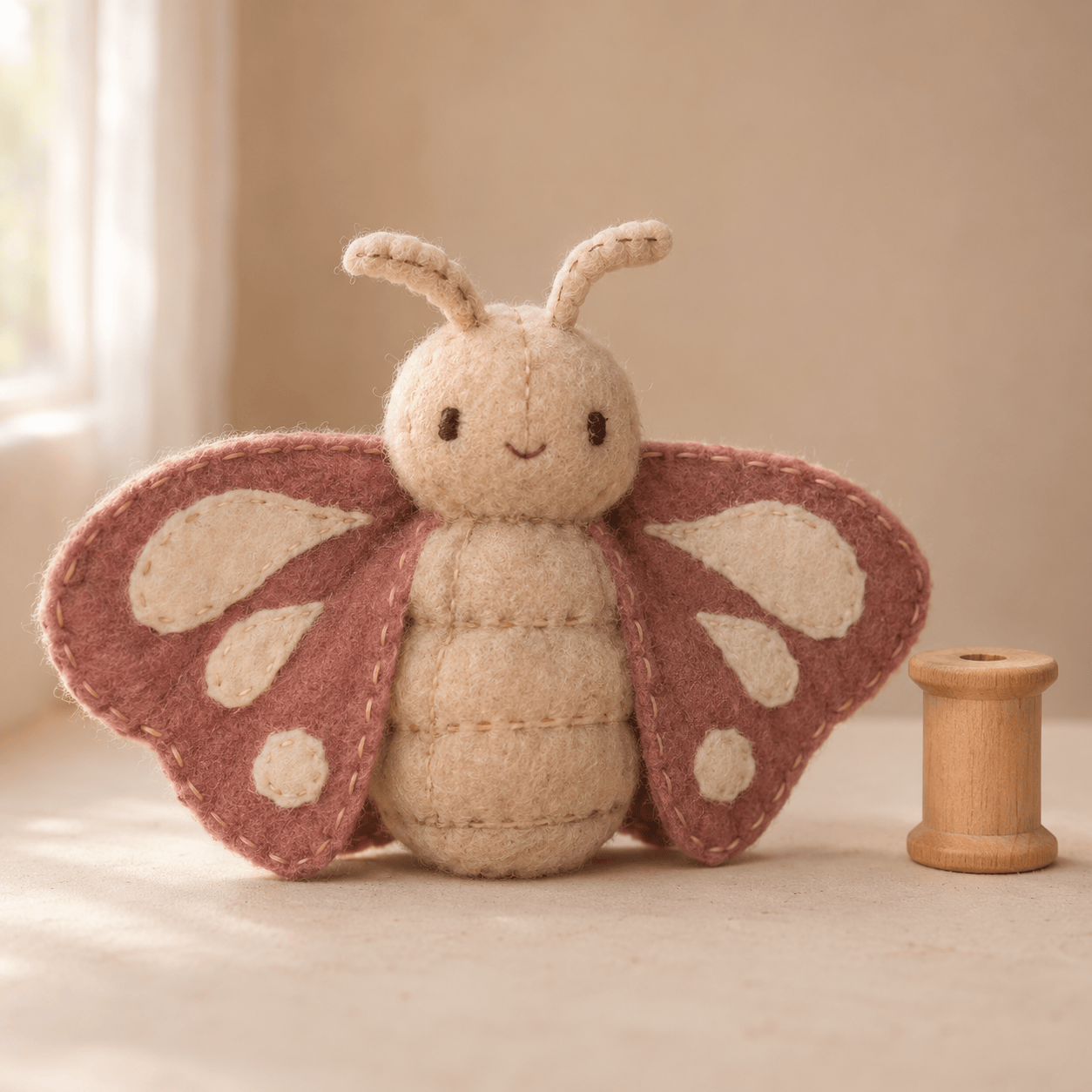
Photograph a palm-sized handmade moth plush sitting upright on an ivory tabletop. Its body is oatmeal fleece, its broad wings are dusty rose felt with symmetrical cream patches, and its antennae are short stitched fabric tubes. Use black embroidered eyes, a tiny stitched smile and visible soft seams. Place a plain wooden spool nearby to establish scale. Frame the whole toy in a square composition at table height, with soft window light from the left and a gently blurred warm-beige studio background. Make it tactile and slightly imperfect, like a real sewn object. No labels, text, plastic eyes, human hands or extra limbs.
Bookshop with a Word Roof
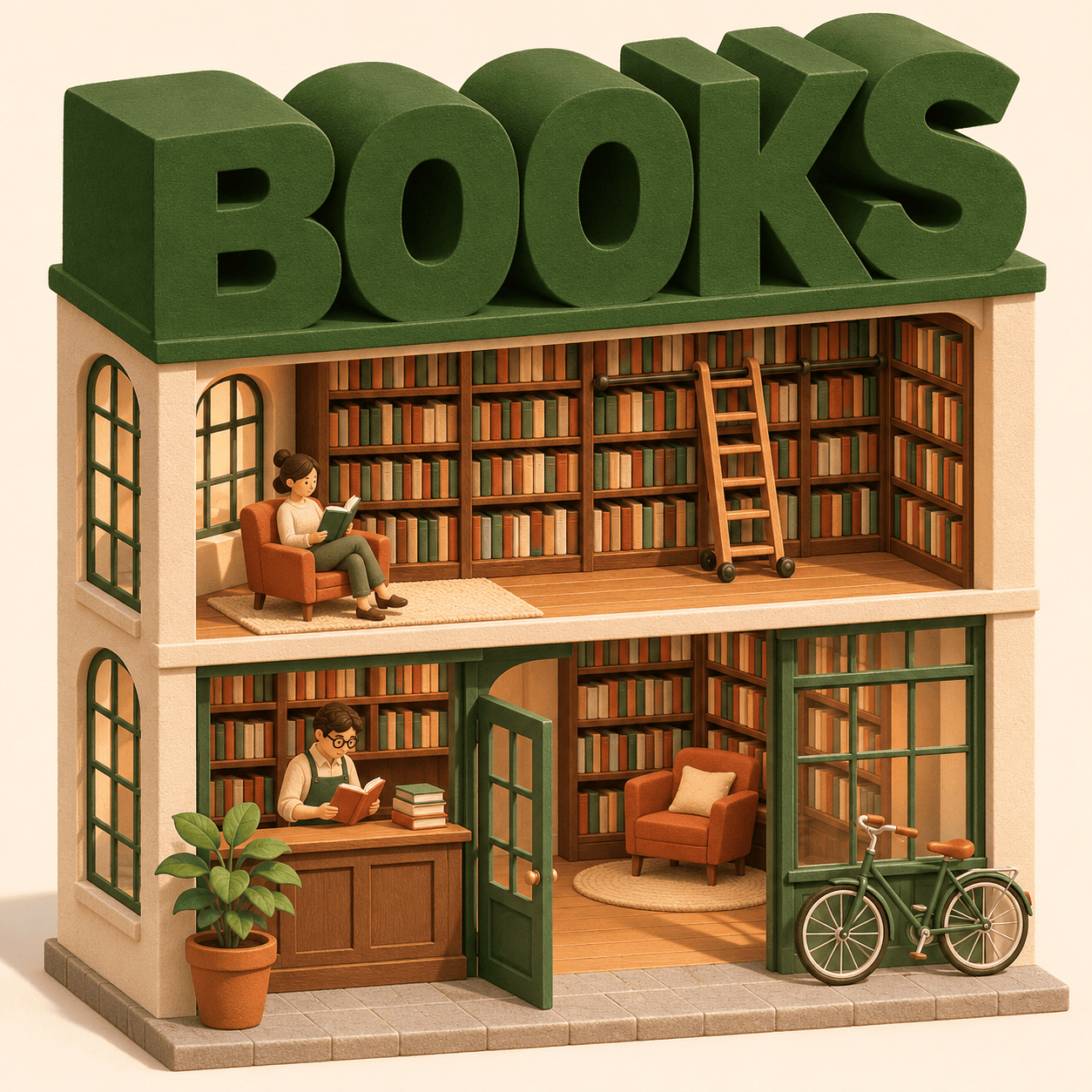
Render a miniature isometric bookshop as a carefully built architectural model on a warm white background, square composition. The building has two open-front floors: a ground-floor counter and reading nook, and upstairs wall-to-wall bookshelves with a tiny rolling ladder. Form the roof from the single word "BOOKS" in large forest-green extruded block letters. Align the letters on a continuous roof slab so all five letters are legible and supported. Add two tiny adult readers, one terracotta plant and a bicycle by the entrance. Use matte clay-like materials, crisp edges and soft afternoon shadows. Keep the whole building inside the frame. No other words, logos or floating furniture.
Lisbon Floating-Island Postcard
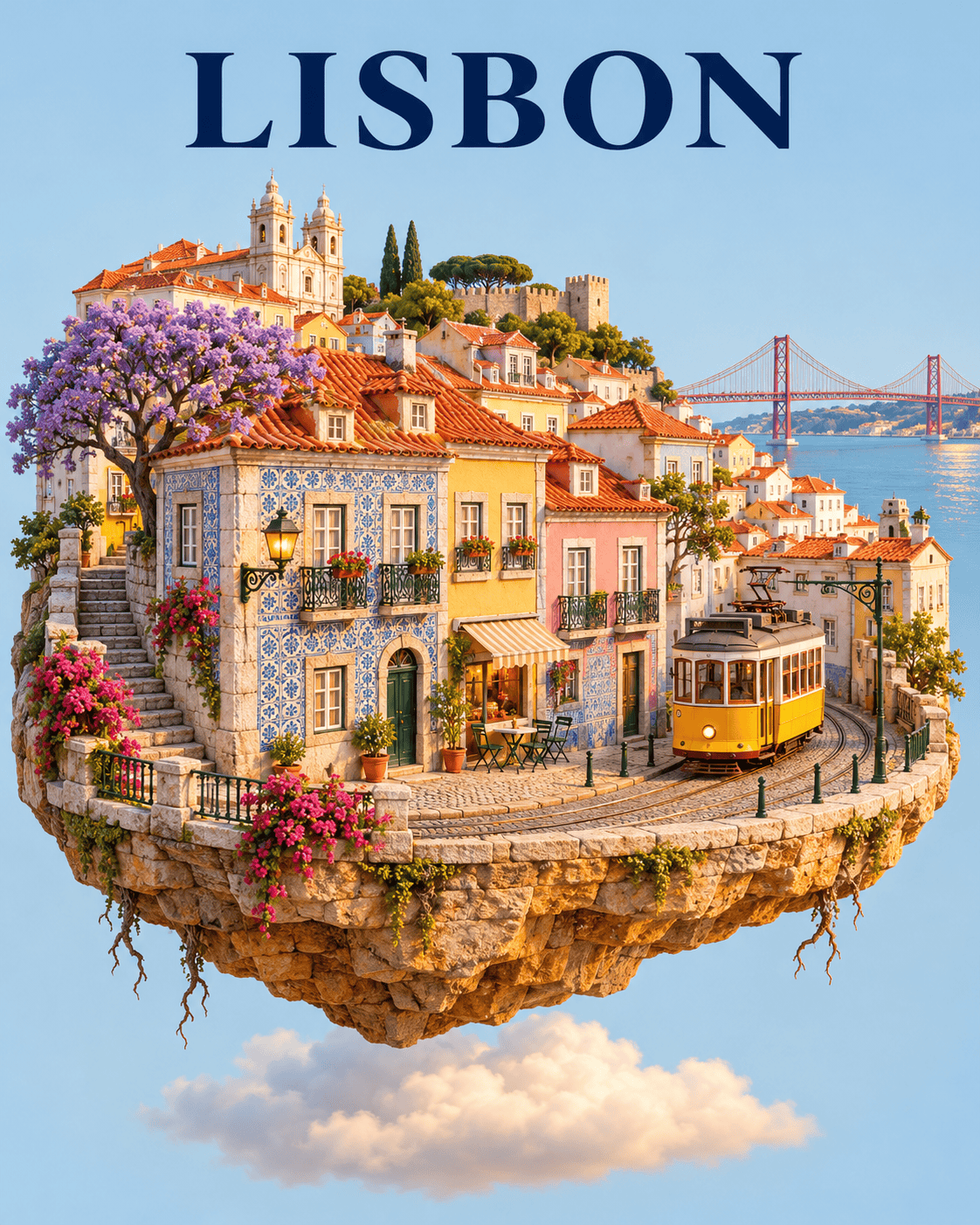
Create a vertical 4:5 travel-art poster showing an imaginative miniature Lisbon neighborhood on a floating oval island. Include terracotta roofs, pastel tiled facades, a yellow tram on a short curved track and a distant red suspension bridge. This is a stylized souvenir scene, not a geographic map. Show a cross-section of warm stone under the island with a few hanging roots and a soft cloud below. Use highly detailed miniature-model materials, golden late-afternoon light and a pale sky-blue background. Place the exact word "LISBON" in elegant dark-blue capitals at the top. Keep the island clear of the lettering. No coordinates, dates, invented statistics or extra text.
Toy-Brick Canal Getaway
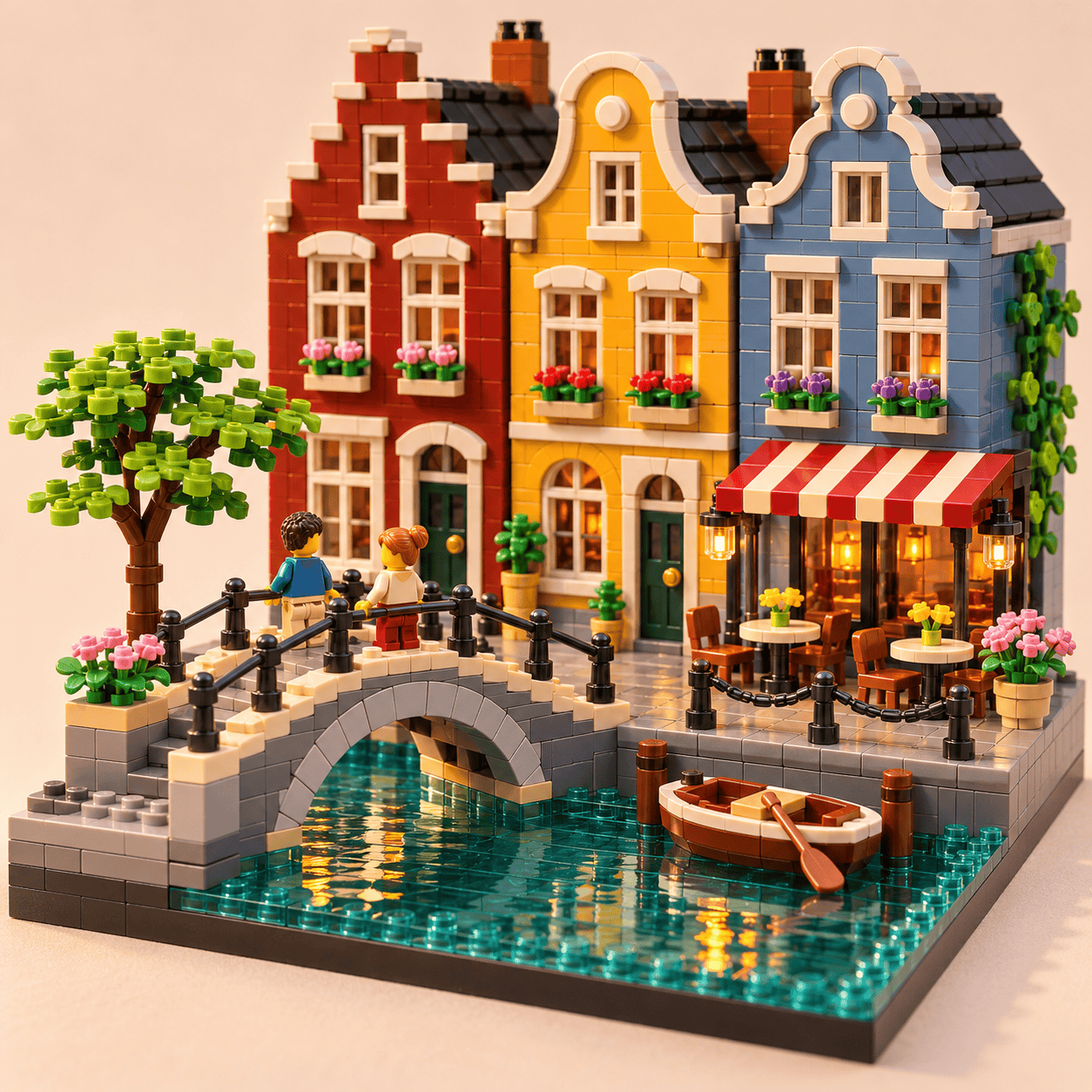
Create a square macro photograph of an original toy-brick canal diorama. Build three narrow colorful European townhouses, an arched pedestrian bridge, one small boat and a waterside cafe entirely from interlocking plastic bricks. Make the water from translucent teal tiles with visible studs near the edges. Place two generic miniature adult figures on the bridge. Keep the complete scene on a single rectangular display base against a neutral cream studio background. Use realistic glossy plastic, seams, tiny scale and shallow depth of field that leaves the bridge and houses sharp. Warm side light creates believable reflections. No recognizable toy-brand logos, printed signs, text or watermark.
Miniature Corner Cafe
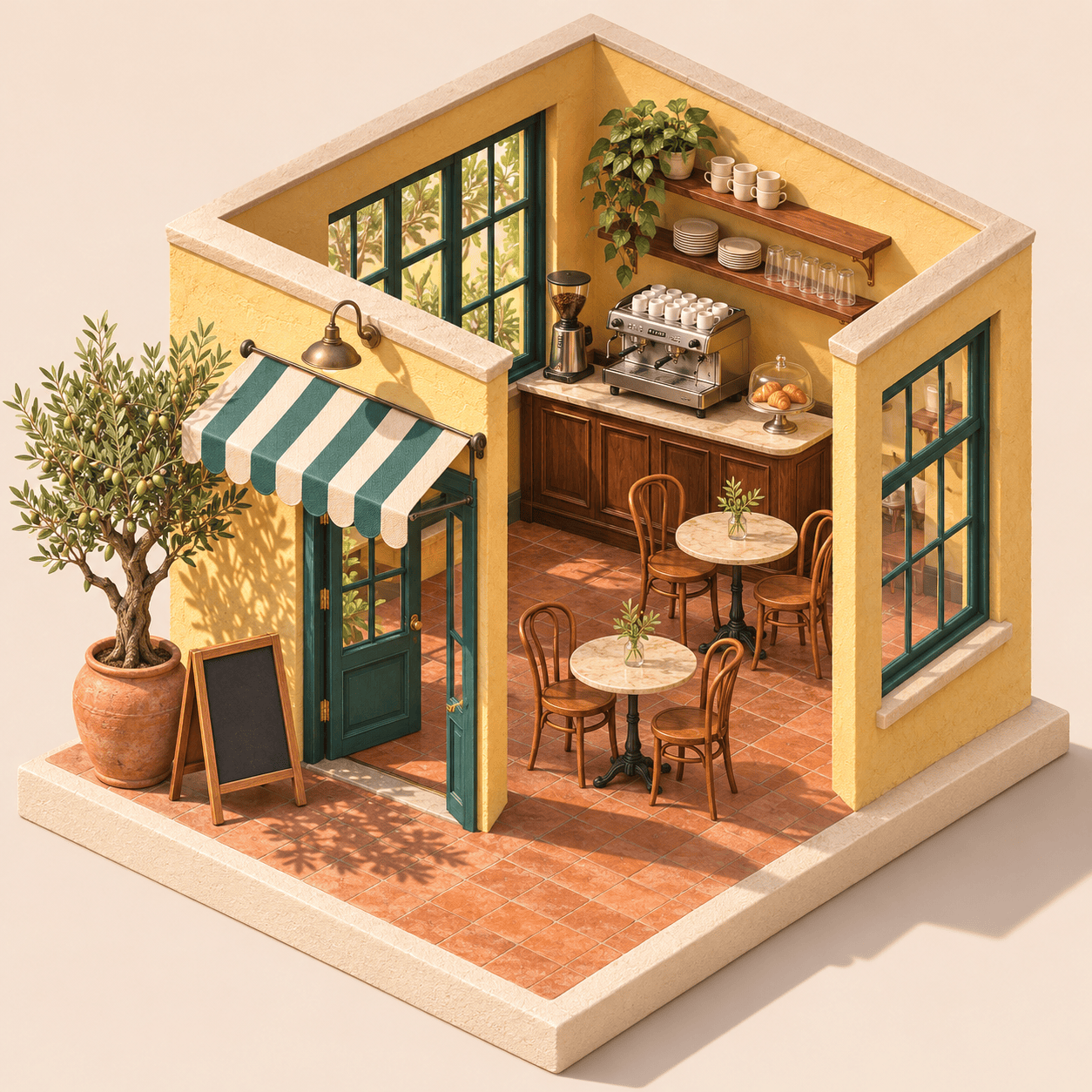
Render a square isometric miniature corner cafe with two visible exterior walls and a removable-roof cutaway. Use butter-yellow plaster, deep teal window frames, a striped cream-and-teal awning and a warm terracotta floor. Inside, show a walnut counter, a silver espresso machine, two round tables and four wooden chairs. Outside, place one chalkboard with no writing and a large potted olive tree. There are no people. Show the entire model on a square cream plinth against a pale beige background. Light it with clear morning sunlight from the upper left. Keep the furniture count exact, the layout readable and the materials tactile. No lettering or logos.
Rainy-City Film Portrait
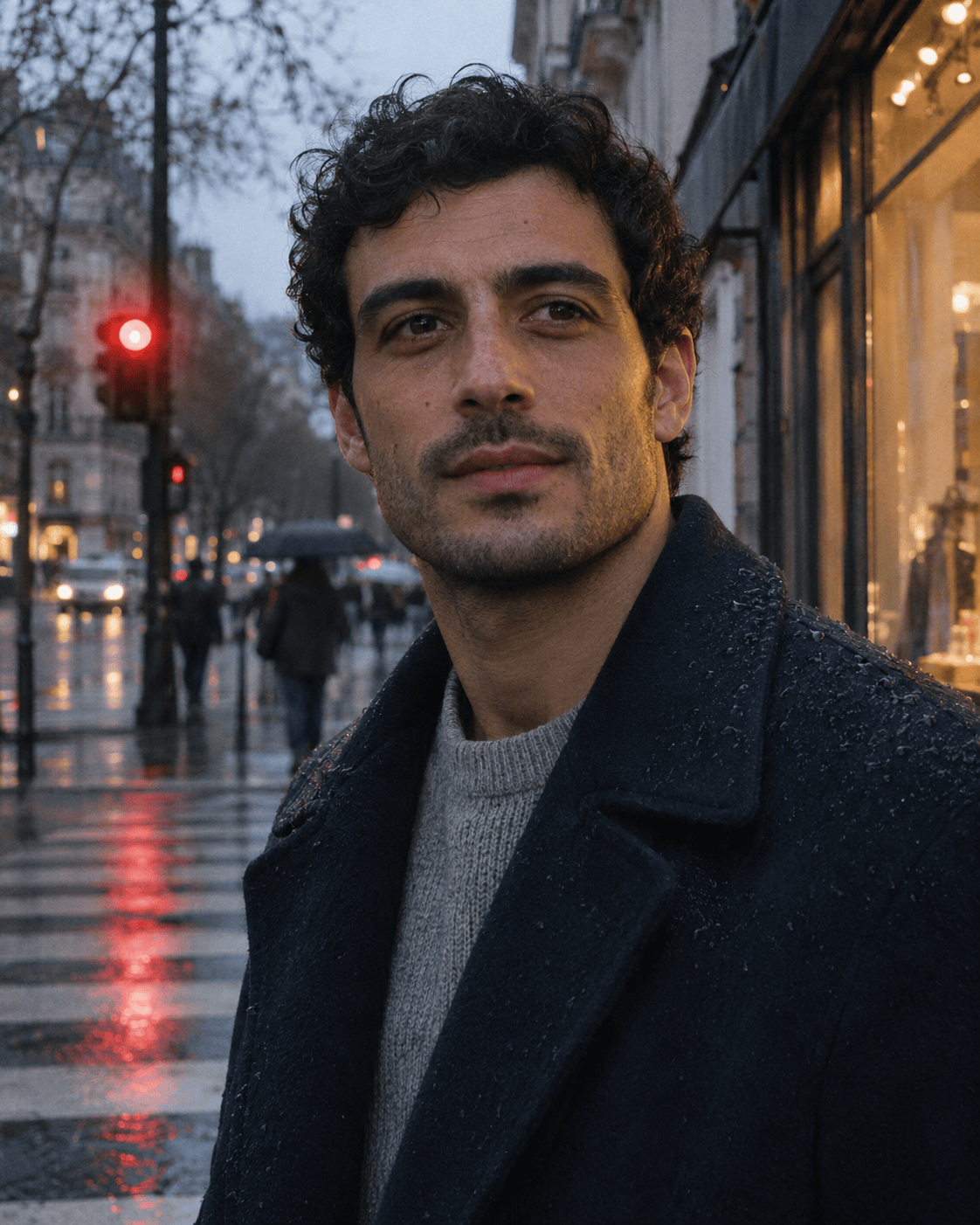
Make a vertical 4:5 editorial photograph of a fictional adult man in his early thirties waiting at a rainy city crosswalk at dusk. He has short curly black hair, subtle stubble, brown eyes and a navy wool coat over a light gray sweater. He looks just past the camera with a relaxed, unposed expression. Frame from the chest up, with one red traffic light softly reflected in the wet street behind him. Use natural skin texture, restrained 35mm film grain, soft cool ambient light and a faint warm shop-window highlight on one cheek. Keep the eyes sharp and background believable. No beauty retouching, neon overload, captions or logos.
Your Car as a Tiny Collectible
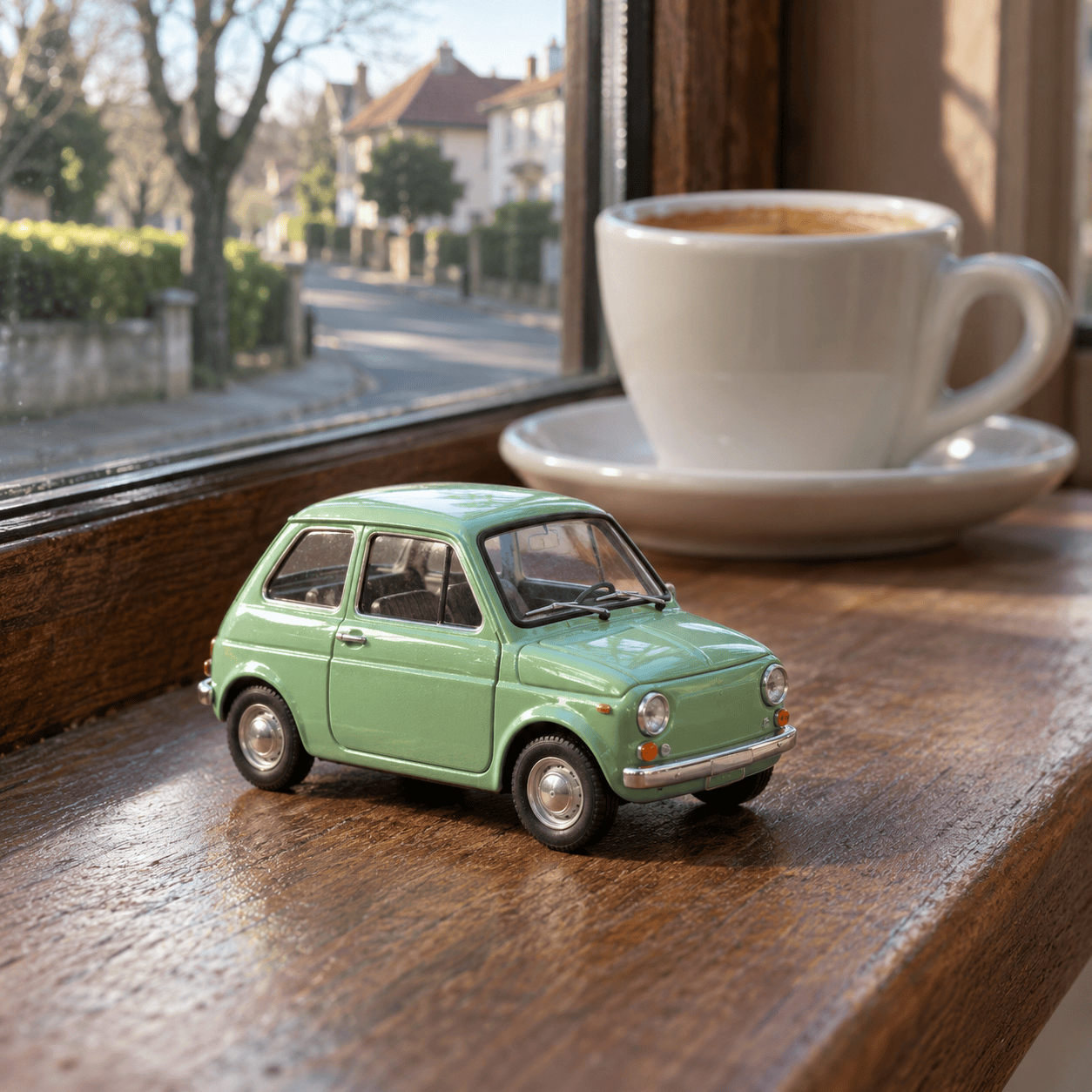
Create a square photorealistic macro scene of a tiny unbranded mint-green vintage hatchback displayed on a wooden windowsill. The miniature car is about the length of an adult thumb and has tiny rubber tires, clear windows, silver hubcaps and believable painted-metal reflections. Place a normal-sized ceramic espresso cup behind it to establish scale. Through the window, show a softly blurred quiet neighborhood street in morning light. Photograph from a low three-quarter front angle, keeping the entire car sharp and the cup slightly out of focus. The car remains parked on the sill. No manufacturer badges, readable license plate, motion blur or text.
Independent Magazine Cover
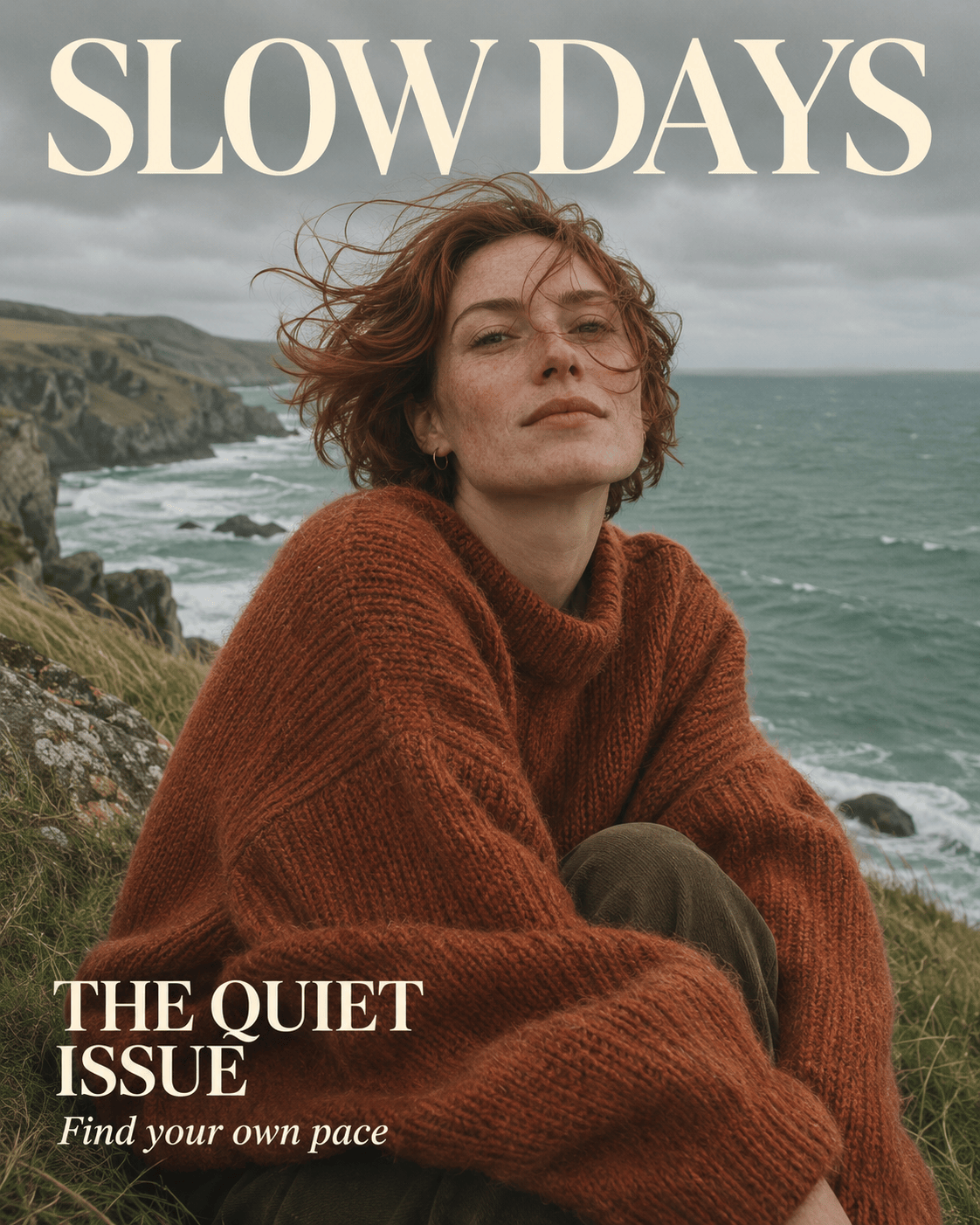
Design a vertical 4:5 independent travel magazine cover. The cover photograph shows a fictional adult woman with short auburn hair, wearing an oversized rust-orange knit sweater on a windy seaside cliff. Use muted sea-green water, overcast natural light, visible fabric texture and an unretouched editorial feeling. Put the masthead "SLOW DAYS" in large cream serif type across the top, fully readable above her head. Place "THE QUIET ISSUE" at the lower left and "Find your own pace" directly below in smaller type. Keep the lower right free of text. Build a clear hierarchy with generous breathing room. Print only those three phrases; no barcode, issue number, logos or extra copy.
Deliberately Awkward Doodle
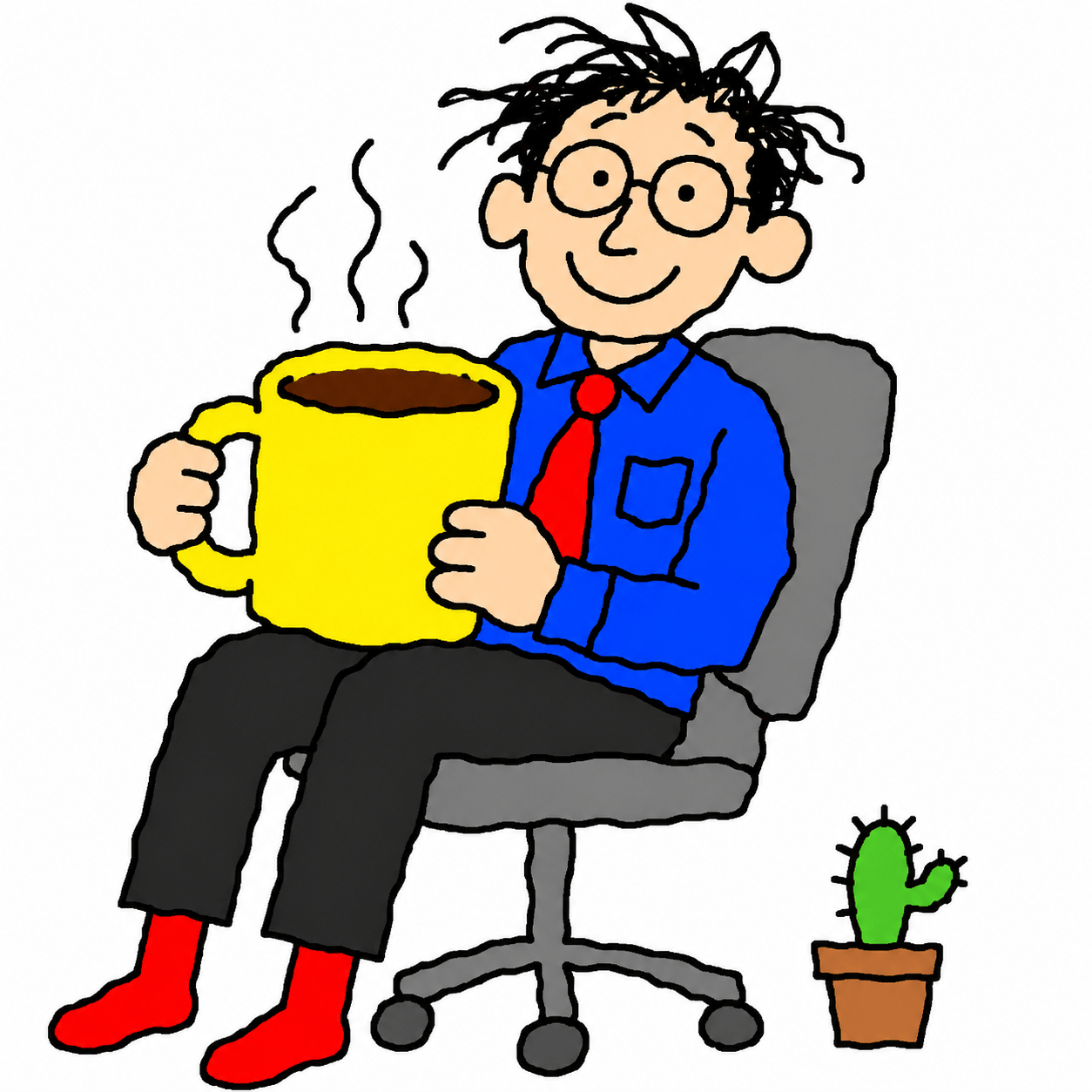
Draw a square, intentionally clumsy digital doodle of an adult office worker sitting on a swivel chair while holding a huge mug of coffee. Use wobbly black mouse-drawn outlines, flat primary-color fills, slightly uneven proportions and a plain white background, like a cheerful drawing made in a basic early computer paint program. Give the person round glasses, messy hair, a blue shirt and red socks. Add a tiny potted cactus beside the chair. Keep the expression friendly and the pose readable despite the awkward linework. The charm should come from hesitation and simplicity, not polished illustration. No gradients, realistic shading, captions, logos or signatures.
How to Use These Image Prompts
Move from a saved idea to a finished image in four steps. You can use these visual briefs in ChatGPT Images 2.6 or adapt them in Mew Design; results depend on the image model available in your chosen tool.
Choose a Visual Direction
Pick the card closest to your goal: a boxed figure for a profile post, a product ad for a launch or a poster with clear lettering. Copy the complete prompt. For an editing card, also upload the source image it names.
Personalize the Brief
Replace the fictional name, product, outfit or palette. Keep the layout instructions and aspect ratio. Put every word you want in the image inside quotation marks, and remove any copy you do not need.
Generate and Refine One Detail
Paste the prompt into your image conversation and generate a first version. In Mew Design, use a follow-up instruction to change a specific detail. Say what must stay the same, especially faces, labels and product shapes.
Check the Image and Export
Zoom in on lettering, hands, seams and repeated objects. For an edit, compare against the uploaded source. Check the crop at its intended display size, then download the version you want to use.

Explore related prompts
Build a Useful Design from Your Favorite Prompt
Start with a Visible Result
A picture makes the brief easier to judge. Compare the materials, lighting and composition across 24 examples before choosing the direction for your own image.
Make the Subject Yours
Mew Design accepts reference images, so you can guide a portrait, product shot or style experiment with your own photo. Explain which features should remain recognizable when the scene changes.
Keep Useful Details While Editing
Refine the first result in conversation. The color-swap and day-to-night examples show how to name a small change and list the details you want preserved, instead of rewriting the entire brief.
Plan a Coherent Series
For a recurring mascot or coordinated campaign, keep the same character description, palette and reference images across requests. Use Mew Design’s Deep Mode for a connected series and compare each result for visual consistency.
Give Words a Clear Place
The poster, menu and recipe examples specify exact wording, spacing and hierarchy. Adapt a result into a campaign visual with our AI poster generator, then review every printed word.
Explore a More Specific Theme
Need a narrower starting point? Browse AI girl portrait prompts for character ideas or Valentine’s Day image prompts for romantic scenes and seasonal campaigns.

GPT Image 2.6 Prompts: Common Questions
Choose a prompt that matches your output, not just an impressive style. Try Creator Action Figure for a personalized collectible, Citrus Soda Launch Ad for product composition, Bold Music-Night Poster for text hierarchy or Fox Courier Character Sheet for repeatable character details. The best starting point has a clear subject, layout, material, lighting and a short list of constraints.
Copy the complete prompt from a card and paste it into your image-generation conversation. Keep the composition and constraints for the first attempt. Then change the fictional names, colors or subject. The two cards marked Reference Required need the matching source image uploaded before generation.
People use both phrases when searching for image ideas. ChatGPT Images is the user-facing experience; GPT Image names the model family used through the API. The visual instructions can be similar, but model selection, settings and editing controls depend on the tool. A model name written in a prompt does not switch the model.
OpenAI announced Images 2.6 on November 4, 2026, highlighting faster creation, more consistent edits and GIF creation. This gallery focuses on still images and controlled edits. See the official Images 2.6 announcement for release details and availability.
Yes. Upload your photo and replace the fictional subject description with a clear instruction to use that image as the reference. Name the features to preserve, such as face shape, hairstyle, garment details or product proportions. Check the result against the source; asking for preservation does not guarantee an exact match.
Keep the copy short, put it in quotation marks and state its position and size. List the allowed text and ask for no additional wording. For dense layouts, prioritize a clear heading and fewer labels. If a word is wrong, request a focused correction and review the exported image at full size.
Where your chosen tool supports GIF creation, first establish a simple character, then ask for one small repeating action while keeping the camera, colors and caption fixed. The Little Cloud Reaction Mascot here is a still-image example, not a GIF download. Mew Design’s GIF availability is not established by this page.
These are AI-generated illustrations of the prompts, not verified Sunburst or Flare benchmarks. To evaluate a specific model, run a prompt with the same reference image, dimensions and settings in a tool that displays its model selection.
Generation is variable, and tools can use different models, dimensions or settings. Start with the exact prompt and, for edits, the same reference image. Change one detail at a time. For more subjects and seasonal ideas, visit the full AI prompts library.
The collection combines creator-shared formats and practical design tasks. We consulted documented social prompt formats, published 2.6 design experiments and the official prompting guide. The prompts here were rewritten with original subjects and details. Some formats predate 2.6; this is a curated starting set, not a popularity ranking.

