GPT Image 2 Prompts: Ready-to-Use Templates for High-Quality AI Images
GPT Image 2 is designed for a new type of image generation: not just visuals, but images that include accurate text, structured layouts, and real-world formats. This page collects 35+ GPT Image 2 prompt templates across different use cases, including social content, tutorials, brand assets, and multi-panel compositions. Each prompt is ready to copy, edit, and reuse. On Mew Design, you can try GPT Image 2 for free. Simply start your prompt with “use gpt-image-2”, and the AI design agent will generate images that match your intent.
AI images generated using GPT Image 2 on Mew Design
36 GPT Image 2 Prompt Templates for Real-World Image Generation
Below is a curated collection of GPT Image 2 prompts designed for practical use cases. These examples show how to generate realistic UI screenshots, before-and-after comparisons, infographics, and structured visual content with clear text and layout control.
GPT Image 2 Fake Founder Launch Tweet Screenshot
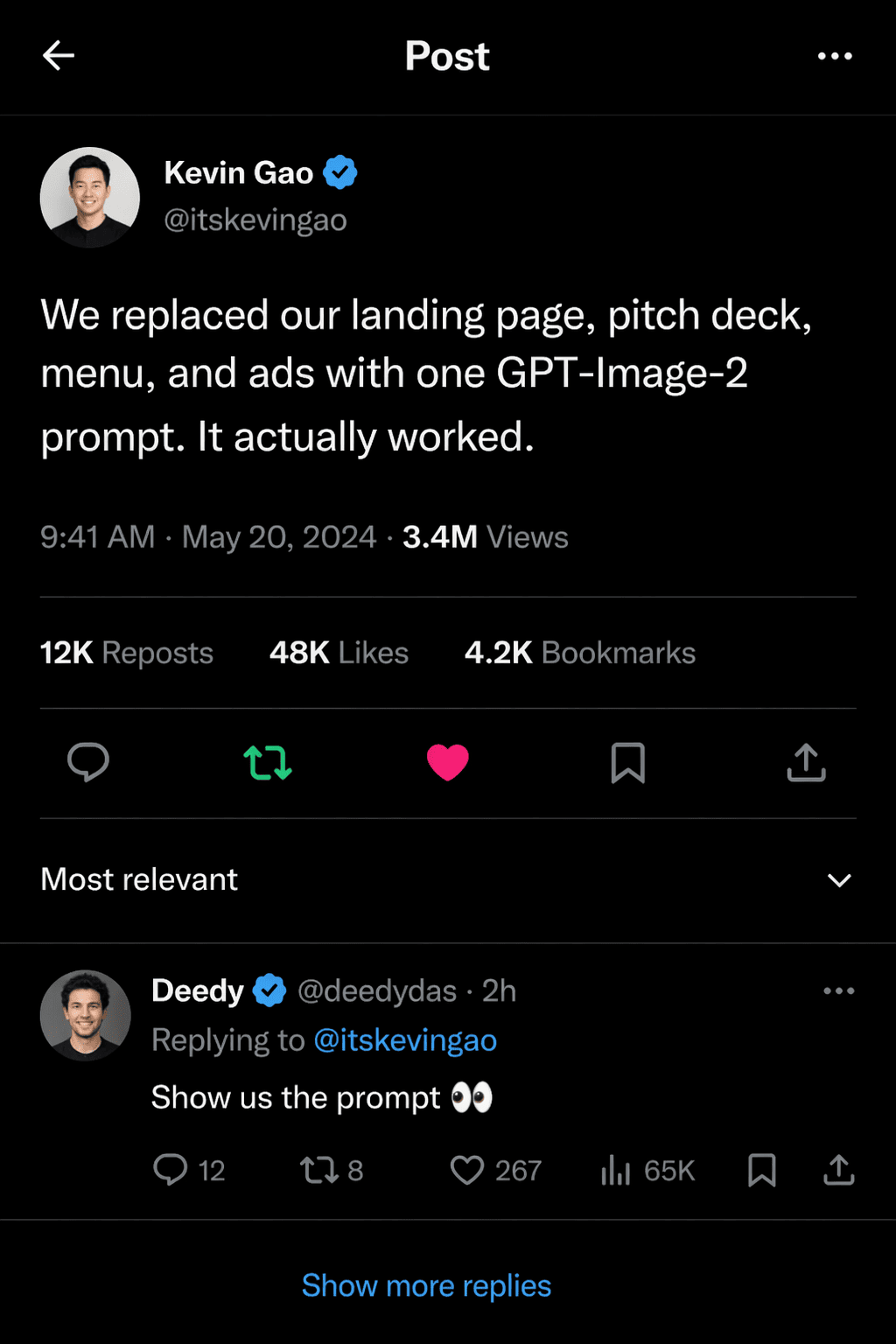
use gpt-image-2. Create a realistic viral X-style post screenshot from a startup founder announcing a launch. Exact post text: "We replaced our landing page, pitch deck, menu, and ads with one GPT-Image-2 prompt. It actually worked." Show a verified founder profile, clean avatar, timestamp area, believable engagement metrics "3.4M Views", "12K Reposts", "48K Likes", one visible reply preview, crisp typography, and authentic social-media spacing. Make it feel indistinguishable from a real viral tech post screenshot. ratio 4:5
GPT Image 2 Fake Gacha Character Selection Screen
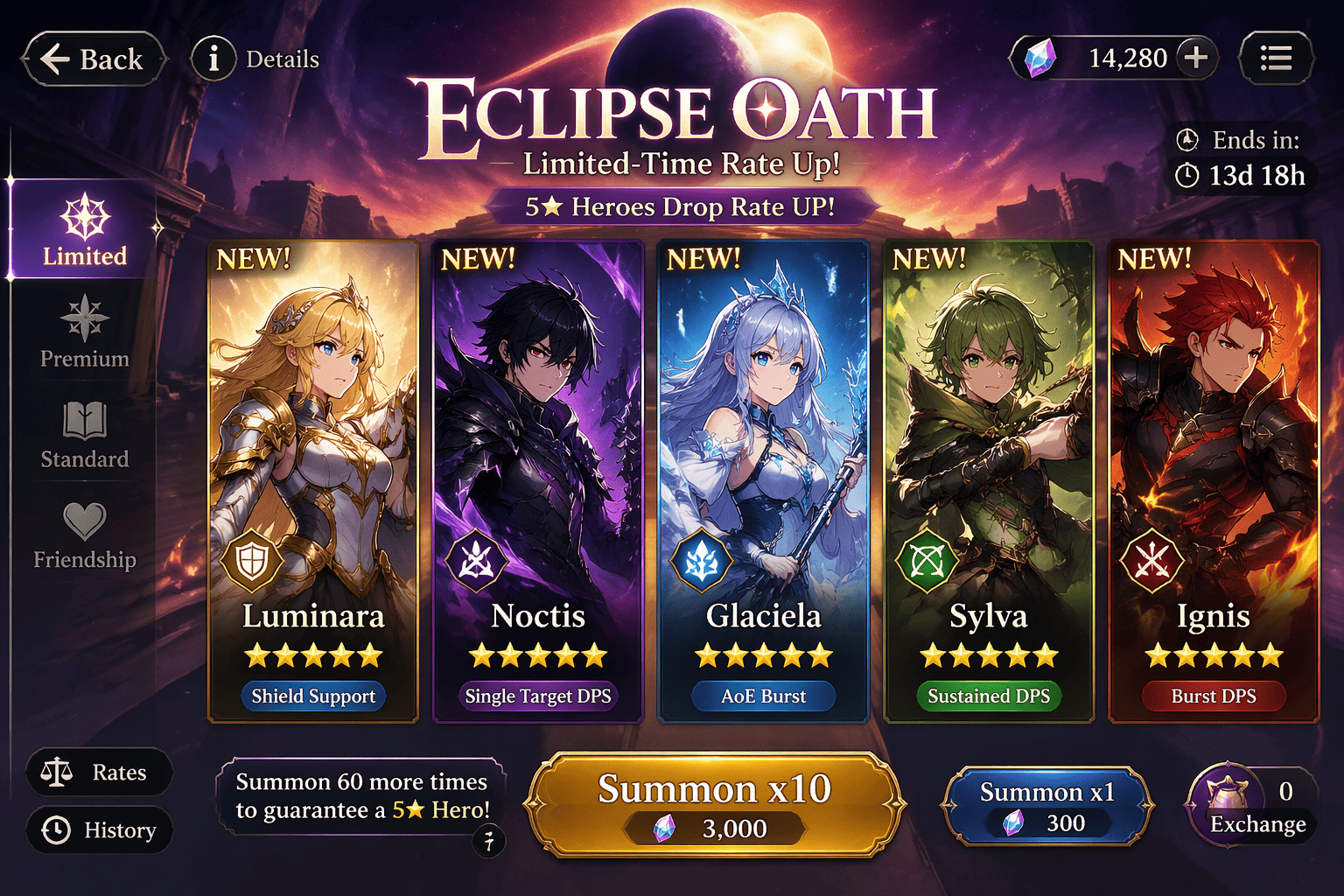
use gpt-image-2. Create a mobile gacha character selection screen with five recruitable heroes shown in a polished lineup. Each character must have a readable name, star rating, class icon, and short role tag like "Burst DPS" or "Shield Support". Include a summon button, premium currency counter, and a limited-time banner title. Make it feel like a real polished game UI mixed with promo art. ratio 16:9
GPT Image 2 Newton Science Infographic
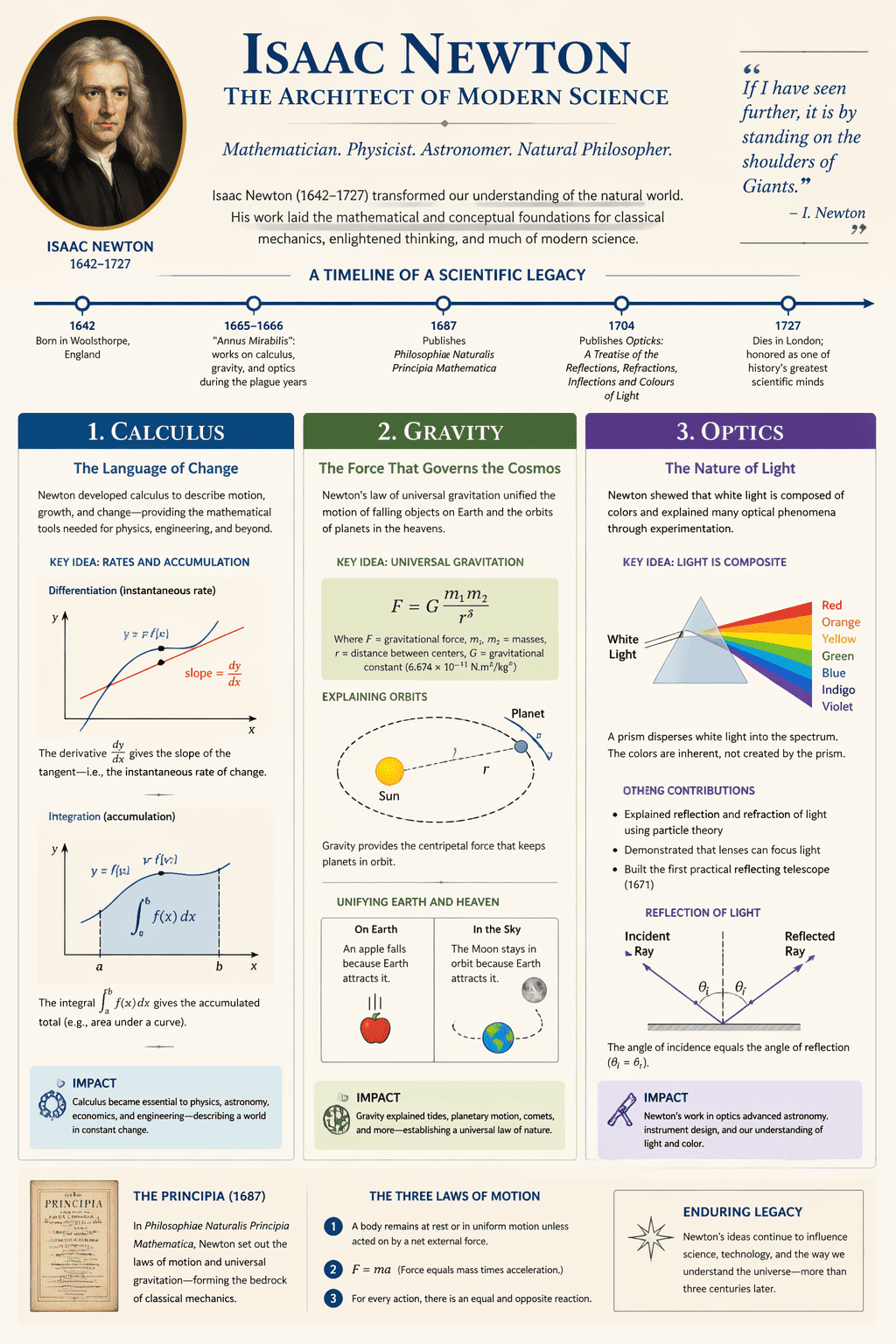
use gpt-image-2. Create a college-level educational infographic page about Newton’s major scientific contributions. Use a clean three-column layout with readable headers, one small timeline, one portrait cameo, and labeled visual sections for "Calculus", "Gravity", and "Optics". Include small diagrams and short chart captions. Make the page look like a polished academic explainer with clear information hierarchy. ratio 3:4
GPT Image 2 AI Intern Meme Panel Series
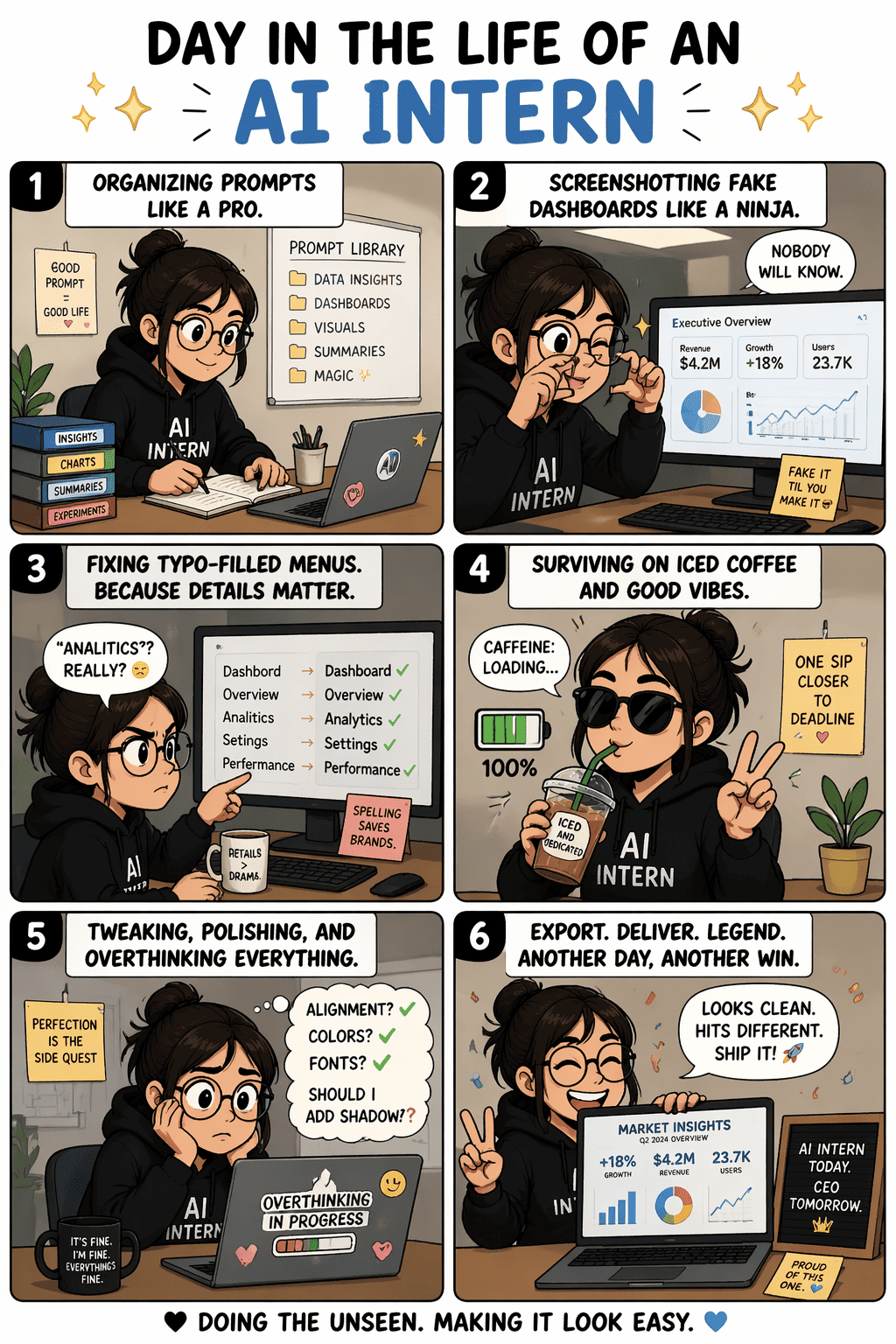
use gpt-image-2. Create a six-panel vertical meme comic titled "DAY IN THE LIFE OF AN AI INTERN". Show scenes like organizing prompts, screenshotting fake dashboards, fixing typo-filled menus, surviving on iced coffee, and proudly exporting a final infographic. Use humorous office energy, consistent character design, short readable captions, and social-friendly meme pacing. ratio 9:16
GPT Image 2 Beverage Brand Launch Kit
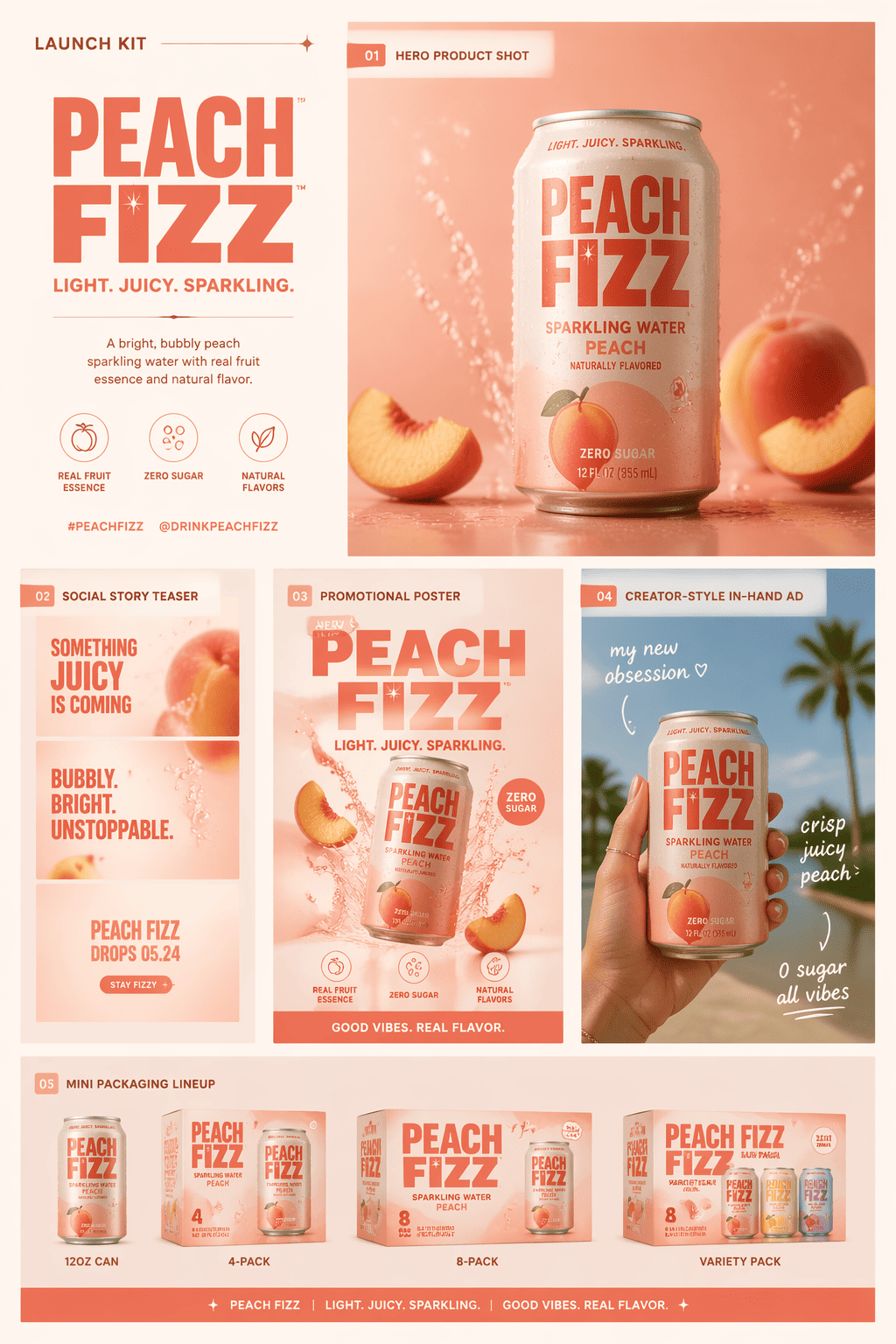
use gpt-image-2. Create a launch kit board for a fictional canned drink brand named "PEACH FIZZ". Include a hero product shot, a social-story teaser, a promotional poster, a creator-style in-hand ad, and a mini packaging lineup. Add small readable asset labels and keep the typography consistent across every piece. Make it feel like a social-first beverage campaign system. ratio 4:5
GPT Image 2 Tokyo One Day Guide Map
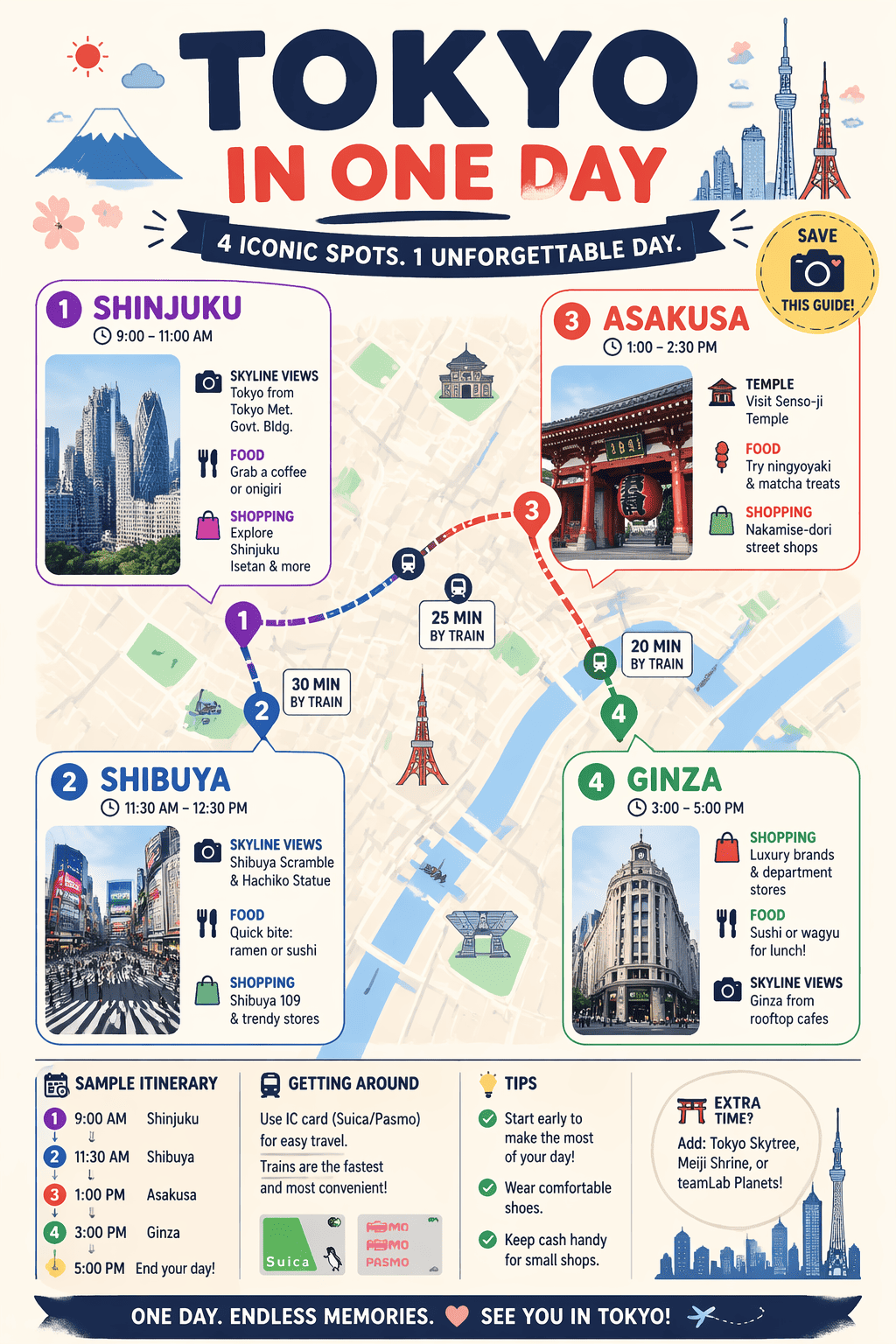
use gpt-image-2. Create a compact travel infographic map titled "TOKYO IN ONE DAY". Include clearly labeled callouts for "Shinjuku", "Shibuya", "Asakusa", and "Ginza", with small icons for food, shopping, temples, and skyline views. Use playful-but-readable city-guide styling, clear route structure, and a saveable travel-content format. ratio 4:5
GPT Image 2 Fake Startup Brand Universe Board
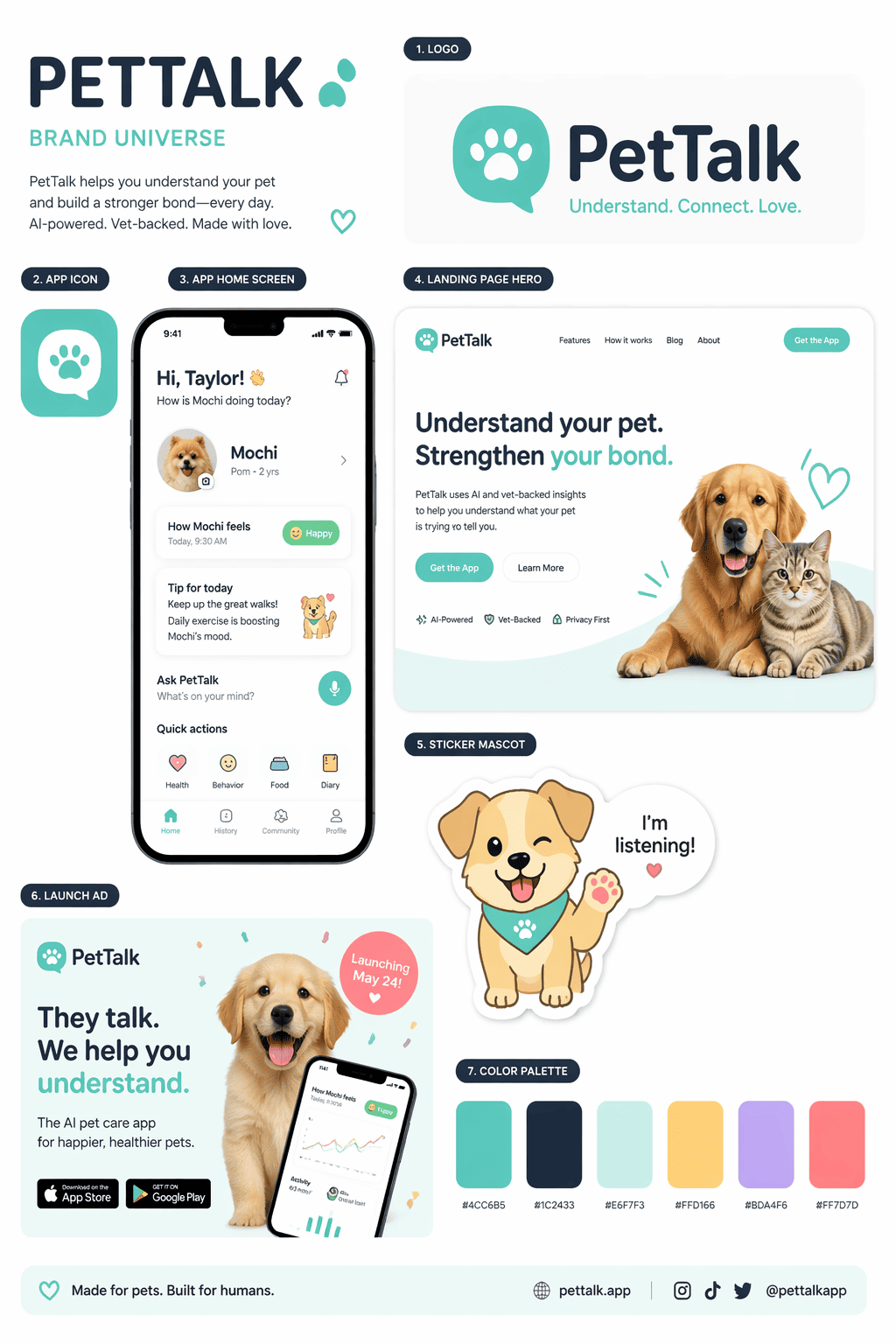
use gpt-image-2. Create a one-page brand universe board for a fictional startup called "PetTalk". Show a clean logo, app icon, mobile app home screen, landing page hero section, sticker mascot, launch ad, and color palette in one tightly designed sheet. Add small readable labels for each asset. Make it look like a real early-stage startup brand kit founders would share online. ratio 4:5
GPT Image 2 Indie Music Video Shot Board
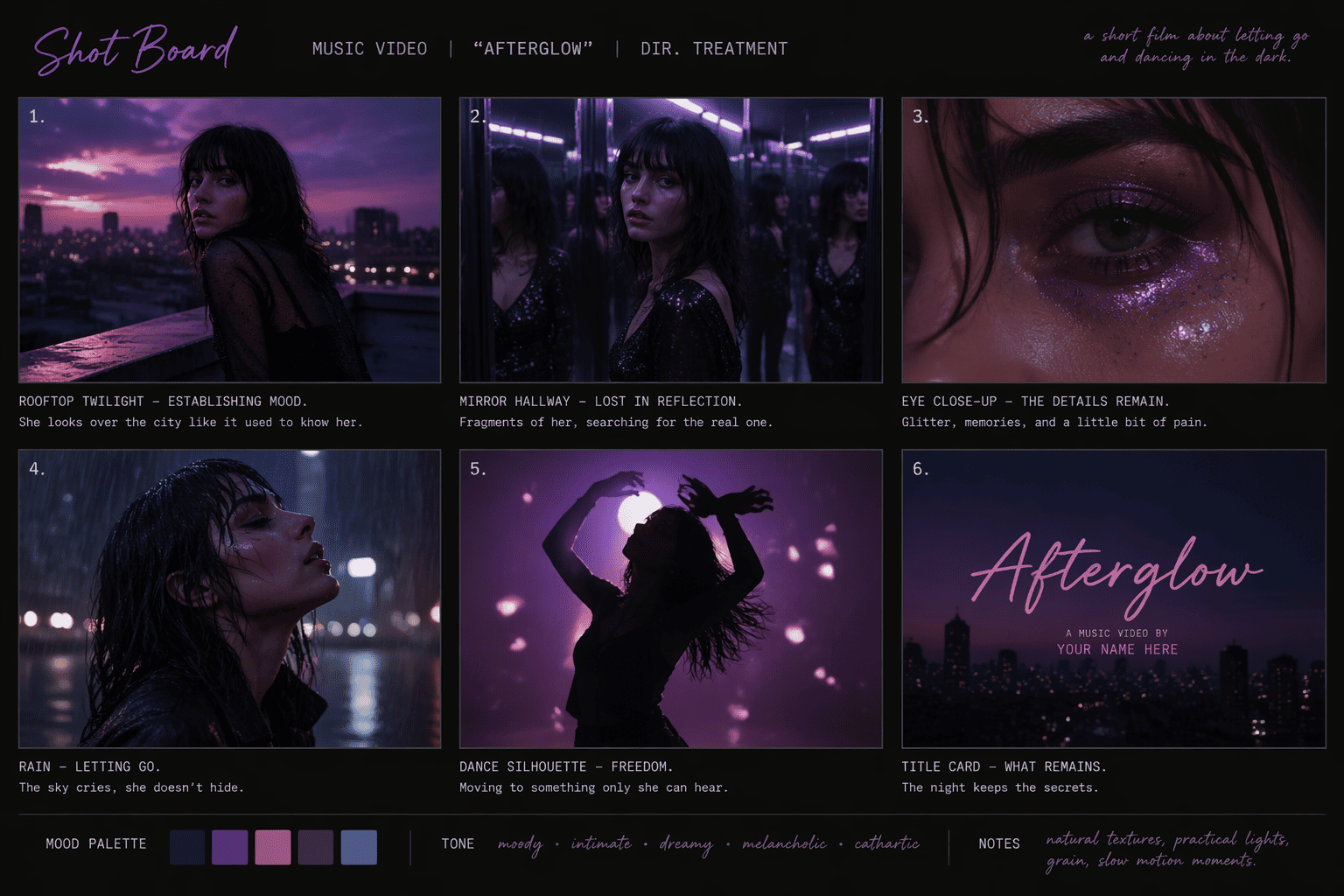
use gpt-image-2. Create a stylish six-frame shot board for an imaginary indie music video. Keep one singer character consistent across all frames while showing rooftop twilight, mirror hallway, eye-glitter close-up, rain scene, dance silhouette, and final title card. Add small frame captions and maintain a coherent mood palette so it feels like a director treatment board. ratio 16:9
GPT Image 2 Fashion Doll Turnaround Sheet
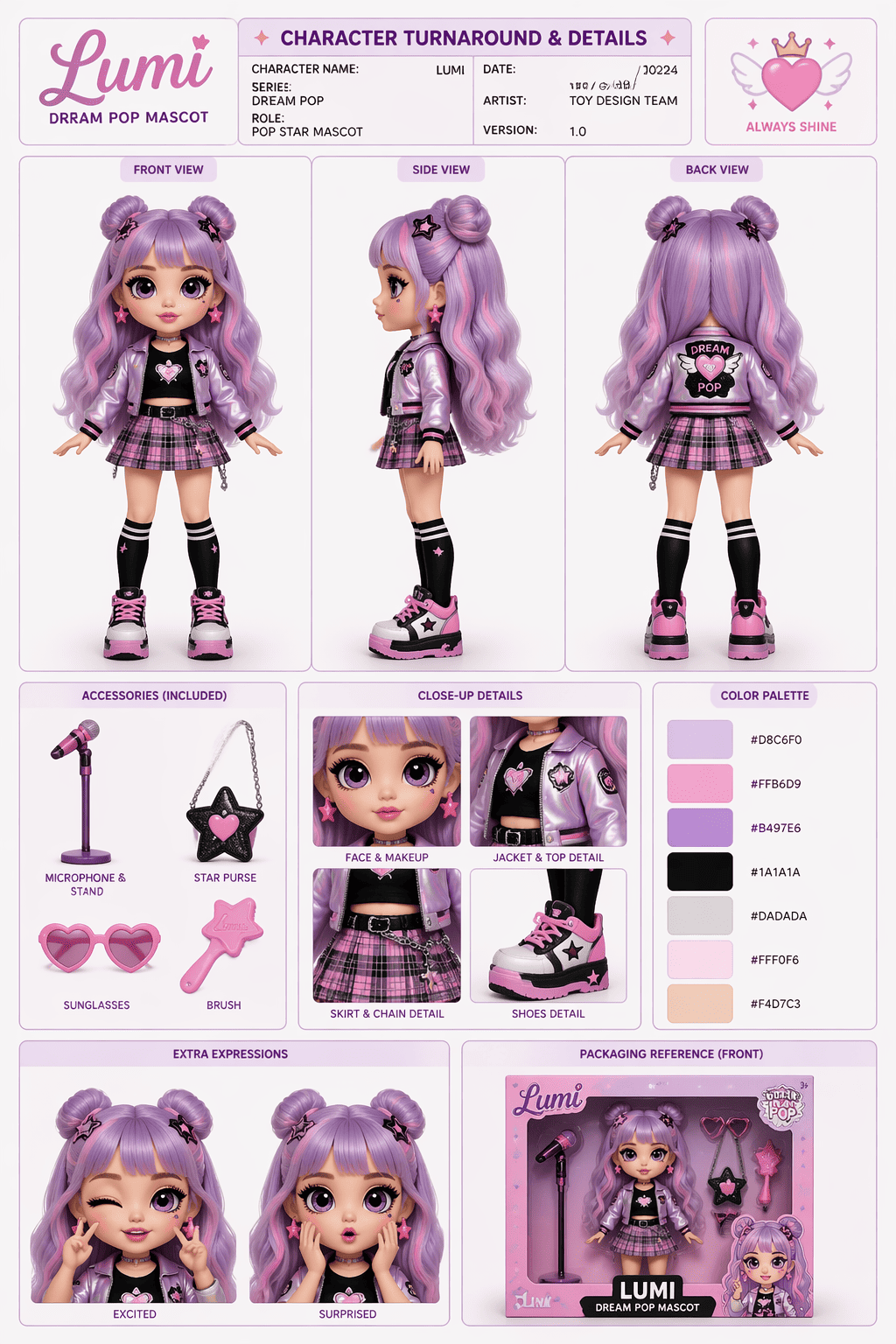
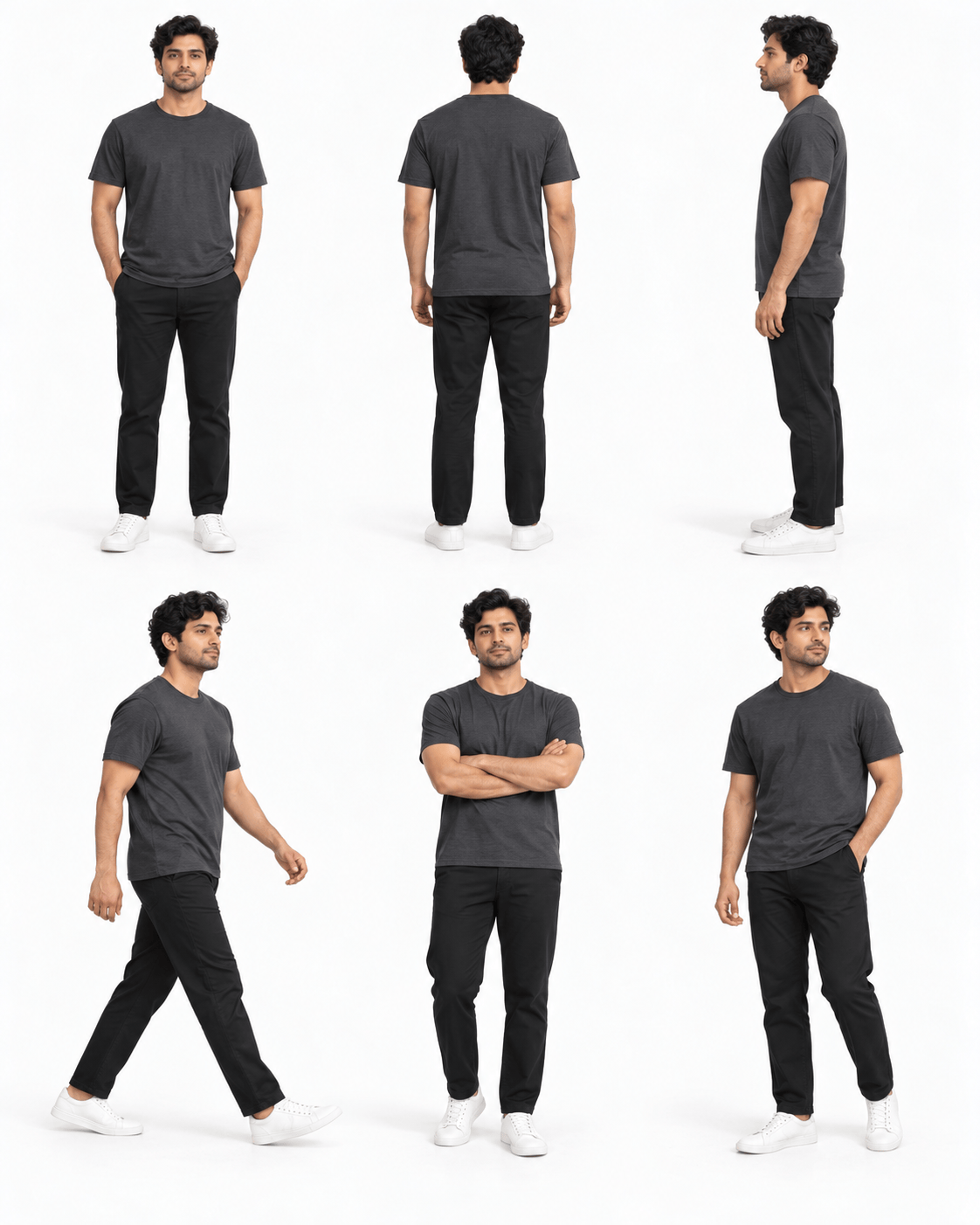
use gpt-image-2. Create a character turnaround presentation sheet for a collectible fashion-doll mascot. Show front, side, back, accessory close-ups, color swatches, and two extra expressions. Add small readable labels for each view and maintain one consistent character identity throughout. Make it feel like a real toy-development reference board. ratio 4:5
GPT Image 2 Rabbit Sticker Expression Pack
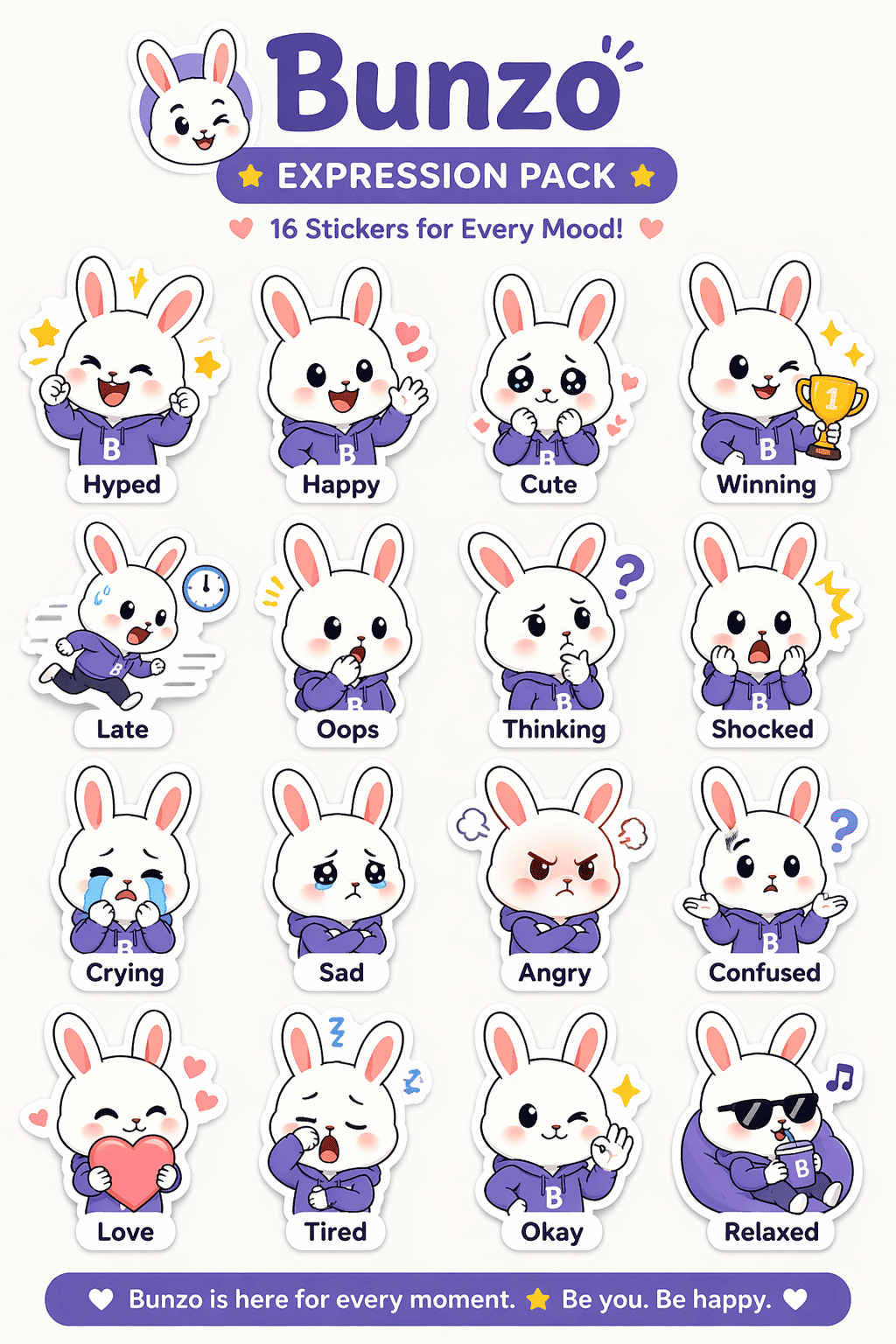
use gpt-image-2. Create a branded sticker expression pack featuring one cute rabbit mascot shown in 16 distinct emotions. Each sticker should have a small readable label such as "Hyped", "Late", "Oops", "Winning", and "Crying". Keep the mascot perfectly consistent and use a clean sticker-sheet layout designed like downloadable messaging stickers. ratio 4:5
GPT Image 2 Instagram Carousel Cover
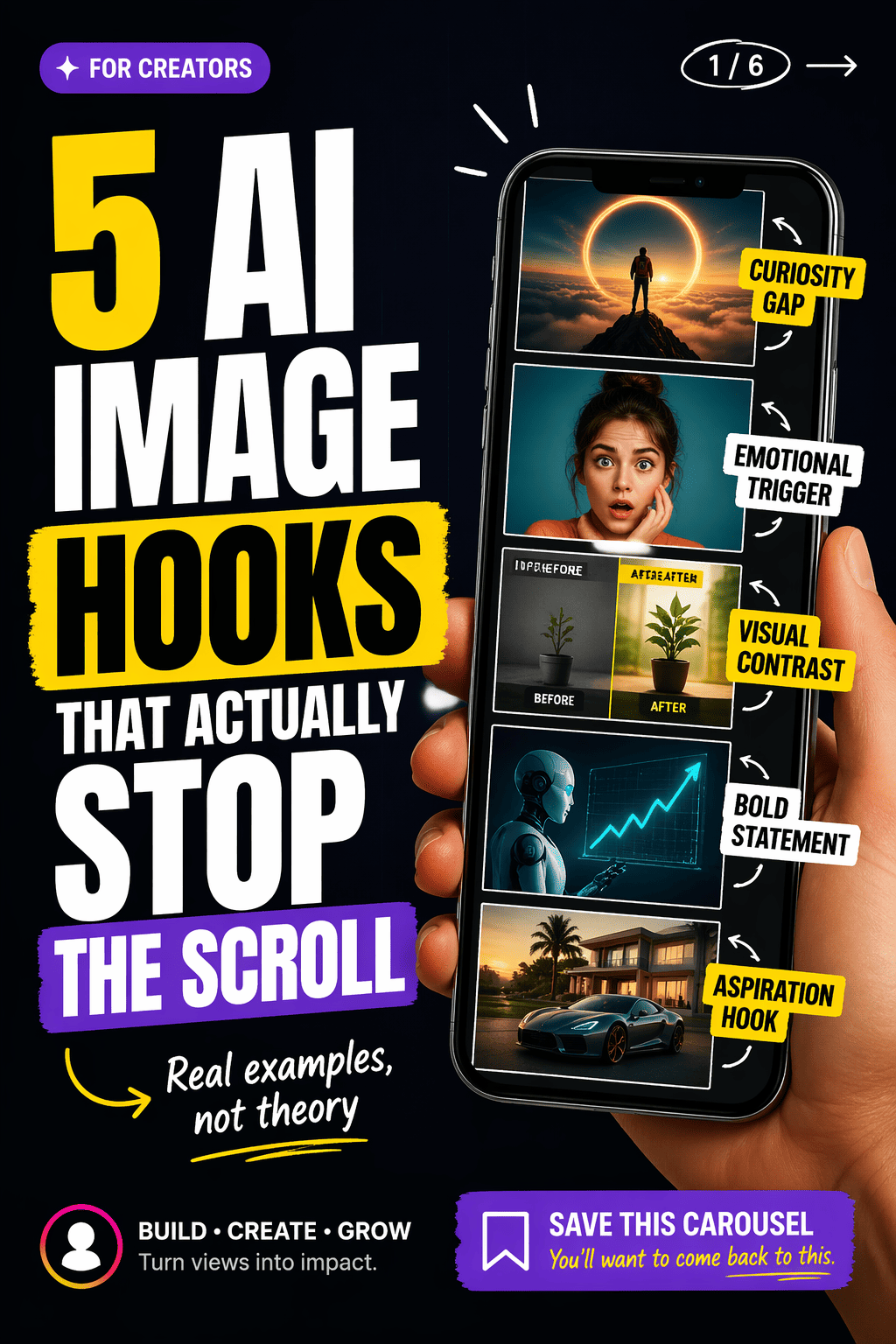
use gpt-image-2. Create the first slide of a viral Instagram carousel post for creators. Big readable headline: "5 AI IMAGE HOOKS THAT ACTUALLY STOP THE SCROLL". Add a smaller subline "Real examples, not theory". Use bold editorial text blocks, a hand holding a phone, thumbnail-style visual callouts, creator-economy design, clean margins, and highly legible mobile-first typography. Make it look like a real high-performing Instagram carousel cover. ratio 4:5
GPT Image 2 YouTube Community Poll Screenshot
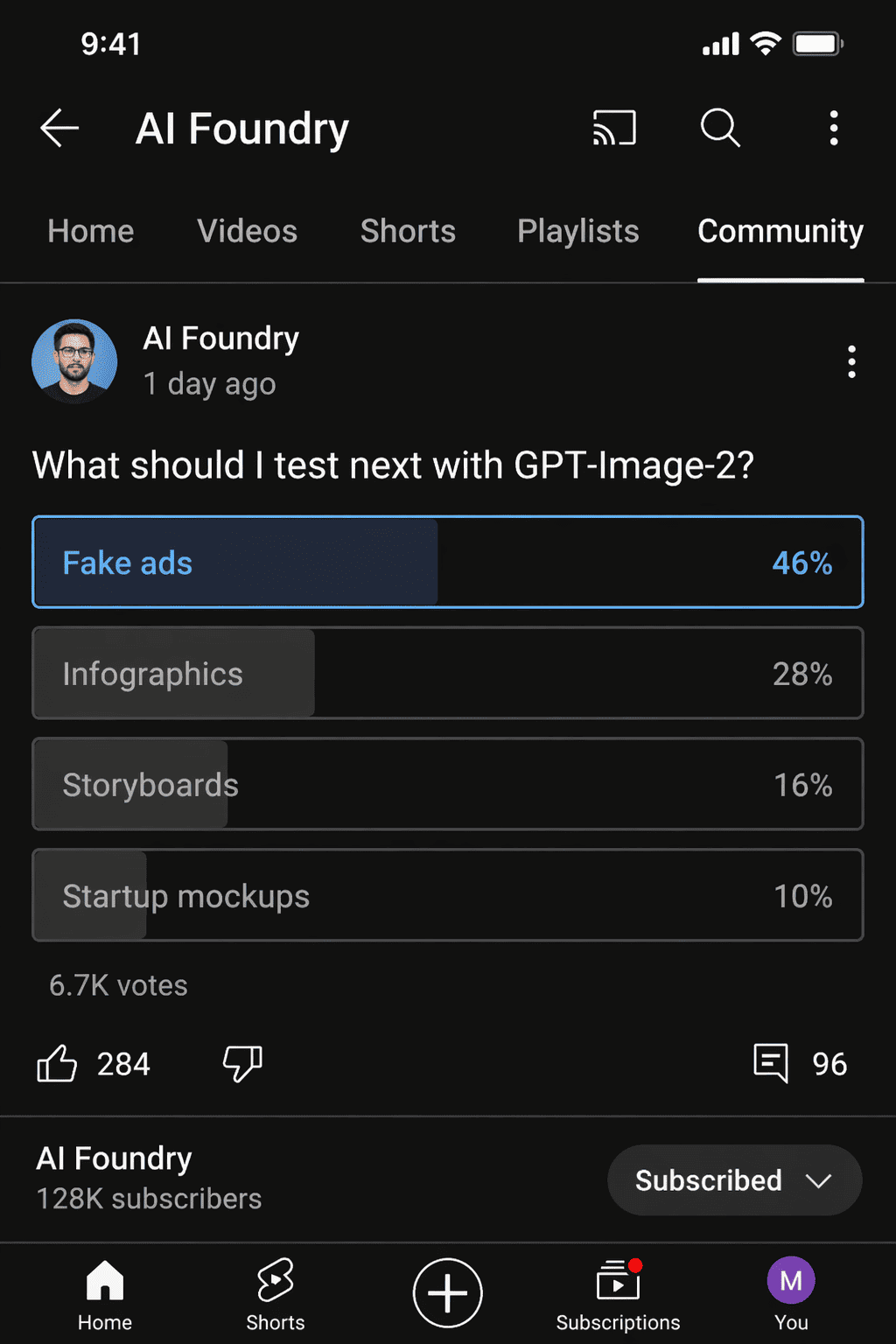
use gpt-image-2. Create a realistic YouTube community poll screenshot from a creator channel. Poll question text: "What should I test next with GPT-Image-2?" Poll options: "Fake ads", "Infographics", "Storyboards", "Startup mockups". Show one winning result at 46 percent, channel avatar, timestamp, believable interaction counts, clean mobile UI, readable poll labels, and authentic creator-platform styling. ratio 4:5
How to Use GPT Image 2 Prompts on Mew Design
You don’t need to start from scratch — copy a prompt, adjust a few details, and generate results that are ready for sharing or publishing.
Start with a prompt
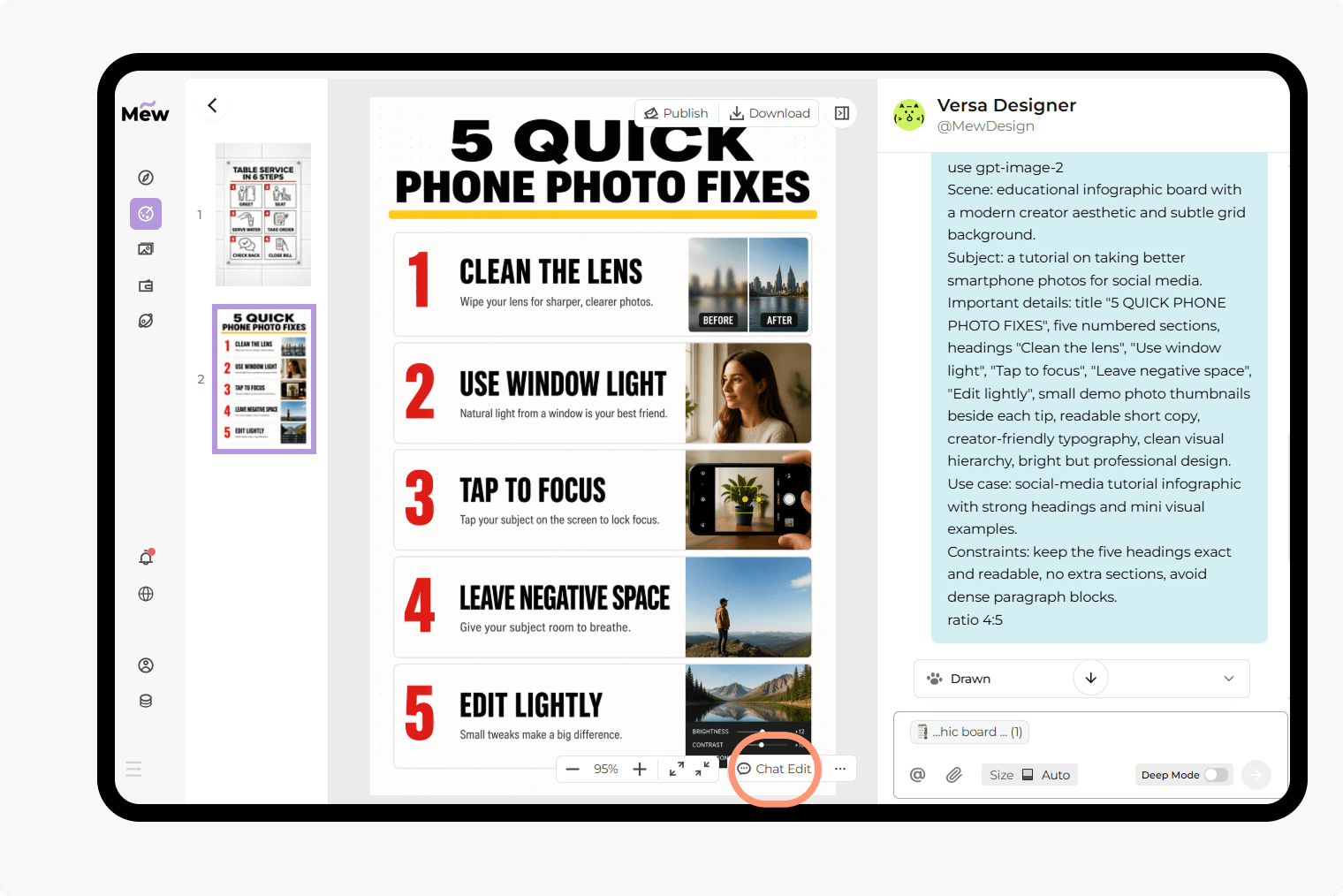
Copy any GPT Image 2 prompt from this page or write your own. Pay attention to add “use gpt-image-2” at the beginning, then paste it into Mew Design. This ensures the system uses GPT Image 2 for your request.
Generate your image with GPT Image 2 model
Click generate. You can create a single image, a multi-panel layout, or a full visual series. Just explain your intent clearly — the agent will handle the structure.
Edit and refine
If the first result is not exactly what you want, use Chat Edit to adjust the prompt. You can, fix text content, change layout or style, or refine details step by step.
Export or share
Once your image is ready, download it in high quality. Your output can be used for, social media, presentations, product visuals, and marketing assets.
Why Use Mew Design with GPT Image 2 for AI Image Generation
Accurate text rendering in images
GPT Image 2 is built to generate readable, well-placed text inside images. This makes it ideal for posters, UI mockups, and social content where typography matters.
Built for structured layouts
From infographics to multi-panel scenes, GPT Image 2 can follow layout instructions clearly. You can define sections, labels, and visual hierarchy directly in your prompt.
One prompt, complete visual output
Instead of combining multiple tools, you can generate full assets — including content, layout, and styling — in one step.
AI design agent that adapts to your task
On Mew Design, you don’t need to switch between tools. The agent selects the right model and workflow based on your input.
Easy iteration with Chat Edit
You can refine images through conversation. Adjust text, layout, or style without rewriting the entire prompt.
Works across real use cases
These GPT Image 2 prompts are not just for experiments. You can create social media content, tutorials and guides, product visuals, and brand assets. All ready to use or publish.

FAQs
They are structured text instructions used to generate images with GPT Image 2. These prompts can include layout, text content, style, and composition.
GPT Image 2 is especially strong at generating images with clear text and structured layouts, such as screenshots, infographics, and multi-panel designs.
Yes. You can try GPT Image 2 directly on Mew Design. Just add “use gpt-image-2” at the start of your prompt.
No. The GPT Image 2 templates are ready to use. You can copy, edit a few details, and generate results quickly.
Yes. You can change text, layout, colors, or style based on your needs. GPT Image 2 responds well to detailed instructions.

