Free OnlineBlythe Doll AI Generator
How to Create a Blythe-Inspired Doll Portrait with AI
Upload a Portrait or Describe a Character
Define the Doll Look
Generate and Check the Likeness
Chat Edit, Resize, and Download

More Control Than a One-Click Blythe Doll Filter
Keep the Face Recognizable
A useful Blythe doll AI generator from photo should preserve more than hair color. Tell Mew Design to keep the face shape, expression, brows, beauty marks, glasses, or other identity cues while stylizing the proportions.
Create from a Photo or Pure Imagination
Upload a selfie for a personal doll lookalike, or begin with a text-only brief for an original character. This gives the online Blythe doll maker room to serve both portrait transformations and character design.
Style the Hair, Outfit, and Miniature World
Direct the fashion story as carefully as the face. Combine a bob, braids, curls, or bangs with vintage, cottagecore, streetwear, gothic, or formal clothing, then place the character in a clean studio or detailed miniature set.
Refine One Detail with Chat Edit
If the first image feels too cartoonish or loses the reference, revise the specific problem. Ask for smaller eyes, a warmer skin tone, a closer hair match, a different camera crop, or a quieter backdrop without restarting the concept.
Explore a Coherent Character Series
Create matching avatar, half-body, and full-body versions or test several outfits while keeping the same character direction. Mew Design can use models such as GPT Image 2.5 for polished image exploration.
Start Free and Export Without a Watermark
New users receive free AI credits after signup. Generate and refine the doll portrait online, then download the finished image without a watermark in practical PNG or JPG format.
What to Include in a Blythe Doll AI Prompt
- Choose a strong source photo: Use one well-lit portrait with the full face visible and minimal obstruction. Say which features must stay recognizable, especially if you wear glasses, bangs, freckles, or distinctive makeup.
- Control the exaggeration: Specify large glossy eyes, but also ask for symmetry, natural reflections, a small mouth, and balanced proportions so the result remains a fashion doll rather than a generic anime face.
- Build the fashion direction: Name the hairstyle, fabric, color palette, outfit era, accessories, and mood. A precise wardrobe brief makes the character feel intentionally styled instead of randomly dressed.
- Set the crop and originality rules: Request a square avatar, close portrait, or full-body miniature scene. Add no text, no logo, no official packaging, and no copy of a named doll release.
Blythe Doll AI Prompts for Avatars and Characters
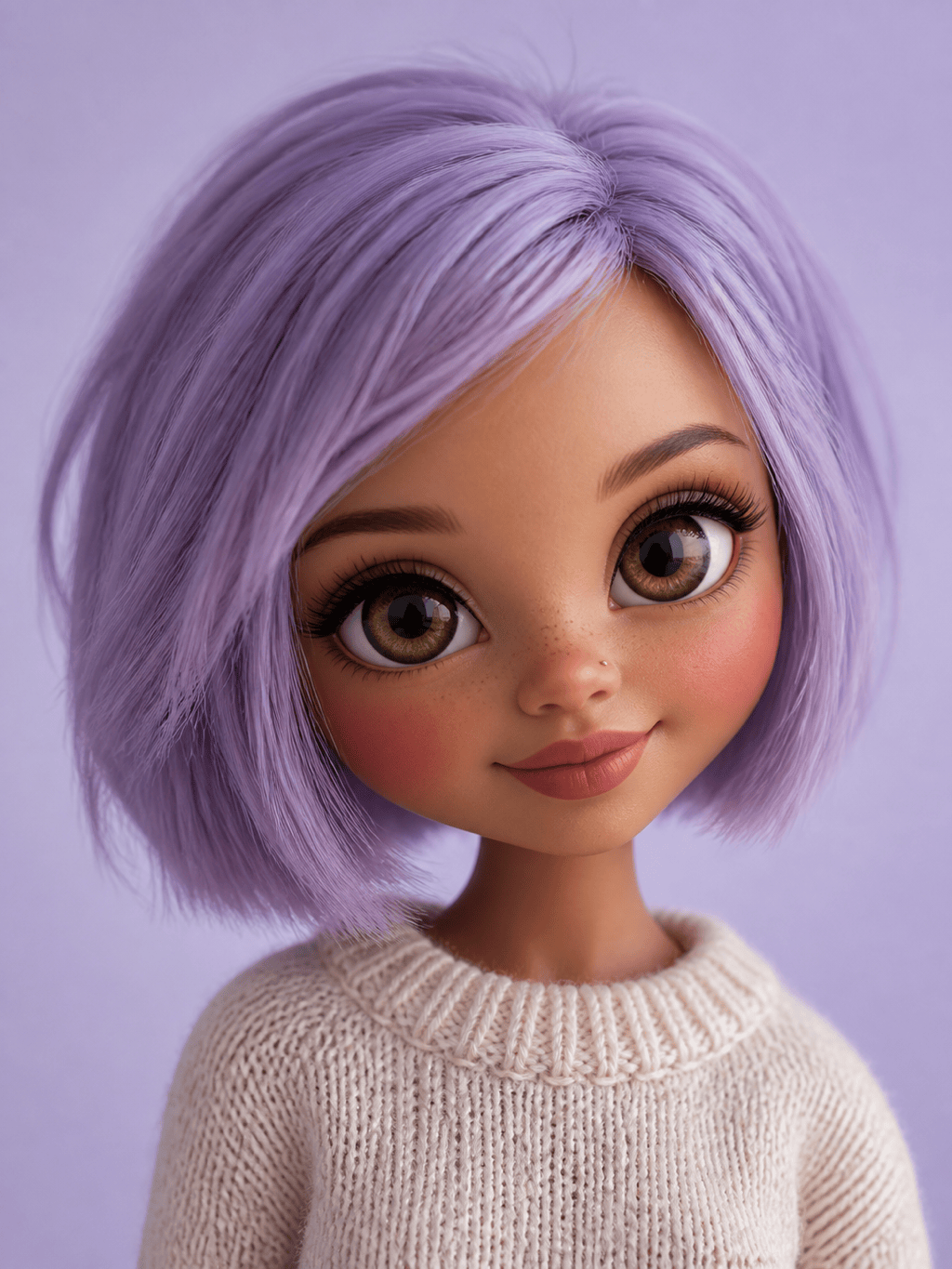
Pastel Selfie Avatar: Turn my uploaded selfie into an original Blythe-inspired square portrait. Keep my oval face, hazel eyes, short lavender bob, and silver nose stud recognizable; add balanced oversized glossy eyes, soft rosy cheeks, a cream knit sweater, pale lilac studio background, clean centered crop, no text or logo.
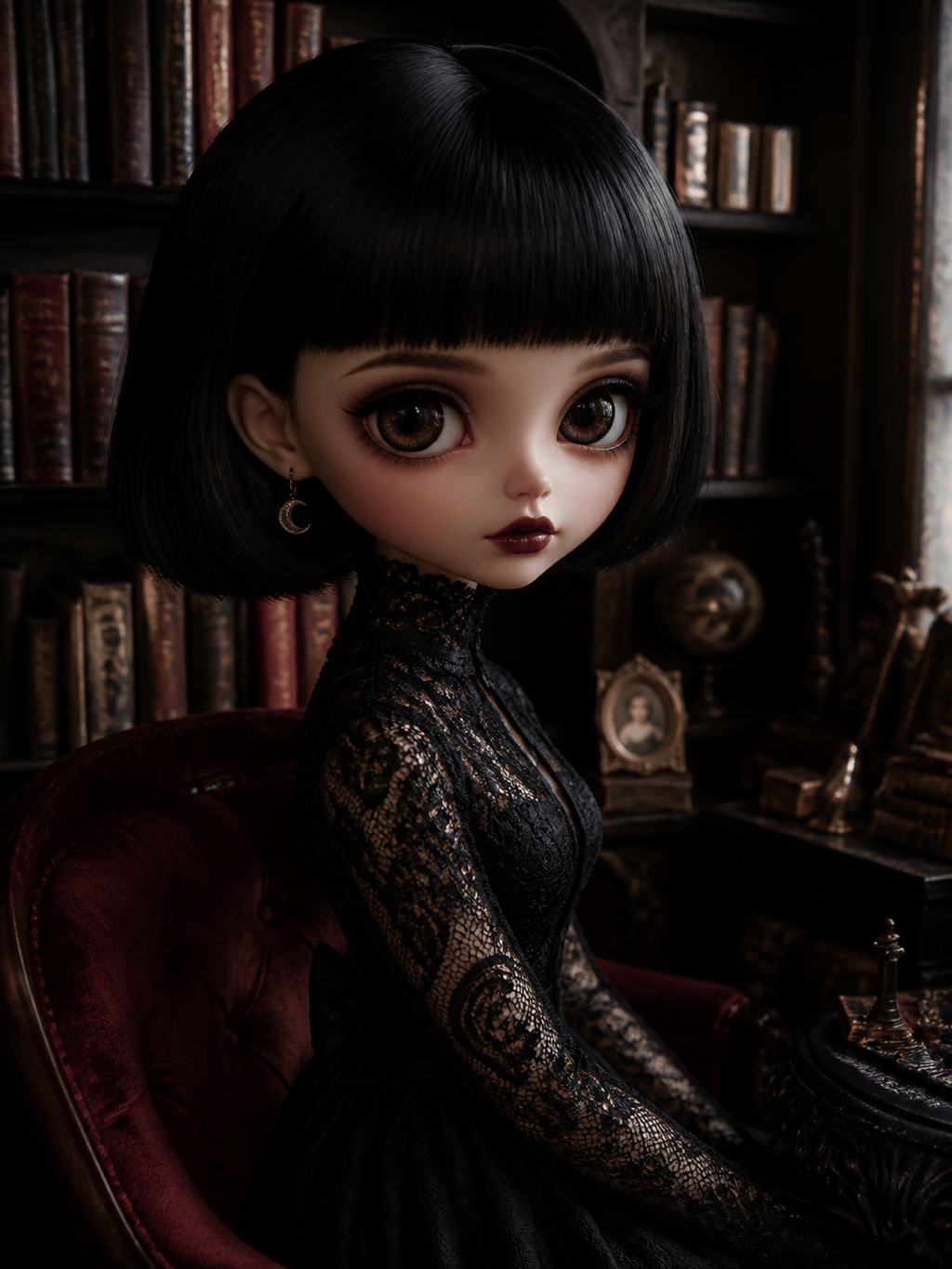
Gothic Fashion Doll: Create an original big-eyed fashion-doll portrait with a blunt black bob, deep brown glassy eyes, burgundy lips, black lace high-neck dress, tiny moon earrings, moody miniature library, soft directional light, elegant rather than horror, no brand marks or existing character references.
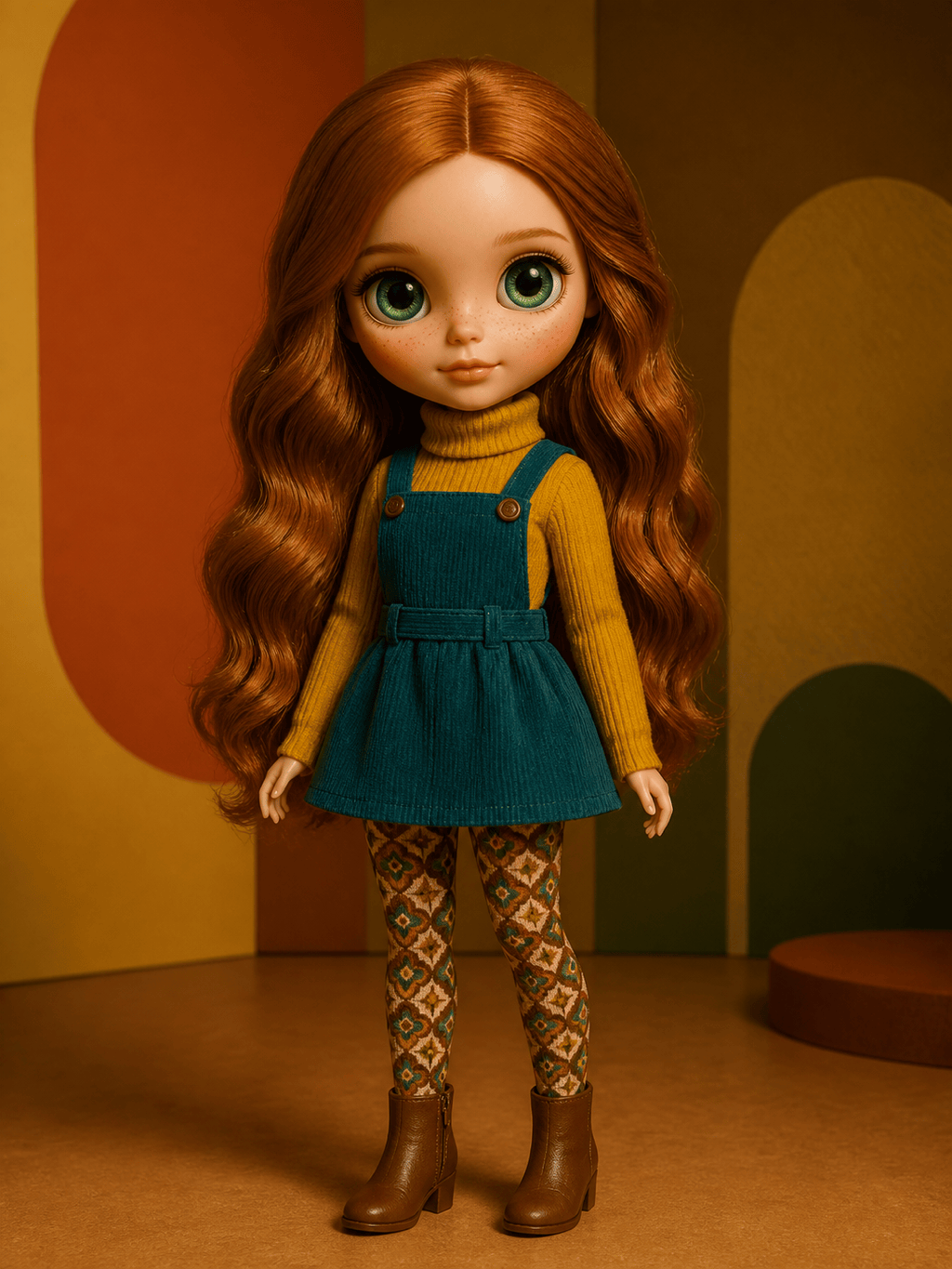
Vintage 1970s Editorial: Design a collectible-style doll character with long auburn waves, green reflective eyes, delicate freckles, mustard turtleneck, teal pinafore, and patterned tights. Full portrait in a warm retro studio set, editorial toy photography, original unbranded design, no text.
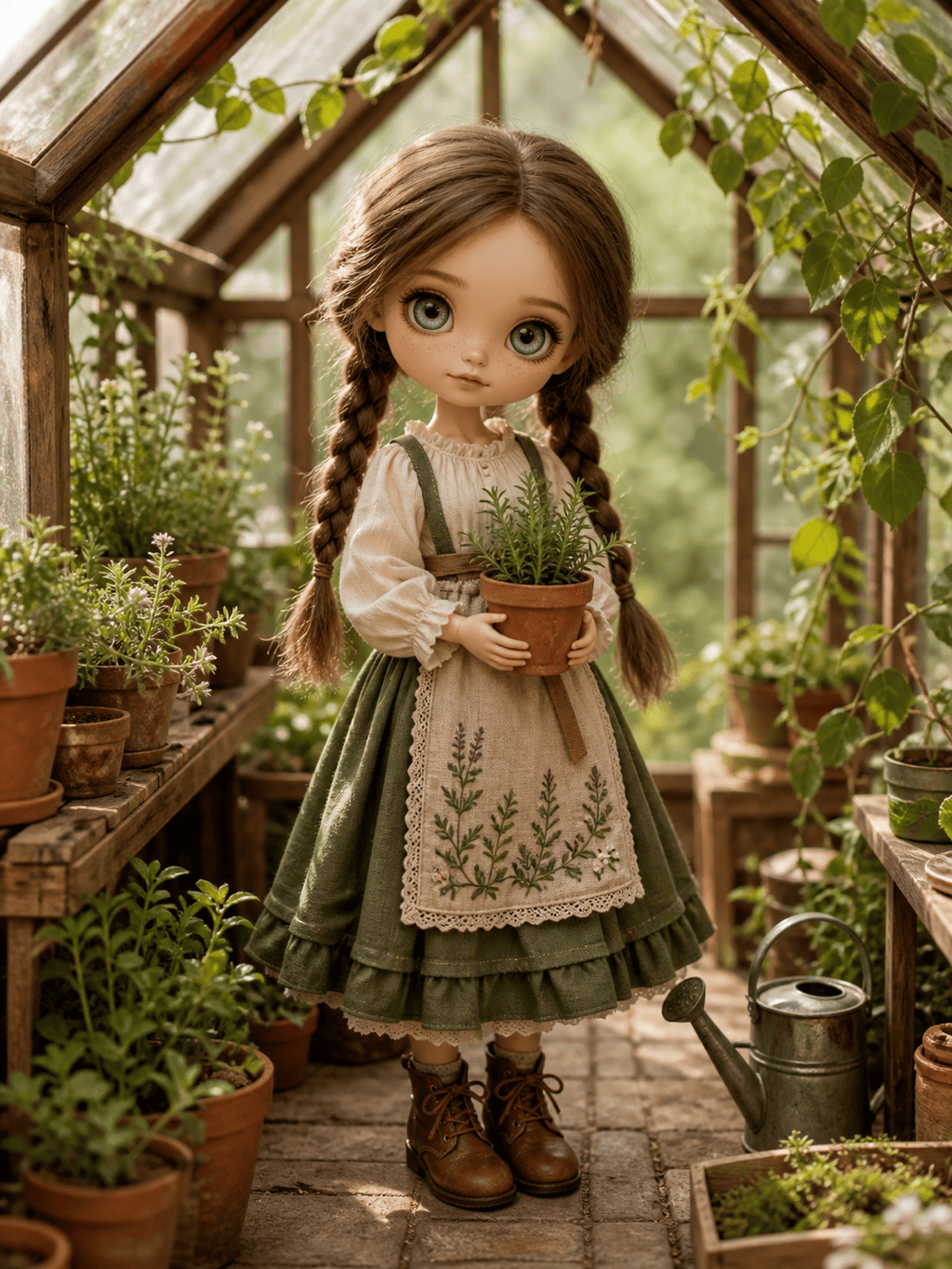
Cottagecore Original Character: Create a full-body Blythe-inspired garden character with oversized gray-blue eyes, two chestnut braids, linen blouse, moss-green skirt, embroidered apron, tiny leather boots, and a miniature greenhouse filled with herbs. Soft morning light, handcrafted details, no official doll references.
Matching Friends Portrait: Transform our uploaded two-person photo into two coordinated big-eyed fashion-doll characters. Preserve each person's skin tone, hairstyle, glasses, and expression; dress them in complementary coral and navy outfits, balanced square composition, simple celebratory backdrop, no text or logos.
Doll Gift Portrait: Use my portrait to make a polished vertical keepsake image of an original doll lookalike. Keep my curly red hair, green eyes, and denim jacket, add a subtle handmade vinyl texture and a miniature art-studio setting with paintbrushes and plants, warm window light, no packaging or brand elements.





