Free OnlineAI Virtual Try On
How to Try On Clothes with AI
Choose a Clear Person Photo
Add the Garment Reference
Describe the Try-On
Compare, Refine, and Download

Why Mew Design Works for Virtual Outfit Previews
Guide the Result with Two Images
Use your photo for identity and pose, then add a separate clothing reference for the look. This two-image workflow makes AI dress try on more specific than a text-only outfit idea.
Keep the Person Recognizable
Ask Mew Design to preserve the face, body shape, skin tone, posture, and setting while it changes only the clothing. Clear constraints help the preview stay true to the source photo.
Preserve Garment Details That Matter
Reference images help leading models such as Nano Banana Pro follow the original color, neckline, sleeves, print, and fabric character instead of inventing a generic outfit.
Compare Pieces and Complete Looks
Use this online AI clothing try-on for a single top, a formal dress, outerwear, or a coordinated outfit. Generate separate versions so color and styling choices are easier to compare.
Correct Small Details Through Chat
If the first preview changes a pattern, hem, layer, or accessory, click Chat Edit and describe the correction. You can refine the same result instead of rebuilding it from scratch.
Try Looks Before You Commit
Start with free AI credits after signup and export without a watermark. Use the virtual outfit preview to narrow your options before a purchase, photoshoot, campaign, or product-page draft.
How to Prompt AI for a Better Virtual Try-On
- Use clean source images: Choose good lighting, a visible body outline, and an uncropped garment. Avoid crossed arms, heavy filters, clutter, or objects covering the clothing area.
- List signature details: Mention the neckline, sleeves, buttons, pockets, print placement, material, and length when those details define the item.
- Control the transformation: Specify whether to keep the original pose and background or allow small posture changes for more natural draping and layering.
- Judge style, not exact size: Use the result to compare the overall look, color, and silhouette. Consult the retailer's size chart and garment measurements for physical fit.
AI Virtual Try-On Prompts for Real Fashion Decisions
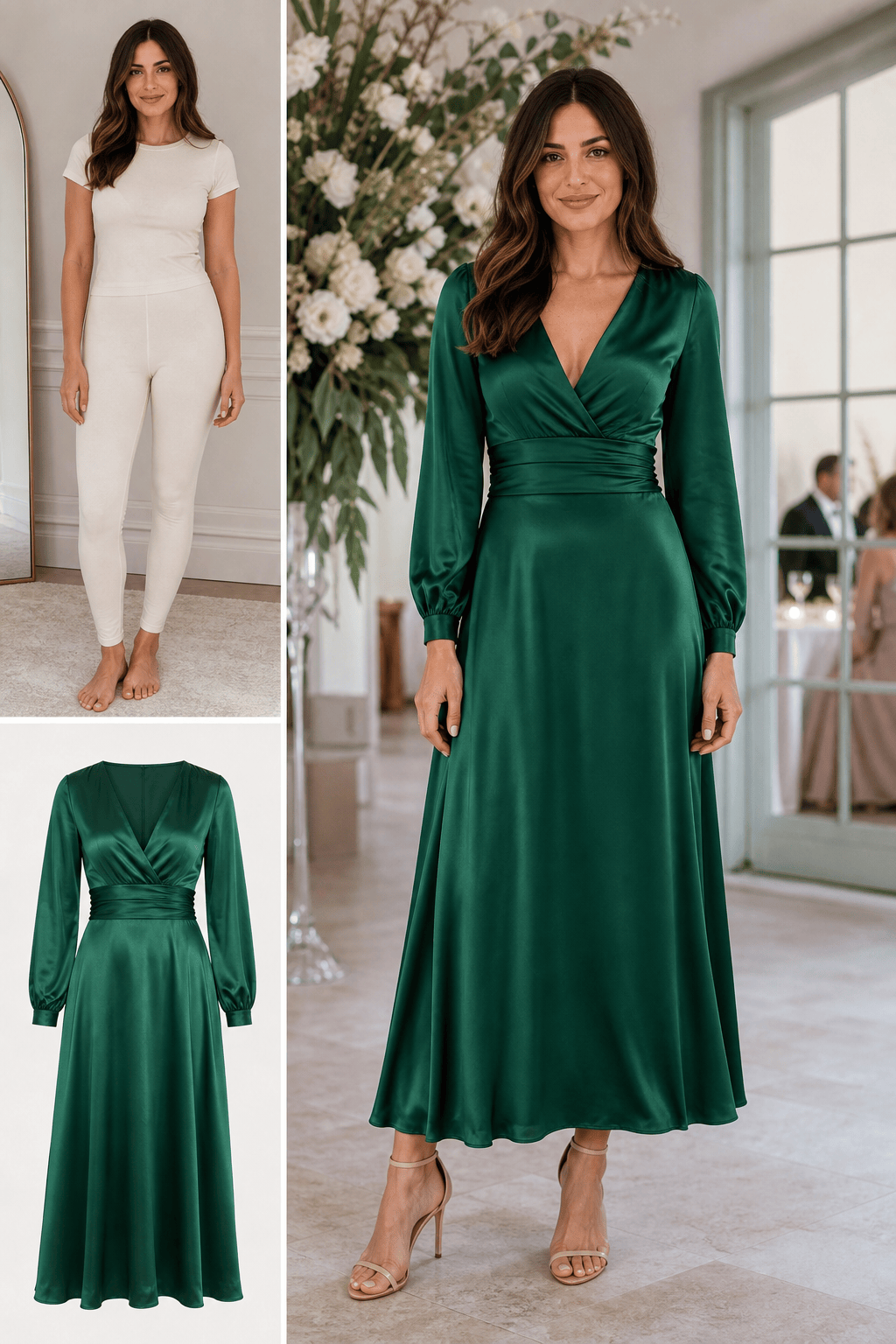
Wedding-Guest Dress: Use @[person photo] and @[green dress]. Dress the person in the emerald satin midi dress, preserve her face, body proportions, and standing pose, keep the V-neckline, gathered waist, long sleeves, and ankle-length hem, and match the room lighting for a realistic wedding-guest look.
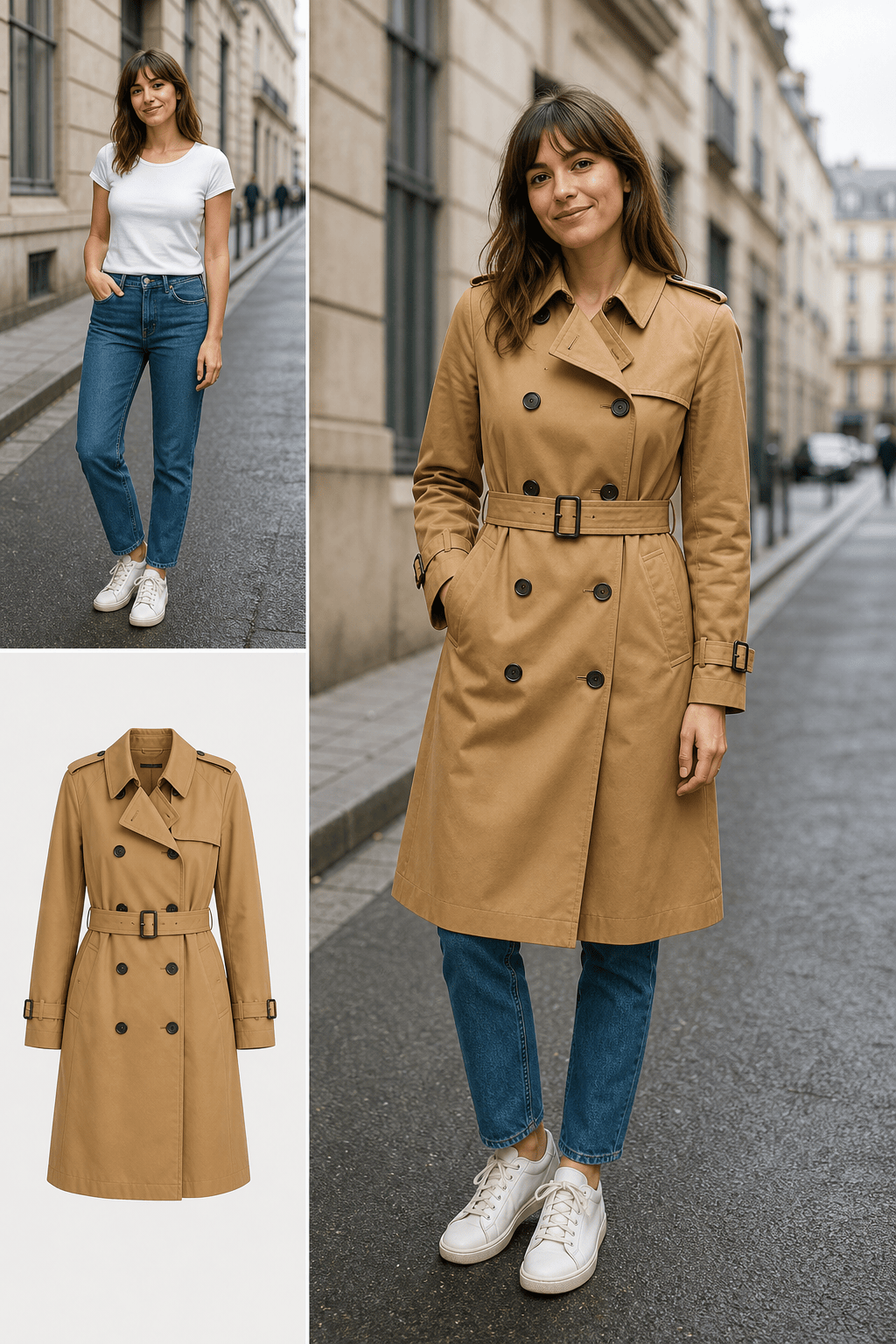
Online-Store Jacket: Put the camel trench coat from @[store screenshot] on the person in @[person photo]. Keep the person's face, jeans, shoes, pose, and street background unchanged. Preserve the coat's double-breasted buttons, belt, storm flap, knee length, and warm camel color.
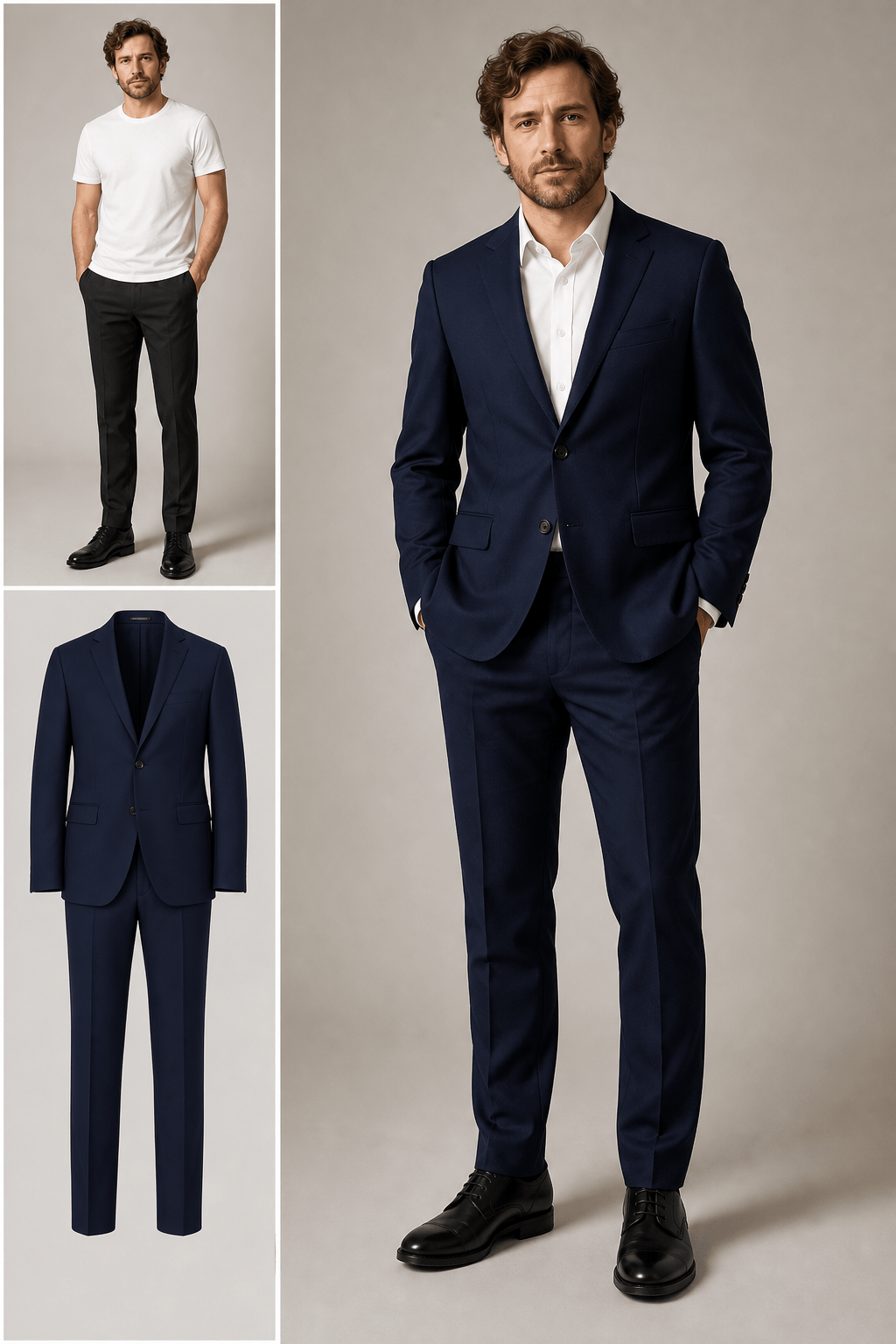
Men's Suit Try-On: Apply the navy two-piece suit from @[suit image] to the man in @[portrait]. Keep his face, body shape, hands, and stance unchanged. Preserve the notch lapels, single-breasted jacket, white shirt, straight trousers, and matte wool texture with natural folds.
Full Casual Outfit: Use @[person photo], @[striped shirt], and @[wide-leg trousers] to create one coordinated outfit. Keep identity and body proportions consistent, tuck the shirt neatly, preserve both patterns and colors, add white sneakers, and maintain the original daylight and background.
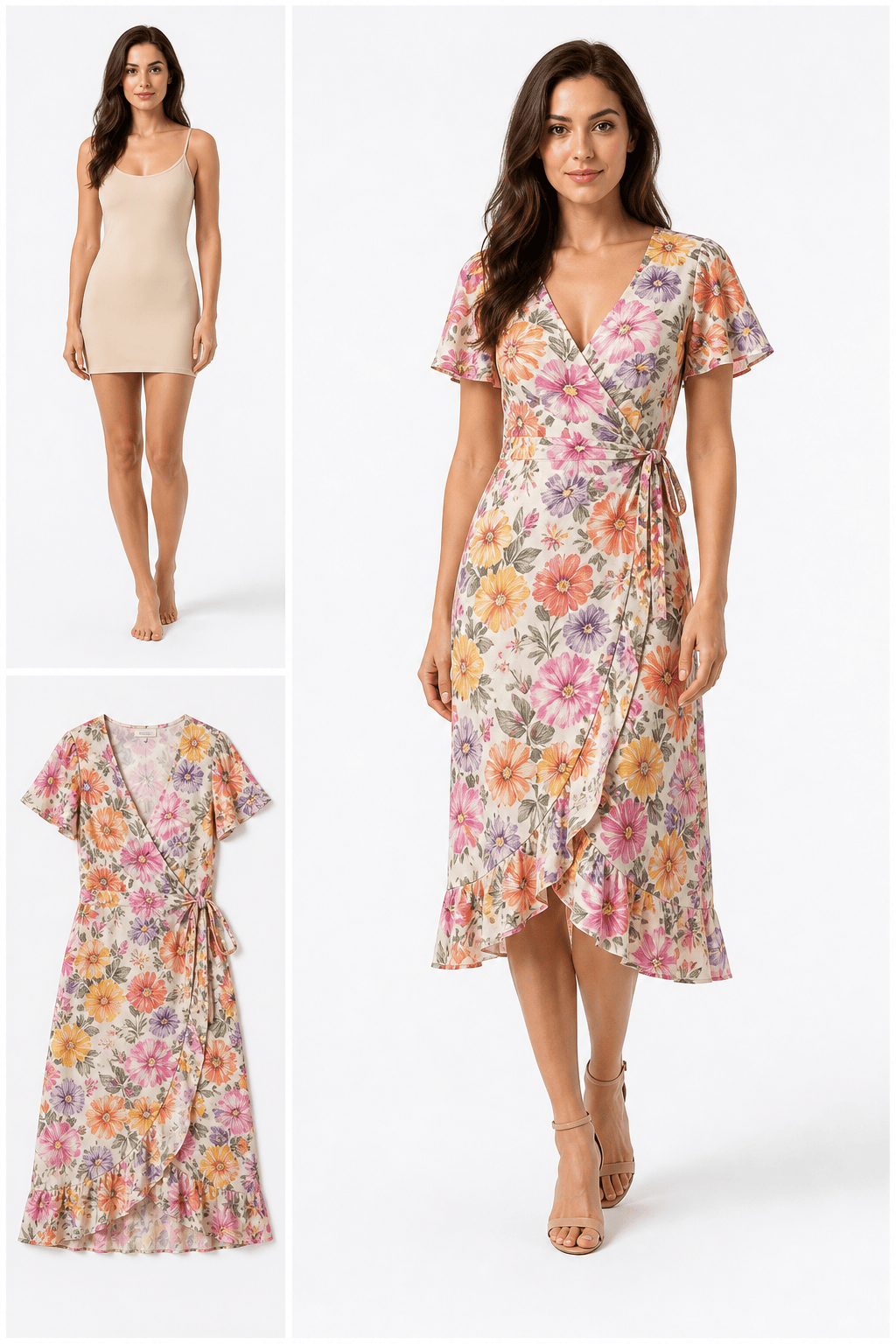
E-Commerce Model Preview: Put the floral wrap dress from @[flat lay] on the model in @[studio photo]. Preserve the model's face and pose, reproduce the floral print placement, wrap neckline, waist tie, flutter sleeves, and midi hem, and keep a clean white product-photo background.
Compare Two Colors: Create two separate try-on images of @[person photo], one wearing @[black coat] and one wearing @[burgundy coat]. Keep the same face, pose, crop, background, coat construction, and lighting in both versions so only the color changes.





