Create a StandoutAI TikTok Profile Picture
How to Make a TikTok Profile Picture with AI
Start With a Selfie or Character Idea
Generate a Crop-Safe Square PFP
Refine the Face, Color, and Framing
Download and Check It on TikTok

Why Mew Design Works for TikTok Profile Pictures
Restyle a Selfie Without Losing the Brief
Upload a portrait and state what must remain recognizable. Image-to-image creation helps this AI TikTok profile picture generator change the art direction, lighting, outfit, or background while following your identity constraints.
Create an Avatar Without a Photo
Faceless creators and theme pages can start from text. Describe a mascot, anime character, niche symbol, or color-led identity and generate an original square PFP with models such as Nano Banana Pro or GPT Image 2.5.
Design for the Circular Crop
A good TikTok avatar needs more than a square canvas. Our AI TikTok PFP maker can keep the face or mascot centered, simplify the background, and leave useful space around the focal point.
Fix Details Through Conversation
If the first result feels too busy or the crop is tight, use Chat Edit to request a cleaner background, stronger contrast, a closer likeness, or safer framing without rebuilding the whole idea.
Compare Distinct Style Directions
Generate coordinated variations in creator-photo, anime, cartoon, pastel, 3D, or neon-gaming styles. Compare them at thumbnail size before choosing the look that fits your channel.
Try It Free and Export Without a Watermark
Test the free AI TikTok profile picture maker with signup credits, refine the strongest version, and download a clean PNG or JPG that is ready for your TikTok profile.
What to Include in a TikTok PFP Brief
- Protect Identity: If you upload a selfie, name the features to preserve—face shape, hairstyle, skin tone, expression, glasses, or signature makeup.
- Choose a Recognizable Style: Specify creator headshot, anime, cartoon, Y2K, coquette, cyberpunk, minimalist, or another look that matches your videos.
- Plan for the Crop: Request a centered 1:1 composition, one dominant face or mascot, clear space around the hair, and no important detail in the corners.
- Match the Channel: Mention your niche, brand colors, mood, and whether the avatar should feel friendly, funny, mysterious, polished, or high-energy.
TikTok PFP Ideas for Different Creator Styles
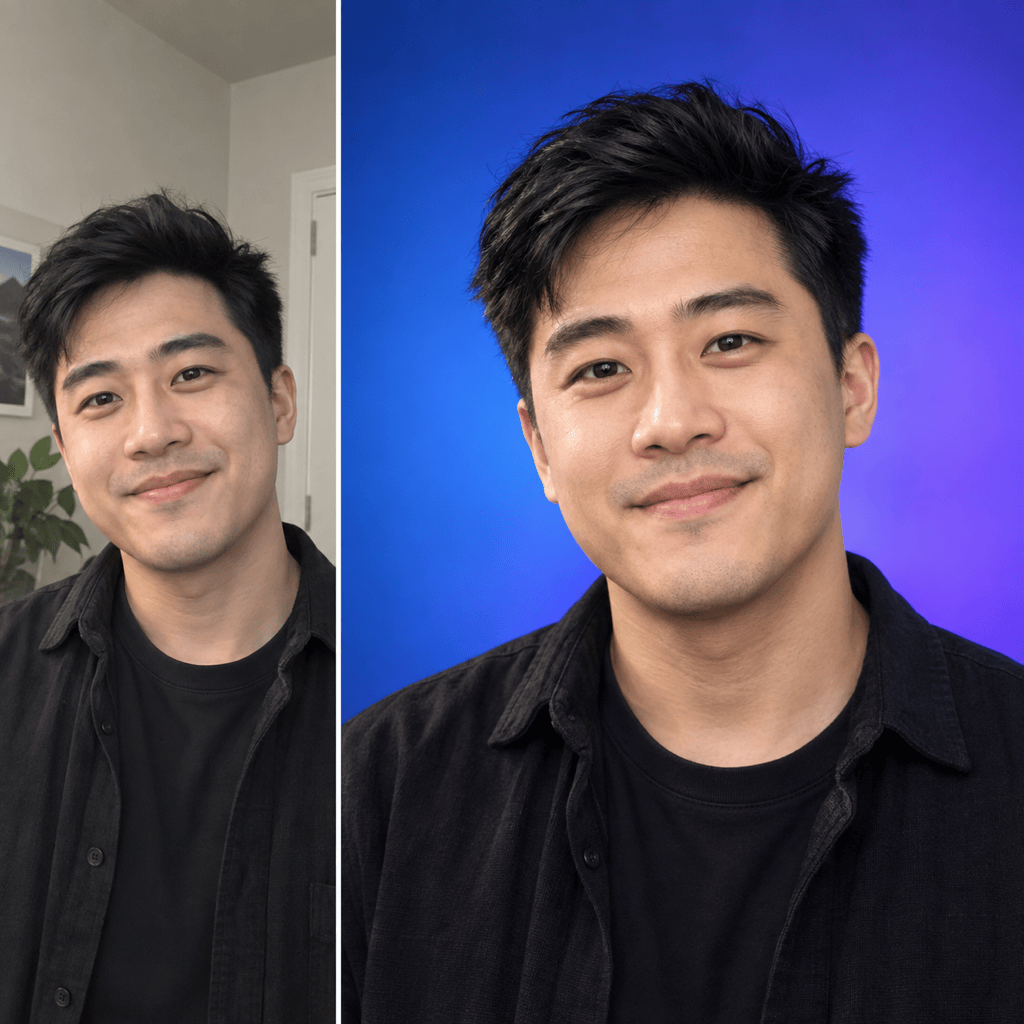
Use my uploaded selfie to create a clean creator headshot for TikTok. Keep my face and hairstyle recognizable, use soft natural light, a confident friendly expression, a saturated cobalt background, and a centered close-up that stays clear in a circular crop. No text or logos.
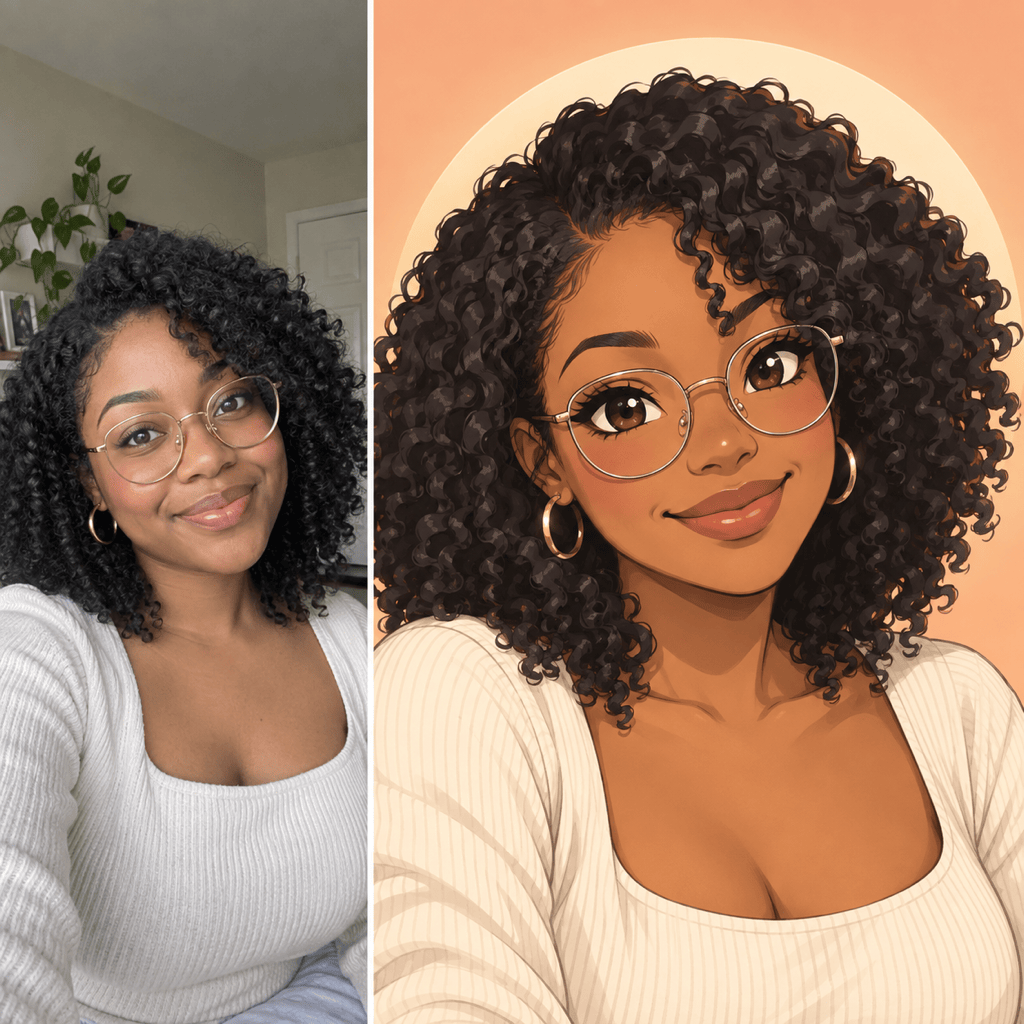
Turn my uploaded portrait into an original anime TikTok PFP. Preserve my hair color, face shape, and glasses; use expressive eyes, clean line art, balanced cel shading, a simple peach background, and a centered head-and-shoulders 1:1 composition.
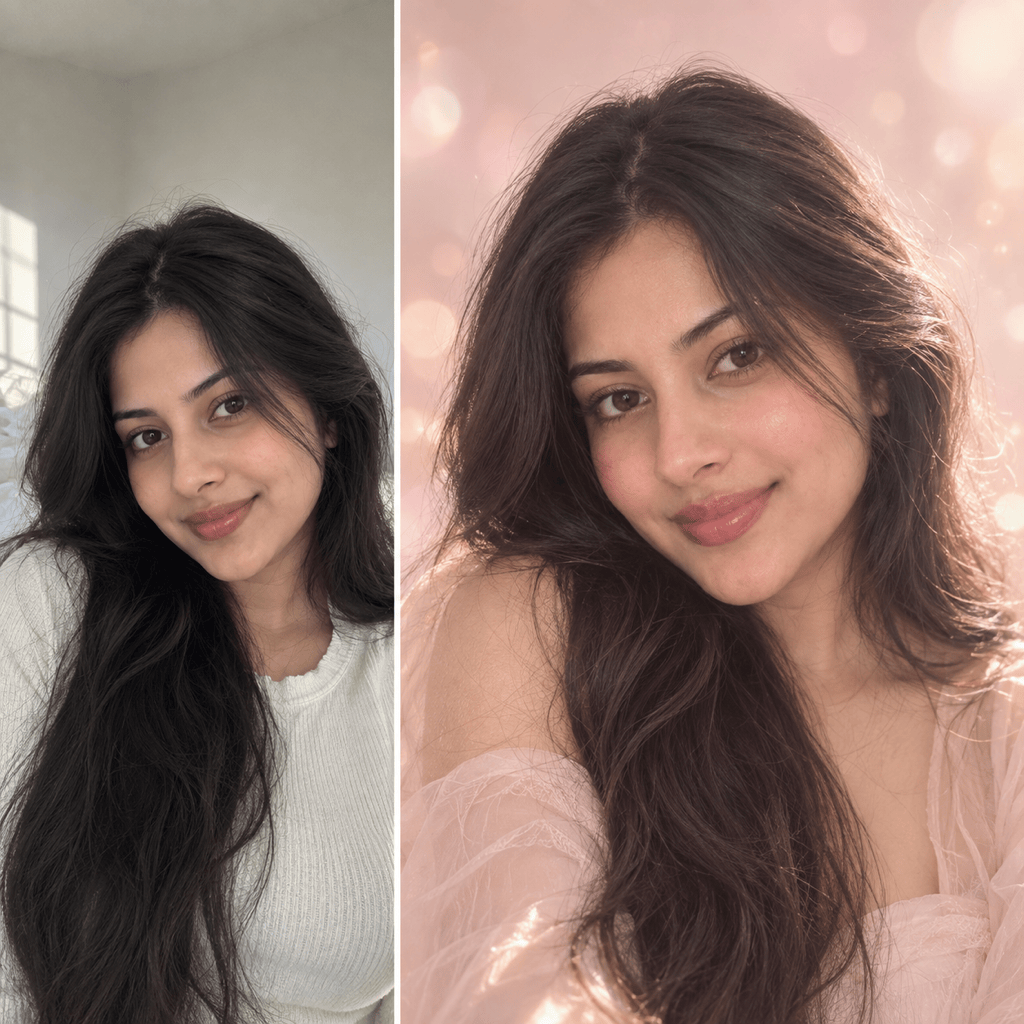
Restyle my selfie as a dreamy aesthetic TikTok profile picture with soft pink and cream tones, gentle glow, delicate highlights, natural skin texture, a clean background, and enough space around the face for a circular crop. Preserve my identity.
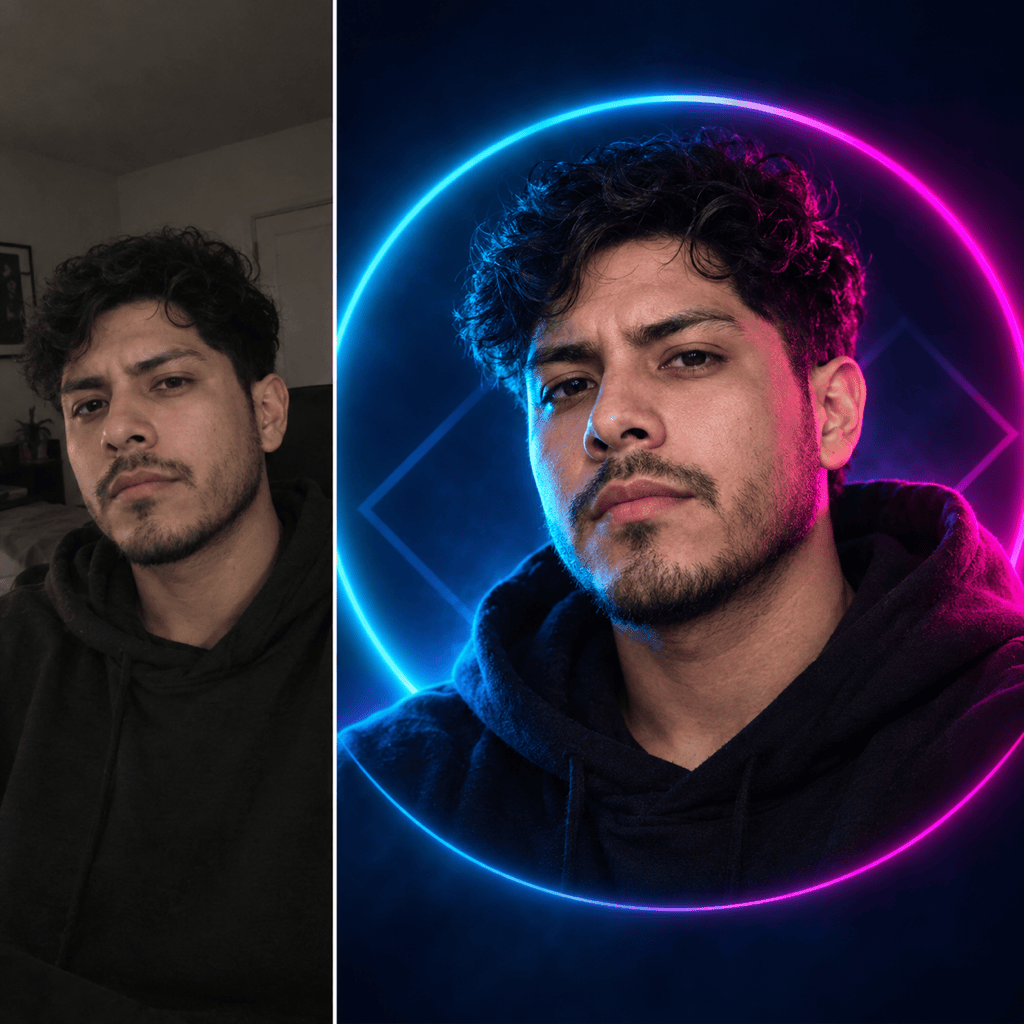
Create a neon gaming TikTok avatar from my photo. Keep my face recognizable, add cyan and magenta rim light, a dark navy gradient background, sharp eyes, simplified streetwear, and bold contrast that reads at thumbnail size. No text or game logos.
Create a faceless TikTok theme-page mascot: an original cheerful red panda holding a tiny microphone, bold flat shapes, teal background, one centered focal point, clean silhouette, high contrast, and a 1:1 circular-crop-safe composition. No text or trademarks.
Use my portrait to create a polished small-business TikTok profile picture. Keep my identity natural, use warm studio lighting, a simple brand-color background, subtle professional styling, and centered framing. Do not add tiny text; leave the corners visually quiet.





