Free OnlineAI Remove People from Photo
How to Remove People from Photos with AI
Upload the Original Photo
Identify Who Should Disappear
Generate the Cleaned Photo
Inspect, Refine, and Export

Why Use Mew Design to Remove People from Photos
Target People with Plain Language
Skip fiddly selections. Tell Mew Design to remove the man in the red jacket, the tourists behind you, or everyone except the main subject.
Protect the People You Want to Keep
State exactly who must remain unchanged. This is especially useful when you remove a person from a group photo or edit people standing close together.
Rebuild the Hidden Background
Capable image editing models such as Nano Banana Pro and GPT Image 2.5 can infer the scenery behind a removed figure instead of leaving a blank hole.
Clean Up One Person or a Crowd
Use this AI crowd remover for busy travel photos and event shots. For dense scenes, request several smaller removals so each rebuilt area has clearer visual context.
Fix Shadows and Difficult Edges
Continue the edit in chat to remove a leftover shadow, repair a railing, restore a shoulder, or smooth a repeated texture without restarting the whole photo.
Try It Online, Then Export Cleanly
Start with free AI credits after signup, refine the result in your browser, and export watermark-free PNG or JPG files for travel albums, social posts, portfolios, or client work.
How to Get Natural People-Removal Results
- Name the target: Use position, clothing, or action, such as “the person at the far left” or “the cyclist behind the couple.”
- Protect the subject: Say which faces, bodies, clothes, objects, crop, and lighting must remain unchanged.
- Include connected traces: Ask to remove the person's shadow, reflection, bag, or partially visible limb when those details belong to the same target.
- Refine in small passes: On crowds or patterned backgrounds, remove smaller groups first and correct one edge or texture at a time.
Ready-to-Use Prompts for Removing People from Photos
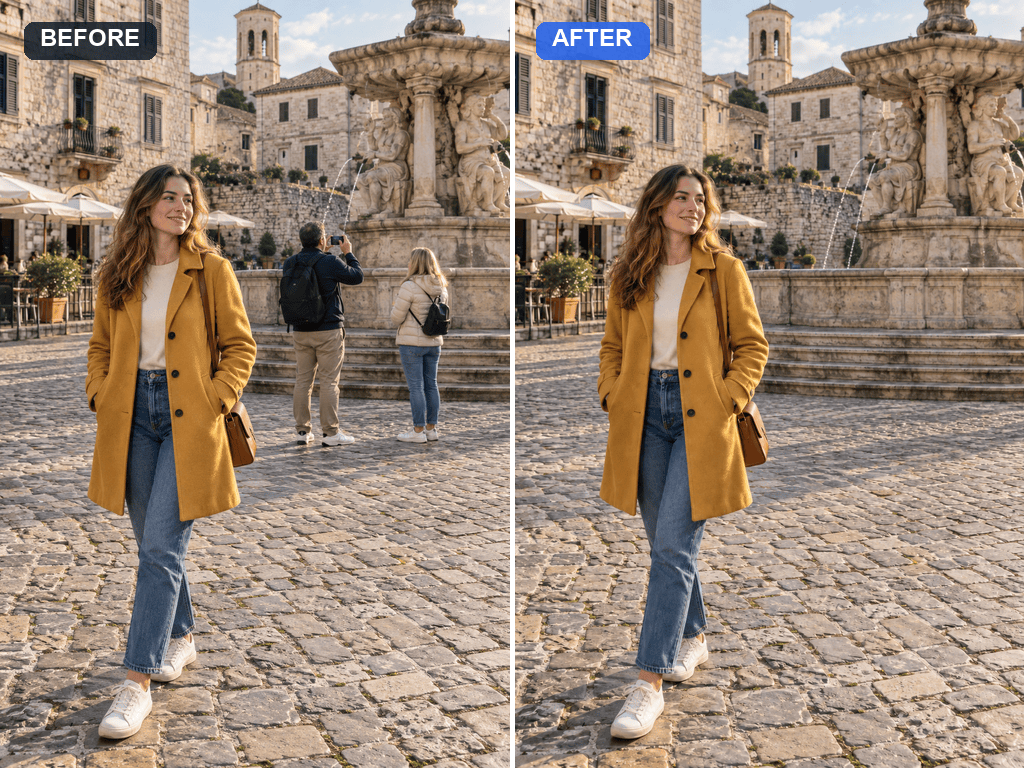
Remove the tourists behind the main subject at the landmark. Keep the main subject, architecture, crop, perspective, and daylight unchanged. Rebuild the empty walkway naturally.
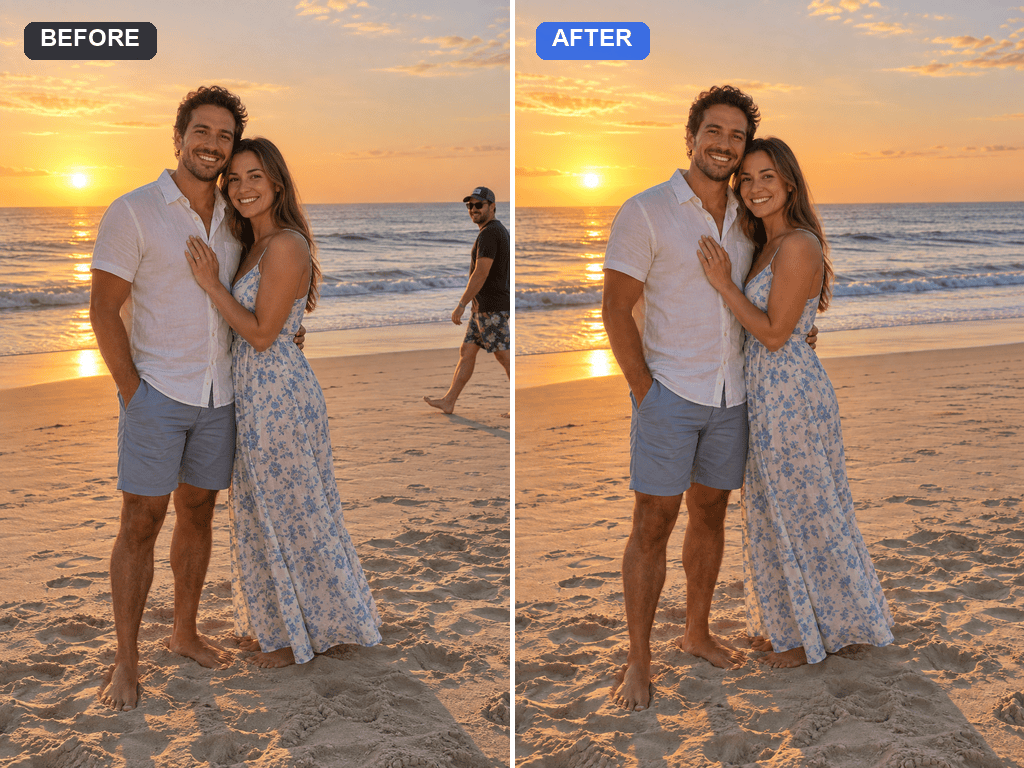
Remove the photobomber entering from the right edge and erase their shadow. Preserve the couple, ocean horizon, footprints, color, and camera framing.
Remove the person in the blue shirt from the group photo. Keep every other face, expression, body, and outfit unchanged, then close the gap with a natural continuation of the wall and floor.
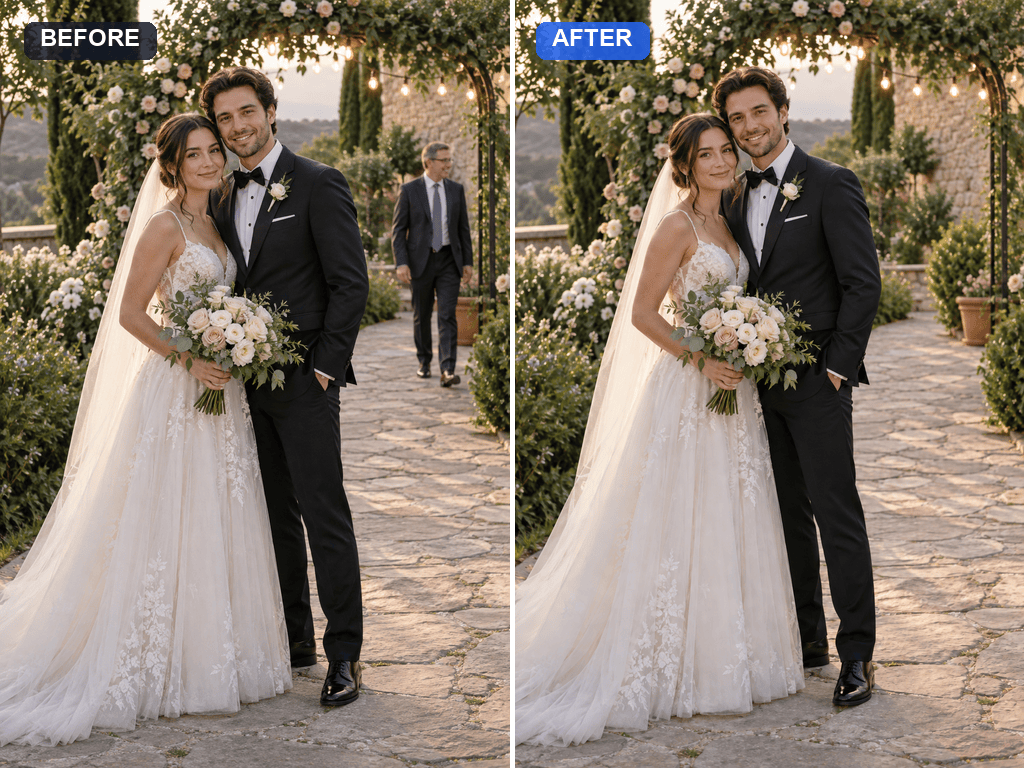
Remove the background guest walking behind the newlyweds. Preserve the couple, bouquet, dress, veil, venue lights, and shallow depth of field.
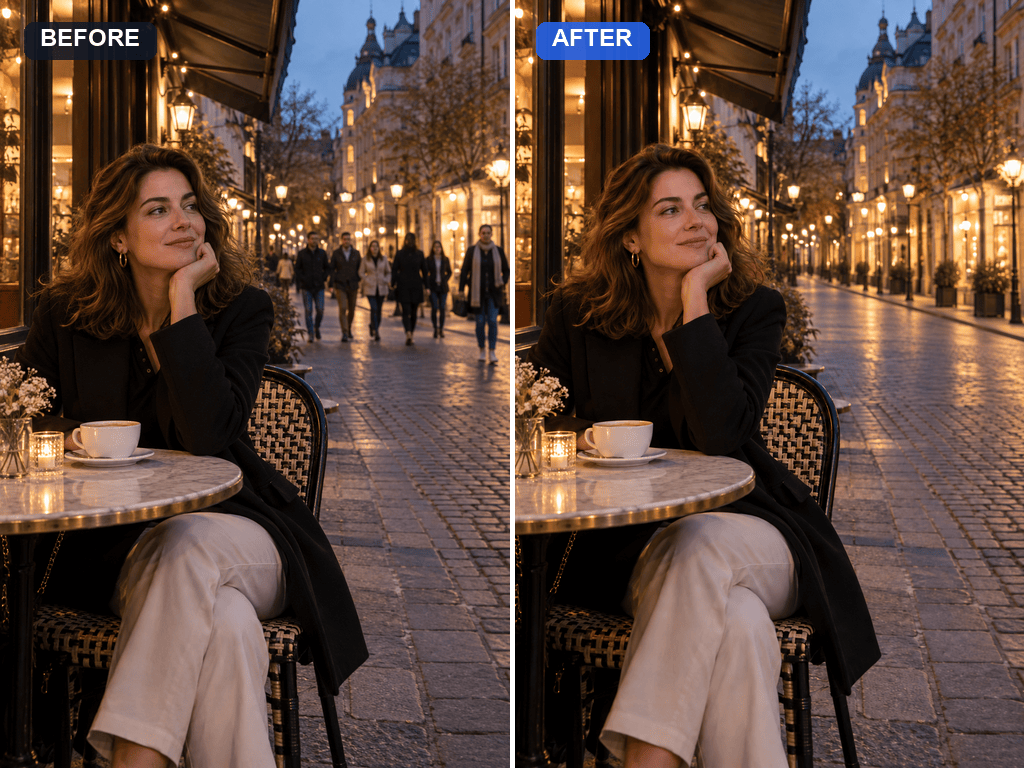
Remove the crowd in the distant background but keep the woman in the foreground unchanged. Reconstruct the street, storefronts, and pavement with consistent perspective and evening light.
Remove the photographer's reflection from the cafe window and restore the glass, interior details, and outdoor reflections without changing the person seated inside.





