Free OnlineAI Photo Face Swap
How to Swap a Face in a Photo with AI
Upload the Base and Face Photos
Assign Each Photo a Role
Generate and Inspect the Swap
Refine and Download

Why Choose Mew Design for Photo Face Swapping
Two References, One Clear Edit
Upload a base image and a separate identity reference, then explain their jobs in plain language. You do not need to draw a mask or cut out the face by hand.
Keep the Target Scene Intact
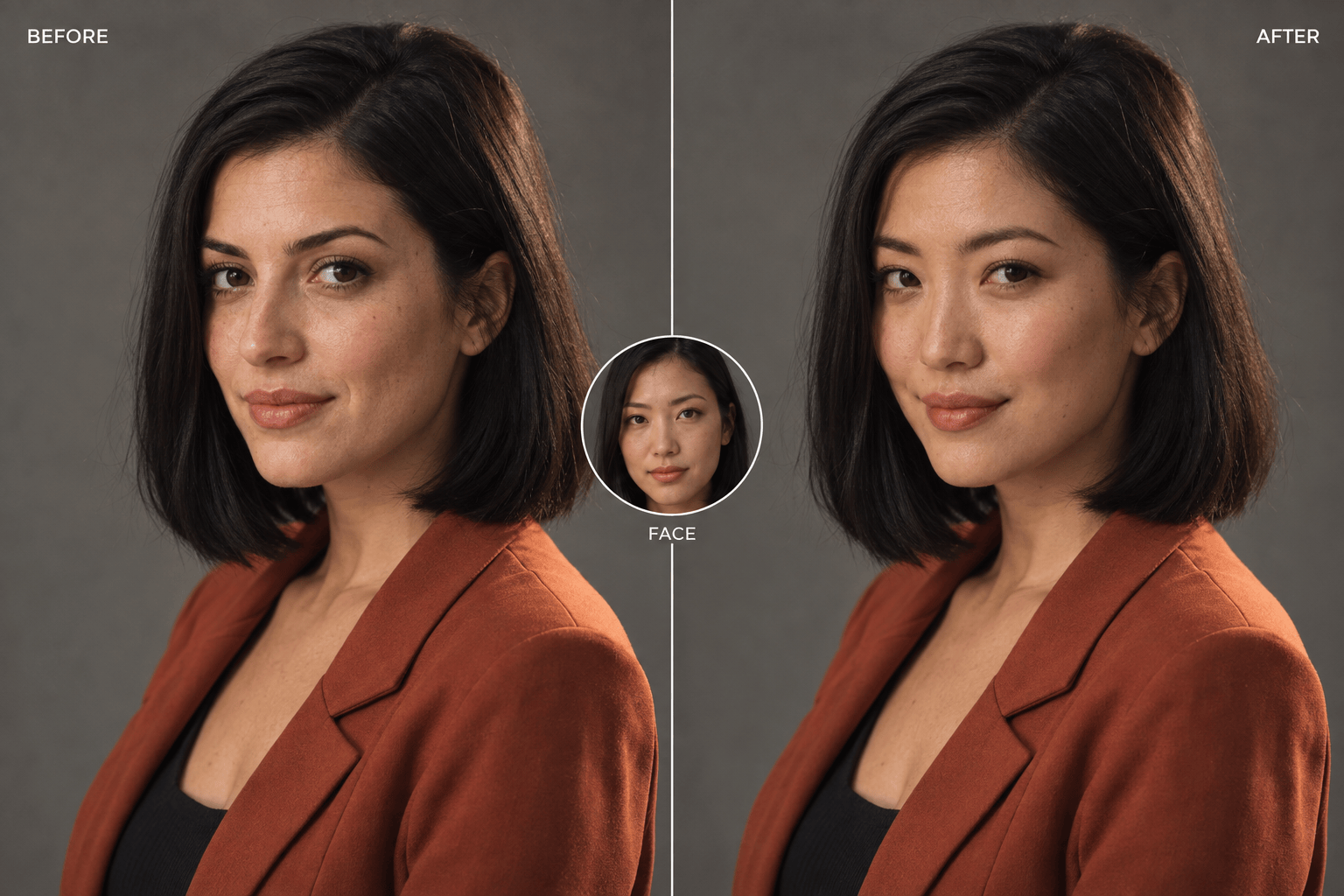
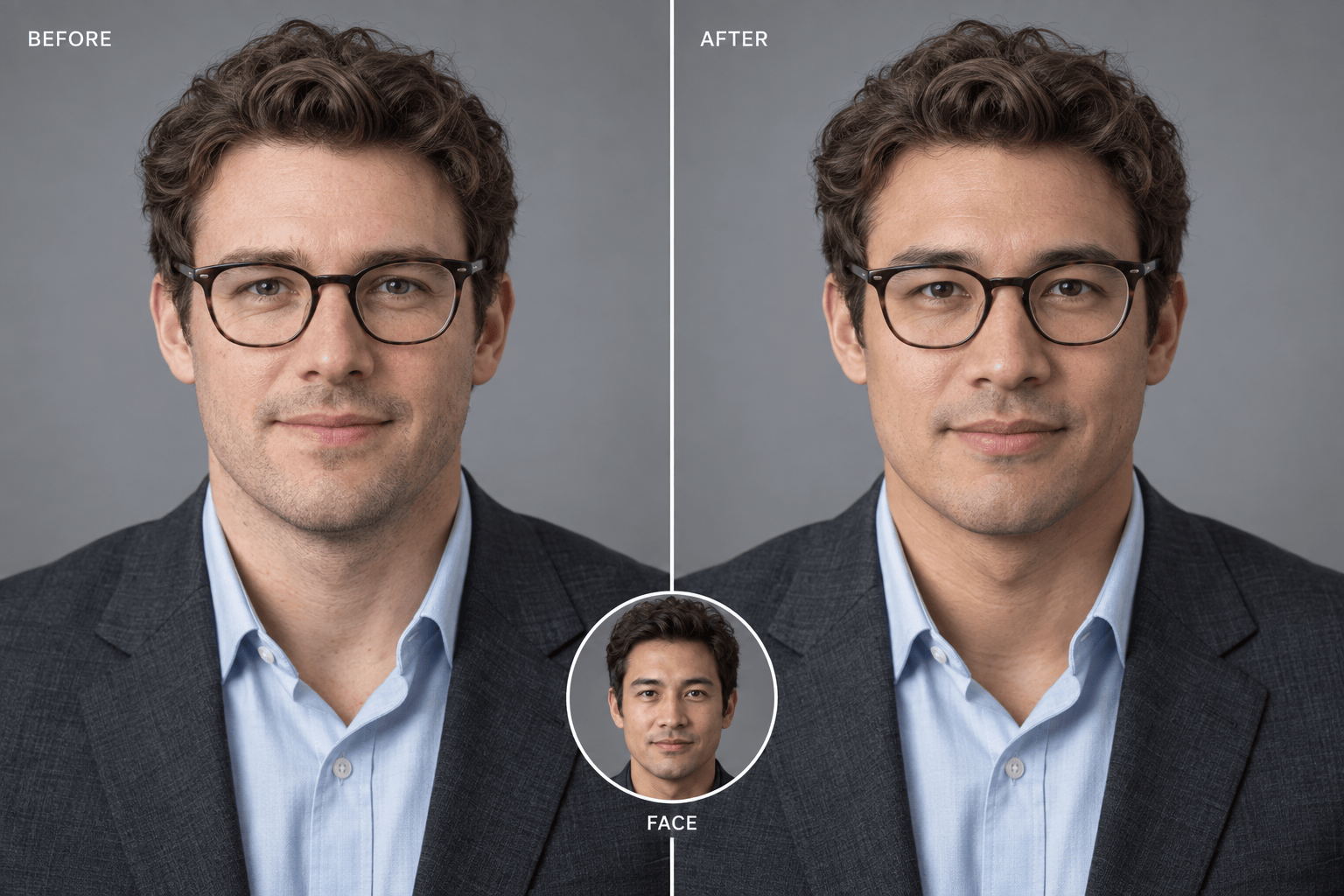
A precise face-only brief can protect the target hair, head shape, pose, outfit, hands, framing, and background while the selected facial identity changes.
Brief a More Natural Blend
For a realistic face swap online, ask the agent to follow the base photo's head angle, expression, light direction, sharpness, skin tone, and camera texture.
Correct One Detail Through Chat
Use Chat Edit when an eye, jawline, shadow, or edge needs work. A focused follow-up helps preserve the parts of the photo that already match your intent.
Explore Practical and Creative Versions
Use the AI face swapper for a profile-photo concept, a travel portrait, an expression repair, or an original role-play image, then compare variations before choosing one.
Free Credits and Clean Image Exports
Sign up to try the online workflow with free AI credits. Generation uses credits, and you can export finished still images as watermark-free PNG or JPG files.
How to Brief a Realistic Face Swap
- Assign the uploads: Name the face reference and the base photo with @ references. Identify the person by position or clothing if more than one face is visible.
- Define a face-only boundary: Say whether the target hair, hairline, head shape, expression, glasses, and earrings should remain. Use the AI Head Swap page when the whole head should transfer.
- Match the photography: Choose a clear reference with a compatible head angle and expression, then ask to match the base photo's light direction, skin tone, sharpness, and grain.
- Review before sharing: Inspect eyes, teeth, face edges, shadows, and context at full size. Use consented images and label a realistic edit when viewers could mistake it for a real event.
Face Swap Prompts for Real Photo Edits
Professional profile photo: Use my facial identity from @[clear-selfie] in @[studio-headshot]. Replace only the face. Keep the studio photo's short hairstyle, navy jacket, posture, crop, gray background, and soft key light. Match head angle, expression, skin tone, focus, and lens detail.
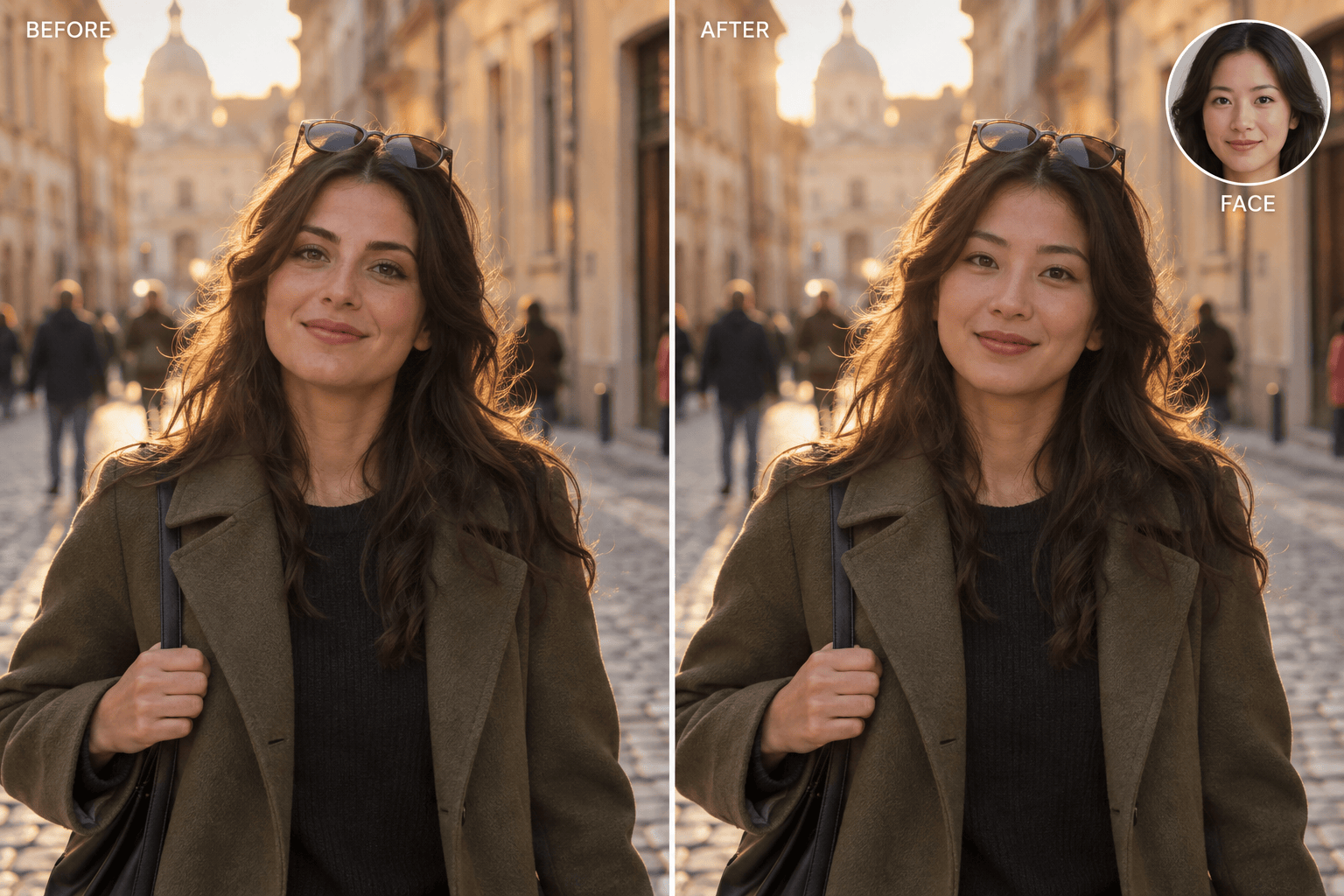
Travel portrait: Put the face from @[portrait-reference] onto the person in @[city-photo]. Keep the target hair, sunglasses on top of the head, coat, walking pose, street background, and golden-hour light. Blend the new face into the same perspective and camera grain.
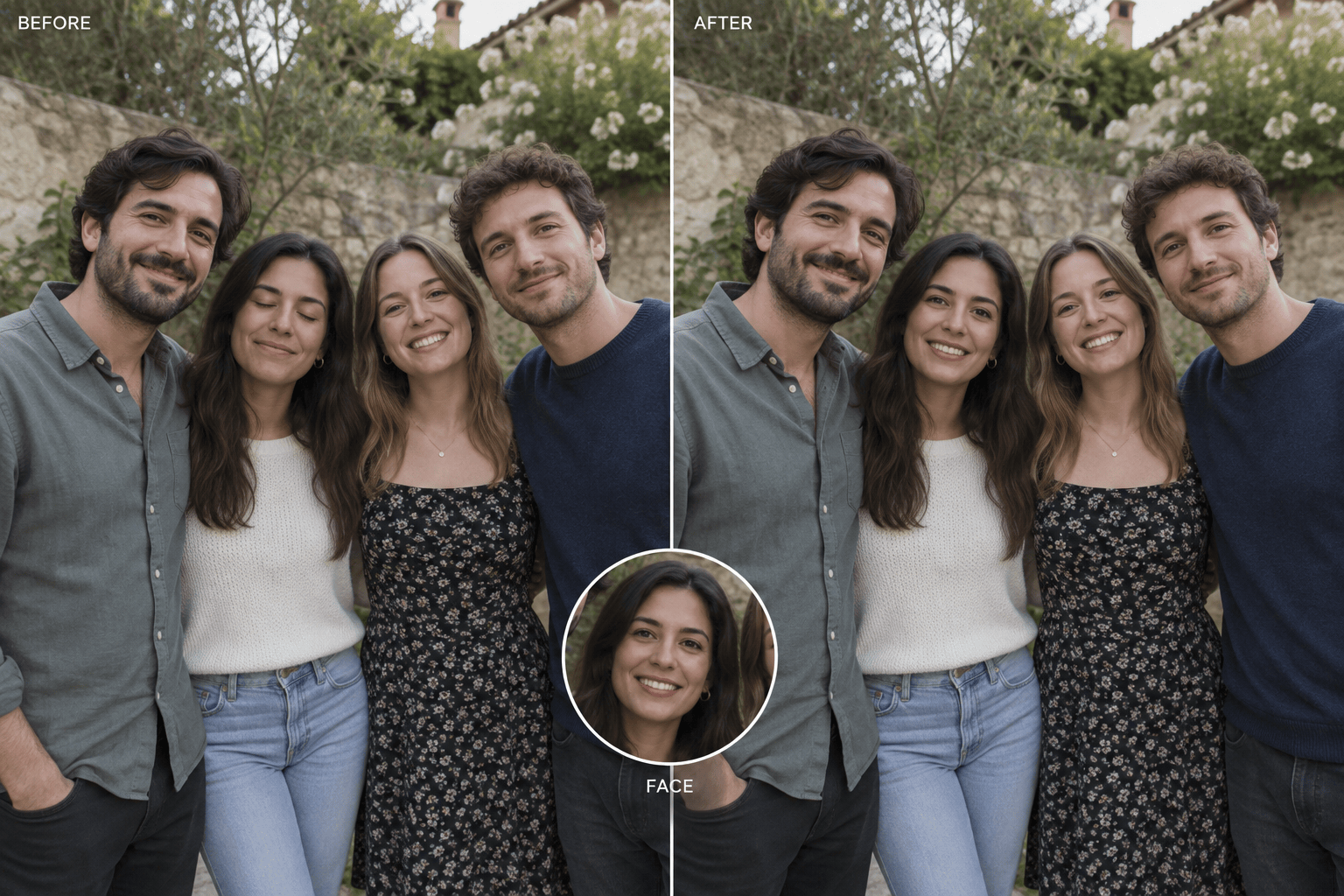
Group-photo expression repair: In @[group-photo], replace only the face of the person in the green shirt with the same person's clearer face from @[alternate-photo]. Keep every identity accurate and leave all other people, bodies, clothes, hands, background, crop, and daylight unchanged.
Original role-play portrait: Use the face from @[my-portrait] on the adult explorer in @[original-costume-scene]. Preserve the target hairstyle, leather coat, pose, props, painted backdrop, and dramatic side light. Match the facial perspective and keep the result clearly fictional.
Vintage yearbook edit: Transfer my facial identity from @[selfie] to @[original-yearbook-base]. Keep the target's 1990s hairstyle, sweater, shoulder pose, blue studio backdrop, soft flash, slight film grain, and square crop. Make the face feel photographed in the same session.
Focused blend correction: Refine the face swap in @[current-result]. The jaw edge looks too sharp and the face is warmer than the neck. Soften only that edge and match the skin tone and shadow to the base photo. Preserve identity, expression, hair, outfit, crop, and background.





