Replace the Whole Head with anAI Head Swap
From Two Photos to One Believable Head Swap
Pair a Clear Source with the Target
Draw the Replacement Boundary in Words
Generate, Then Zoom In on the Join
Issue One Correction at a Time

What Makes a Full-Head Replacement Hold Together?
Hair Travels with the Identity
A face swap usually leaves the target hairstyle and skull outline behind. An AI head swap can carry the source face, hair, hairline, jaw, and overall silhouette as one visual unit.
The Body Remains the Anchor
State that the target body, outfit, posture, hands, environment, and camera crop must remain fixed. Clear invariants help prevent a focused replacement from turning into a full-scene redesign.
Two References, One Precise Brief
Give Mew Design both the source head and target scene. The agent can interpret multiple image references together with plain-language constraints instead of making you cut masks around hair by hand.
Useful Beyond Novelty Edits
Replace a blink in a group photo, test a professional portrait composition, preview a costume look, or build an original-character image without reshooting the body and location.
A Model Choice for the Difficult Edges
Mew Design can work with image models such as Nano Banana Pro and GPT Image 2.5. Compare iterations when hair, accessories, or a turned pose needs extra care.
Consent Belongs in the Workflow
Use photos you own or have permission to edit. Avoid deceptive impersonation and non-consensual content, and label an AI-edited image when its context could otherwise mislead viewers.
Write a Head-Swap Brief, Not a One-Line Command
- Assign the Images: Say which upload supplies the head and which supplies the body, pose, and background. In a group photo, identify the target person by position or clothing.
- Name the Full Boundary: Include face, hair, hairline, ears, jaw, and head shape when you want a full head swap with hair rather than a face-only replacement.
- Match the Physics: Ask for compatible head scale, camera angle, neck placement, skin tone, light direction, grain, and depth of field.
- Lock the Scene: List the body, outfit, hands, pose, accessories, other people, background, and framing as unchanged, then request only one local correction per follow-up.
Six Prompts for Full-Head Swaps That Stay on Brief
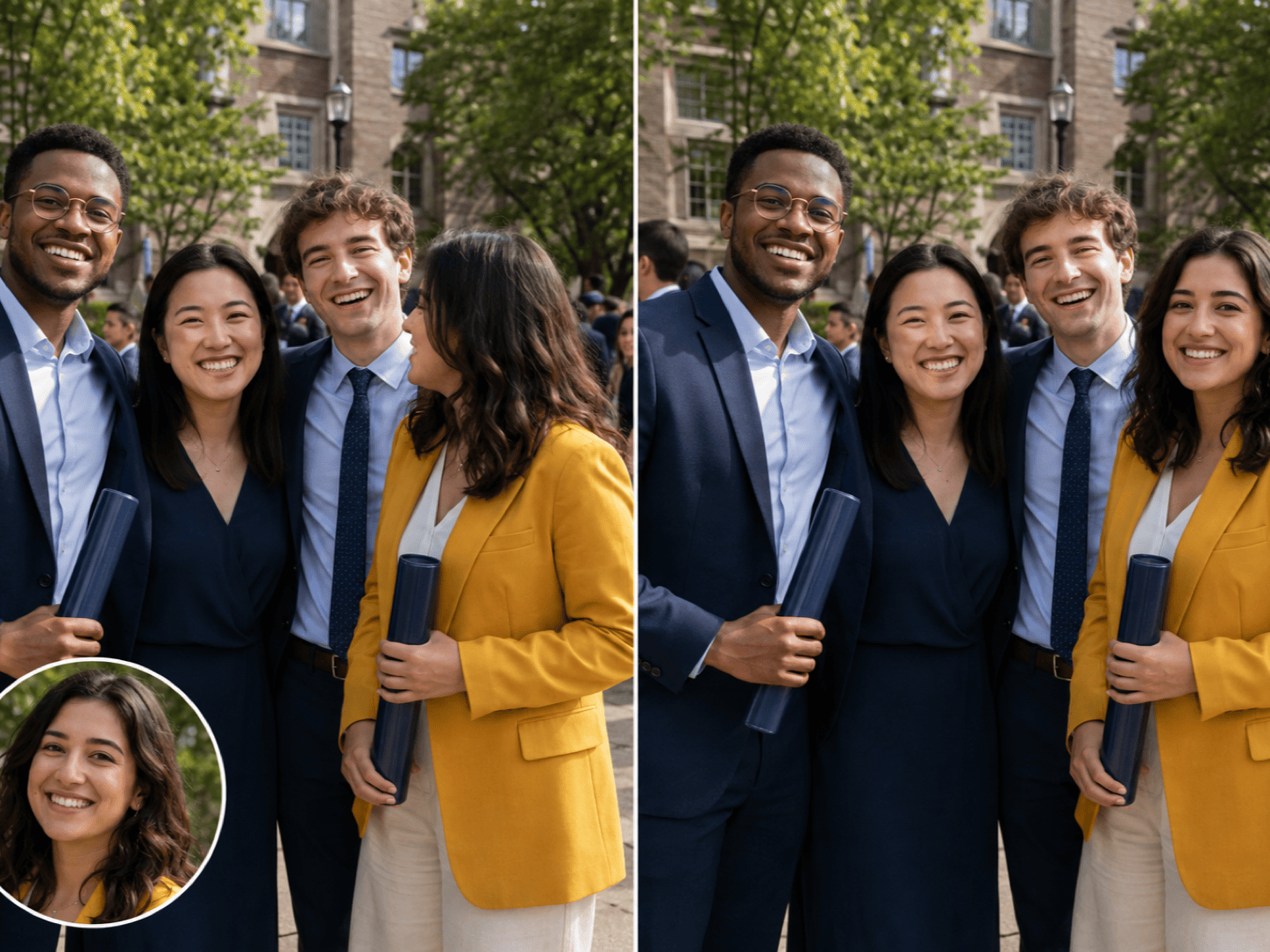
Group photo repair: Take the complete head from upload 1 and replace only the head of the woman in the yellow jacket in upload 2. Match her body angle, head size, neck position, daylight, and camera grain. Keep every body, expression, outfit, hand, person, and background detail unchanged.
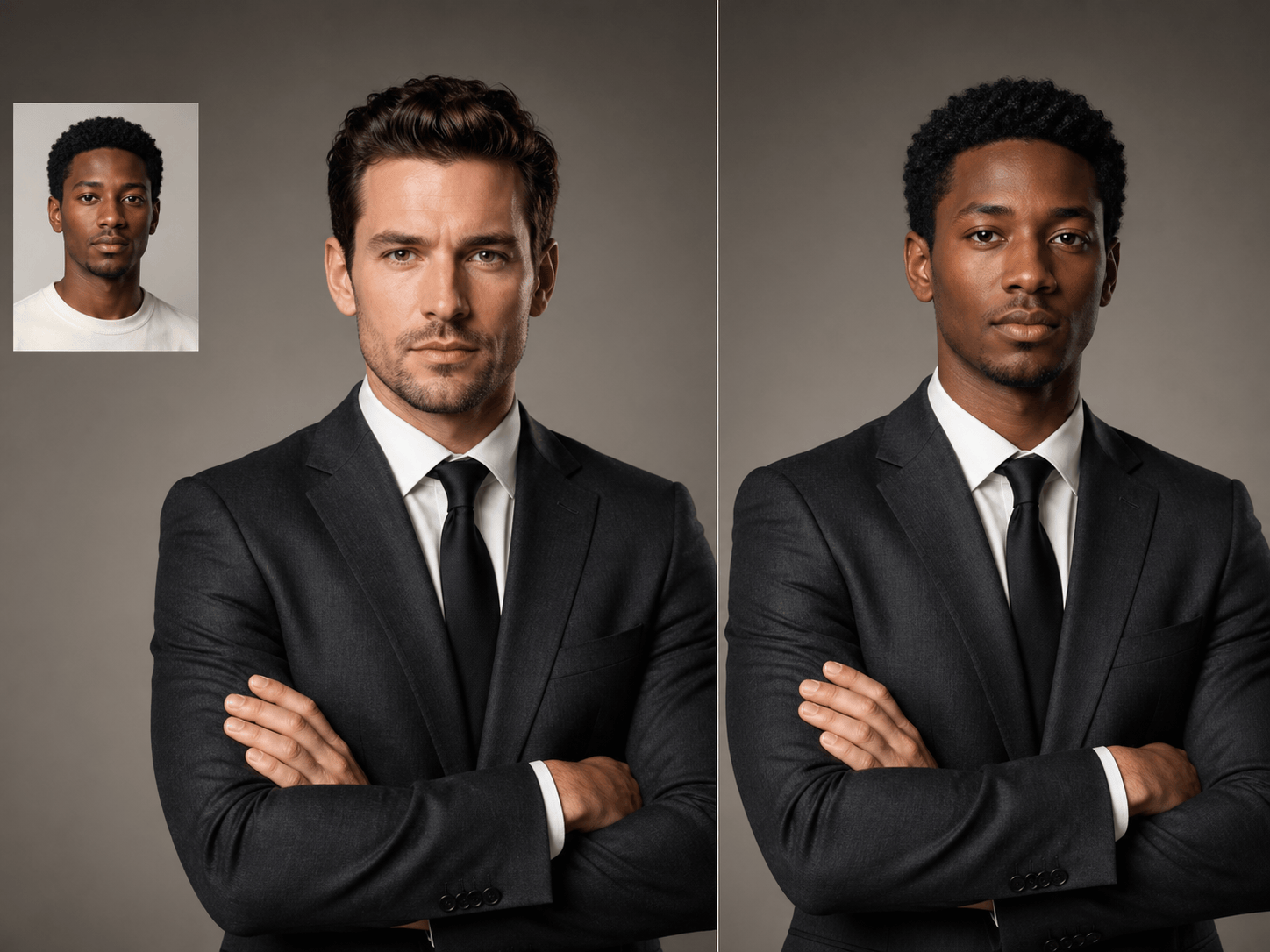
Professional portrait: Put the full head from my source headshot—including my short curly hair, hairline, ears, jaw, and glasses—onto the person in the studio portrait. Preserve the charcoal suit, crossed-arm pose, body proportions, gray backdrop, crop, and soft left-side key light.
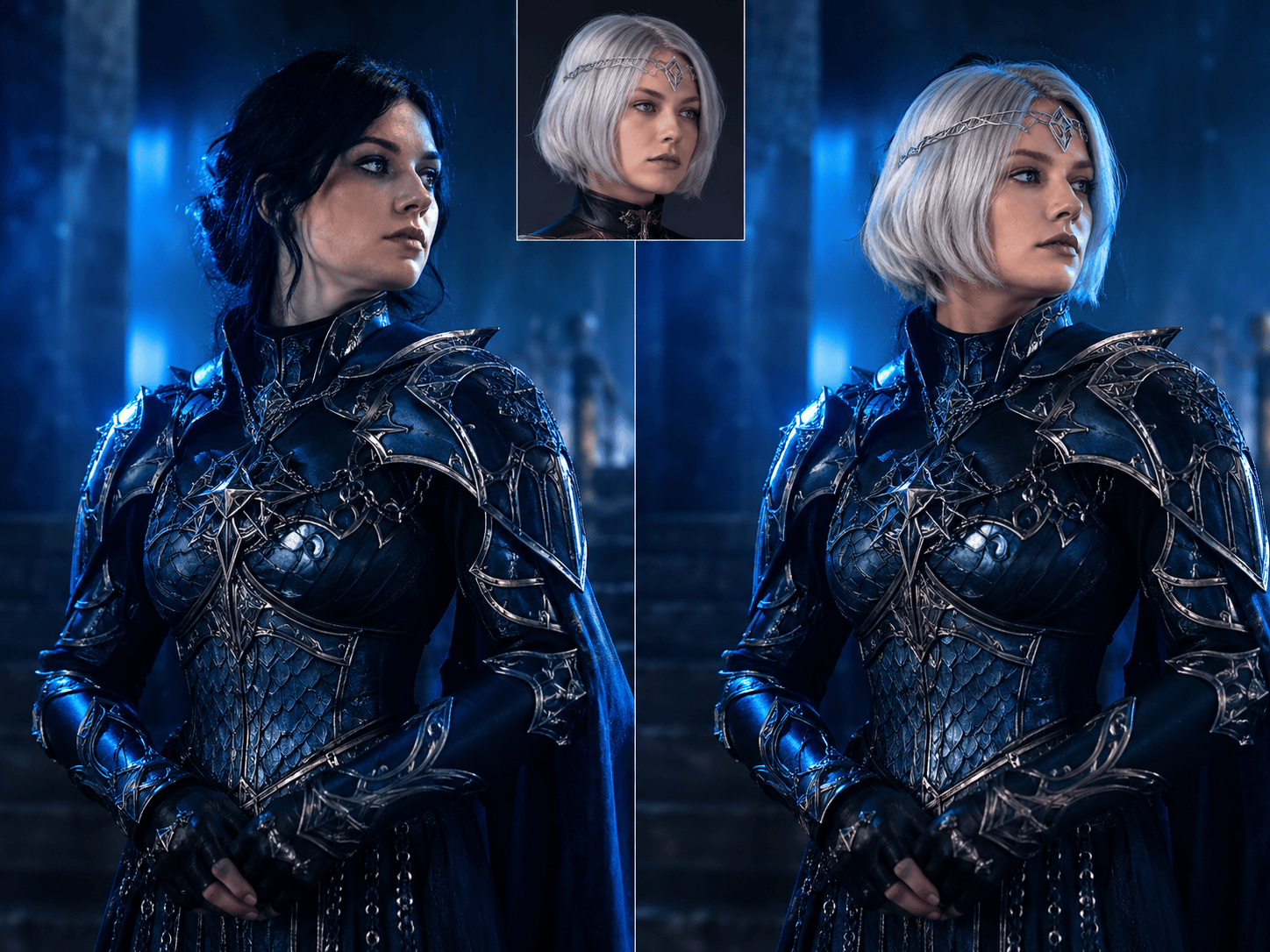
Costume preview: Replace the performer's entire head with the fictional character head in the reference image, keeping the silver bob haircut and small circlet. Match the three-quarter angle and cool stage lighting. Do not alter the costume, shoulders, hands, set, or framing.
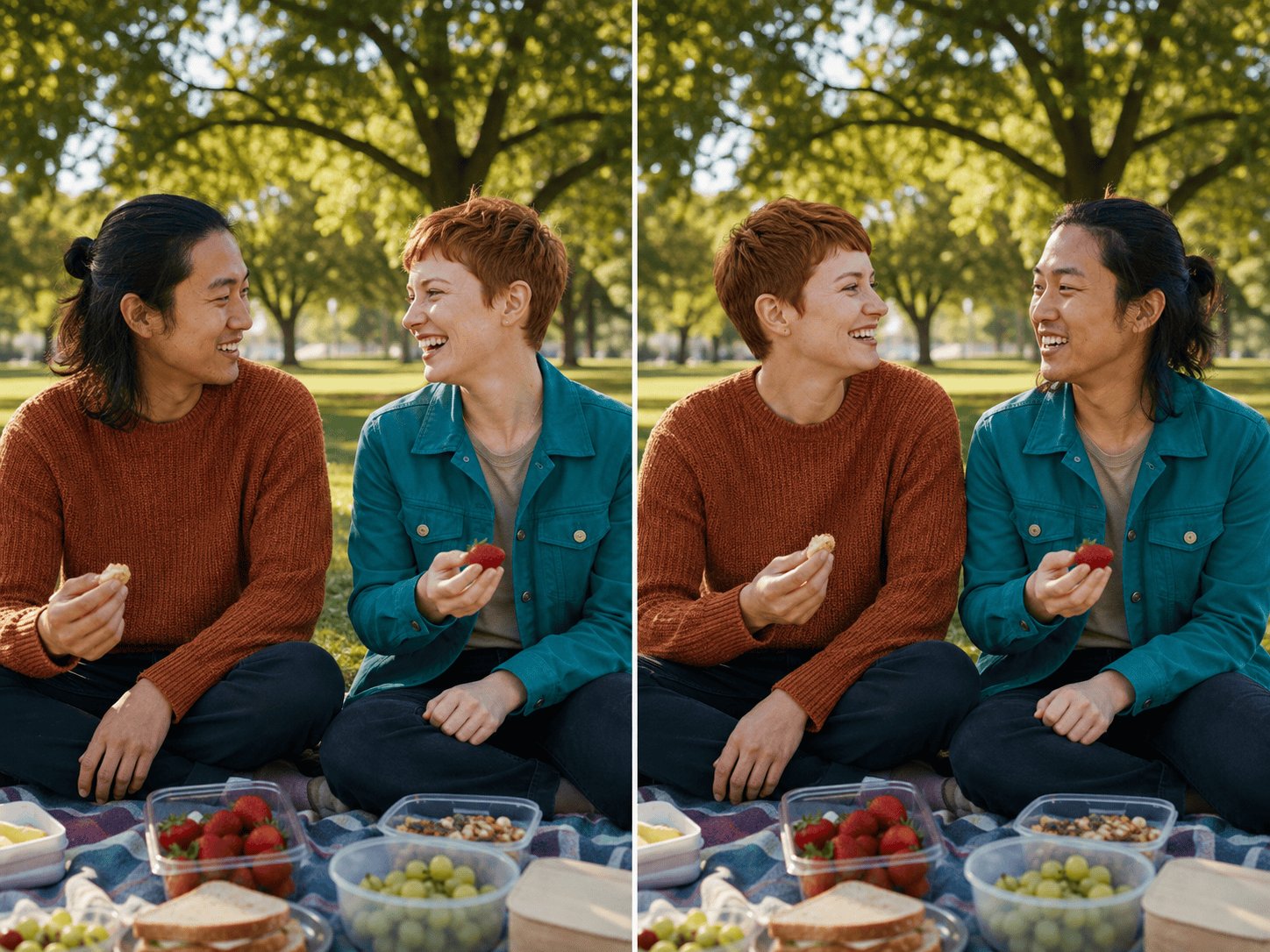
Two-friend comedy edit: Swap the complete heads of the two consenting adults in this picnic photo, including their hair and head shapes. Keep each original body, clothing, pose, food, park background, and sunlight exactly where it is. Blend both neck transitions naturally.
Graduation photo fix: Use the smiling head from the first photo to replace the closed-eye head of the same person in the second photo. Transfer the entire head but keep the graduation cap aligned to the target pose. Preserve the gown, diploma, family members, campus background, and crop.
Original-character composite: Move the full illustrated head from reference 1 onto the armored body in reference 2. Keep the source hairstyle and facial design, but match the target illustration's line weight, perspective, rim light, and texture. Leave the armor, weapon, stance, and environment unchanged.





