Free OnlineAI Magazine Cover Generator
Turn a portrait, product shot, travel image, food photo, school picture, or written concept into a complete cover—not just a background. Mew Design - AI Design Agent works as an AI magazine cover maker for original mastheads, main and secondary cover lines, issue details, editorial image crops, and barcode space. Refine the draft through chat for a digital issue, social post, pitch mockup, class project, or reviewed print workflow.

How to Make a Magazine Cover from a Photo or Idea

Bring the cover story and image, define the editorial hierarchy, art-direct the composition, and proof the final static output.
1

Bring the Cover Story and Hero Image

Upload a licensed portrait, product shot, food image, travel photo, school picture, logo, or visual reference—or begin with a written concept. State the audience, issue theme, featured subject, and publication purpose, and use only images, marks, and likenesses you are authorized to use.
2

Define the Editorial Hierarchy

Provide the exact original masthead, main feature line, supporting cover lines, sell line, issue/date, price, and either an approved barcode or a clearly labeled barcode placeholder. Specify the cover ratio or exact dimensions, portrait orientation, reading order, palette, type mood, and whether the destination is digital, social, or print.
3

Generate and Art-Direct the Cover

Ask the AI magazine cover generator to balance the hero crop, masthead, main headline, secondary stories, and negative space. Use Chat Edit to change the crop, move text away from the face, increase contrast, keep the masthead legible behind hair, simplify the story count, or create alternate issue directions without rebuilding the brief.
4

Proof Rights, Text, and Output

Check every name, headline, date, price, claim, credit, and supplied code. Confirm image rights and likeness consent, and make sure the fictional mock cover cannot be mistaken for a real publication feature or endorsement. Export a reviewed static PNG, JPG, or PDF, then verify trim, bleed, safe area, resolution, color, and file rules with the printer or publisher.
How to create a magazine cover with AI

A Photo-to-Cover Workflow Built for Editorial Hierarchy

Turn a Photo into a Cover

Start from a portrait, selfie, team photo, product image, plated dish, destination shot, or other authorized image. Direct the crop, background, lighting, and subject placement while keeping the person or product recognizable enough for the intended cover concept.

Build Masthead and Cover-Line Hierarchy

Arrange an original publication name, one dominant feature line, supporting stories, issue details, sell line, price, and barcode space with clear reading order. Exact supplied copy is more reliable than asking AI to invent finished editorial text.

Control Subject and Text Layering

Request a masthead behind the subject only where it stays readable, keep critical words away from faces and folds, and use contrast, scale, alignment, and negative space to separate the main story from secondary lines.

Use Original Brands and Approved Assets

Upload an approved logo, palette, type reference, photo, or existing cover. Build a fictional or owned publication identity instead of copying a real magazine masthead, and do not imply an unauthorized feature, affiliation, sponsorship, or endorsement.

Create Issue Variations through Chat

Ask for a calmer fashion issue, a bolder technology edition, a student-friendly school cover, a cleaner food cover, or alternate digital crops. Editable means conversational revision of the visual draft; it does not mean layered PSD, Illustrator, InDesign, SVG, or PowerPoint source export.

Prepare Honest Static Output

Export reviewed designs as static PNG, JPG, or PDF files for sharing, mockups, or downstream print checks. A requested ratio or size does not guarantee printer readiness, so confirm final dimensions, safe area, bleed, resolution, color settings, and file limits with the receiving platform or print provider.

How to Brief AI for a Convincing Magazine Cover

Create a 2:3 portrait fashion-editorial cover for the fictional publication 'NORTHSTAR STYLE' using @licensed-portrait.jpg and @brand-colors.pdf. Preserve the subject's identity and natural skin texture. Exact masthead: 'NORTHSTAR STYLE'. Exact main cover line: 'The New Shape of Personal Style'. Supporting lines: '12 Independent Labels to Know', 'A Smarter Guide to Color', and 'Inside the Studio'. Add 'September 2026 • Issue 08 • $8.00' and reserve a small lower-right placeholder labeled 'APPROVED BARCODE GOES HERE'; do not invent a scannable code. Use a warm ivory background, deep plum serif masthead, clean black sans-serif cover lines, generous negative space, and a waist-up crop. Let the hair overlap part of the masthead only if every letter remains understandable. Do not use a real publication logo, invent endorsements, add unapproved names or claims, or rewrite the supplied copy. Mark any missing detail 'TO VERIFY'. Destination: digital issue launch and a print review; leave adequate edge safety and require final printer preflight.
A useful prompt names the publication identity, exact copy, audience, issue theme, hero image, hierarchy, colors, typography, format, destination, and elements that must remain unchanged.
  • Write the Cover Copy: Supply the original masthead, one main feature line, a short set of secondary lines, date or issue information, price if needed, and approved credits. Ask the AI to preserve wording and mark missing text instead of inventing it.
  • Direct the Hero Image: Describe the crop, pose, expression, background, lighting, gaze, product angle, and space needed for typography. State what may overlap and which facial, product, or brand details must stay unobstructed.
  • Set the Editorial System: Choose the cover ratio or exact size, title hierarchy, alignment, palette, type mood, spacing, and issue personality. Name the intended use so the design can prioritize a newsstand thumbnail, social crop, screen reading, or print review.
  • Plan the Proof and Preflight: Tell the AI not to invent names, claims, prices, endorsements, or barcodes. Verify every word and right, then check the static export against the receiving platform's or printer's trim, bleed, safe-area, resolution, color, and file requirements.

AI Magazine Cover Prompts for Fashion, Tech, School, Food, and Travel

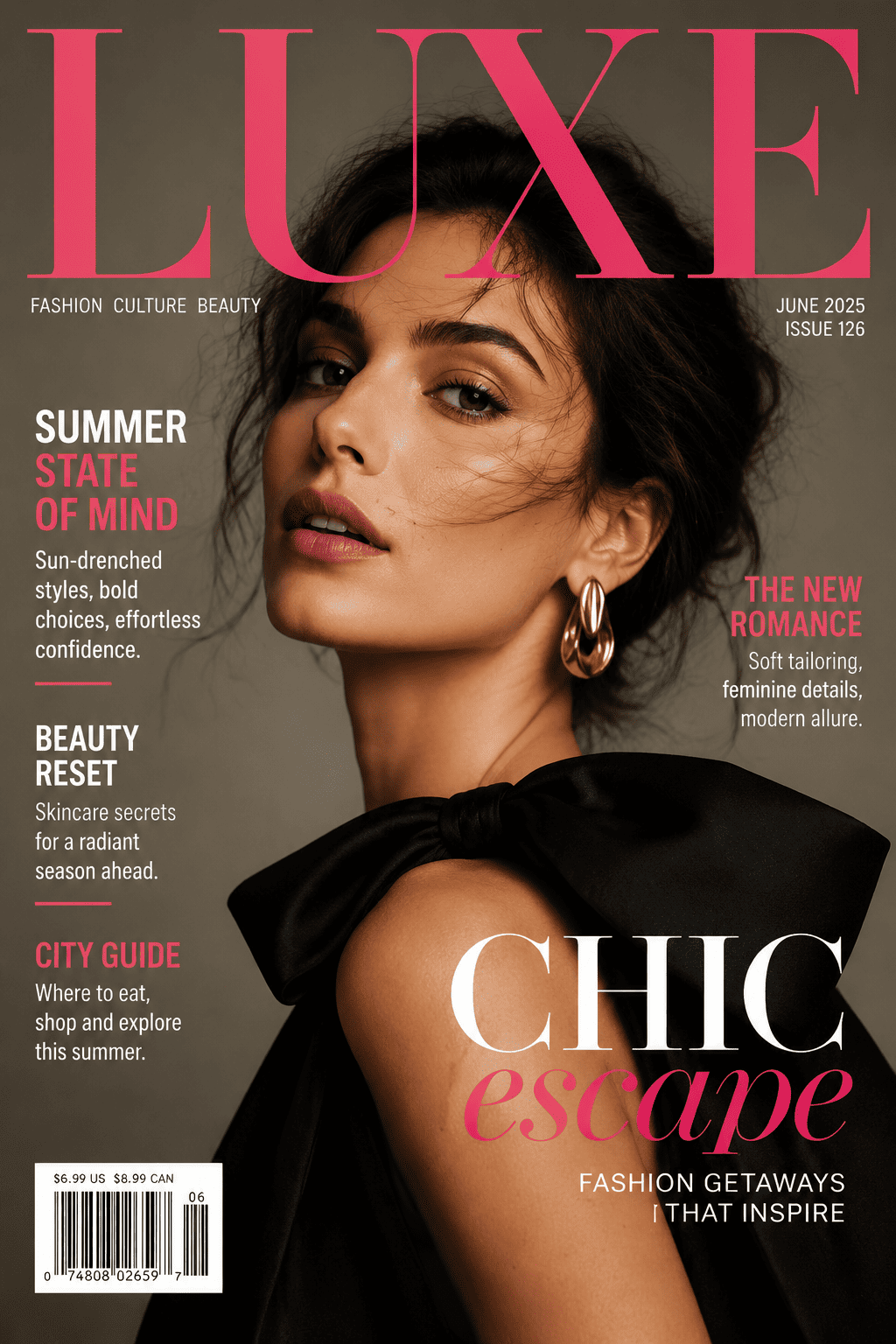
Fashion Portrait Cover: Turn @licensed-portrait.jpg into a 2:3 cover for the fictional magazine 'LUMEN MODE'. Preserve the subject's identity, freckles, and natural skin texture. Use an ivory studio background, black serif masthead, one burgundy main line, and three short secondary lines supplied in @approved-copy.docx. Place the masthead partly behind the hair only where readable. Add the exact issue/date/price and a labeled barcode placeholder. Do not copy a real publication logo or imply endorsement.

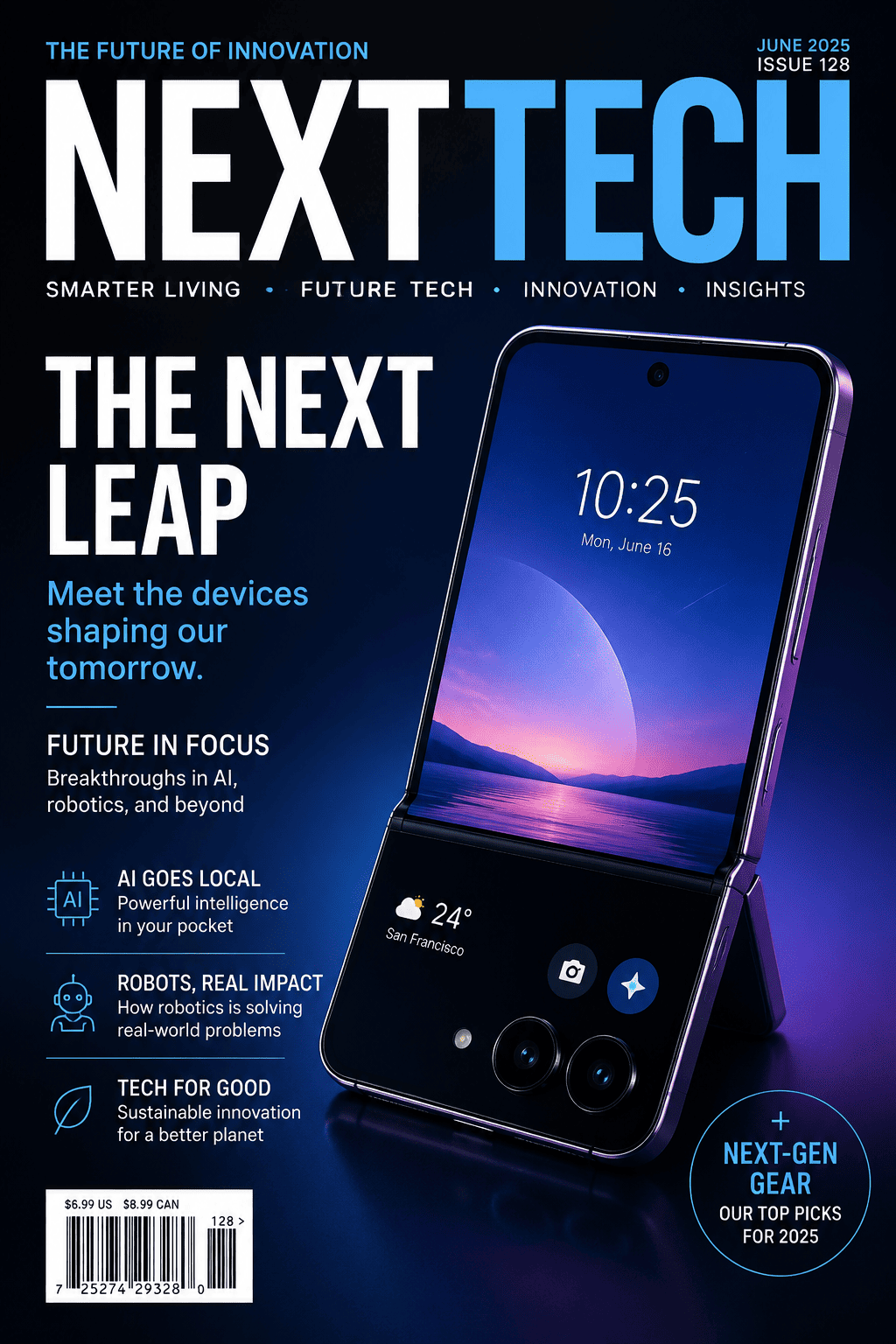
Technology Product Cover: Create a clean 2:3 cover for the fictional publication 'NEXT SIGNAL' using @approved-phone-render.png and @product-facts.pdf. Feature the exact main line 'The Foldable Interface, Reconsidered' and three supplied story lines. Use charcoal, electric blue, and white with a large product crop, modular grid, issue/date, and approved barcode asset. Preserve all product names and verified specifications; do not invent performance claims, awards, or launch dates.

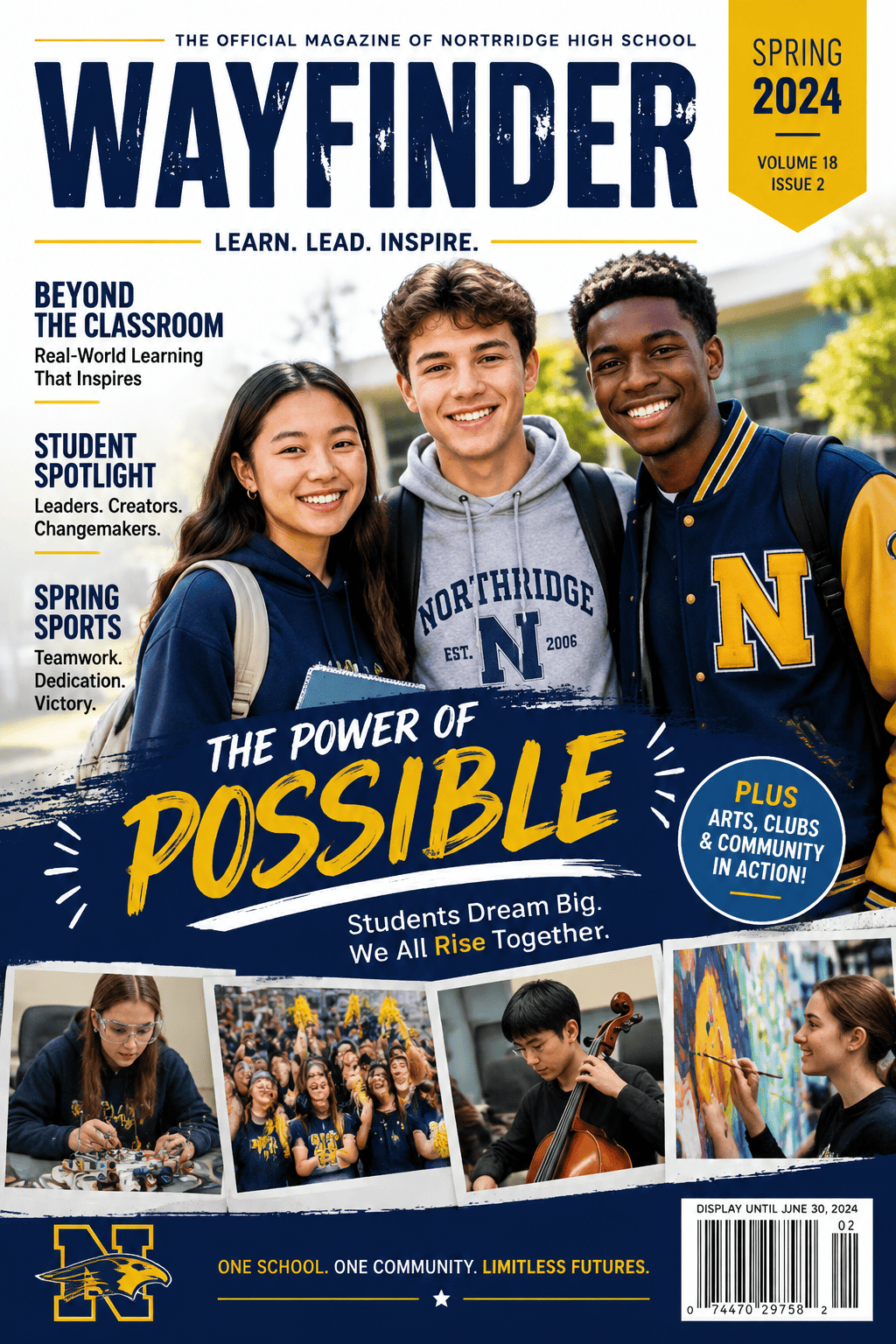
School and Community Cover: Design an 8.5 × 11 in portrait cover for the fictional school magazine 'WAYFINDER' using only consented photos in @student-images.zip and exact copy from @spring-issue.docx. Make 'Learning Beyond the Classroom' the main story, add three supporting stories, volume/issue/date, school colors, and an approved logo. Keep every student's face unobstructed and do not invent names, quotes, achievements, or affiliations.

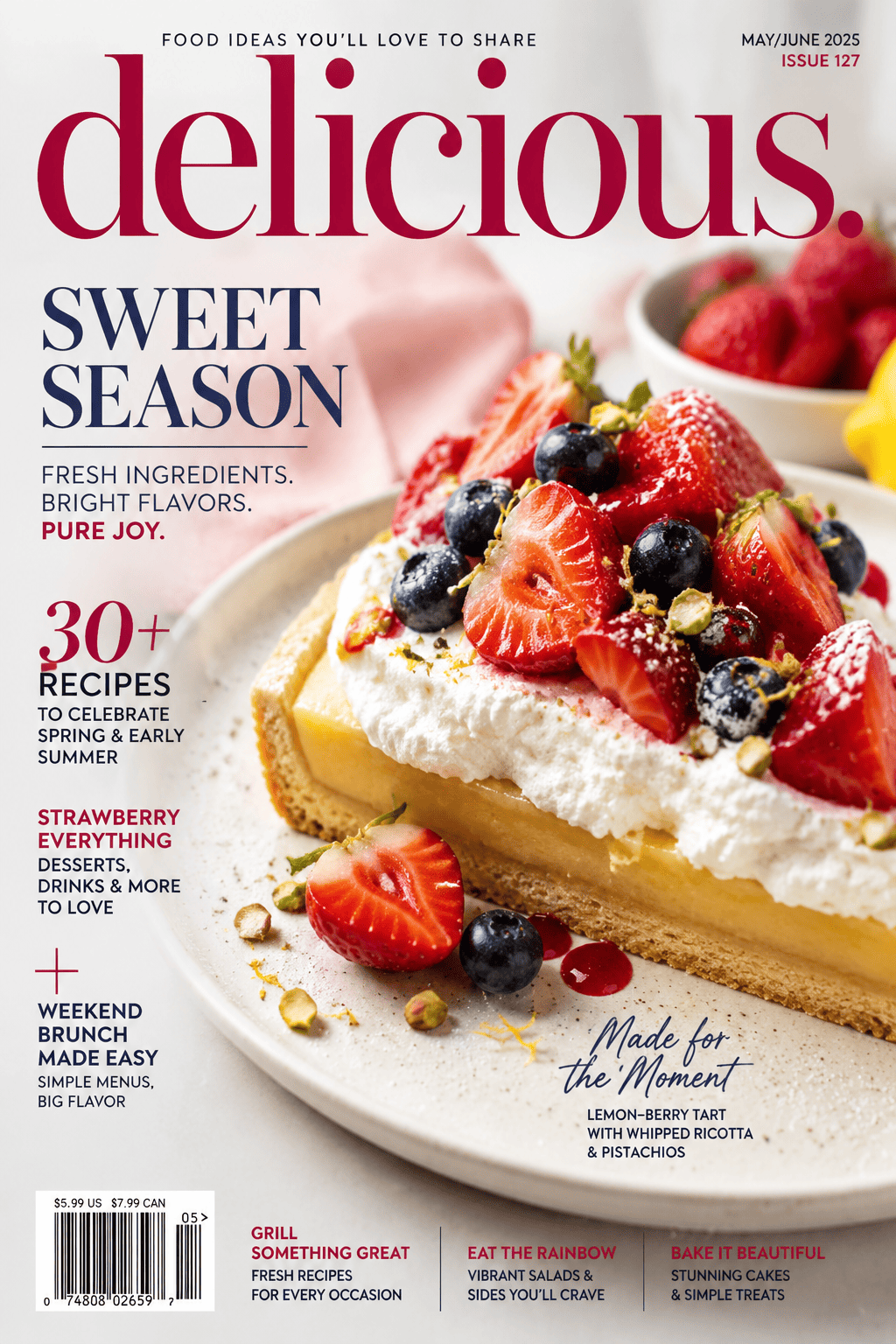
Food Magazine Cover: Turn @licensed-dessert-photo.jpg into a bright seasonal cover for the fictional title 'TABLE & SEASON'. Use the exact feature line 'The Citrus Issue', four supplied recipe lines, month/year, price, and a small barcode placeholder. Keep the dessert as the hero, preserve realistic food texture, and use cream, coral, and leaf green. Do not add unverified health, nutrition, sourcing, or award claims.

Travel Magazine Cover: Create a 2:3 cover for the fictional magazine 'FAR HORIZON' using @licensed-coast-photo.jpg and @approved-destination-copy.docx. Use a large white masthead, the main line 'Quiet Shores of the North', three concise destination stories, issue/date, price, and a supplied barcode. Keep critical text away from the horizon and focal boat. Do not invent hotel prices, safety assurances, access rules, or publication endorsements.

Existing Cover Redesign: Redesign @approved-cover.pdf using @brand-guide.pdf and @licensed-photo.jpg. Preserve the exact original masthead, headlines, issue/date, price, credits, approved barcode, logo, names, and dimensions. Improve only the hero crop, text hierarchy, spacing, contrast, alignment, and thumbnail legibility. Flag any missing asset or unreadable text 'TO VERIFY', and produce a reviewed static export rather than a layered source file.


FAQs About the AI Magazine Cover Generator

You can sign up and begin with free AI credits to create and revise a magazine cover draft. Selected reviewed static designs can be exported without a watermark; available credits and paid usage depend on your account plan.
Yes. Upload an authorized portrait, selfie, team photo, product image, food photo, or destination shot and describe the crop, background, masthead, exact cover lines, colors, and format. Review identity, hands, product details, image quality, and every word before using the result.
You can request a high-fashion editorial mood, portrait crop, serif typography, and subject-over-masthead layering. Use an original fictional or owned publication name instead of copying a real magazine's trademarked masthead, and do not present the mock cover as a real feature, sponsorship, affiliation, or endorsement.
Yes. Provide exact approved copy and ask Chat Edit to revise the masthead scale, main and secondary cover-line hierarchy, typography, crop, colors, spacing, alignment, contrast, issue details, or barcode area. AI-rendered text can contain mistakes, so proof every revision.
Yes. Upload permitted logos, palettes, type references, photos, copy files, or an approved cover and state what must stay unchanged. You are responsible for the rights to every uploaded asset and likeness and for following any brand, school, client, or publication rules.
Use the exact dimensions and orientation required by your publisher, platform, or printer. A 2:3 portrait concept can work for exploration, but final trim, bleed, safe area, spine relationship, resolution, color settings, and file type vary. Confirm those specifications before generation and preflight the exported file afterward.
Do not rely on a generated barcode for retail use. Reserve a clearly labeled placeholder during concepting or upload the final approved barcode supplied by the publisher or authorized provider. Check its number, size, contrast, quiet zone, placement, and scan performance in the final production workflow.
You can revise copy, hierarchy, crop, color, and composition through Chat Edit, then export a reviewed static PNG, JPG, or PDF. Mew Design does not export layered PSD, Illustrator, InDesign, SVG, or PowerPoint source files and does not guarantee a universally printer-ready result.
Commercial suitability depends on your account terms, local law, and the rights attached to the photos, likenesses, logos, fonts, copy, brands, and references you use. Avoid unauthorized trademarks and false endorsements, secure required permissions, verify generated text and claims, and obtain legal or publisher review when the use is consequential.

Ready to Generate Designs With AI?

Get Started - 50 Free Credits
No credit card required
© 2025 - 2026 Mew Design, MAGOAI LTD.All rights reserved.
Mew Design - Your AI design partner, now with full control. | Product Hunt