Free OnlineAI Medal Generator
Turn an achievement into an award people want to keep. Mew Design - AI Design Agent works as an AI medal maker for race finisher medals, sports awards, school honors, employee recognition, and digital achievement badges. Explore the front, back, metal finish, relief, enamel, ribbon, and presentation before you share the graphic or brief a manufacturer.

How to Create a Custom Medal with AI

Start with what the award recognizes, then design the object around real viewing and production constraints. A strong medal needs a clear face, a practical reverse, and a ribbon or digital presentation that belongs to the same event.
1

Define the Award Hierarchy

Give the AI medal generator the event or program name, placement or achievement, year, category, audience, and exact wording. Choose one central idea—a route, mascot, landmark, sport icon, monogram, or symbolic object—rather than crowding the face with every detail.
2

Choose Shape, Finish, and Construction

Describe a round, shield, star, custom-outline, or cutout medal; then name the intended look, such as stamped low relief, sculpted 3D die-cast metal, soft or hard enamel, engraving, polished plating, matte metal, or an antique finish. Add a target diameter and thickness as a starting point, subject to supplier review.
3

Build the Front, Back, and Ribbon

Ask for coordinated front and reverse views, a clear hanging loop, and a matching printed, woven, or sublimated ribbon. Use Chat Edit to enlarge edge text, simplify small shapes, deepen relief, change one enamel color, reserve a back engraving area, or create gold, silver, and bronze variants without rebuilding the concept.
4

Review the Concept Before Production

Check spelling, hierarchy, contrast, small details, attachment position, ribbon orientation, and how the medal looks at its intended size. Export the reviewed concept as PNG, JPG, or PDF for presentations or supplier discussion. For a physical order, approve the manufacturer's production artwork and proof, then request a sample when the budget and schedule allow.
How to create a medal with AI

Medal Concepts That Work Beyond the First Render

Give the Achievement a Clear Focal Point

An effective award answers three questions at a glance: what happened, who or what is being recognized, and which year or category applies. This custom medal generator can organize the central emblem, title, placement, border, and date into a readable hierarchy.

Explore Material-Aware Directions

Compare polished gold, antique bronze, black nickel, flat stamped metal, deeper 3D relief, recessed enamel, engraved lines, or a purely digital 3D badge. The render is a visual direction, while the manufacturer decides the final alloy, tooling, plating, color process, and feasible depth.

Design the Reverse, Not Just the Face

Use the back for sponsor marks, a short message, recipient-name area, bib number, event date, serial number, or a simpler continuation of the front motif. Planning both sides early prevents the main face from becoming a storage area for secondary information.

Create a Coherent Award Series

Generate matching gold, silver, bronze, participation, age-group, or distance variants that share one silhouette and visual system. The online AI medal design generator can also explore collectible multi-event sets with color-coded ribbons or changing inserts.

Use Your Event Identity as a Reference

Upload an event logo, sponsor lockup, route shape, mascot sketch, brand palette, or ribbon reference and explain what each asset should guide. If your event still needs an original symbol, develop it first with the AI logo generator, then adapt the approved idea to the medal.

Prepare Digital and Physical Presentations

Create a clean front-view graphic for leaderboards and announcements, a dimensional product mockup for approvals, and a supplier-facing concept board with front, back, ribbon, finish, and color notes. Ask for a transparent-background image when the medal needs to sit inside another design.

What Makes a Production-Aware Medal Prompt

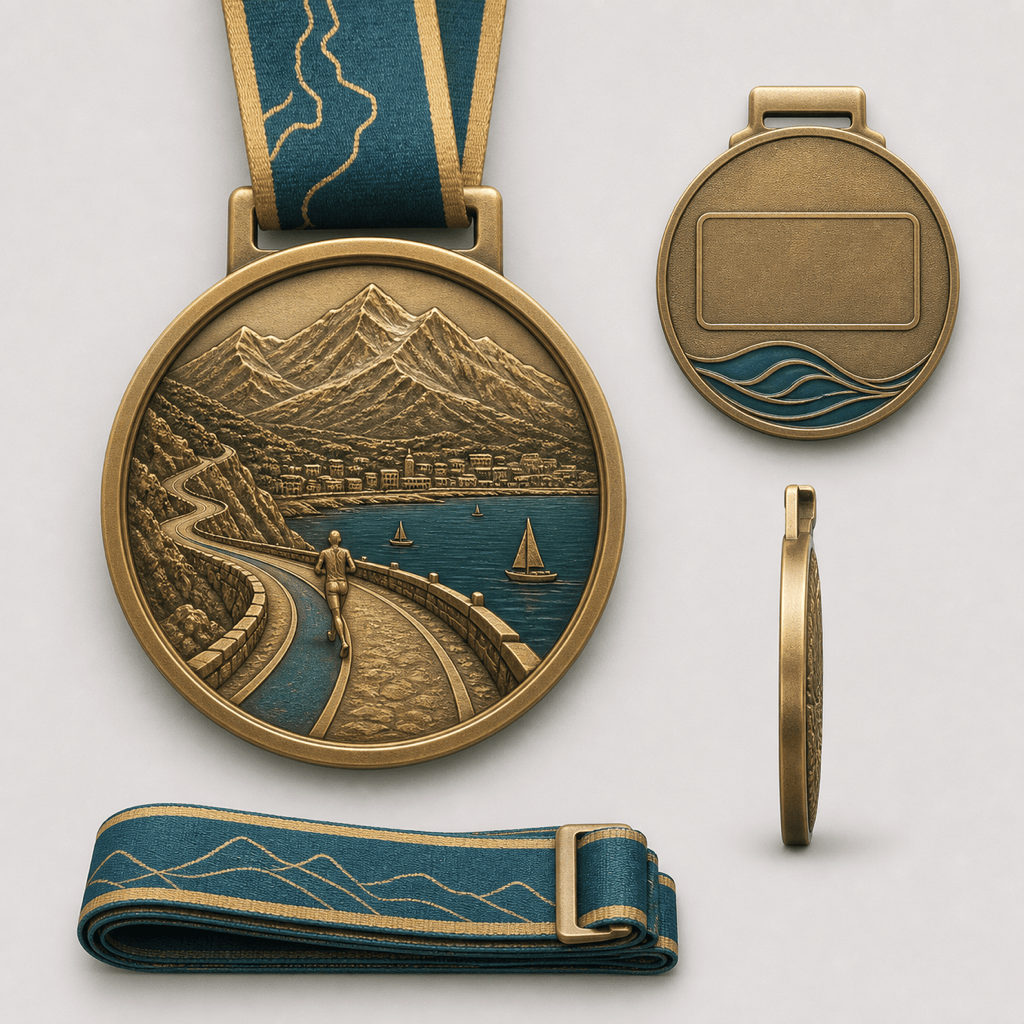
Create an original finisher medal concept for the fictional Harbor Loop Half Marathon. Use a 75 mm circular zinc-alloy direction with a 4 mm substantial profile, antique gold plating, two-level 3D relief, and deep teal soft-enamel accents. The front should feature a simplified harbor route line, a rising sun, and the exact text "HARBOR LOOP" and "HALF MARATHON 2026" in large readable lettering. Add a sturdy centered bail and a 25 mm teal-and-gold sublimated ribbon. On the reverse, reserve a clean area for a bib number and place a small wave motif plus "13.1 FINISHER". Show front, back, side depth, and ribbon together on a neutral presentation board. Avoid hairline strokes, tiny edge text, narrow enamel cells, real event logos, and Olympic imagery. This is a concept for manufacturer review, not a production file.
For useful results from an AI medal generator, state the award purpose, exact wording, event year, audience, central symbol, and whether the output is a digital achievement graphic, a physical medal concept, or both.
  • Specify the object: Name the diameter, thickness, shape, custom outline or cutout, front and back content, edge treatment, hanging loop, ribbon width, and packaging view when those details matter.
  • Describe the production look: Choose 2D or 3D relief, stamped or die-cast appearance, soft or hard enamel, engraving, polished, matte or antique plating, and a limited color palette. Treat these as visual directions until a supplier confirms feasibility.
  • Protect readability: Keep the title short, provide exact spelling, use one dominant emblem, allow open space around letters, and avoid fine strokes or tightly packed edge copy. Ask the manufacturer for its minimum line, text, enamel-cell and relief requirements.
  • Plan the handoff: Request a presentation board with front, back, side profile, ribbon and finish notes. Before ordering, verify trademarks, get production artwork from the supplier, approve a proof, confirm dimensions and weight, and sample the medal when practical.

AI Medal Prompts for Races, Awards, and Digital Badges

Marathon finisher medal: Create a premium 80 mm custom medal concept for the fictional Summit City Marathon 2026. Use an asymmetrical mountain outline, antique silver plating, sculpted ridge relief, one cobalt enamel river, and a wide navy ribbon. Put "SUMMIT CITY" and "MARATHON FINISHER" on the front; reserve the reverse for the date, distance, and bib-number area. Show front, back, edge thickness, and ribbon.

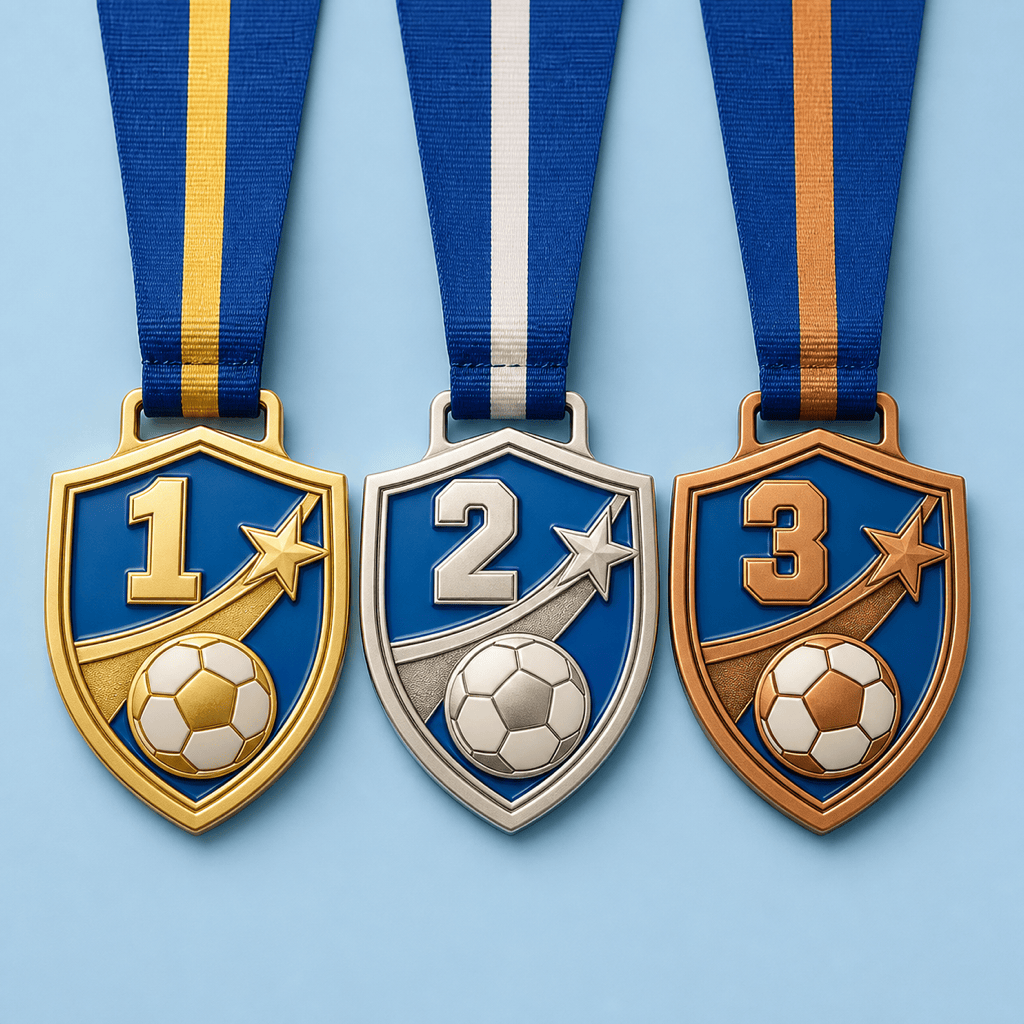
Youth soccer podium set: Design coordinated gold, silver, and bronze medals for the fictional Northside Youth Cup. Use a simple shield, one original ball-and-star symbol, bold "U12" lettering, bright blue enamel, thick dividers, and a 60 mm lightweight appearance. Keep every tier identical except finish and ribbon stripe, and avoid professional club crests.

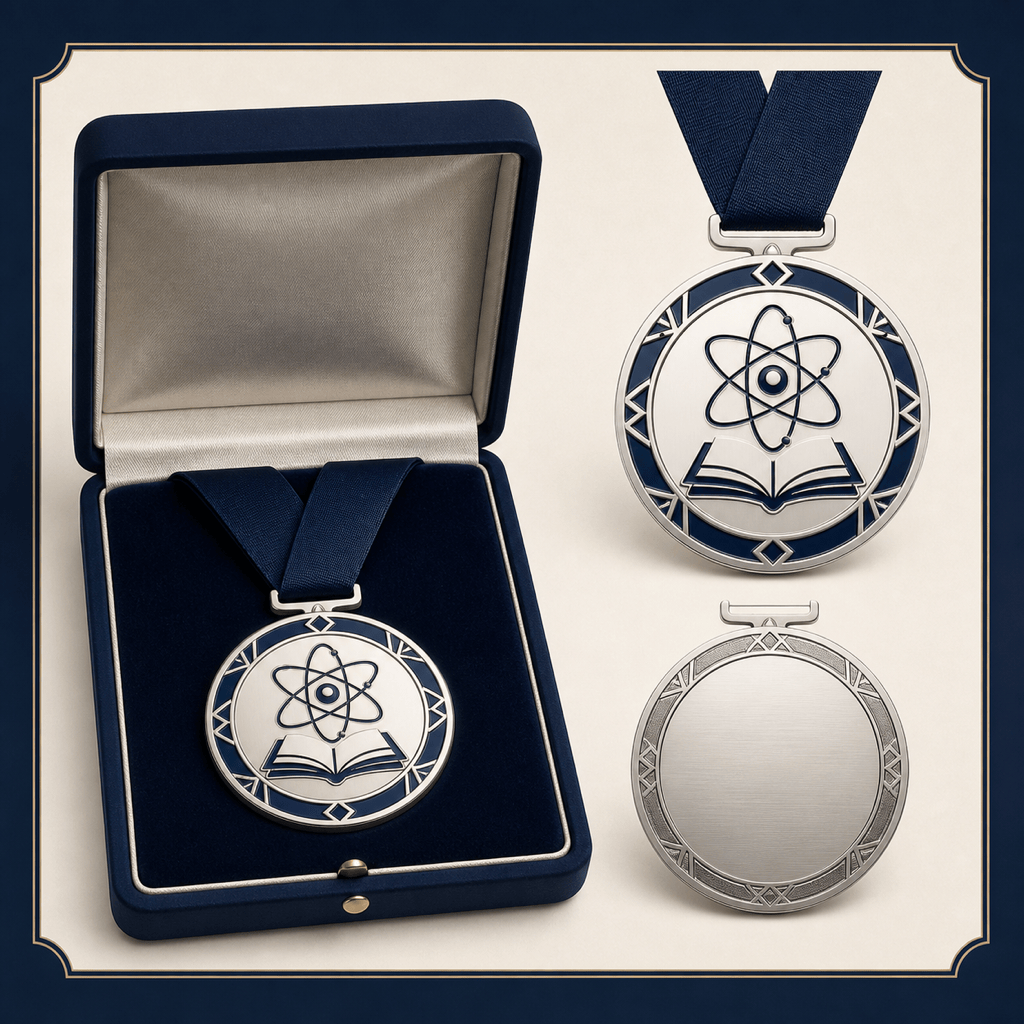
Academic achievement award: Create a refined hard-enamel medal for the fictional Arcadia Science Fair. Combine a simple atom orbit with an open book, use midnight blue and white enamel with polished silver metal, and set the exact front text "DISCOVERY AWARD". Put "CURIOSITY • EVIDENCE • IMPACT" on the back with space for a year. Make the design formal, readable, and suitable for a presentation box.

Employee service medal: Design a minimalist dual-tone recognition medallion for a fictional technology company. Feature an original abstract bridge symbol, "10 YEARS" as the primary text, and "SERVICE & IMPACT" below. Use matte black nickel, a polished gold rim, restrained relief, and no ribbon. Show the medallion in a charcoal presentation case with a separate clean front-view graphic.

Charity fun-run medal: Create a playful custom-shape medal for the fictional Paws for Parks 5K. Use a paw-shaped outer silhouette, a central running-shoe motif, coral and turquoise soft enamel, a safe rounded edge, and a striped ribbon. Keep lettering large, include "5K FINISHER", and make the concept cheerful for families without using any real charity branding.

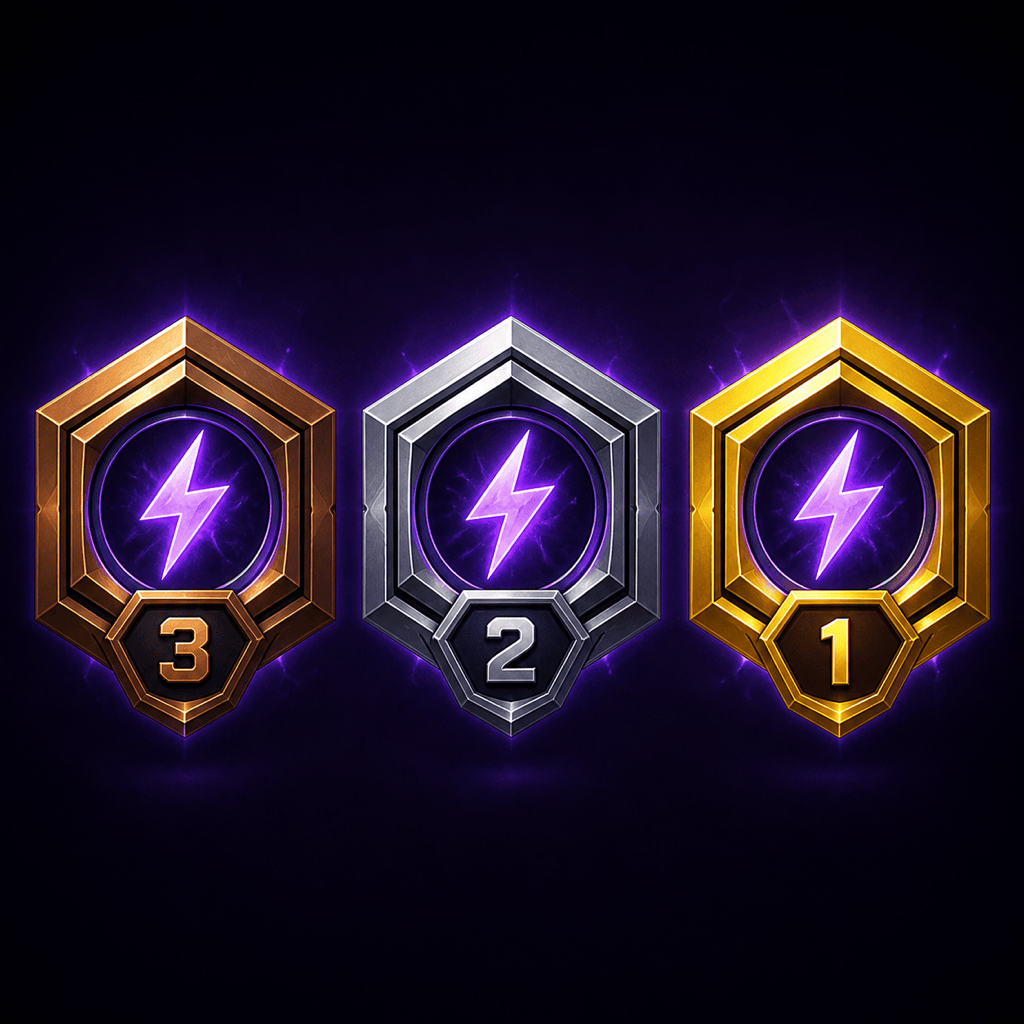
Digital esports achievement medal: Generate a three-tier achievement badge system for the fictional game league Neon Circuit. Create bronze, silver, and gold medals with the same hexagonal silhouette, lightning-core emblem, clear tier number, and deep violet background glow. Deliver front-facing transparent-background graphics for a leaderboard, with no ribbon, real game marks, weapons, or tiny text.


AI Medal Generator FAQs

Yes. New users receive free AI credits to generate and refine an initial medal concept. You can use Chat Edit for targeted revisions and download completed artwork without a watermark; credit use depends on the workflow you choose.
Yes. For a physical concept, describe the front, back, size, relief, metal finish, enamel, loop and ribbon. For digital use, request a clean front-facing badge, transparent background, tier variants, or a dimensional announcement graphic for leaderboards, slides, email, and social posts.
Not by itself. Use the generated image as a design concept or approval mockup. A manufacturer must convert the idea into process-specific production artwork, confirm minimum line and text sizes, choose tooling and materials, and provide a proof. Approve dimensions, colors, attachment and back design, and request a physical sample when practical.
Include the award or event name, placement or achievement, year, category, central symbol, exact text, shape, approximate size, front and back hierarchy, finish, relief, enamel colors, hanging loop, ribbon, and intended use. Also state which details may be simplified if production limits require it.
Yes. Upload an event logo, organization mark, mascot sketch, route outline, color palette, past medal, or ribbon reference and tell Mew what each file should guide. Ask for an original composition and verify that you have permission to use any third-party mark.
Yes. Ask for a coordinated podium set that preserves the same silhouette, emblem, lettering and hierarchy while changing the plating, tier number, accent color or ribbon stripe. Review all versions together so second and third place still feel intentional rather than downgraded copies.
Use short display text, strong contrast, open counters, broad dividers, and one dominant emblem. Preview the medal at its intended diameter and remove crowded edge copy or hairline detail. Confirm the supplier's minimum text height, line width, enamel-cell size and relief limits before tooling.
Use Chat Edit to revise wording, hierarchy, symbols, finish, relief, color, ribbon or presentation one change at a time. Export reviewed artwork as PNG, JPG, or PDF. Before commercial production, check platform terms, originality, event-name rights, trademarks, sponsor permissions, and any protected award or sports imagery.

Ready to Generate Designs With AI?

Get Started - 50 Free Credits
No credit card required
© 2025 - 2026 Mew Design, MAGOAI LTD.All rights reserved.
Mew Design - Your AI design partner, now with full control. | Product Hunt