Free OnlineAI Graduation Photo Generator
How to Create Graduation Photos with AI
Upload a Clear Portrait
Define the Regalia and Setting
Generate and Inspect the Portrait
Refine, Export, and Share

Why Mew Design Works for Graduation Portraits
Create from a Selfie or Reference
Upload your portrait and tell Mew Design which facial features, hairstyle, glasses, skin tone, and apparent age should stay recognizable. The online graduation photo editor can use both image and text guidance.
Direct Every Regalia Detail
Describe the degree level, gown cut and color, hood, stole, honors cords, cap, and tassel. This AI cap and gown photo generator gives you room to match a real brief instead of accepting one generic costume.
Choose Studio or Campus Lighting
Ask for a neutral portrait backdrop, library interior, academic steps, campus walkway, or golden-hour lawn. Add camera framing and light direction so the setting supports the graduate instead of overpowering the face.
Correct Problems Through Chat
Use Chat Edit when the mortarboard tilts, the tassel floats, a hood sits incorrectly, or the portrait becomes over-retouched. Focused follow-up requests let you improve the current image without rewriting the full prompt.
Make Versions for Different Uses
Generate formal studio, outdoor lifestyle, profile, and announcement-ready variations from the same direction. Ask for vertical 4:5, close head-and-shoulders, or extra negative space according to the destination.
Try It with Free AI Credits
New users receive free AI credits after signup, so you can test the free AI graduation photo maker, compare variations, and export finished images without a watermark.
How to Prompt a Realistic Graduation Portrait
- Start with the Source Photo: Use a sharp, well-lit, single-person portrait. Mention the face, hair, glasses, skin tone, apparent age, and expression that should remain consistent.
- Name the Academic Dress: State the degree level and describe the gown, cap or tam, hood, stole, cords, tassel, and colors. Regalia rules vary, so copy exact details from your institution when needed.
- Set the Portrait Direction: Choose a studio or outdoor setting, light quality, camera crop, pose, mood, and 4:5 or other destination-specific format.
- Prevent Invented Details: Request natural retouching, coherent hands and fabric, and no fake logo, crest, school name, year, or readable certificate text. Review the final image before sharing it.
Graduation Photo Prompts for Real Use Cases
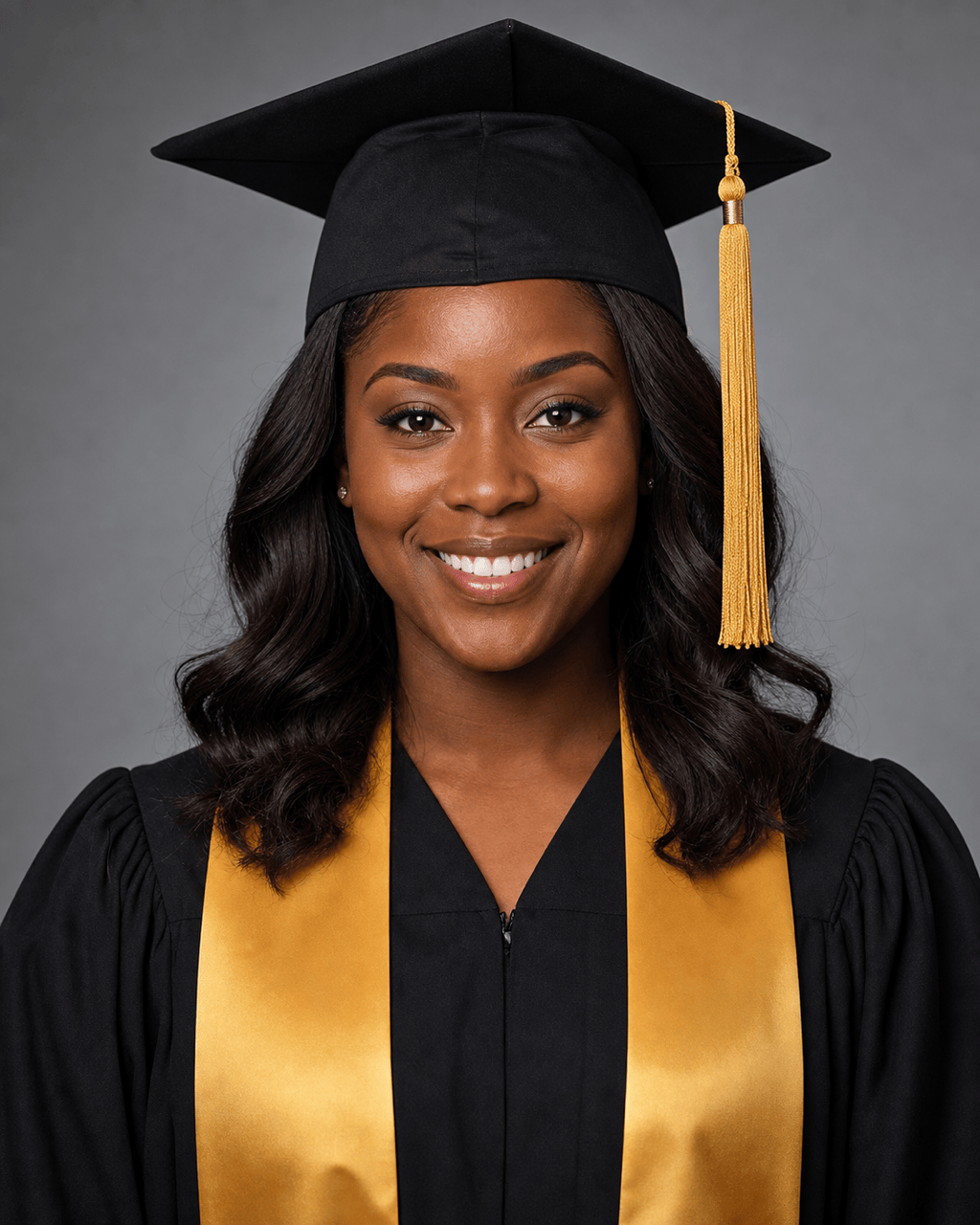
Classic Bachelor’s Studio Portrait: Use @[uploaded selfie] as the identity reference. Create a realistic 4:5 head-and-shoulders graduation portrait in a generic black bachelor’s gown, level mortarboard, gold tassel, and plain stole. Neutral gray studio background, soft diffused lighting, natural skin texture, confident smile, no logo or readable text.
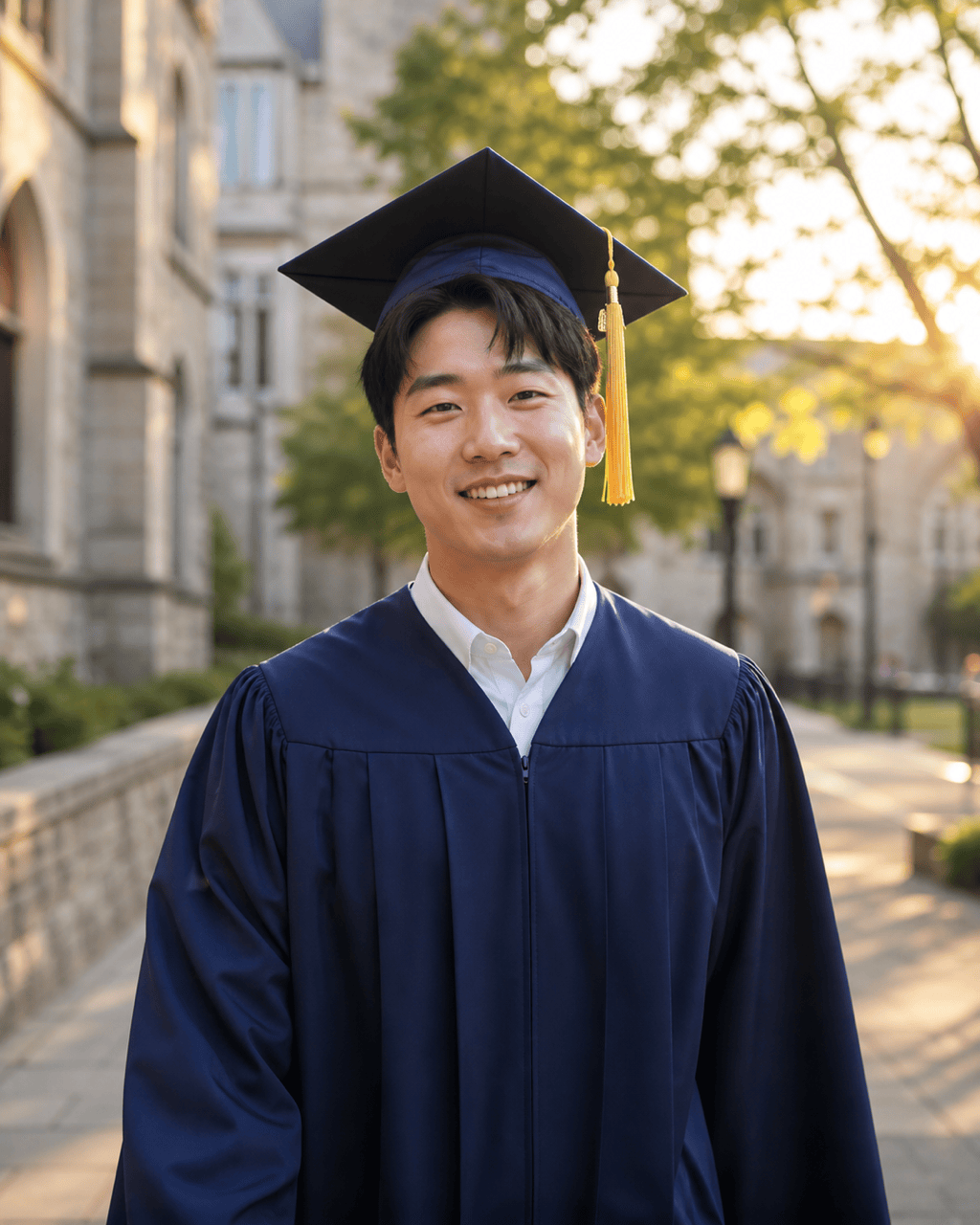
Golden-Hour Campus Photo: Transform @[uploaded portrait] into a warm outdoor graduation photo on an unbranded campus walkway. Navy gown and mortarboard, subtle gold tassel, candid three-quarter pose, softly blurred academic buildings, late-afternoon sunlight, realistic fabric and skin, 4:5 vertical crop.
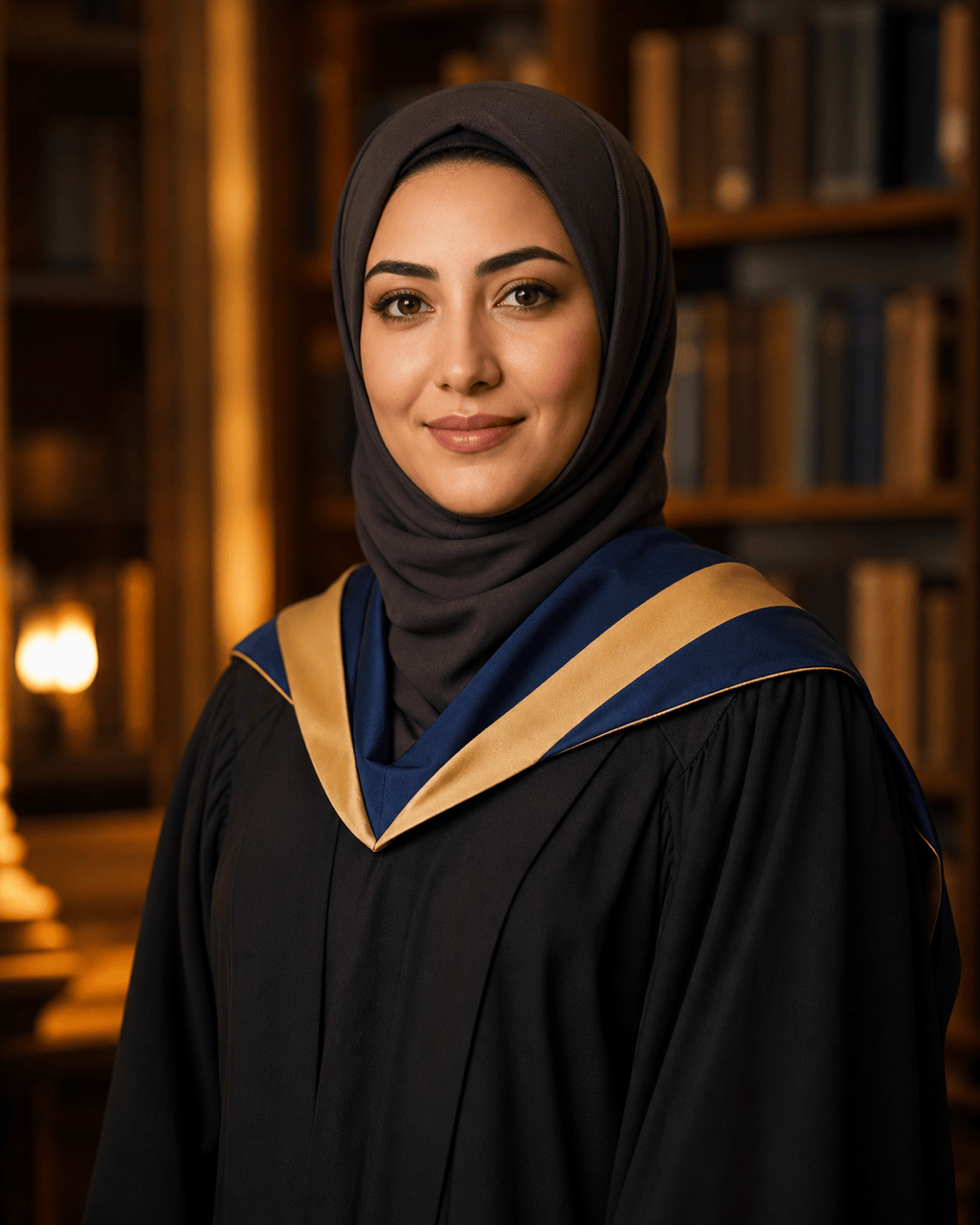
Master’s Library Portrait: Create a formal master’s graduation portrait from @[uploaded photo]. Preserve the person’s face, headscarf, skin tone, and apparent age. Add a generic black master’s gown with long sleeves and a neatly placed academic hood. Warm library-inspired background, soft bokeh, waist-up framing, no institutional marks.
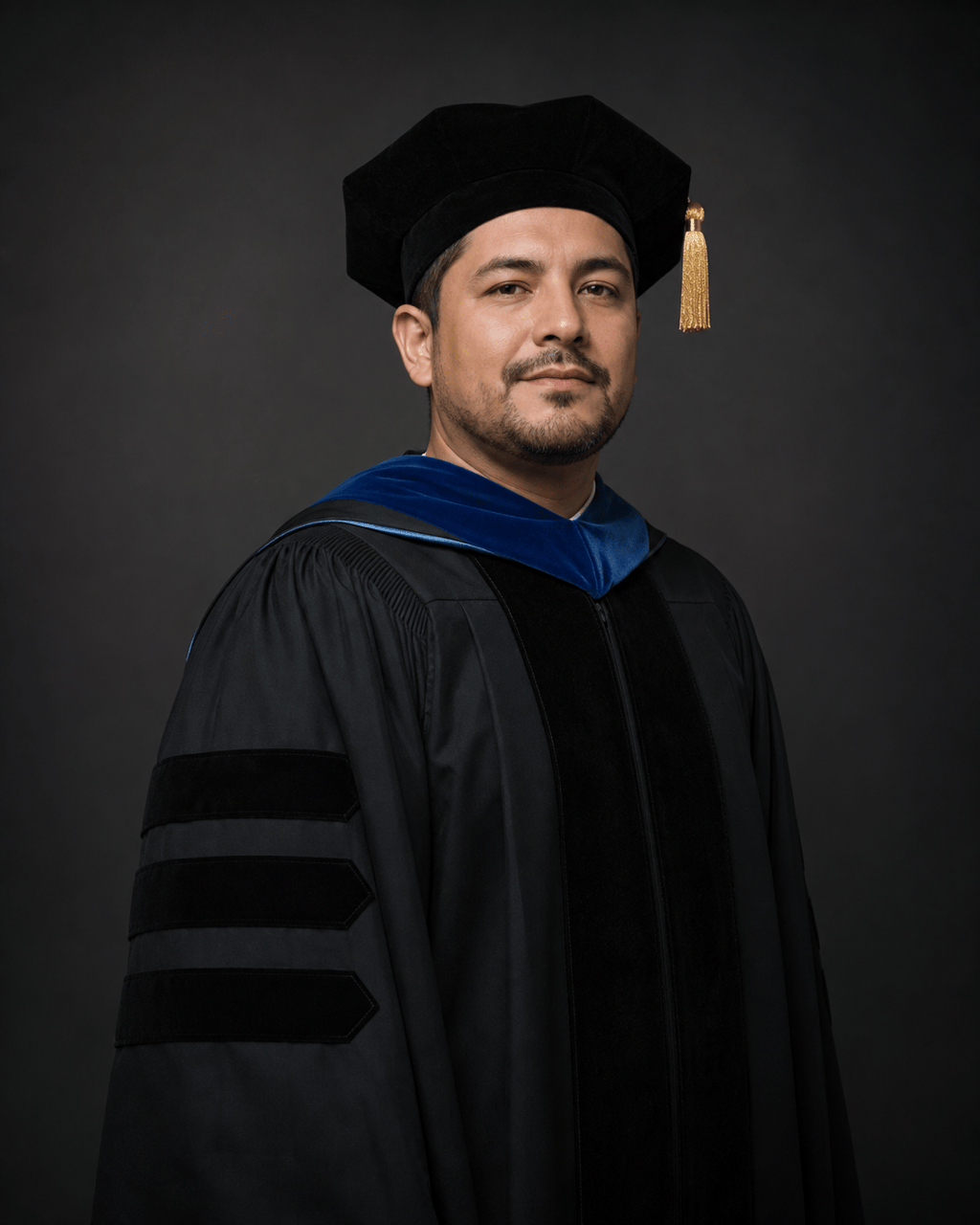
Doctoral Portrait: Make a dignified studio portrait of an adult graduate in generic black doctoral regalia with velvet front facing, three sleeve chevrons, academic hood, and black tam with a gold tassel. Dark charcoal backdrop, controlled rim light, natural expression, accurate garment construction, hands out of frame, no university crest.
Announcement-Ready Photo: Turn @[uploaded selfie] into a polished cap-and-gown portrait with the graduate placed slightly right of center. Use a light cream studio background and generous clean negative space on the left for announcement copy added later. Black gown, simple stole, natural retouching, 4:5 composition, no generated words.
Professional Profile Crop: Create a realistic graduation headshot for LinkedIn and family sharing from @[uploaded portrait]. Keep the person recognizable, use a black gown and mortarboard with a small tassel, clean pale-gray backdrop, balanced head-and-shoulders crop, soft professional lighting, restrained color grade, no diploma or logo.





