Free OnlineAI Christmas Background Generator



How to Create Christmas Backgrounds with AI
Choose the Setting and Use
Generate a Festive First Draft
Adjust the Details in Chat
Download and Preview in Place

Festive Backgrounds That Leave Room for What Matters
Start with Words or a Photo
Create an empty winter scene, or upload a portrait, pet photo, or product image and ask for a new setting. No studio setup is needed.
Make Space for Your Subject
Our AI Christmas background maker lets you request quiet areas for a face, product, or message. Keep trees and bright decorations where they support the layout.
Change the Mood in Chat
Turn bright red and green into cream and gold, reduce snowfall, or soften a busy backdrop with Chat Edit. Describe the change without learning editing tools.
Bring Your Own Holiday Style
Upload a reference image to guide the palette and atmosphere. Create Christmas backgrounds for product photos that suit your brand, then check labels and colors before use.
Build a Matching Holiday Series
Explore related backgrounds for cards, banners, and social posts. Save a successful design workflow as a Mew Skill to reuse your palette and layout preferences next time.
Take Your Background with You
Download watermark-free PNG or JPG images for your chosen destination. New users can test the workflow with free AI credits after signup.
Leave the Right Space in Your Christmas Background
- Plan the Clear Area: For video calls, keep the center simple. For a banner, reserve one side for text. Avoid bright ornaments directly behind either area.
- Match the Light: When editing a photo, match the background’s light direction, shadows, and camera angle to the subject. Check hair, fur, glass, and reflective packaging against the original.
- Choose the Frame: Use a wide composition for a desktop or meeting and a tall one for a phone. Preview the crop on the destination screen before settling on it.
- Keep Text Intentional: Ask for no text when you only need a backdrop. If you add a greeting later, provide its exact wording and check contrast and spelling.
Christmas Background Ideas for Six Everyday Uses
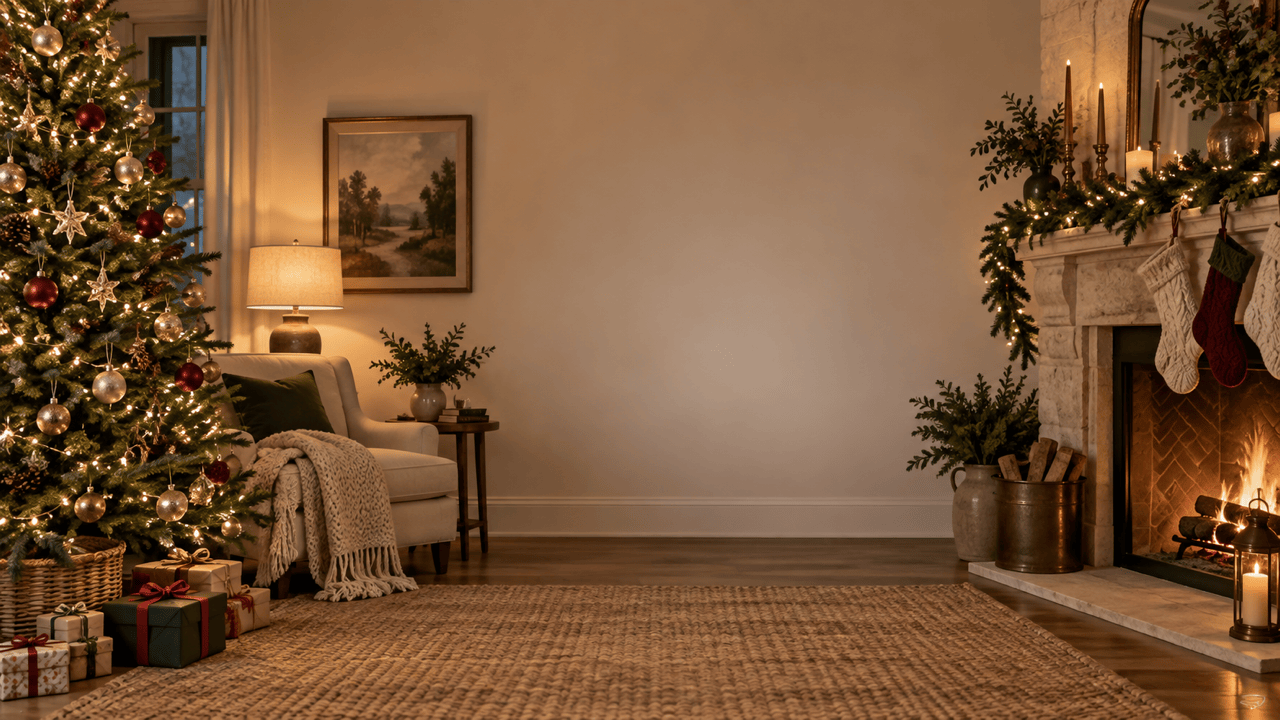
Create a 16:9 Christmas Zoom background: a cozy living room with a tree on the left and a softly lit fireplace on the right. Keep the center uncluttered for a person on camera. No people, text, or oversized decorations.
Create a Christmas background for product photos with a cream tabletop, pine branches at the edges, and distant warm lights. Leave a clear central display area, use soft side lighting, and do not add a product or text.
Make a minimalist Christmas desktop wallpaper in 16:9. Place a small illuminated cabin and snowy fir trees on the right, with a quiet blue evening sky and open space on the left for desktop icons. No words.
Create a tall 9:16 Christmas phone wallpaper with delicate gold stars and fir branches against deep green. Keep the upper center simple for the lock-screen clock and leave the bottom uncluttered. No text.
Make a Christmas card background with a watercolor border of holly, pine, and red berries on warm white paper. Leave a large blank center for a personal greeting. Do not generate a greeting or other words.
Create a wide red and gold Christmas banner background for a holiday sale. Group ornaments and a ribbon on the right, leaving a calm burgundy area on the left for a headline and button. No text, logos, or products.





