Free OnlineAI Alebrije Generator
How to Create Alebrije Art with AI
Plan the Creature
Generate the First Alebrije
Refine Colors and Details
Export Your Artwork

Why Choose Mew Design as Your AI Alebrije Generator
Fuse Animals with Clear Intent
Describe a jaguar body, owl face, butterfly wings, or your own combination. The free AI alebrije generator interprets the whole creature instead of treating each feature as an unrelated effect.
Guide Color and Pattern Rhythm
Direct bold color blocking, complementary palettes, dark outlines, and layered dots, stripes, spirals, flowers, flames, or geometric motifs so fine detail does not bury the silhouette.
Choose a Handmade Surface
Ask the alebrije art generator for painted papier-mâché, carved and sanded wood, matte brushwork, or a polished sculptural finish. Compare versions powered by Nano Banana Pro and GPT Image 2.5.
Transform a Pet or Sketch
Upload a pet photo, drawing, or mood reference. This custom alebrije generator can preserve the recognizable pose and features while exploring new wings, horns, tails, palettes, and painted textures.
Revise Without Starting Over
Keep the anatomy you like and use Chat Edit to change only the palette, motifs, expression, background, or material. Generate coordinated views when you need a more consistent character concept.
Prepare Art for Real Projects
Create clean isolated creatures or complete scenes for avatars, posters, classroom visuals, story development, and tattoo references. Start with free AI credits and export watermark-free images.
What Makes a Strong AI Alebrije Prompt
- Build the anatomy: Choose a dominant animal, then assign specific features from one or two others. Explain how wings, horns, tail, paws, or scales connect.
- Control pattern scale: Use broad color blocks or stripes to reveal the form, then reserve small dots, triangles, spirals, flowers, or flames for focal areas.
- Name the material: Specify painted cartonería or papier-mâché, carved wood, a ceramic-like sculpture, or flat digital illustration. The same creature looks different in each medium.
- Respect the reference: Describe broad Mexican folk-art inspiration and material qualities. Avoid requesting an exact copy of a living artisan’s recognizable style.
AI Alebrije Prompts for Distinct Creative Projects
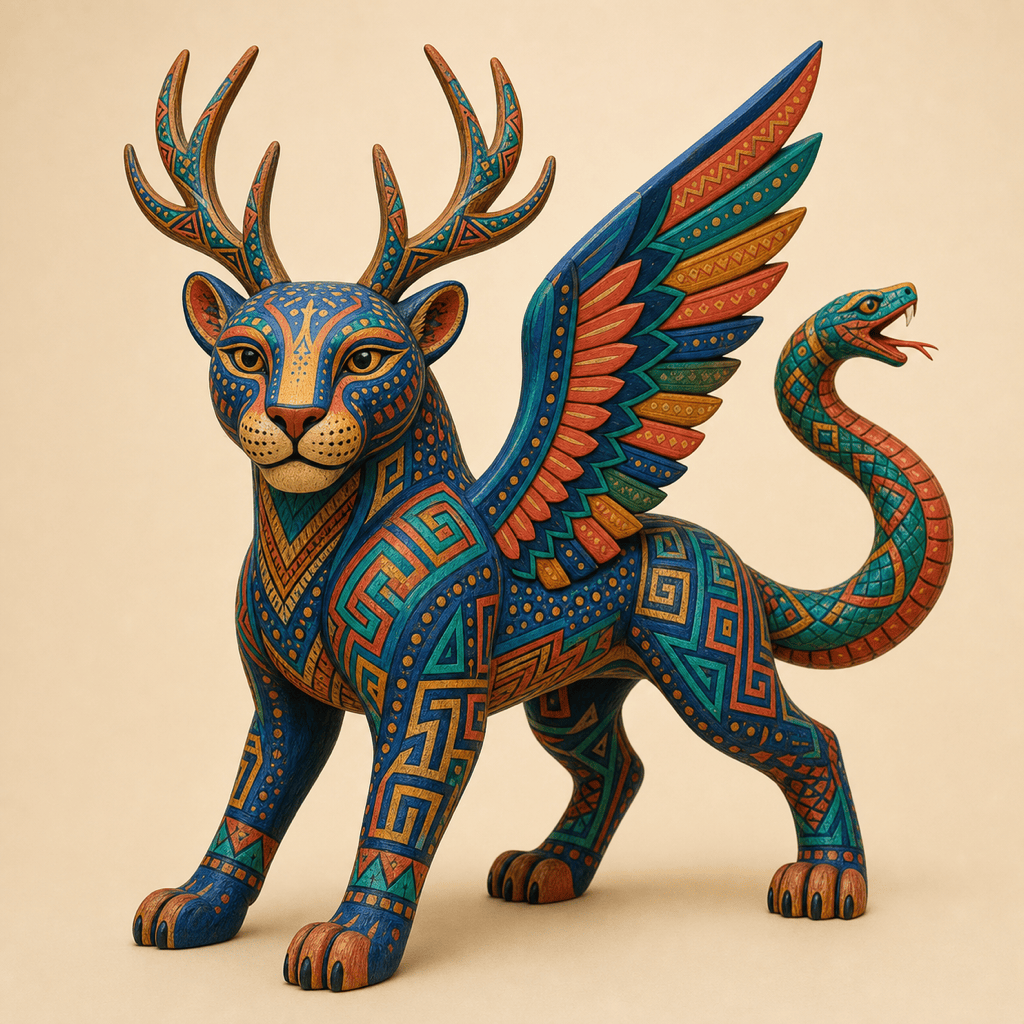
Oaxacan wood-carving-inspired creature study: Create a proud winged jaguar alebrije with deer antlers and a serpent tail. Use carved, sanded wood texture; saturated cobalt, coral, yellow, and emerald paint; black outlines; alternating dot fields and geometric bands; symmetrical facial markings; three-quarter studio view; clean cream background; no text.
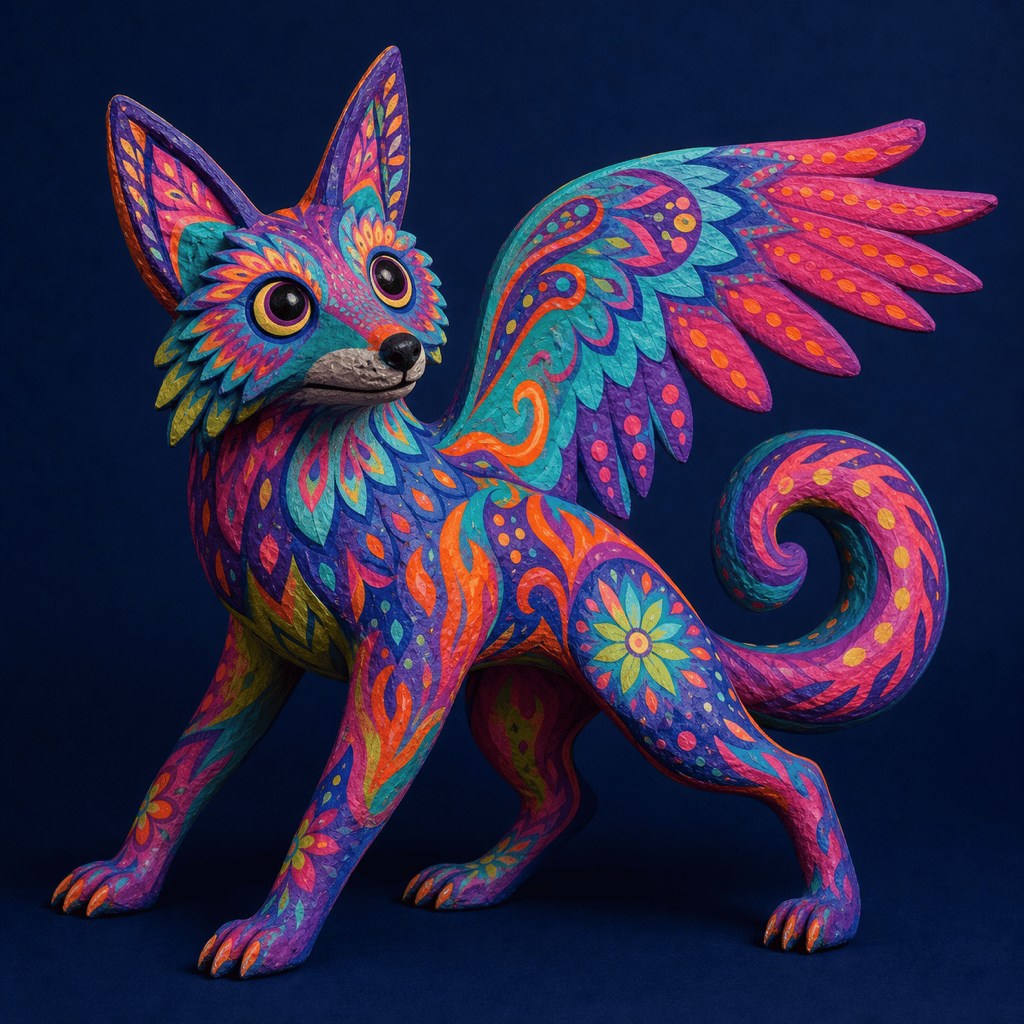
Mexico City cartonería-inspired sculpture: Design a playful coyote-owl alebrije made from painted papier-mâché, with an exaggerated arched body, broad paper wings, and a curious expression. Use magenta, turquoise, orange, and lime with flames, flowers, and uneven hand-painted dots. Photograph it against a deep indigo gallery backdrop.
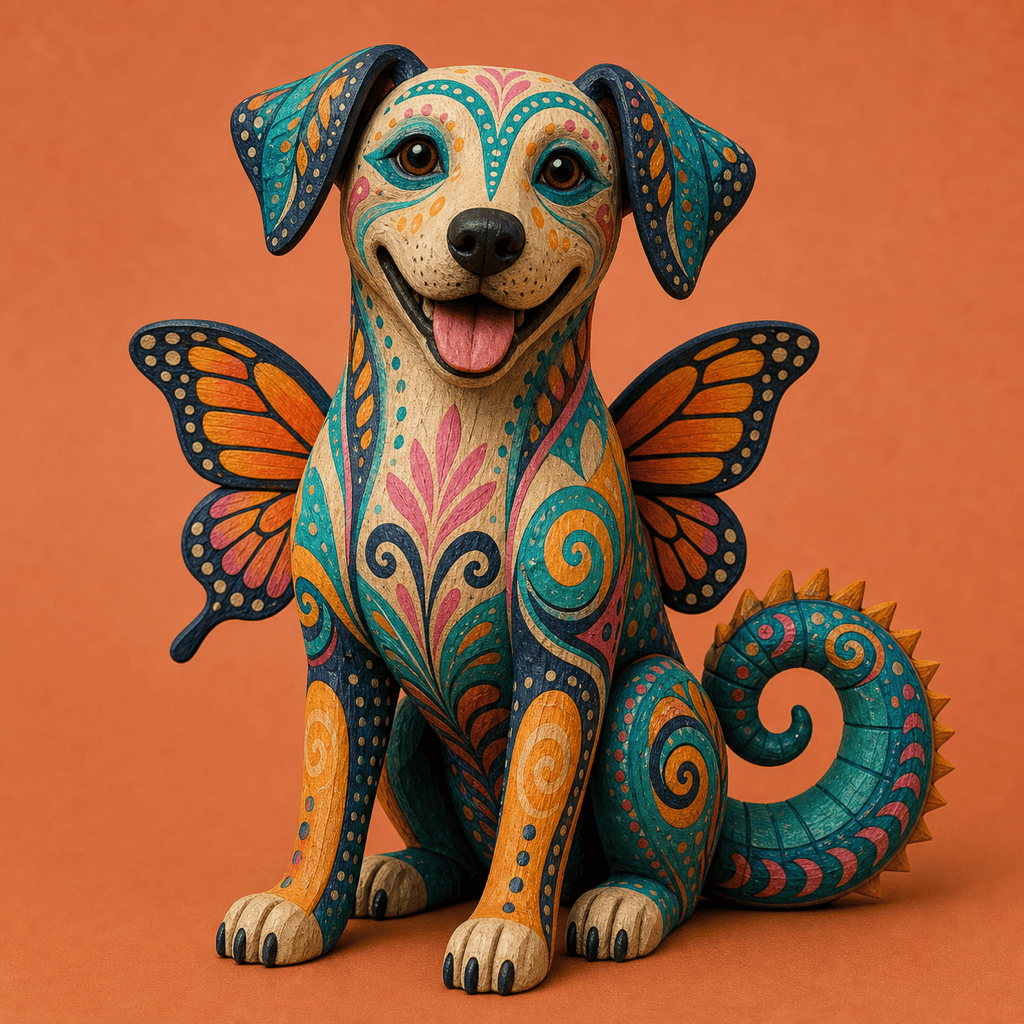
Pet photo transformation: Turn my uploaded dog photo into friendly custom alebrije art while preserving its face, ear shape, sitting pose, and recognizable markings. Add small monarch wings and a curled iguana tail. Use teal, marigold, pink, and navy patterns with a polished carved-wood finish. Keep the background simple.
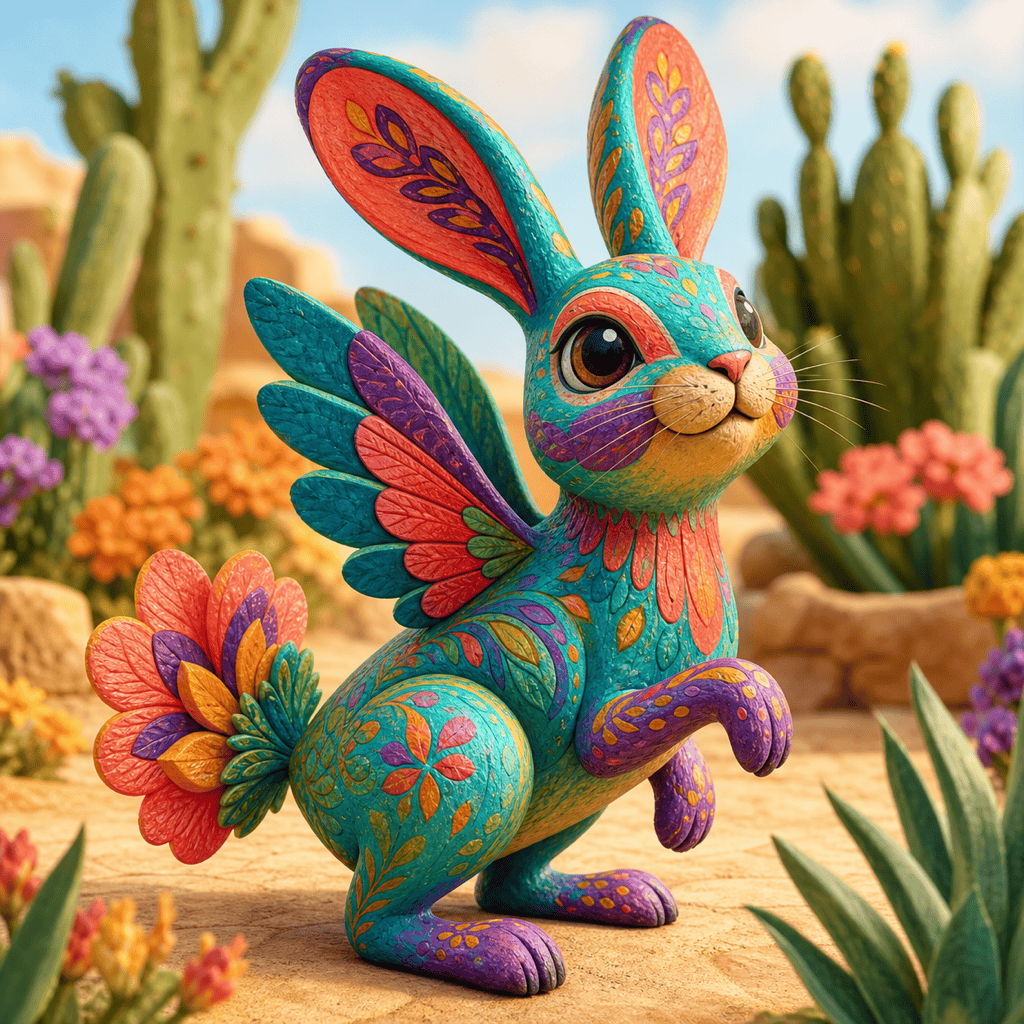
Children’s book character: Create a gentle rabbit-hummingbird alebrije for a picture book, with long ears, tiny feathered wings, and a flower-shaped tail. Use rounded anatomy, a readable silhouette, warm coral and turquoise, large playful motifs, soft painted papier-mâché texture, and an inviting desert-garden scene.
Tattoo concept reference: Generate a clean side-profile alebrije combining a fox, axolotl gills, and a feathered serpent tail. Use balanced black linework with limited turquoise, red, and gold pattern accents. Keep the limbs anatomically readable and place the creature on a plain light background. This is concept art, not a tattoo stencil.
Classroom poster artwork: Create a colorful hybrid animal combining an eagle, lizard, and deer for an educational poster about Mexican folk art. Use bold complementary colors, clear dots and stripes, a visible papier-mâché texture, and generous negative space around the creature for separate factual labels. Include no text in the image.





