Turn Your Research into an Academic Poster Draft

How to Turn a Paper into an Academic Poster with AI
Add the Paper and Research Assets
Set Structure and Print Constraints
Generate and Rework the Research Story
Verify the Research and Prepare Export

From Research Source to a Reviewable Poster Draft
Start with a Paper or Abstract
Use a research paper, abstract, methods summary, results table, or accessible URL as source material. Mew Design can read referenced content and shape a paper-to-poster draft, but you must compare the extraction and interpretation with the original before publication.
Build an IMRaD Reading Path
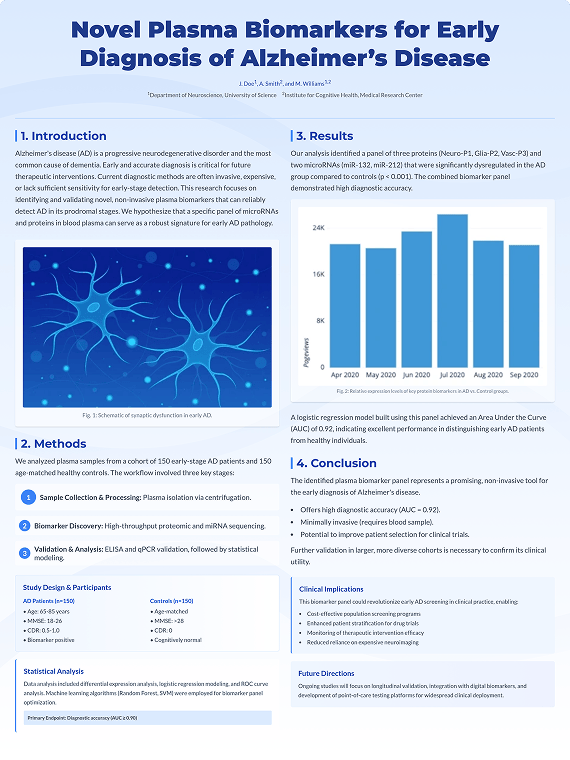
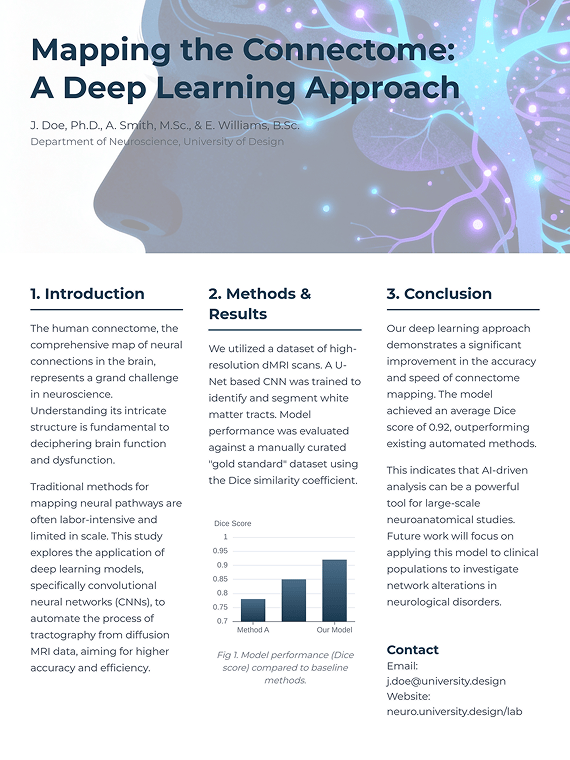
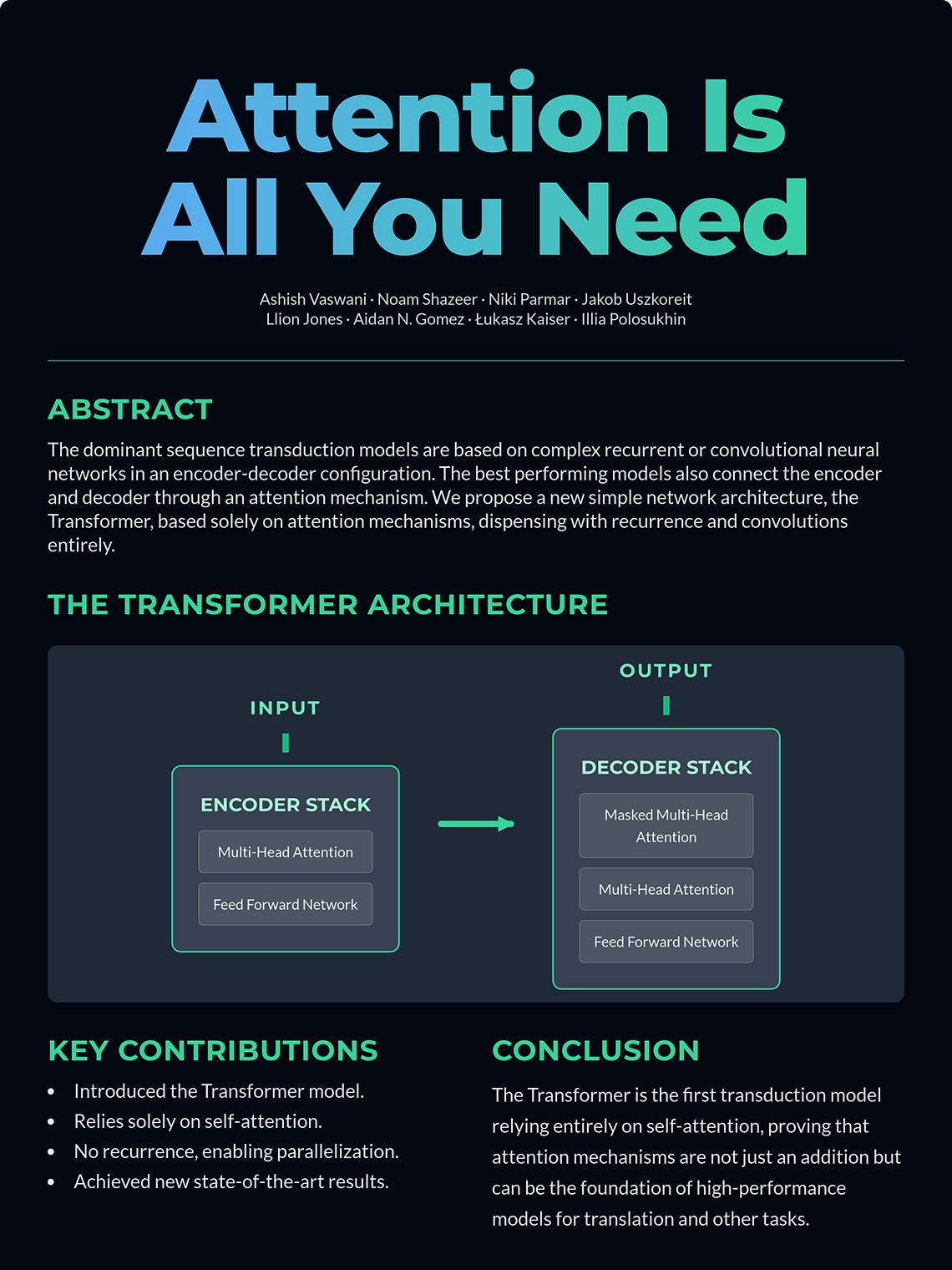
Organize Introduction, Methods, Results, and Discussion—or a discipline-specific structure such as research question, sources, analysis, and conclusion—into a clear visual hierarchy. Emphasize the main contribution instead of shrinking the entire paper onto one canvas.
Keep Figures Close to Their Claims
Place uploaded charts, tables, microscopy, diagrams, maps, photos, and institutional marks near the text they support, with room for captions and source notes. For a dedicated data workflow, review a visual in the AI Chart Generator before placing it in the poster.
Plan A0, A1, and Multi-Column Layouts
Request A-series or 36 × 48 in proportions, portrait or landscape orientation, and two- or three-column reading order. The design can reflect those constraints, but final dimensions, safe areas, bleed, resolution, color settings, and upload limits still need to match your conference and printer specifications.
Revise Text and Layout through Chat
Ask for a shorter abstract, larger results panel, different column balance, corrected author line, calmer palette, or stronger caption hierarchy. Editable here means revisable through Chat Edit; the workflow does not export editable PowerPoint, Illustrator, InDesign, SVG, or LaTeX source files.
Treat Accuracy as a Review Step
AI can accelerate hierarchy and visual drafting, not certify scientific accuracy. Keep a manual preflight for claims, numbers, labels, citations, DOI strings, author order, affiliations, permissions, conflicts, acknowledgments, and accessibility before conference submission, presentation, sharing, or printing.
How to Brief AI for a Credible Research Poster
- Control the Evidence: State which file supports each claim, chart, table, caption, quotation, and reference. Tell the AI to preserve approved wording and values, flag conflicts as 'TO VERIFY', and avoid inventing sources, statistics, sample details, or conclusions.
- Design the Reading Path: Choose IMRaD or a discipline-specific sequence, identify the one result viewers should notice first, and specify two or three columns. Posters need selective synthesis and hierarchy, not a compressed manuscript.
- Place Figures with Context: Name every figure and table, its intended section, exact caption, axis labels, units, legend, source, and permission status. Ask for readable labels at poster scale and check the result against the source asset.
- Plan the Preflight: Provide the organizer's dimensions, orientation, safe area, bleed, resolution, color, file format, and upload limit. Request a reviewable draft first, then verify the final static PNG, JPG, or PDF with the organizer or print provider.
Academic Poster Prompts for Conferences and Thesis Research
Biology Conference Poster: Create an A0 portrait, three-column research poster from @wetland-paper.pdf, @approved-figures.pptx, and @authors.docx. Use IMRaD sections, preserve the exact title and author order, place each supplied figure beside its supporting claim, and include numbered references and acknowledgments. Use navy, botanical green, and warm white. Do not invent values, species, methods, citations, DOI strings, or institutional marks; label conflicts 'TO VERIFY'.
Healthcare Operations Poster: Turn @deidentified-study.pdf and @aggregate-results.xlsx into an A1 portrait, two-column poster for a quality-improvement symposium. Include objective, setting, methods, aggregate results, limitations, operational implications, disclosures, and references. Preserve denominators, dates, units, qualifiers, and approved captions exactly. Use calm navy and aqua with accessible charts. Do not add patient details, clinical advice, efficacy claims, or regulatory language.
Computer Science Poster: Create a 36 × 48 in landscape, three-column scientific poster from @accepted-paper.pdf, @algorithm-diagram.png, and @benchmark-table.csv. Prioritize the contribution, method diagram, comparison chart, ablation summary, limitations, and references. Reproduce model names, dataset labels, equations, and supplied values exactly. Use charcoal, cobalt, and cyan with a clear left-to-right reading path. Do not invent benchmarks or claim state-of-the-art performance.
Engineering Thesis Poster: Design an A0 portrait thesis-defense poster using @thesis-summary.docx, @system-diagram.svg, and @test-results.xlsx. Include problem, design requirements, prototype, experiment setup, results, failure modes, limitations, and next work. Use two wide columns with a central hero diagram, technical gray, safety orange accents, and readable captions. Preserve units and tolerances; flag any missing test condition instead of guessing.
Humanities Research Poster: Turn @archive-abstract.docx, @approved-images.pdf, and @bibliography.docx into an A1 portrait, two-column academic poster. Include research question, source corpus, interpretive method, three themes, limitations, conclusion, image credits, acknowledgments, and references. Use a text-forward editorial layout with burgundy, parchment, and charcoal. Preserve quotations and page references exactly; do not invent archival evidence or translations.
Existing Poster Redesign: Redesign @approved-poster.pdf using @brand-guide.pdf and @figure-library.pptx. Preserve the exact approved title, wording, author order, affiliations, figures, table values, captions, citations, logos, funding, and disclosures. Improve only the hierarchy, column balance, spacing, typography, color consistency, and figure scale. Keep the original dimensions and orientation, flag any element that cannot be reproduced, and produce a reviewed static export rather than an editable PPTX.





