AI Black Friday Prompts: 48 Examples and Templates
Turn your offer into a clear, memorable visual. Explore 48 AI Black Friday prompts with generated examples for sale posters, product ads, Stories and banners. Copy a template into Mew Design, then replace the sample product, colors and offer with your own.
48 AI-generated design examples. Sample offers are illustrative.
48 AI Black Friday Prompt Examples to Copy
Choose from bold sale graphics, product spotlights, fashion, bundles, social covers, countdowns, banners and local business offers. These AI Black Friday templates are reusable prompt recipes with image previews. Keep the layout, then change the product, exact wording and aspect ratio. The previews use English sample ad copy; replace it with your campaign language when generating.
Retro Checkerboard Deal
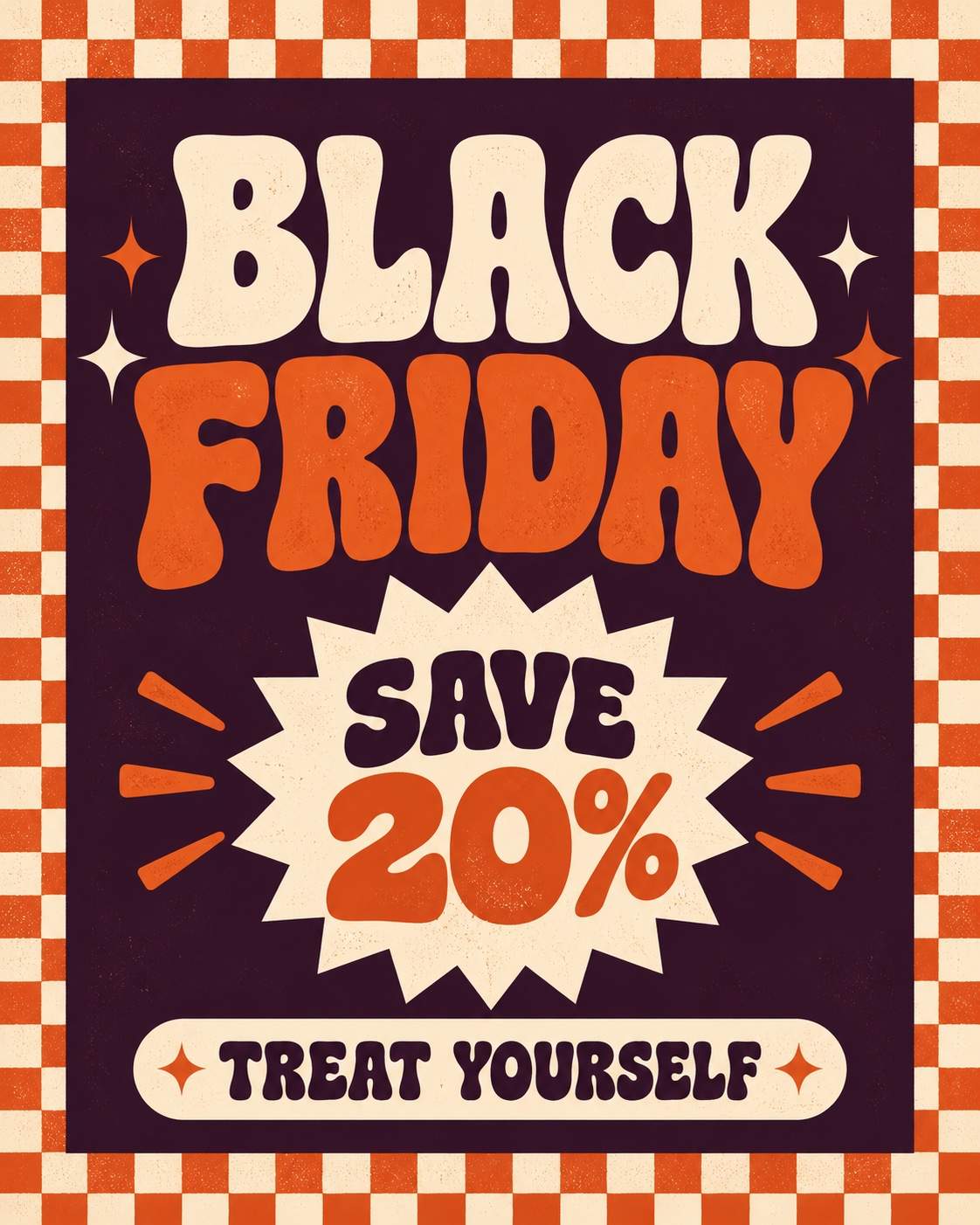
Create a 4:5 Black Friday promotional image. Use a burnt-orange and cream checkerboard border around a dark plum central panel. Add a cream starburst offer badge and bold rounded retro typography. Slight screen-print texture, balanced spacing and a joyful independent-shop feel. Render only this exact advertising copy: "BLACK FRIDAY"; "SAVE 20%"; "TREAT YOURSELF". Make the lettering legible, keep the product unobstructed and use no watermark or third-party logo. The offer is an illustrative example; replace it with your real promotion before publishing.
Sneaker Floating on Red
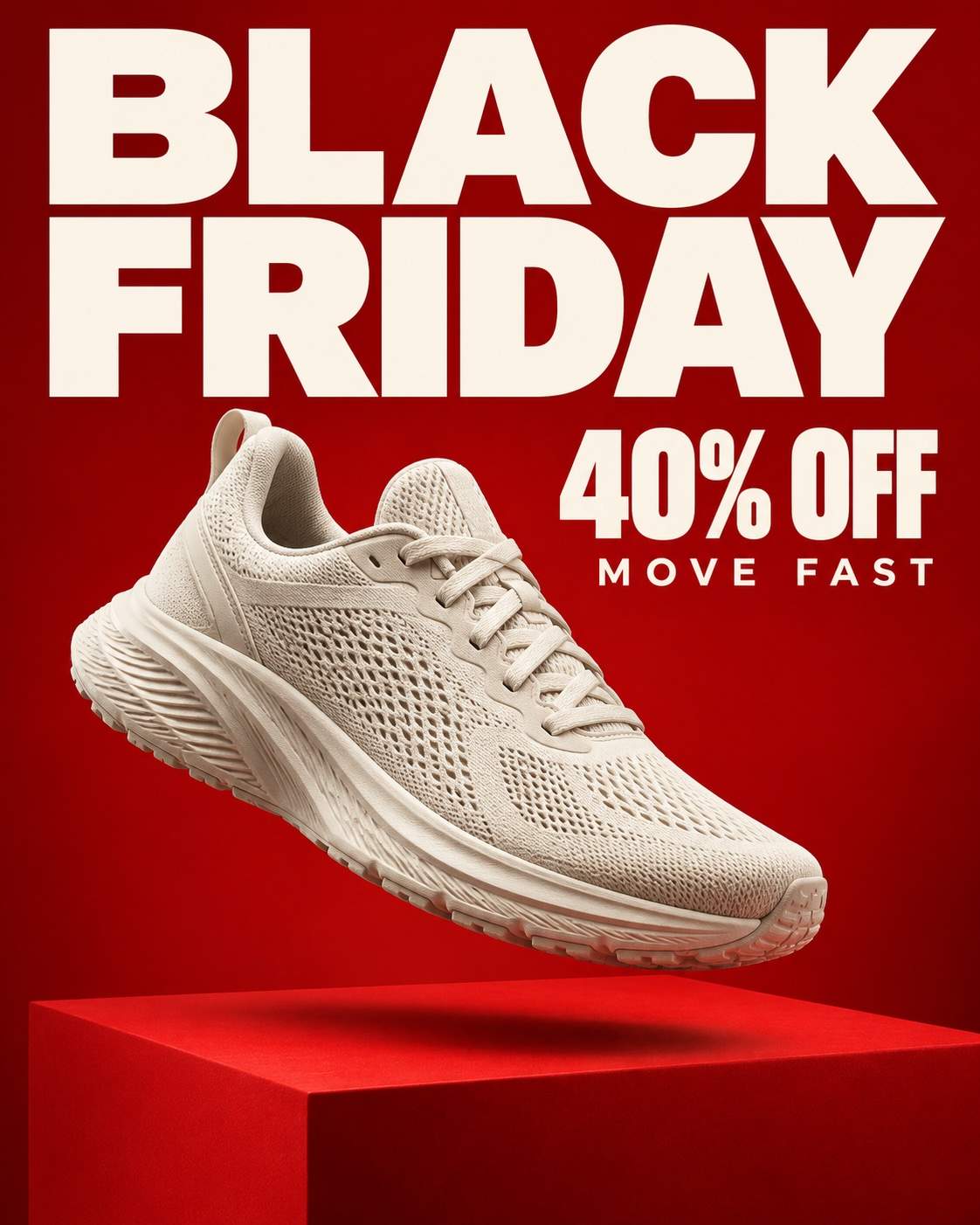
Create a 4:5 Black Friday promotional image. Show one unbranded cream running shoe suspended above a vivid red plinth, with a soft grounded shadow and crisp fabric details. Leave the upper third for oversized cream type. Energetic diagonal product angle and clean commercial studio lighting. Render only this exact advertising copy: "BLACK FRIDAY"; "40% OFF"; "MOVE FAST". Make the lettering legible, keep the product unobstructed and use no watermark or third-party logo. The offer is an illustrative example; replace it with your real promotion before publishing.
Skincare on Frosted Glass
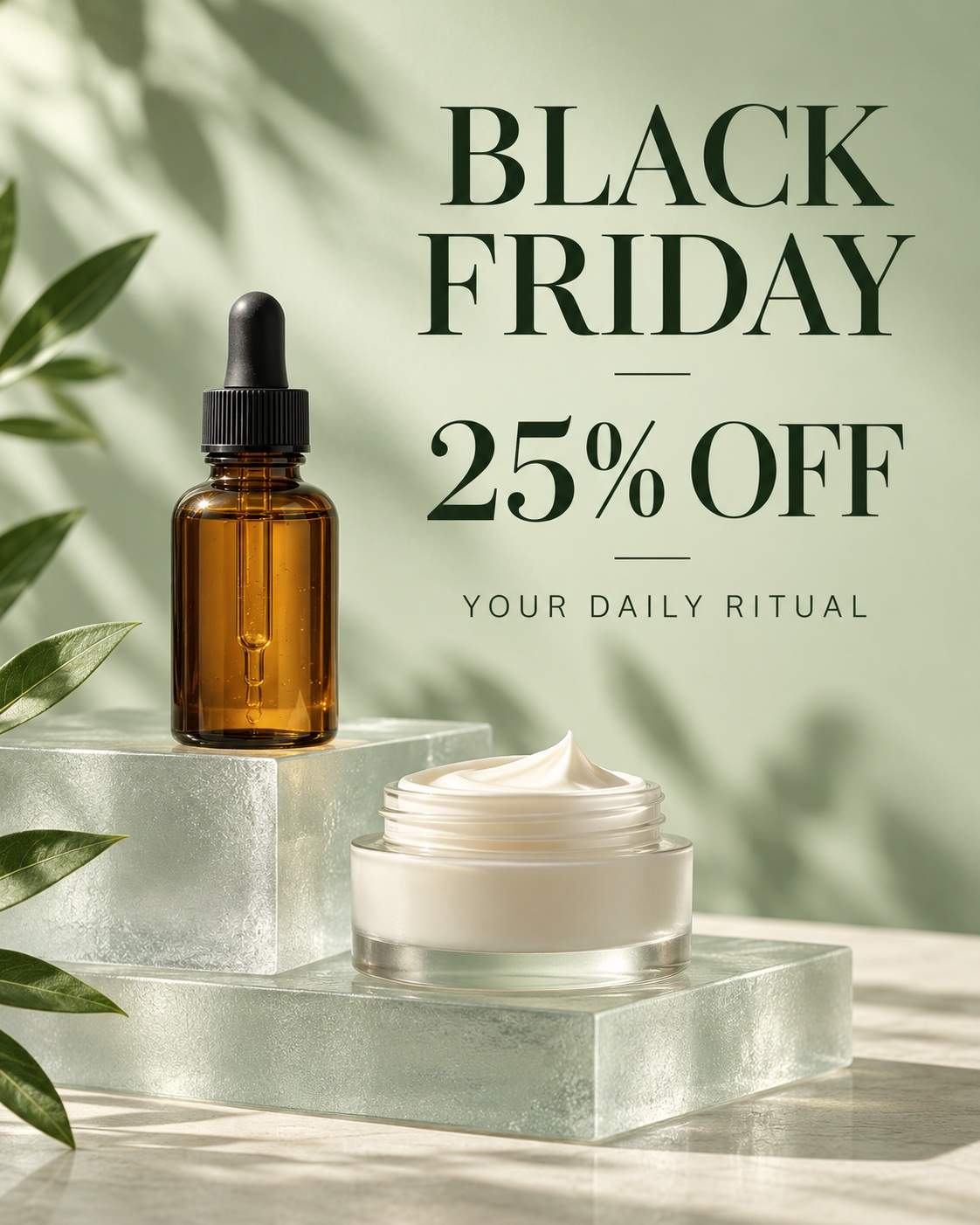
Create a 4:5 Black Friday promotional image. Arrange an unbranded amber dropper bottle and cream jar on stacked frosted-glass blocks. Sage backdrop, diffused daylight, translucent shadows and restrained dark-green typography. Preserve realistic glass edges and leave breathing room around the offer. Render only this exact advertising copy: "BLACK FRIDAY"; "25% OFF"; "YOUR DAILY RITUAL". Make the lettering legible, keep the product unobstructed and use no watermark or third-party logo. The offer is an illustrative example; replace it with your real promotion before publishing.
Coffee Machine Morning Deal
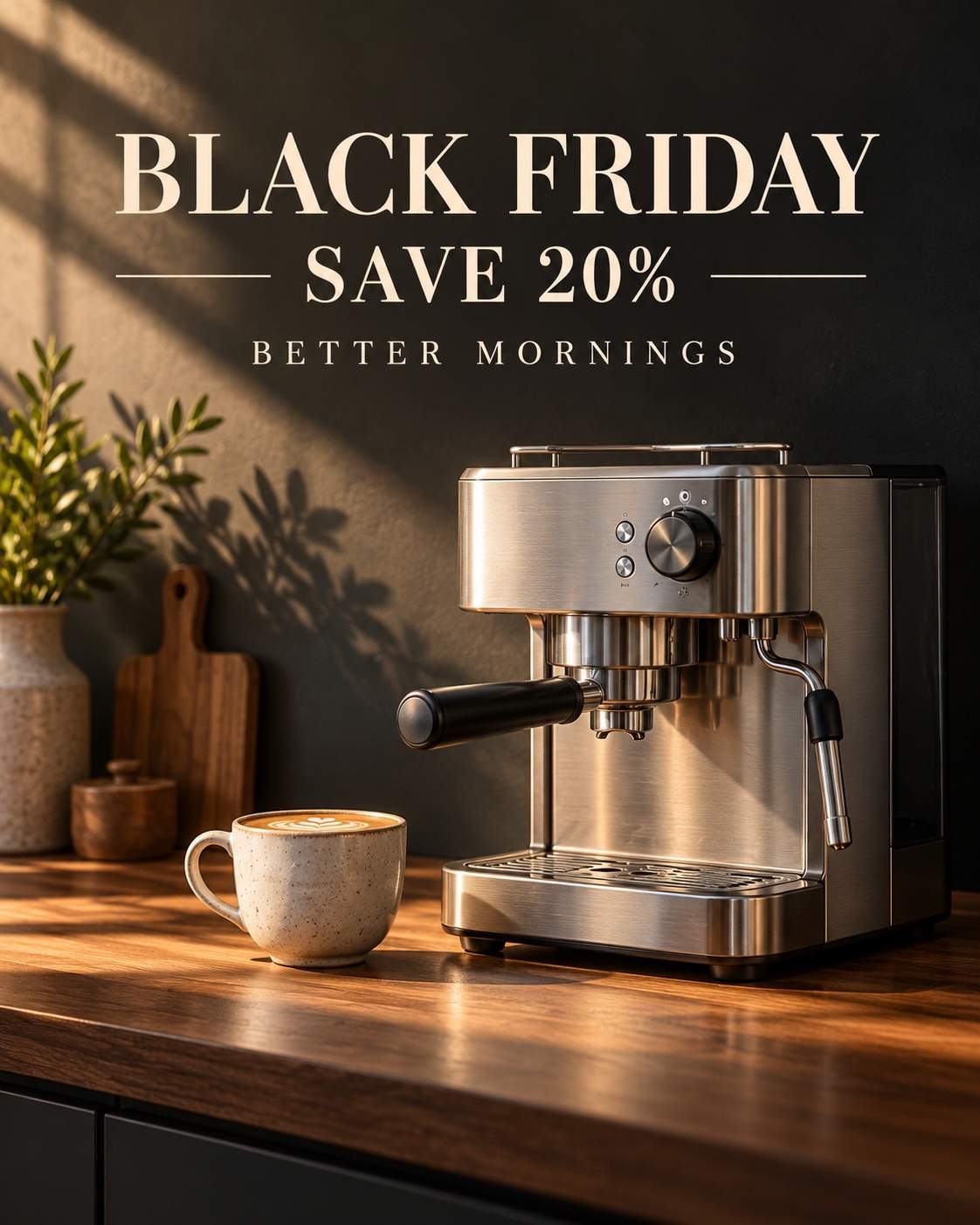
Create a 4:5 Black Friday promotional image. Set an unbranded brushed-steel espresso machine beside one ceramic cup on a walnut counter. A warm beam of morning light crosses the scene. Use the quiet dark wall above for a simple cream headline and offer. Render only this exact advertising copy: "BLACK FRIDAY"; "SAVE 20%"; "BETTER MORNINGS". Make the lettering legible, keep the product unobstructed and use no watermark or third-party logo. The offer is an illustrative example; replace it with your real promotion before publishing.
Gaming Controller Neon Frame
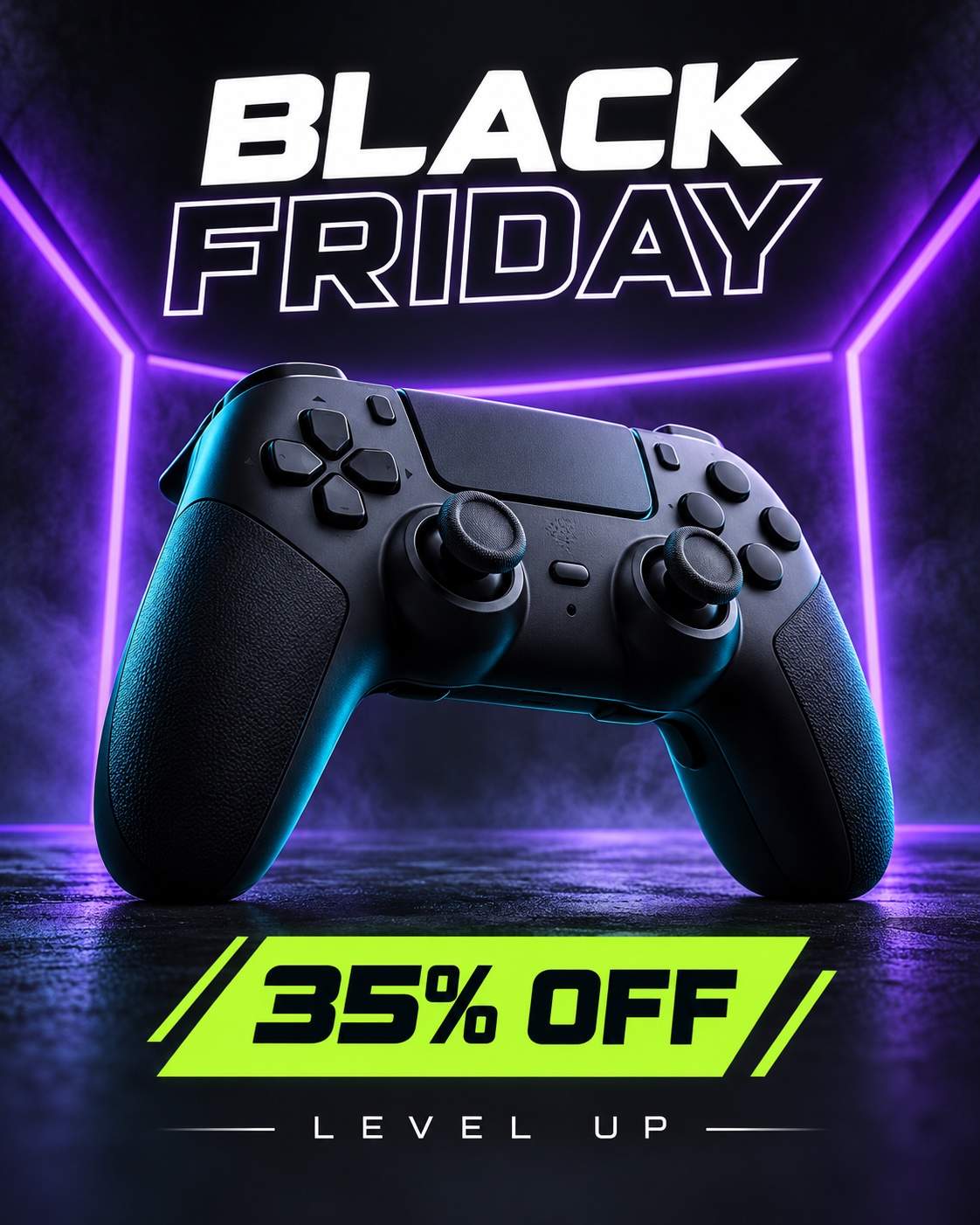
Create a 4:5 Black Friday promotional image. Place an unbranded dark game controller against charcoal within an angular violet light frame. Low camera angle, restrained cyan rim light and sharp physical buttons. Put a short white heading above and the discount in a lime panel below. Render only this exact advertising copy: "BLACK FRIDAY"; "35% OFF"; "LEVEL UP". Make the lettering legible, keep the product unobstructed and use no watermark or third-party logo. The offer is an illustrative example; replace it with your real promotion before publishing.
Ceramic Lamp After Dark
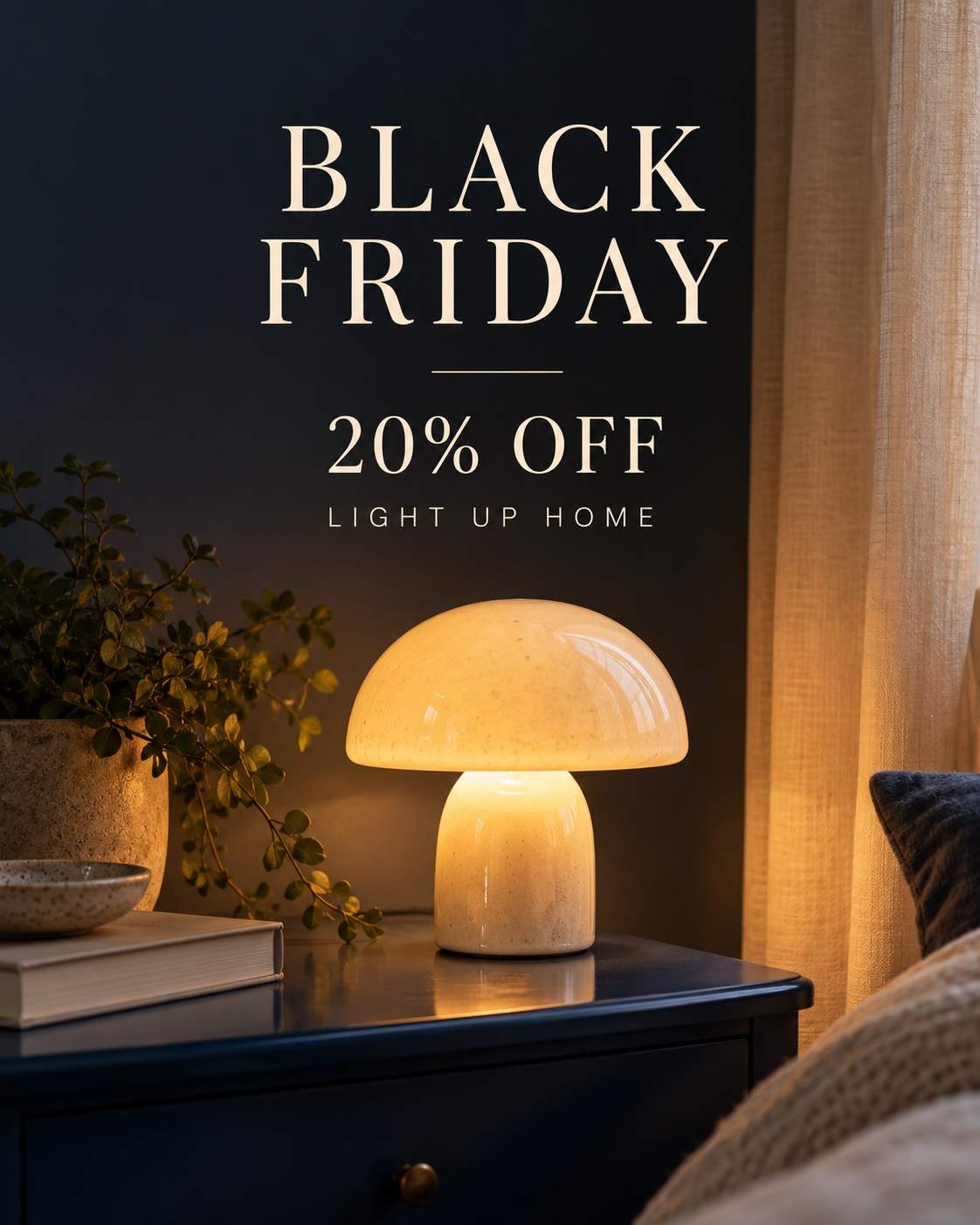
Create a 4:5 Black Friday promotional image. Photograph a small mushroom-shaped ceramic lamp glowing on a deep-blue bedside table. Soft amber light reveals the ceramic glaze and linen curtain. Keep a large dark area above for elegant cream promotional copy; cozy, believable interior photography. Render only this exact advertising copy: "BLACK FRIDAY"; "20% OFF"; "LIGHT UP HOME". Make the lettering legible, keep the product unobstructed and use no watermark or third-party logo. The offer is an illustrative example; replace it with your real promotion before publishing.
Jewelry on Black Velvet
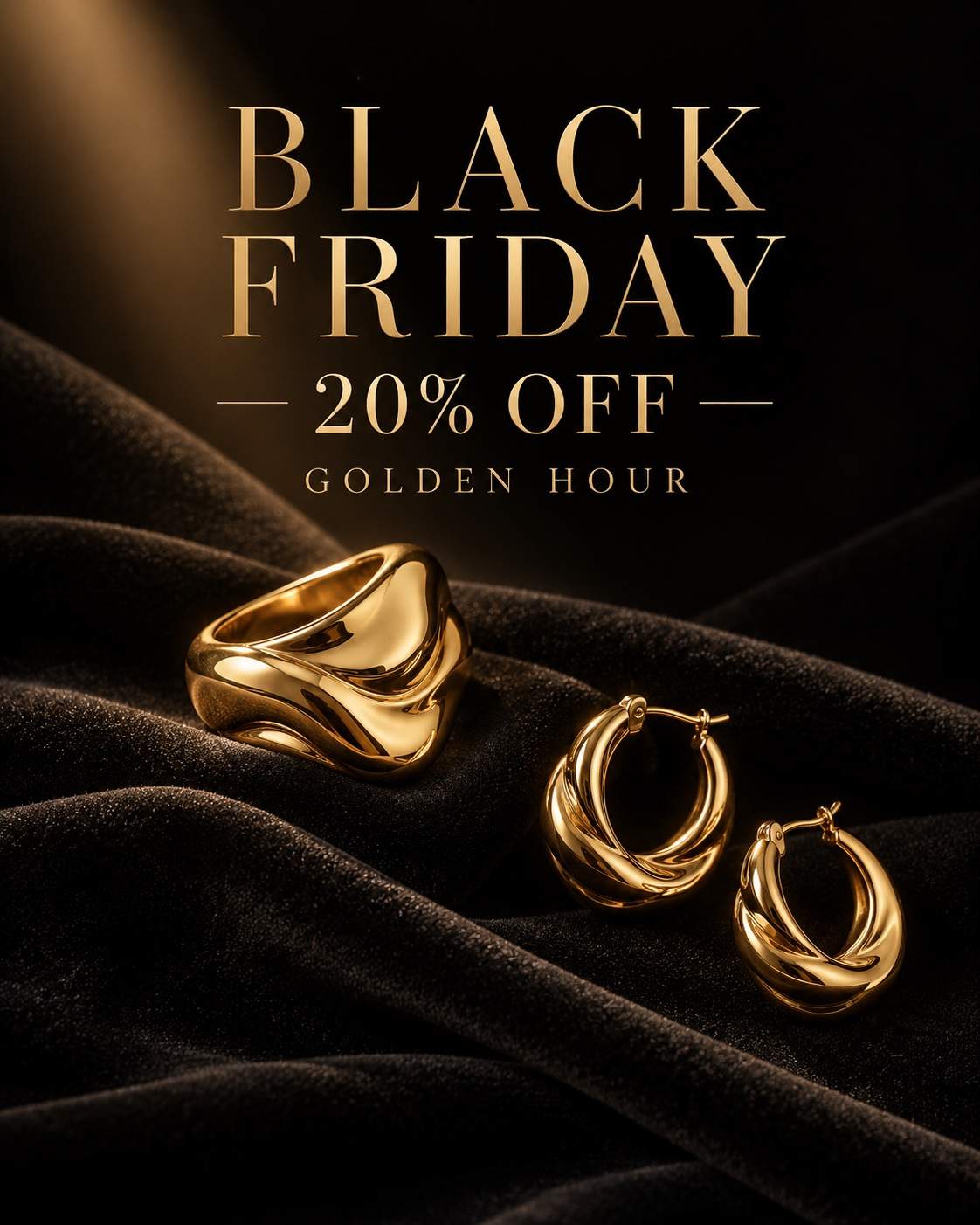
Create a 4:5 Black Friday promotional image. Photograph a sculptural gold ring and matching hoop earrings on folded black velvet. Use a narrow warm spotlight and restrained gold serif typography in the upper half. Fine metal highlights, deep shadows and carefully separated pieces. Render only this exact advertising copy: "BLACK FRIDAY"; "20% OFF"; "GOLDEN HOUR". Make the lettering legible, keep the product unobstructed and use no watermark or third-party logo. The offer is an illustrative example; replace it with your real promotion before publishing.
Beauty Cherry Gloss
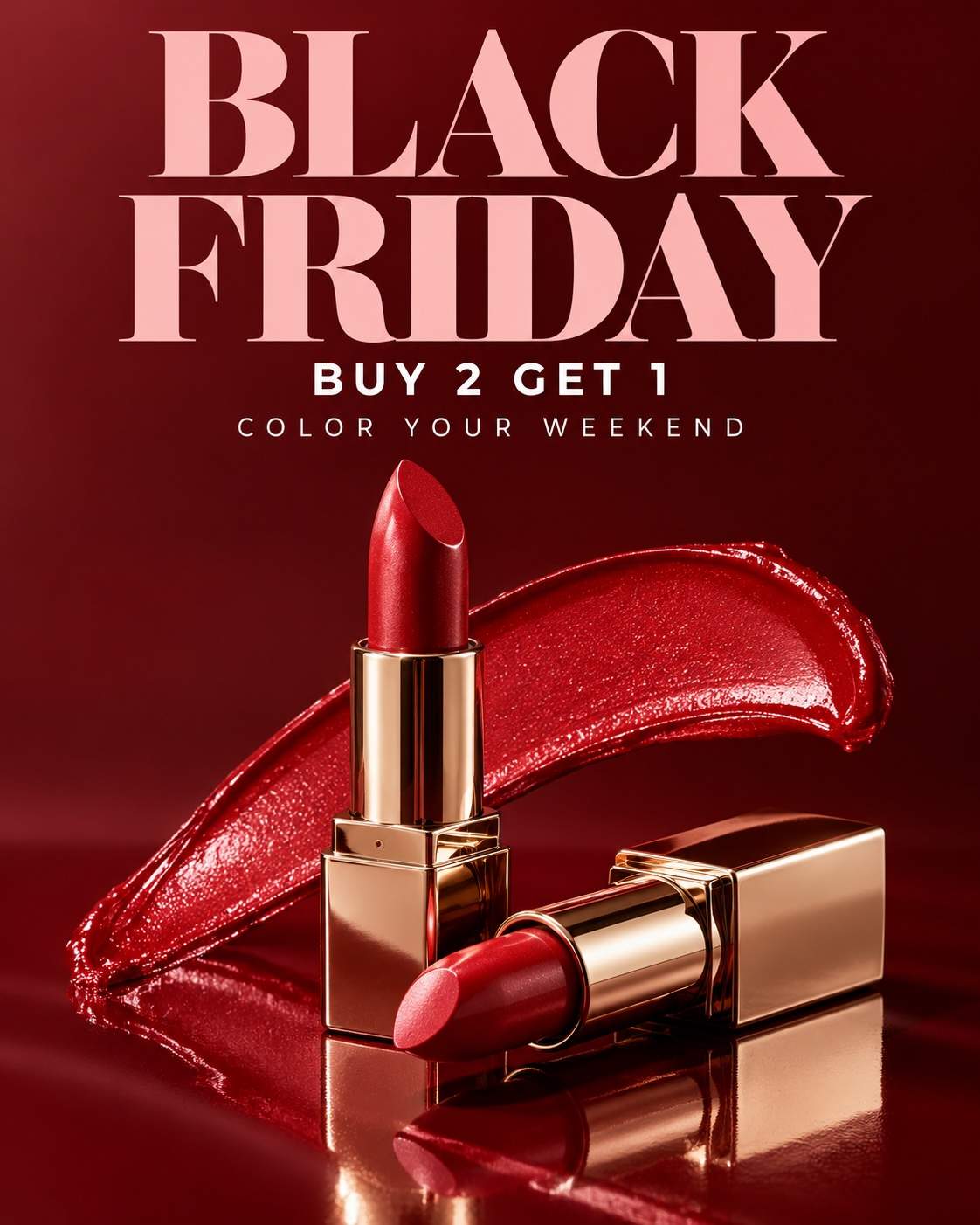
Create a 4:5 Black Friday promotional image. Arrange two unbranded cherry-red lipsticks on a glossy burgundy surface with a single curved smear of red pigment. Macro commercial lighting and sharp tube edges. Set oversized blush lettering above with a small white offer line. Render only this exact advertising copy: "BLACK FRIDAY"; "BUY 2 GET 1"; "COLOR YOUR WEEKEND". Make the lettering legible, keep the product unobstructed and use no watermark or third-party logo. The offer is an illustrative example; replace it with your real promotion before publishing.
Perfume Sandstone Still Life
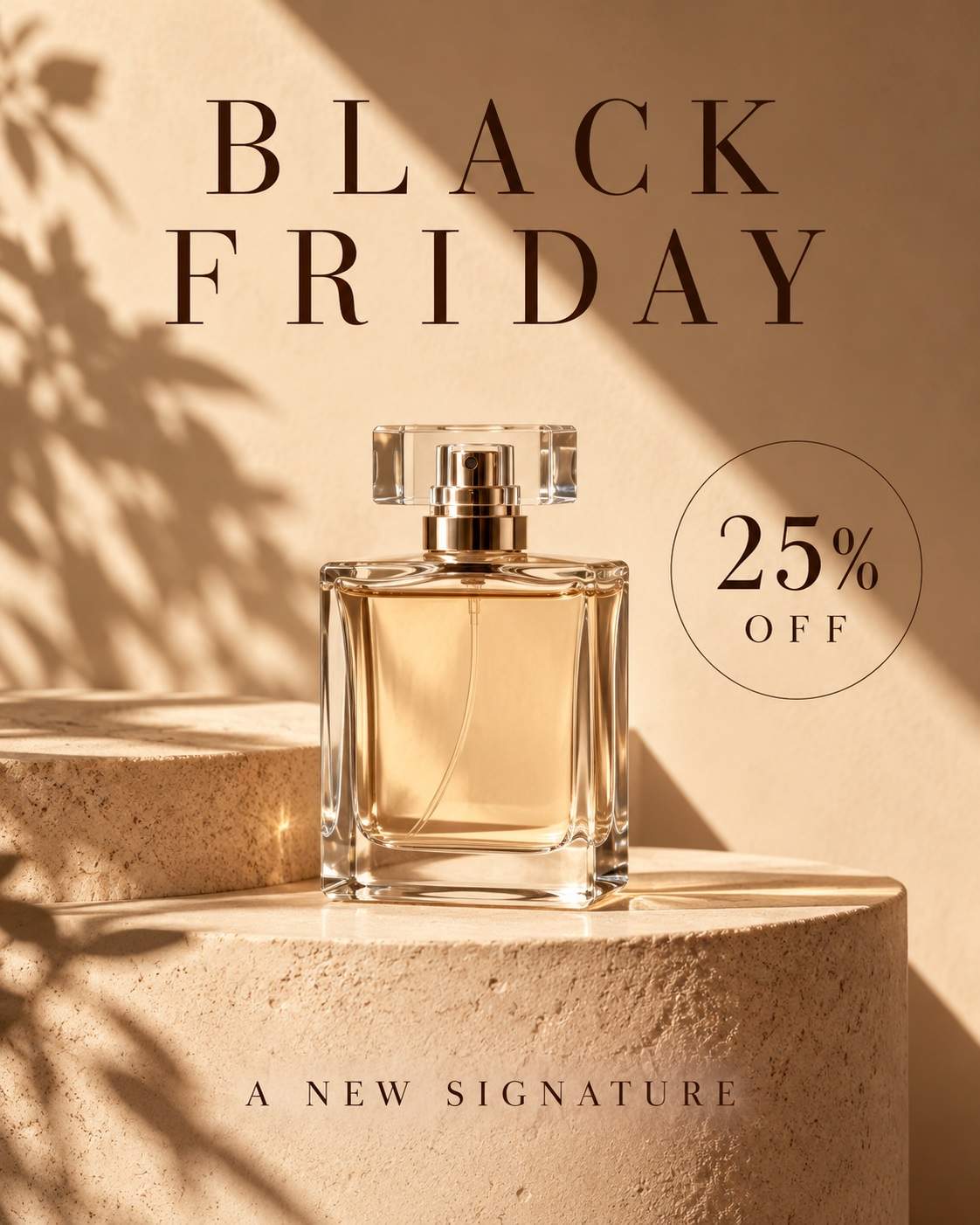
Create a 4:5 Black Friday promotional image. Place an unbranded clear perfume bottle on a curved sandstone pedestal against warm beige. A sharp sunlit shadow creates a diagonal composition. Use dark-brown serif type with wide spacing and a discreet offer label; refined fragrance campaign. Render only this exact advertising copy: "BLACK FRIDAY"; "25% OFF"; "A NEW SIGNATURE". Make the lettering legible, keep the product unobstructed and use no watermark or third-party logo. The offer is an illustrative example; replace it with your real promotion before publishing.
Streetwear Contact Sheet
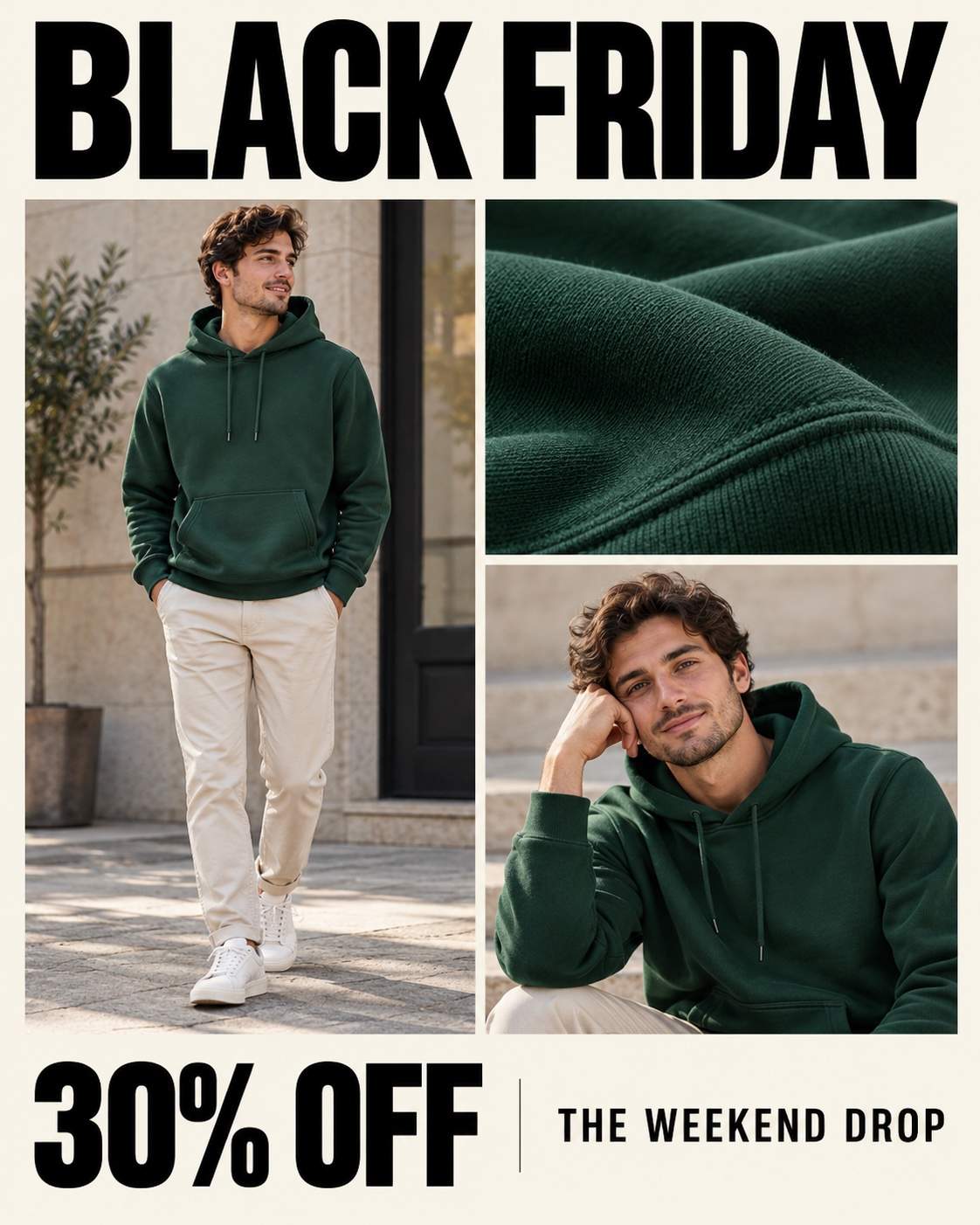
Create a 4:5 Black Friday promotional image. Compose three distinct photographic panels of one adult model wearing an unbranded forest-green hoodie: full length, fabric detail and relaxed portrait. Surround with cream margins and bold black typography. Small orange offer badge, coherent daylight and wardrobe. Render only this exact advertising copy: "BLACK FRIDAY"; "30% OFF"; "THE WEEKEND DROP". Make the lettering legible, keep the product unobstructed and use no watermark or third-party logo. The offer is an illustrative example; replace it with your real promotion before publishing.
Soft Knit Winter Wardrobe
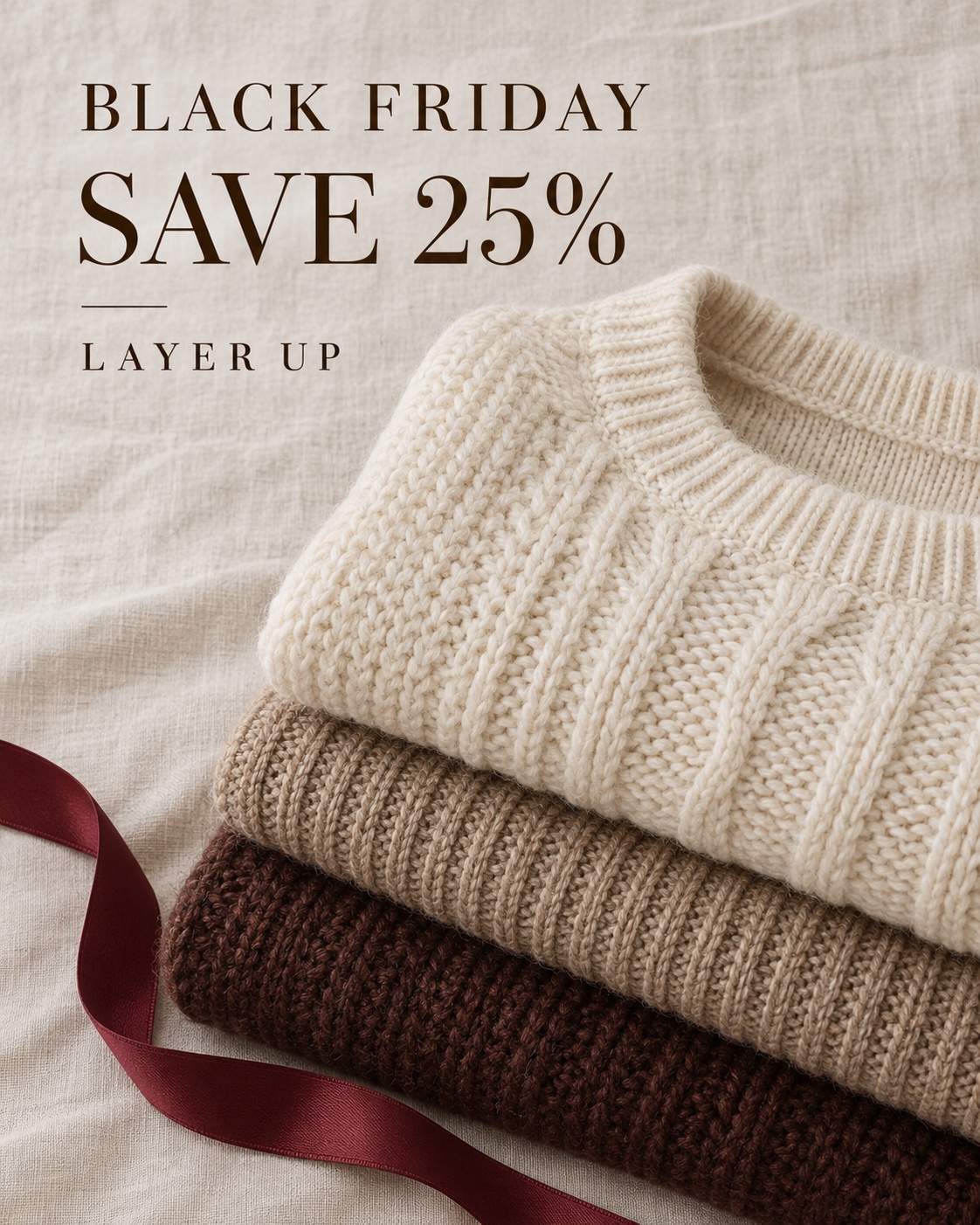
Create a 4:5 Black Friday promotional image. Create an overhead photograph of folded cream, oat and cocoa knitwear on pale linen. Add one burgundy ribbon crossing the lower corner. Use dark brown editorial lettering in the uncluttered upper area. Soft daylight and highly tactile knit detail. Render only this exact advertising copy: "BLACK FRIDAY"; "SAVE 25%"; "LAYER UP". Make the lettering legible, keep the product unobstructed and use no watermark or third-party logo. The offer is an illustrative example; replace it with your real promotion before publishing.
Desk Upgrade Kit
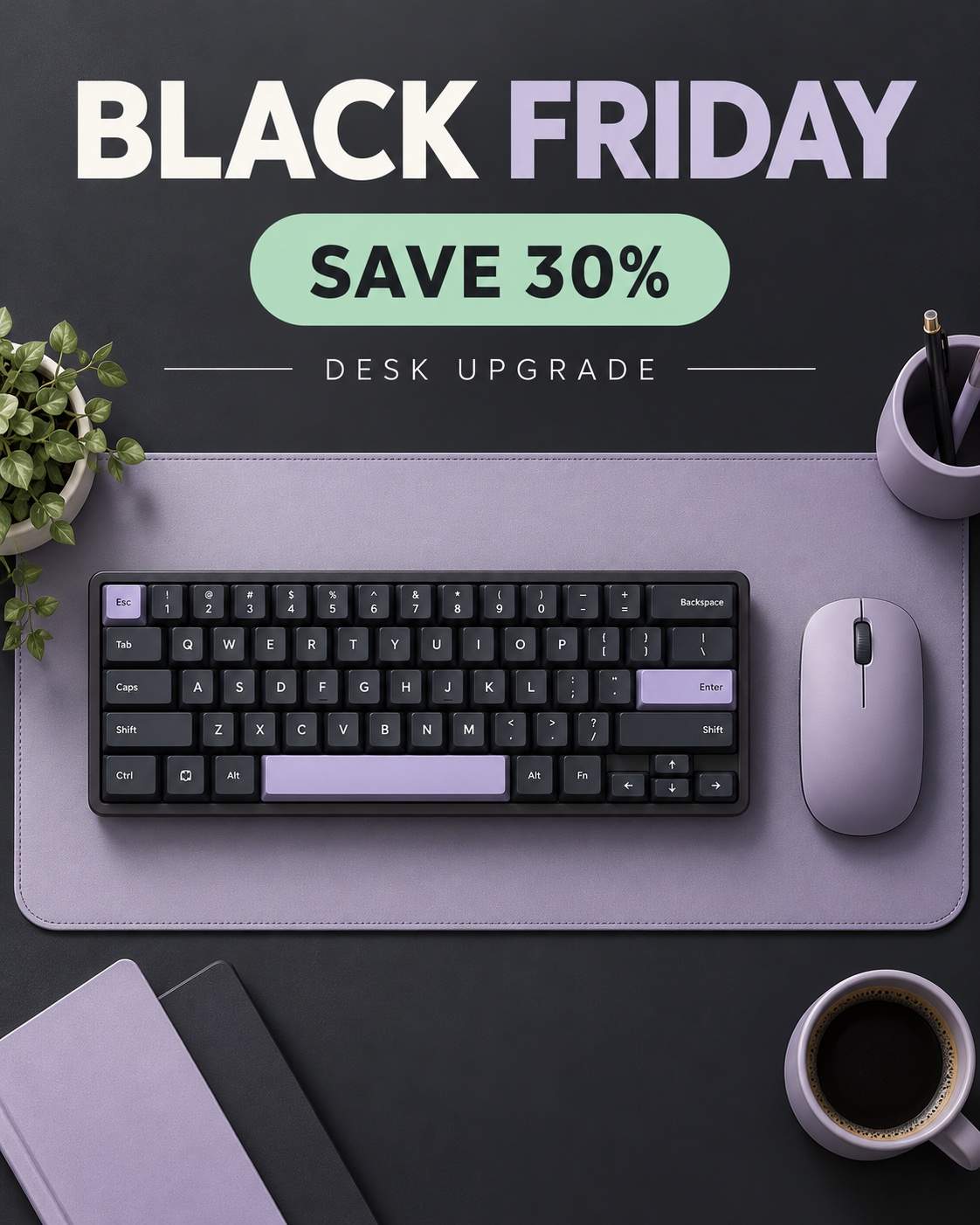
Create a 4:5 Black Friday promotional image. Create a clean overhead flat lay of a compact keyboard, wireless mouse and desk mat in muted lavender and charcoal. Precise grid, soft shadows and a small mint offer card. Reserve the top quarter for crisp sans-serif typography. Render only this exact advertising copy: "BLACK FRIDAY"; "SAVE 30%"; "DESK UPGRADE". Make the lettering legible, keep the product unobstructed and use no watermark or third-party logo. The offer is an illustrative example; replace it with your real promotion before publishing.
How to Create Black Friday Ads with AI
Start with a real offer and one placement, then adapt the visual for the rest of your campaign.
Choose the Offer and Placement
Pick a prompt for your product and channel. Replace the sample discount, headline and CTA with your approved offer. Use 4:5 for a portrait creative, 9:16 for a Story cover or 16:9 for a wide banner.
Add Your Product and Brand
Paste the prompt into Mew Design. Upload your product photo and logo when needed, specify your brand colors, and ask to preserve the product shape and packaging while changing the setting.
Refine the Offer Hierarchy
Use Chat Edit to enlarge the discount, shorten the headline or move the product. Check every price, spelling and date, and keep important content away from social interface overlays.
Adapt and Export the Campaign
Request a new composition for each placement instead of cropping away the offer. Review the design at phone size, verify your product and terms, then export the approved images.

Make the Offer Clear Across Your Campaign
See the Layout Before You Start
Each prompt has a generated example, so you can compare a bold discount poster with a quiet product ad before choosing a direction.
Bring Your Actual Product
Upload a product photo as a visual reference. Ask Mew Design to keep its form and packaging while exploring new backgrounds, props and lighting.
Edit One Message at a Time
Use Chat Edit to adjust the headline, discount scale or CTA placement. Keep the rest of the composition when the overall direction already works.
Plan for Different Placements
Use portrait, vertical and wide AI Black Friday templates as starting points. Ask for a fresh layout with room for the interface and a readable offer.
Reuse Your Campaign Direction
Turn an approved brand and layout workflow into a Mew Skill. Reuse the design approach for early access, launch and last-chance creative with new wording.
Extend the Sale Beyond Social
Create matching sale posters and store flyers. For print-to-shop campaigns, supply your exact destination and ask Mew Design to generate a QR code; test the exported code before printing.


AI Black Friday Prompts: Common Questions
Name the product, offer, placement, visual style and exact on-image text. Add a composition rule, such as product on the right and headline on the left, then specify colors, lighting and aspect ratio. The examples on this page combine those details into copy-ready prompts.
These are reusable text prompts with generated image examples, not layered Canva or Photoshop files. Copy a prompt into Mew Design to create your version, then refine the design in chat. Browse the AI prompts library for more themes.
Yes. Upload them as visual references and tell Mew Design which details to preserve. Check that the final product shape, color, packaging and logo match what you sell before using the image in a campaign.
The prompts include 4:5 portrait layouts, 9:16 vertical covers and 16:9 wide banners. Choose the ratio for your intended placement, keep essential text away from interface overlays, and check the current upload requirements of the platform before export.
Keep the headline short, put exact wording in quotation marks and give the offer strong contrast. If lettering is wrong, use Chat Edit to correct it and inspect the export. Add detailed terms separately rather than squeezing them into tiny image text.
Yes. Replace the campaign name, offer and deadline, then request the same visual direction. The localized prompts keep the English sample display text so they match the previews; change that quoted text to your approved local wording when creating your own image.
The collection draws on recurring formats in public template libraries, Pinterest references and platform holiday guides: bold discounts, product-led ads, gift sets, early access and last-chance creative. These are original AI-generated interpretations, not copies of individual brand ads or a ranking of viral posts.
The percentages and offers are illustrative. Replace them with your actual promotion, dates and conditions. Review product accuracy and every line of text before publishing; a clear design does not guarantee advertising performance.

