Compare Shutters, Blinds, and CurtainsWindow Treatment Visualizer
How to Create Window Treatment Previews with AI
Show the Whole Window
Describe the Treatment
Compare One Change at a Time
Take Your Shortlist Shopping

Compare Window Treatments on Your Own Photo
See Blinds and Shades in Your Room
Upload your window photo to compare the horizontal lines of wood blinds with the smooth surface of roller shades or the folds of Roman shades. Ask the AI to preserve wall colors, flooring, and furniture so you can judge each treatment against the same room.
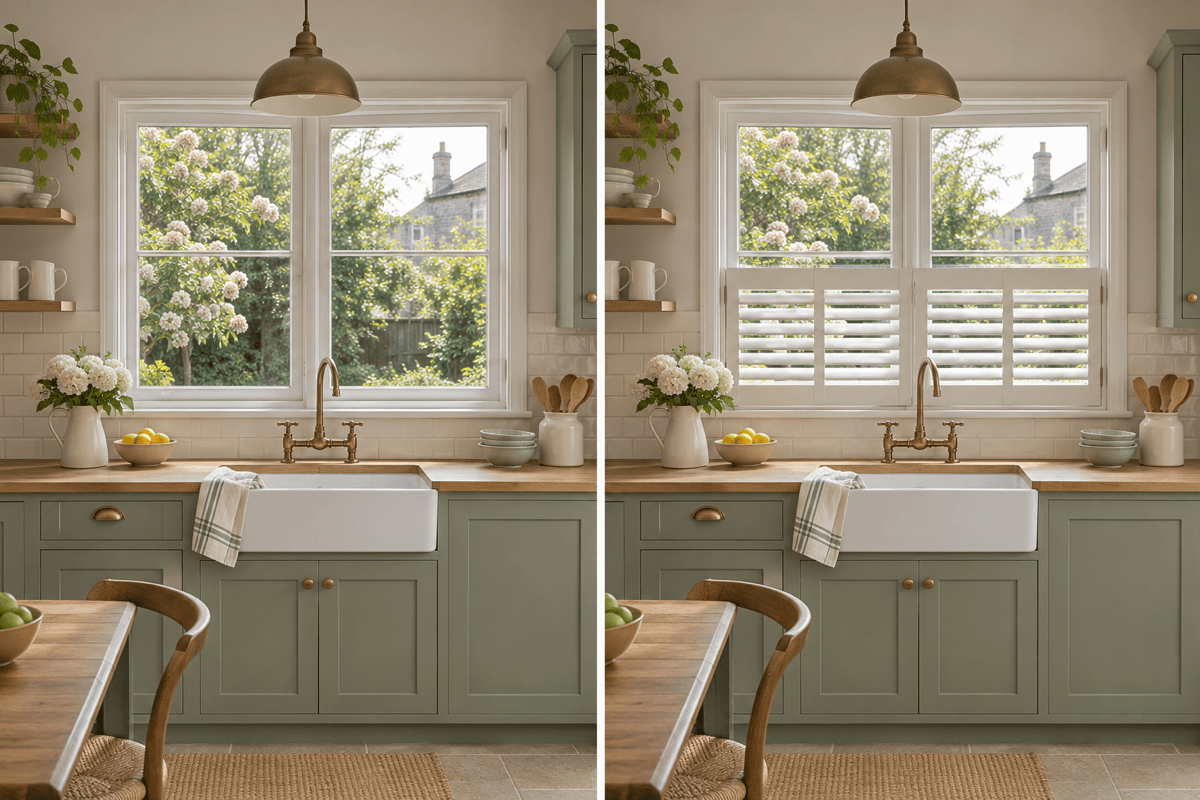
Preview Plantation and Café Shutters
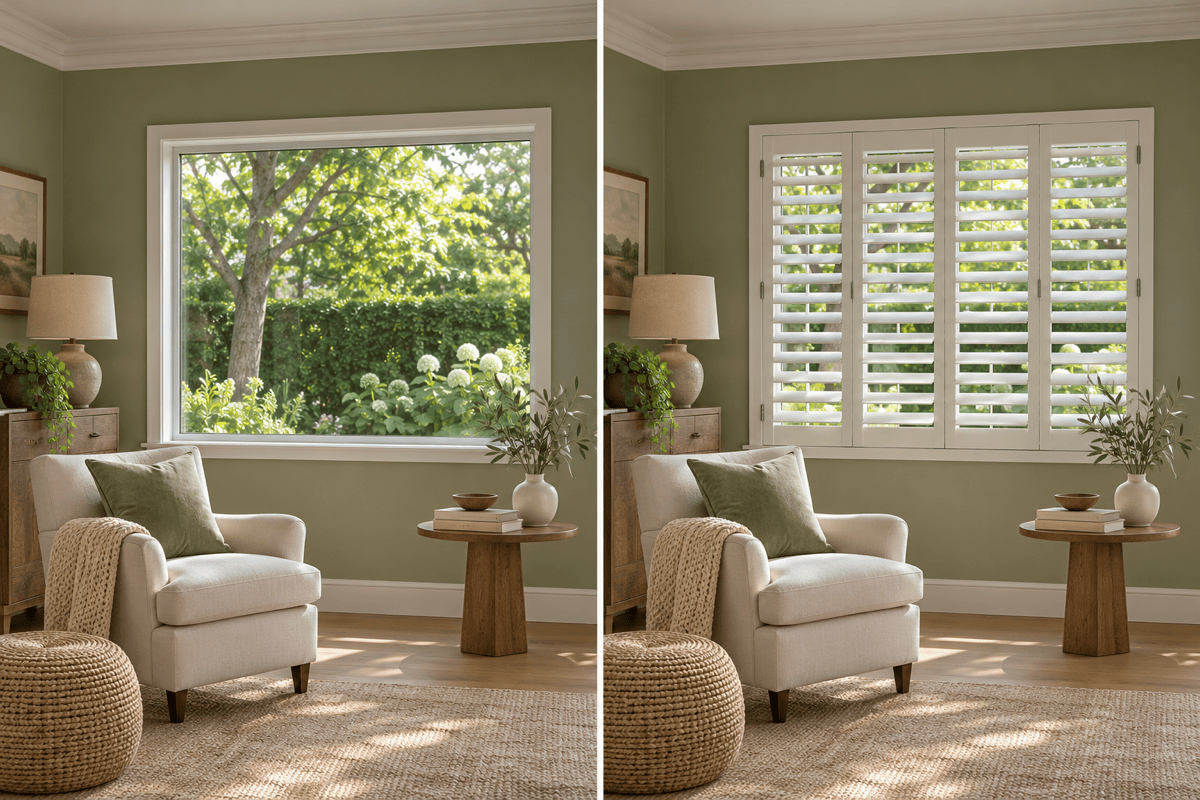
Use the shutter visualizer to compare full-height panels with café shutters that cover only the lower part of the window. Try white or wood finishes and different louver widths. Specify panel divisions and partly open louvers to explore how much of the outdoor view remains visible.
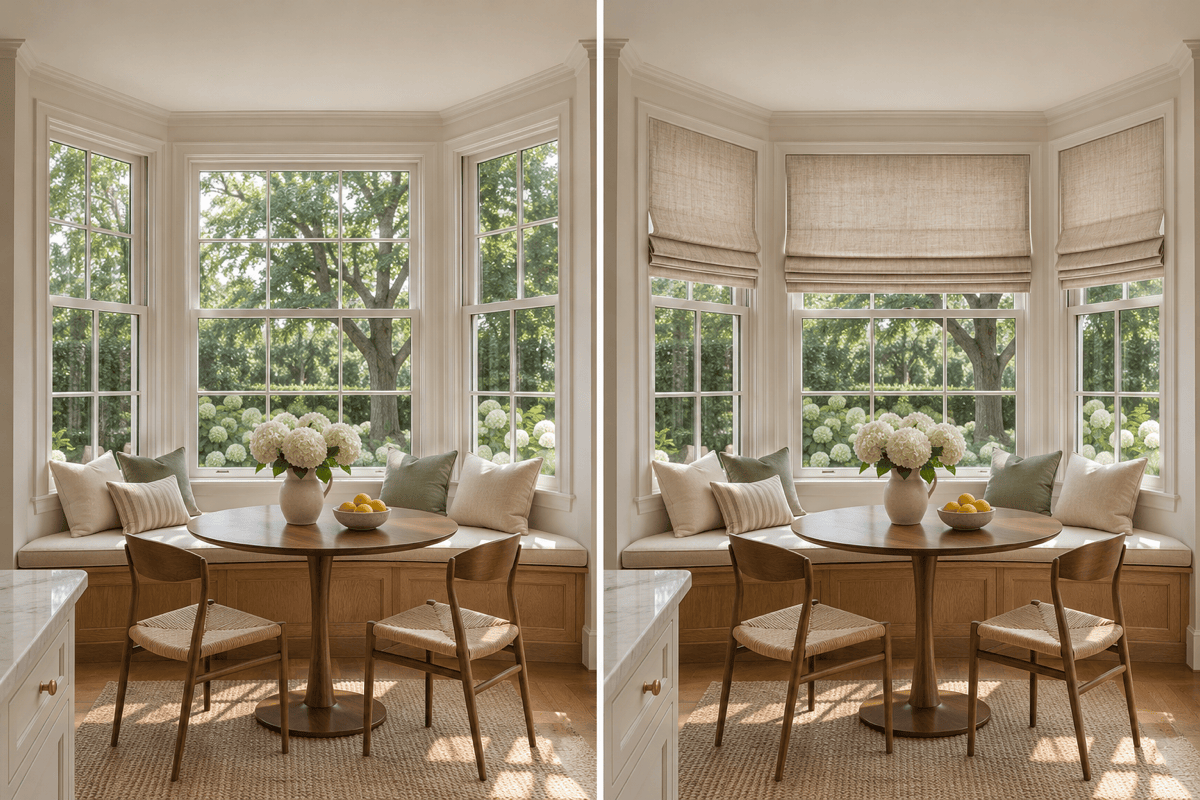
Layer Roman Shades With Curtains
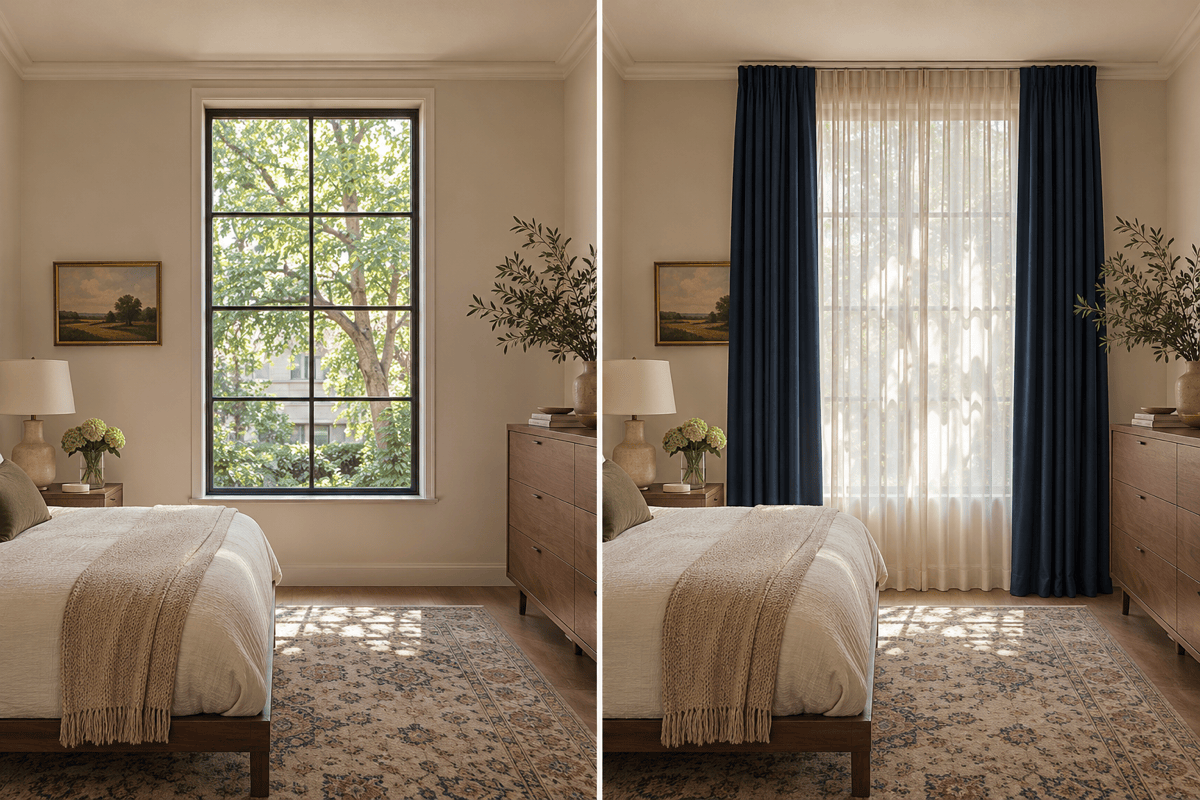
Compare a Roman shade on its own with a shade framed by curtains. For bedrooms, request sheer curtains behind heavier drapes; for living rooms, test linen panels beside a roller shade. Specify rod height, curtain length, and whether the fabric is drawn aside or closed.
A Fabric Reference to Start From
Upload a fabric or inspiration image to guide color and texture. Use the result to shortlist options; check actual swatches in your room’s light.
Refine Louvers, Folds, and Window Frames
Use Chat Edit to correct uneven louvers, adjust fabric folds, or restore a window frame that changed in the preview. For edits guided by your room photo, select an available image model or let Mew Auto choose one for the task.
Save Before-and-After Window Comparisons
Download watermark-free previews and compare them beside your original photo. Keep the same viewpoint when shortlisting shutters, blinds, or curtains, then share the images with your installer to explain the panel layout, finish, and curtain drop you want.
How to Visualize Window Treatments From a Photo
- Photograph Straight OnInclude all window corners and some wall on each side. Avoid strong glare and steep camera angles.
- Specify the MountAn inside mount sits within the window recess and leaves the surrounding trim visible. An outside mount sits beyond the opening, on the wall or trim. Specify the placement you want to preview and show handles or radiators that may affect installation.
- Keep a Fixed BaselineReuse the original photo for comparisons. Check that the AI has not moved mullions, resized the opening, or replaced your furniture.
- Separate Appearance From PerformanceA preview cannot verify fit, nighttime privacy, or blackout performance. Confirm those details with measurements and the supplier.
Window Treatment Ideas for Specific Decisions
On my street-facing window photo, compare full-height plantation shutters with café shutters covering only the lower half. Keep the room and viewing angle the same in both previews.
Add a separate linen Roman shade to each section of my bay window. Keep all three window angles and the seat visible; do not turn the bay into a flat wall.
Preview sheer curtains with navy blackout drapes in my bedroom. Show the drapes drawn aside and the sheers closed. Keep the bed, window size, and wall color unchanged.
Create two roller shade previews from my original photo: one inside the window recess and one outside above the frame. Use the same warm-white fabric so I can compare the mounting appearance.
Compare white and light-oak interior shutters on my living room window. Keep the panel layout and louver width identical so only the finish changes.
Correct this preview using my original photo: restore the window frame, mullions, and furniture positions. Retain only the new window treatment; do not redesign the room.





