Free OnlineVHS Halloween AI Photo Generator
How to Create VHS Halloween Photos with AI
Choose Your Photo and Mood
Build the Camcorder Scene
Adjust the Scare and Static
Save Your Halloween Still

Your Face, Your Scene, Your Level of Spooky
Start with Your Own Portrait
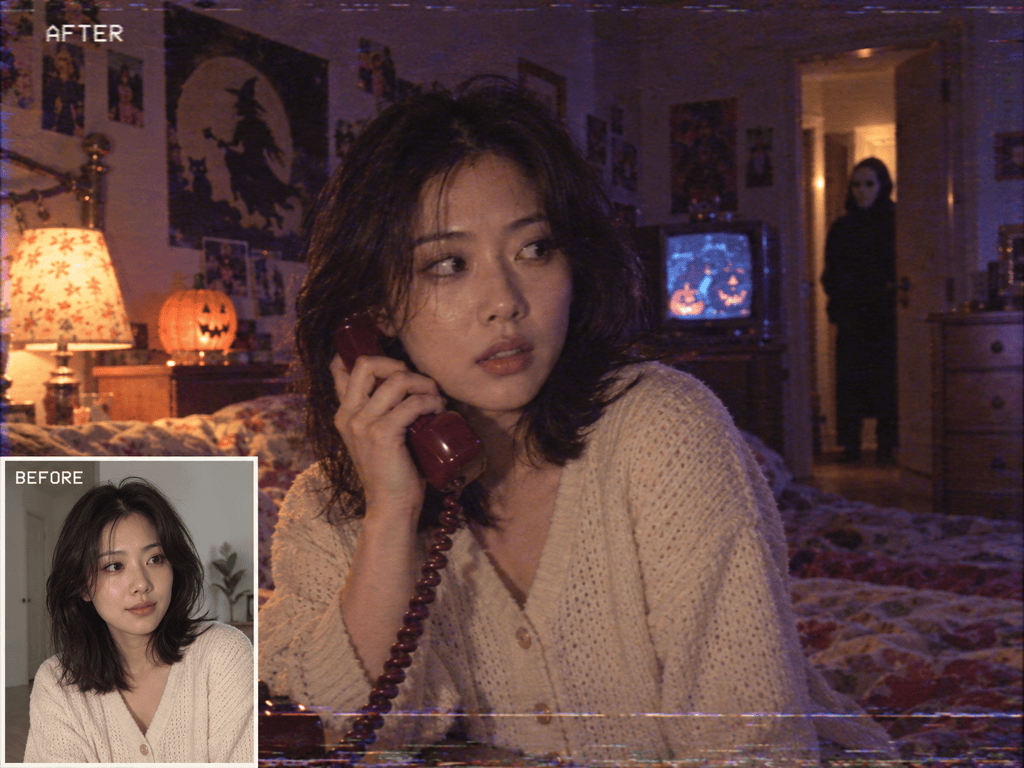
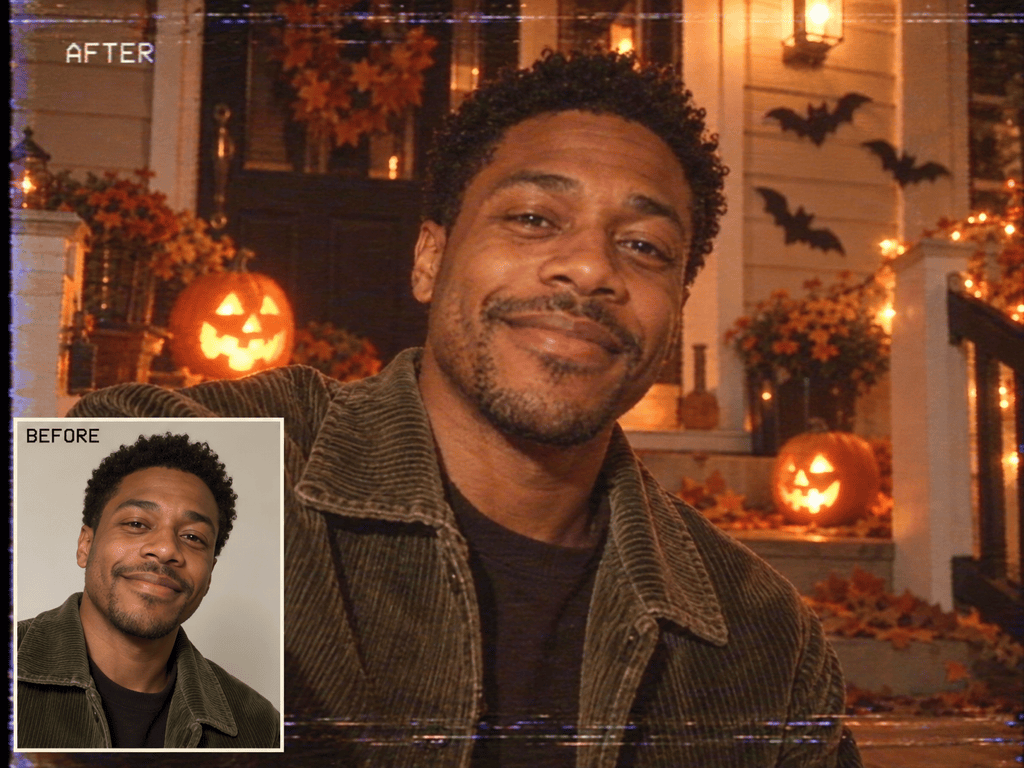
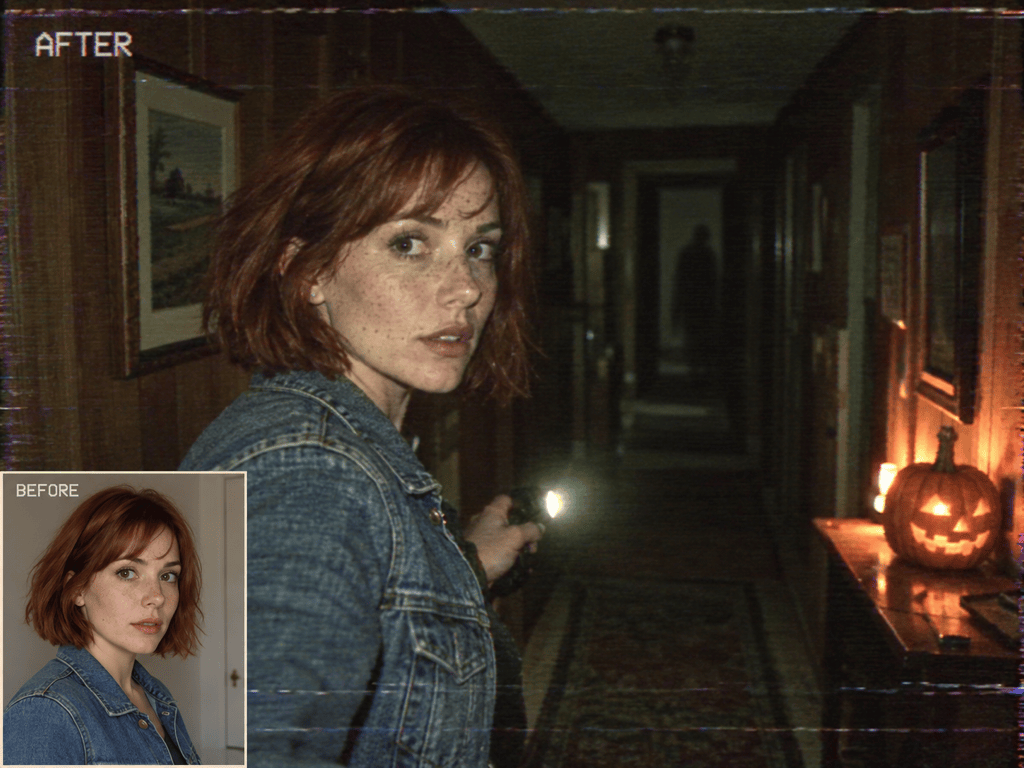
Upload a selfie and ask the VHS Halloween filter powered by AI to restyle the surroundings while retaining your facial features. Review the likeness; generated details can vary.
Give the Tape a Specific Look
Ask for soft focus, color bleed, and light tracking lines. Build a 90s Halloween AI photo without hiding the subject beneath heavy static.
Direct What Lurks Behind You
Use plain language to add a distant silhouette, brighten a pumpkin, or keep the scene playful. Chat Edit lets you revise the atmosphere after generation.
Create Without a Source Photo
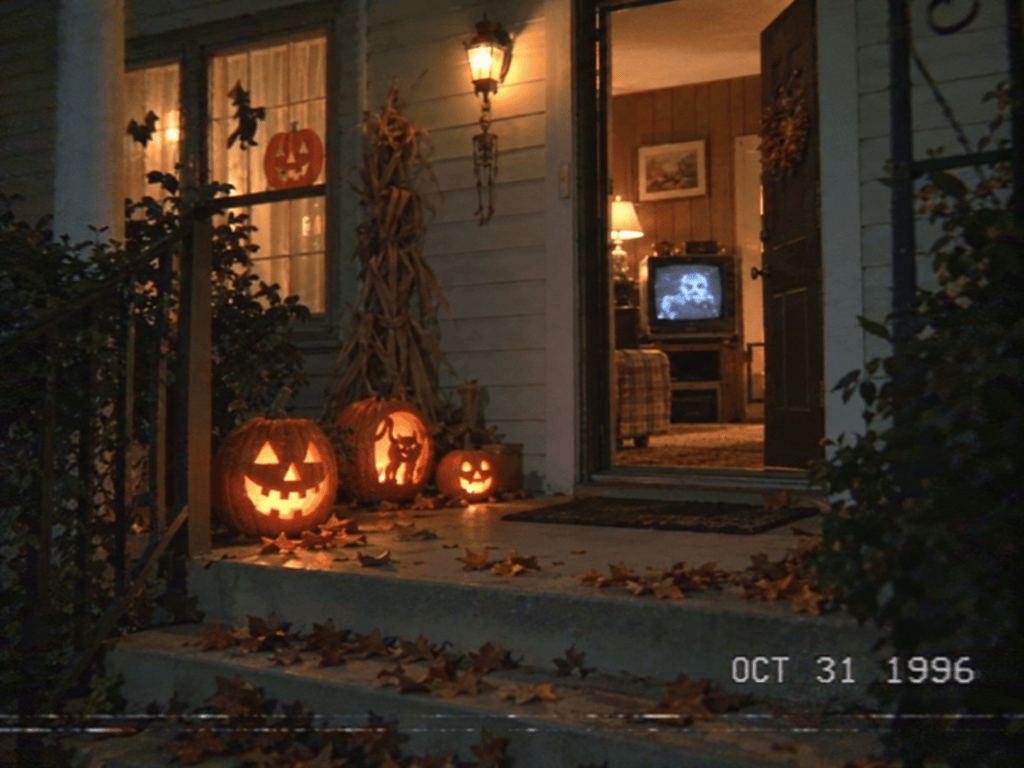
Generate an empty haunted porch or a fictional costume portrait from text. This online VHS Halloween photo maker also supports visual references.
Carry a Look Across a Series
Explore related images with the same palette and tape texture. For recurring Halloween posts, turn your preferred design approach into a reusable Mew Skill.
Try the Look with Free Credits
Sign up for free AI credits to explore a first version. Export finished images without a watermark; further generation depends on your available credits.
What Makes a Halloween Photo Look Like VHS?
- Keep the Person Clear:Use a well-lit source with an unobstructed face. Name the features, clothing, or pose you want retained.
- Choose Period Details:A corded phone, CRT television, or wood-paneled room helps establish a retro setting. Ask to remove smartphones and modern screens.
- Balance the Tape Damage:Combine faded color, slight blur, and restrained tracking lines. Keep strong distortion away from faces and important details.
- Specify the Frame:Use 4:3 for a classic television feel or request a social crop. If adding a timestamp, give the exact date and check the rendered digits.
VHS Halloween Prompts and Quick Fixes
90s bedroom portrait: Restyle my uploaded photo in a dim bedroom with a corded phone, a glowing CRT, and pumpkin decorations. Retain my facial features. Add soft VHS noise and a distant masked costume figure. Keep it eerie, without gore.
Cozy Halloween memory: Turn my uploaded portrait into a warm camcorder still on a porch with carved pumpkins and paper bats. Retain my face and outfit. Add faded orange tones and gentle tape grain, with no threatening figures.
Found-footage portrait: Place the person from my photo in a dim hallway holding a flashlight, with a shadow far behind. Preserve facial features and hairstyle. Use a greenish cast and light tracking lines; keep the face visible.
No-photo Halloween scene: Generate a 4:3 VHS still of an empty suburban porch at night. Include glowing pumpkins, fallen leaves, a half-open door, and an old television visible inside. Use faded colors and subtle tape noise.
Too much static: Edit this image to reduce noise and blur around the eyes, mouth, and hands. Keep the Halloween setting and faded colors. Move stronger tracking distortion to the frame edges.
Too modern: Replace modern screens and decor in this image with a CRT television, a corded phone, and paper Halloween decorations. Preserve the person and composition. Reduce digital sharpness and add gentle color bleed.





