Generate Avatar from PhotoWith AI
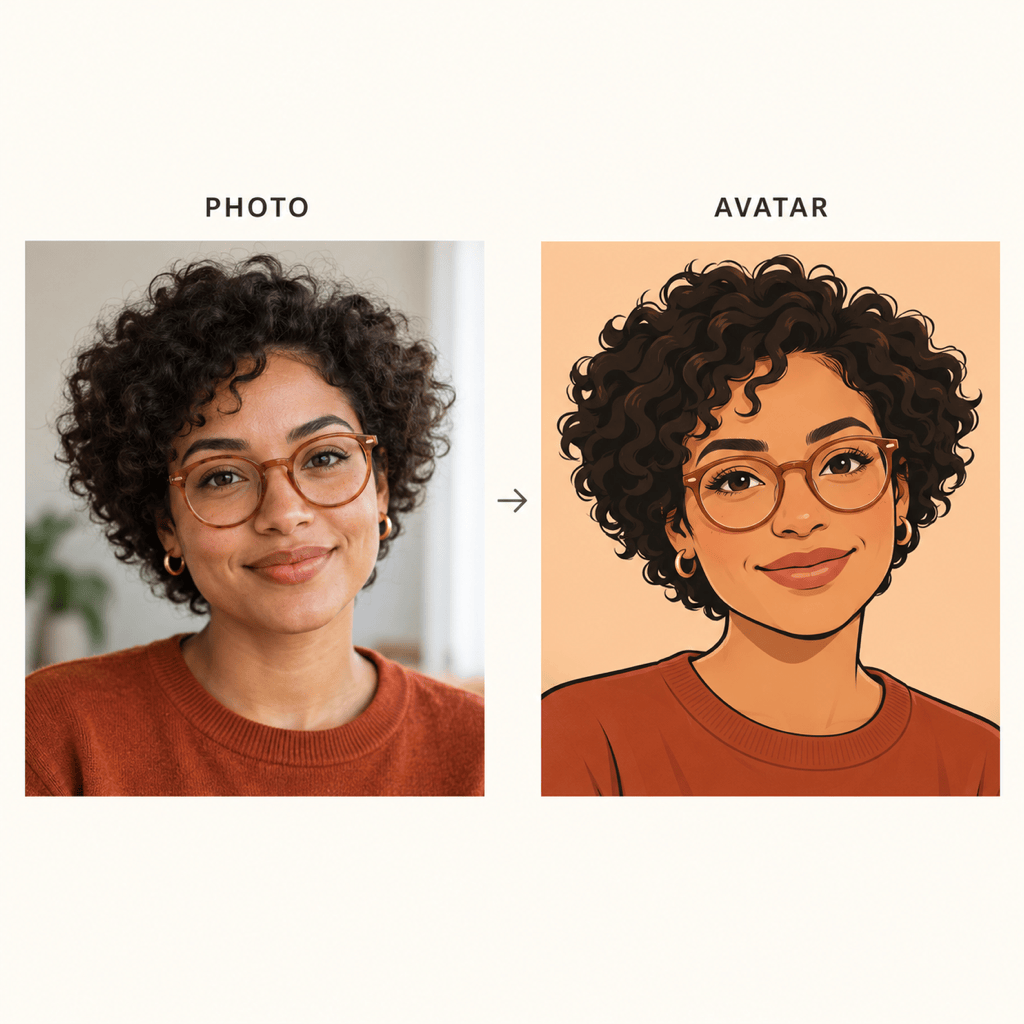
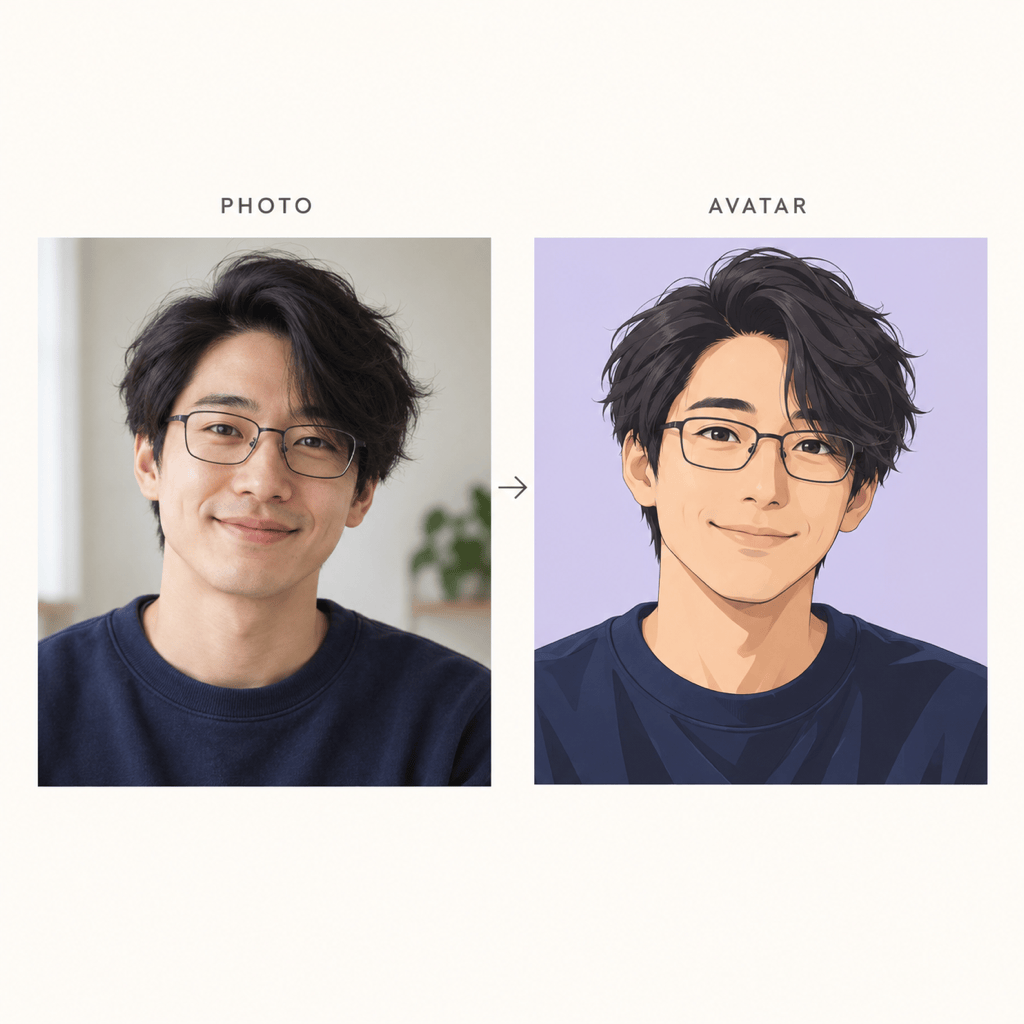
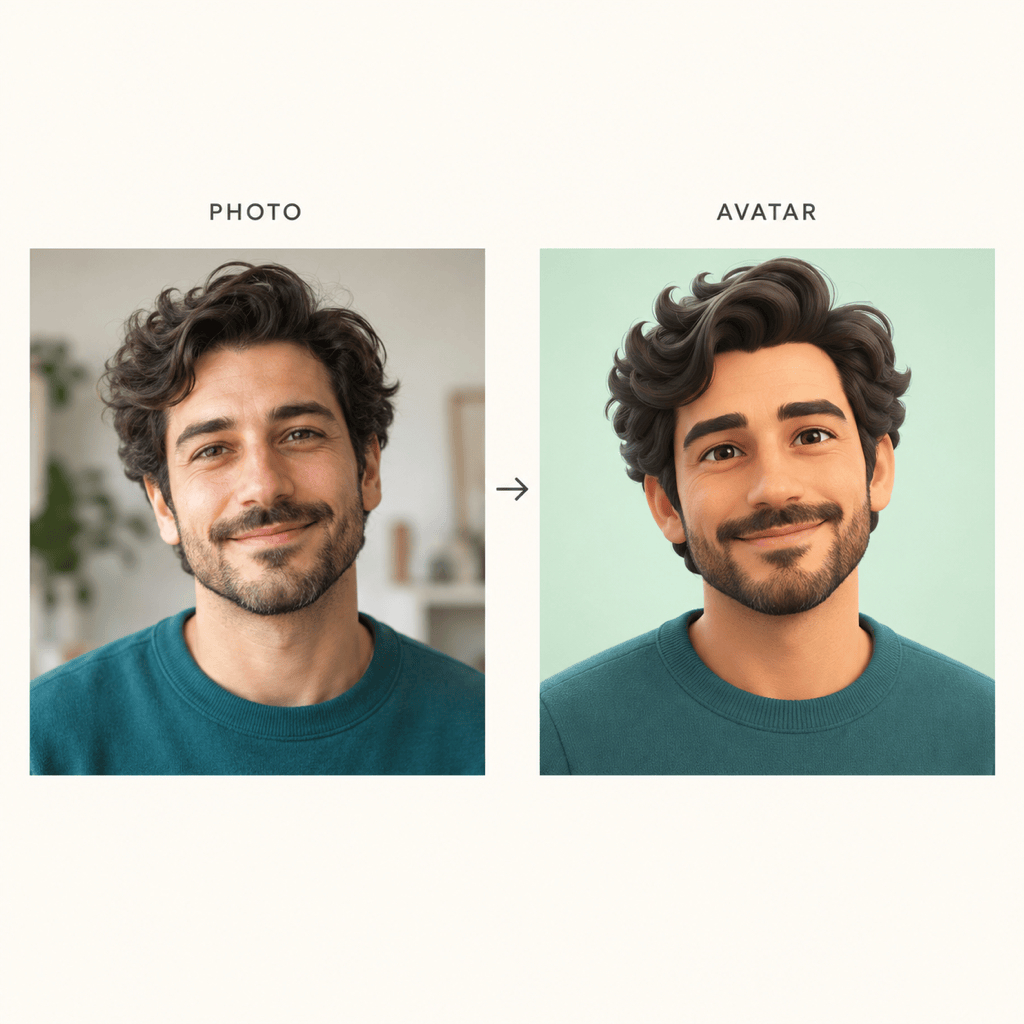
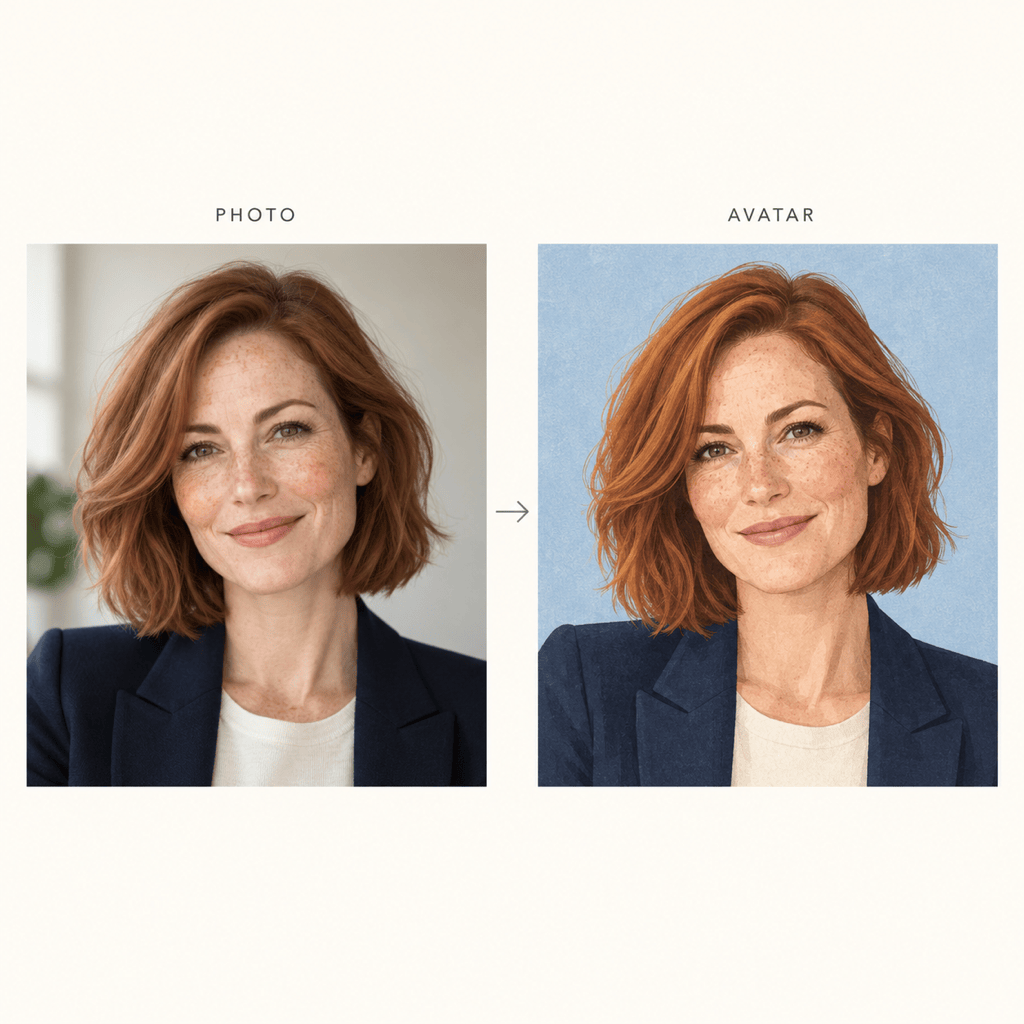
How to Create an Avatar from a Photo with AI
Upload a Clear Portrait
Generate Your Avatar
Check the Likeness
Download for Your Profile

Your Photo, Your Style, Room to Refine
Start with Your Own Face
Use your uploaded portrait as the visual reference instead of assembling a face from presets. Tell the AI avatar maker which features matter most to you.
Compare Different Looks
Convert an image to an AI avatar in cartoon, anime, 3D-style or editorial illustration. Request several versions from the same photo to compare styles.
Fix Details Through Chat
Keep a promising version and ask for specific adjustments with Chat Edit, from a missing beard to a less exaggerated smile.
Make the Face Stand Out
Ask for a simple background, more space around the head or background removal. Export a transparent PNG when you need an avatar for overlays.
Carry a Style Across Profiles
Use a style reference and shared colors for related avatars. For recurring team portraits, save the approach as a Mew Skill to reduce repeated setup.
Try It with Free Credits
Test this online photo to avatar workflow with free AI credits after signup. Generating and editing use credits; exports are watermark-free.
Choose a Photo That Helps Your Avatar Look Like You
- One Clear Face: Choose a sharp, front-facing or slight three-quarter portrait. Crop other people out before uploading.
- Even Lighting: Avoid heavy filters, deep shadows and sunglasses that hide the eyes. A clearer original is better than asking AI to guess missing details.
- Recognizable Features: Name the details to preserve, such as freckles, hair texture, glasses or facial hair. Strong stylization can change likeness.
- Small-Size Check: Judge the result at profile-icon size. Simplify busy backgrounds and leave room around the head before uploading it to a social platform.
Refine Your Photo Avatar for Real Profile Use
Closer likeness: Revise the avatar using my uploaded photo. Bring the face shape, eye spacing and nose closer to the original while keeping the illustration style.
Anime without losing identity: Turn my uploaded photo into an anime avatar. Preserve my hairstyle, skin tone and glasses; keep facial proportions only lightly stylized.
Discord profile crop: Adapt my avatar for a square Discord profile image. Center the face, leave room for a circular crop and remove small distracting background details.
Softer 3D style: Convert my uploaded portrait into a friendly 3D-style avatar image. Keep my age and facial hair, with subtle proportions and soft studio lighting.
Transparent profile asset: Remove the background from my avatar for a transparent PNG. Keep the hair outline and glasses clear, without adding a colored border.
Matching team portraits: Use my uploaded portraits to create separate avatars with the same illustration style, background color and framing. Preserve each person’s distinct appearance.





