Try It OnlineAI Ugly Face Filter
How to Make a Funny Face Photo with AI
Upload a Clear Selfie
Choose Your Comic Effect
Fine-Tune the Exaggeration
Download Your Reaction Shot

Make the Joke Your Own with Mew Design
Start with Your Own Face
This online ugly face filter works from an uploaded photo, so you can build the joke around your own expression rather than a random face.
Describe the Level of Silly
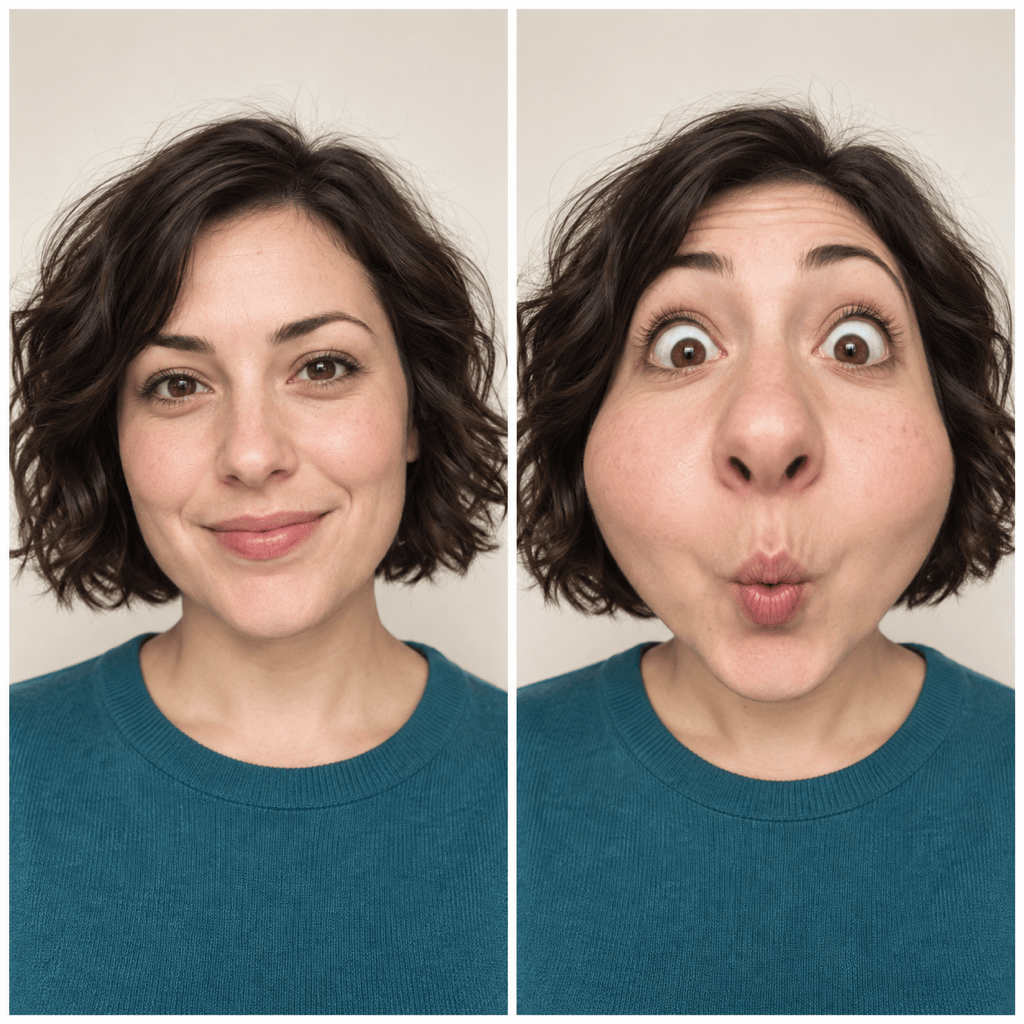
Ask for a small cheek puff or an absurdly stretched grin. Adjust the effect through conversation instead of learning manual face-warp tools.
Keep Refining the Likeness
Ask Chat Edit to preserve recognizable details and reduce unwanted changes. Review each version; strong distortions can change how much the result looks like you.
Explore More Than One Reaction
Use the AI ugly face generator to explore confused, surprised, or mock-dramatic expressions from the same reference. Compare versions before choosing your favorite.
Turn a Reaction into a Cutout
Ask Mew Design to remove the background from your finished funny face. Export a transparent PNG for a sticker-style image or a video overlay.
Make a Face from Scratch
No selfie available? Describe a fictional comic character and generate a funny avatar from text. Choose a photo-like or cartoon style.
Get a Funny Face That Still Looks Like You
- Use a Clear Face: Choose a front-facing or slightly angled portrait. Avoid sunglasses, motion blur, and hands covering the face.
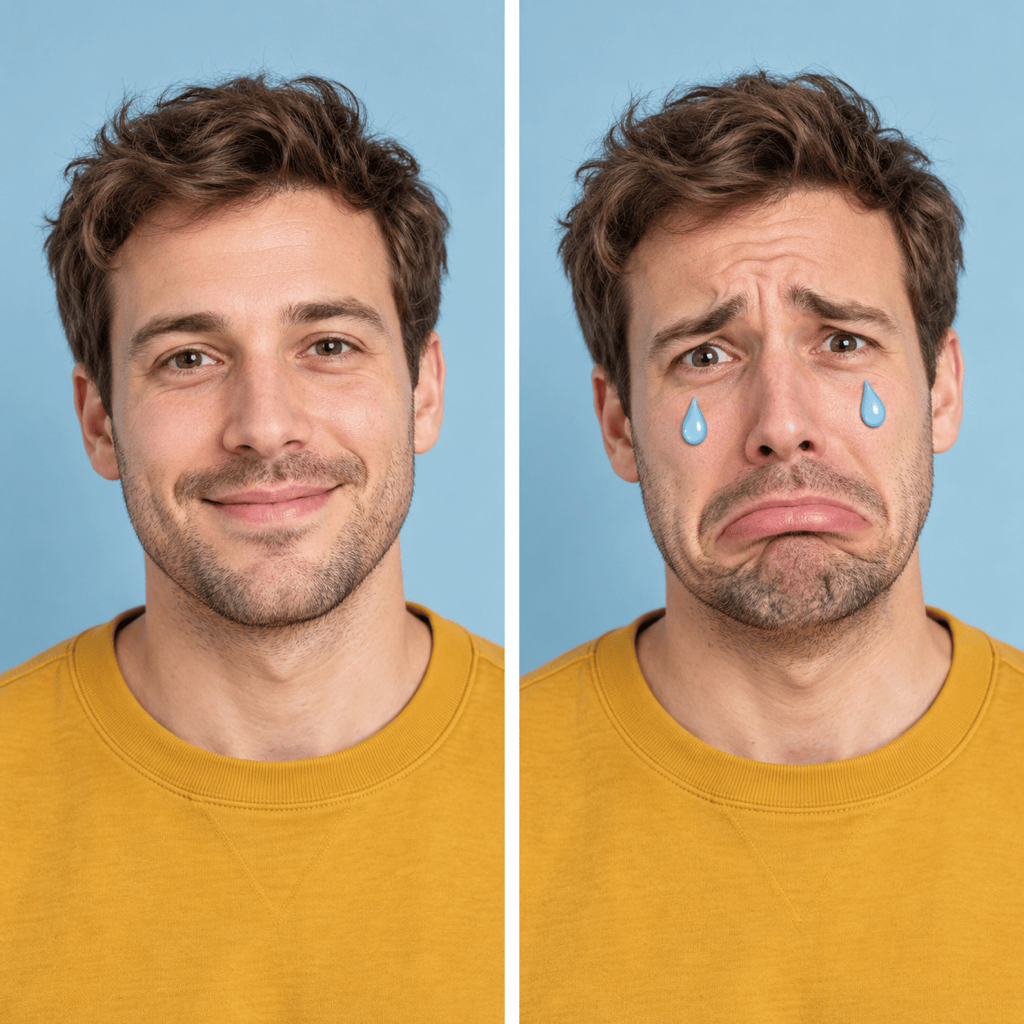
- Pick One Main Change: Choose a stretched smile, balloon cheeks, or an exaggerated cry. Mixing too many effects can make the face harder to recognize.
- Name What Should Stay: Mention hair, clothing, lighting, and background. If the likeness drifts, ask for less distortion and compare with the source photo.
- Check Before Sharing: Review eyes, teeth, and face edges. Use your own photo or get permission, and keep the joke about the effect rather than someone’s appearance.
Funny Face Edits to Try on Your Photo
Apply a playful fisheye effect to my uploaded selfie. Enlarge the center of the face slightly, round the cheeks, and add a surprised expression. Keep the background and outfit consistent.
Turn my selfie into an exaggerated crying reaction meme with a theatrical pout and oversized cartoon tears. Keep it clearly comic, retain my hairstyle, and leave space above the head for a caption.
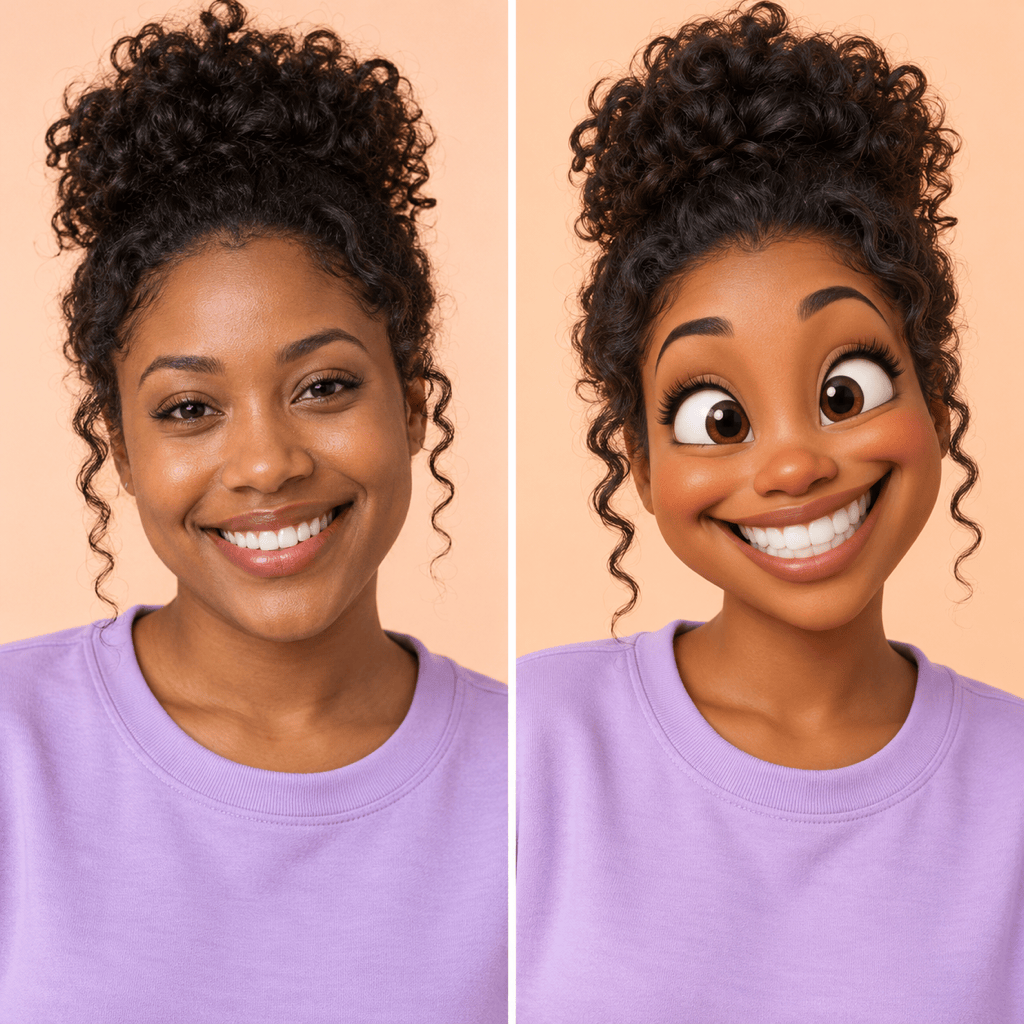
Make a funny cartoon profile picture from my photo. Use a stretched grin, expressive eyebrows, and simple colors. Center the whole head in a square with room for a circular crop.
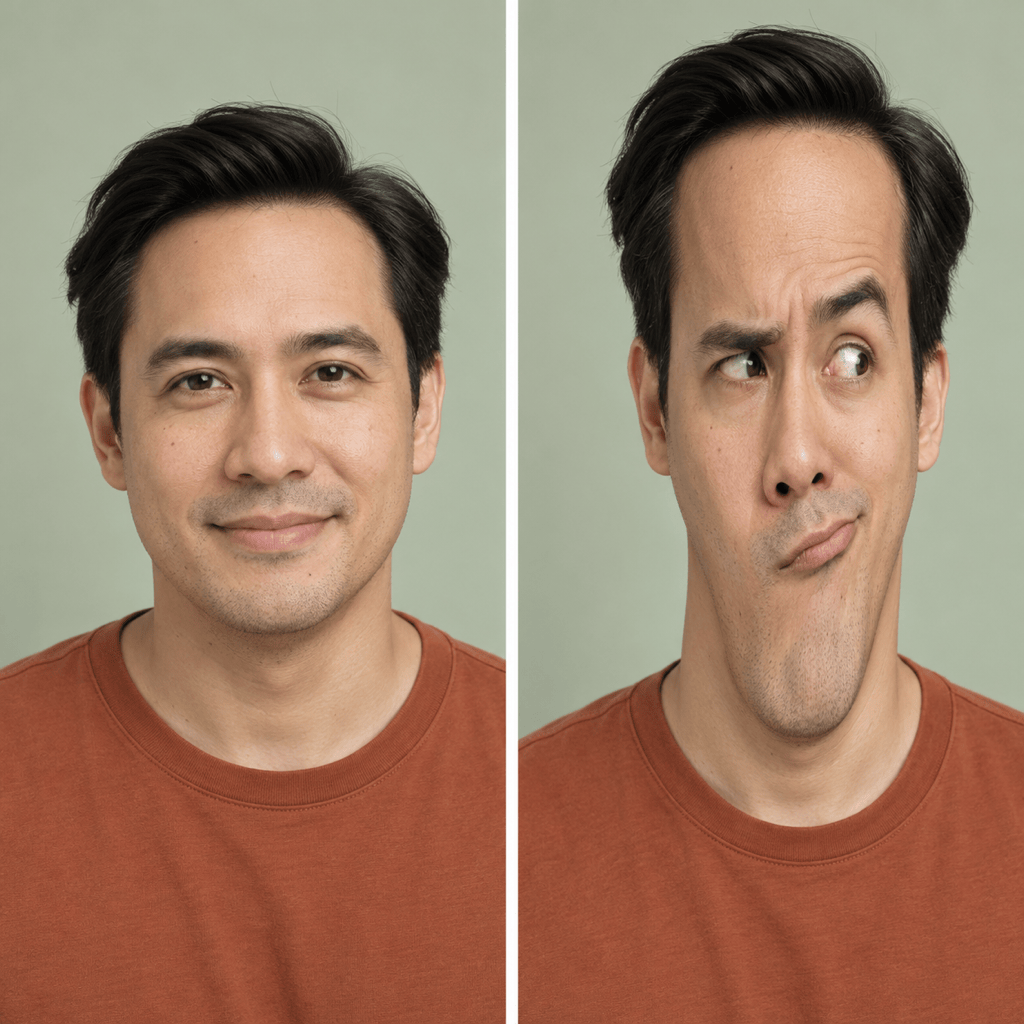
Give my selfie a rubbery long-face effect and a baffled expression. Keep natural skin texture and the original lighting. Make it silly rather than frightening.
Create a vertical 9:16 still image from my selfie for a short-video reveal. Add balloon cheeks and a tiny surprised mouth. Keep the whole head visible and leave room around it for editing.
Reduce the distortion in this edited portrait so the face looks more like my original photo. Keep the funny expression, restore the original hairstyle and background, and clean up the eyes and teeth.





