Free OnlineAI Twin Generator
How to Create a Twin Photo With AI
Choose a Clear Solo Photo
Define the Twin Relationship
Stage Both People
Inspect the Double-Take Details
Refine and Export

Control the Whole Twin Scene, Not Just the Face
Start From Your Real Composition
Upload your photo as the visual reference and tell Mew Design what must stay unchanged. The free AI twin generator can add a second version without forcing you into a fixed studio template.
Direct Exactly Two Subjects
Specify the placement, pose, spacing, gaze, and interaction of both versions. Clear scene instructions help prevent an extra person or two disconnected portraits.
Match Light, Scale, and Perspective
Models such as GPT Image 2.5 can rebuild the scene so the added double shares the camera view, contact shadows, depth, and color temperature.
Fix One Twin Without Restarting
If one face, hand, sleeve, or shadow drifts, use Chat Edit to correct that area while asking the agent to preserve the other person and the approved background.
Reuse a Successful Twin Workflow
For recurring content, turn your preferred reference setup, preservation rules, twin placement, and export format into a Mew Skill. It saves a working method; it does not train or clone your identity.
Create and Export Without a Watermark
New users receive free AI credits after signup. Compare realistic, playful, or editorial variations, then export the finished still image without a watermark.
A Preflight Checklist for Believable AI Twins
- Use One Visible Subject: Begin with a single person whose face and body are not blocked. Busy group photos make subject counting and identity preservation harder.
- Lock the Shared Traits: List the facial cues, age, hair, body proportions, and outfit details that should match across both versions.
- Give Each Twin a Position: State left or right placement, distance, pose, gesture, gaze, and whether the twins touch or overlap.
- Name the Scene Invariants: Ask to preserve the camera angle, crop, background geometry, light direction, focus, and color grade.
AI Twin Photo Ideas You Can Generate
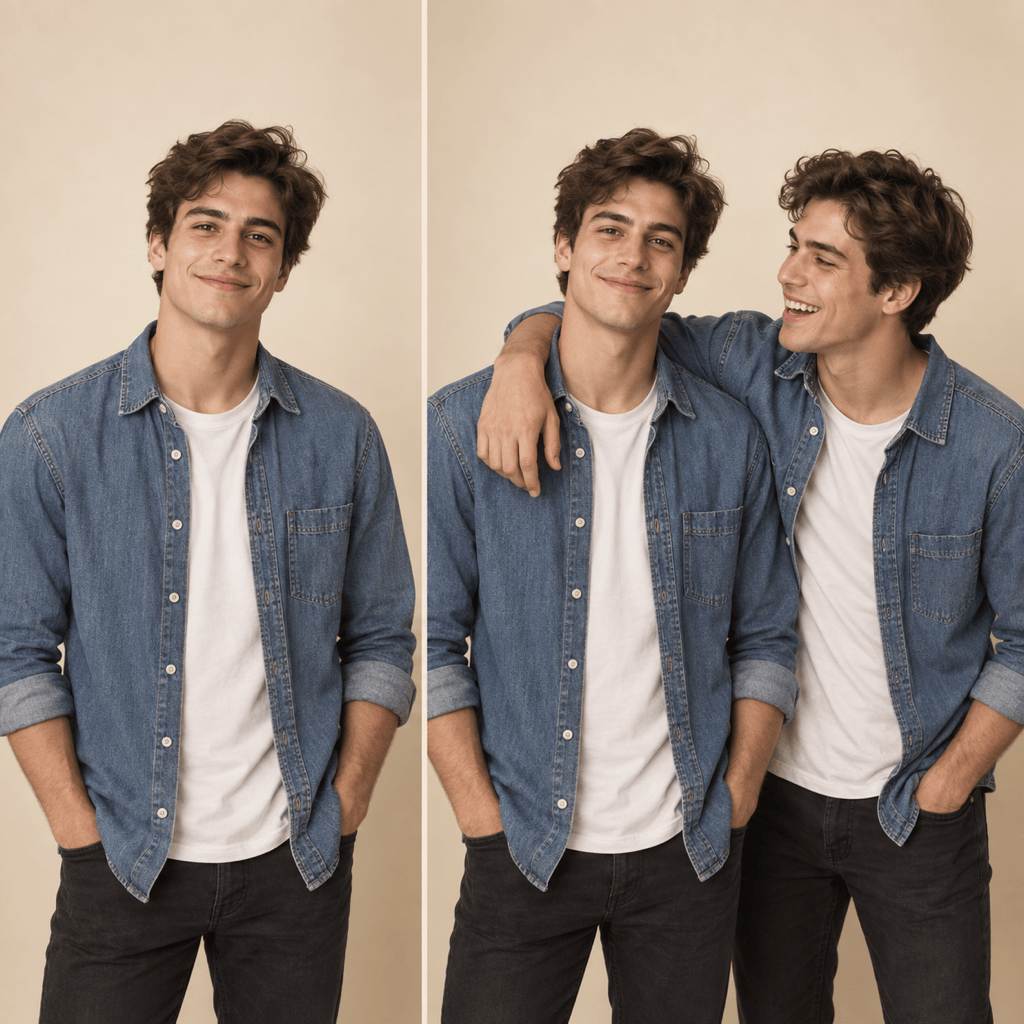
Casual Twin Portrait: Use my uploaded photo as the base. Add one identical-looking twin beside me, matching my face, age, hair, denim shirt, height, and warm studio lighting. Keep exactly two people, with one smiling at the camera and the other laughing toward them.
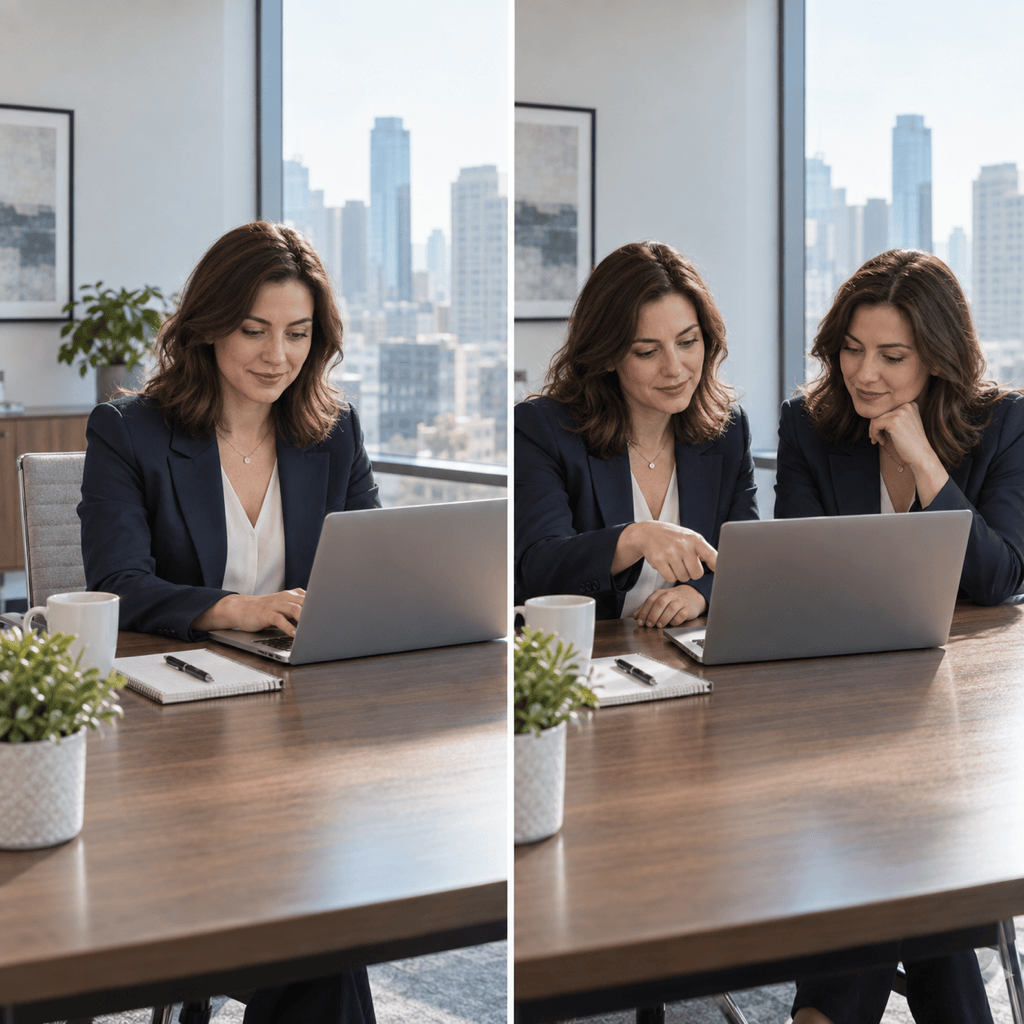
Office Collaboration: Duplicate the person in my office portrait so two matching versions sit across the same table reviewing a laptop. Preserve the face, navy blazer, room, lens perspective, and window light. Keep hands natural and show exactly two people.
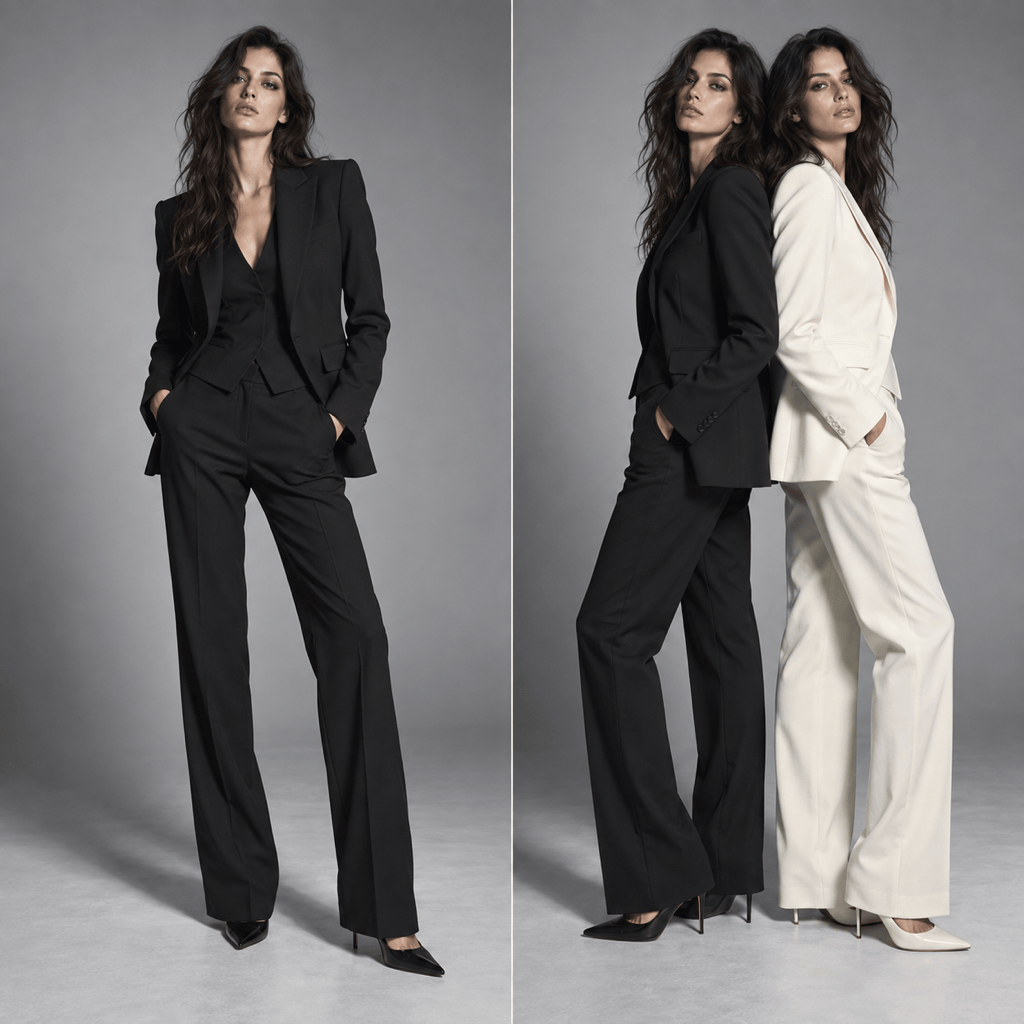
Fashion Editorial: Turn my full-body photo into a magazine-style twin portrait. Keep the same face and body proportions; dress one version in the original black suit and the other in a coordinated ivory suit. Place them back to back under the same hard studio light.
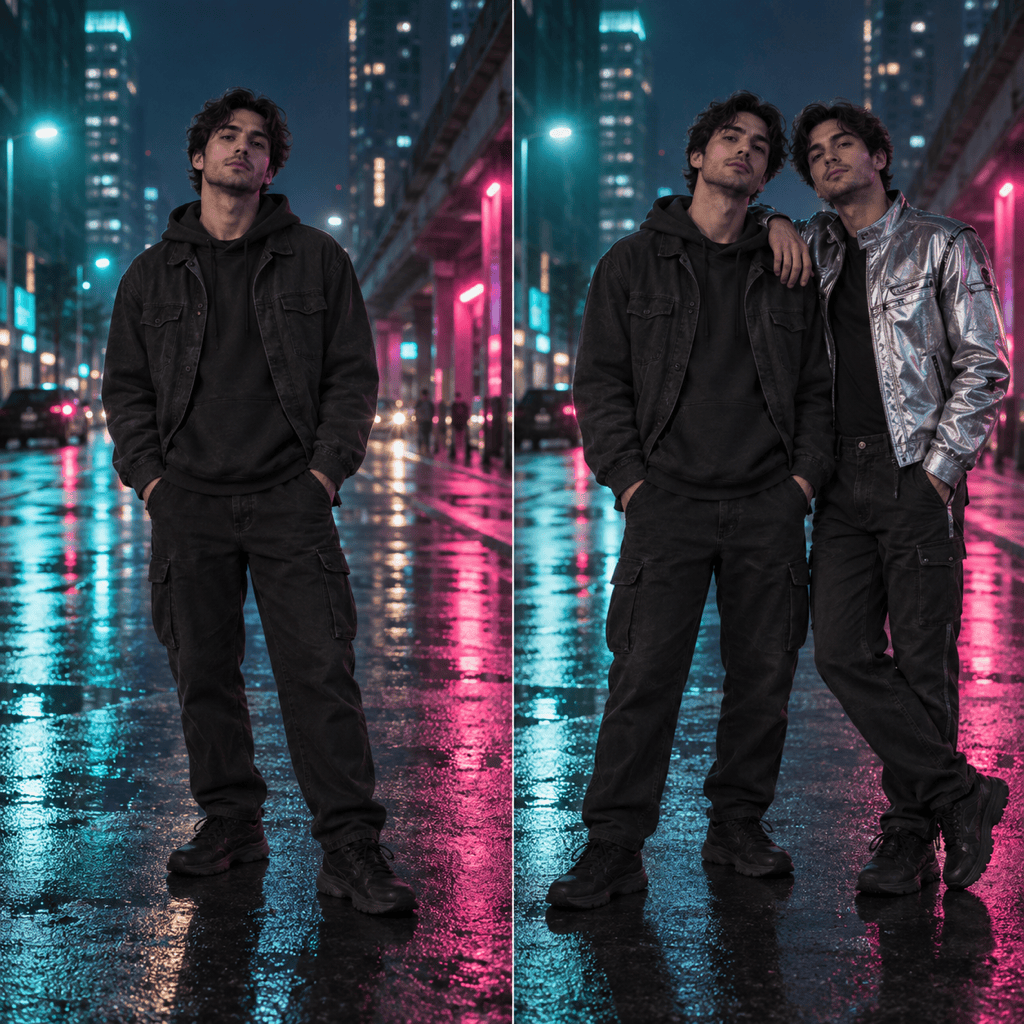
Creative Alter Ego: Add a second version of me to the uploaded street portrait. Preserve the same face, age, hair, and height, but style the twin in a silver futuristic jacket. Keep my original outfit unchanged and match the neon reflections and camera angle.
Travel Double: Add one matching twin to my viewpoint photo so we stand on opposite sides of the frame, both facing the mountains. Preserve my red coat, hairstyle, body scale, landscape, weather, and morning light. Keep exactly two people and realistic ground shadows.
Birthday Double-Take: Create a playful birthday photo with two identical-looking versions of me holding opposite sides of the same cake. Preserve my face, curls, blue dress, party decorations, and flash lighting. Keep the cake centered, hands separate, and exactly two people.





