Free OnlineAI Suit Generator

How to Add a Suit to a Photo with AI
Choose a Clear Portrait
Describe the Formal Look
Generate and Inspect the Tailoring
Refine and Export Responsibly

Formalwear Editing That Goes Beyond a Suit Filter
Tailoring Details in Plain Language
Ask for a single- or double-breasted jacket, notch, peak, or shawl lapels, two or three pieces, a specific fabric, and coordinated shirt or accessories. The AI suit generator turns those choices into a visible formal look.
Keep the Person Recognizable
Set clear preservation rules for the face, hair, expression, skin tone, pose, body shape, hands, and framing. A sharp source portrait gives the AI more reliable visual information to work with.
Try a Reference Suit on a Portrait
Upload both the person and a formalwear reference. Tell Mew Design to transfer the jacket cut, lapel, fabric, color, shirt, or tie while keeping the portrait’s identity, pose, lighting, and setting.
Correct One Tailoring Detail at a Time
Use Chat Edit to straighten a lapel, close a jacket button, align the shirt collar, change a tie, lengthen a sleeve, simplify accessories, or restore part of the original background.
Create Looks for Different Contexts
Use models such as GPT Image 2.5 to compare restrained business portraits, warm wedding looks, black-tie tuxedos, modern pantsuits, or editorial tailoring while keeping a coherent person and scene.
Free Credits and Clean Image Exports
Sign up for free AI credits, test a few formalwear directions, and download watermark-free PNG or JPG images. Credit use varies by model and edit, so refine the strongest version rather than restarting every time.
How to Prompt a Realistic AI Suit Photo
- Protect the Original Person: State that the face, hair, expression, skin tone, body proportions, pose, hands, camera angle, and background should remain unchanged unless you intentionally want a new portrait setting.
- Specify the Jacket Structure: Choose single- or double-breasted, button count, notch, peak, or shawl lapel, shoulder shape, jacket length, vent, shirt collar, and whether the look includes a vest.
- Name Fabric, Color, and Accessories: Mention wool, linen, velvet, satin, pinstripe, or another texture; place the colors; and add or remove a tie, bow tie, pocket square, cuff links, jewelry, or belt.
- Match the Intended Use: Request a square LinkedIn headshot, waist-up speaker portrait, full-body wedding preview, team-page crop, or editorial campaign image, with lighting and background suited to that destination.
AI Suit Prompts for Work, Events, and Style Tests
LinkedIn Business Portrait: In @[portrait.png], replace only the casual top with a tailored navy two-button suit, white shirt, and matte burgundy tie. Preserve the same face, hair, expression, shoulders, pose, lighting, and neutral office background. Natural wool texture, clean notch lapels, square professional headshot, no logo or text.
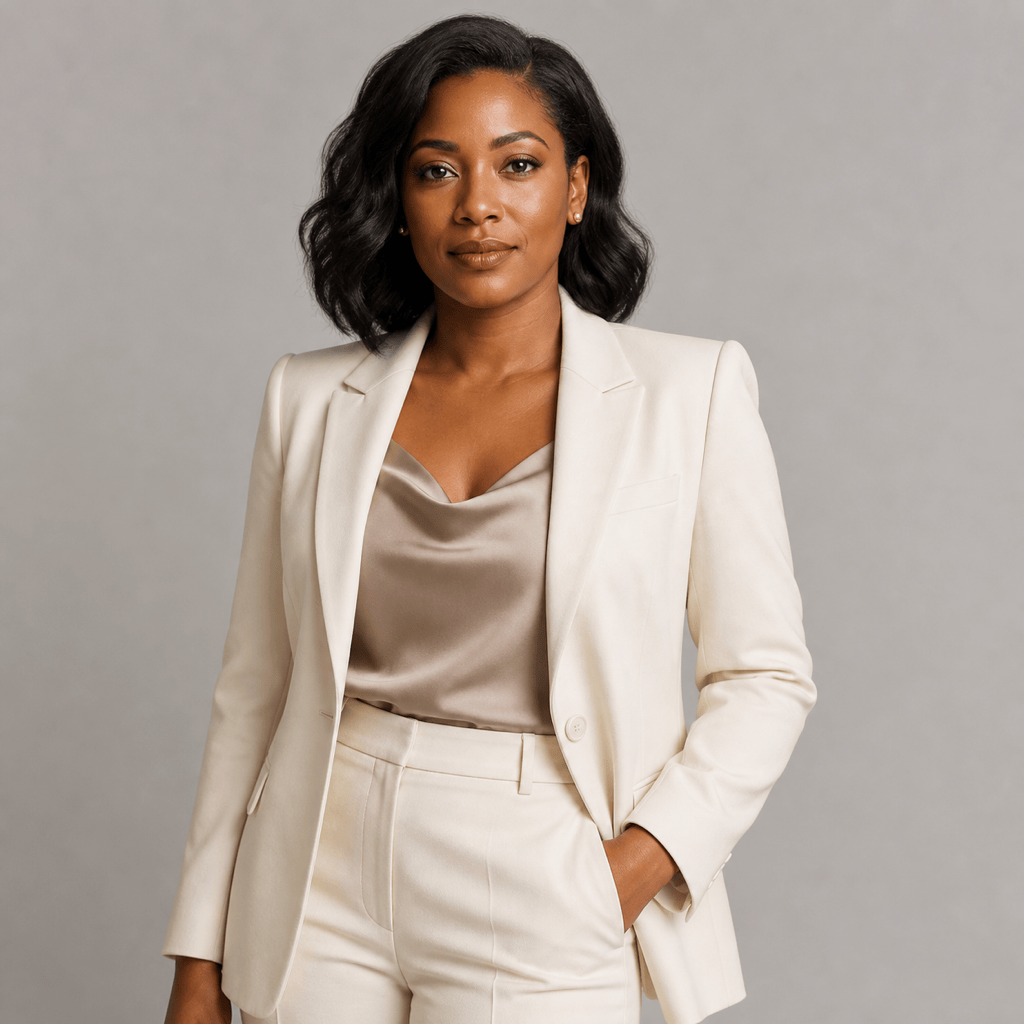
Modern Women’s Pantsuit: Change the outfit in @[portrait.png] to a structured ivory pantsuit with a long single-breasted blazer, softly defined shoulders, matching high-waisted trousers, and a pale taupe silk shell. Keep identity, body shape, hands, pose, and studio background unchanged; modern leadership portrait, realistic fabric drape.
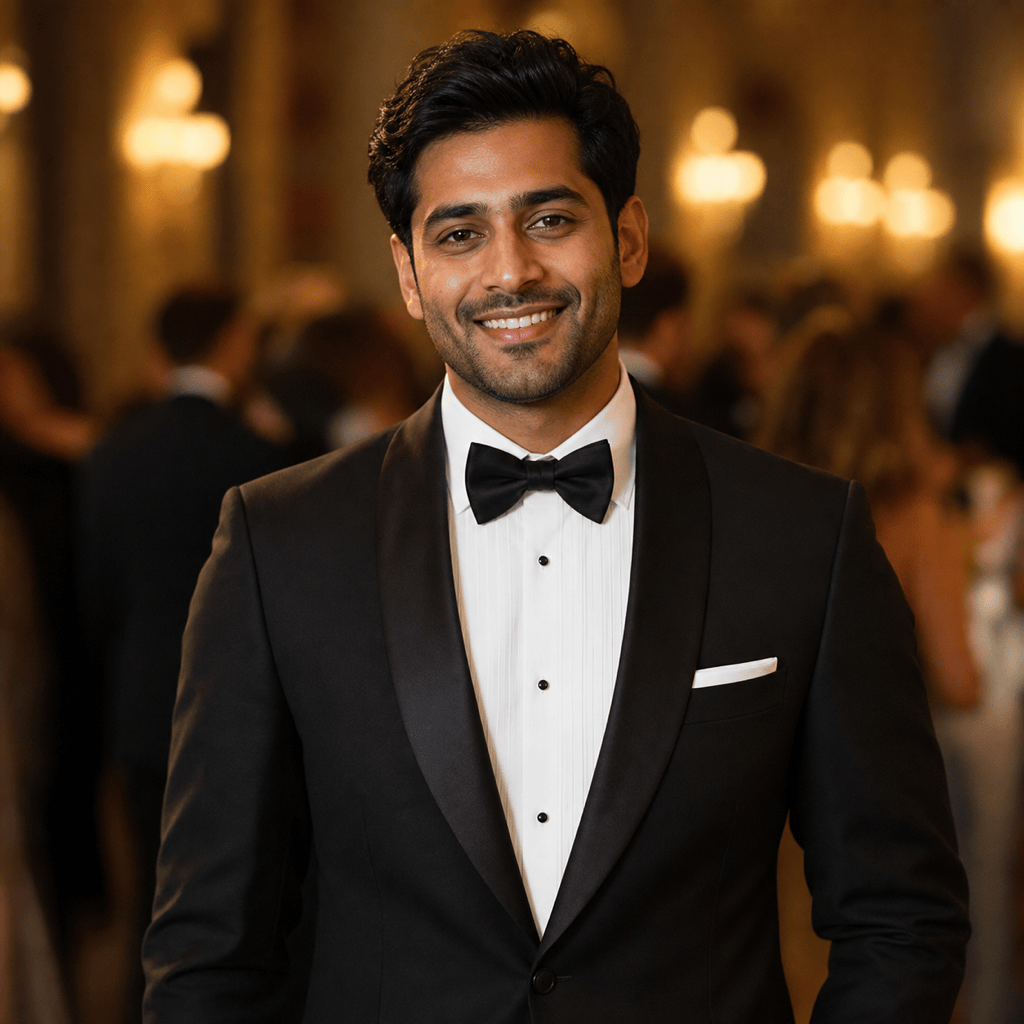
Black-Tie Tuxedo: Dress the person in @[portrait.png] in a classic black tuxedo with satin shawl lapels, crisp white pleated shirt, black bow tie, one-button closure, and a white pocket square. Preserve face, hairstyle, build, pose, and warm event lighting; elegant waist-up gala portrait, no brands.
Reference Suit Transfer: Apply the suit from @[suit_reference.jpg] to the person in @[portrait.png]. Transfer only the jacket cut, lapel shape, charcoal fabric, shirt, and tie. Preserve the portrait’s face, hair, body proportions, arms, pose, camera angle, lighting, and background; resolve collar and cuffs naturally.
Full-Body Three-Piece Suit: Replace the outfit with a charcoal three-piece wool suit, peak-lapel jacket, fitted waistcoat, white shirt, dark green tie, straight trousers with a slight break, and polished black dress shoes. Keep the person’s identity and build; full-body studio portrait with hands natural and clothing anatomy coherent.
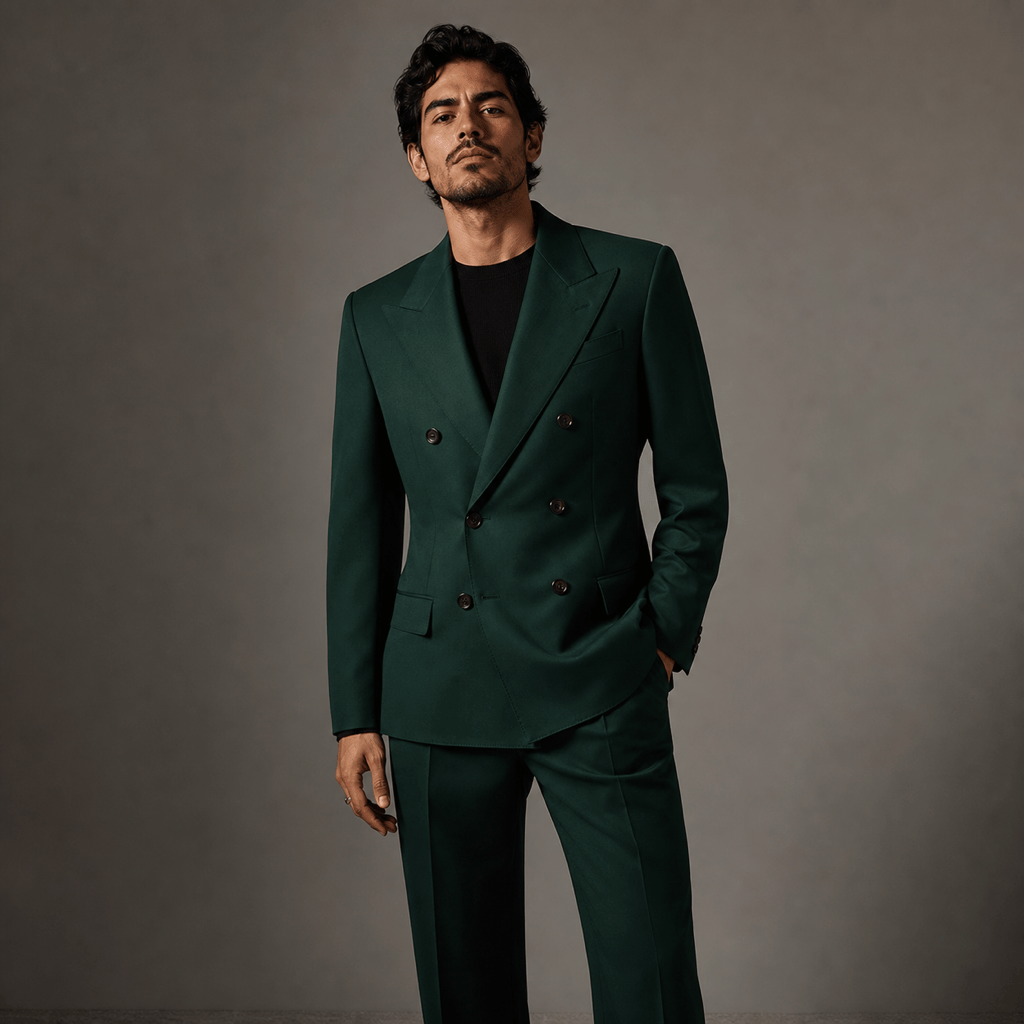
Editorial Double-Breasted Suit: Create a fashion-forward emerald double-breasted suit with wide peak lapels, six dark horn buttons, relaxed trousers, black fine-knit shirt, and no tie. Preserve the subject’s face and pose, use controlled editorial lighting and a muted gray backdrop, realistic wool grain, no logos or text.





