Free OnlineAI Storyboard Generator
How to Create a Storyboard with AI
Paste the Script or Scene
Generate Shot-by-Shot Panels
Direct the Sequence in Chat
Export for Production

Why Mew Design Is a Smart AI Storyboard Maker
Script to Shot Planning
Turn a paragraph, script, or voiceover into a visual sequence with frames, camera notes, and scene-by-scene structure.
Camera-Aware Layouts
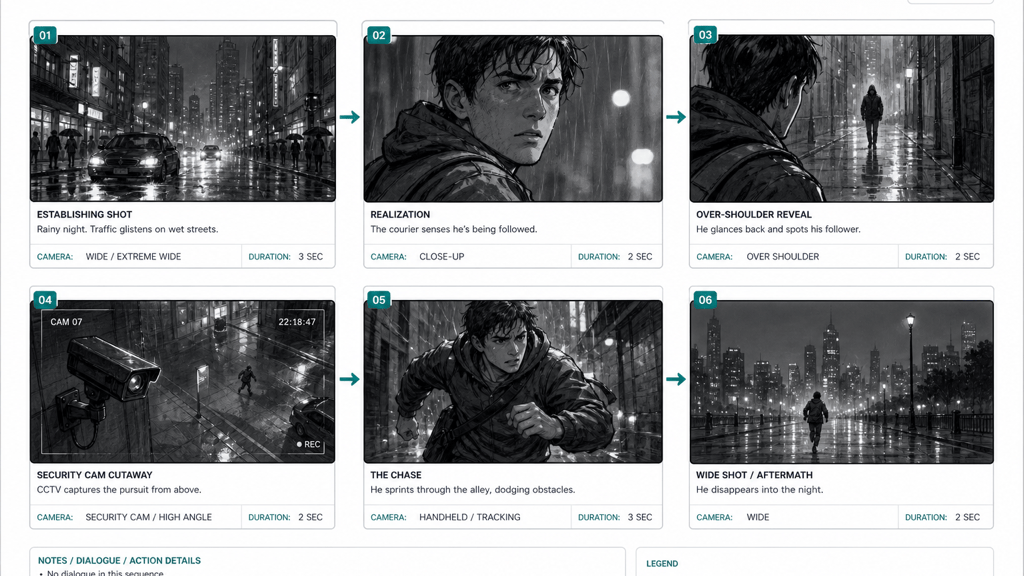
This online AI storyboard maker understands wide shots, close-ups, over-the-shoulder angles, cutaways, action beats, and final frames.
Consistent Visual Direction
Keep characters, locations, props, lighting, and tone aligned across storyboard panels so the sequence feels production-ready.
Editable Through Chat
Ask Mew Design to add more panels, change the order, simplify a scene, increase drama, or create a cleaner client-facing version.
Works for Many Video Types
Create storyboards for short films, ads, product explainers, animation scenes, social videos, tutorials, and branded campaigns.
Free Online Starting Point
Try the free AI storyboard generator with signup credits, explore several visual directions, and export watermark-free designs when ready.
How to Write a Storyboard Prompt That Works
- Give the script or beats: Paste dialogue, narration, scene beats, or a product brief so the AI can divide it into clear shots.
- Specify shot language: Mention wide shot, close-up, tracking shot, cutaway, overhead, reaction shot, or any required camera movement.
- Control consistency: Describe recurring characters, props, settings, clothing, color mood, or brand assets that should stay consistent across panels.
- Ask for production notes: Request timing, camera angle, action, transition, dialogue, voiceover, or lighting notes under each panel.
Storyboard Prompts for Video Planning
Create a six-panel storyboard for a rainy city chase scene. Include establishing shot, character close-up, over-the-shoulder reveal, security camera cutaway, running action, and final wide shot.
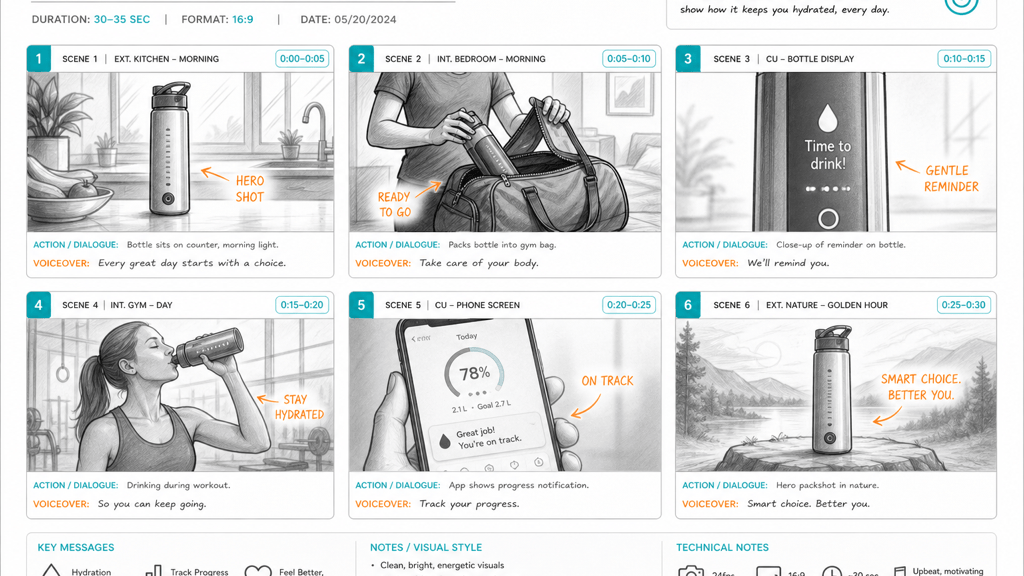
Make a commercial storyboard for a smart water bottle launch. Show morning routine, gym bag, hydration reminder, workout, app notification, and final packshot with voiceover notes.
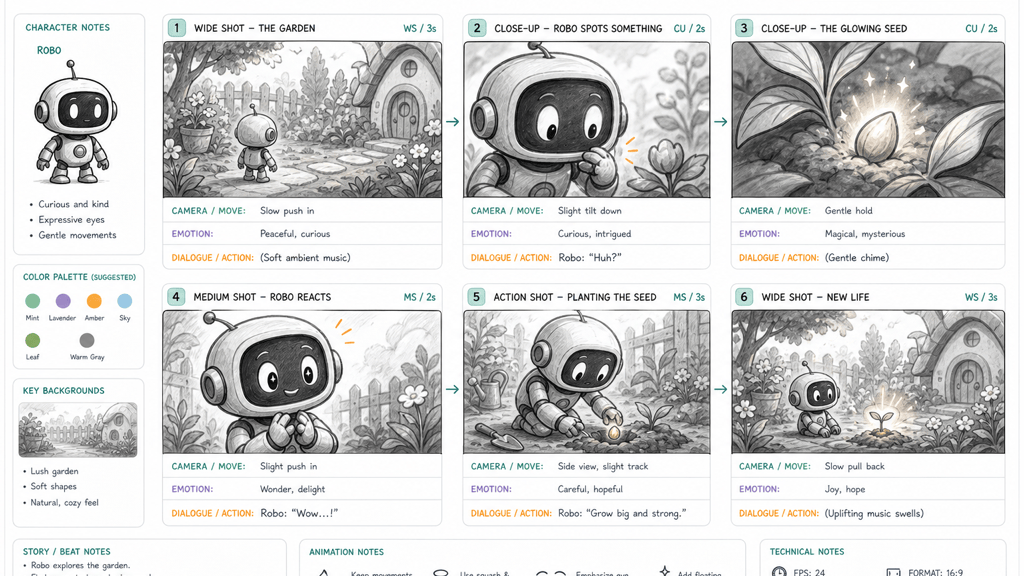
Generate an animation storyboard about a friendly robot finding a glowing seed. Keep the robot consistent and include camera move, emotion, and dialogue placeholders.
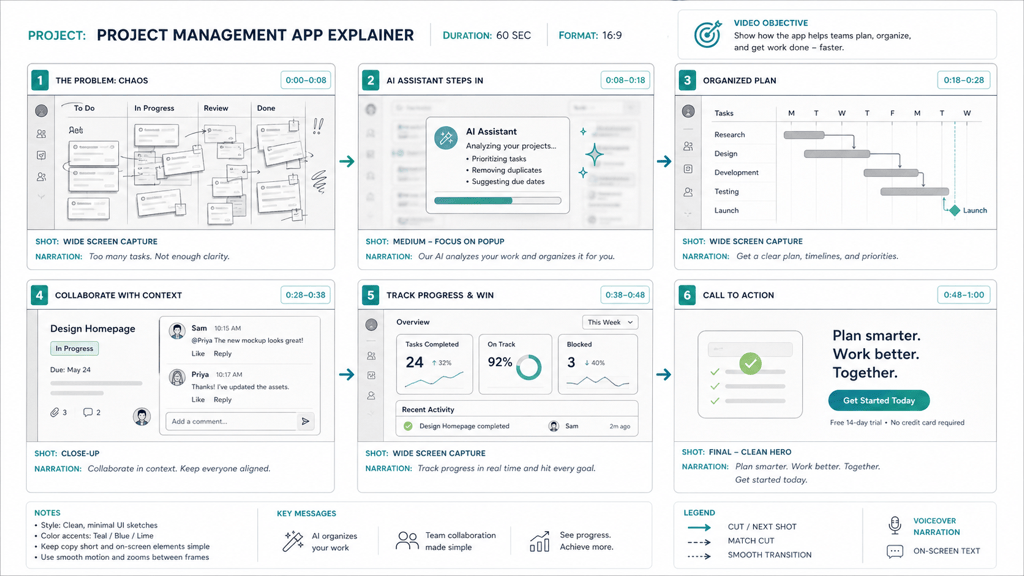
Create a product explainer storyboard for a project management app. Show the messy-task problem, AI organizing tasks, timeline view, team comment, dashboard metrics, and CTA screen.
Turn this short film script into eight storyboard panels with shot type, location, character action, camera angle, and transition notes under each panel.
Create a social media video storyboard for a bakery opening. Use quick cuts, close-up food shots, owner intro, customer reaction, offer card, and final address screen.





