Free OnlineAI Physique Enhancer
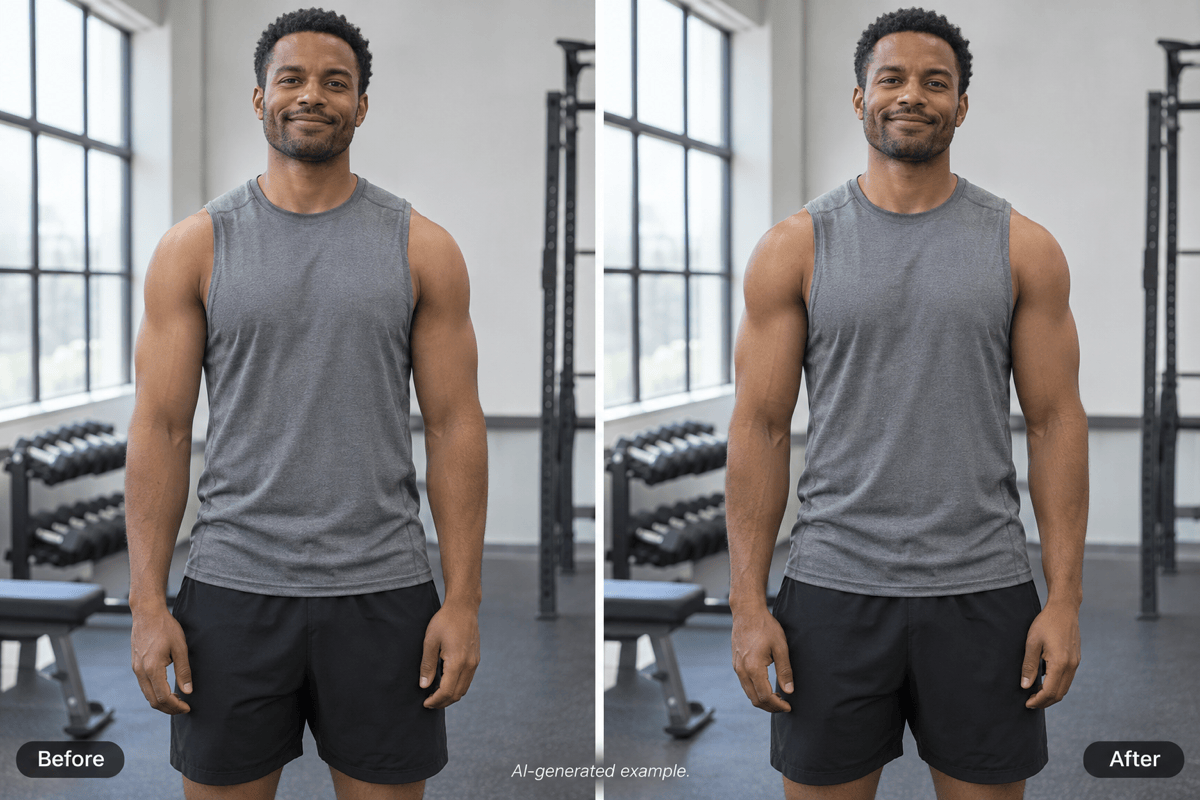
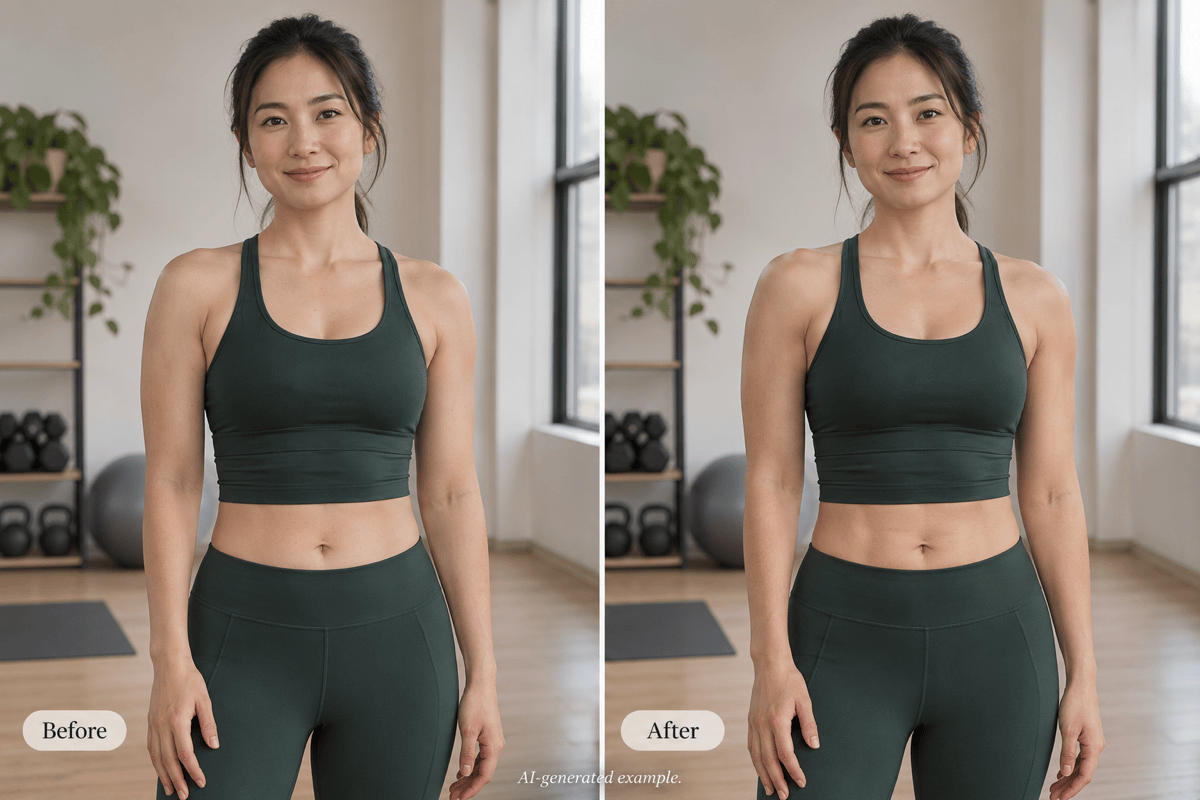
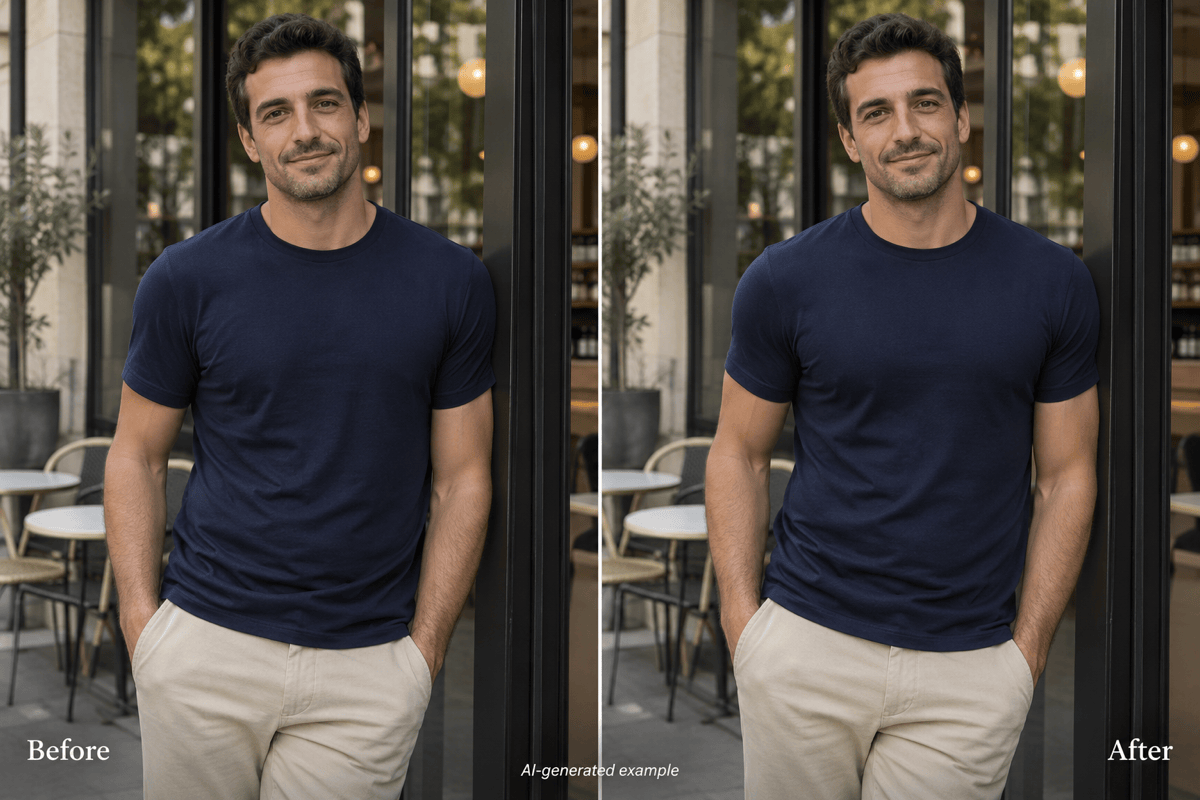
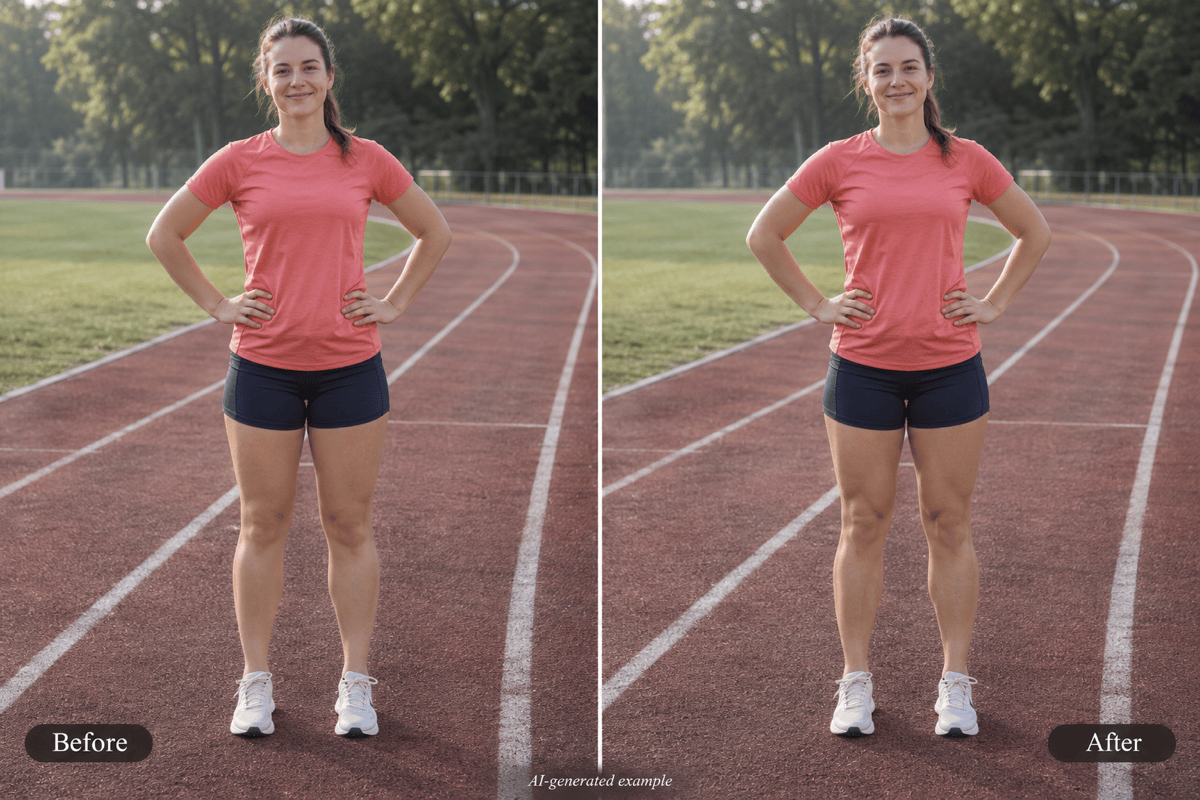
How to Enhance Your Physique in Photos with AI
Choose Your Photo and Focus
Generate a Subtle Edit
Refine the Definition in Chat
Compare and Save Your Photo

An AI Body Enhancer for Natural Photo Retouching
Add Subtle Muscle Definition
Use this AI body enhancer for a light touch: clearer arm definition, a softer shoulder contour, or a balanced athletic silhouette. Describe the effect without committing to an extreme makeover.
Refine Body Contours One Area at a Time
Name the area you want to adjust and the areas to leave alone. Ask for more defined arms without changing your waist, or refine the shoulder line without enlarging your chest.
Make Preservation Part of the Brief
Give the AI physique editor clear instructions to retain facial features, skin tone, tattoos, clothing, and background. Review those details afterward, as generated edits can still alter them.
Refine Through Conversation
Natural-looking body photo edits often need a second pass. Use Chat Edit to reduce intensity, soften a hard edge, or bring an altered detail closer to the original.
Choose a Model for Your Photo
Pick your preferred available image model, or let Mew Auto select one based on the source photo and requested changes. Mew Design offers leading image models and adds new releases promptly.
Try Online and Download Watermark-Free Photos
Free signup credits let you test physique retouching online. When you are satisfied, export a watermark-free PNG or JPG for a personal portrait or a clearly labeled creative edit.
How to Keep Body Photo Edits Looking Natural
- Use a Clear Starting Photo: Choose even lighting, visible body outlines, and a relaxed pose. Heavy blur, overlapping people, and baggy clothing make a precise request harder to interpret.
- Name One Main Adjustment: Ask to add subtle muscle definition or refine one contour. Avoid mixing a new pose, new outfit, and major body changes in the same first edit.
- Keep Light and Texture Consistent: Muscle shadows should follow the original light. Check for plastic-looking skin, repeated abdominal lines, and mismatched texture around the edited area.
- Inspect the Surroundings: Compare doorframes, railings, garment seams, and nearby objects. If an edge bends or a detail drifts, ask for a correction using the original as reference.
Fix Common Problems in AI Body Edits
Reduce the muscle definition in my edited adult photo to a subtle level. Keep the original body size and soften the shoulder and arm contours without changing the pose.
Soften the artificial muscle shadows in this physique edit. Match the original light direction and preserve natural skin texture instead of adding sharp lines or glossy skin.
Restore the straight background lines near my body using the original photo as reference. Keep the current body edit as close as possible and correct the bent doorframe or railing.
Restore the clothing coverage, seams, and natural folds from my original photo. Keep the physique adjustment modest and do not draw muscle lines over opaque fabric.
Bring the face, hairstyle, skin tone, and visible tattoos closer to the original photo. Retain only the requested body adjustment and avoid additional face retouching.
Reduce the exaggerated shoulder width in this edit. Bring the shoulders back into proportion with the neck, arms, and torso while keeping the original stance and clothing.





