Free to Try OnlineAI Photo Retoucher
How to Retouch Photos with AI
Upload the Photo to Retouch
Set the Retouching Boundaries
Compare and Refine
Download the Finished Photo

Natural AI Photo Retouching for Portraits and Products
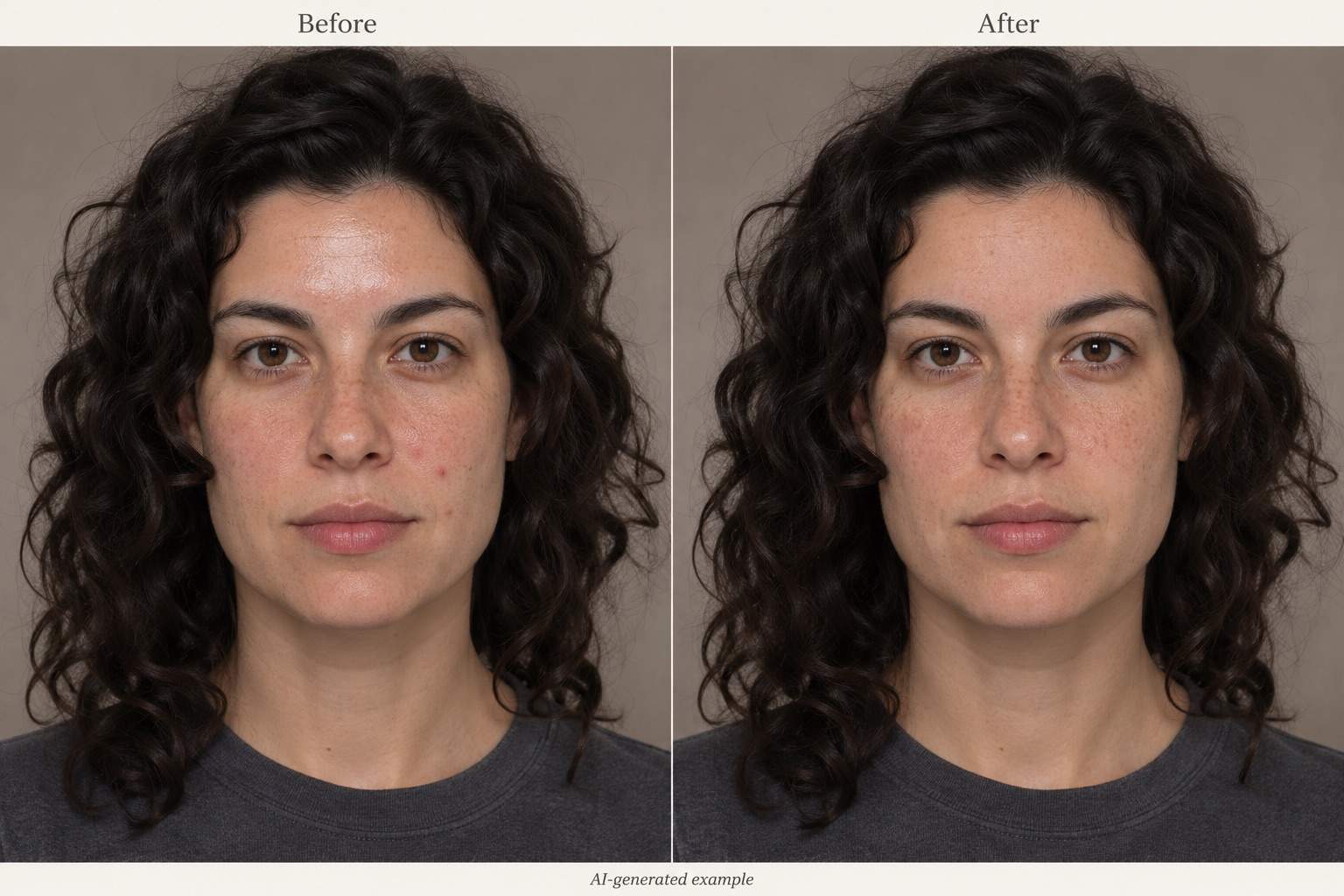
Reduce Blemishes and Facial Shine
AI photo retouching can start with a simple request: reduce shine, soften a blemish, or brighten an underexposed face. No retouching terminology is required.
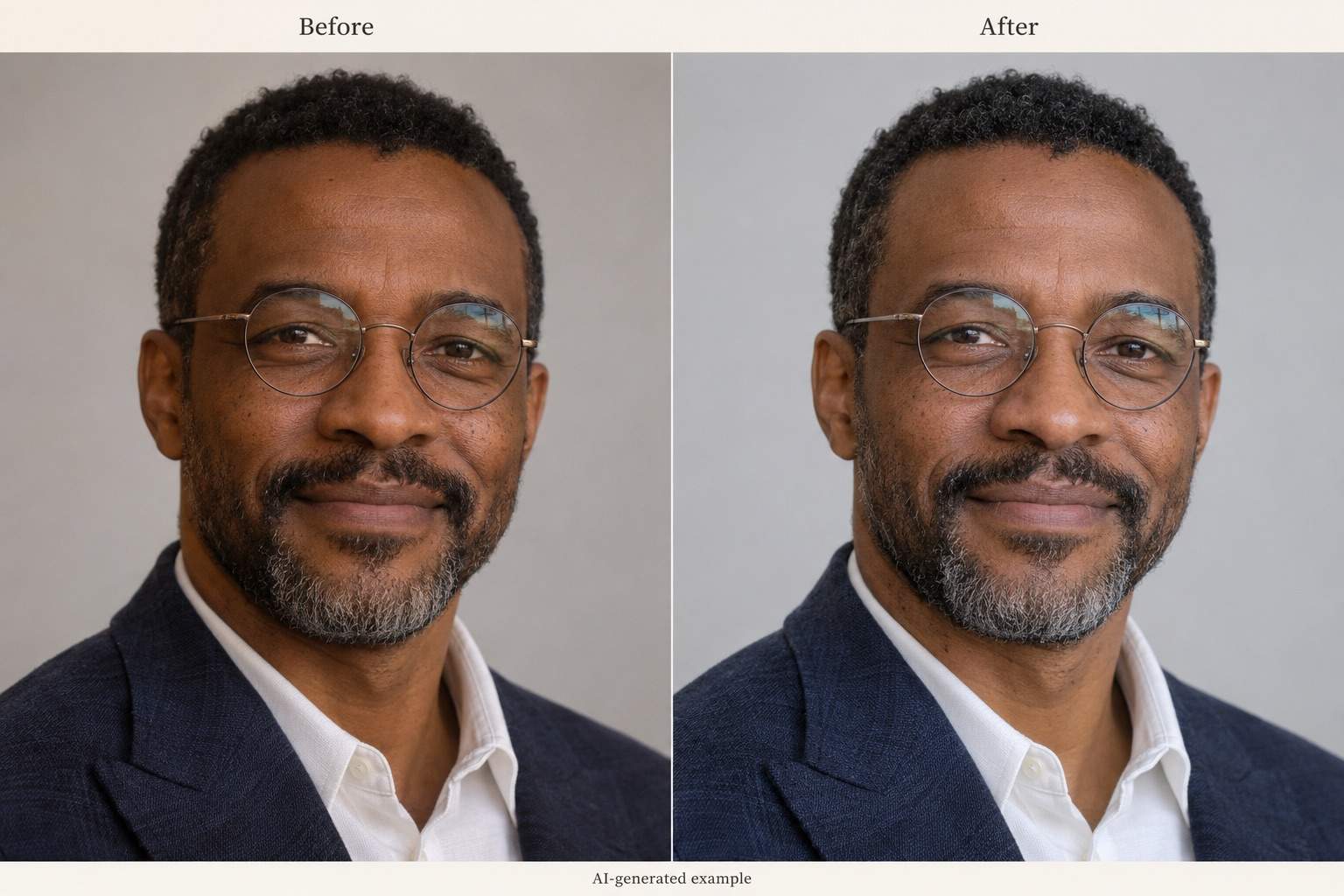
Retouch Headshots for Profiles and Portfolios
Refresh a professional headshot or profile photo using your original as the reference. Ask for subtle skin and lighting edits while preserving expression, face shape, and clothing. Compare the result before sharing.
Refine a Heavy-Handed Edit
Use Chat Edit to ask for more visible texture, gentler color correction, or less brightening. Your retouch remains open to further requests.
Choose a Model for Your Photo
Select a preferred available image model, or let Mew Auto choose based on your photo and editing request. Access leading image models, with new releases added promptly.
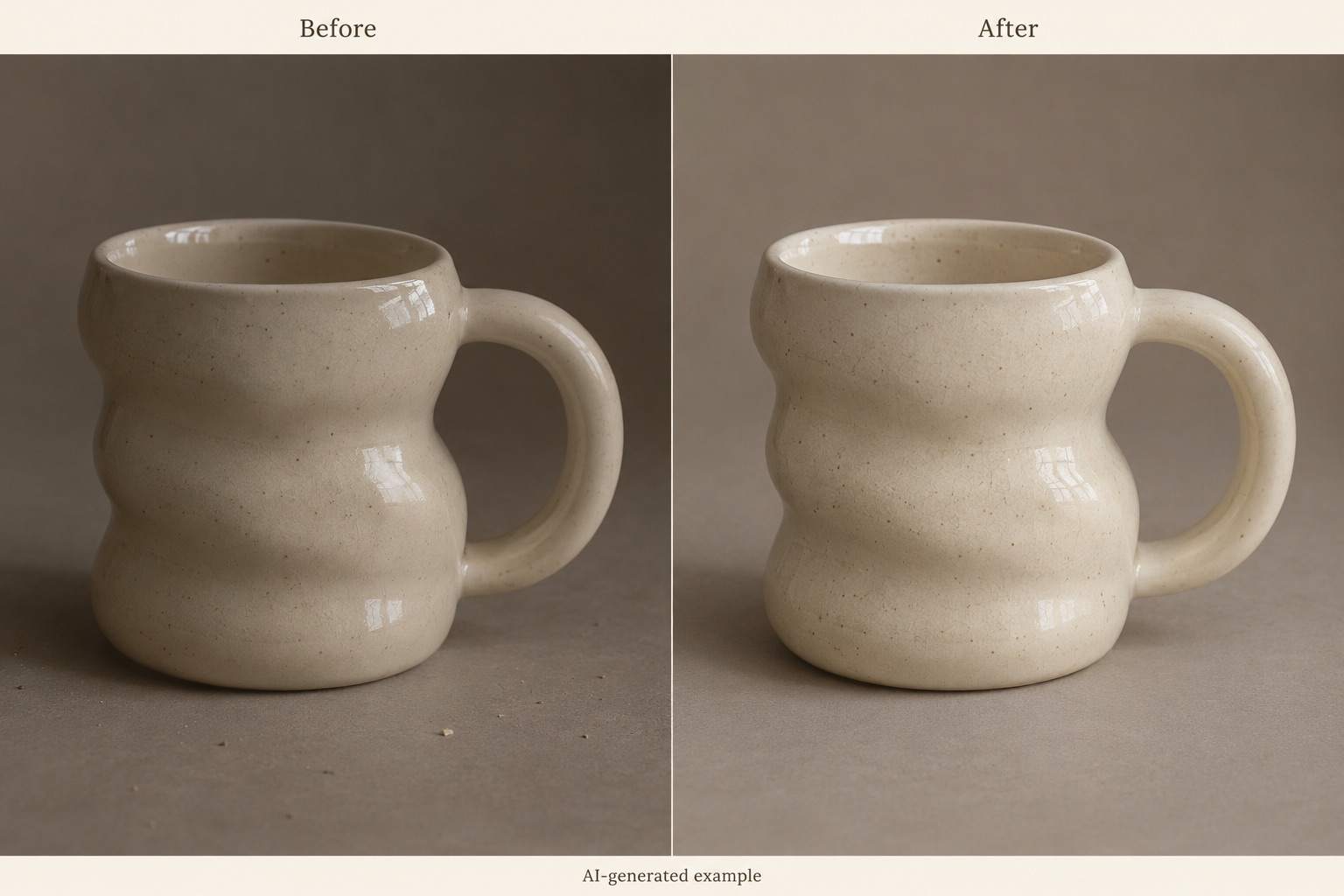
Clean Up Product Photos for Online Stores
Use AI image retouching for product photos, too. Request background cleanup and lighting adjustments while keeping the item’s color, shape, and materials accurate.
Try Online with Free Credits
Sign up to test a retouch with free AI credits and download without a watermark. Usage depends on the task; free credits do not promise unlimited editing or free HD export.
How to Keep Skin Retouching Natural
- Use the Original: Upload the largest clear source available. Screenshots and repeated compression leave less detail to work with.
- Name What Stays: Separate temporary blemishes from freckles, moles, and expression lines you want to keep.
- Compare at the Same Size: Check pores, eyelashes, teeth, hair edges, and facial proportions against your original.
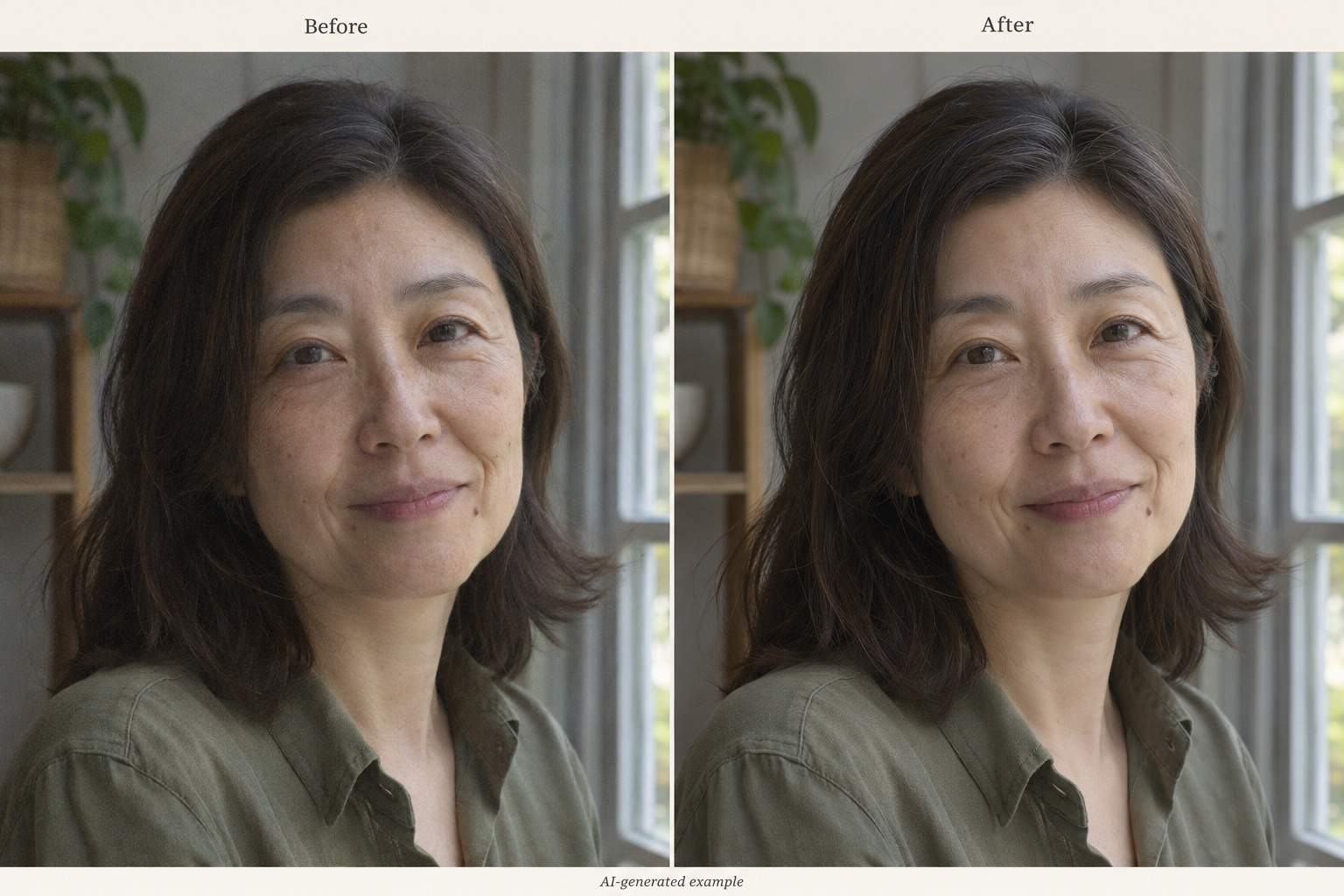
- Reduce Excessive Smoothing: If skin looks waxy or eyes look too sharp, request a lighter edit before downloading.
Photo Retouching Fixes for Skin, Lighting, and Products
Blemishes: Reduce the temporary spots on this uploaded portrait. Preserve freckles, moles, pores, face shape, and skin tone. Leave the rest of the image unchanged.
Forehead Shine: Soften the bright shine on the forehead and nose in this photo. Keep natural highlights and skin texture; do not flatten the face or add makeup.
Under-Eye Shadows: Gently lighten the under-eye shadows in this headshot. Preserve eye shape, expression lines, and age. Avoid bright rings around the eyes.
Color Cast: Correct the orange indoor lighting in this portrait. Keep the person’s natural skin tone and the actual clothing colors. Preserve the original mood and crop.
Over-Smoothed Skin: Make this edit subtler using the original photo as the reference. Bring the skin texture closer to the source and reduce sharpening around the eyes and hair.
Product Cleanup: Remove dust from the backdrop of this product photo and balance the lighting. Keep the item’s geometry, color, materials, markings, and real condition unchanged.





