Free OnlineAI Parent-Child Similarity Test
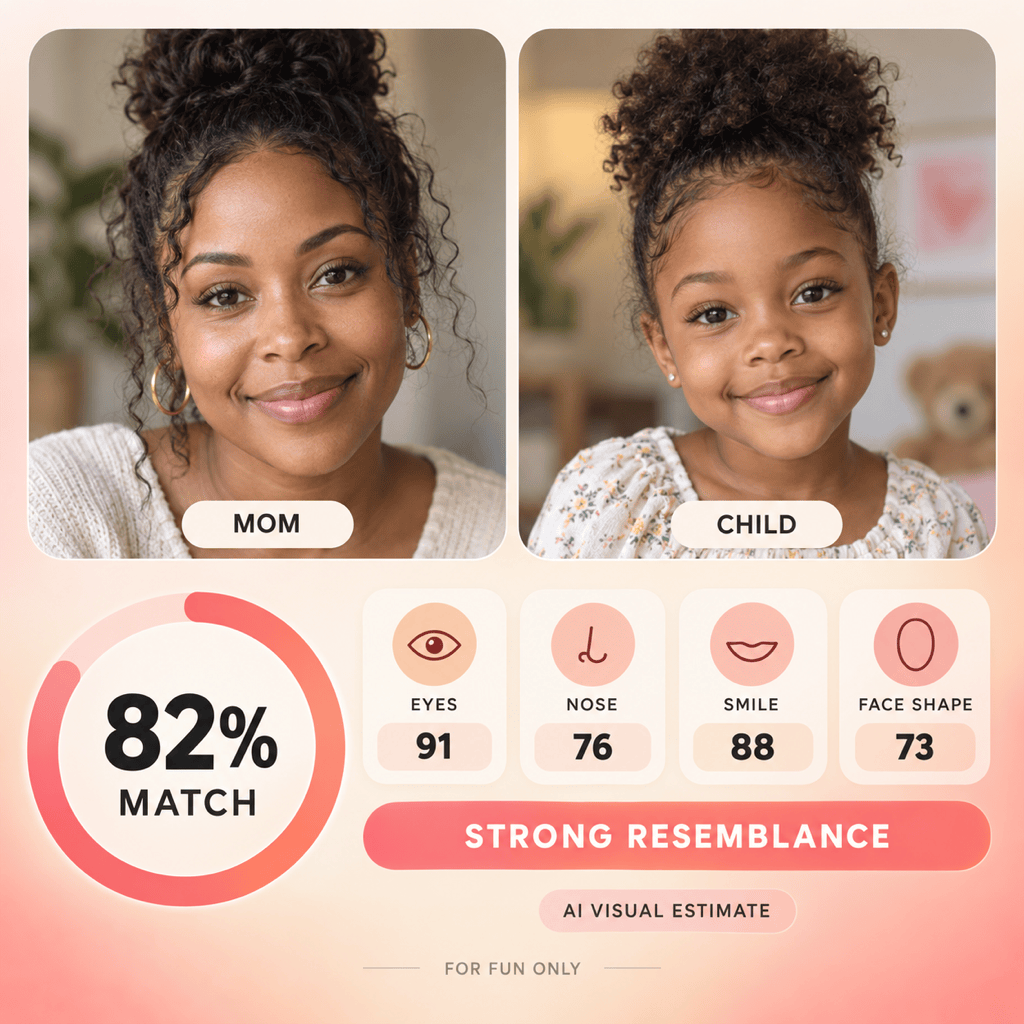
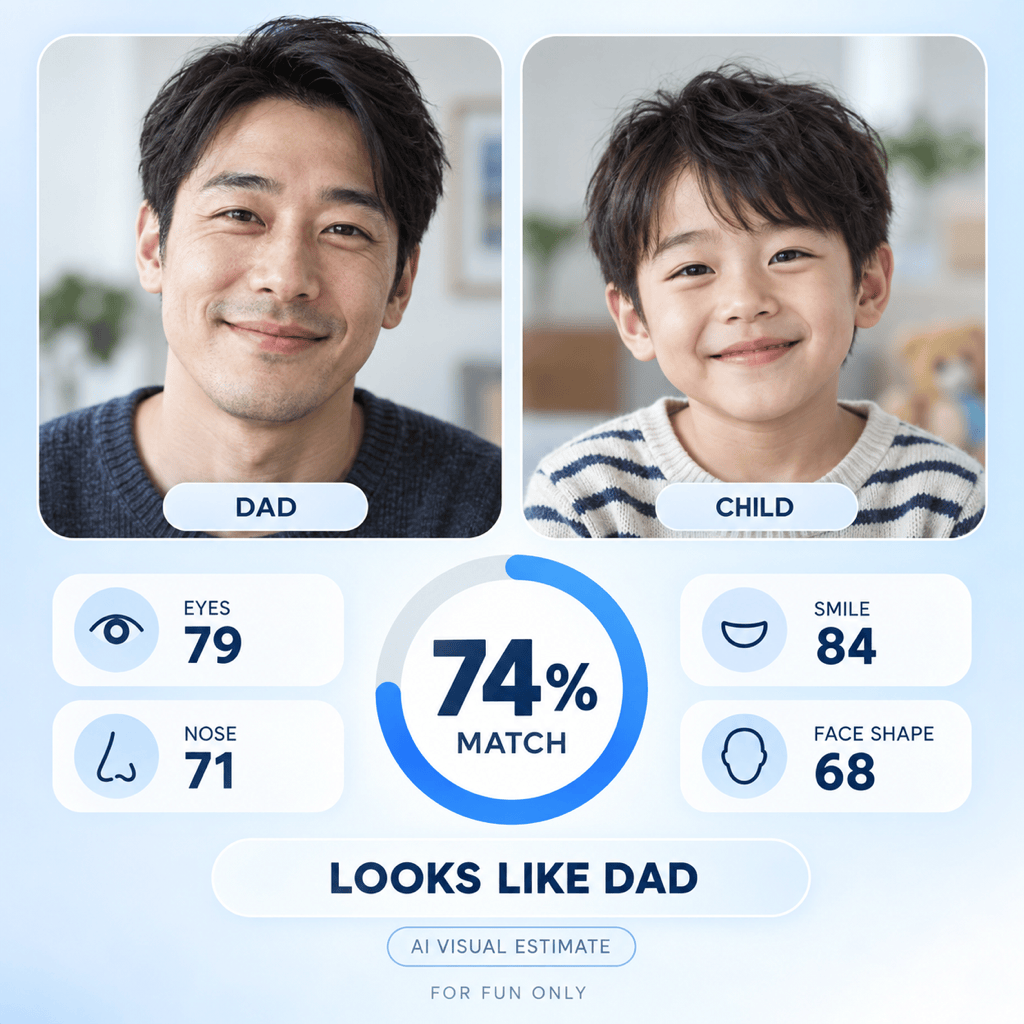
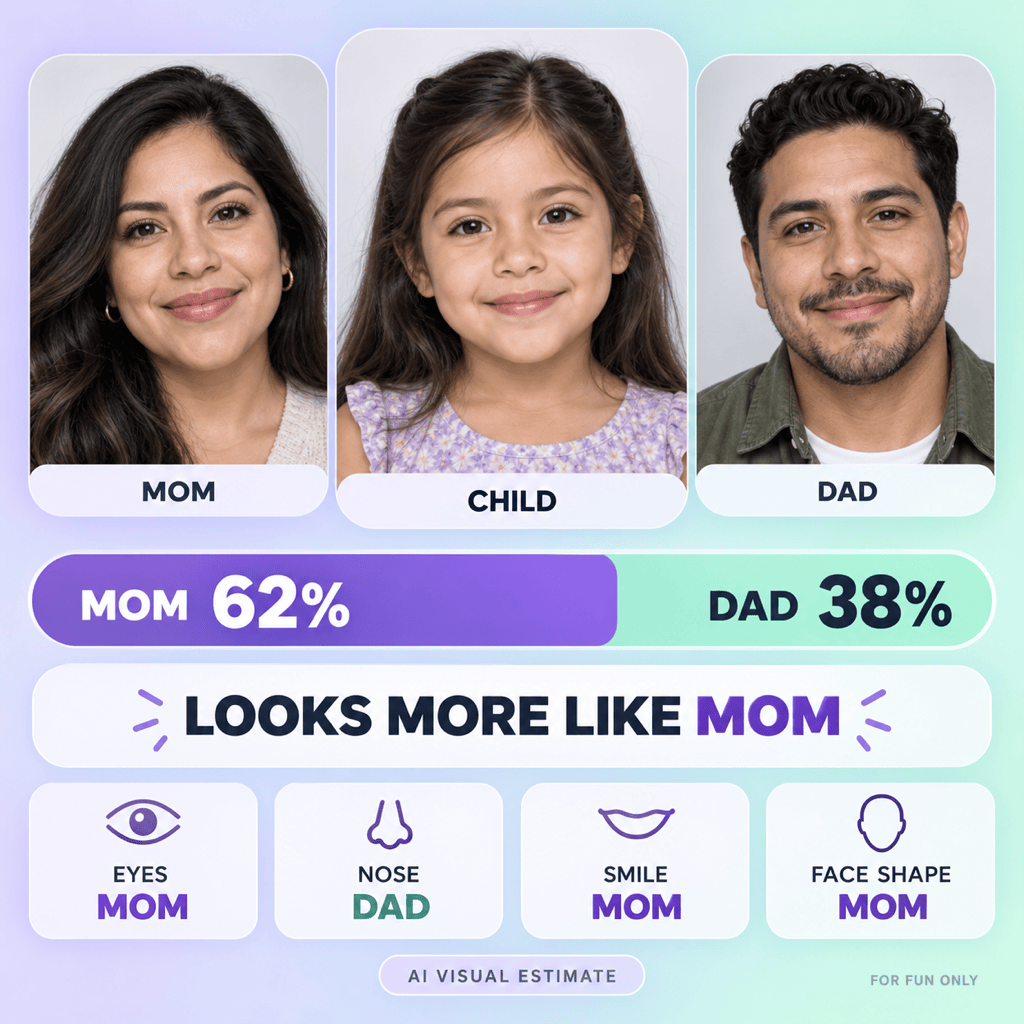
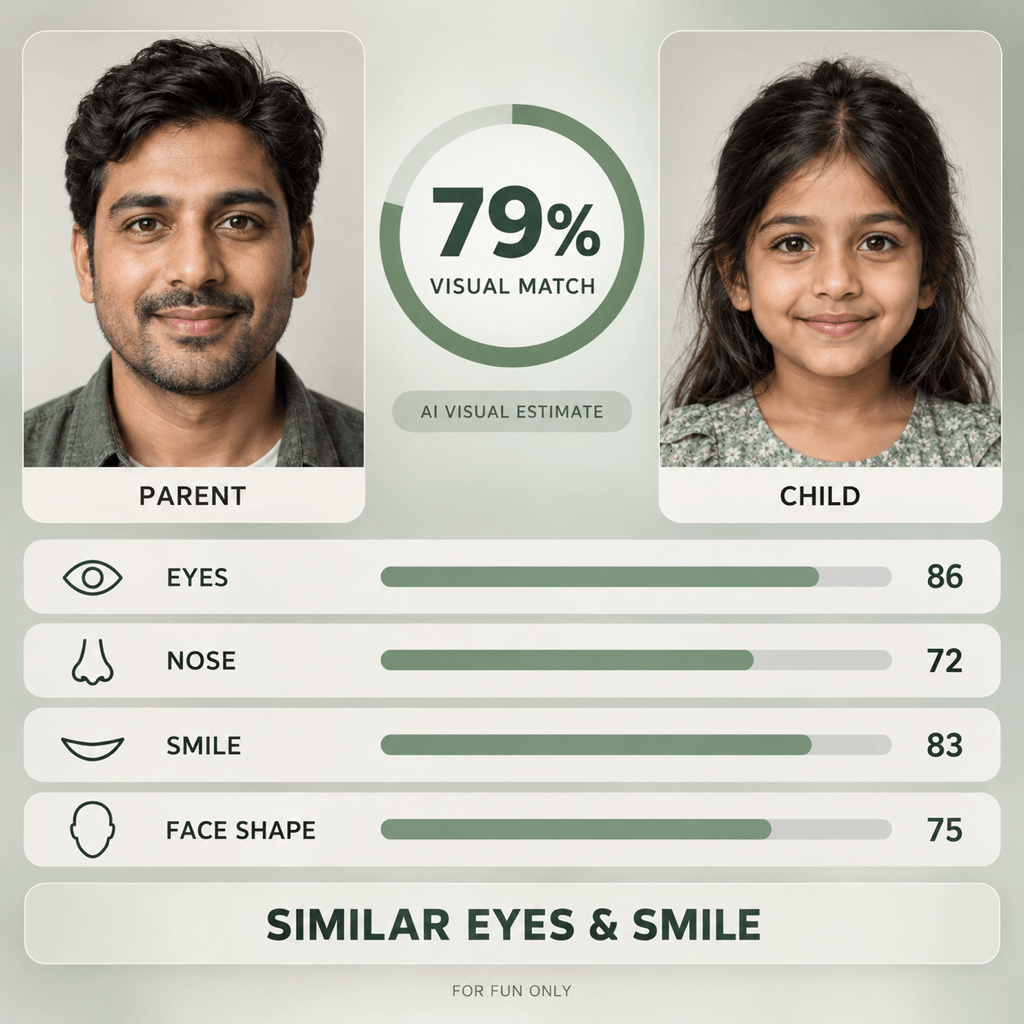
How to Compare Parent and Child Faces with AI
Choose Clear Front-Facing Photos
Upload Photos and Label Each Person
Request Scores and a Feature Breakdown
Review, Refine, and Share

Why Use Mew Design for an AI Parent-Child Similarity Test
Compare One or Both Parents
Create a one-to-one parent-child similarity score or a Mom-versus-Dad result. Upload the people you want to compare and clearly assign each photo in the prompt.
Break Down Visible Facial Features
Go beyond one overall number by requesting separate observations for eyes, eyebrows, nose, mouth, smile, face shape, and jawline—the traits users expect from a family face match.
Answer “Who Does My Child Look Like?”
Turn the visual comparison into an easy-to-read Mom and Dad percentage split, a stronger-match verdict, and a short explanation of which visible traits drive the result.
Create an Editable Result Card
Ask for a square scorecard, vertical story, or print-friendly comparison with clear portrait labels, large percentages, feature rows, and a shareable visual hierarchy.
Refine the Result by Chat
Use Chat Edit to correct a swapped role, adjust a score or feature label, improve readability, or restyle the result. Models such as GPT Image 2.5 help create polished comparison graphics.
Keep the Result in the Right Context
Add “AI visual estimate” and “for entertainment only” to the design. The score compares visible appearance in the uploaded photos; it cannot prove identity, genetics, paternity, or another biological relationship.
How to Prompt an AI Parent-Child Face Comparison
- Assign Photo Roles: Say exactly which upload is Mom, Child, and Dad. This prevents swapped portraits and makes the requested pairings unambiguous.
- Control Photo Quality: Use front-facing, well-lit, minimally filtered portraits with the full face visible and roughly similar angles or expressions.
- Name the Features: Request face shape, eyes and eyebrows, nose, mouth and smile, and jawline instead of asking only for a vague overall match.
- Define the Result: Specify independent match scores or a Mom-versus-Dad split, a concise verdict, an editable card format, and a visible entertainment-only disclaimer.
AI Parent-Child Similarity Prompts for Scores and Feature Comparisons
Mom and Child Similarity Score: Compare Mom in Image 1 with the child in Image 2. Evaluate visible face shape, eyes, nose, smile, and jawline. Create a clean square card with one AI-estimated match percentage, four feature scores, and the note ‘For entertainment only.’
Dad and Child Face Match: Compare Dad in Image 1 with the child in Image 2 using clear frontal portraits. Show an AI-estimated overall resemblance score, the strongest shared facial features, and a concise result. Keep both faces recognizable and avoid DNA or identity claims.
Who Does the Child Look Like More?: Use my Mom, Child, and Dad photos to create a Mom-versus-Dad comparison. Show child-to-mom and child-to-dad percentages that total 100%, identify the stronger resemblance, and explain the result using eyes, nose, smile, and face shape.
Feature-by-Feature Parent-Child Comparison: Build an editable report card comparing the parent and child across eyes and eyebrows, nose, mouth and smile, face shape, and jawline. Include one overall visual-match estimate and a short note on the two most similar traits.
Same-Age Family Resemblance Test: Compare a parent’s childhood photo with a current photo of their child at a similar age. Account for photo quality and era differences, show an AI-estimated similarity score, and keep the analysis limited to visible facial appearance.
Shareable Mom-Dad-Child Scorecard: Create a vertical social story with Mom and Dad at the top and the child centered below. Add readable percentage bars, four facial-feature winners, a ‘looks more like’ verdict, and ‘AI visual estimate — for fun only.’





