Free OnlineAI Outdoor Design Generator
How to Create an Outdoor Design with AI
Upload Your Outdoor Photo
Describe Your Outdoor Layout
Compare and Refine Ideas
Download Your Design Concept

AI Outdoor Design for Backyards, Patios, and Gardens
AI Backyard Design from a Photo
AI backyard design from a photo helps you picture changes in context. Upload your yard and identify the fixed features you want the redesign to retain.
Compare Patio Materials and Garden Styles
Explore light stone pavers, warm wood decking, or a Mediterranean courtyard with terracotta pots. Use reference images to guide the materials and colors, then compare how each look works with your house and planting.
Plan Seating in Small Outdoor Spaces
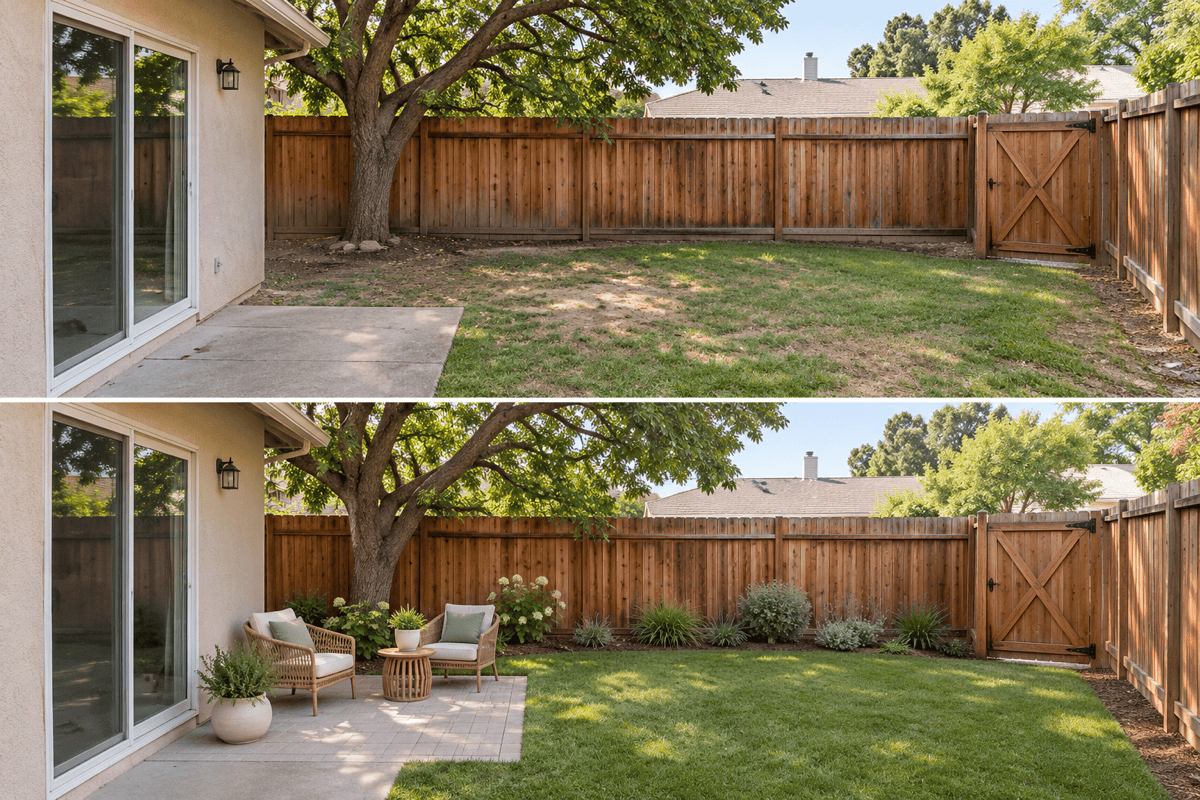
Ask for a compact dining table, corner seating, or planting along the edges of a narrow yard. Refine the layout in chat to keep the center open and the route to the gate visible. Check furniture sizes against your measurements.
Choose a Model for Photo-Based Redesigns
Choose an available image model for your yard photo and requested changes, or let Mew Auto select one for the task. Access the latest leading image models as new releases are added, and compare how they interpret your materials and style references.
Start Without an Existing Photo
Describe a compact patio, empty backyard, or new outdoor living area. Generate an initial visual direction, then refine it when you have photos and measurements.
Download and Share Your Outdoor Designs
Use this online AI outdoor design tool to compare concepts with your household or a landscaper. Download watermark-free images; free signup credits let you try the workflow.
How to Prepare a Photo for AI Outdoor Design
- Show the Whole Area: Use a level photo in even daylight. Avoid close-ups that hide boundaries or the route from the house.
- Add Site Context: Mention your location, sun or shade, approximate dimensions, and maintenance preferences. A photo alone cannot establish soil or drainage conditions.
- Set Priorities: Choose the main use first: dining, relaxing, play, or gardening. For a modest refresh, request furniture and planting changes while keeping the paving.
- Check What Changed: Compare the result with your original. Ask for corrections if windows move, paths disappear, or furniture looks too large. Plant varieties and mature sizes need local verification.
Backyard, Patio, and Garden Design Ideas
Small backyard: Redesign my uploaded photo with compact seating and planting along the edges. Keep the center open and preserve the route from the back door to the gate.
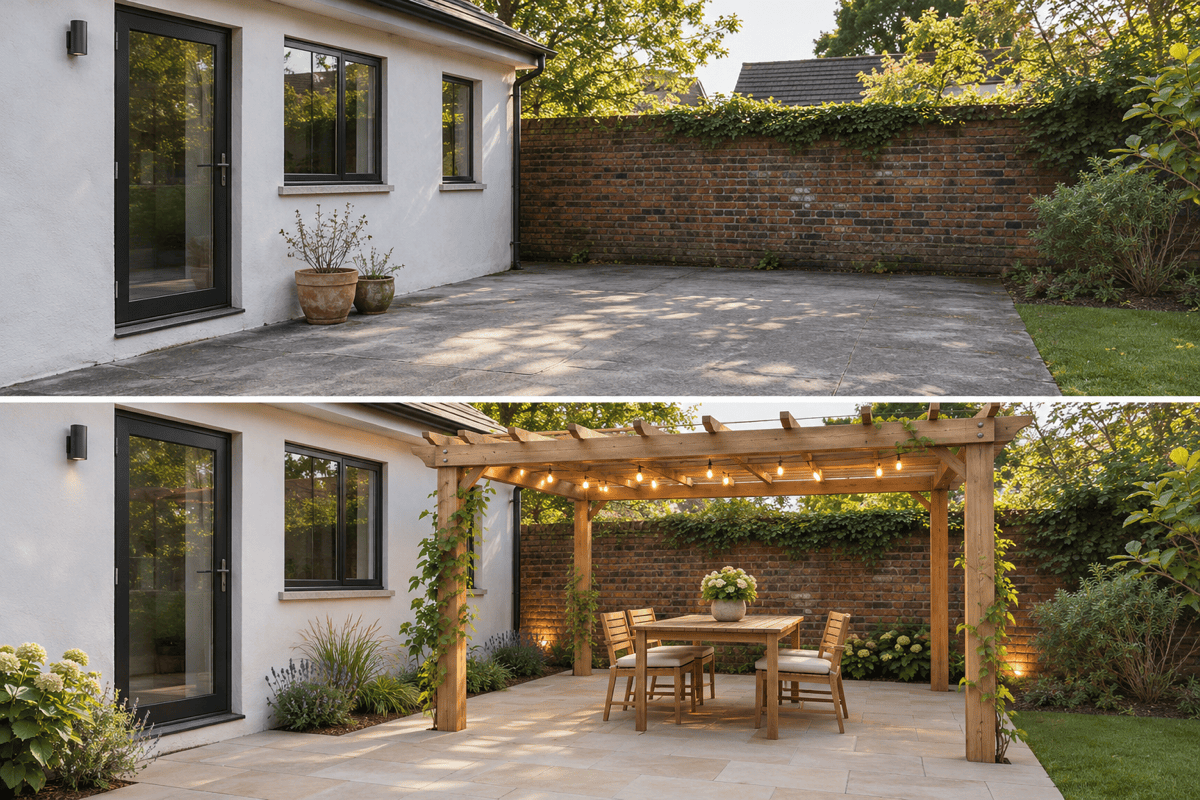
Patio dining: Use my photo to explore a dining area with a freestanding shade structure, a table, and warm lighting. Keep the existing doors and leave room to walk around the chairs.
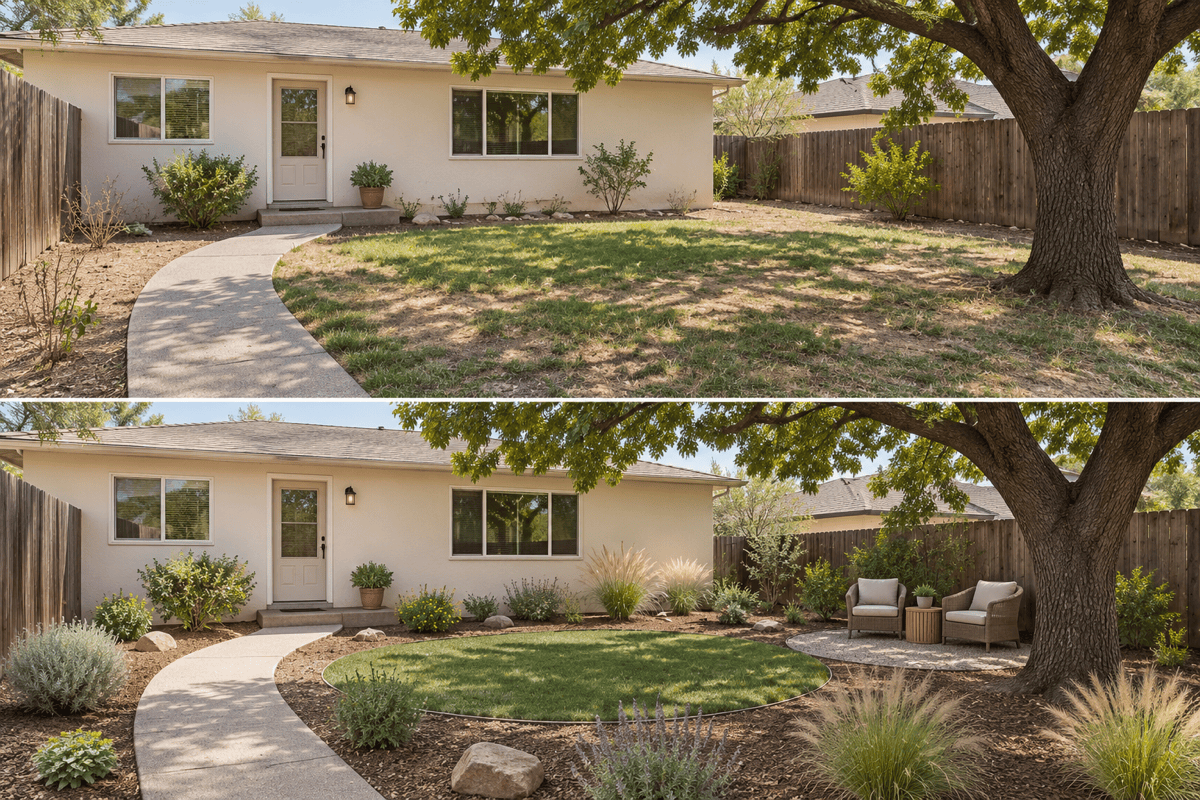
Low-maintenance garden: Rework my yard photo with less lawn, simple planting groups, and a small seating area. Use my stated climate and sun exposure as context; keep the mature trees.
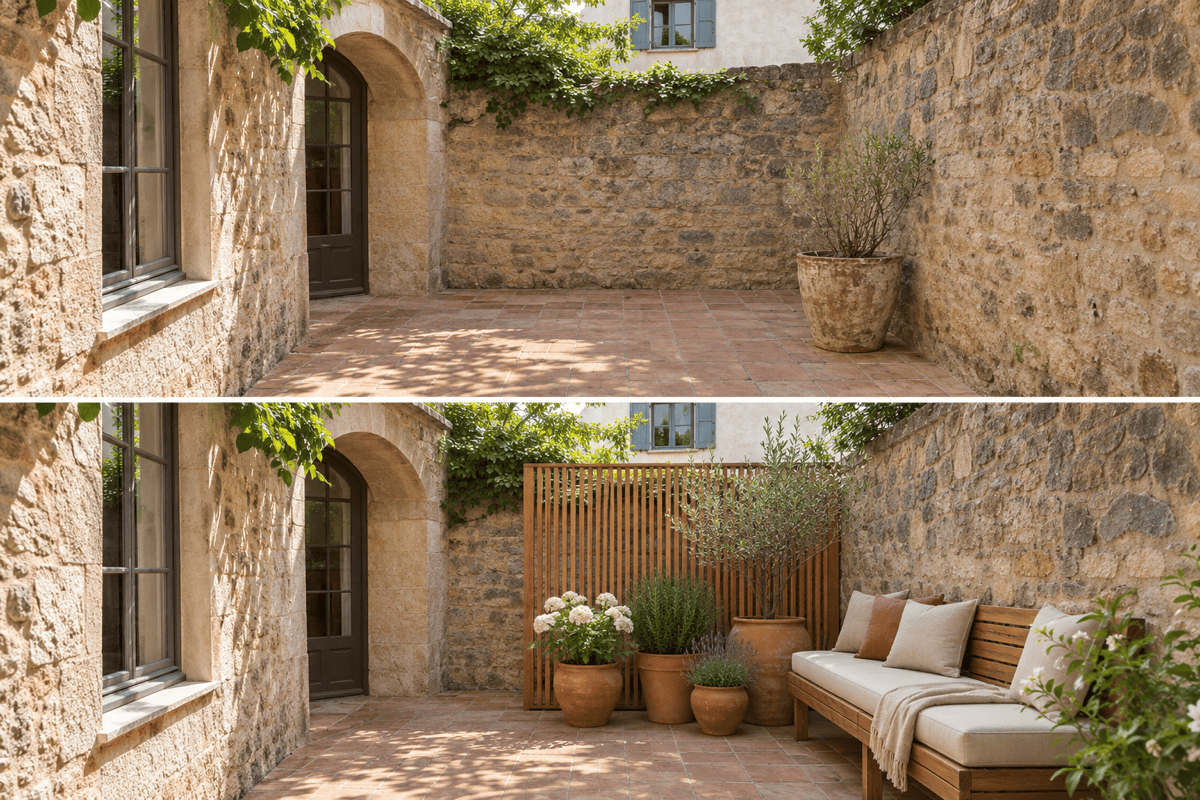
Private courtyard: Add a seating nook, planters, and a privacy screen to my courtyard photo. Keep the boundary walls and entrance unchanged. Use warm stone and natural wood tones.
Deck refresh: Keep the deck footprint, stairs, and railings in my photo. Update only the furniture, pots, and color palette to create a relaxed outdoor lounge.
Outdoor concept from text: Generate a new rectangular backyard with distinct dining and lounging zones, simple paving, and planting borders. Use a modern style and leave a clear path between the zones.





