Free OnlineAI Muscle Man Generator
How to Add Muscle to a Photo with AI
Upload a Clear Male Photo
Describe the Muscle Edit
Generate and Check the Result
Refine and Download

Control Your Muscle Photo Edit with Mew Design
Choose How Muscular You Look
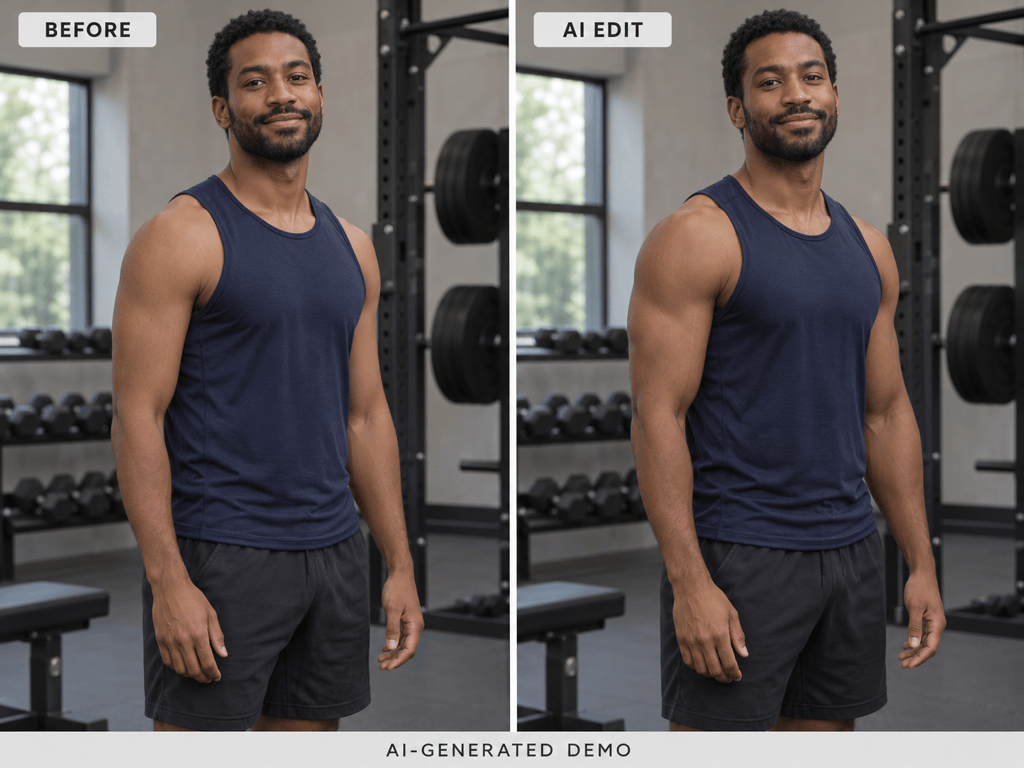
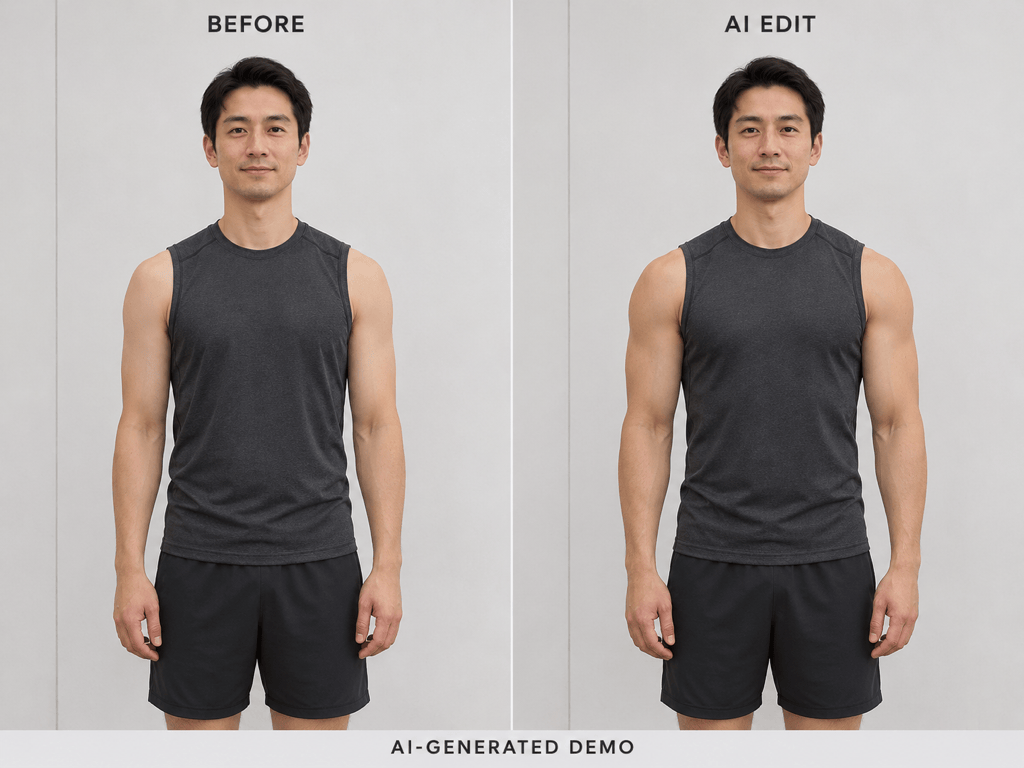
Use our AI muscle enhancer for lightly defined arms, a balanced athletic build, or a bolder bodybuilder look. Describe the degree of change in words rather than relying on one fixed muscle filter.
Focus on Specific Muscle Groups
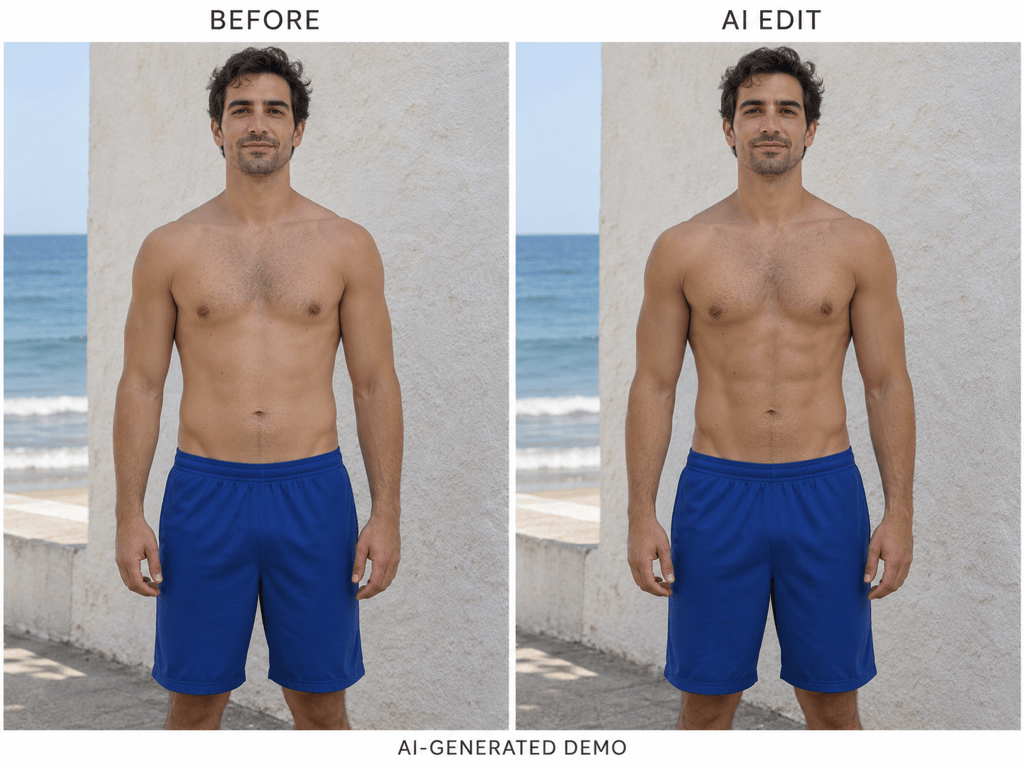
Request broader shoulders, a fuller chest, stronger-looking arms, or definition in visible abs. Name one area when you want a focused change instead of a full-body transformation.
Specify What Should Stay the Same
Ask to retain your face, skin tone, hairstyle, outfit, pose, and setting. These instructions guide the edit; compare the output with your source photo because exact preservation is not guaranteed.
Make Smaller Corrections in Chat
If the first muscle edit looks too strong, use Chat Edit to reduce the effect. Request one correction at a time while naming the parts of the image you want to retain.
Select a Model or Use Mew Auto
Choose an available image model, or let Mew Auto select one for your reference photo and requested changes. Mew Design offers the latest leading image models and adds new releases promptly.
Compare Looks Before You Download
Generate different muscle levels from the same source photo and review which looks most natural. Save the version you prefer as a watermark-free PNG or JPG.
Get a More Natural-Looking Muscle Edit
- Show the Target Area: Use a photo where the arms or torso are easy to see. Loose clothing, crossed arms, blur, and deep shadows make muscle edits harder to judge.
- Set the Intensity: Ask for subtle definition, a moderate athletic build, or a bodybuilder-style look. To avoid oversized muscles, specify a restrained change and balanced proportions.
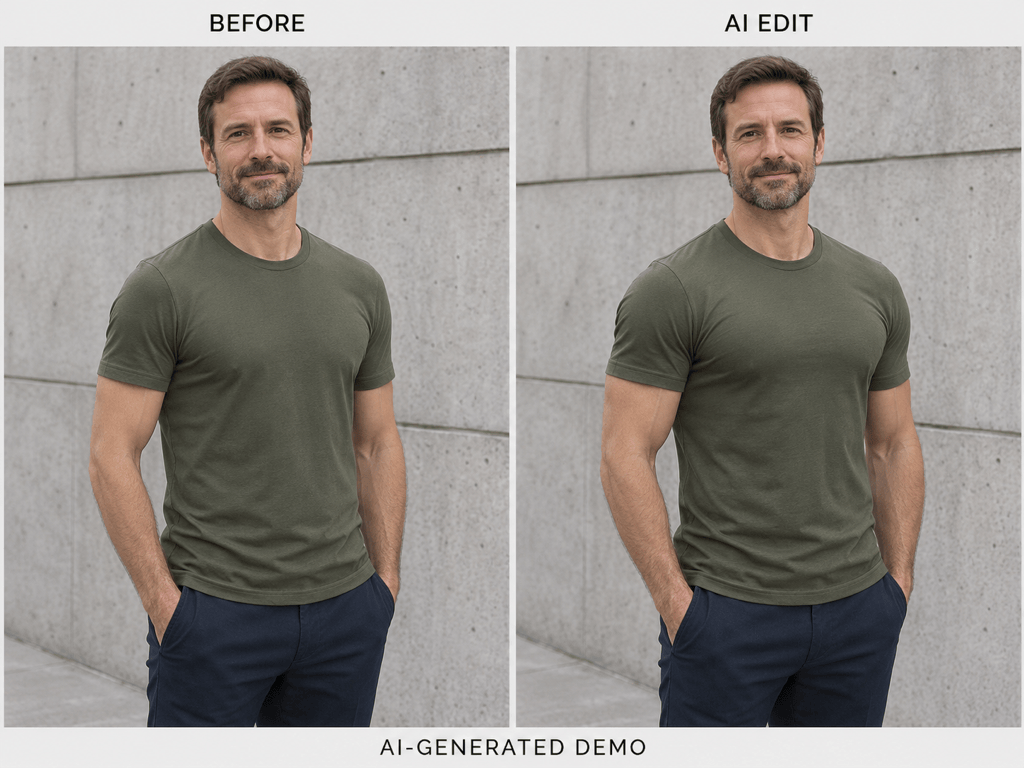
- Work with the Clothing: For a clothed photo, request a change in silhouette and believable fabric tension. For an abs edit, use a photo where the abdomen is already visible.
- Compare the Whole Photo: Look beyond the muscles. Check the face, fingers, tattoos, shirt seams, shadows, and straight background lines before sharing.
Six Muscle Photo Edits You Can Try
Add subtle definition to the visible biceps and shoulders in my uploaded adult male photo. Keep arm size close to the original and retain the face, skin texture, clothing, pose, and lighting. Avoid exaggerated veins.
Make the adult man in my uploaded photo look moderately more athletic, with broader shoulders and balanced arms. Keep the same face, outfit, body position, crop, and background. Use believable clothing folds.
Add natural-looking definition to the already visible abs of the adult man in my photo. Keep his overall body size, skin tone, shorts, pose, and background consistent. Avoid deep artificial-looking grooves.
Give the adult man in my photo a slightly fuller chest under his fitted T-shirt. Keep the shirt on and preserve its color, neckline, and logo. Match the existing light and create realistic fabric tension.
Create a bodybuilder-style edit of my uploaded adult male full-body photo. Increase shoulder, arm, chest, and leg size proportionately. Keep the recognizable face, outfit, stance, and setting; avoid extreme distortion.
Reduce the exaggerated muscle size in this edited photo of an adult man. Use the original photo as a reference to restore natural proportions, retain the face and clothing, and straighten any warped background lines.





