Free OnlineAI Muppet Generator
How to Make a Muppet-Style Character with AI
Choose Photo or Text
Name the Traits to Keep
Describe the Puppet Look
Refine One Detail at a Time
Export and Share

Photo-to-Puppet Control Beyond a One-Click Filter
Use Your Photo as the Visual Anchor
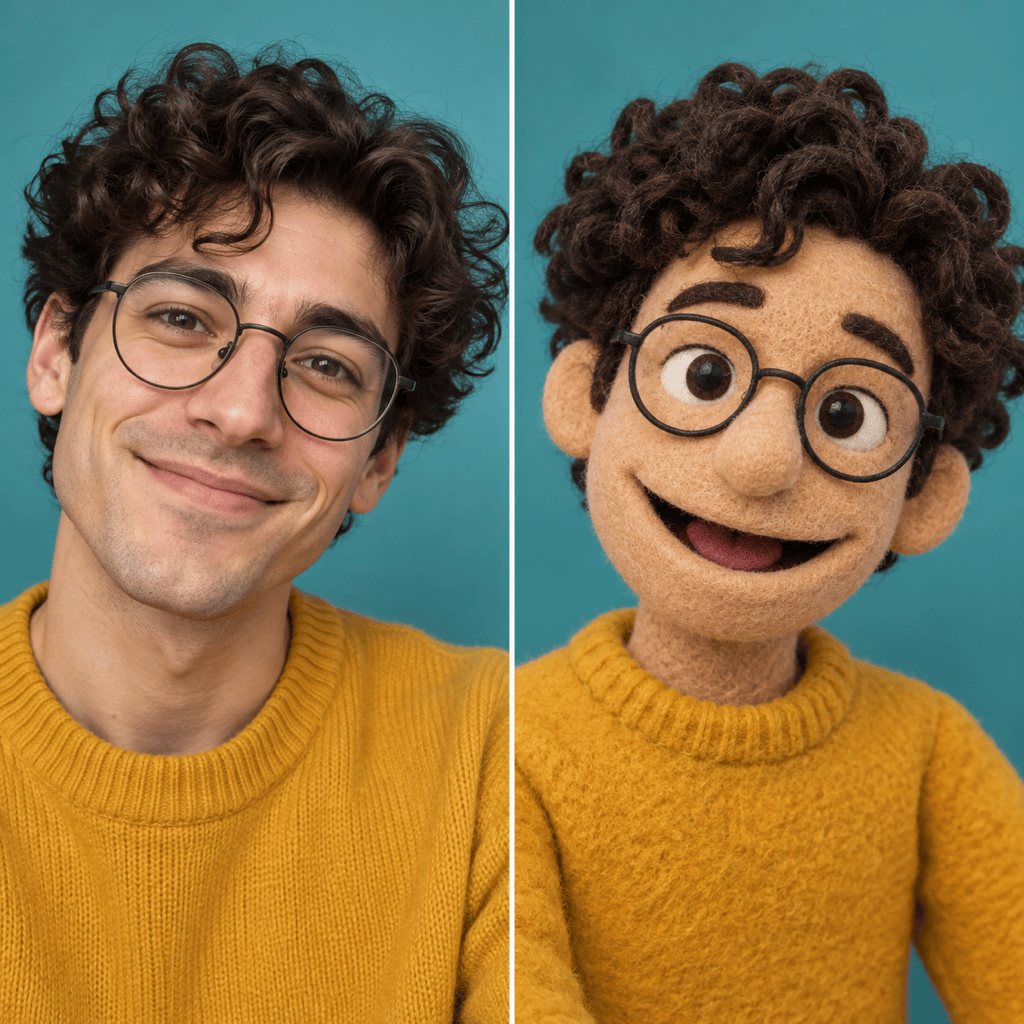
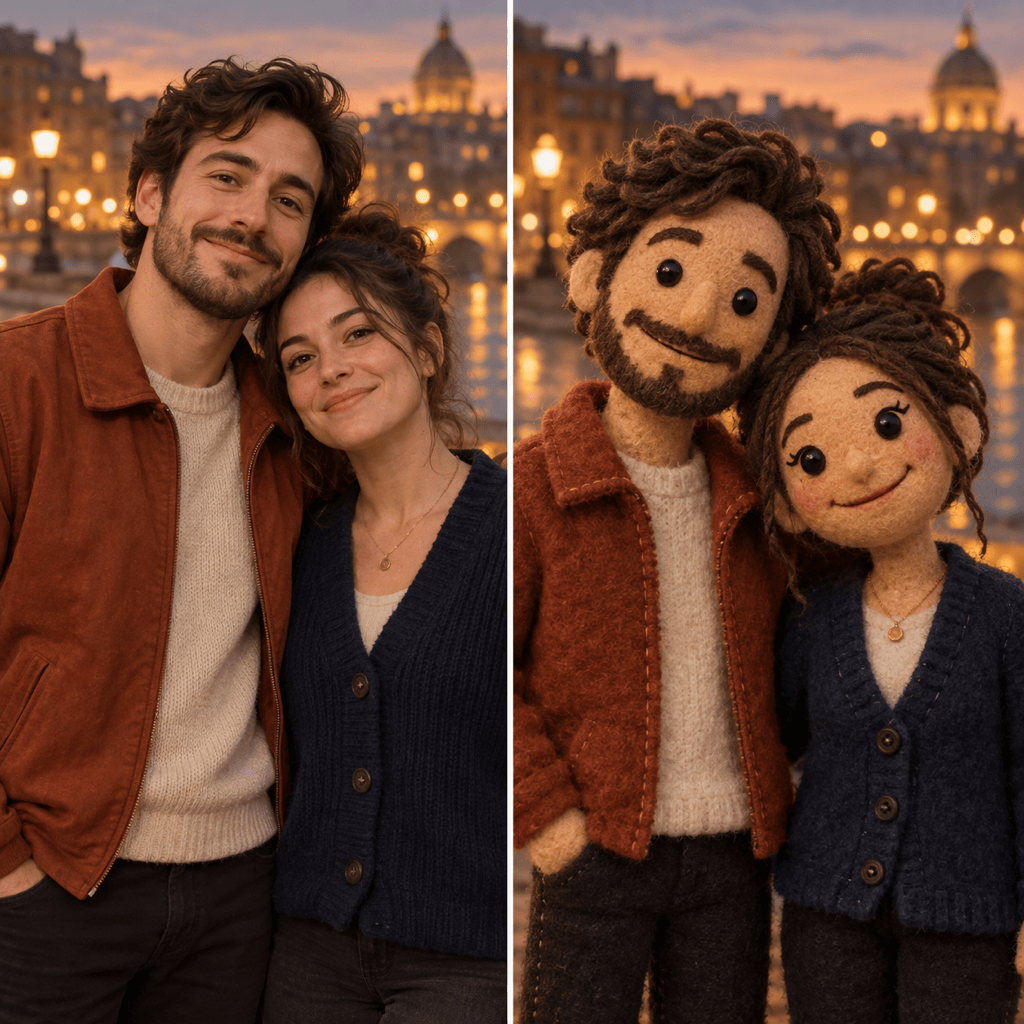
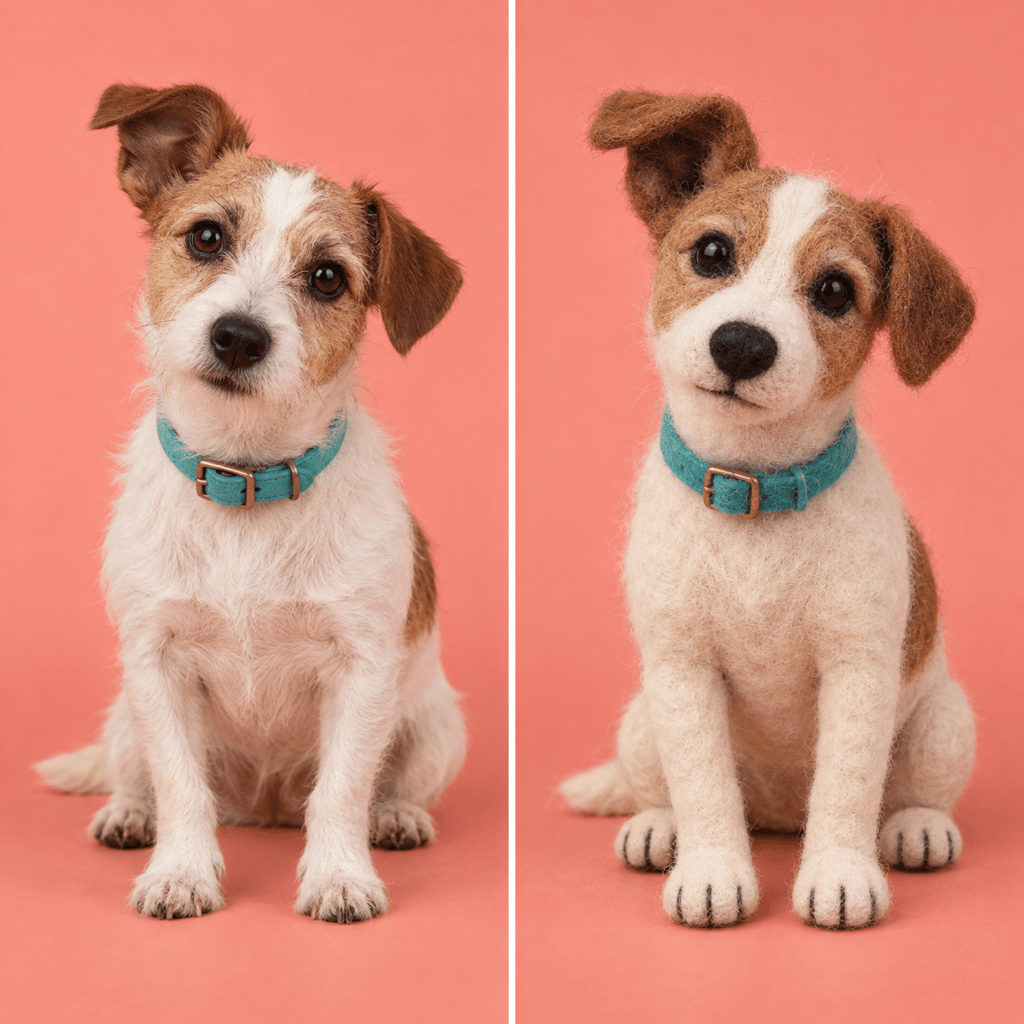
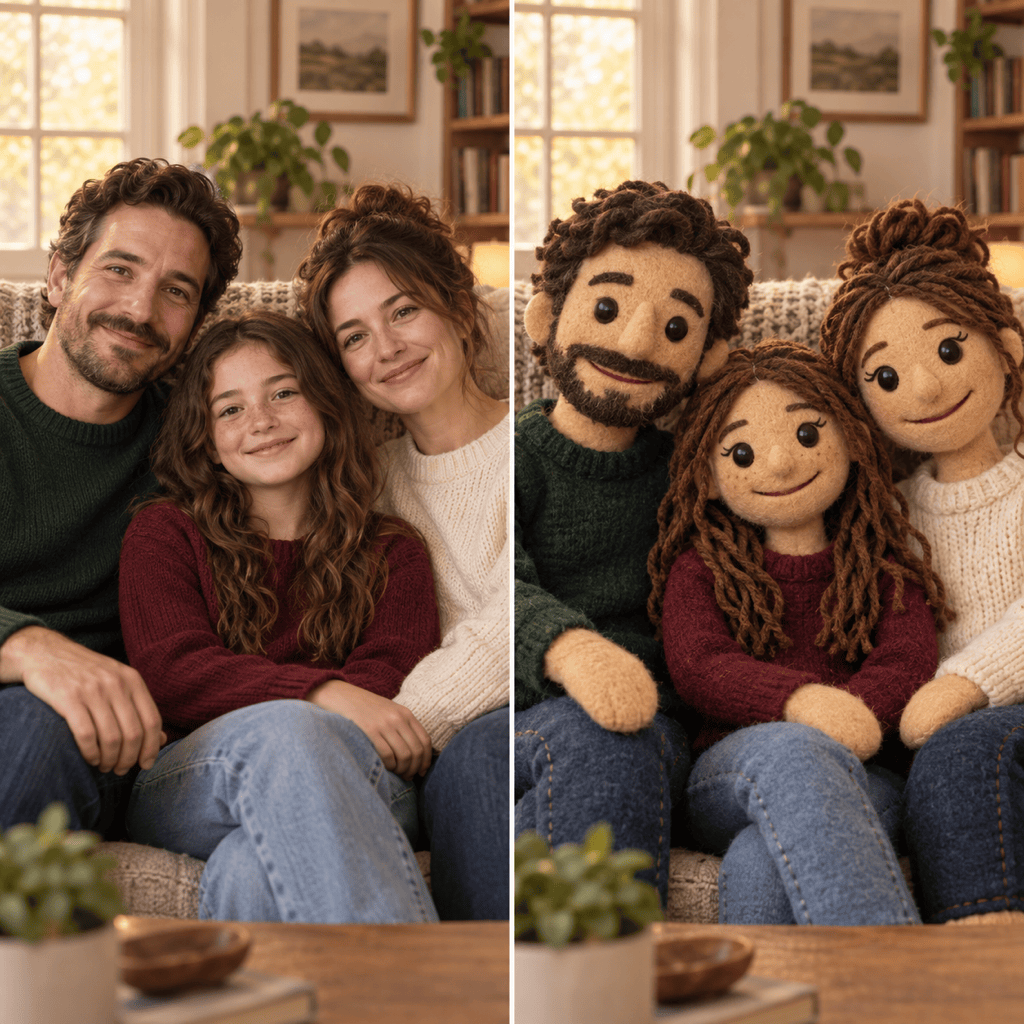
The online AI Muppet generator can work from a selfie, couple photo, group portrait, or pet image, so the transformation begins with the composition and cues you care about.
Create Convincing Felt Detail
Image models such as GPT Image 2.5 can render fuzzy fibers, seams, yarn, foam forms, and studio lighting for a tactile handmade look.
Preserve the Recognizable Cues
Tell Mew Design which hairstyle, eyewear, expression, clothes, pose, and background should survive the style change instead of leaving every choice to a preset filter.
Correct Results Through Conversation
If the first Muppet-style portrait drifts, use Chat Edit to request one precise correction while preserving the parts that already look right.
Make Versions for Different Uses
Create a square avatar, a wider social image, a transparent-background character, or a coordinated set while keeping the same original puppet concept.
Try the Look Before Committing
Sign up with free AI credits, compare variations, and export finished images without a watermark. Credit use depends on the model and generation settings.
How to Get a More Recognizable Puppet Portrait
- Start With a Clear Subject: Choose a sharp, well-lit photo with an unobstructed face. For groups, make sure each person is large enough to identify.
- Lock the Identity Cues: Name two to five traits that define the subject, such as hair shape, glasses, smile, freckles, clothing, or a pet's markings.
- Specify the Handmade Materials: Ask for felt, fleece, foam, yarn, seams, or stitched features instead of relying only on the word Muppet.
- Protect What Already Works: During revisions, state both the requested change and the elements that must remain unchanged.
Popular Photo-to-Puppet Transformations to Try
Turn my uploaded selfie into an original friendly felt puppet avatar. Preserve my hairstyle, glasses, smile, shirt color, and head angle. Use a clean square background and do not copy any existing character.
Transform the two people in my uploaded couple photo into matching handmade fleece puppets. Keep both faces distinguishable, preserve their outfits and pose, and retain the warm evening background.
Turn my uploaded pet photo into a playful felt puppet portrait. Keep the same ear shape, coat markings, collar, sitting pose, and camera angle, with soft fleece texture and stitched details.
Convert everyone in my uploaded family photo into an original puppet cast. Preserve the number of people, their positions, clothing colors, expressions, and the living-room composition.
Create an original text-only puppet character: a curious orange felt astronomer with round goggles, messy purple yarn hair, a navy jumpsuit, an excited expression, and a tiny cardboard telescope in a cozy workshop.
Design an original fuzzy puppet mascot for a neighborhood bakery. Use warm tan felt, a flour-dusted apron, a cheerful expression, and a simple front-facing pose on a transparent background. Avoid existing characters and logos.





