Free OnlineAI Lighting Design
How to Create a Lighting Concept with AI
Show Your Space and Its Purpose
Preview a New Lighting Scheme
Adjust One Lighting Detail at a Time
Download and Discuss the Concept

AI Lighting Design for Room Makeovers and Outdoor Concepts
Start with the Room You Have
Use AI lighting design from a photo to explore changes around your existing decor. Specify the walls, windows, and furniture to retain, and review those details after each edit.
Design Ambient, Task, and Accent Lighting
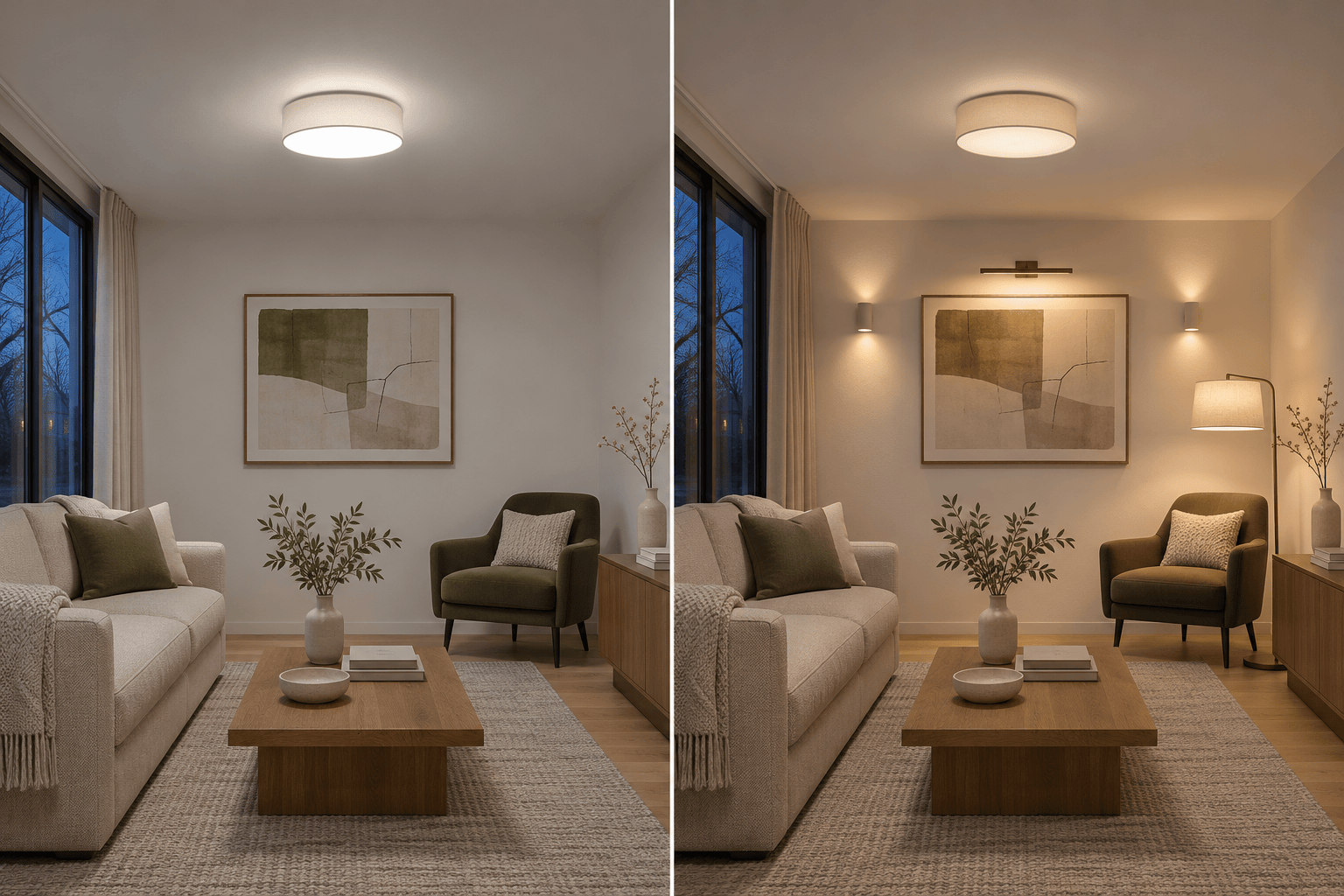
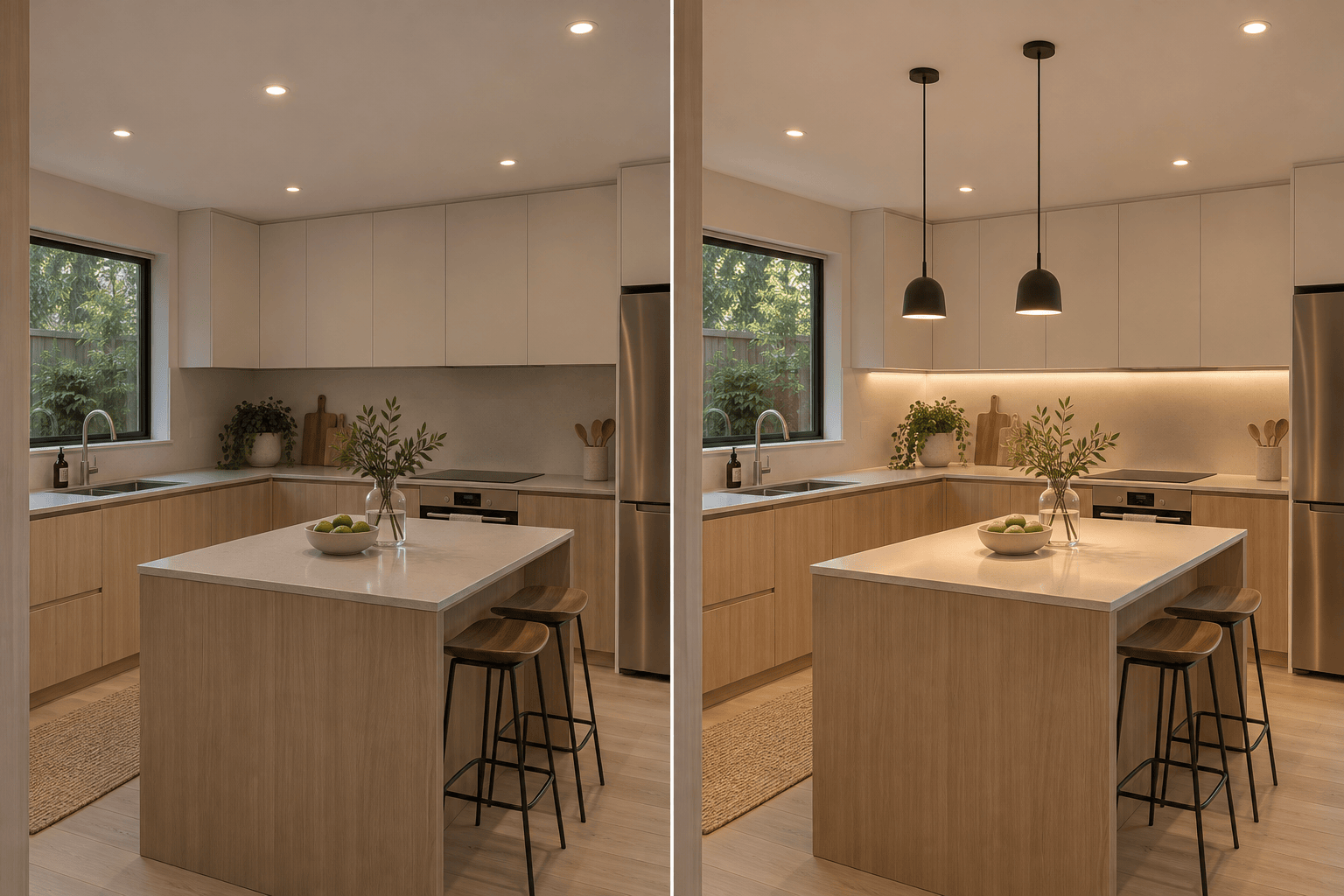
Build a lighting scheme around what happens in the room. Preview soft ambient light for the seating area, a focused lamp for reading, and an accent on artwork. In a kitchen, explore under-cabinet lighting on the worktop separately from pendants over the island.
Compare Fixtures, Light Color, and Mood
Try recessed lighting, pendant lights, wall sconces, or portable lamps in the same space. Compare warm white and neutral white concepts while keeping furniture and camera angle consistent. Change one element at a time to see whether the fixture style or light color better suits your room.
Bring a Fixture Reference
Upload an image of a pendant, sconce, or lamp to guide the style. Preview how its shape relates to your room; verify real product dimensions and specifications separately.
Choose a Model for Your Preview
Select an available image model yourself, or let Mew Auto choose one for your photo and request. Mew Design offers leading image models and adds new releases promptly.
Prepare Lighting Concepts for Renovation Discussions
Use this online lighting design visualizer to compare a small room update with a more extensive scheme. Download watermark-free concepts to discuss fixture styles and intended placement with a designer or installer. Keep the original photo beside the proposal so everyone can see the changes.
How to Plan Room Lighting Before Generating a Design
- Use a Clear Source Photo: Show the ceiling and the areas you want to change. Include existing light points, windows, and nearby furniture. Mention ceiling height if you know it, and avoid heavy filters or deep shadows that hide the room’s structure.
- Separate the Lighting Layers: Use ambient light for the overall room, task light for reading or cooking, and accent light for a focal point. Say which layer is missing.
- State What Must Stay: Name the furniture, finishes, doors, and windows to retain. Explain whether you can add new fixtures or only use existing light points and plug-in lamps. Request the same camera view for a useful before-and-after comparison.
- Check the Light, Not Just the Mood: Inspect dark work surfaces, bright reflections, and visible light sources. A convincing image cannot confirm real brightness, glare levels, or fixture spacing.
Lighting Ideas for Rooms and Outdoor Spaces
Show a living room lighting concept with soft background light, a shaded reading lamp, and a subtle accent on the wall art. Use my photo if supplied and keep the existing furniture and view.
Create a kitchen lighting design with continuous under-cabinet light on the worktop and simple pendants over the island. Keep the cabinets, worktops, and appliances unchanged if I provide a photo.
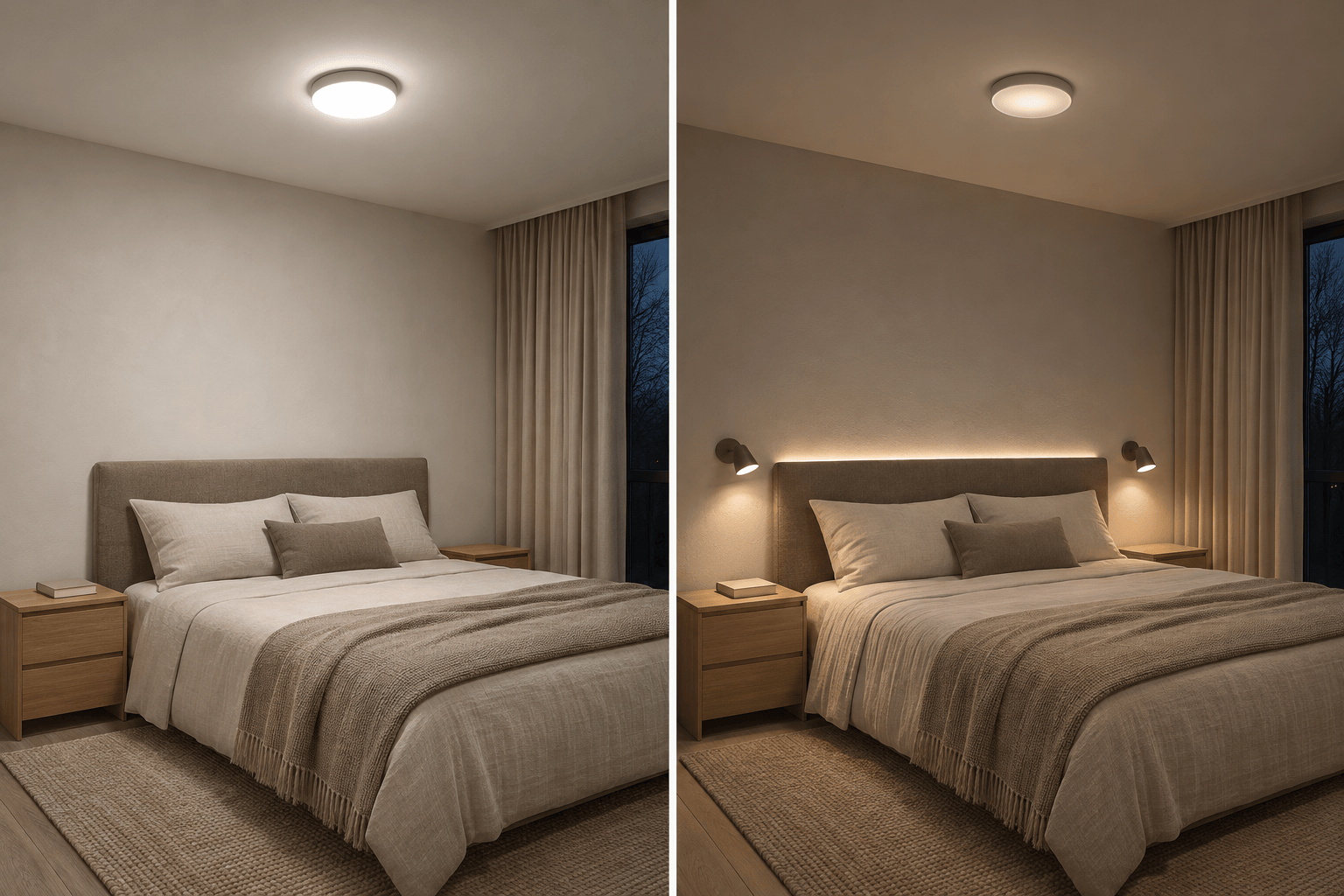
Visualize bedroom lighting with shielded bedside reading sconces and soft indirect light behind the headboard. Keep the bedding and wall colors natural, with no harsh orange cast.
Explore a home office lighting concept with a desk lamp directed at the work surface and soft background light. Avoid a bright fixture reflected in the monitor and preserve the desk layout.
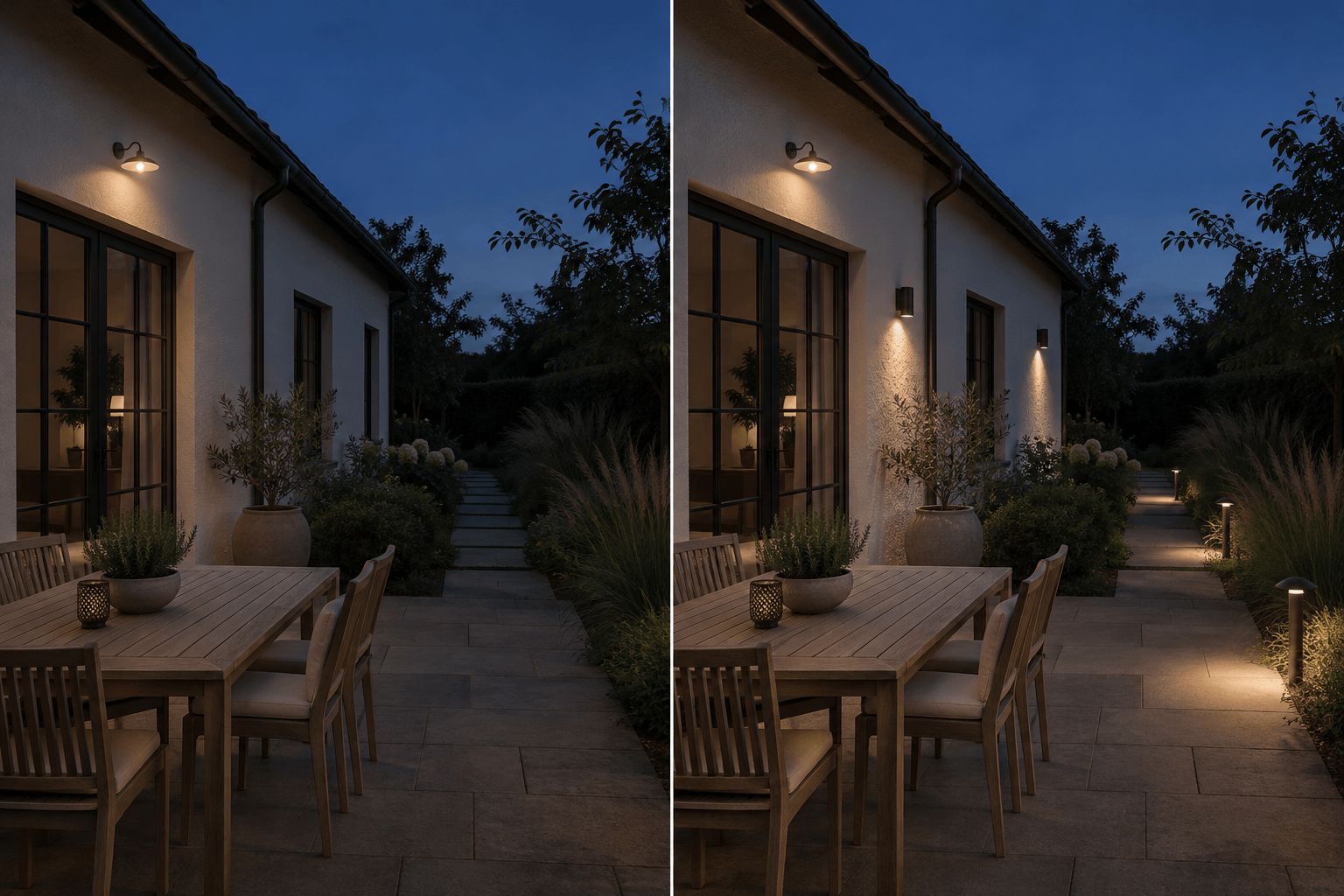
Preview outdoor lighting for a patio and garden path at dusk. Add shielded path lights and downward-facing wall lights. Preserve the planting and facade, and keep the sky and neighboring areas dark.
Create a restaurant lighting concept with warm pools of light on tables, softer background lighting, and a visible route between seats. Keep the existing seating arrangement if I upload a photo.





