Free OnlineAI Invoice Generator
How to Create an Invoice with AI
Gather the Billing Facts
Generate a Structured Invoice Draft
Audit Every Number and Requirement
Apply the Brand and Export

From Billing Notes to a Client-Ready Invoice Draft
Use Billing Notes or Referenced Files
Start with a short prompt or reference a supported estimate, spreadsheet, time log, service list, or project brief from the file library with @. Tell Mew Design which rows and values belong on the invoice instead of retyping a long source document.
Separate Seller, Client, and Reference Details
Keep the business and customer blocks distinct from the invoice number, issue date, supply date, due date, purchase-order number, project reference, and currency. A clear header gives both parties the identifiers they need to review and file the document.
Fit the Way the Work Was Billed
Use the AI invoice generator from text for hourly services, fixed-fee projects, retainers, labor and materials, product quantities, deposits, credits, or milestone billing. Each model receives its own useful columns and summary rows instead of a decorative one-size-fits-all table.
Make the Amount Due Easy to Audit
Place description, quantity or hours, rate, and line amount in a readable table, then separate subtotal, discount, shipping, tax, amount paid, and balance due. The layout makes checking easier, but the user remains responsible for verifying every calculation and tax treatment.
Add Brand Cues Without Hiding the Facts
Upload a permitted logo, color palette, or previous invoice as a visual reference. Keep branding restrained so the client name, line items, terms, and total remain dominant; for a matching stationery system, explore the AI Letterhead Generator.
Revise the Draft, Then Export Cleanly
Test the free AI invoice maker with signup credits, use Chat Edit to correct the supplied copy or spacing, and export the reviewed static design without a watermark as PNG, JPG, or PDF. Mew Design does not automatically send, track, collect, reconcile, or schedule invoices.
How to Prompt AI for an Accurate Invoice Draft
- Provide the Header Facts: Include seller and client display names, invoice number, issue date, supply date when relevant, due date, purchase-order or project reference, and currency. Use fictional or redacted data when testing a public prompt.
- Define the Billing Model: State whether each item uses hours and rate, quantity and unit price, a fixed fee, a retainer, labor and materials, a deposit, a credit, or a milestone. Specify the exact columns the client needs to understand the charge.
- Lock the Math and Tax Treatment: Supply each line amount plus the expected subtotal, discount, shipping, tax, amount already paid, and total due. Recalculate the result independently and verify which taxes, registrations, exemptions, or references apply locally.
- Direct the Reading Order: Ask for restrained branding, a clear itemized table, an unmistakable total due, visible payment terms, and A4 or US Letter margins. Exclude decorative imagery, tiny type, fabricated data, and elements that make the document look like a poster.
AI Invoice Prompts for Freelancers, Contractors, and Small Businesses
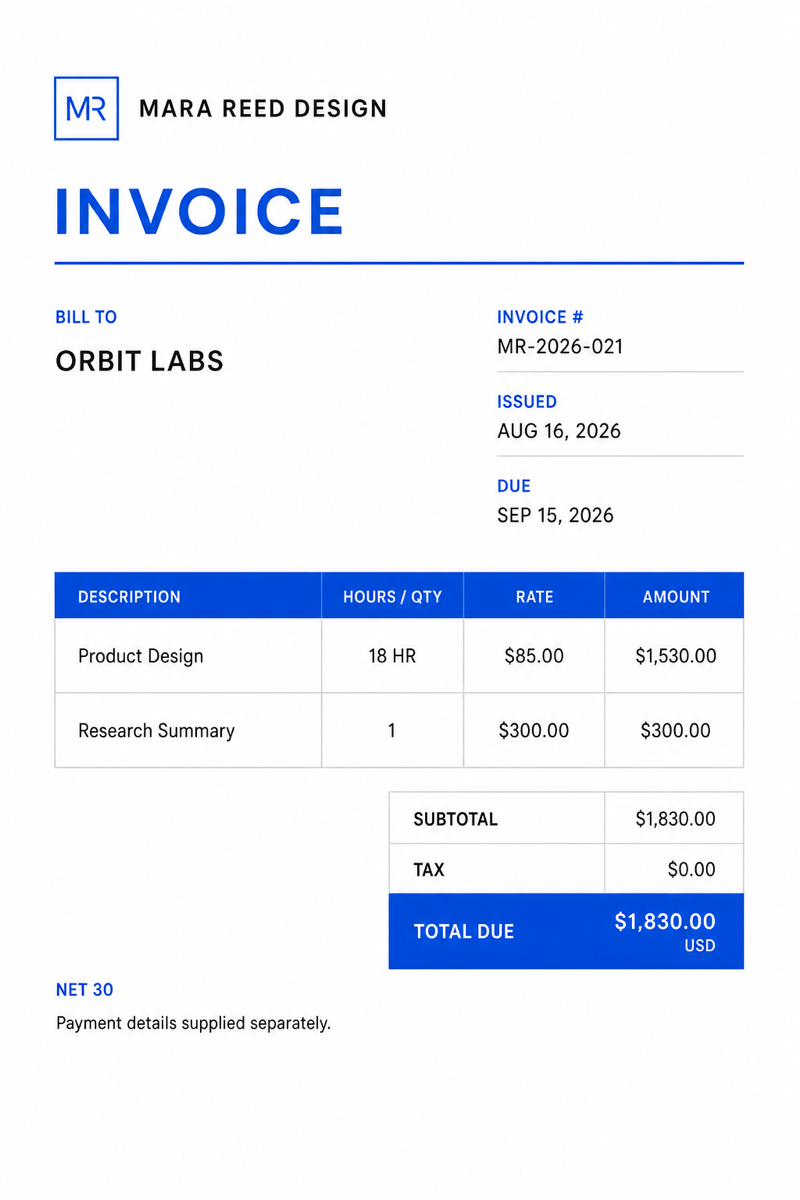
Freelance Hourly Invoice: Create a one-page A4 invoice for 'MARA REED DESIGN' billing 'ORBIT LABS' in USD. Invoice 'MR-2026-021', issued August 16, 2026, due September 15, 2026. Items: 'Product Design', 18 hours × $85.00 = $1,530.00; 'Research Summary', fixed fee $300.00. Subtotal and total due: $1,830.00; tax: $0.00. Use a minimal black-and-cobalt layout, compact seller/client blocks, a clear hourly table, and no invented addresses, bank details, or fees.
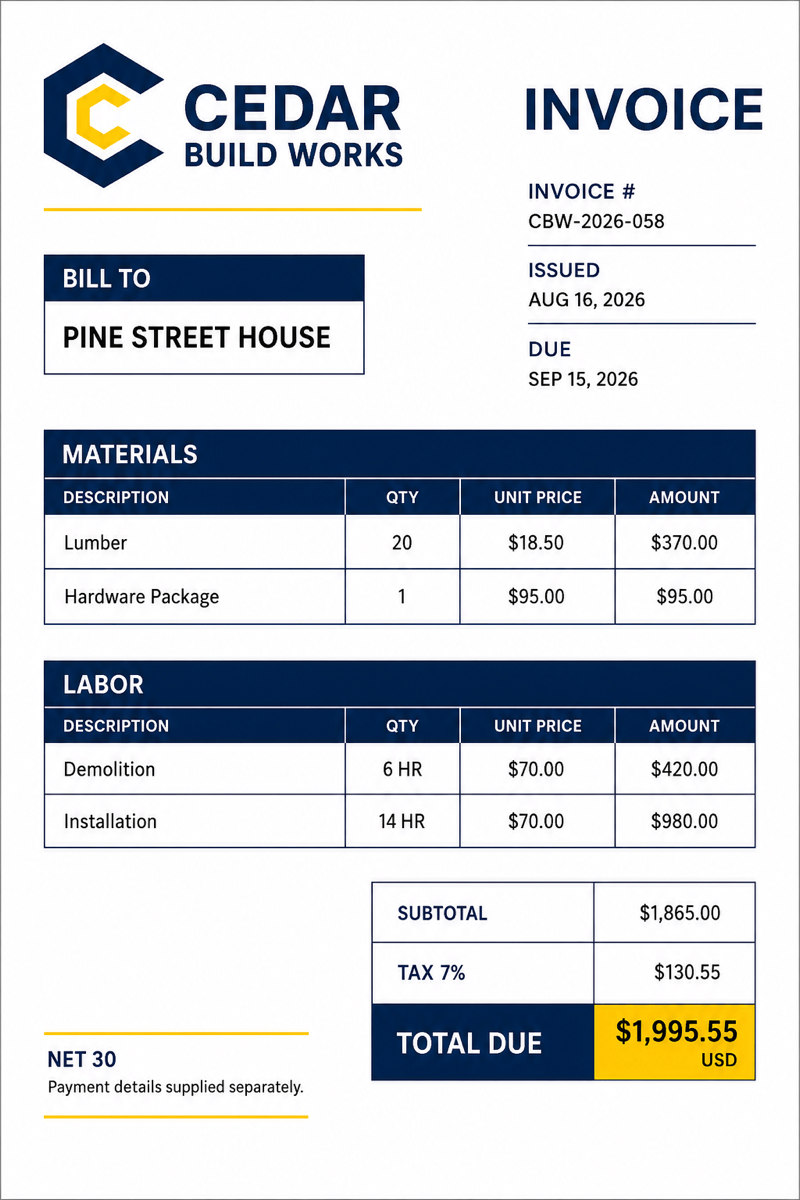
Contractor Labor and Materials: Design a US Letter invoice for 'CEDAR BUILD WORKS' billing 'PINE STREET HOUSE'. Separate Materials—lumber, 20 × $18.50 = $370.00; hardware package, 1 × $95.00 = $95.00—from Labor—demolition, 6 hours × $70.00 = $420.00; installation, 14 hours × $70.00 = $980.00. Show subtotal $1,865.00, tax 7% at $130.55, and total due $1,995.55. Use navy and safety-yellow accents with no construction photo or invented license number.
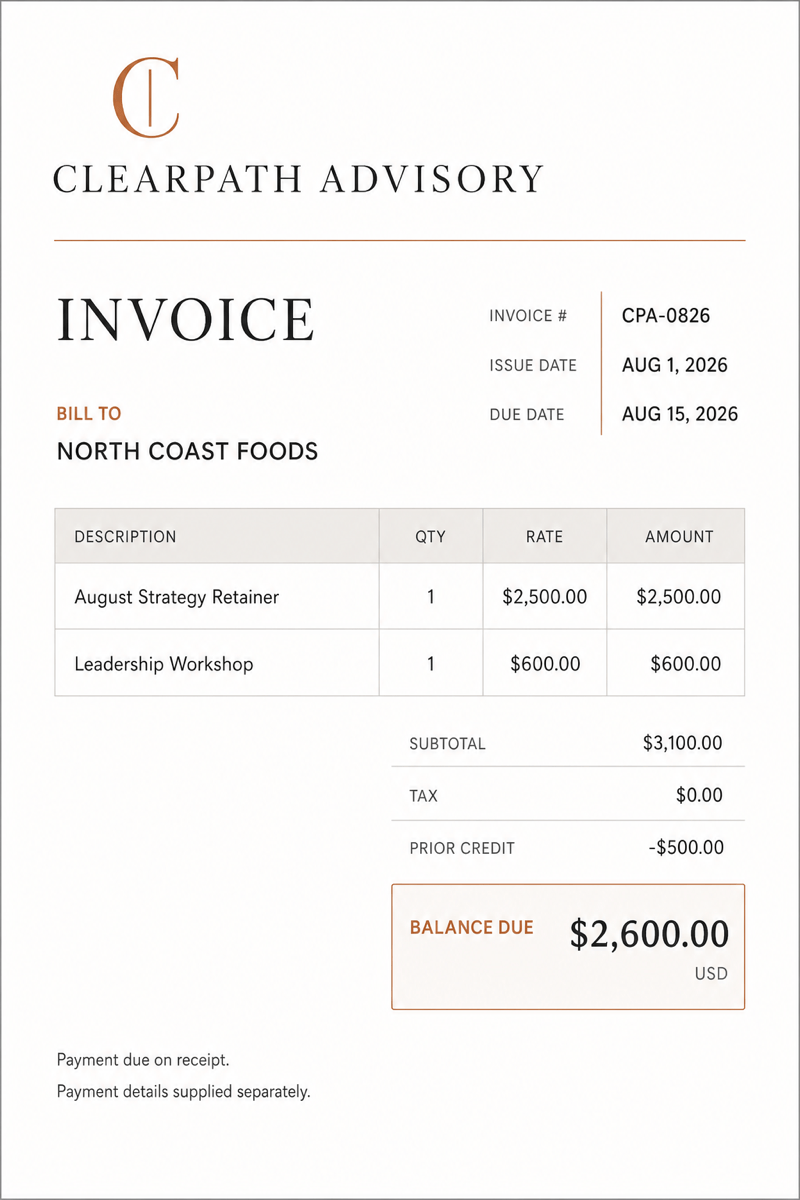
Consulting Retainer: Create a restrained invoice for 'CLEARPATH ADVISORY' billing 'NORTH COAST FOODS'. Invoice 'CPA-0826', issue date August 1, 2026, due August 15, 2026. Items: 'August Strategy Retainer' $2,500.00 and 'Leadership Workshop' $600.00. Show subtotal $3,100.00, prior credit $500.00, tax $0.00, and balance due $2,600.00. Use warm gray, charcoal, and one copper accent with a prominent balance-due box.
Photography Deposit Invoice: Make an elegant A4 invoice for 'LUMEN FIELD PHOTO' billing 'CASEY & MORGAN'. Event package $2,800.00 and album $450.00; subtotal $3,250.00; deposit received $975.00; balance due $2,275.00. Use invoice number 'LFP-2608-17', show the event date and final-payment deadline separately, and use black, ivory, and muted gold without stock photography, social icons, or extra charges.
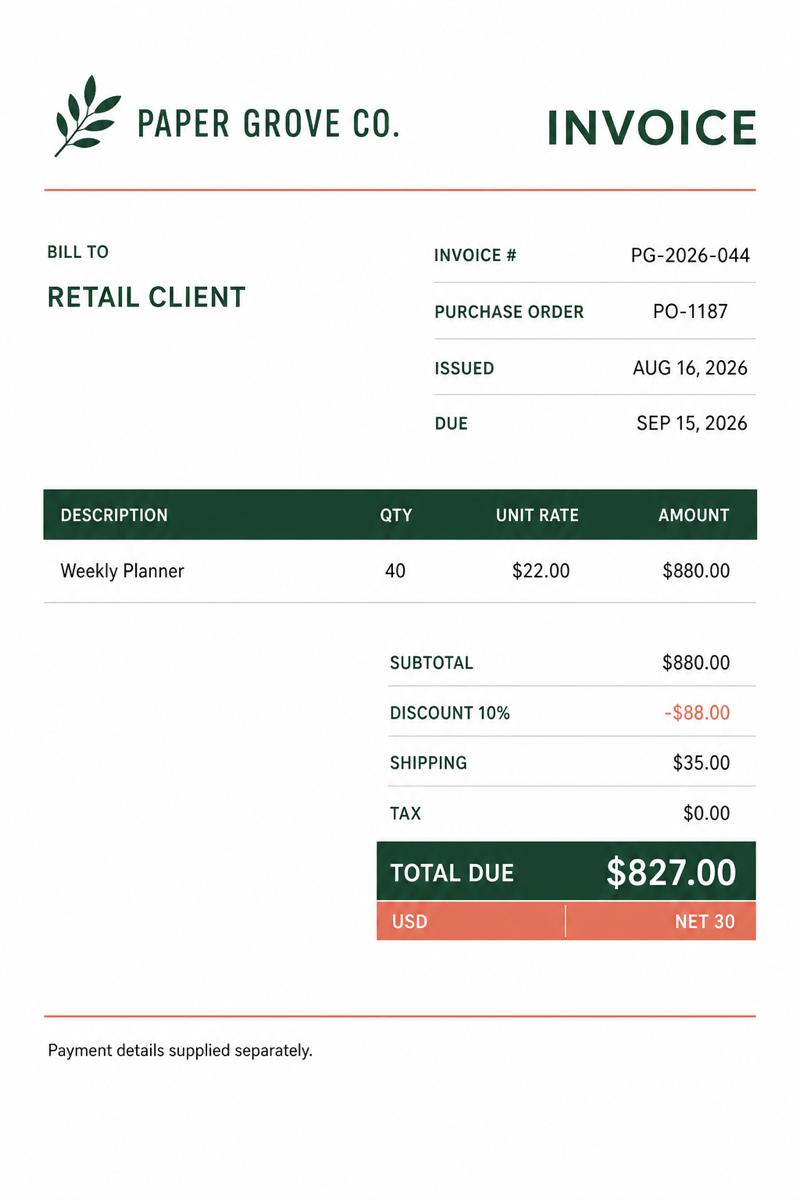
Small Product Business: Generate a clean invoice for 'PAPER GROVE CO.' billing a retail client. List 'Weekly Planner', 40 × $22.00 = $880.00; discount 10% = $88.00; shipping $35.00; tax $0.00; total due $827.00, currency USD. Use coral and forest green accents, a clear quantity-rate-amount table, a purchase-order field, and no invented VAT number, payment link, or product photo.
Milestone Billing: Create a modern invoice for 'SIGNAL WEB STUDIO' billing 'HARBOR HEALTH'. Invoice 'SWS-2026-033'. Items: 'Website Phase 2 — 40% Milestone' $4,800.00 and 'Approved Change Request' $650.00. Subtotal and total due $5,450.00; tax $0.00; Net 14 terms. Use a crisp white layout with violet accents, show the project reference near the invoice number, and do not add a recurring schedule, late fee, bank data, or payment-service branding.





