Rooms, Lobbies, and ExteriorsAI Hotel Design Generator
How to Create Hotel Design Concepts with AI
Describe Your Hotel Space
Generate the First Hotel Concept
Edit Materials, Lighting, and Furniture
Export for a Design Review

AI Hotel Design for Rooms, Lobbies, and Exteriors
Hotel Room Design and Furniture Ideas
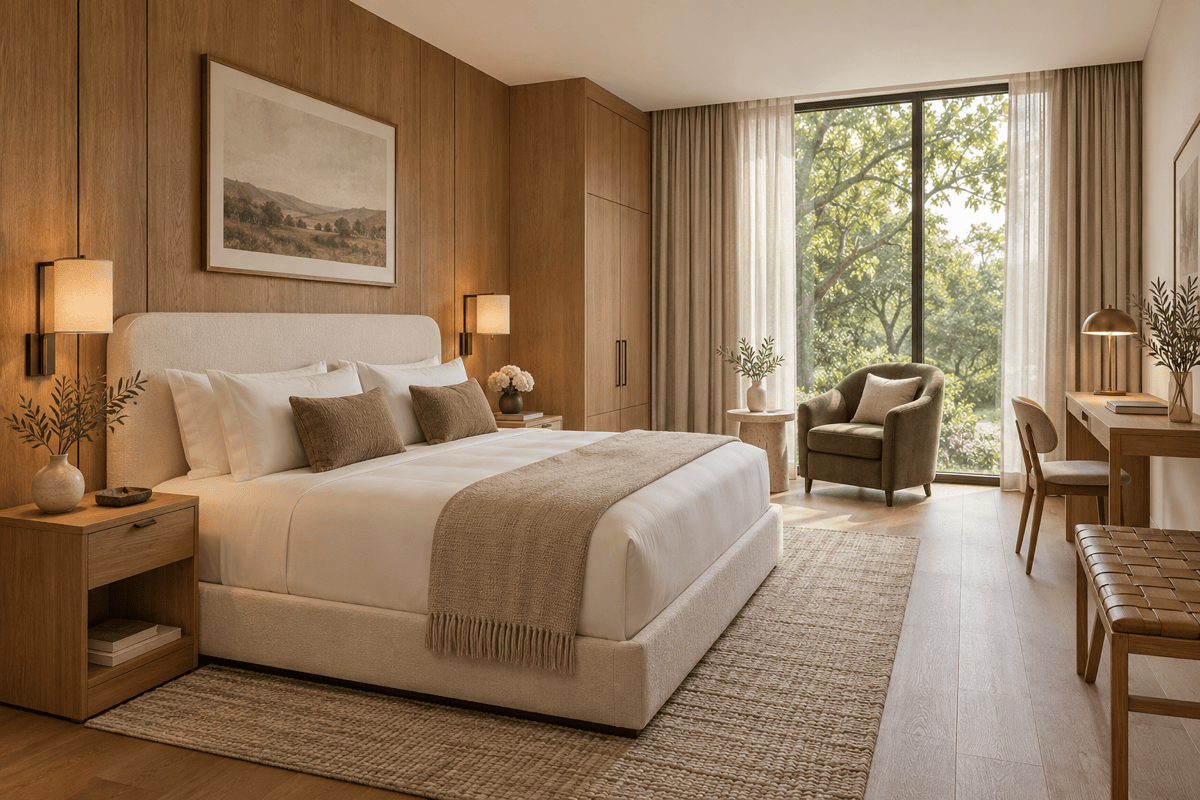
Use AI hotel room design to explore how the bed, bedside lights, luggage bench, and desk look together, rather than choosing each finish in isolation.
Hotel Lobby Design and Reception Concepts
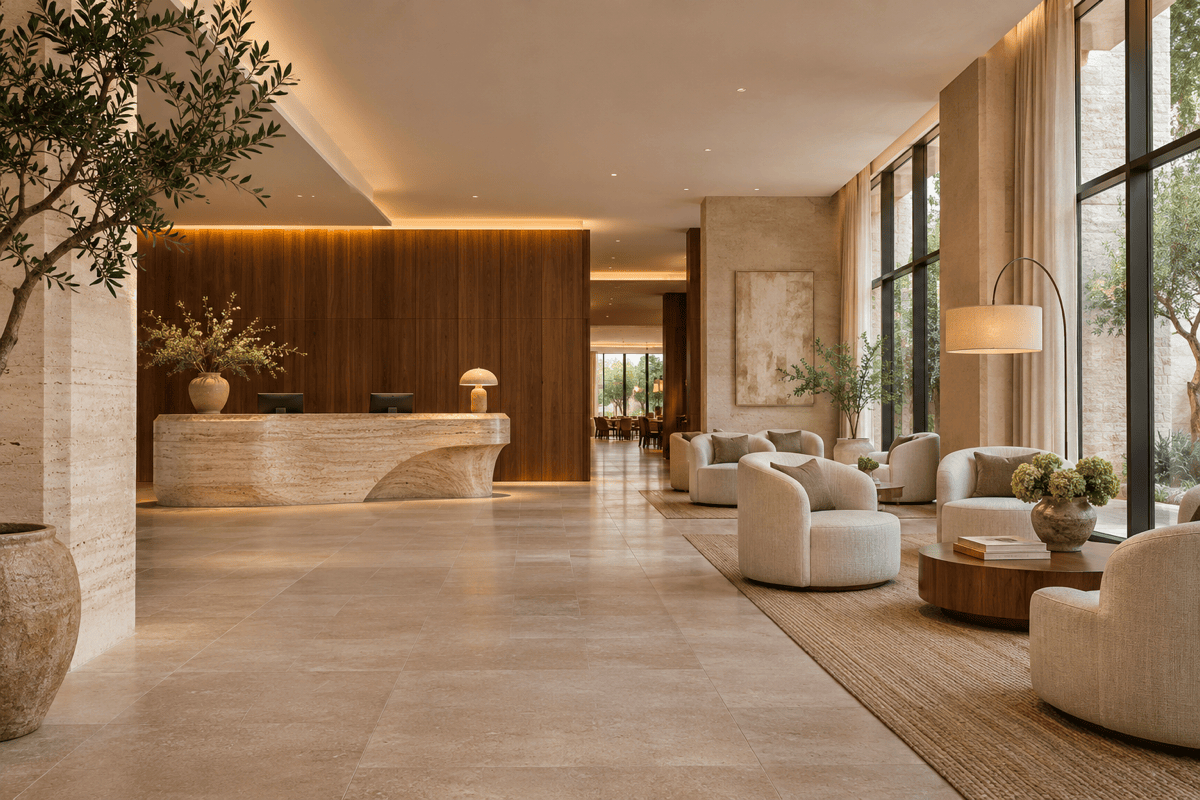
Our AI hotel generator can visualize reception, lounge seating, and lighting in one concept. Compare the arrival view before discussing circulation with your designer.
Hotel Interior Styles and Material Options
Request warm oak, dark walnut, or pale stone variations for AI hotel interior design. Keep the requested viewpoint consistent and review differences between outputs.
Design from Your Hotel Brief
Upload a PDF or DOCX brief to the file library, reference it with @ in the conversation, and ask for a hotel concept based on its requirements. Add images separately as visual references.
Hotel Exterior and Resort Design
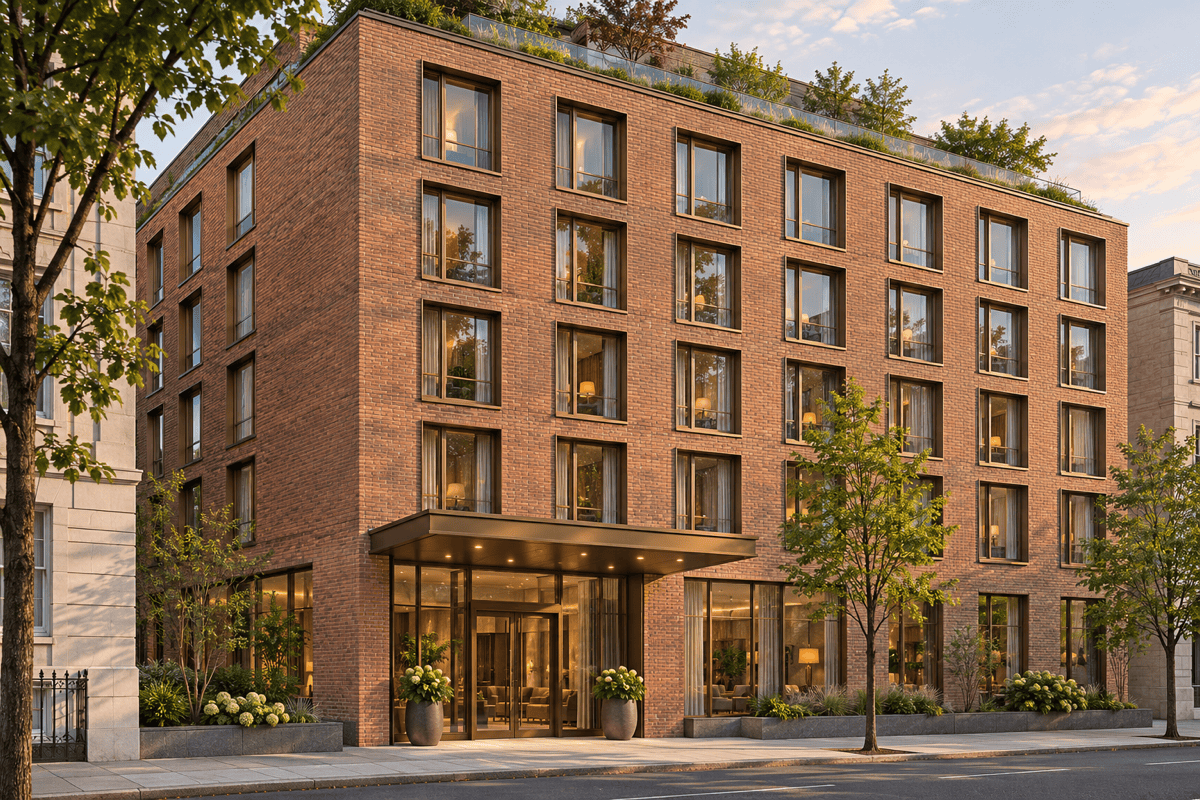
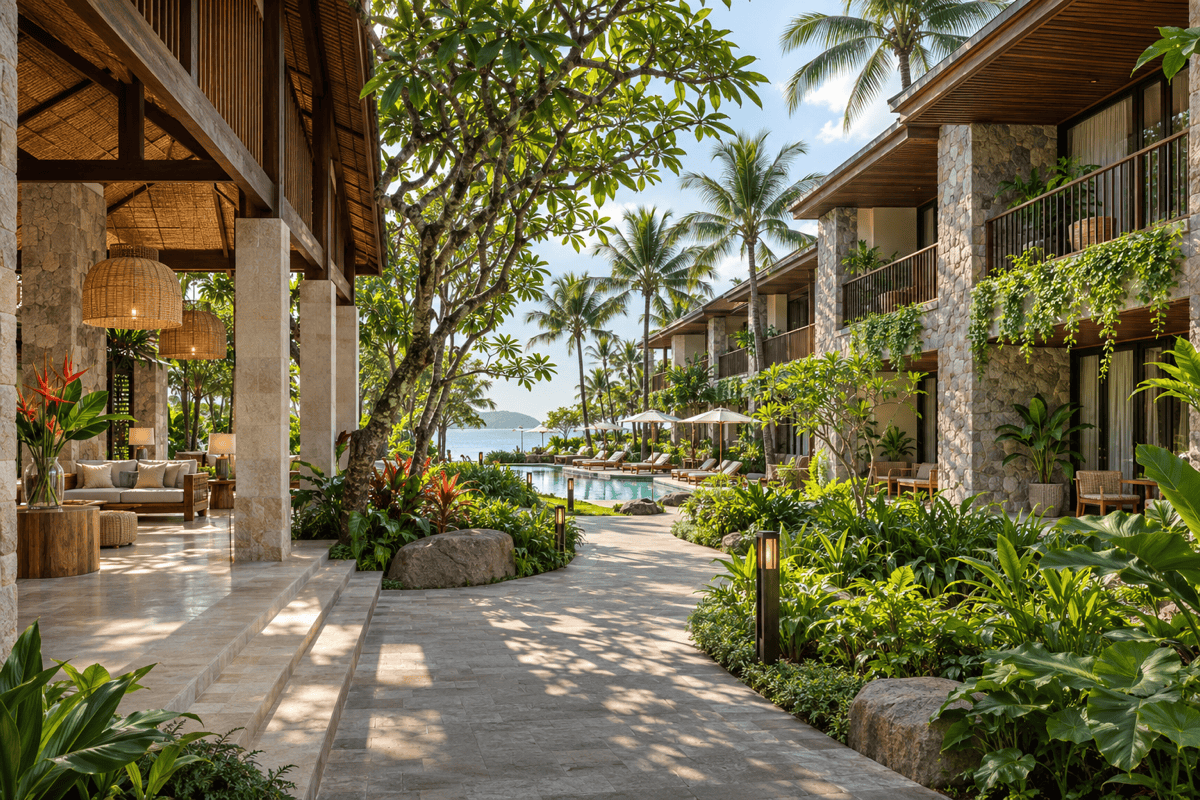
Generate AI hotel exterior design concepts for city hotels or beach resorts. Specify the facade, entrance, balconies, and setting. Choose an image model or let Mew Auto select one; new leading image models are added regularly.
Consistent Materials Across Rooms and Public Areas
Save your approved palette, material preferences, and concept-review method as a Mew Skill. Reuse that direction for rooms and public areas with less repeated briefing; review each result for consistency.
Hotel Design Details to Include in Your Brief
- Name the Guest and Task: A short business stay needs a different desk and luggage arrangement from a family resort suite. State the intended guest and room type.
- Separate Fixed and Flexible Details: For renovations, identify existing windows, doors, and walls in the uploaded photo. Say which finishes may change, and verify the result against the source.
- Make Light and Materials Specific: Ask for bedside reading lights, soft reception lighting, or shaded terraces. Describe the finishes that matter instead of only saying “luxury.”
- Check Beyond the Image: Review doors, furniture scale, luggage space, and routes through the room. A convincing image does not verify dimensions, accessibility, buildability, or cost.
Hotel Design Ideas: Boutique Rooms, Lobbies, and Resorts
Create a boutique hotel room with an upholstered headboard, oak bedside tables, linen curtains, and an olive reading chair. Show a warm, quiet interior from the entrance, with a separate place for luggage.
Explore a small business hotel room with a double bed, a compact wall desk, and open luggage storage. Keep the visual route from the entrance to the window clear. Use light timber and simple built-in furniture.
Generate a hotel lobby design with a clearly visible stone reception desk, lounge seating away from the entry path, and warm indirect lighting. Use a contemporary palette of travertine, walnut, and textured fabric.
Visualize a modern boutique hotel exterior on an urban street. Show a sheltered entrance, a clear ground-floor arrival point, brick and bronze finishes, and a regular window rhythm in an eye-level daytime view.
Create a beachfront resort design concept with low-rise guest wings, shaded balconies, a planted courtyard, and a pool terrace. Use local-looking stone and timber; show how paths connect the lobby to the outdoor areas.
Redesign my uploaded hotel room photo with a calmer contemporary look. Keep the original camera view, windows, and doors where possible, and replace the carpet, headboard, and lighting. Identify any visible layout changes so I can review them against the original.





