Free OnlineAI Home Decorating
How to Create Room Decorating Ideas with AI
Upload Your Room and Name What Stays
Choose Colors, Materials, and a Decor Style
Refine the Decor in Chat
Save Your Favorite and Check the Fit

AI Interior Decorating for Living Rooms, Bedrooms, and More
Work Around Furniture You Already Own
Use AI home decorating to explore a refresh around your sofa, bed, or dining table. Specify the pieces to retain and focus changes on cushions, rugs, curtains, and accessories.
Compare Japandi, Modern, and Coastal Decor
Use your room photo to compare styles such as Japandi, modern, or coastal. Add an inspiration image to guide colors and materials while asking to keep your room’s original layout.
Plan a Small Room or Rental Refresh
Explore small living room decorating ideas or a rental-friendly bedroom update. Ask for movable rugs, new bedding, and freestanding lamps while keeping walls and large furniture unchanged.
Compare Rugs, Curtains, and Accent Colors
Compare a patterned rug with a plain one or try different curtain colors through Chat Edit. Review each version against the source photo to catch unwanted changes.
Choose an Image Model for Your Room Design
Choose an available image model yourself or use Mew Auto to select one for your photo and decorating request. Access the latest leading image models in one workspace, with new releases added promptly.
Keep a Visual Reference for Shopping
Save a watermark-free concept to discuss colors and materials with your household or a decorator. For a separate printable artwork file, try our AI wall art generator.
How to Keep Your Furniture and Room Layout
- Show the Whole Area: Take a well-lit photo from a doorway or corner. Include furniture edges and floor space; avoid panoramas that distort the room.
- Separate Keep and Change: List fixed features and furniture to retain, then name the decor you want to update. Mention rental restrictions or a spending limit where relevant.
- Give References a Role: Identify your actual room photo and any inspiration image separately. Ask to borrow colors or textures, not the reference room’s architecture.
- Check Before You Commit: Compare doors, windows, room proportions, and furniture positions with the original. AI can alter details; use the preview as inspiration and verify dimensions yourself.
Room Decorating Ideas to Try with Your Photo
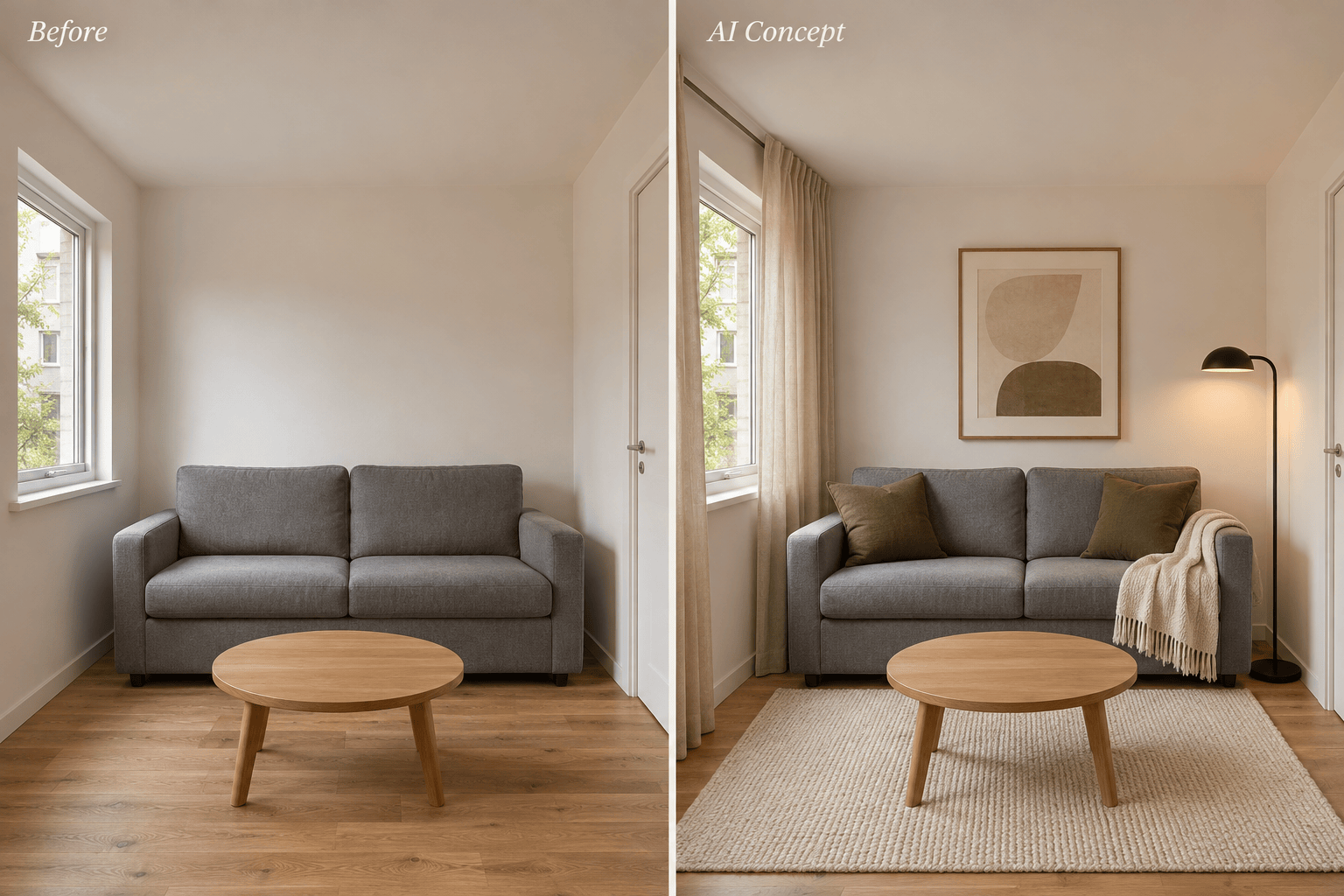
Small Living Room: Use my uploaded room photo. Keep the sofa, walls, and window positions. Preview light curtains, a simple rug, and two accent cushions for a less cluttered look. Keep the existing walking space visible; do not make the room larger.
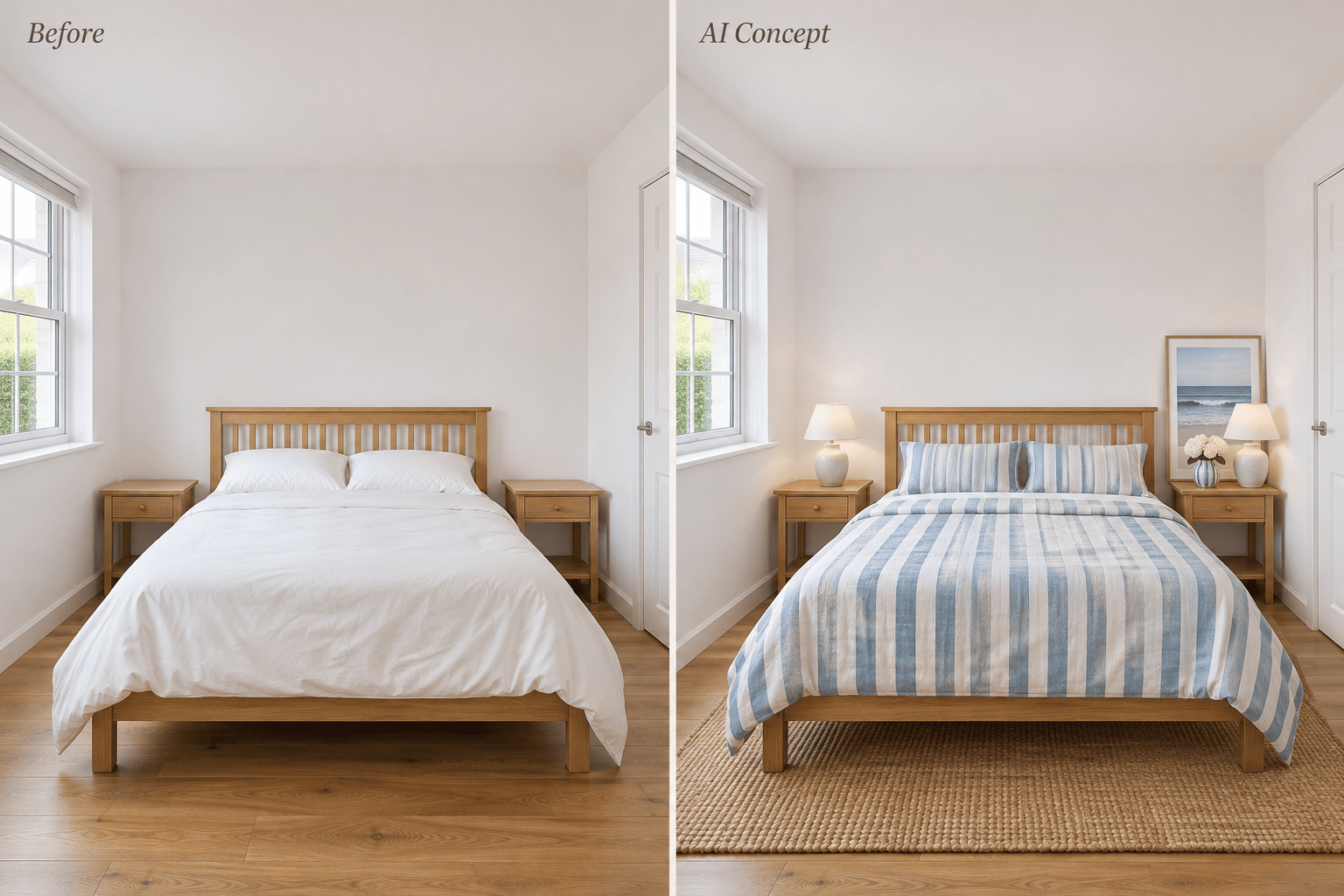
Rental Bedroom: Refresh my bedroom photo with coastal bedding, a removable rug, and freestanding decor. Keep the bed, white walls, flooring, and existing fittings. Do not add built-ins or change the wall color.
Decorating on a Budget: Use my room photo and keep all large furniture. Show a refresh using only cushions, a throw, and one artwork. Ask for my budget and preferred colors first; the image should illustrate ideas, not claim product prices.
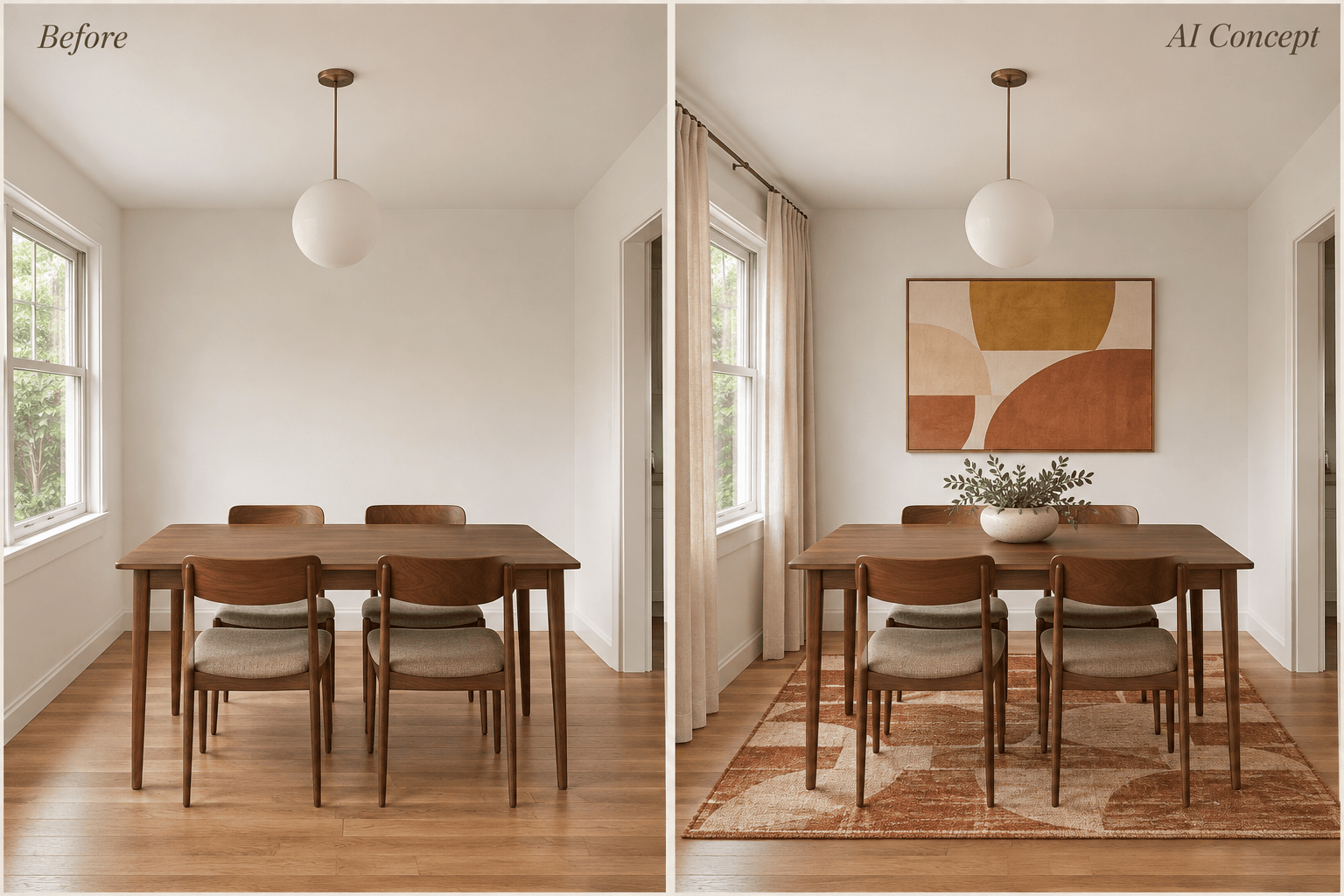
Dining Room Refresh: Restyle the decor around my existing table and chairs. Try a muted patterned rug, warm-toned artwork, and a low centerpiece. Keep the ceiling light and allow space around the chairs.
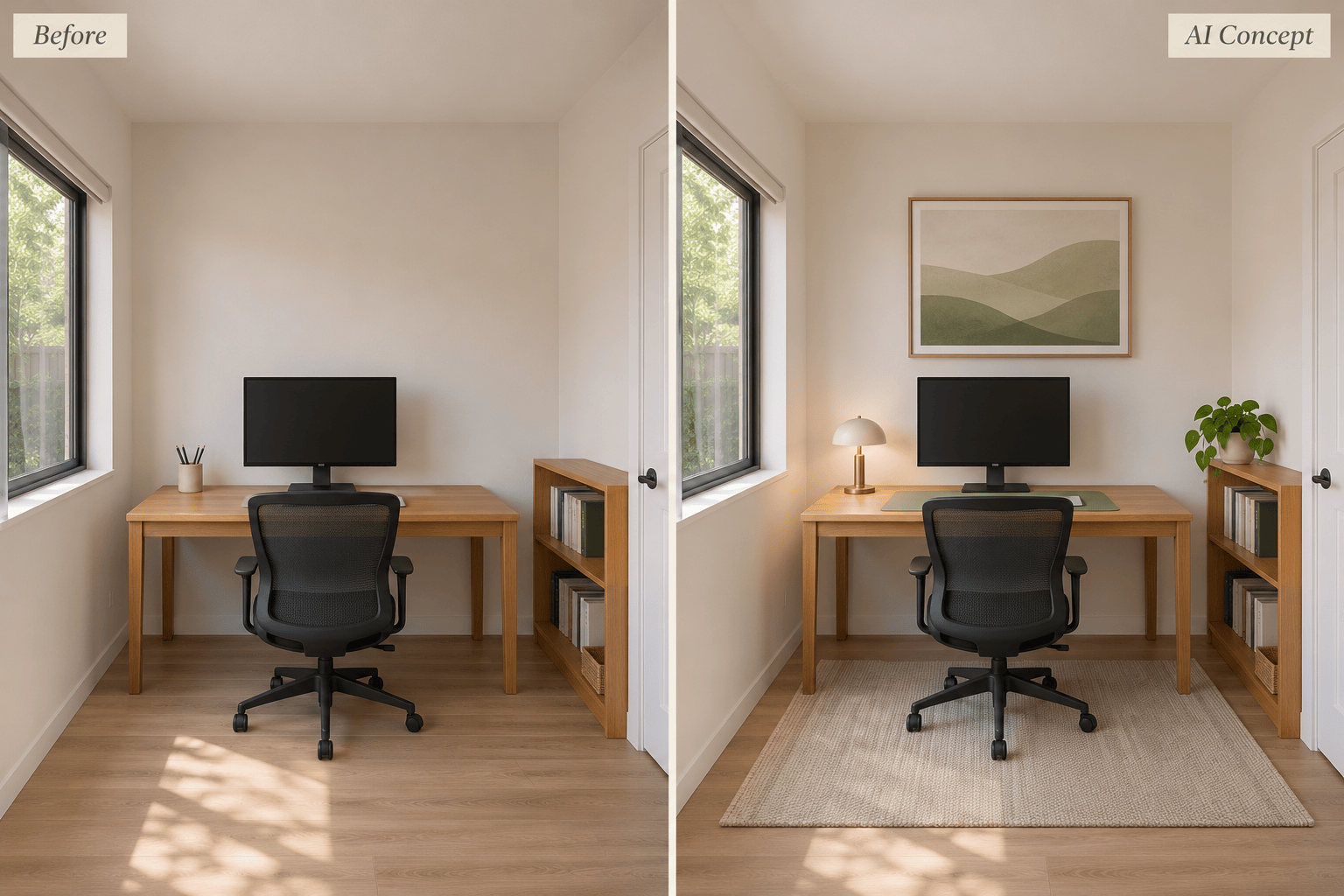
Home Office: Use my office photo and keep the desk, chair, shelving, and monitor positions. Add a coordinated green palette, a compact desk lamp, and a plant without covering the work surface or blocking daylight.
Restore the Original Room: Compare this concept with my source photo. Restore any moved windows, doors, or changed room proportions. Keep only the requested textile and decor changes, with the original camera angle.





