Free OnlineAI Height Editor
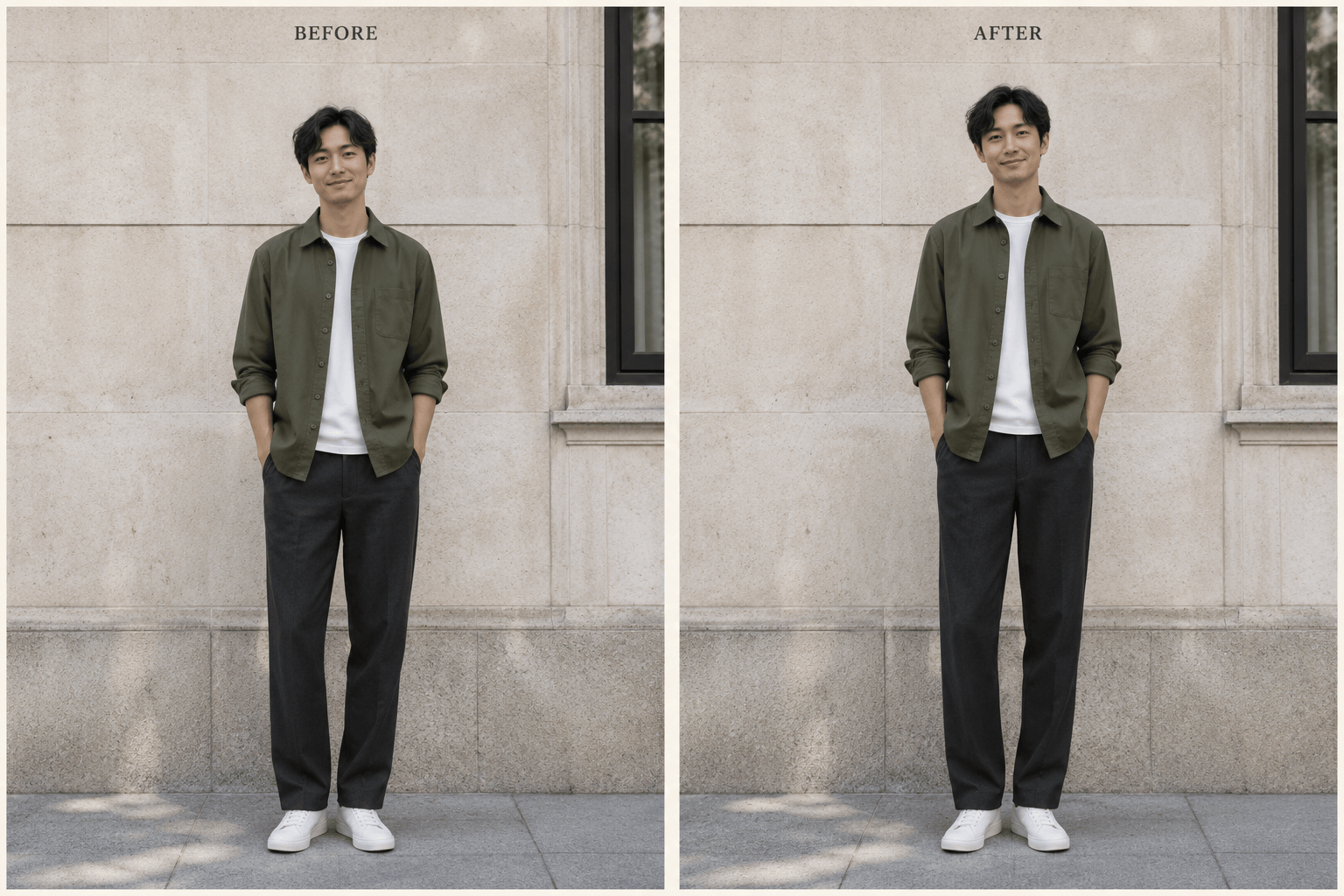
How to Look Taller in Photos with AI
Upload a Clear Full-Body Photo
Generate a Subtle Height Edit
Check Proportions and Refine
Download Your Edited Photo

An AI Height Increaser for Full-Body Photos
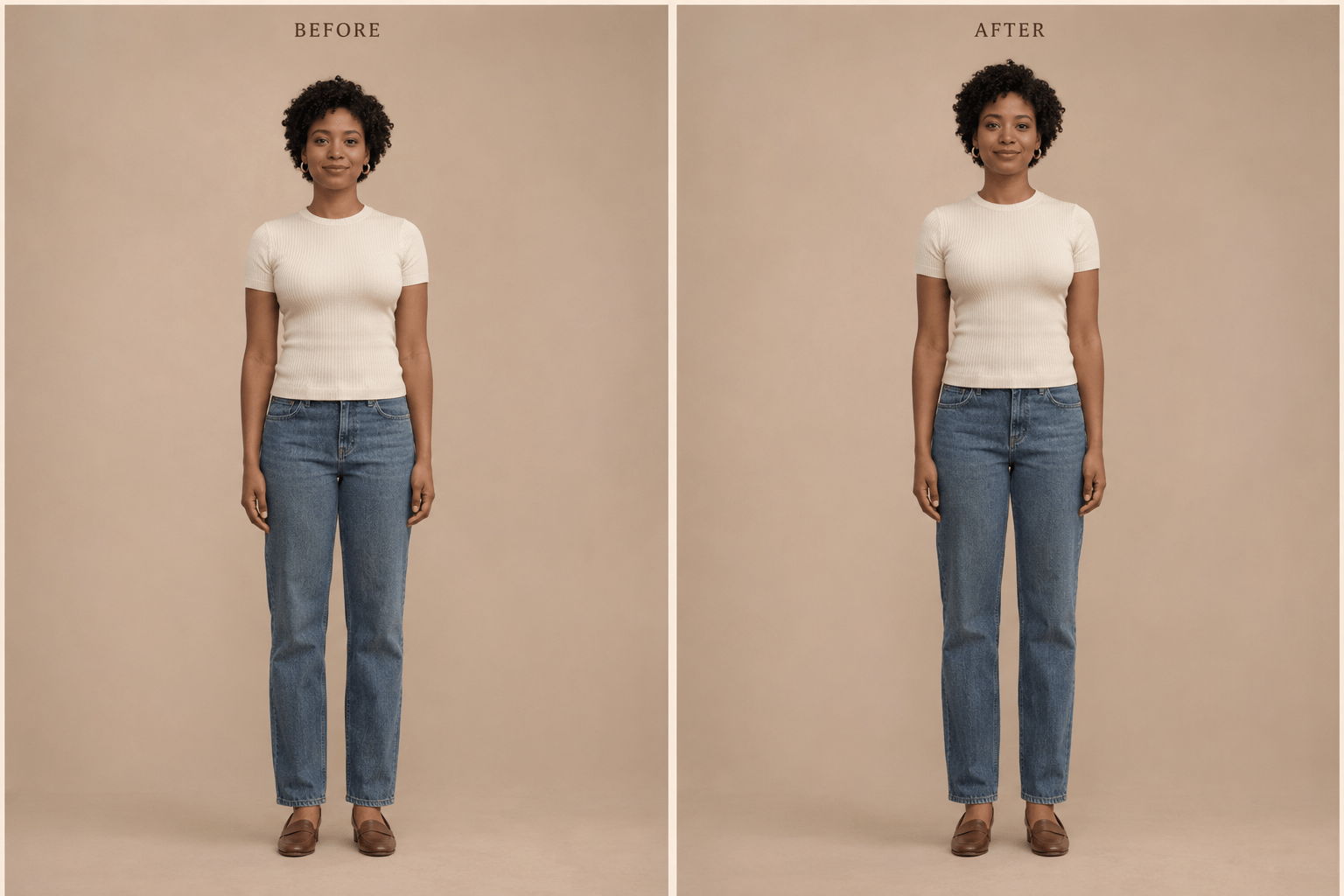
Make Legs Look Longer in Outfit Photos
Ask for a small leg-length adjustment in a photo of you wearing jeans, a dress, or a street-style outfit. Specify that your torso, clothing texture, and shoe size should stay the same, then review the fit and proportions.
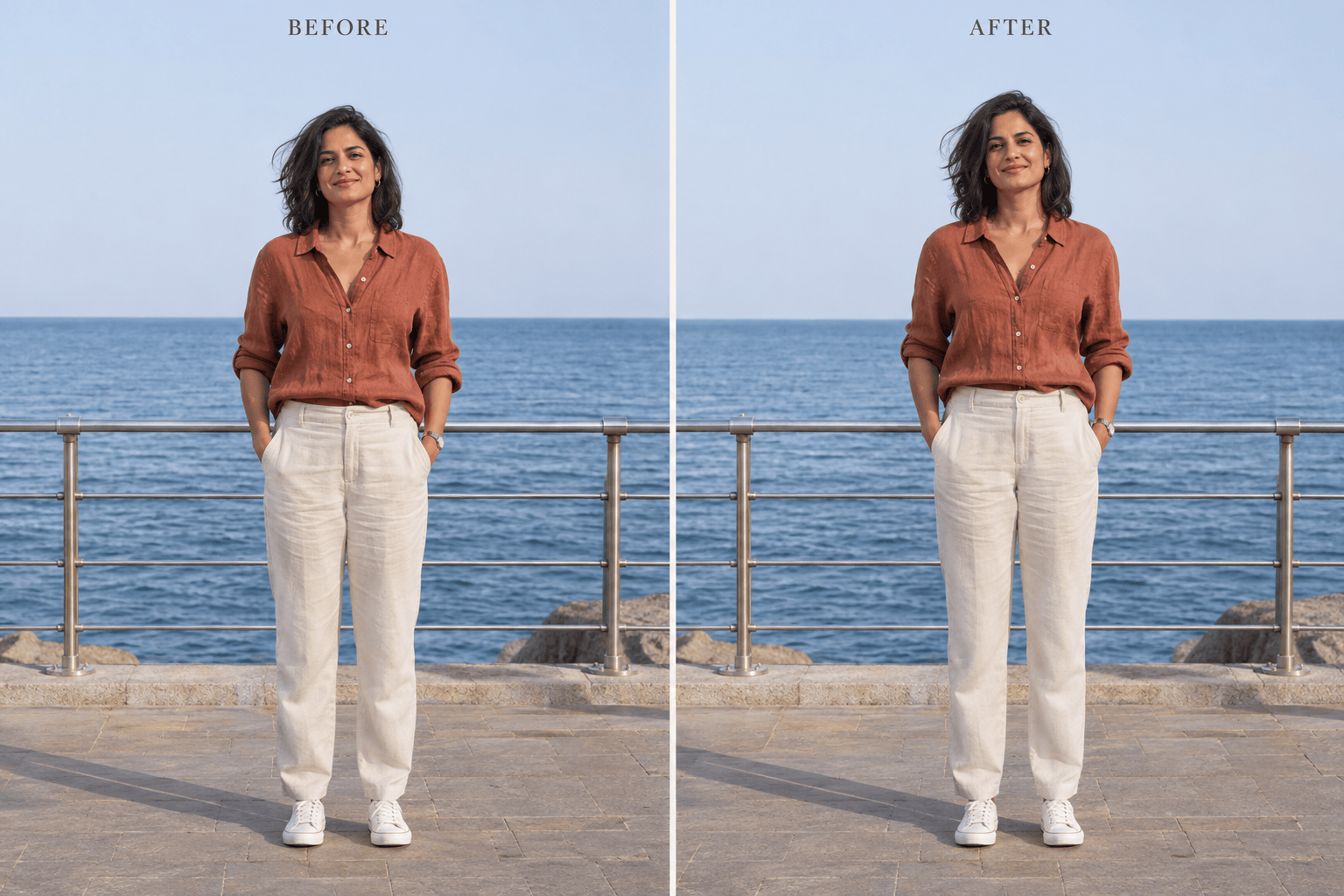
Adjust Height in Travel and Profile Photos
Use this online height photo editor with your own standing portrait. Describe a taller appearance and ask to preserve your face, pose, and surroundings, from a city street to a seaside railing.
Adjust the Strength in Chat
Fine-tune your AI height increase through conversation. Use Chat Edit to reduce the effect, correct excessive leg length, or balance the torso after reviewing the first result.
Choose a Model for Photo Editing
Select a preferred image model or let Mew Auto choose a suitable one for your photo and instructions. Access the latest leading models, with new releases added promptly.
Compare Different Degrees of Change
Request a subtle version and a more noticeable version from the same source photo. Compare both with the original to choose the proportions you prefer.
Try with Free Credits, Export Cleanly
Sign up for free AI credits to try height editing. Generation and revisions use credits; PNG and JPG exports are watermark-free.
How to Make Legs Longer Without Stretching the Whole Photo
- Show the Whole Figure: Use a clear standing photo with space above the head. Cropped feet or overlapping bodies make proportions harder to judge.
- Keep the Change Local: Say whether to adjust the legs or overall height. Stretching the whole image can also elongate the face, shoes, and background.
- Inspect the Surroundings: Look at doorframes, railings, floor tiles, and shadows. If they bend or shift, ask for a correction using the original as reference.
- Check Anatomy at Full Size: Review knee position, arm length, clothing seams, and foot contact. Reduce the effect if the proportions look exaggerated.
Height Edits for Outfits, Travel, and Group Photos
Make me look slightly taller in my uploaded full-body profile photo. Adjust the overall proportions subtly. Keep my facial features, body width, and outfit unchanged, with my feet resting on the ground.
Make the legs look slightly longer in my uploaded outfit photo. Keep the torso length, body width, clothing texture, and shoe size unchanged.
Correct the warped railing and floor lines in my height-edited travel photo using the original as reference. Keep the current person and pose.
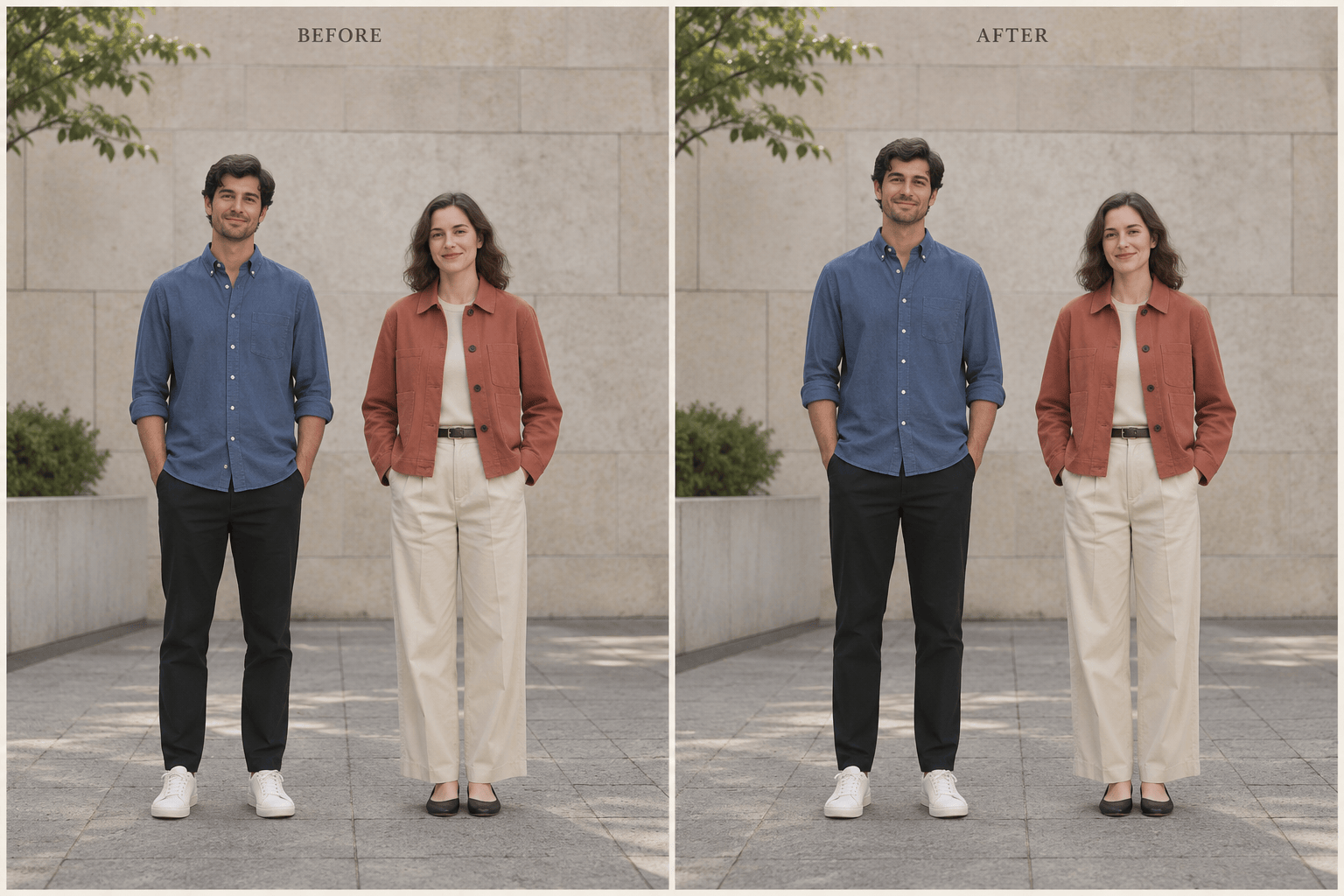
Edit only the person in the blue shirt in my uploaded group photo to look slightly taller. Keep everyone else, the spacing, and the camera perspective unchanged.
Reduce the exaggerated height effect in my edited photo. Restore the original facial features and head proportions while keeping only a subtle leg-length adjustment and the original expression.
Fix the feet and contact shadows in my height-edited photo so the shoes rest naturally on the floor. Keep the current height and outfit.





