Free OnlineAI Handbag Design
How to Design a Handbag with AI
Define the Bag and Its Job
Specify Structure and Components
Generate a Useful Concept View
Refine and Prepare for Review

Why Mew Design Works for Handbag Concept Development
Turn a Bag Brief into a Visual
Describe the product as you would brief an accessory designer. Mew Design interprets the bag category, user, carry method, structure, and aesthetic, then uses capable image models such as GPT Image 2.5 to visualize an original direction.
Direct Materials and Hardware
Guide the parts that give a handbag its identity: pebbled leather or recycled nylon, padded or rigid construction, zipper or flap closure, handle profile, strap width, stitching, piping, feet, rings, buckles, and metal finish.
Start from Photos or Sketches
Upload a rough drawing, existing sample, material swatch, mood-board image, or shape reference. The AI handbag generator from photo workflow helps you develop a visual starting point while specifying what to preserve and what to redesign.
Revise One Component at a Time
Keep a promising concept and use Chat Edit for focused changes. Ask for a longer flap, a softer side panel, a removable strap, less hardware, a different seam path, or a cleaner studio view instead of rebuilding the brief from scratch.
Explore Coherent Colorways
Turn one approved direction into a small family of material and color combinations. Reuse the core silhouette, handle, closure, and hardware language while comparing seasonal palettes or premium and everyday variations.
Create Concepts Worth Discussing
Use the free AI handbag generator with signup credits to create watermark-free image exports for mood boards, portfolios, early range reviews, and buyer conversations. The result is a concept visual, not a pattern, tech pack, bill of materials, or tested production specification.
How to Write an Effective AI Handbag Design Prompt
- Name the Shape and Carry: Start with a tote, shoulder bag, crossbody, clutch, bucket, satchel, or backpack. Say whether it is rigid, softly structured, slouchy, or foldable, then name the handle and strap configuration.
- Describe Materials and Surfaces: Specify leather grain, suede nap, canvas weave, raffia, recycled nylon, quilting, embossing, piping, lining, and edge finish. Keep real-world materials in mind if the concept may be sampled.
- Call Out Functional Details: Mention the closure, gusset, base, pockets, seams, strap attachments, handle drop, feet, rings, buckles, and hardware finish. Use relative proportions rather than relying on AI to honor exact measurements.
- Choose the View and Reference Rules: Ask for a front, side, back, or three-quarter product view, a concept sheet, or a collection lineup. If you upload a sketch or photo, list the features to preserve and the elements the AI may reinterpret.
AI Handbag Design Prompt Examples
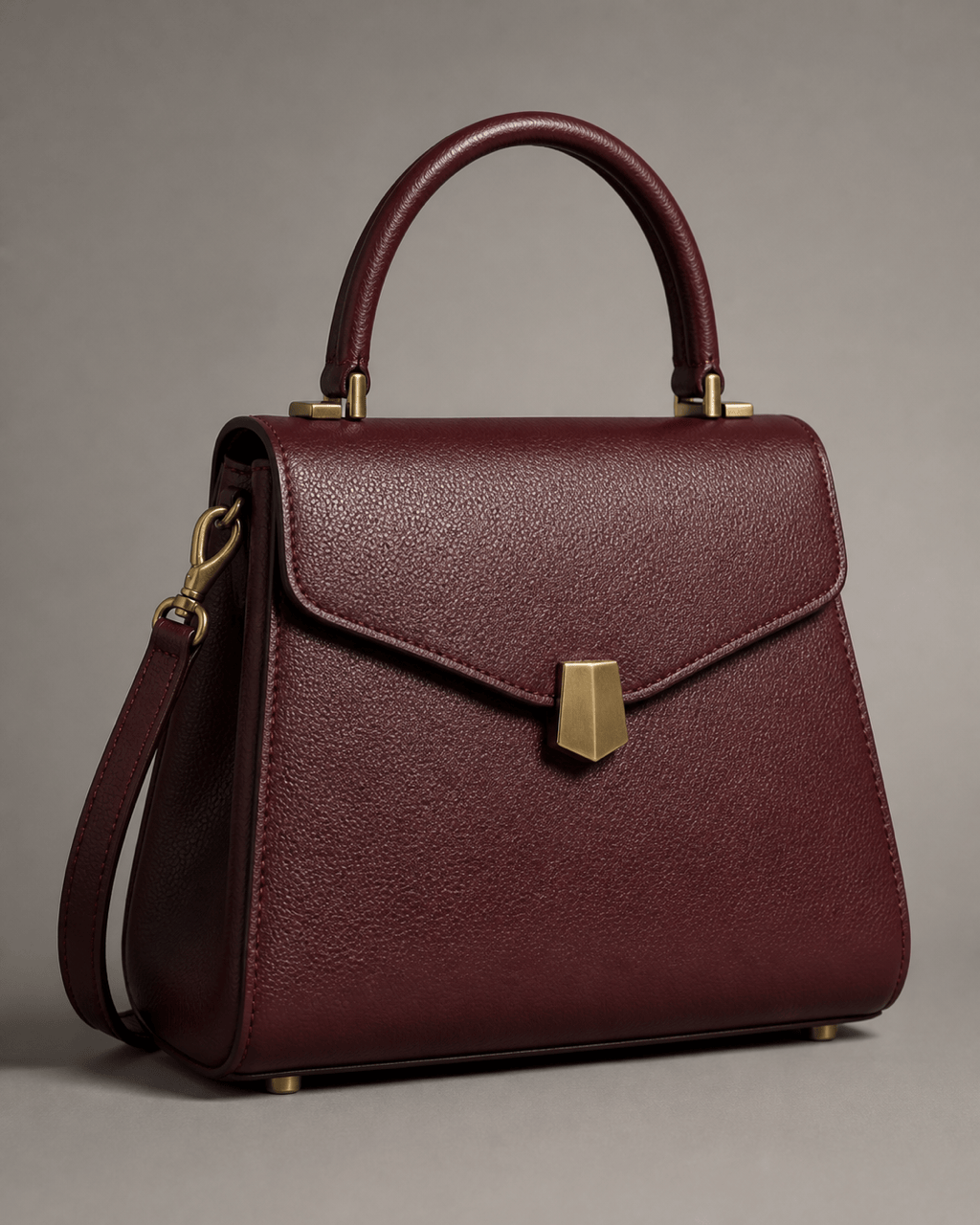
Luxury top-handle concept: Create an original compact top-handle handbag with a rigid architectural body, curved side gussets, burgundy box leather, one rolled handle, removable thin shoulder strap, subtle brushed-gold clasp, tonal saddle stitching, painted edges, and protective feet. Front three-quarter studio product rendering on soft stone gray, realistic leather and construction, no logos or monograms.
Work tote for a laptop: Design a softly structured unisex work tote, wider than tall and deep enough for a laptop, black grained leather with a reinforced base, two comfortable shoulder handles, recessed top zipper, padded internal divider suggested but not exposed, exterior slip pocket, minimal gunmetal hardware, clean front and side concept views, neutral studio background.
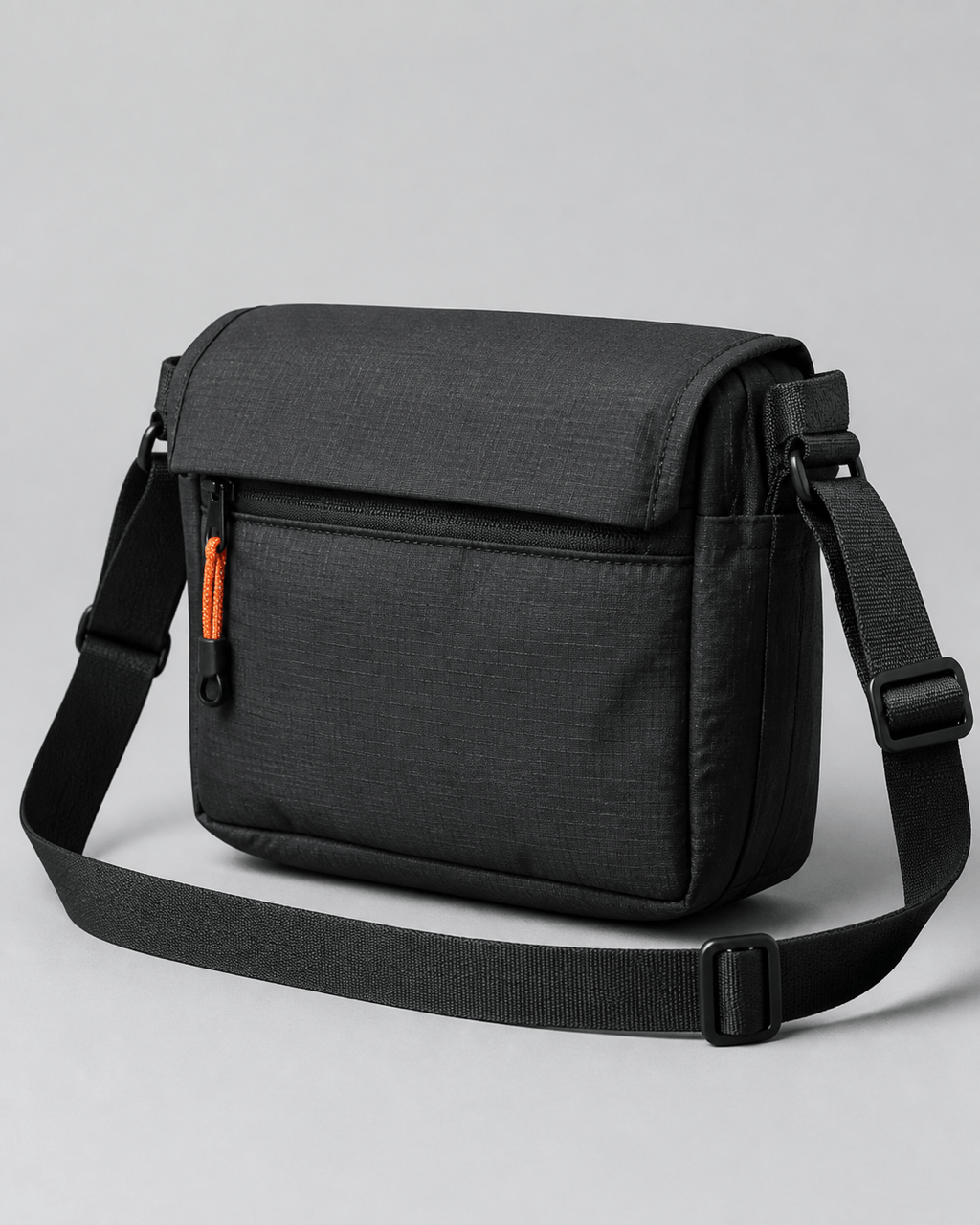
Sustainable utility crossbody: Create a lightweight crossbody bag for urban cycling using matte charcoal recycled ripstop nylon, compact rectangular body, expandable gusset, weather flap over a zipper, adjustable webbing strap, reinforced bar-tack attachment points, one orange cord pull, low-profile black hardware, realistic technical product render, no branding.
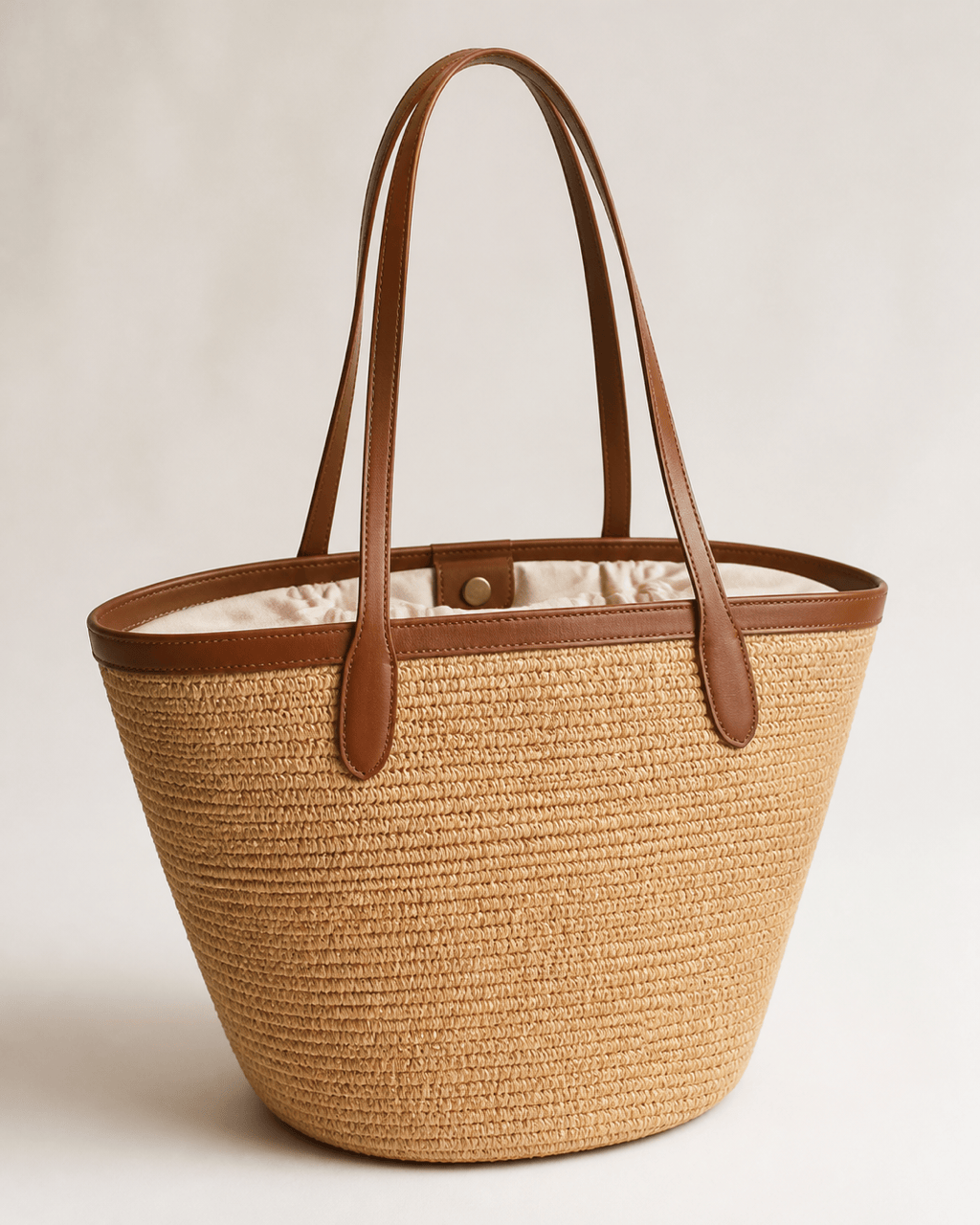
Resort woven tote: Design a generous summer tote with a structured oval base, natural raffia weave, smooth tan leather top band and long handles, removable cotton lining, small interior pouch, discreet magnetic closure, cream and tobacco palette, artisanal but modern finish. Show a clean e-commerce-style three-quarter view with soft daylight and no text.
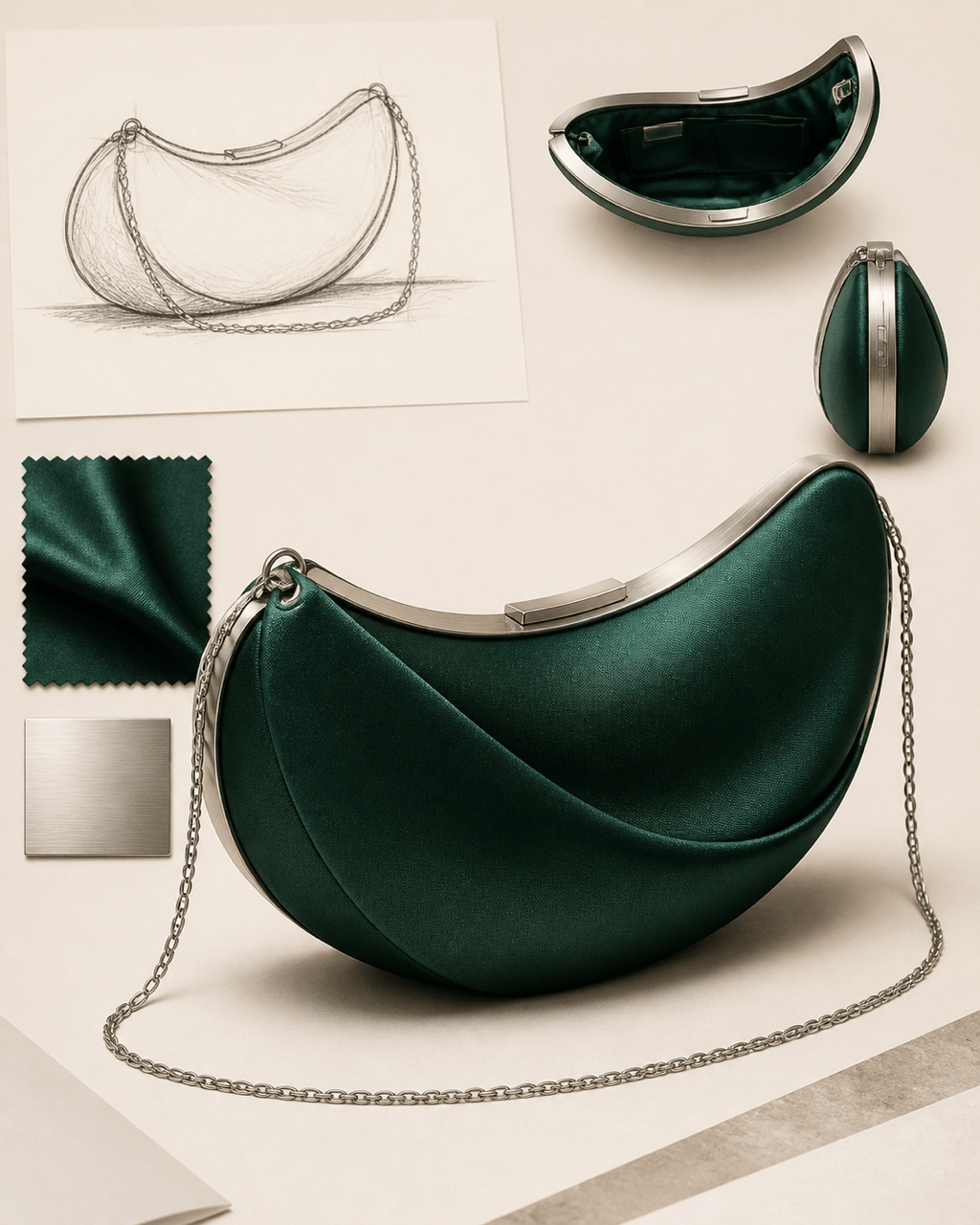
Sculptural evening clutch: Create an original small evening clutch with an asymmetric crescent silhouette, rigid satin-covered shell in deep emerald, slim brushed-silver frame, concealed magnetic closure, detachable fine chain, minimal seam lines, jewel-like studio lighting, front three-quarter product view, elegant and unfamiliar shape, no logo.
AI handbag design generator from sketch: Use @[rough bag sketch] as the starting reference. Preserve the trapezoid body, curved flap edge, side gusset, handle placement, and diagonal front seam. Render it as a realistic medium shoulder bag in warm taupe pebbled leather with dark nickel hardware and tonal stitching. Improve symmetry and construction logic, show front and side concept views, and do not add logos.





