Free OnlineAI Flooring Visualizer
How to Create a Flooring Preview with AI
Upload a Clear Room Photo
Describe the Floor to Try
Compare and Correct in Chat
Save Your Flooring Shortlist

Compare Flooring Options in the Room You Have
Preview New Flooring from a Photo
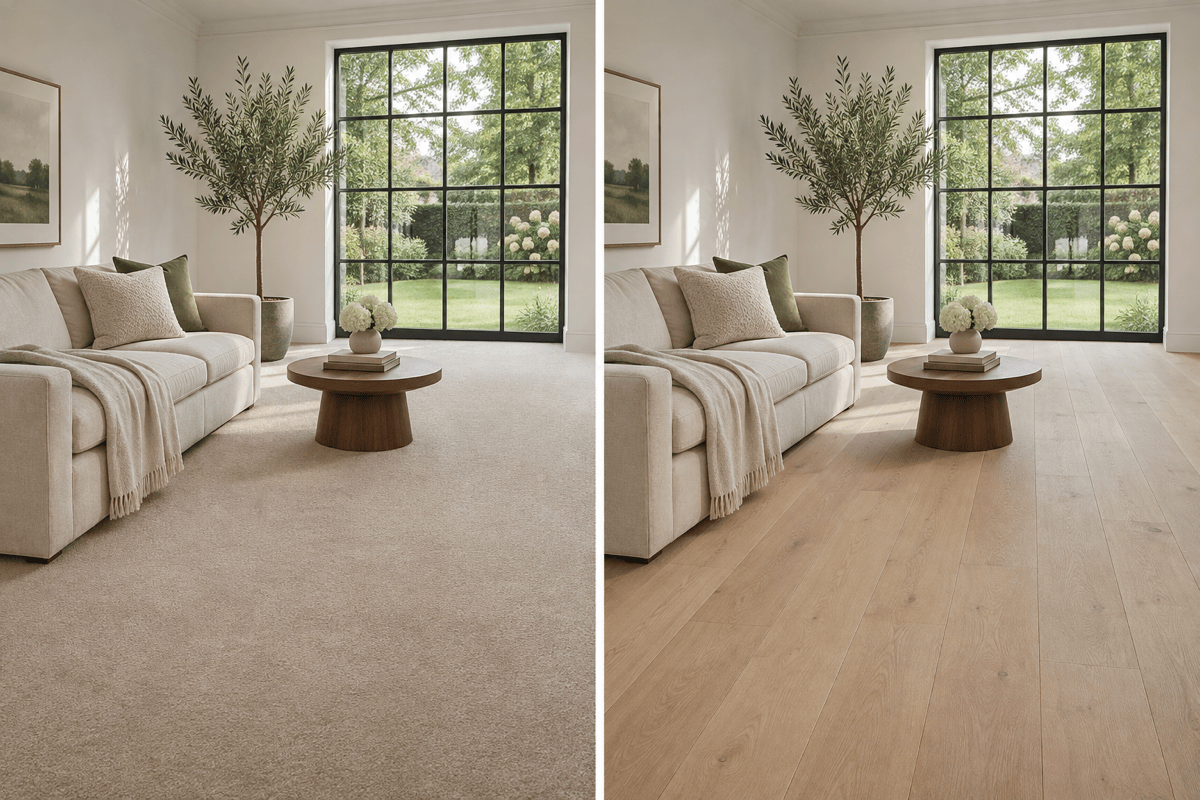
See a carpet-to-hardwood change in your living room or try new flooring beside existing kitchen cabinets. Start with your own photo and specify what to preserve, so you can judge the floor against your furniture, wall colors, and room layout.
Compare Hardwood, Laminate, and Vinyl
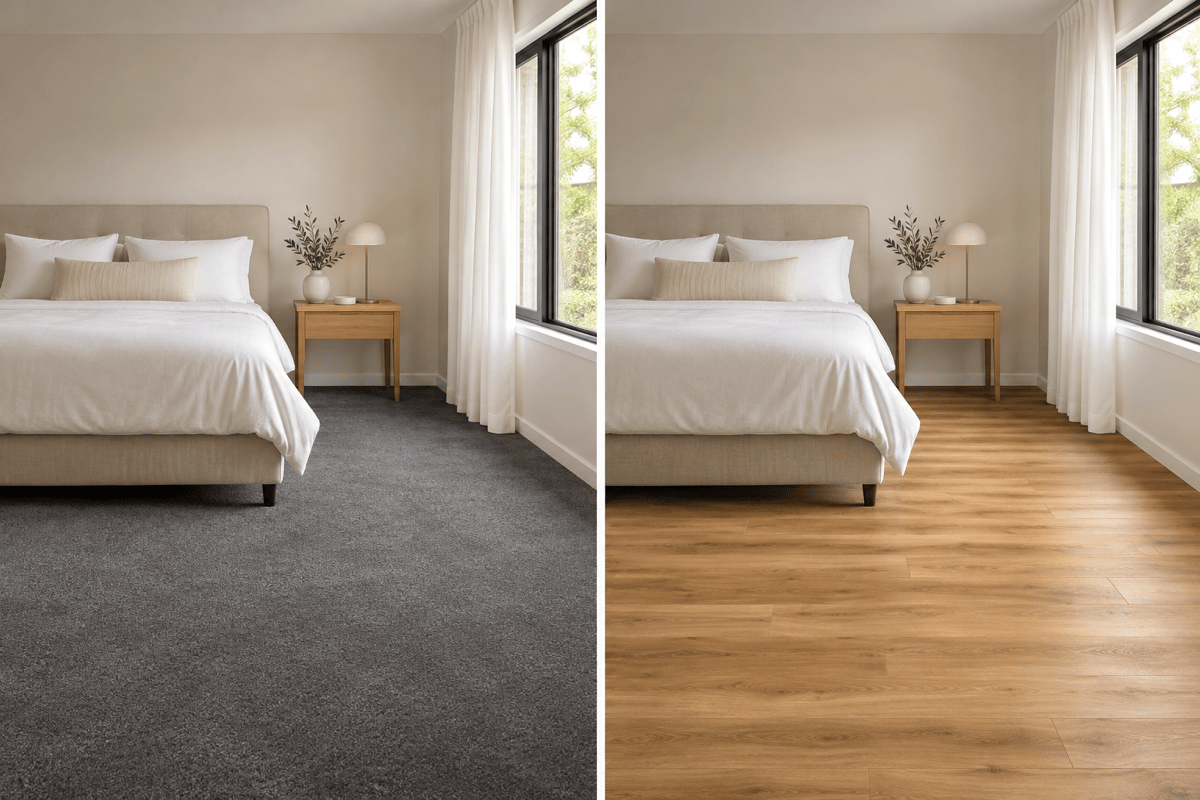
Use our AI flooring generator to explore pale oak, warm wood-look vinyl planks, dark walnut, or laminate flooring concepts. Compare grain, color, and plank width in the same room. Similar-looking materials can perform differently; use the preview to shortlist a look, then check product specifications.
Bring a Flooring Reference
Upload a sample or product image to guide the grain, tone, and surface finish. Treat the result as visual guidance, not an exact product match.
Test Plank Direction and Herringbone
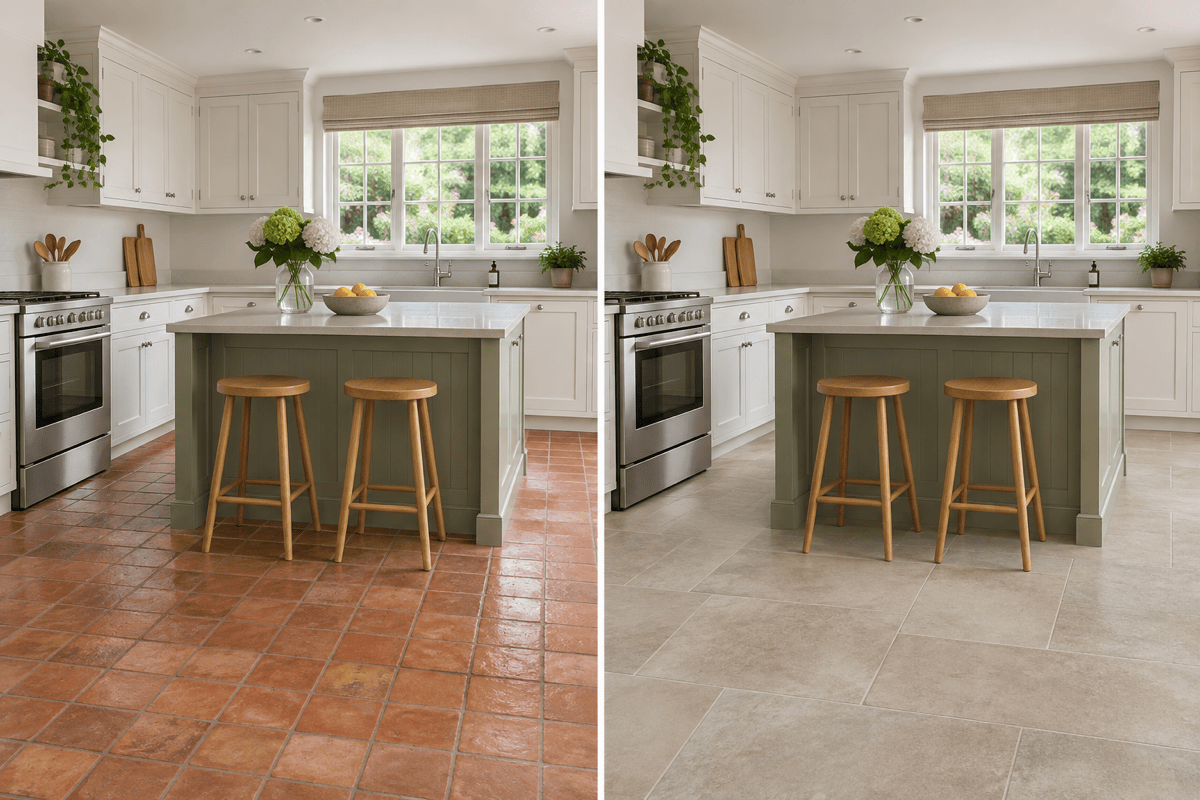
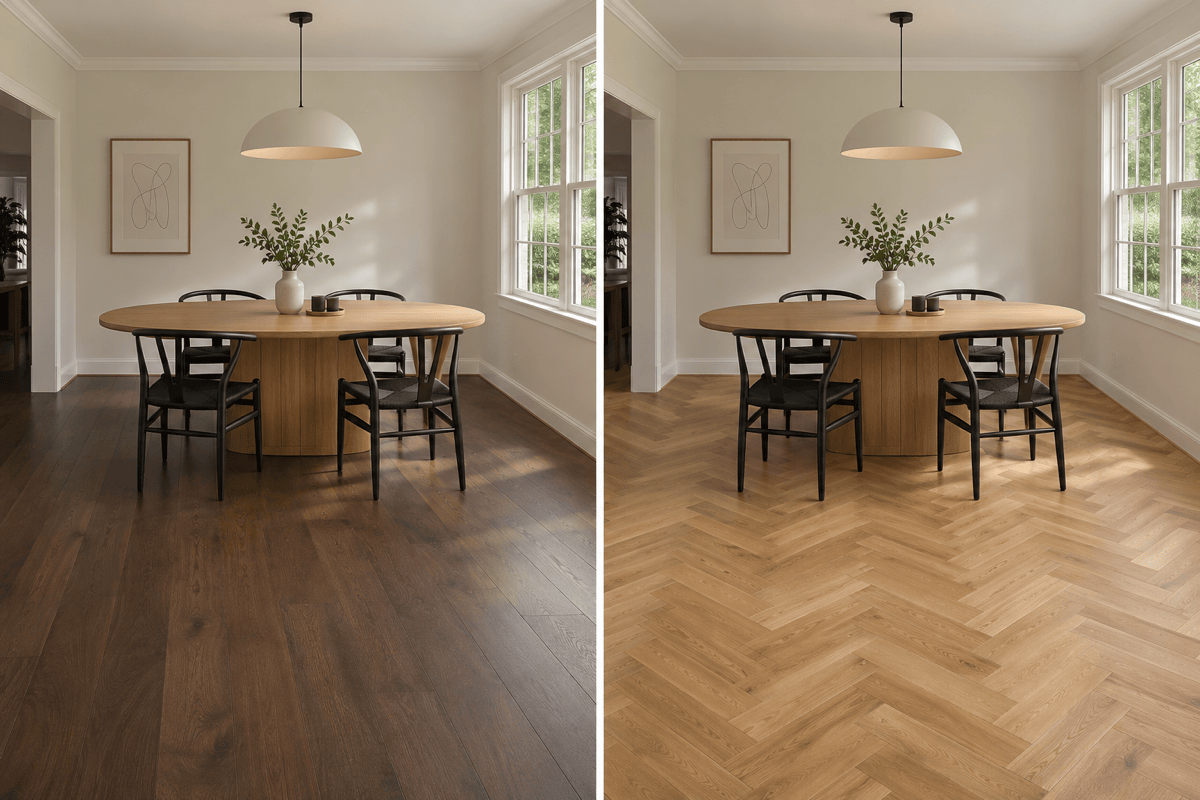
Compare boards running along the room with boards running across it, or try an oak herringbone floor. Keep the color and furniture consistent to judge the pattern itself. For tile, request a different tile size or grout color and check the perspective.
Choose a Model for Your Flooring Design
Select an available image model yourself, or let Mew Auto choose for your photo and edit request. Access the latest leading image models, with new releases added promptly.
Share Options Before You Commit
Export watermark-free flooring previews for a renovation discussion. Keep the original alongside your favorites so everyone can compare the proposed change.
Get a More Useful Flooring Preview from Your Photo
- Show the Floor: Use a sharp photo with visible wall-to-floor edges. Move small objects and rugs if they hide the area you want to preview.
- Keep the Light Consistent: Avoid strong filters. Compare flooring colors using the same source photo so changes in lighting do not dominate the result.
- Inspect Edges and Scale: Check chair legs, cabinet bases, thresholds, plank widths, and grout lines. Ask Chat Edit to fix one issue at a time.
- Check a Real Sample: Screen color and generated textures are approximate. Confirm the actual material, finish, and suitability with your supplier.
Flooring Ideas and Fixes to Try on Your Photo
Replace the living room carpet in my photo with light oak hardwood, wide planks, and a matte finish. Keep the furniture, walls, and natural light unchanged.
Preview large limestone-look porcelain tiles on my kitchen floor with subtle warm-gray grout. Preserve the cabinets, island, appliances, and existing floor boundaries.
Show warm wood-look vinyl plank flooring in my bedroom photo. Run the boards along the longest wall and keep the bed, walls, and lighting unchanged.
Change my dining room floor to oak herringbone. Use a consistent pattern with believable perspective, preserving the table, chairs, baseboards, and room shape.
Create two flooring previews from the same room photo: pale oak and dark walnut. Keep the plank width, direction, furniture, and lighting consistent for comparison.
Correct the flooring preview around chair legs and door thresholds using my original photo as reference. Keep the selected floor color and restore any altered furniture.





