Preview Your Yard withAI Fence Design
How to Create a Fence Design with AI
Show the Fence Line
Choose What the Fence Should Do
Compare One Change at a Time
Take a Clear Idea to Your Installer
Compare Fence Styles, Materials, and Gate Placement
Check Privacy from Your Seating Area
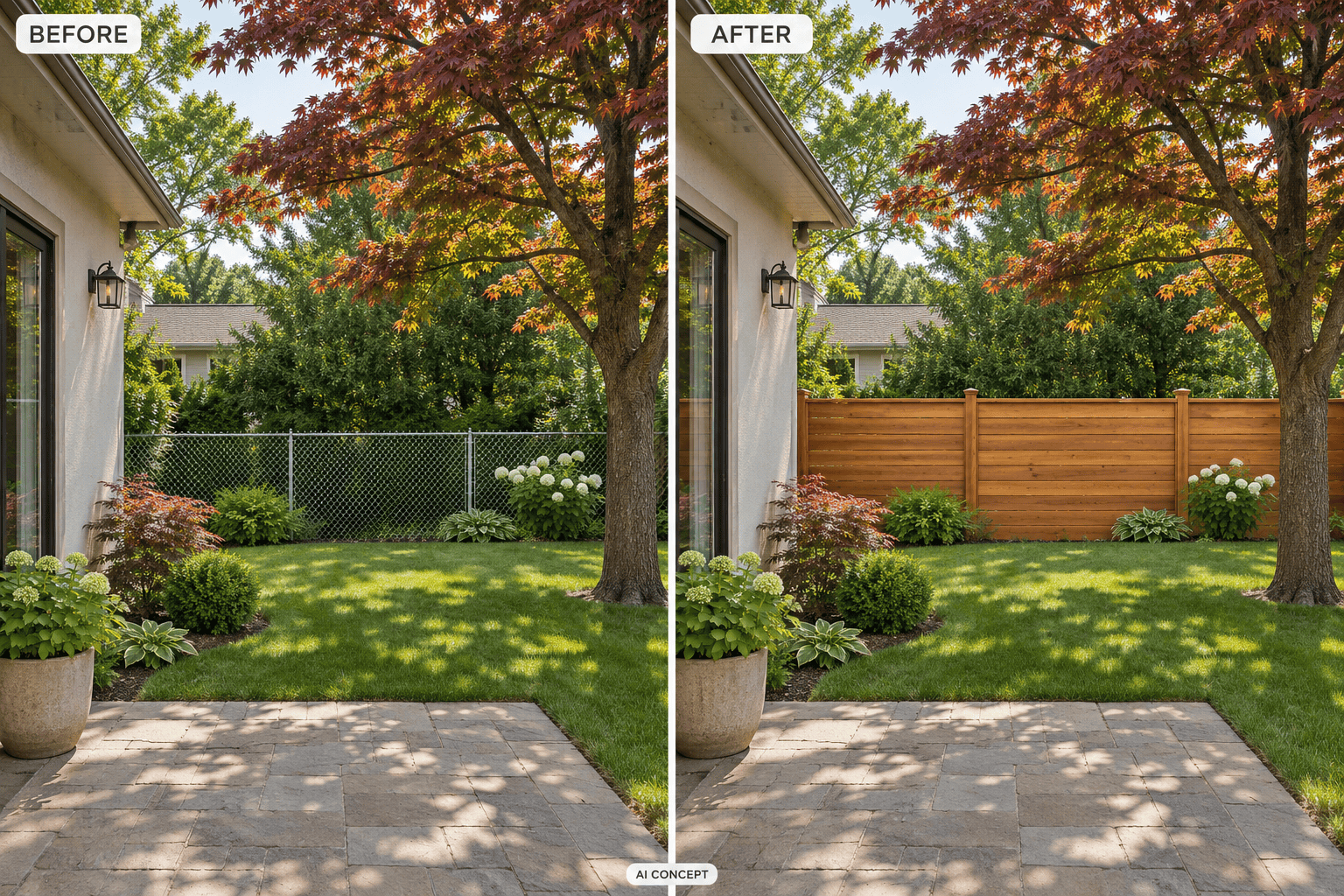
Preview a backyard privacy fence from the patio or seating area where screening matters. Compare solid panels with spaced slats, and check which parts of the neighboring view remain visible through or above the fence.
Compare Wood, Vinyl, Composite, and Metal
Request cedar wood grain, smooth white vinyl, gray composite panels, or matte black aluminum. Keep the viewing angle and approximate fence height similar across versions so the material and finish are easier to compare against your house.
Work the Gate Into the Design
Explore fence and gate design together. Place a walk gate at the existing path or request a wider driveway opening. Compare matching and contrasting gate finishes, then check actual opening width and clearance with your installer.
Refine Without Redrawing
Describe changes in Chat Edit instead of drawing each panel. Request a lower front fence or closer slats while asking to preserve the details you already like.
Choose a Model for the Photo
For fence edits based on a reference photo, select an available image model or let Mew Auto choose for the image and requested changes. Mew Design adds the latest leading image models as new releases become available, so you can try different approaches in the same workspace.
Share a Visual Starting Point
Export watermark-free PNG or JPG concepts for a household discussion or contractor brief. Keep the original photo alongside each option for comparison.
How to Get a Useful Fence Preview from Your Photo
- Show the Ground: Step back until the ground, fence ends, and nearby building are visible. For a front yard fence, a street-side view helps show its relationship to the facade. Include slopes and avoid parked cars or plants hiding the boundary.
- Specify the Sightline: Name the area to screen and the viewpoint that matters: seated on the patio, looking from a window, or standing at the gate. Ask for approximate height and spacing, then compare what remains visible. A generated image cannot verify actual sightlines.
- Keep Access Visible: Point out paths, driveway edges, and gate openings. Request approximate proportions, then verify actual clearance on site.
- Check for Unwanted Changes: Compare the output with your original. If the house, planting, or slope shifts, request a focused correction before comparing another style.
Fence Ideas for Six Different Yard Needs
Backyard privacy: In my yard photo, replace the old boundary fence with closely spaced horizontal cedar boards to screen the seating area. Keep the patio, planting, and camera angle unchanged.
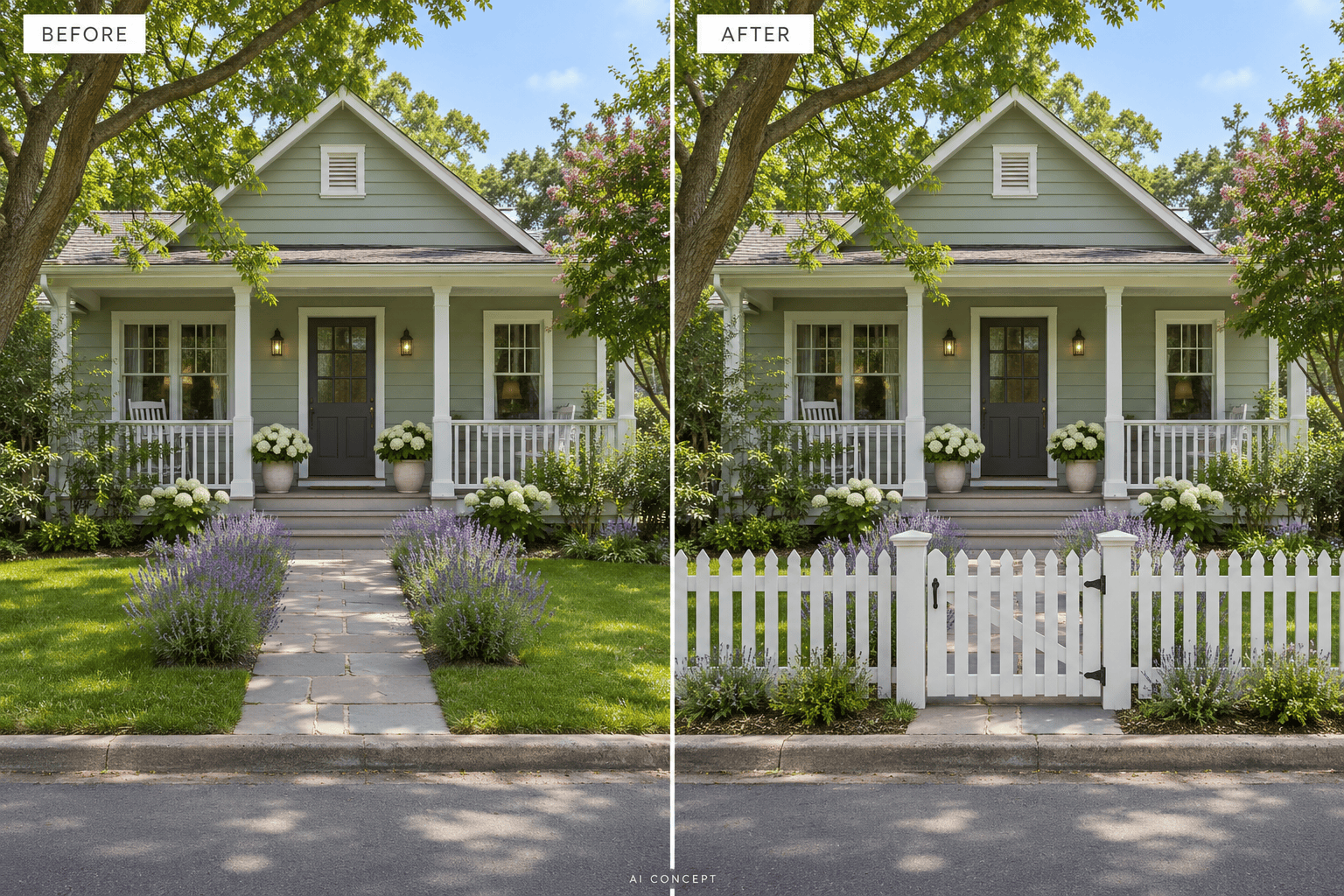
Front yard pickets: Add a low white picket fence beside the front path in my photo, with a matching walk gate. Keep the house visible and preserve the lawn and flower beds.
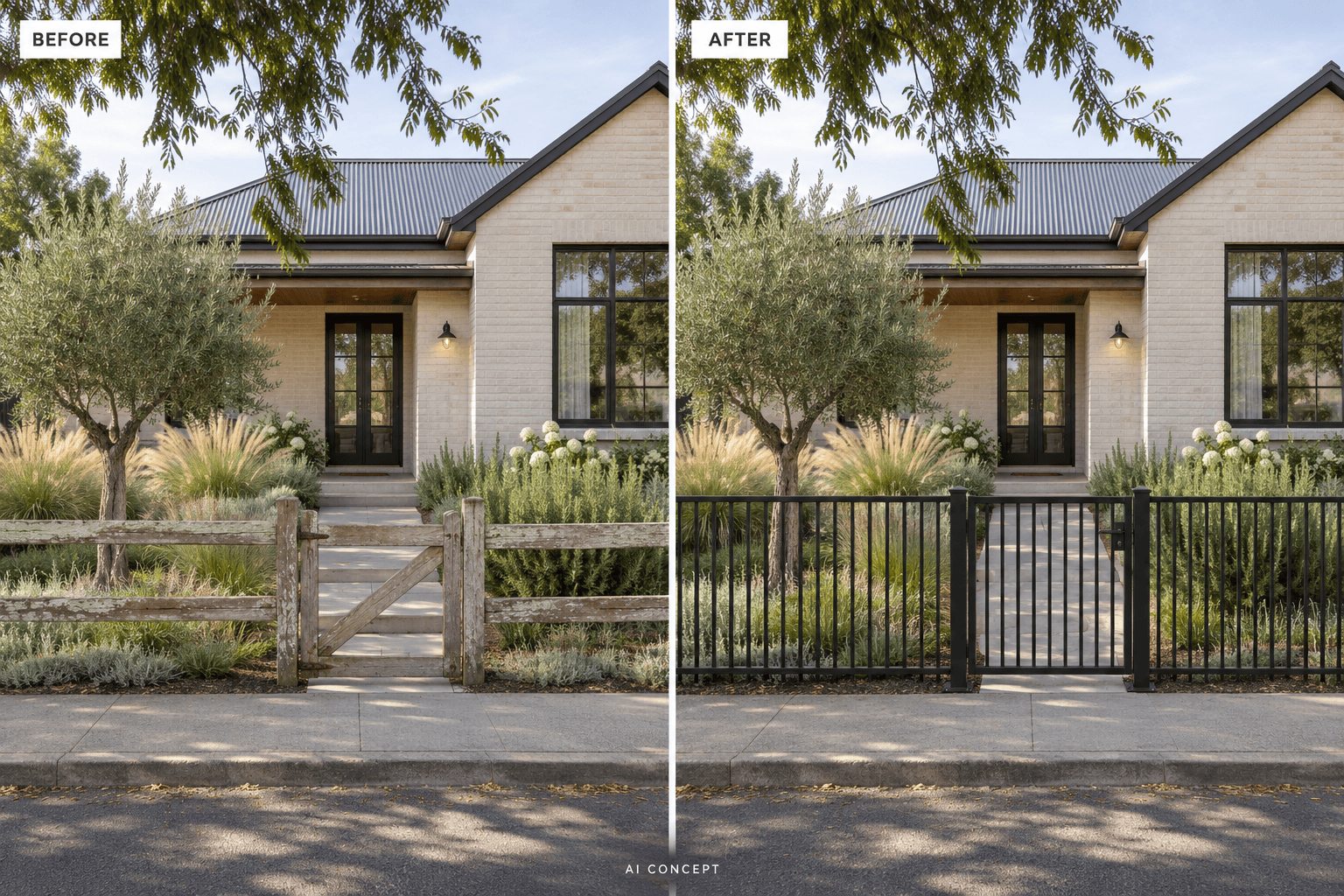
Metal fence and gate: Show a black aluminum fence with open vertical bars along the boundary in my photo. Add a matching walk gate at the existing path and retain the surrounding landscape.
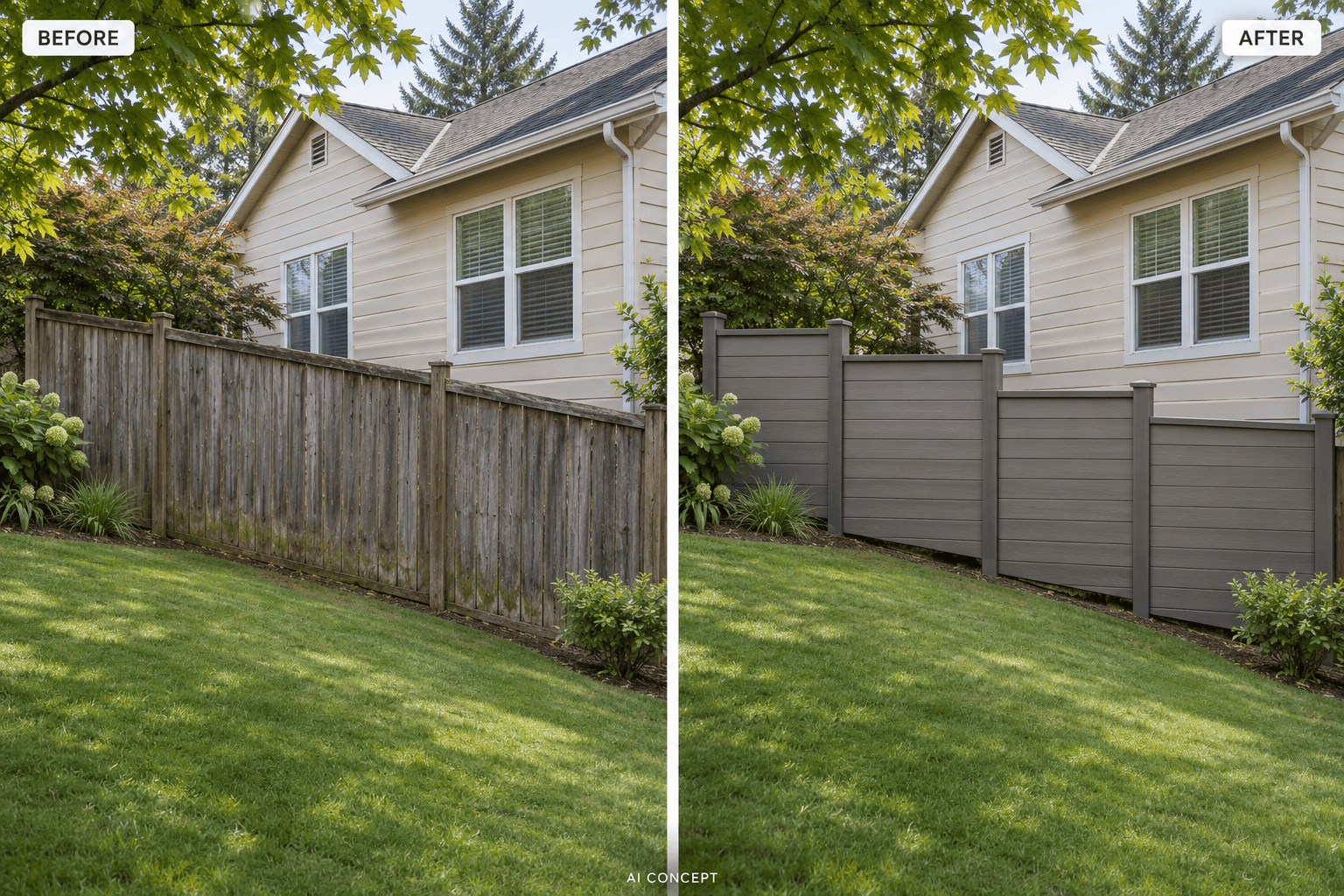
Sloped yard: Replace the fence in my photo with level horizontal composite panels stepping down the slope. Preserve the ground contour and show any gaps beneath the panels clearly.
New stain, same fence: Change only the finish of my existing wood fence to a dark walnut tone. Preserve board spacing, posts, gate position, and the rest of the yard.
Ideas without a photo: Generate a realistic compact garden with a light gray composite privacy fence and a matching side gate. Show the full fence line in a wide view as an inspiration concept.