Free OnlineAI Face Symmetry Test
Mew Design - AI Design Agent turns a front-facing portrait into an editable face symmetry comparison with a centerline overlay, visual landmark guides, and left- and right-mirrored views. Use this AI face symmetry test to explore visible balance—not to assign a beauty score or make a medical judgment.

How to Create a Face Symmetry Comparison with AI

Use our online face symmetry checker to build a clear visual from one portrait, then refine the guides and layout without treating the result as a calibrated measurement.
1

Choose a Clear Front-Facing Portrait

Upload a photo you have permission to use. Keep the camera at eye level, use even frontal light, hold a neutral expression, and make sure the forehead, eyes, nose, mouth, chin, and jawline are visible.
2

Describe the Comparison You Want

Ask for an original-versus-mirrored triptych, a facial midline, or light guides across the eyes, brows, nose, mouth, and jaw. Plain language is enough for the AI design agent to plan the visual.
3

Generate, Inspect, and Chat Edit

Create the first face symmetry visual, then check that recognizable features remain intact. Click Chat Edit to move the centerline, simplify labels, adjust colors, or correct one guide while preserving the portrait.
4

Export and Compare Responsibly

Download the finished comparison as a PNG or JPG for personal reference or sharing. If you compare two photos, keep angle, distance, expression, and lighting consistent because the image setup can change what looks asymmetric.
how to compare face symmetry with ai

A More Editable Way to Explore Facial Symmetry

See Both Mirrored Sides

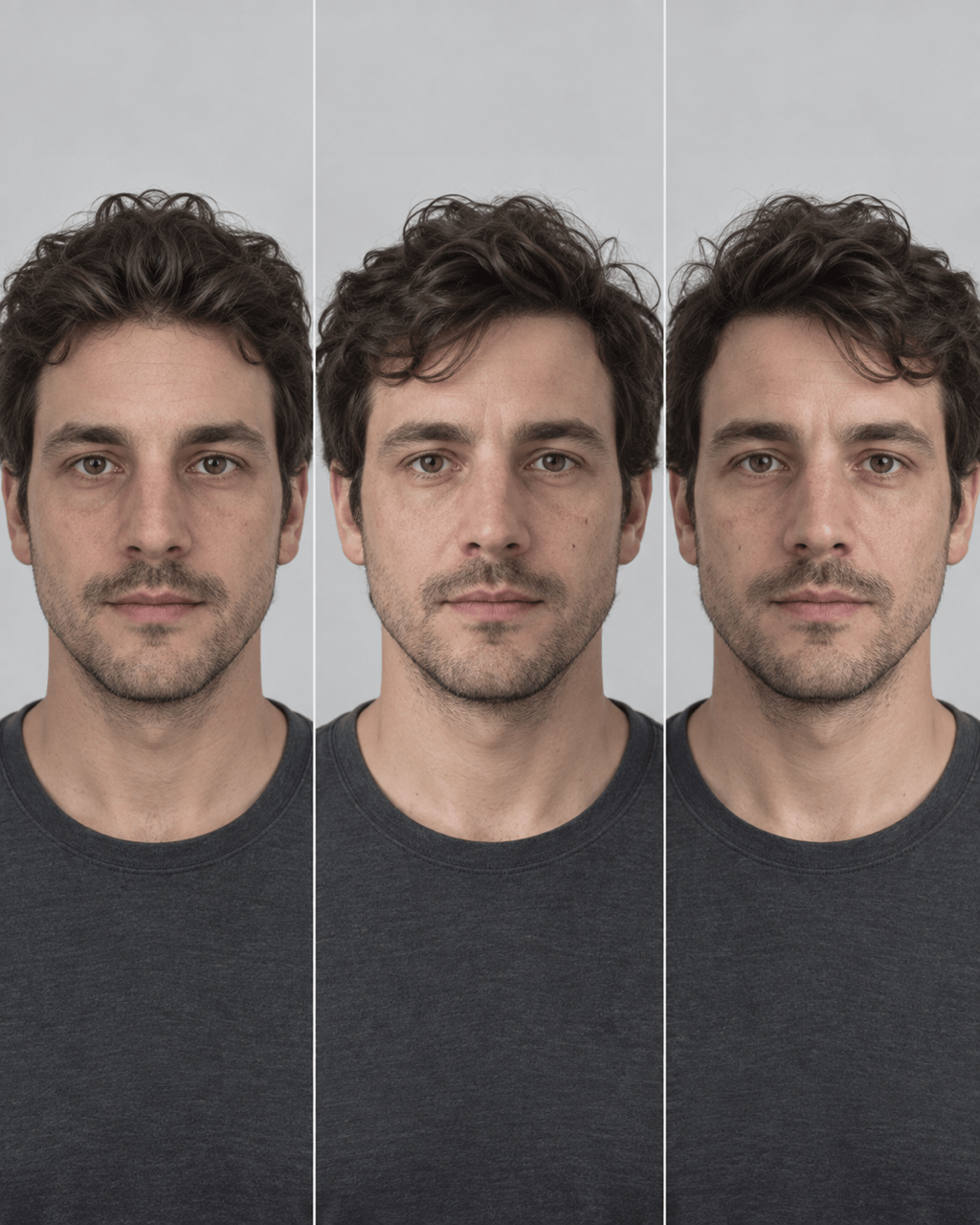
Turn one portrait into an original, left-half mirror, and right-half mirror comparison. The three-view layout makes visible differences easier to inspect than a single unexplained number.

Control the Visual Guides

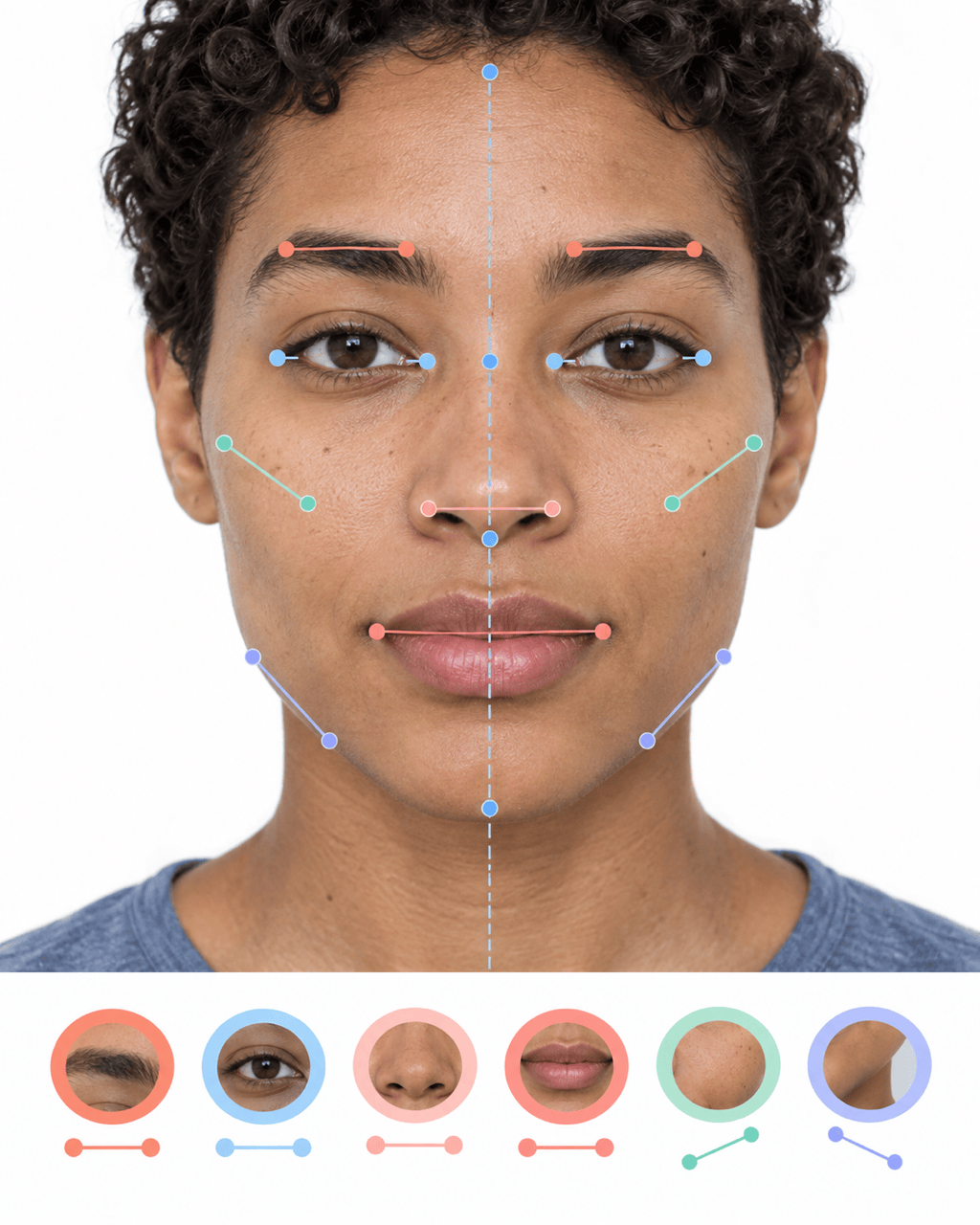
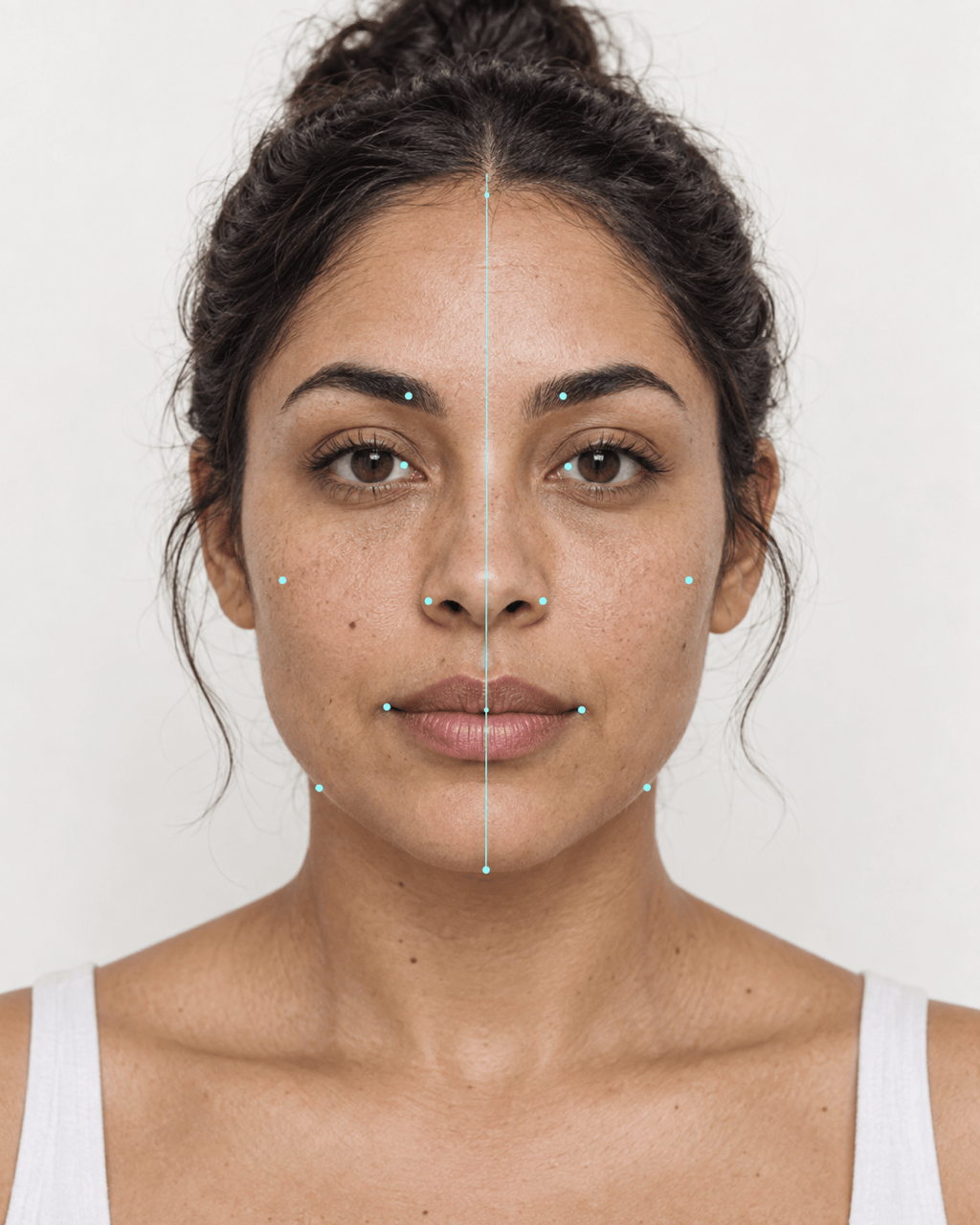
Ask this AI face symmetry checker for a simple centerline or add restrained guides for eye level, brow height, nose alignment, mouth corners, and jaw contour. Reduce the guide density whenever the face becomes hard to read.

Protect Recognizable Features

Use explicit image-to-image instructions to keep identity, skin texture, expression, hairstyle, and lighting unchanged when you only want an overlay or mirror layout. Review the generated result before relying on it.

Refine One Detail in Chat

If a line, label, crop, or mirrored panel looks wrong, use Chat Edit to request one focused correction. You can preserve the parts that already work instead of rebuilding the whole visual.

Create More Than One Test View

Generate a clean 4:5 portrait report, a square social card, or a side-by-side photo comparison. The online facial symmetry test can be adapted to the way you want to review or share the visual.

Try It with Free Credits

Sign up to receive free AI credits and test a face symmetry mirror or overlay before choosing a plan. Finished exports are watermark-free, so your comparison stays clean.

Photo Checklist for a Cleaner Symmetry Comparison

Use @[front-facing portrait] to create a clean 4:5 face symmetry comparison. Keep the person's recognizable facial features, natural skin texture, expression, hair, and lighting unchanged. Show the original in the center, a left-half mirrored face on the left, and a right-half mirrored face on the right. Add one thin centerline and subtle eye, brow, nose, mouth, and jaw guides. Do not reshape the face, assign an attractiveness score, or present the result as a medical measurement.
A face asymmetry test from a photo is highly sensitive to the source image. Use the checklist below before comparing sides, and retake the photo if pose or lighting makes one side look artificially narrower or darker.
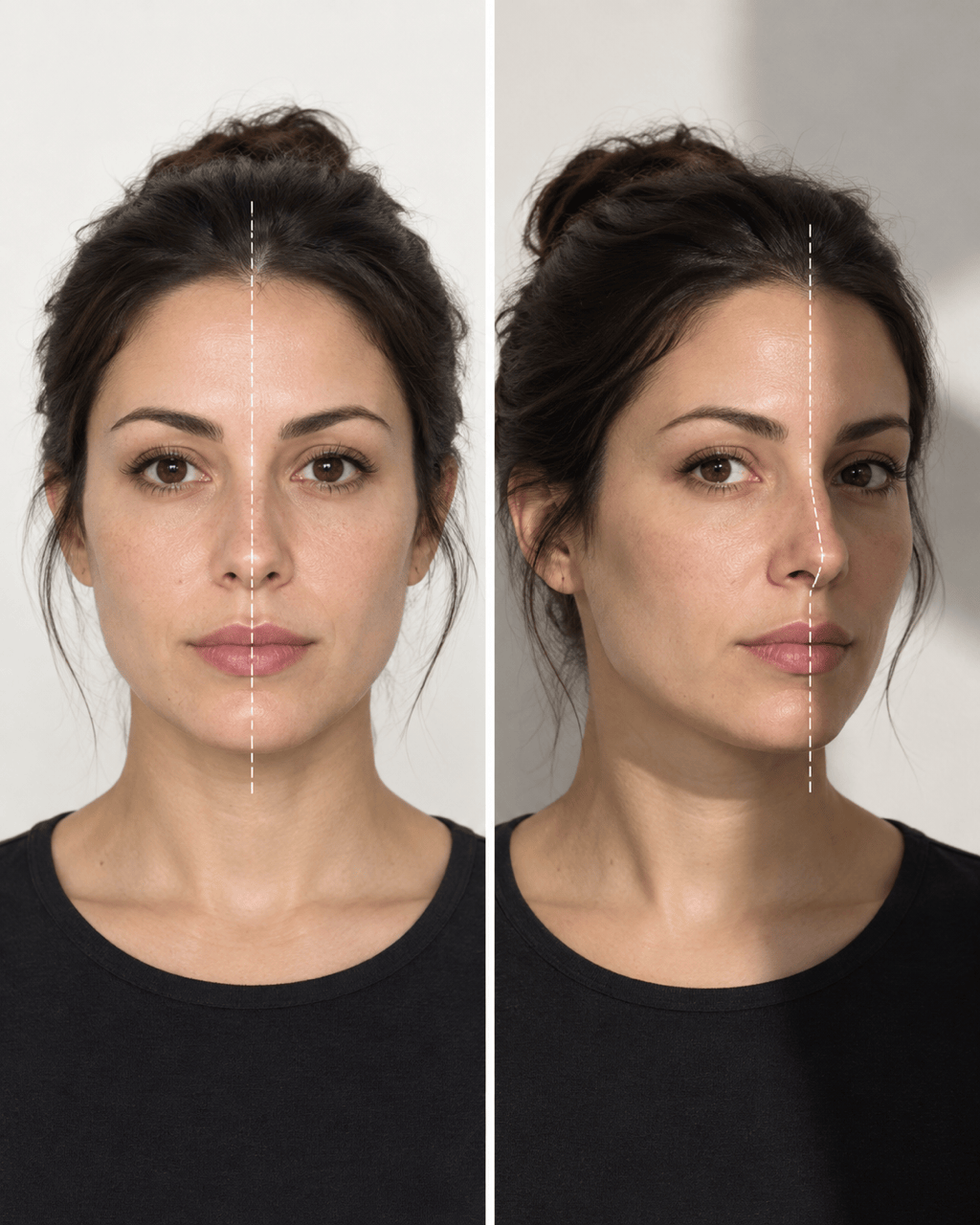
  • Face the Camera: Keep your head level and square to the lens, with the camera at eye height. A small turn can foreshorten one side of a 2D portrait.
  • Use Even Light: Choose soft frontal light instead of a hard side light. Deep shadows can hide the jaw edge or make one eye and cheek appear different.
  • Keep a Neutral Expression: Relax the brows and mouth, look toward the lens, and avoid a one-sided smile when you want to compare resting facial balance.
  • Remove Visual Interference: Avoid beauty filters, heavy retouching, sunglasses, hair over one eye, or a crop that cuts off the forehead or chin.

Face Symmetry Comparisons to Try

Centerline Overlay: Use @[front-facing portrait] to create a clean 4:5 face symmetry overlay. Keep the portrait unchanged and add one thin vertical midline plus light horizontal guides through the pupils and mouth corners. Use high-contrast cyan guides, no scores, and no medical labels.

Left and Right Mirror Test: Build a three-panel comparison from @[portrait]: left-half mirrored on the left, the unchanged original in the center, and right-half mirrored on the right. Keep the crop, scale, background, expression, and lighting consistent across all panels. Label only the three views.

Feature Guide: Turn @[portrait] into an editorial facial symmetry guide. Add paired dots and subtle lines around the eyes, brows, nose wings, mouth corners, cheekbones, and jaw. Preserve the face exactly and use a neutral white-and-blue report layout without a beauty rating.

Two-Photo Comparison: Place @[portrait A] and @[portrait B] side by side at the same scale. Add matching centerlines and eye-level guides so I can compare how pose, expression, and lighting affect visible symmetry. Do not change either face or declare one photo better.

Shareable Symmetry Card: Create a square visual from @[portrait] with the original photo, two small mirrored-face thumbnails, and a simple centerline legend. Use a restrained charcoal, white, and teal palette. Add the footer text 'Visual reference—not a beauty score.'

Symmetrical Portrait Exploration: Make an artistic, clearly labeled symmetry variation from @[portrait] by gently mirroring one selected half across the facial centerline. Place the unchanged original beside the edited version, preserve natural skin texture, and do not call the variation more attractive or medically accurate.


AI Face Symmetry Test FAQs

It is a photo-based way to compare how the visible left and right sides of a face align. Mew Design creates an editable visual with options such as a centerline, paired guides, and left- or right-mirrored views; it does not perform a calibrated biometric exam.
No validated numerical score is provided. The output is an AI-assisted visual comparison, and guide placement or edits can vary. Use it to explore one image, not to rank your face or make a clinical conclusion.
No. Symmetry compares the visible left and right sides, while golden-ratio tools explore relationships among facial proportions. If you want proportion guides, try the AI golden ratio face generator. Neither method defines objective beauty.
Use one sharp, front-facing portrait taken at eye level with even light and a neutral expression. Keep the whole face visible, move hair away from key features, and avoid strong filters, side lighting, or a wide-angle close-up.
Head turn, camera height, lens distance, expression, lighting, hair, filters, and crop can change the apparent shape of a face in 2D. Use the same setup when comparing images and treat large changes as a reason to retake the photo.
Yes. Mild left-right differences are common, and features such as the eyes, brows, mouth, cheeks, and jaw rarely match perfectly. A mirrored composite can exaggerate those ordinary differences, so it should not be treated as the real or better version of a face.
No. This is a creative visual tool, not medical advice, diagnosis, or treatment guidance. If facial drooping or weakness appears suddenly—especially with arm weakness or speech difficulty—contact local emergency services immediately instead of using an online test.
Yes. New users receive free AI credits after signup, so you can create and refine a symmetry comparison before choosing a paid plan. Finished image exports do not include a watermark.
Upload only a photo you own or have permission to use, and avoid adding unnecessary sensitive information. Mew Design may process uploads through AI and infrastructure providers, so review the current Privacy Policy before submitting a sensitive portrait.

Ready to Generate Designs With AI?

Get Started - 50 Free Credits
No credit card required
© 2025 - 2026 Mew Design, MAGOAI LTD.All rights reserved.