Free OnlineAI Golden Ratio Face
How to Create a Golden Ratio Face Visual with AI
Upload a Clear Portrait
Describe the Proportion Visual
Generate and Review the Draft
Refine, Export, and Share

Create Golden Ratio Face Visuals You Can Actually Edit
Start from Your Own Portrait
Upload a selfie or studio portrait and use it as the visual reference. This online golden ratio face maker can build the overlay or design around the face already in your image.
Choose the Guides That Matter
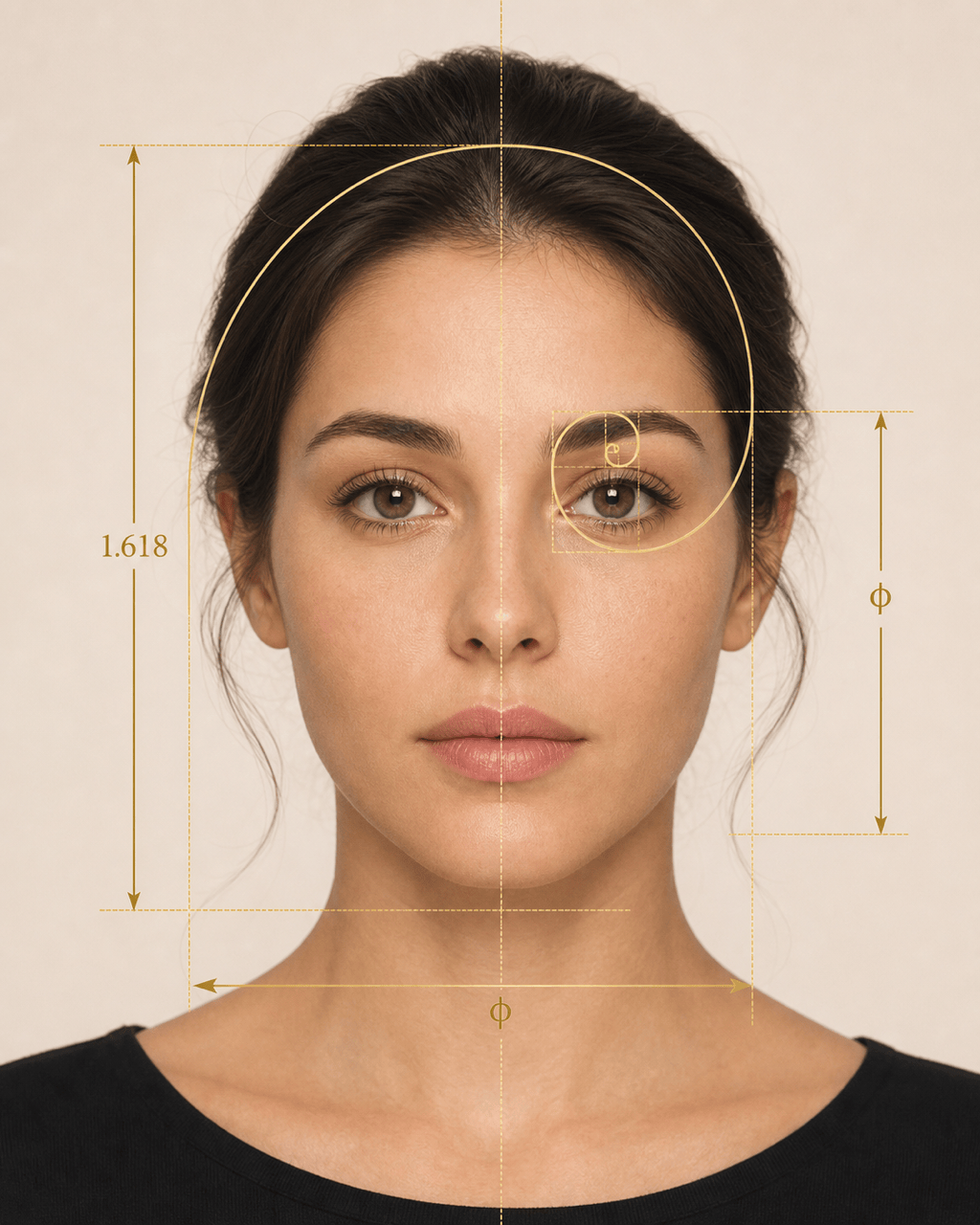
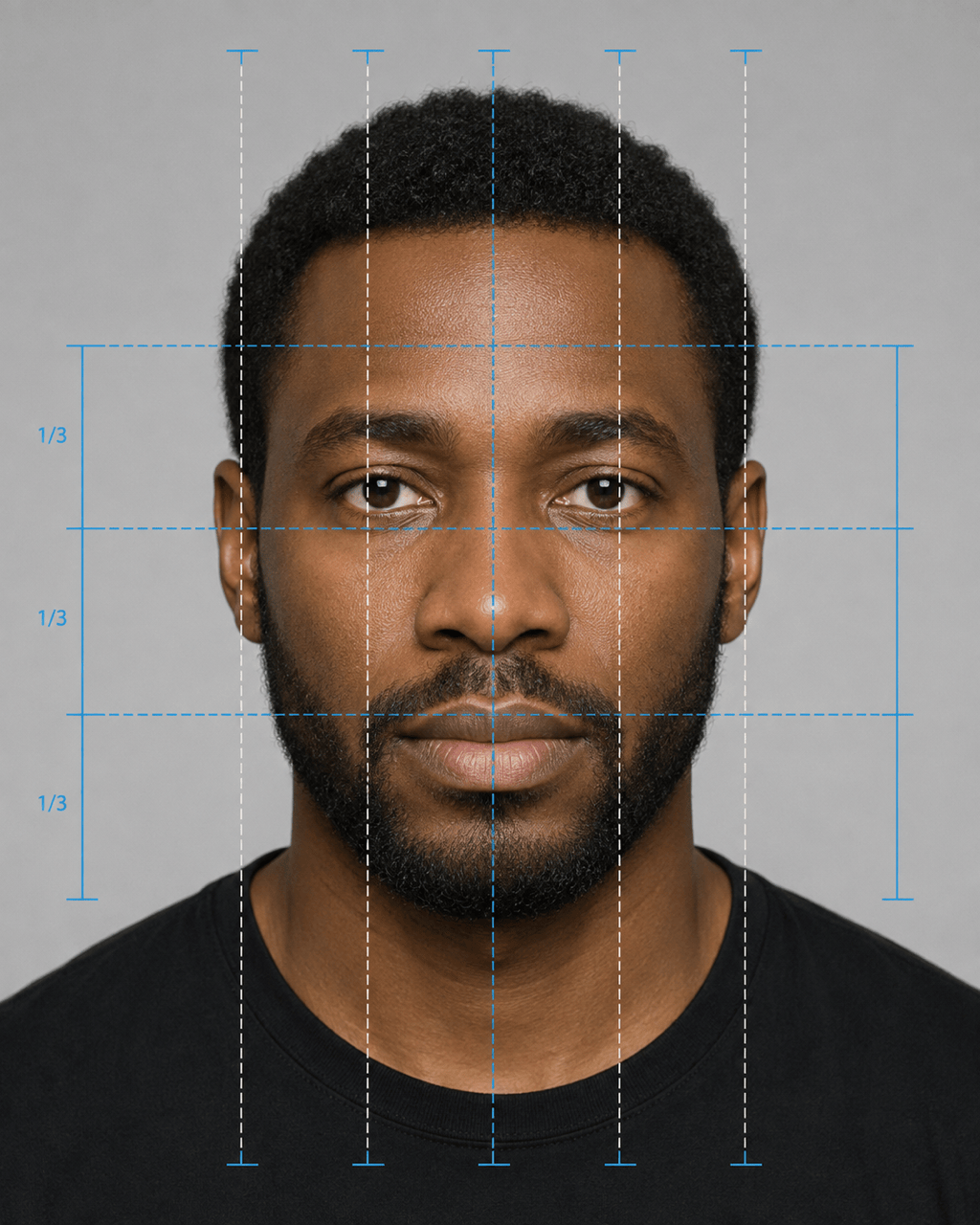
Request a 1.618 spiral, facial thirds, fifths, symmetry axes, or simple landmark lines. The AI face proportion visualizer follows your brief rather than forcing every idea into one score.
Edit the Overlay in Conversation
If a line covers the eyes or the labels feel crowded, click Chat Edit and describe the change. You can simplify annotations, move accents, adjust contrast, or switch from technical to editorial styling.
Explore More Than One Ideal
Generate several visual directions from the same concept, including a clean diagram, a social result card, and a natural portrait variation. Compare styles without treating one face shape as universally perfect.
Keep the Result in Perspective
A golden ratio face analysis from a photo is affected by lighting, lens perspective, pose, expression, and visible landmarks. Mew Design creates a visual interpretation for education and creative exploration, not a diagnosis or beauty verdict.
Try the Idea Before Committing
Sign up to receive free AI credits, test a golden ratio face overlay, and export completed images without a watermark. Refine the concept before using it in a profile, mood board, or presentation.
How to Prompt an AI Golden Ratio Face Visual
- Choose a Suitable Photo: Use a centered, front-facing image with even lighting and visible eyes, nose, mouth, jawline, chin, and forehead. Mention when the source is a three-quarter or side profile.
- Name the Guides: Specify the phi spiral, 1.618 proportion lines, facial thirds, fifths, symmetry axis, or landmark labels you want to see. Ask for fewer guides when clarity matters more than detail.
- Protect Identity Details: Tell the AI to preserve recognizable features, expression, skin texture, hairstyle, and background when you only want an overlay. Review the generated result because image edits can still vary.
- Set the Output: Choose 4:5 for a portrait report, square for a profile post, or landscape for a presentation. Add a palette, label style, and whether the final image should feel scientific, editorial, or minimal.
Golden Ratio Face Prompts for Real Use Cases
Classic Phi Overlay: Use @[front-facing portrait] to create a refined golden ratio face overlay. Add one thin gold phi spiral, a vertical centerline, face length and width markers, and discreet 1.618 labels. Keep the face and lighting unchanged. Use a clean 4:5 editorial layout with no attractiveness score.
Facial Thirds and Fifths Guide: Turn @[portrait] into an educational facial proportion graphic. Mark the upper, middle, and lower facial thirds plus five equal vertical sections across the face. Use blue and white guide lines, compact labels, and a neutral result card. Do not reshape facial features.
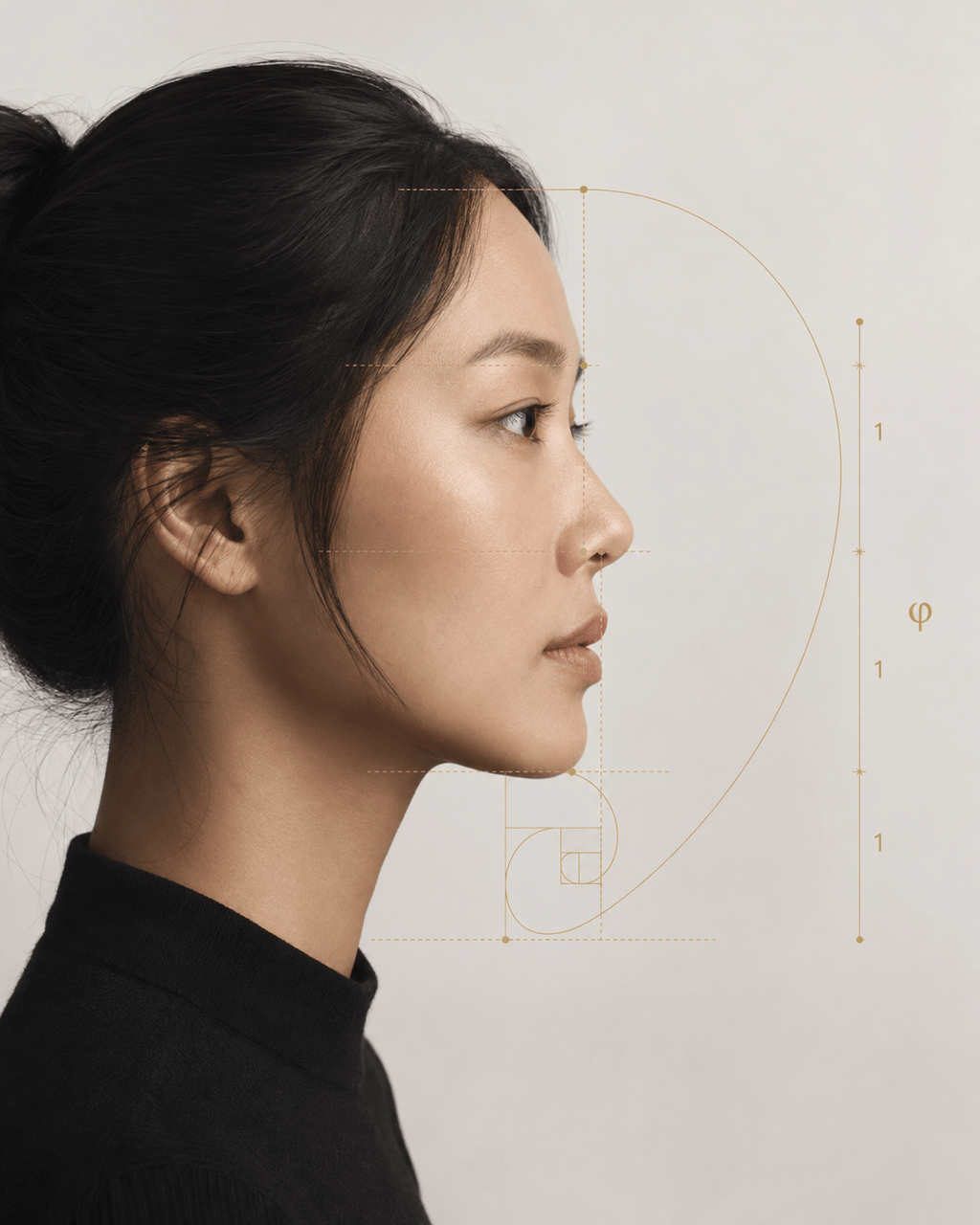
Side-Profile Proportion Visual: Create a 4:5 side-profile golden ratio guide from @[profile photo]. Add subtle reference lines around the forehead, nose, lips, and chin, with one small phi symbol and generous negative space. Preserve identity and make the layout look like a premium magazine infographic.
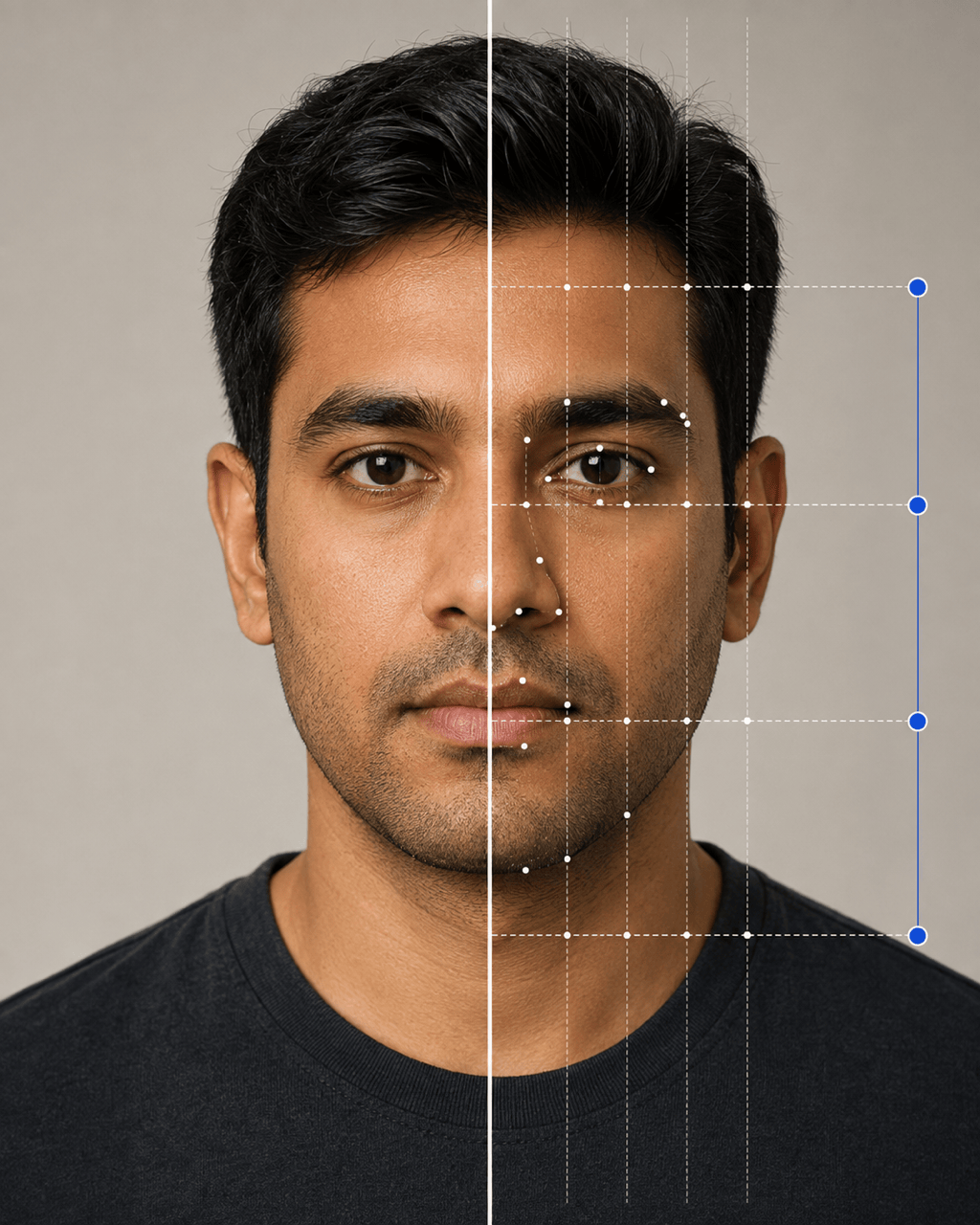
Symmetry Comparison: Build a split-view AI face symmetry and proportion visualization from @[portrait]. Keep the original photo on the left and add a centered symmetry axis with light landmark guides on the right. Use a soft gray background and concise labels; do not rank attractiveness.
Shareable Result Card: Design a square golden ratio face analysis graphic from @[selfie] for social sharing. Include the portrait, facial-thirds bars, a small 1.618 explainer, and a footer that says 'Visual proportion reference—not a beauty score.' Use warm beige, black, and muted gold.
From-Scratch Portrait Concept: Generate a photorealistic adult studio portrait inspired by balanced facial spacing and classical portrait composition. Use a neutral expression, soft frontal light, natural skin texture, and a centered 4:5 crop. Add a faint removable golden-ratio grid as a design element, not a claim of perfect beauty.





