Free OnlineAI Face Draw
How to Create a Face Drawing with AI
Choose the Face and the Finish
Generate Your Portrait
Check the Likeness in Chat Edit
Frame and Download the Drawing
Why Use Mew Design for AI Face Drawing
Turn a Selfie into a Personal Portrait
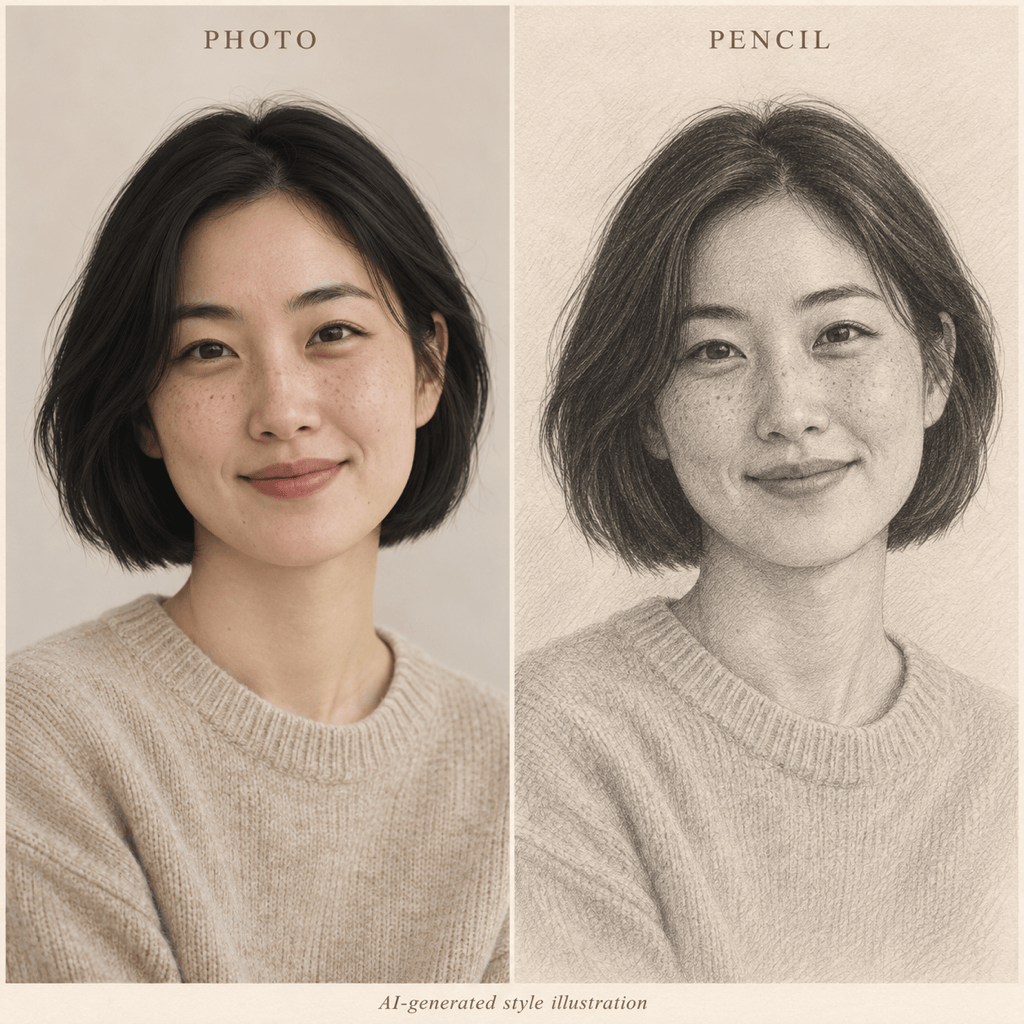
Use your photo as a reference for an AI face drawing. Ask to retain the freckles, hairstyle, facial proportions, and expression that make the portrait recognizable.
Choose Pencil, Line Art, or Cartoon
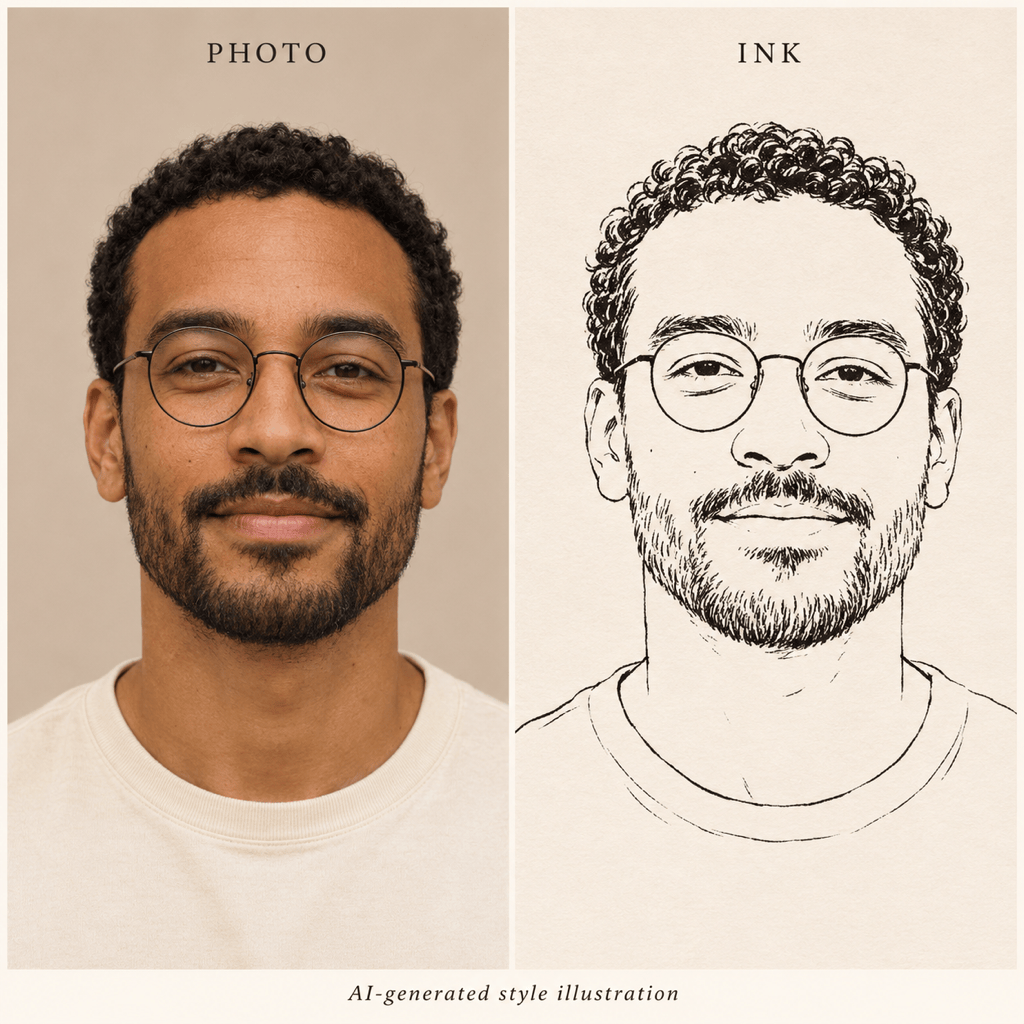
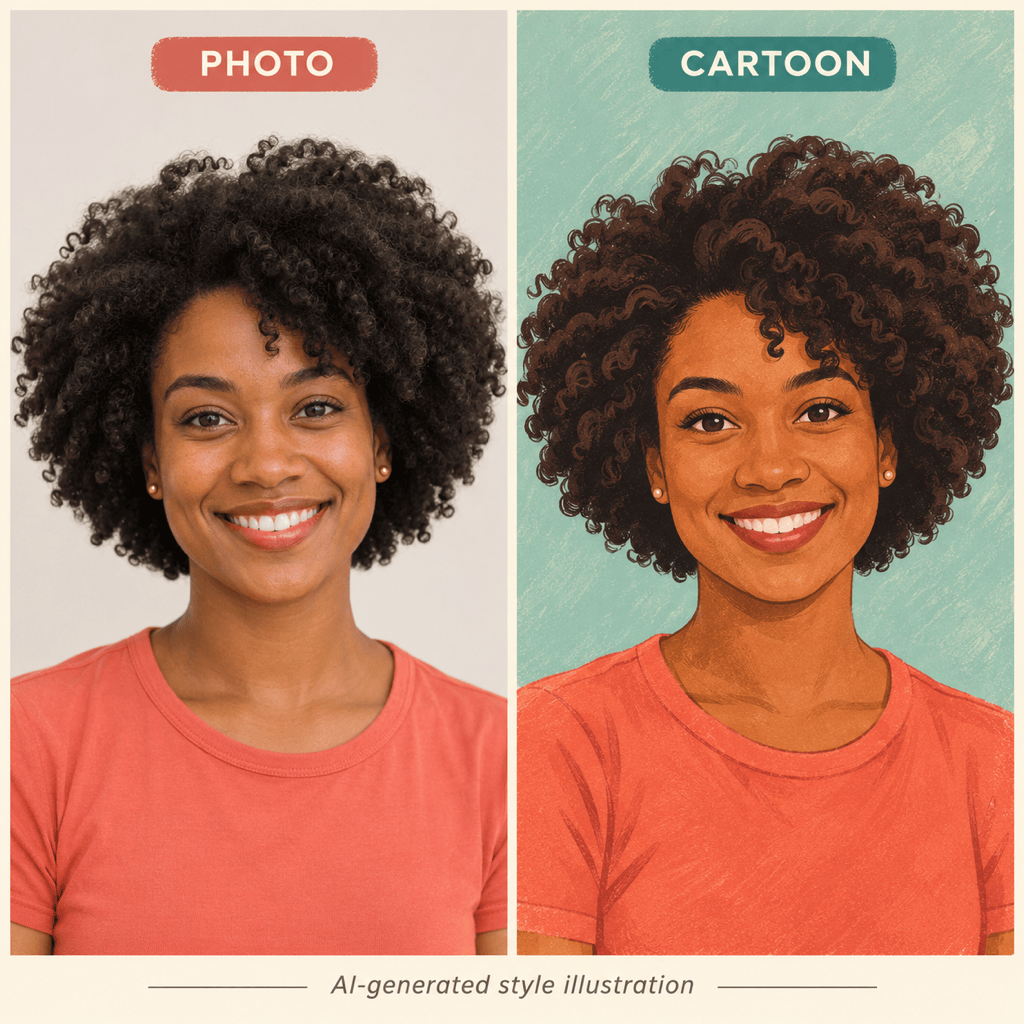
Create a pencil face drawing with soft shading, a minimalist face line drawing with simple contours, or a colorful cartoon avatar. Choose the treatment for a portrait gift, a clean profile image, or a more playful look.
Refine Facial Details Through Chat
Use Chat Edit to adjust eye spacing, glasses, the jawline, or the smile against your original photo. Request one change at a time and compare the result; exact likeness is not guaranteed.
Generate Original Faces from Text
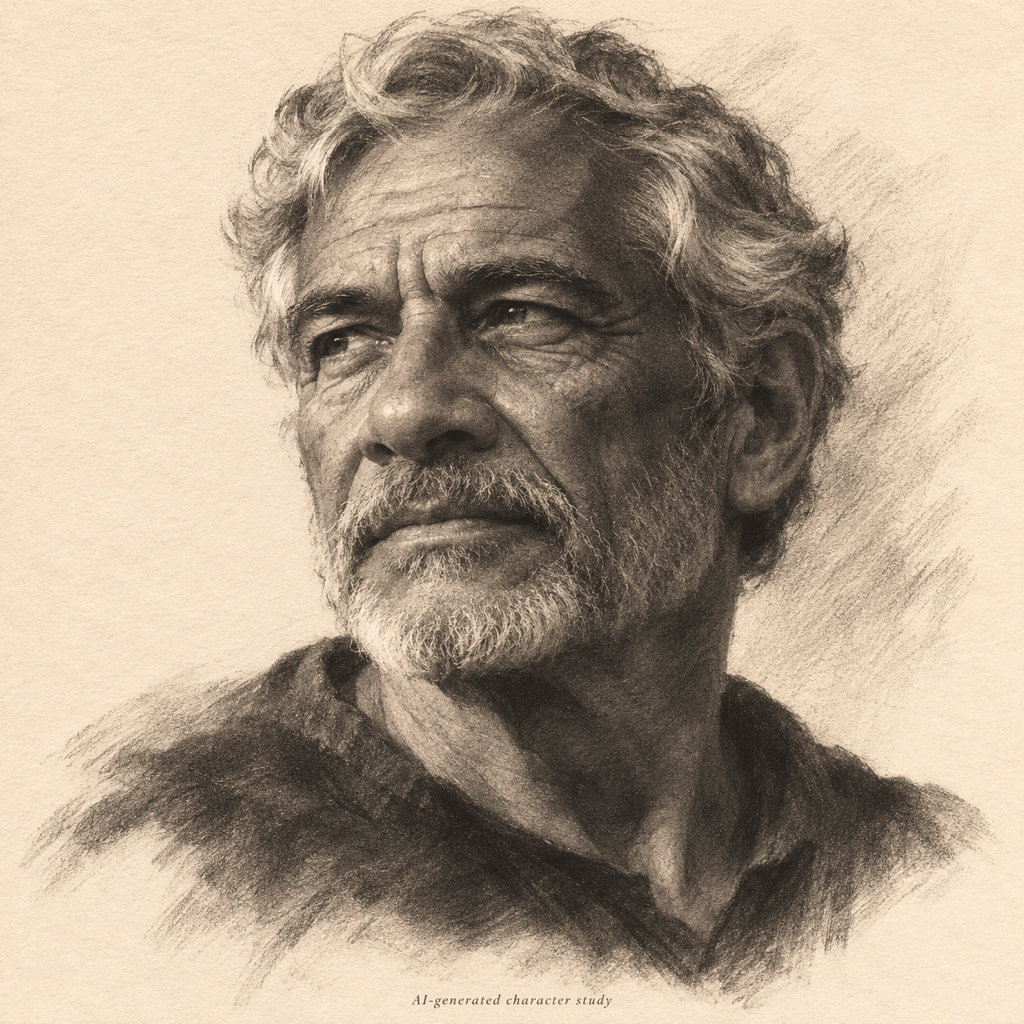
Describe age, facial structure, expression, and lighting to create a fictional face drawing without a photo. Explore character portraits or drawing references, then refine the details in the same conversation.
Prepare a Drawing for Your Profile
Ask for a simpler background and space around the hair and chin so your portrait fits a profile crop. If you need a cutout, request background removal and export a transparent PNG.
Try AI Face Drawing Online
Start with free credits after signup and create or refine your portrait in the browser. Download watermark-free PNG or JPG files; generation and editing use credits.
How to Turn a Face Photo into a Drawing That Looks Like You
- Choose a Clear Photo: Use one visible face with even light. Avoid beauty filters, heavy blur, and sunglasses that hide the eyes.
- Name the Features to Keep: Mention distinctive brows, glasses, facial hair, asymmetry, or smile lines instead of asking only for a “beautiful face.”
- Match the Medium to the Goal: Choose pencil for soft shading, line art for simple contours, or cartoon for a bold avatar. Stronger stylization can reduce resemblance.
- Compare Before You Export: Check eye alignment, teeth, ears, and glasses at full size. Then inspect the small profile crop and request targeted corrections.
AI Face Drawing Ideas from Photos and Text
Pencil Portrait from a Photo: Turn my uploaded selfie into a pencil face drawing on warm white paper. Keep my face shape, eye spacing, hairline, and natural smile. Use soft graphite shading and visible pencil strokes, with a simple background for a personal portrait gift.
Minimalist Face Line Drawing: Use my uploaded photo to create a clean ink portrait with simple facial contours. Keep the nose shape, hairstyle, and glasses recognizable. Use varied black lines on a plain light background, with minimal shading and no added text.
Cartoon Face Drawing for a Profile: Turn my uploaded photo into a colorful cartoon avatar. Keep my hairstyle, skin tone, glasses, and smile. Use clear outlines, natural eye proportions, and a simple background. Leave space around the hair and chin for a circular profile crop.
Face Drawing from Text: Create a charcoal portrait of an older fictional traveler in three-quarter view, with a thoughtful expression, a broad nose, and short wavy hair. Use side lighting and loose hatching on cream paper for a character concept.
Improve the Facial Likeness: Compare the drawing with my uploaded photo. Bring the jaw width, nose shape, and eye spacing closer to the reference. Correct broken or duplicate glasses lines if present, while keeping the current drawing style, pose, and expression.
Make the Portrait Clear at Profile Size: Reframe my existing face drawing as a square avatar with space for a circular crop. Simplify the background and soften distracting shadows under the eyes. Keep facial contours and natural smile lines readable at a small size.