Try It Free OnlineAI Courtyard Design
How to Design a Courtyard with AI
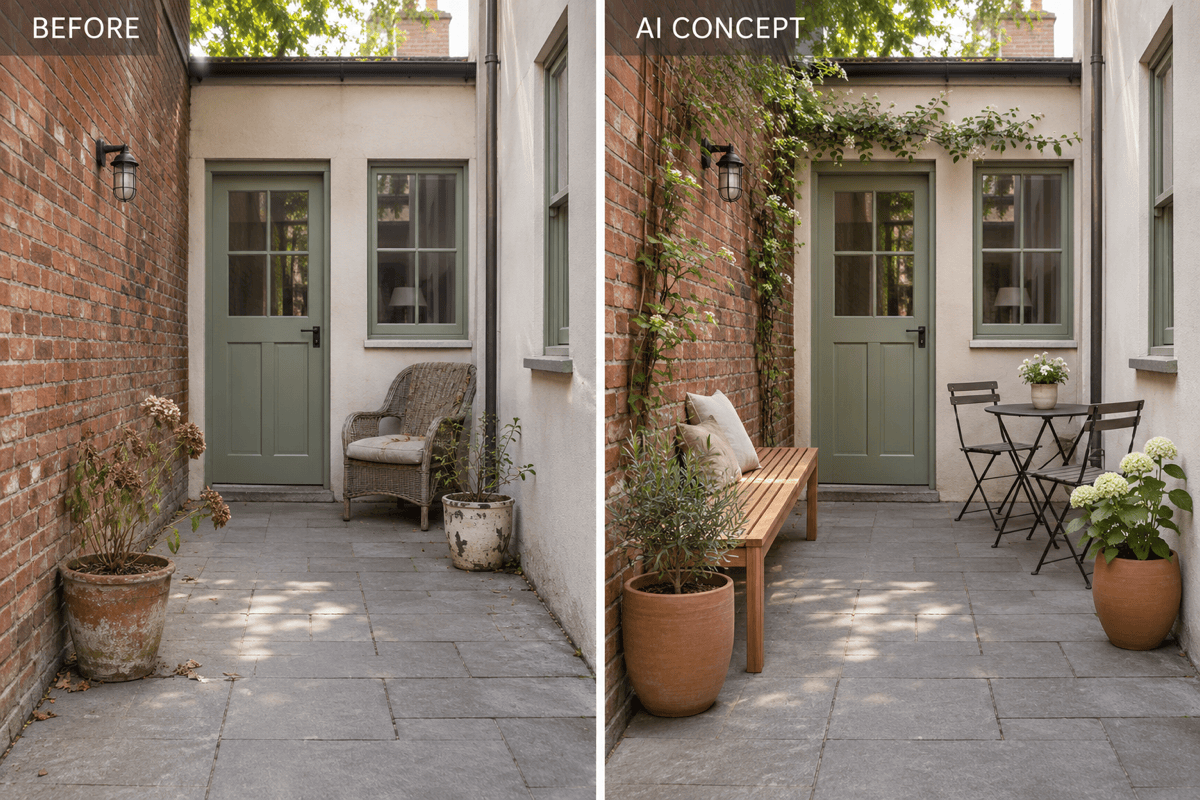
Show the Enclosure
Choose What the Space Should Do
Check the Route Through It
Save a Concept to Discuss

Explore the Changes Before Choosing Materials
Work From Your Own Walls
Upload your courtyard photo and identify fixed doors, windows and boundaries. The AI courtyard design generator uses that reference to guide the redesign; check each result for unwanted changes.
Compare Paving and Planting Together
Try warm stone, brick or gravel alongside different planting arrangements. Compare courtyard garden ideas in the context of the same space.
Revise a Crowded Corner
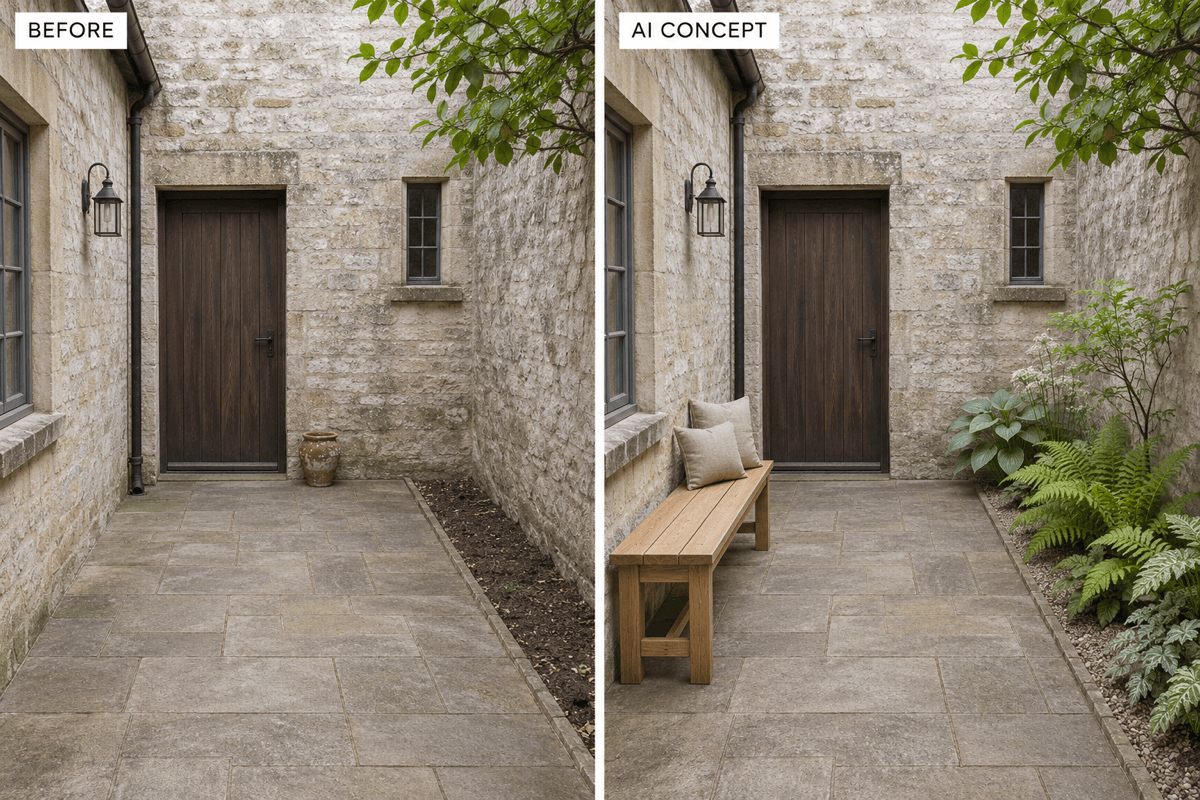
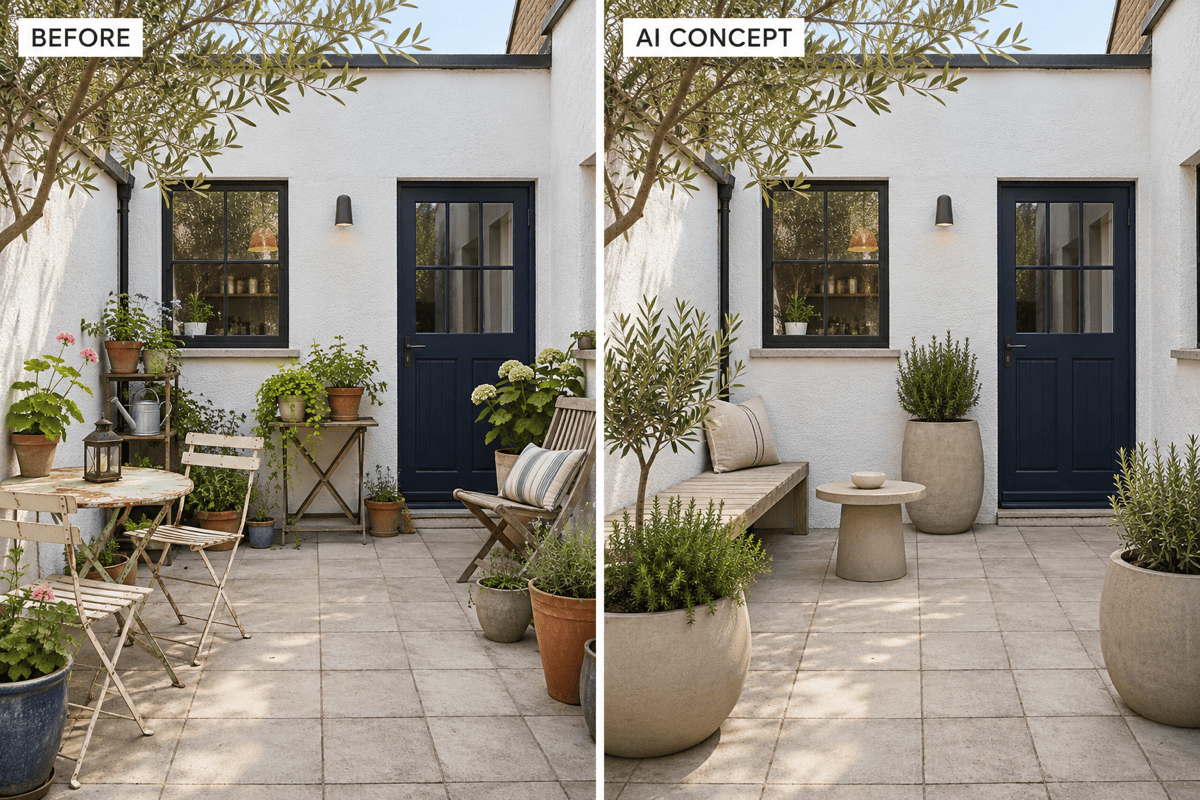
Use Chat Edit to replace bulky seating with a bench or move pots away from an entrance. Describe the adjustment without learning drawing software.
Start Before You Have a Photo
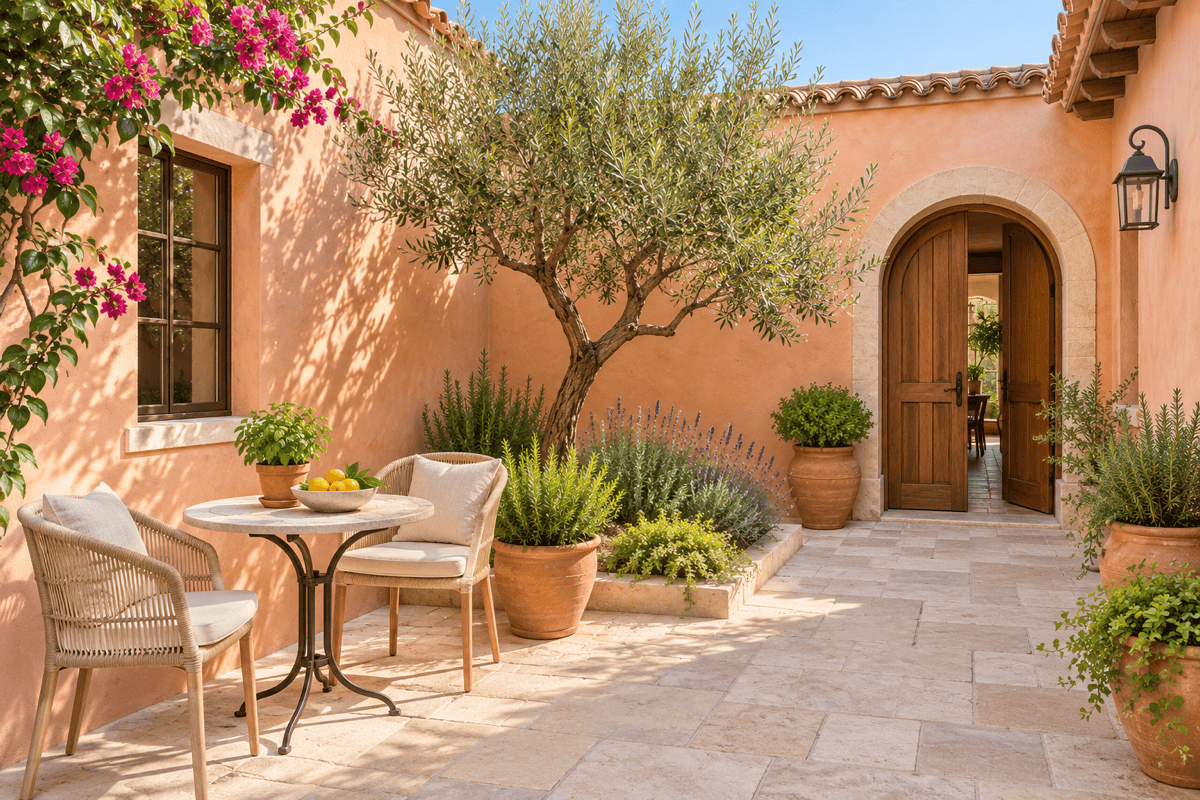
Generate a new courtyard concept from dimensions, enclosure type and a style reference. Explore modern, Mediterranean or Japanese-inspired directions.
Choose How Your Concept Is Generated
Select an available image model yourself, or use Mew Auto to match a model to your brief. Access the latest leading image models, with new releases added promptly.
Try a First Idea With Free Credits
Test AI courtyard design online with free credits after signup. Export images without watermarks. Credit use and model access vary; this is not unlimited free generation.
What to Check Before a Courtyard Redesign
- Light and ClimateDescribe observed sun and shade, your location and watering needs. A single photo cannot establish year-round light or plant suitability.
- Fixed FeaturesIdentify entrances, drains, windows and existing paving you want to retain. State which parts may change.
- Room to MoveProvide approximate dimensions and furniture sizes. Review door clearance and walking routes; a generated image is not a measured plan.
- Work and UpkeepSay whether you want a cosmetic refresh or a larger redesign. Specify low-maintenance planting, reusable paving or movable pots when relevant.
Six Courtyard Problems to Explore With AI
Small courtyard seating: Redesign my uploaded courtyard with a slim bench and a small table for two. Keep the existing walls and doors, and leave a clear route between the entrance and gate.
Shaded courtyard garden: Use my photo to visualize a leafy courtyard with layered foliage and a quiet seat. Reflect the shade conditions I describe, keep the windows clear and avoid adding a lawn.
Low-maintenance courtyard: Keep the existing paving in my photo. Add a few large planters and simple outdoor seating, with no lawn, pond or dense flower beds.
Courtyard privacy: Add a light slatted screen around the seating corner in my photo. Keep the doorway and windows visible, and avoid enclosing the entire courtyard overhead.
Mediterranean courtyard from scratch: Generate an enclosed courtyard with warm plaster walls, terracotta pots, pale stone paving and a small dining table. Show a sunny concept with an open route to the door.
Japanese-inspired courtyard: Rework my photo around gravel, stepping stones, one sculptural tree and a simple bench. Keep the original enclosure and camera angle; avoid filling every corner with decoration.





