Free OnlineAI Candy Cane Photo Generator



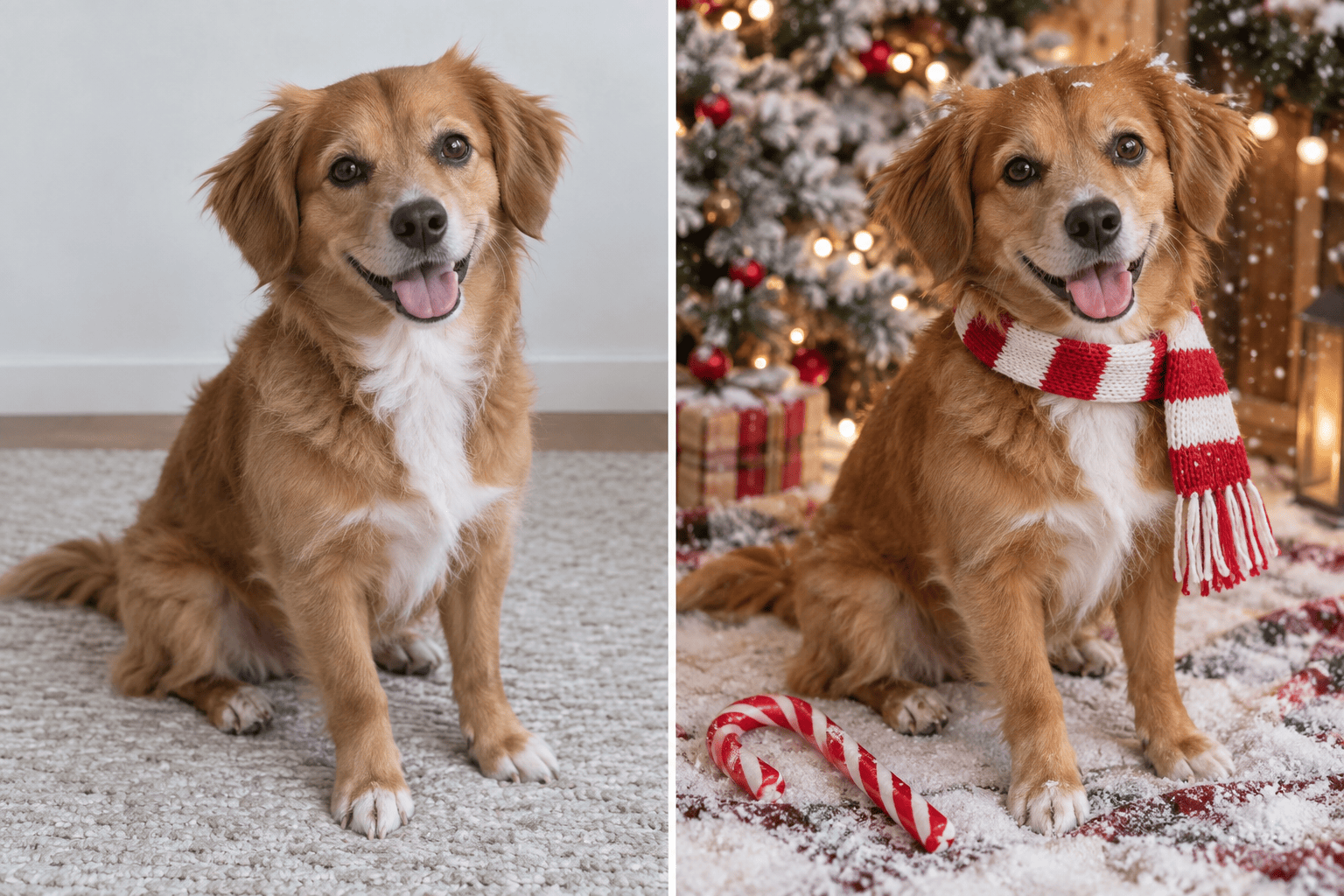
How to Create a Candy Cane Christmas Photo with AI
Add a Photo or Describe the Scene
Set the Peppermint Look
Generate and Refine the Portrait
Download for Cards or Social Posts

Make the Candy Cane Look Your Own
Start from Your Photo
Upload a selfie or group portrait to guide an AI candy cane photo edit. Your source image gives the agent a reference for faces, pose, and composition.
Create Without a Selfie
The candy cane Christmas photo generator also works from a written scene. Describe a photorealistic subject, outfit, peppermint props, and lighting.
Control the Holiday Styling
Choose a subtle candy cane accent or a full peppermint wonderland. Ask for warmer lights, less snow, or a cleaner background without rebuilding your brief.
Fix Details Through Chat
Use Chat Edit for focused changes when a cane bends oddly or a hand needs attention. Review each version; AI edits can still change facial details.
Explore Multiple Photo Directions
Try an elegant studio portrait, a playful family card, or a candy cane pet photo. Reference images can help steer the style of a series.
Try It with Free Credits
Start with free AI credits after signup and export a watermark-free result. Credit use depends on the generation you choose.
Get a Better Candy Cane Photo from Your Selfie
- Protect the likeness:Ask to keep the subject’s recognizable facial features, expression, hair, and skin texture. Compare the output with the source; identity is not guaranteed.
- Place one focal prop:Choose a handheld candy cane, peppermint arch, or striped backdrop. Too many curved props can make the image crowded or distorted.
- Name the destination:Request a vertical social portrait or card-friendly framing with clear space for a greeting, depending on how you will use the photo.
- Inspect the finish:Zoom in on fingers, cane stripes, faces, pet paws, and shadows. Request a focused correction before downloading or printing.
Candy Cane Christmas Photo Ideas to Try
Use my uploaded selfie to make a photorealistic candy cane holiday portrait. Keep my face recognizable; add one glossy red-and-white cane, a cream sweater, soft snow, and warm studio lights. Vertical social framing.
Turn our uploaded couple photo into a cozy candy cane Christmas portrait under a peppermint arch. Keep both people recognizable, use coordinated neutral outfits, natural smiles, and warm evening lights. Leave room for a greeting.
Use our uploaded family picture to create a candy cane Christmas card photo. Keep each person recognizable and in the same order. Add a simple snowy set, a few red-and-white props, and open space for card text.
Turn my uploaded pet photo into a candy cane holiday portrait. Keep the same pet’s coat markings and face; add a small striped scarf, one candy cane prop beside the pet, and warm festive bokeh. Check paws and tail.
Use my uploaded close-up portrait for an elegant peppermint studio photo. Keep my natural skin texture and expression; add a single cane near the frame edge, soft red-and-white accents, and restrained holiday lighting.
Create a new photorealistic candy cane Christmas portrait from text: an adult in a cream coat beside a giant peppermint cane, light snow, warm string lights, realistic hands, and a clean vertical composition. No source photo.





